1
KOMPAS-3D V9. User manual.
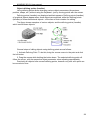
2. In the list of libraries (located in the right part of the Manager's first tab) select the
name of the desired library and call the context menu command Attach.
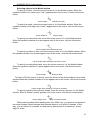
To quickly detach the selected library, click the mouse in the field next to its name in
the list (when the library is connected, this field displays a "check").
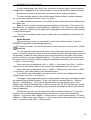
You can detach all libraries at once; the two are connected to the system, by the
Detach All command from the context menu of the list of libraries in the Library Manager
window.
The command Service - Detach All Libraries allows to detach at once all
application libraries connected to the KOMPAS-3D system.
An individual application library running in the dialog mode can be detached by
clicking the Detach button in its dialog.
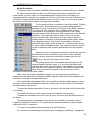
An individual application library working in the panel mode can be detached by
calling the Close command from the context menu of the library structure window or from
the current section viewing window on the pane of the Library Manager Window.
Tip. You can enable Auto Detach Libraries Attached in the Hidden Mode. To do this,
use the library settings dialog.
259