1
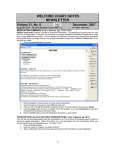
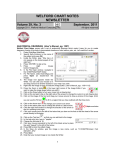
14. For Allergic to: enter
pravastatin.
15. You can record a
Reaction, or leave it
blank.
16. For Severity, choose
Not.
17. Press OK.
Henceforth, if you prescribe
pravastatin for this patient
(either by recording it in the
Medication Editor, in the
Prescription Writer, or in the
Prescription Log), the program will no longer warn you of the atorvastatin allergy. Note that it WILL continue
to warn if you prescribe a different statin (e.g. rosuvastatin) since that still belongs to the class of
atorvastatin. Try repeating steps 5-8 above and you will see that the program no longer warns you about the
atorvastatin allergy.
NAME EDITOR SHOW CODE NUMBER OPTION (User's Manual, pg. 1329)
You can arrange to have the program display each patient's code number when you are selecting a patient
by checking Name\Options\Show Code # on List. This makes it easier to select the proper patient when
you have multiple patients with the same or similar names.
NEWS ON VERSION 6.6
We have been busy adding new features to version 6.6, including Detailed Family History Batch Parsing. If
there are particular features you would like to see in version 6.6, please contact us.
SEND US YOUR TIPS
If you have tips, shortcuts, questions, or suggestions for future newsletter topics, please send them to us at:
Welford Medical Computing, Inc.
3779 Hermitage Trail
Rockford, IL 6111
or
6
MEDCOM Information Systems
2117 Stonington Avenue
Hoffman Estates, IL 60195