1
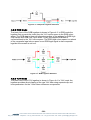
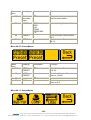
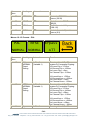
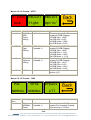
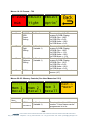
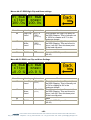
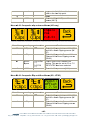
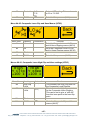
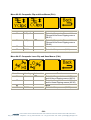
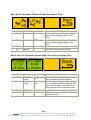
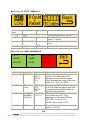
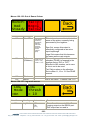
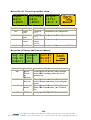
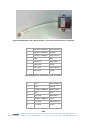
Menus 88-91: Composite Luma High Clip and Knee settings (PAL)
High
High
Y Clip Y Knee
+700mv +700mv
Menu Num.
88
89
90
91
Heading
High Clip
Level
High Knee
Level
Blank
BACK
Automation
[8-511]
[8-511]
none
Function
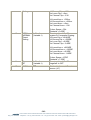
This indicates the High Clip point for
the Composite Luma Clipping.
This indicates the High Knee point for
the Composite Luma Clipping. This
can be set to give a “soft clip” from
this knee point to the hard clip point.
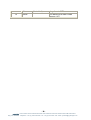
Go to the Composite Clip and Knee
menus (84-87)
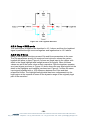
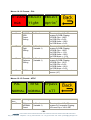
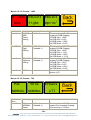
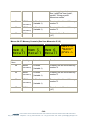
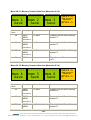
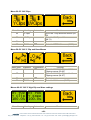
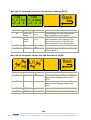
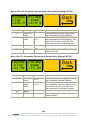
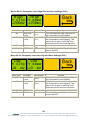
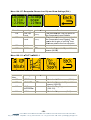
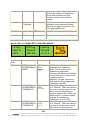
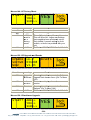
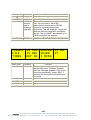
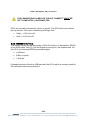
Menu 92-95: Composite Luma Low Clip and Knee Settings (PAL)
Low
Low
Y Clip Y Knee
+0 mv +0 mv
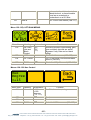
Menu Num.
92
93
94
95
Heading
Low Clip
Level
Low Knee
Level
Blank
BACK
Automation
[8Æ511]
[8Æ511]
none
Function
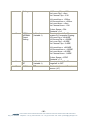
This indicates the Low Clip point for
the Composite Luma Clipping.
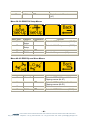
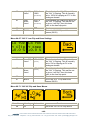
This indicates the Low Knee point for
the Composite Luma Clipping. This
can be set to give a “soft clip” from
this knee point to the Low clip point.
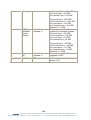
Go to the Composite Clip and Knee
menus (80-83)
- 51 eyeheight Unit 34 Park House Watford Business Park Greenhill Crescent Watford Herts GB WD18 8PH
Reg. No. 2855535 Telephone: +44 (0) 1923 256 000 Fax: +44 (0) 1923 256 100 email: [email protected]