1
Title: TamTamCRM User Manual
Confidential
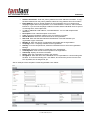
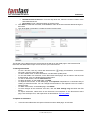
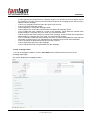
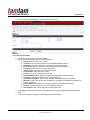
TamTamCRM provides several charts based on predefined reports. You can use these charts to view
sales and opportunities for your organization. Each distinctively colored area on a chart is linked to the
data set that it represents. You can click any colored area to drill down to the underlying data. To
enhance performance, the system does not automatically recalculated chart data each time you click the
Dashboard tab. To recalculate the data source for a specific chart, click the associated Refresh
button above the chart.
You cannot delete predefined charts but you can edit them to suit your requirements.
TamTamCRM provides the following predefined charts:
-
-
-
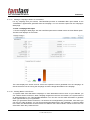
All Opportunities by Lead Source. A pie chart of that displays the proportion of total sales
opportunities for each lead source.
All Opportunities by Lead Source by Outcome. A horizontal stacked bar chart that displays
total opportunities for each lead source. Each bar is made up of multi-colored segments which
represent the outcome proportions for that lead source.
Outcome by Month. A stacked bar chart where each bar displays the total sales pipeline for
each month. Each bar is made up of multi-colored segments which represent the outcome
proportions for the pipeline in that month.
Campaign ROI. Displays a campaign’s return on investment.
My Pipeline by Sales Stage. A horizontal stacked bar chat that displays total opportunities for
each sales stage. Each bar is made up of multi-colored segments which represent the outcome.
Pipeline by Sales Stage: This is a horizontal bar chart that displays the total ringgit or dollar
amounts for all you opportunities grouped by sales stage.
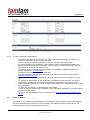
To customize a predefined chart
1.
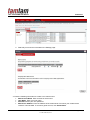
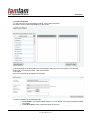
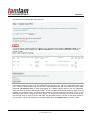
On the Home Module, click the Edit icon on the top right corner of the chart.
A dialog box displays the details of the report on which the chart is based:
2.
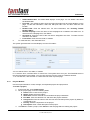
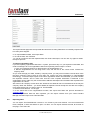
Edit the details as necessary and click Save. The chart reflects the changes to the report.
Page: 21/76
© TAMTAMCRM, 2012