1
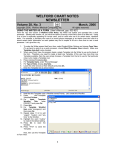
USING THE NEW HELP SYSTEM ACROSS A NETWORK (User’s Manual, pgs. 1522)
Version 5.6 introduces a more modern help system using the Microsoft Windows CHM format. The help is
stored in a file called CHART32.CHM. Unfortunately, Microsoft has made it difficult to access this file over a
network from one computer to another. It has introduced a security feature which blocks this access
because some malware has taken advantage of the CHM format to distribute a virus across a network.
Instead of seeing the help text in the right hand pane, you will see “Navigation to the webpage was
canceled”.
It
is
still
possible
to
access
the
help file from
one computer
to
another
across
a
network.
The security
patch and its
effects
are
fully described
on Microsoft's web site at http://support.microsoft.com/kb/896358
If you trust all the computers on your LAN or intranet (and the people using them), you can lower the
restrictions on the Local Intranet zone to allow CHM files to be displayed with the following steps:
1.
Click Start, click Run, type regedit, and then click OK.
2.
Locate and then click the following subkey:
3.
HKEY_LOCAL_MACHINE\SOFTWARE\Microsoft\HTMLHelp\1.x\ItssRestrictions
4.
If this registry subkey does not exist, create it.
5.
Right-click the ItssRestrictions subkey, point to New, and then click DWORD Value.
6.
Type MaxAllowedZone, and then press Enter.
7.
Right-click the MaxAllowedZone value, and then click Modify.
8.
In the Value data box, type 1, and then click OK.
9.
Quit Registry Editor.
If this solution does not work for you, please see http://support.microsoft.com/kb/896358 for alternatives.
SEND US YOUR TIPS
If you have tips, shortcuts, questions, or suggestions for future newsletter topics, please send them to us at:
Welford Medical Computing, Inc.
or
MEDCOM Information Systems
3779 Hermitage Trail
2117 Stonington Avenue
Rockford, IL 61114
Hoffman Estates, IL 60195
4