1
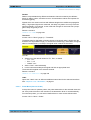
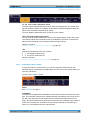
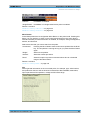
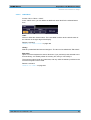
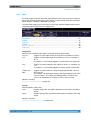
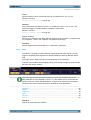
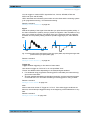
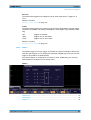
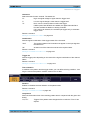
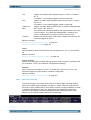
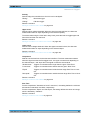
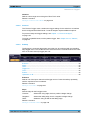
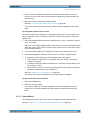
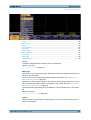
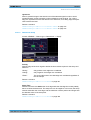
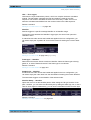
R&S®RTM2000 Protocol Analysis CAN (Option R&S RTM-K3) If you search for remote or data frames, the search consideres also the ID type, the length of the identifier. The setting is only available if "Event" = "Frame" is selected. Remote command: SEARch:PROTocol:CAN:FRAMe on page 463 Error Setup Selects the error type to be searched for. You can select one or more error types as search condition. The error types are the same as in the CAN trigger setup, see "Error <type>" on page 193. The setting is only available if "Event" = "Error" or "ID & Error" is selected. Remote command: SEARch:PROTocol:CAN:ACKerror on page 464 SEARch:PROTocol:CAN:BITSterror on page 464 SEARch:PROTocol:CAN:CRCerror on page 464 SEARch:PROTocol:CAN:FORMerror on page 465 Symbolic ID If a label list with node names was loaded and applied in the bus configuration, you can select simply the node name from the list instead of entering the numeric identifier. The instrument trriggers on the identifier of the selected node. Frame type Selects the frame type to be searched for, if "Event" = "Identifier" is selected. You can search for data and or remote frames. Remote command: SEARch:PROTocol:CAN:FTYPe on page 465 Identifier Setup Opens the menu to set the identifier pattern, if "Event" = "Identifier" or "ID & Data" or "ID & Error" is selected. After setting the "ID type" and the "Comparison" condition, you can enter the value bitby-bit by setting the state high, low, or don't care for each single bit. Alternatively, you can enter a hexadecimal value for each byte. The settings are the same as for the setup of the identifier trigger, see "Identifier Setup" on page 194. Remote command: SEARch:PROTocol:CAN:ITYPe on page 465 SEARch:PROTocol:CAN:ICONdition on page 465 SEARch:PROTocol:CAN:IDENtifier on page 465 Data Setup Opens the menu to set the data pattern to be searched, if "Event" = "ID & Data" is selected. User Manual 1317.4726.02 ─ 02 200