1
2) The following Midi events and controls can be used within the Midifile:Note On/Off, Bend, Modulation, Sustain, Expression, Pan Pot, Rev, Chorus,
Wha-Wha (On: CC 86 value 127 – Off CC 86 value 0. Chorus CC 85 - 0 to 127), Portamento On/Off (On:
CC 65 value 127, Off CC 85 value 0), Portamento Time CC 5 valule 0 to 127, Tempo Track (BPM).
3) The Midifile must be saved in Midi format 0 (zero) plus contain sub division markers and must have a
resolution of 480 TPQ.
4) Never program double notes within the midifile at the same time on the same track.
5) All midi events within a section and marker should not over ride/overlay the next marker.
6) Do not write control change or pitch bend events on the same note neither during note on or off.
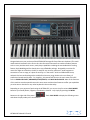
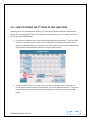
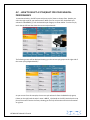
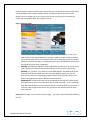
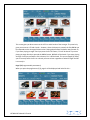
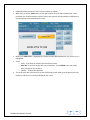
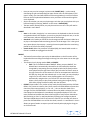
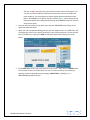
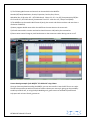
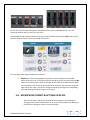
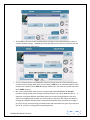
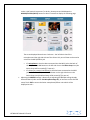
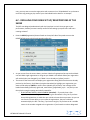
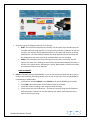
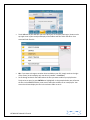
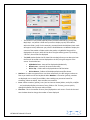
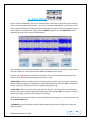
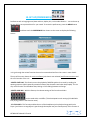
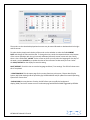
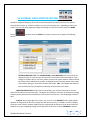
Screen showing example of the Midifile "70's POP.mid" using Cubase
Once you have completed recording the Midifile, you can now transfer it into the SD7 for use as a style.
The SD7 also provides you with more tools to further enhance your new style, giving you the possibility
to add say Audio Drums, or using the Style Modeling tool, grants access to hundreds of professional
style parts such as bass. Chords, grooves etc.
KETRON SD7 Manual & Tutorial
72