1
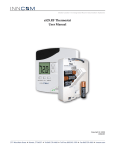
Installation/User Manual X529/e529
Part Numbers 02-9487-D & 01-9488.xxx
Revision 3.1, Issued 9/12/06
INNCOM international, inc.
Table of Contents
Introduction………………………………………………………………………………………………… 4
Section 1
1.1
1.2
1.3
Installing the e529 Battery Powered Thermostat……………………………………
Installation materials……………………………………………………………………….
Positioning…………………………………………………………………………………..
Mounting…………………………………………………………………………………….
5
5
5
5
Section 2
2.1
2.2
2.3
Installing the X529 Thermostat Controller…………………………………………...
Installation materials……………………………………………………………………….
Positioning…………………………………………………………………………………..
Mounting…………………………………………………………………………………….
6
6
6
7
Section 3 Wiring the FCU/PTAC HVAC Interface and the RB05 or X06……………………… 9
3.1 RB05 Low-Voltage Interface Card……………………………………………………….. 9
3.2 X06 Relay Pack…………………………………………………………………………….. 11
Section 4
4.1
4.2
4.3
Mounting and Connecting the Eye5 IR Module……………………………………... 12
Mounting…………………………………………………………………………………….. 12
Securing……………………………………………………………………………………... 13
Connecting………………………………………………………………………………….. 13
Section 5 Connecting Door and Window Position Inputs to the X529………………………..13
5.1 Using an S541 Door Switch…………………………………………............................... 13
5.2 Using an S241 or Similar…………………………………………................................... 13
Section 6
6.1
6.2
6.3
6.4
6.5
6.6
6.7
6.8
Testing e529/X529 Operation…………………………………………………………… 15
Powering Up……………………………………………………………............................ 15
Verify Diagnostic LED……………………………………………………………………… 15
Verify X529/e529 IR Communication…………………………………………………….. 15
X529 Communicating with Room Gateway……………………………………………… 16
HVAC Control………………………………………………………………………………. 16
3-Fan-Speed FCU Control………………………………………………………………… 16
Door/Window Inputs…………..…………………………………………………………… 17
Set Room ID……….…………..…………………………………………………………… 17
Section 7 X529 Detailed Overview………………………………………………………………….. 18
7.1 X529 LEDs………………………………………………………………………………….. 18
7.2 X529 Headers and Pinouts………………………………………………………………... 19
Section 8 e529 Detailed Overview………………………………………………………………….. 20
8.1 e529 Windows, Control Buttons, and Sensors………………………………………….. 20
8.2 e529 LCD Functions……………………………………………………………………….. 22
2
277 · West Main Street· Niantic, CT · USA · 860-739-4468 · www.inncom.com