1
In the Beginning is the Pipeline. Photometry
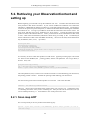
5.5.2.2. Combining the final image
If you have more then one slice you need to combine them in
order to get the final image.
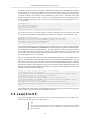
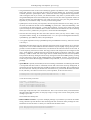
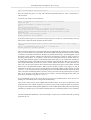
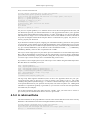
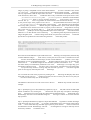
from java.util import ArrayList
from herschel.ia.toolbox.image import MosaicTask
# making an empty list in which we are going to store the images
images1=ArrayList()
images2=ArrayList()
for i in range(slicedFrames.numberOfScienceFrames):
ima1 = simpleFitsReader("filename"+str(i)+'.fits')
ima2 = simpleFitsReader("filename"+str(i)+".fits")
ima1.exposure = ima.coverage
# this swap is peformed because the current exposure
map is incorrect.
ima2.exposure = ima2.coverage
images1.add(ima1)
images2.add(ima2)
# mosaicking
mosaic1=MosaicTask()(images=images1,oversample=0)
mosaic2=MosaicTask()(images=images2,oversample=0)
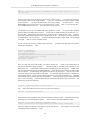
With the simple fits reader you need to read all the fits files
created using photProjectPointSource
and/or photProject project and
mosaic them using the "MosaicTask" that simply combine all the
images
in the "images" array
5.6. Scan Map AOR
5.6.1. Level 0.5 to Level 1
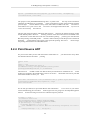
See the detailed description of the same steps in the Point-source
pipeline section:
•
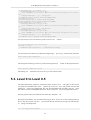
photMMTDeglitching we advise to use :
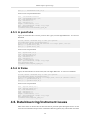
myframe = photMMTDeglitching(myframe, incr_fact=2,mmt_mode='multiply', scales=3,
nsigma=5)
it gives rather good results on scan maps at medium scan speeds, if the target it not too bright (above
a few hundreds of mJy), otherwise the PSF core is also deglitched. Check the exposure map to see
if this is not the case. You can reduce the scales to scales=2 to overcome this problem. At high
speed (60'/s) deglitching is challenging, even with scales=1, the brightest sources in the galacctic
plane can be affected.
•
photRespFlatFieldCorrection
76