1
A First Quick Look at your Data
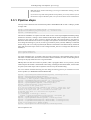
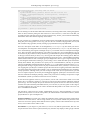
For this to work you must have your HSA username and password written in your /.hcss/user.props
file with the following lines:
hcss.ia.pal.pool.hsa.haio.login_usr = your username
hcss.ia.pal.pool.hsa.haio.login_pwd = your password
If you are only now writing these in that file, then you should restart HIPE for it to take effect.
Alternatively you can type directly into your current session the commands:
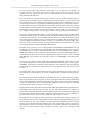
login_usr = "hcss.ia.pal.pool.hsa.haio.login_usr"
login_pwd = "hcss.ia.pal.pool.hsa.haio.login_pwd"
Configuration.setProperty(login_usr,"xxxxxx")
Configuration.setProperty(login_pwd,"xxxxxx")
We recommend you immediately then save myobs to a pool, because with getObservation you only
load the ObservationContext into HIPE memory, not onto disc.
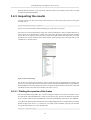
• If you want to look at what observations are in a pool
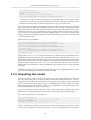
allObs = LocalPool("swimming", "/Users/me/.hcss/lstore").allObservations
and then double click on allObs in the Variables panel for a listing.
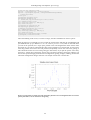
• You save myobs to a pool in the following way
saveObservation(myobs,poolName="swimming")
where "swimming" is located by default at [HOME]/.hcss/lstore/swimming.
These methods work for an ObservationContext, not for any other type of product. For importing and
exporting other products, see the instructions in Chap. 3/5. The full range of parameters for getObservation and saveObservation are given in Chap 3/5, where we also tell you how to save to a location
on disc other than the default. Right now we want to keep things short and sweet.
Note
You can give you variables#the things on the left of the = sign#any name you like. So
instead of "myobs" you could write "anobs" or "elmioobs".....
Be aware that when you enter od=number, that number must have no leading 0s. 0045 is
not the same number as 45!
1.3.3. How can I work out what is what in the ObservationContext?
One thing that will help you work out what your observation is of and what instrument configuration
you had is to have a copy of the AOR (the Astronomer's Observation Request), which is where the
commanding of the pointing and the instrument configuration would have been taken from. You can
also look at the "meta data" of the ObservationContext. These are like FITS headers, a listing of various
information about a product. Most products will have meta data, although they will not always be
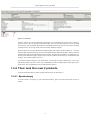
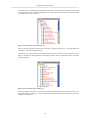
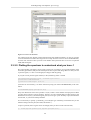
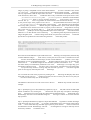
complete. For your ObservationContext, if you click on the ObservationContext itself you will see
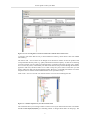
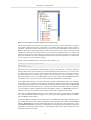
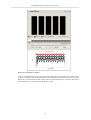
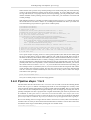
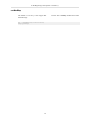
the meta data for it. This is shown in the following screenshot: what you will see if you view your
ObservationContext with the "Observation Viewer". Look for "myobs" in the Variables panel (HIPE
main menu Window#View#Variables). Double clicking on myobs will open a viewer (double click
for the default viewer, right click to get a menu of viewer and other options). The viewer opens in
the Editor panel.
5