1
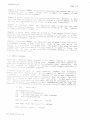
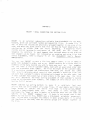
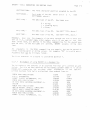
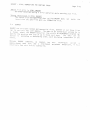
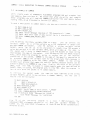
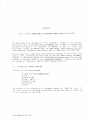
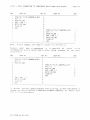
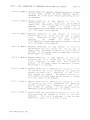
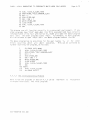
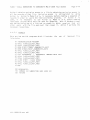
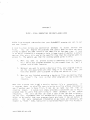
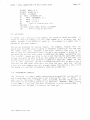
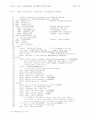
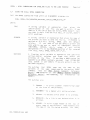
XLOCK — XCALL SUBROUTINE FOR MULTI—USER LOCKS
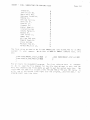
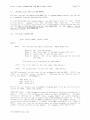
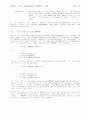
10 MAP1 MODE, B, 2
20 MAPI MYJOB, B, 2
30 MAP1 LISTARRAY
MAP2 LOCKENTRY(25)
40
MAP3 JOBNUt4BER, 8, 2
50
MAP3 Li, B, 2
60
MAP3 L2, B, 2
70
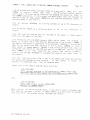
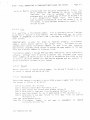
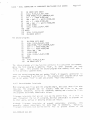
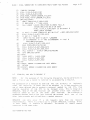
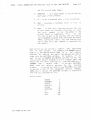
Start of Program goes
80
!
Page 5—5
here
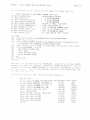
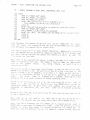
100 MODE s 3
110 XCALL XLOCK, MODE, MYJOB, LISTARRAY
120
5.5
!
Rest of program goes here
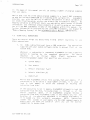
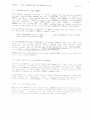
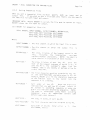
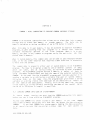
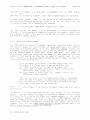
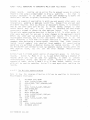
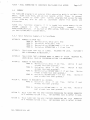
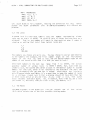
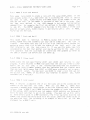
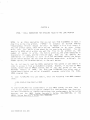
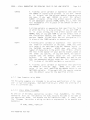
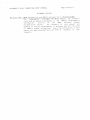
WILDCARDS
consists of two numbers, the values of LOCKI and LOCK2. If
either of these two numbers is a zero, that number is a wttdcard and any
<A witdcard is a symbol that is
number between I and 65535 will match It.
A
system
Lock
matched by any other symbol...)
you
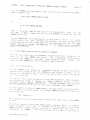
You can use wlldcards for various reasons. For example, suppose that
file
and
that
decide that the LOCKI value is going to represent a particular
represent a particular record in that file. If you
will
the LOCK2 value
want to stop all, references to that file while your program is accessing It,
you would set the Lock with a zero tn LOCK2 and 'the number representing your
fit. in LOCKI. Anyone who tries to set a Lock that has the same LOCKI value
as your lock won't be able to do so; the system will tell him that that lock
already exists (since your wildcard in LOCZ2 wiLt match any number he may
try in that
position). No one (lnctudttg yourself) will be abLe to set a
lock with the same LOCK1 value until you clear the lock. Note that setting
a Lock with both numbers zero wilt prevent anyone from setting a Lock, since
the system wilt say that all possible loctks are aLready set.
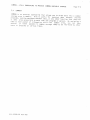
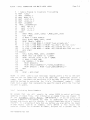
5.6
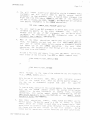
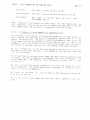
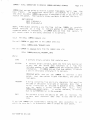
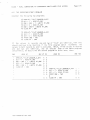
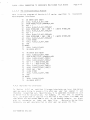
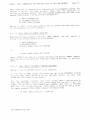
PROGRAMMING EXAMPLES
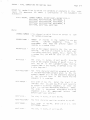
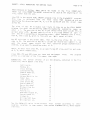
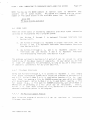
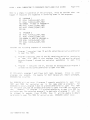
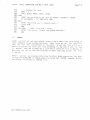
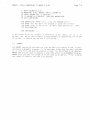
is a small sample demonstration program that you may want to
following
It
use to experiment with XLOCK, and to get a feeLing for how it works.
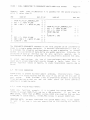
then
reports
back
on
you
for
the
values
of
MODE,
LOCKI,
and
LOCK?,
and
asks
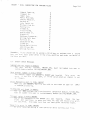
the results of the locking operation you asked for. Remember: MODE = 0 sets
2
a lock, MODE = 1 sets the lock after waiting for it to be cleared; MODE =
clears the Lock, and MODE = 3 dispLays the locks set.
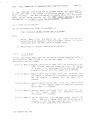
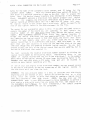
The
DSS—10008—OO REV AO0