1
lizes built-in test signal generators inside all Genelec DSP loudspeakers to acoustically measure and align the loudspeaker
system.
Group
Loudspeakers or audio channels designated to play simultaneously.
Genelec AutoPhase
Genelec AutoPhase is a part of Genelec AutoCal. It aligns the
phase of the subwoofer(s) in the system to the designated
loudspeaker(s).
ID Tone
A built-in tone in the DSP loudspeakers and subwoofers used to
identify which loudspeaker is being communicated to.
GLM AutoLink
A user-definable program that allows operators to launch GLM
with a specific Setup automatically loaded.
GLM Control Network
The GLM loudspeaker control network is a proprietary network
allowing the setting, reading and monitoring of loudspeakers and
subwoofers on the GLM network. System setup can be achieved
very rapidly by simply opening a System Setup file, which causes
all system and loudspeaker settings to be automatically communicated to all loudspeakers.
GLM DSP Loudspeaker Manager Package
The GLM control network delivery package containing all hardware and software to build a GLM Loudspeaker Manager environment. Loudspeakers and subwoofers are purchased separately.
GLM DSP Multiroom Expansion Package
An expansion package providing a license and hardware to install the GLM in multiple rooms within a single facility.
GLM Main Page
The face of the GLM. This page is used to access all other functions of Loudspeaker Manager.
GLM Network Interface
The GLM Network Interface is a USB device that connects the
computer to the GLM loudspeaker control network. The GLM
Network Interface translates communication between the computer and the control network, enabling a very large and physically long control network with multiple loudspeakers. The GLM
Network Interface isolates the private and confidential messaging with loudspeakers from any public data networks and from
the functioning of the computer running the GLM software. The
GLM Network Interface also incorporates a built-in microphone
pre-amplifier as well as a high quality soundcard for use during
the AutoCal procedure.
GLM System Setup Editor
This page is used to access more detailed sections of the GLM
including the Acoustical Settings Editor.
GLM Software
GLM is an abbreviation for the Genelec Loudspeaker Manager.
This software enables setup and control of loudspeakers on the
GLM control network through the use of system setup files, and
supports fully automated loudspeaker system setup.
IEC Mains Cable
A standard detachable mains cable used to apply mains electrical power to the loudspeaker or subwoofer.
Interactive Response Editor
Located in the Acoustical Settings Editor, this Editor allows for
the interactive adjustment of a measured response using the
Room Response Controls.
Loudspeaker
This term is used for loudspeakers that are not subwoofers. A
8240A or 8250A two-way active DSP loudspeaker.
Manual Acoustic Wizard
A self-guided Wizard that allows for manual calibration of the
loudspeaker acoustic parameters.
Manual Cabling Wizard
A self-guided Wizard that allows for more complicated and versatile System Setups not found in the Rapid Cabling Wizard.
Manual Controls
The user interface settings on a loudspeaker or subwoofer used
when in stand-alone mode.
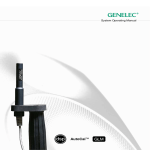
Microphone Holder
The rubber mounting hardware to attach the Genelec 8200A
Calibration Microphone to a standard microphone stand.
MultiPoint
A method of spatial averaging used in AutoCal measurements,
used when optimizing the Acoustical Settings.
Network Cable
A CAT5 cable with RJ45 connectors (type PC-to-HUB, straight
not crossed wiring). This cable is also used as an Ethernet network cable. Network cables connects the GLM Network Interface
to the loudspeakers and subwoofers to form a network of devices
that may be controlled using the GLM software
Network Control Mode
The use of Genelec DSP loudspeakers with the GLM software
and the control network.
Node
Every loudspeaker and the GLM Network Interface is a node on
the GLM control network.
9