1
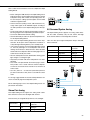
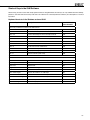
Stereo Pair with Subwoofer (AES/EBU Single-Wire)........................................................................... 24
5.0 Surround System (AES/EBU Single-Wire)..................................................................................... 24
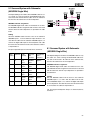
5.1 Surround System with Subwoofer (AES/EBU Single-Wire).......................................................... 25
6.1 Surround System with Subwoofer (AES/EBU Single-Wire).......................................................... 25
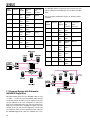
7.1 Surround System with Subwoofer (AES/EBU Single-Wire).......................................................... 26
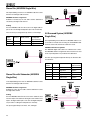
Stereo Pair (AES/EBU Dual-Wire)......................................................................................................... 27
Stereo Pair with Subwoofer (AES/EBU Dual-Wire).............................................................................. 27
5.0 Surround System (AES/EBU Dual-Wire)........................................................................................ 27
5.1 Surround System with Subwoofer (AES/EBU Dual-Wire)............................................................. 28
Custom Audio Cabling........................................................................................................................... 28
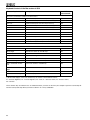
SYSTEM SETUP WIZARD . ................................................................................................. 29
Wizard Introduction................................................................................................................................ 29
Rapid Cabling Wizard............................................................................................................................. 29
Rapid Cabling Preset Selection.......................................................................................................... 29
Loudspeaker Marking......................................................................................................................... 29
System Audio Connections................................................................................................................ 30
Manual Cabling Wizard........................................................................................................................... 30
Saving the Setup.................................................................................................................................... 32
ACOUSTICAL SETUP WIZARD........................................................................................... 33
Network Interface Device with Sound Card......................................................................................... 33
Network Interface Device without Sound Card.................................................................................... 33
AUTOCAL – FULLY AUTOMATED SYSTEM CALIBRATION.............................................. 34
AutoCalTM Theory of Operation.............................................................................................................. 34
Setting up for AutoCal............................................................................................................................ 34
To set up for AutoCal with Genelec Network Interface / Sound Card................................................. 34
To set up for AutoCal with Host Computers’s Internal Default Sound Card........................................ 34
Running AutoCal.................................................................................................................................... 35
Symmetrical Placement EQ................................................................................................................... 36
Subwoofer Phase Aligment using the AutoPhase.............................................................................. 37
Level alignment for multiple daisy-chained subwoofers.................................................................... 38
Editing AutoCal settings manually....................................................................................................... 38
Storing settings permanently into loudspeakers................................................................................ 38
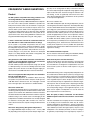
BASIC USE OF THE GLM.................................................................................................... 39
GLM Main Page....................................................................................................................................... 39
Mute All and Bypass BM........................................................................................................................ 39
Volume Control....................................................................................................................................... 39
Level Presets.......................................................................................................................................... 40
Optional dB Display............................................................................................................................... 40
Access to the GLM System Setup Editors........................................................................................... 41
Information Data Banner........................................................................................................................ 41
Audio Channel Group Functions.......................................................................................................... 41
Menu Items.............................................................................................................................................. 41
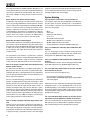
MANAGING SYSTEM SETUPS............................................................................................ 42
Saving and Recalling Setups ............................................................................................................... 42
Copying Setup Files............................................................................................................................... 42
Opening the System Setup Editor........................................................................................................ 43
Editing Audio Cabling Definitions........................................................................................................ 43
Editing Group Definitions...................................................................................................................... 43
Replacing and Removing Loudspeakers in a System Setup File...................................................... 44
5