1
INTEG Process Group, Inc.
5 Update Tab
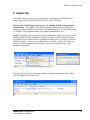
The Update Tab allows the user to process update files supplied by INTEG and/or to
create a project that will update their JNIOR for a variety of reasons.
Starting with JNIOR Support Tool version 5.1, multiple JNIORs can be updated
simultaneously. The number of JNIORs to be updated simultaneously is adjusted by
going to the Options pull down at the top of the JNIOR Support Tool. The default setting
is 3 JNIORs. The maximum number to be updated simultaneously is 25.
NOTE: Regardless of the number selected for simultaneous update, you can select more
JNIORs to update, but the simultaneous update will only occur to the number selected.
For example, if you set the number of simultaneous updates to be 3, but have checked 10
JNIORs to update, 3 will start to be updated and as 1 finishes, 1 more will be started so
that 3 are always be updating simultaneously. Of course this number drops as the
JNIORs are completed.
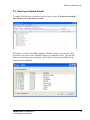
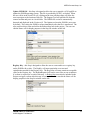
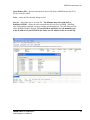
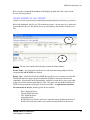
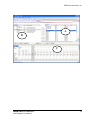
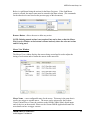
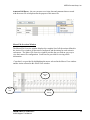
The user can utilize various commands available via the dashboard area of the Update
Tab. The dashboard is shown below:
JNIOR
A Network I/O Resource
JNIOR Support Tool Manual
19