1
INTEG Process Group, Inc.
3 Using the JNIOR Support Tool
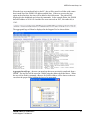
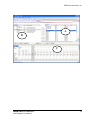
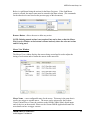
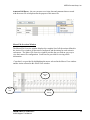
The JNIOR Support Tool has seven main functions (Tabs) described below and shown in
the screen picture. Functions 1, 4, 5, 6 and 7 are available via the Standard View mode
and all seven functions are available via the Cinema View mode.
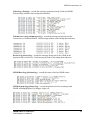
1) Beacon Tab – identifies JNIORs on the Ethernet network for ease of selection
and configuration. Many functions are available by ‘right-clicking’ on a JNIOR
in the list.
2) Devices Tab – allows the user to define the IP addresses and/or serial settings for
devices to be controlled via the JNIOR macros utilized with the Cinema.JNIOR
application. The list of devices is saved as a file and transferred to the JNIOR.
(NOTE: This tab is not visible in the Standard View. The user must go to the
View pull down and select Cinema View.)
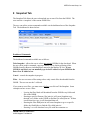
3) Macro Tab – allows the user to configure Actions and Macros utilized with the
Cinema.JNIOR application. The list of macros is saved as a file and transferred to
the JNIOR. (NOTE: This tab is not visible in the Standard View. The user
must go to the View pull down and select Cinema View.)
4) Update Tab – allows the user to configure an update package to transfer software
updates, configuration files and registry settings to one or many JNIORs.
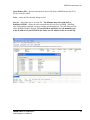
5) Registry Editor Tab – allows the user to view and edit the Registry Keys for one
or many JNIORs.
6) Logs Tab – allows the user to aggregate, view, filter and print the various logs
being created on the JNIOR.
7) Snapshot Tab – allows the user to download to their PC any or all of the files
located on a JNIOR. A filter feature is provided to selectively download files.
JNIOR
A Network I/O Resource
JNIOR Support Tool Manual
6