Download X-Control
Transcript
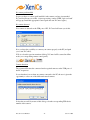
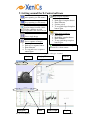
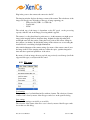
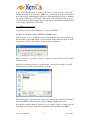
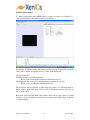
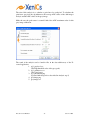
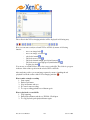
slider and use the right arrow to move to synchronous) next to the frame index counter, you will find in the following order: • Frame skip display • Synchronous display (only if the recording option is enabled) • Still images from all the frames stored in memory, going from frame “0” till the maximal frame number. The frame index also indicates between brackets the number of frames that can be stored in the DMA memory. This number depends on the size of the memory allocated to the DMA memory and on the window size used to read out the frames. In frame skip mode the image data is displayed as fast as possible. X-Control will run through the DMA memory on the PC and will only display the most recent image it finds. This will result in a fast display of the images on screen but may result in loss of images. This mode is useful to fine tune the settings of the camera or the measurement set-up since the image displayed on screen is following real time changes in the set up. It also allows you calibrate the camera should this be needed. The synchronous mode is only available when the video recording option is enabled. This mode is used to show all images saved to hard disk. In synchronous operation X-control tries to display all the images saved in the memory buffer. Since the software cannot always follow the speed of the camera, the image displayed on the screen might lag behind the real time image. 8.3. Flags Hardware triggering An external trigger signal can be used for triggered capturing of images. First, stop image capturing (by clicking the pause button in the X-view window), then apply the trigger signal to the camera and switch on the ‘hardware triggering ‘ flag. Start the image capture (play button in X-view). Fan Switch on the cooling fan of the camera. The fan should always run when cooling is applied to the sensor. We recommend that you leave the Fan ON, otherwise the camera’s components heat up. FPGA Pixel correction Uploads the correction data to the FPGA. Note that this flag is only available for cameras with a 9808 read out chip. If the FPGA Pixel correction flag is chosen, the setting dialog will pop up to indicate the correction pack. X-Control User Manual 97 June 22, 2006