1
7 Managing Cable Modems
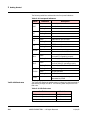
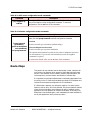
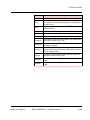
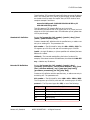
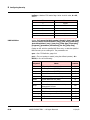
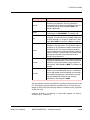
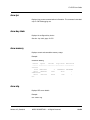
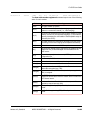
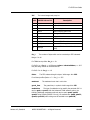
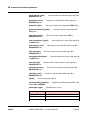
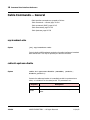
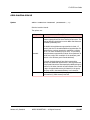
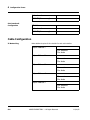
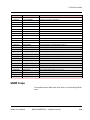
Table 7-6: DS channel issues
MIB Object
Value
DocsIfDownChannelModulation
DocsIfDownChannelPower
Description
QAM64 or If different, modem has
QAM 256 problem.
> +15
dBmv
Signal is too strong; insert
an attenuator.
< -15
dBmv
Signal is too weak; modem
might have reliability
problems, such a bad
cable, too many splitters,
or unnecessary attenuator.
+15 dBmv
to -15
Valid DOCSIS range.
dBmv
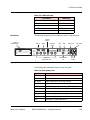
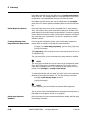
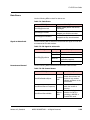
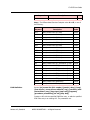
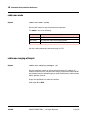
Upstream Channel
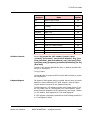
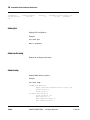
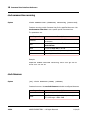
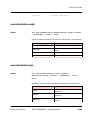
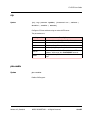
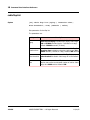
Use the following MIBs to determine upstream channel issues.
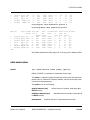
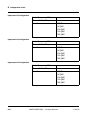
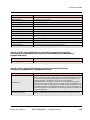
Table 7-7: UP channel issues
MIB Object
Value
Description
docsIfUpChannelFrequency
should be
small
This variable is set automatically by
the modem when it selects a particular upstream to use.
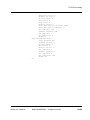
docsIfUpChannelWidth
docsIfCmStatusTxPower
The wider the upstream channel is,
the higher the data rate.
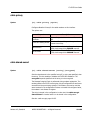
+8 to +58 Legal range.
dBmv
Over +50
dBmv
Do not use 16 QAM; upstream is
impaired to the point where QPSK
is required.
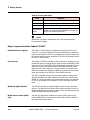
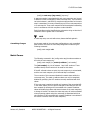
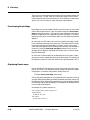
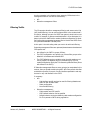
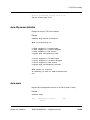
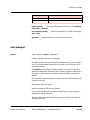
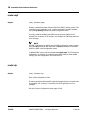
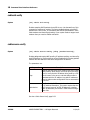
Upgrading Modem Firmware
Inspecting and upgrading modem firmware is a fundamental part of
managing modem operations.
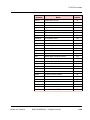
Action
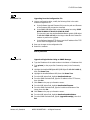
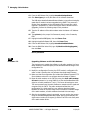
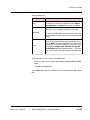
Perform any of the following procedures as necessary.
7-24
•
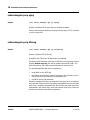
Upgrading from the Configuration File, page 7-25
•
Upgrade a Single Modem Using an SNMP Manager, page 7-25
•
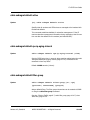
Upgrading Software on All Cable Modems, page 7-26
ARRIS PROPRIETARY — All Rights Reserved
11/14/05