1
Overview of Click&Go
Overview
Everybody can do programming! Moxa’s Click&Go local control logic
for the ioLogik Active Ethernet I/O server eliminates the cumbersome
programming generally required for data acquisition, alarm messaging,
and local control tasks. No knowledge of C-language or PLC ladder is
required for field applications. Instead, users familiar with IF-THEN-ELSE
statements will have no problem understanding the Click&Go interface and will be able to control I/O channels
and alarm messaging after a few simple steps. The configuration utility also makes the control process easy to
define and configure. Simply download the control logic to the ioLogik Active Ethernet I/O server and Click&Go
will be ready-to-go in no time.
ÔÔClick&Go Features
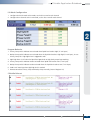
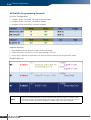
• Twenty-four IF-THEN-ELSE Programming Rules
Users do not need programming experience to use Click&Go. The easy and straightforward IF-THEN-ELSE
programming style greatly simplifies the development and installation of I/O applications. With 24 IF-THEN-ELSE
rules pre-installed and up to 3 IF conditions and 3 THEN/ELSE outputs or network actions per rule, Click&Go is
suitable for most remote monitoring and alarm applications.
• Local Monitoring and Local Control
Click&Go can monitor the local I/O status for each input channel, trigger the status, or direct it to local output
channels.
• Remote Control
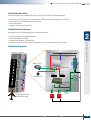
One ioLogik can send control commands to, and receive responses from, another ioLogik, allowing you to set up
an array of ioLogiks that work as a unit to accomplish control tasks.
• Time-stamped Active Messaging
All alarms, messages, e-mail notices, and TCP, UDP, and SNMP traps are time-stamped with the exact time of the
events.
• Peer-to-peer I/O
Peer-to-peer I/O can be used to set up I/O mapping over Ethernet from the DI channel on one ioLogik to the DO
channel on another ioLogik.
2