1
NICOLET EVOLUTION 500
LOCAL CONTROL IQ/OQ PLAN
1. Introduction
This document provides all the essential information required to perform the correct
installation to a basic operating level of a Nicolet Evolution 500 spectrophotometer with Local
Control software. This is reproduced in the Regulatory environment as Installation
Qualification (IQ) and Operation Qualification (OQ) of the specified product.
The Validator 5 Log Book contains full instructions for Installation/Operational
Qualification of your Thermo Electron UV-Visible spectrophotometer system. It is
available as a purchased option and can be ordered from your local Thermo Electron
authorized Sales/Support organization (Part Number 10 03 0101).
This IQ/OQ procedure together with the completed Test Progress Sheet should be
removed from this manual and filed for future reference in your Validator 5 Log Book.
Where appropriate, references will be made to the required manual.
1.1
Identification
Nicolet Evolution 500 Series Local Control Software.
1.2
Manufacturer
Thermo Electron Corporation
Mercers Row
Cambridge
CB5 8HY
UK
1.3
General Description
Nicolet Evolution 500 spectrophotometers have been designed for analytical applications in
which fast, accurate and reproducible spectrophotometric measurements are required. The
Local Control software provides control of the spectrophotometer via the use of the integral
keypad and liquid crystal display.
1.4
Compliance Features
Features designed to assist the laboratory in recording and providing documentation for
compliance include the following:
• User log-on and access control.
• All data is tagged with a unique system identifier which includes instrument type
and serial number, software version number etc.
• All data is date & time stamped.
• All analytical calibrations are stored with the data file.
• In-built calculations (optional) using uvcalc software.
2. Product History
Since its initial release, the Local Control software has been updated at specified intervals to
provide additional functionality, both in terms of software capability and accessory control, and
to implement corrective actions. Each successive release is identified by a unique version
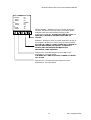
number, displayed on the liquid crystal screen.
Page 3 of 14
UV-Visible System Validator, Issue 5 (June 2003)