1
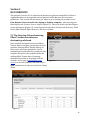
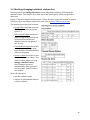
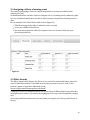
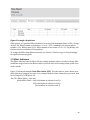
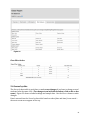
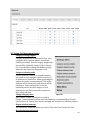
mentally notes the Cirst name scores the Cirst student as 9.5 presses the Pilldown button scrolls back to the Cirst name scrolls down making appropriate score and absent adjustments • presses the save button If a student’s parent or approved adult is monitoring the student’s effort scores (through www.e4effort.com/access) C Rules is an easy way to communicate individual student behavior. • • • • • 1.5 Recognition Figure 10, Recognition #1 Under the Recognition program, students receive bonus points for having strong academic effort and complying with class rules and procedures. Students may obtain bonus points in two ways: by earning Effort Awards, and by being an Effort Achiever. Effort Awards are based on the student’s previous Cive scores, whereas Effort Achiever averages all of the student’s scores — it’s an honor roll for effort. Bonus points are automatically calculated and displayed in several locations in Data Reports and also on the student’s e4effort.com/access web page. Effort Awards Effort Awards should be given out near the end of each class/subject to 2 to 4 students (depending on class size). Student names are randomly listed along with a percentage. The percentage shows the average of the student’s last Cive effort scores (see Figure 10). You (or you and the class) may decide that to be eligible for an Effort Award the effort % must be greater than or equal to X (perhaps 87%) AND the student must have complied with all class rules and procedures during the most recent class period. (The cut-‐off percentage may be as Cirm or as soft as you like. You may choose to lower it for certain students who struggle to reach 87% or to comply with all of the rules for an entire period). Figure 11, Recognition #2 Compare Figure 10 with Figure 11 and notice that the teacher scored Polly as a yes, Dan – no, Noemi – yes, and Greg – yes. When you touch the save button, these scores are sent to the Effort Tracker’s Data section where bonus points 13