1
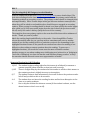
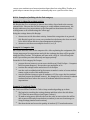
BOX 2: Example dialogue (this example assumes the teacher’s highest scoring option is 9.5) Teacher: “No hands! This is a review question – if your name comes up give me one of the three raw materials needed for photosynthesis. Wait… “Josh?” Josh: “One of the three raw materials needed for photosynthesis is water. [score as 9.5] Teacher, “Correct, Katy give another?” Katy: “Sunlight” [score as 9.5 or 9 if you require the student to give a full-‐sentence answer like Josh did.] Teacher: “Correct, Bruce?” Bruce: “I don’t recall the 3rd raw material needed for photosynthesis” [score 8.5-‐9.5] Teacher: “Stephanie?” Stephanie: “I don’t know? Teacher: “you don’t know what?” Stephanie: “I don’t know the question” [score as a 4 or lower] Teacher: “I’ll take hands now.” The answer is given. The Teacher then goes back to Bruce and Stephanie, if they are now able to give a full-‐sentence answer incorporating carbon dioxide, raise Bruce’s score by a half a point and Stephanie’s to a 5 or 6. Suggested Scoring for Level 2 and Level 3 Questions The default highest scorepad value for Level 2 and Level 3 questions is 10.5. The intent is to provide extra-‐credit incentive for students to participate in higher-‐level questioning. Any student who makes a genuine effort to answer a higher-‐level question should not be scored below a 9.5. Use the “X” (skip) for a student who is not able to respond to a higher-‐level question. This will not raise or lower their overall effort score but will remove them from the queue. The idea is to give multiple students higher-‐level questions – one chance and move on – don’t focus on one student too long. 10.5 The student answers the question correctly 10 The student’s answer is very close to the correct answer or the answer is correct after a hint is given 9.5 The student’s answer is very close after a hint is given 6–4 The student is off task – cannot repeat the question 0 The student has been inattentive and disruptive to the class or to nearby students. X Use to skip student’s turn without beneCit or penalty. It’s much more common to use the X while in Question Level 2 or 3 to allow other students an opportunity at higher-‐level questioning. If you decide not to score or use “X” on a student whose name is highlighted, their name will rise to the top of the selection list after scores are saved 7