1
Contents
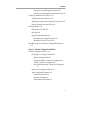
Setting Browser Variables and Controlling Preferences 15-11
Specifying the Size of the Browser Cache 15-11
Specifying Maximum TCP/IP Connections 15-12
Enabling or Disabling Automatic Image Loading 15-12
Enabling or Disabling JavaScript 15-12
Enabling or Disabling Applets 15-13
Specifying a Default Home Page 15-13
Specifying Proxy Servers and the Mail Server 15-13
About Proxy Servers 15-14
Specifying the HTTP Proxy Server and Overrides 15-14
Specifying the FTP Proxy Host and Overrides 15-15
Specifying the Gopher Proxy Host and Overrides 15-15
Specifying the SOCKS Server Host and Port 15-16
Specifying the Mail Server 15-16
Setting Browser Variables for Special Environments 15-16
Changing the Size of the Image and Document Caches
15-17
Controlling the Display of Animated GIF Files 15-17
About Browser Fonts 15-18
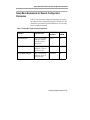
Setup Menu Equivalents for Browser Configuration Parameters
15-19
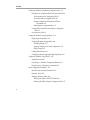
Chapter 16 Setting Up XRemote
Overview 16-1
XRemote Over a Serial Connection 16-2
XRemote on a LAN 16-3
Simultaneous XRemote and LAN Sessions 16-4
XRemote and a Local Printer 16-4
How XRemote is Used 16-4
Requirements for Using XRemote 16-4
xviii