1
Browser
Searching and Loading Files from the Library
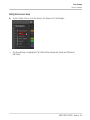
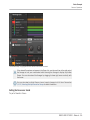
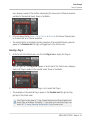
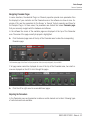
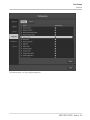
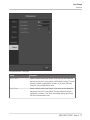
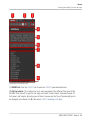
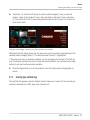
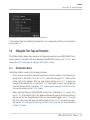
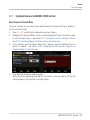
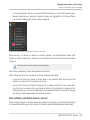
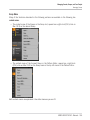
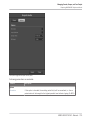
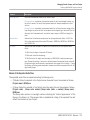
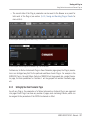
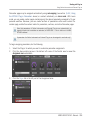
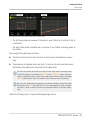
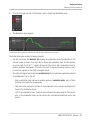
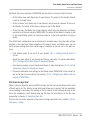
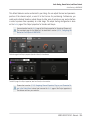
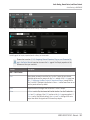
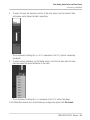
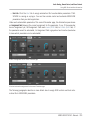
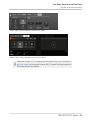
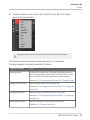
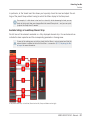
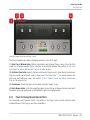
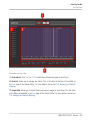
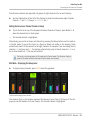
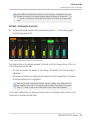
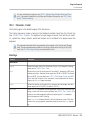
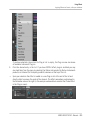
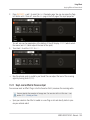
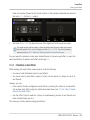
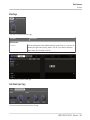
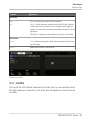
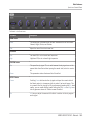
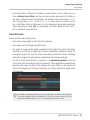
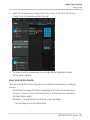
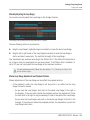
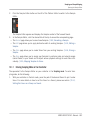
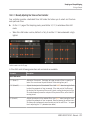
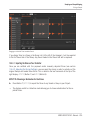
The opened Product selector (for Instrument presets).
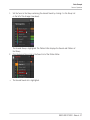
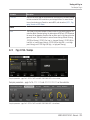
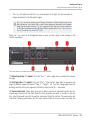
(1) Product selector header: The header shows the product or the selected product category —
if there is no selection it shows a generic label (All Instruments in the picture above) corresponding to the type of file selected in the File Type selector above. Click the header to close
the Product selector.
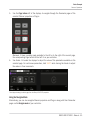
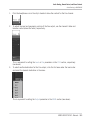
(2) Product Category filter: Shows the categories of the products that have files available in the
MASCHINE Library. Click a category of a product to select/deselect it. Selecting a category
limits the number of products shown in the Product list below (3). Only one category can be
selected at a time. You can also select a category and close the Product selector by clicking its
header (1) again: The header (1) will display the category that you have just selected, and the
TYPES filter (and MODES filter, if present) along with the Result list will be filtered by that
category.
MASCHINE STUDIO - Manual - 93