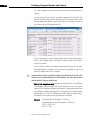
Download IOLMaster - A Practical Operation Guide
Transcript
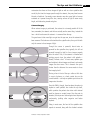
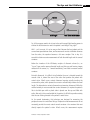
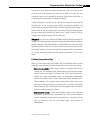
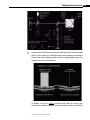
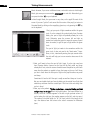
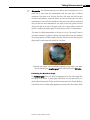
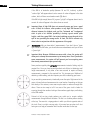
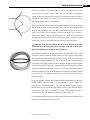
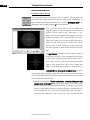
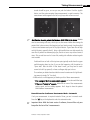
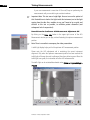
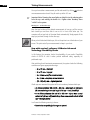
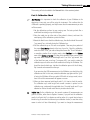
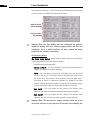
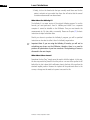
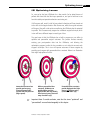
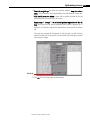
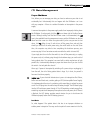
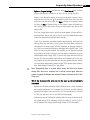
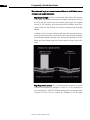
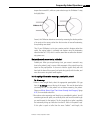
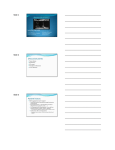
Taking Measurements 4-11 If the SNR is of borderline quality (between 1.6 and 2.0, inclusive), a yellow “caution light” will appear above it and a numeric AL value will appear in the data column, but it will have an exclamation mark (“!”) after it. If the SNR is high enough (above 2.0), a green “go light” will appear above it and a numeric AL value will appear in the data column as normal. ☞ Important Note: A high SNR does not necessarily mean you have a good scan. A blink, for instance, often produces a very high SNR because the distance between the highest peak and the “bottomed out” background static is quite a lot. Another possibility is having a great central spike height—and thus a good SNR—but retinal pathology causes the peak to be split in two, providing the wrong results. In short, the SNR is relevant only when taken in conjunction with the appearance of the graph. ✐ Best practice: After you have taken 5 measurements, if you don’t have a “green light” above the SNR value, you should take more measurements until you do have a “green light.” ☞ Important Note: Because IOLMaster measures with a laser, the system will allow you to attempt the measurement up to twenty times. Even if you delete some measurements, the system still will prevent you from acquiring more than twenty measurements per eye each day. Some practices regularly take all twenty measurements instead of taking only the required five. Once you have become practiced and efficient at obtaining axial length measurements, it only takes a few more seconds to acquire all twenty measurements, compared to the required five. This increases your likelihood of obtaining a valid reading, and also improves your skills in obtaining good scans. As you are taking measurements, intentionally move the spot of light around in the green circle and take each measurement at a new location. Depending on the type and density of the cataract, some areas may be easier to measure through than others. There are two ways to tell if one area of the green circle is better for scanning through than another: looking at the waveform graph shape, and looking at the SNR number. Pictured at left are two simple patterns you could use to acquire multiple measurements through different locations. The first is a clockwise pattern starting at the top. The second is a zigzag pattern in which you slide to opposite sides of the circle. There is no right or wrong order—if you even have an order at all—but having one can help you remember which location works best for that eye. IOLMaster: A Practical Operation Guide