Download IOLMaster - A Practical Operation Guide
Transcript
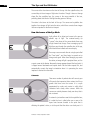
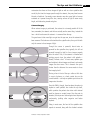
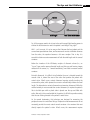
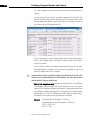
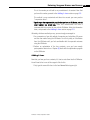
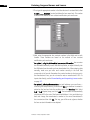
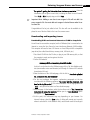
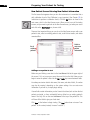
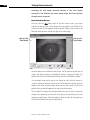
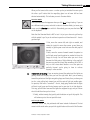
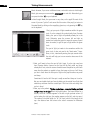
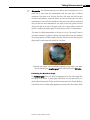
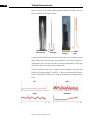
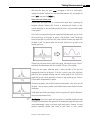
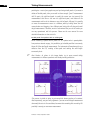
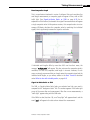
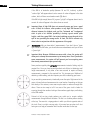
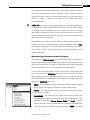
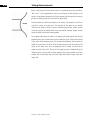
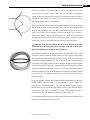
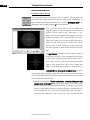
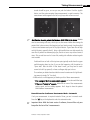
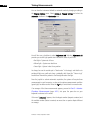
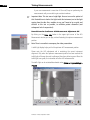
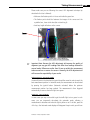
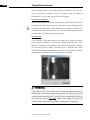
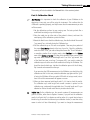
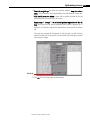
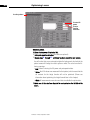
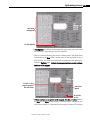
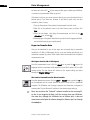
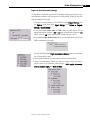
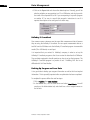
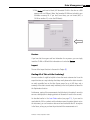
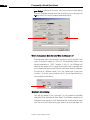
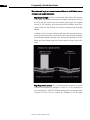
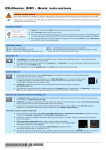
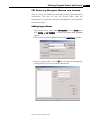
Taking Measurements 4-22 How to Perform the Test When you first come to Anterior Chamber Depth (ACD) Mode, you will see three spots of light (two close together off to the side, and one by itself near the center of the screen), plus two curved arcs of light. For the time being, ignore the pair of spots and the two arcs, and concentrate only on the solitary spot of light. corneal reflection lens reflection 1.First, get your spot of light inside the green box. It can be anywhere as long as it stays within the green box. If entered this mode directly from Overview Mode, the spot of light probably will be in the box already. Otherwise, move the scanner left and right as needed, and rotate the joystick to move the scanner up and down as needed, to get the spot of light within the green box. 2.Next, move the scanner forward toward the patient or pull it back away from the patient, as needed, to focus the spot: make it as small and sharp as possible. 3.Now that the spot is small, move the scanner to the right or left as needed—without moving forward or back, since that would mess up the focus—to get the spot positioned between the two arcs of light. The outer arc (the blurrier one that is closer to the patient’s temple) is the corneal reflection. It will almost always be outside the box, which is okay. The inner arc (the sharper one that seems to be inside the pupil, and is closest to the patient’s nose) is the lens reflection. Both the focused solitary spot and the lens reflection arc should be within the box. In addition, the spot should be close to this arc—about one spot’s size away—but without touching. Have the patient blink a time or two, then push the joystick button. The computer takes five quick measurements and averages them for you. 4. Make a mental note of what the number is, get refocused and realigned, then try the measurement again to see if you get a similar number. You do not have to delete the original set of numbers…simply push the joystick button again and it will overwrite what was there before. If your new measurement is within 0.10 mm of your original number, you’re okay to proceed to the next measurement—using White-to-White Mode. Just press the space bar to advance to that mode. IOLMaster: A Practical Operation Guide