Download HP 70004A - User Guide

Transcript
DISPLAY5 Mass Storage
NNNNNNNNNNNNNNNNNNNNNNNNNNNNNNNNNNNNNN
4
HP-IB disk
WWWWWWWWWWWWWWWWWWWWWWWWWWWWWWWWWWWWWWWWWW
Key Path:
DISPLAY5 Mass Storage msi HP-IB disk
NNNNNNNNNNNNNNNNNNNNNNNNNNNNNNNNNNNNNN NNNNNNNNNNN NNNNNNNNNNNNNNNNNNNNNNNNNNNNNNNN
4
Actions:
NNNNNNNNNNNNNNNNNNNNNNNNNNNNNNNN
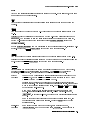
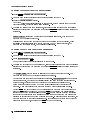
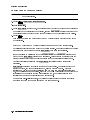
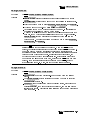
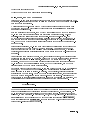
HP-IB disk sets the mass storage device to the external HP-IB disk drive.
Data can be stored on the disk by instrument modules using the display.
Once the disk drive is connected to the display's HP-IB connector, you need
a way of specifying which disk is to be accessed.
Three parameters need to be entered:
HP-IB ADDRESS
UNIT NUMBER
VOLUME NUMBER
NNNNNNNNNNNNNNNNNNNNNNNNNNNNNNNNNNNNNNNNN
NNNNNNNNNNNNNNNNNNNNNNNNNNNNNNNNNNN
NNNNNNNNNNNNNNNNNNNNNNNNNNNNNNNNNNNNNNNNN
HP-IB ADDRESS
WWWWWWWWWWWWWWWWWWWWWWWWWWWWWWWWWWWWWWWWWWWWWWWWWWWWWW
Key Path:
DISPLAY5 Mass Storage msi HP-IB disk HP-IB ADDRESS
NNNNNNNNNNNNNNNNNNNNNNNNNNNNNNNNNNNNNN NNNNNNNNNNN NNNNNNNNNNNNNNNNNNNNNNNNNNNNNNNN NNNNNNNNNNNNNNNNNNNNNNNNNNNNNNNNNNNNNNNNN
4
Actions:
NNNNNNNNNNNNNNNNNNNNNNNNNNNNNNNNNNNNNNNNN
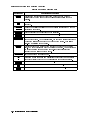
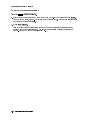
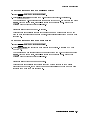
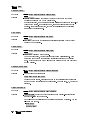
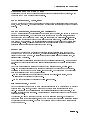
HP-IB ADDRESS species the HP-IB address of the disk drive.
UNIT NUMBER
WWWWWWWWWWWWWWWWWWWWWWWWWWWWWWWWWWWWWWWWWWWWWW
Key Path:
DISPLAY5 Mass Storage msi HP-IB disk UNIT NUMBER
NNNNNNNNNNNNNNNNNNNNNNNNNNNNNNNNNNNNNN NNNNNNNNNNN NNNNNNNNNNNNNNNNNNNNNNNNNNNNNNNN NNNNNNNNNNNNNNNNNNNNNNNNNNNNNNNNNNN
4
Actions:
NNNNNNNNNNNNNNNNNNNNNNNNNNNNNNNNNNN
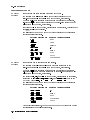
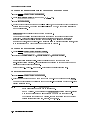
UNIT NUMBER species which disk-drive unit to access.
For example, for an HP 9133H disk drive, unit number 0 is the hard disk, and
unit number 1 is the oppy disk.
VOLUME NUMBER
WWWWWWWWWWWWWWWWWWWWWWWWWWWWWWWWWWWWWWWWWWWWWWWWWWWWWW
Key Path:
Actions:
DISPLAY5 Mass Storage msi HP-IB disk VOLUME NUMBER
4
NNNNNNNNNNNNNNNNNNNNNNNNNNNNNNNNNNNNNN NNNNNNNNNNN NNNNNNNNNNNNNNNNNNNNNNNNNNNNNNNN NNNNNNNNNNNNNNNNNNNNNNNNNNNNNNNNNNNNNNNNN
NNNNNNNNNNNNNNNNNNNNNNNNNNNNNNNNNNNNNNNNN
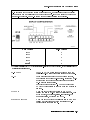
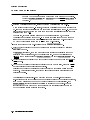
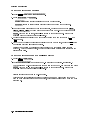
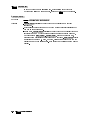
VOLUME NUMBER species which disk drive volume to access.
Normally this is number 0 for a oppy disk. This function is only used if the
disk drive is divided into several volumes.
5-14
DISPLAY5 Softkey Reference
4