1
Printing and Plotting
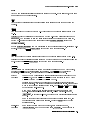
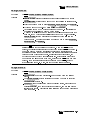
To set the plotter conguration
1. Press 4DISPLAY5 Hard Copy plotter config .
NNNNNNNNNNNNNNNNNNNNNNNNNNNNN NNNNNNNNNNNNNNNNNNNNNNNNNNNNNNNNNNNNNNNNNNNN
2. Press SINGLE PEN or SIX PENS .
NNNNNNNNNNNNNNNNNNNNNNNNNNNNNNNN
NNNNNNNNNNNNNNNNNNNNNNNNNN
NNNNNNNNNNNNNNNNNNNNNNNNNNNNNNNN
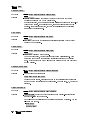
SINGLE PEN is used to select a single pen for the whole drawing.
NNNNNNNNNNNNNNNNNNNNNNNNNN
SIX PENS is used to select that six dierent color pens be used for the drawing.
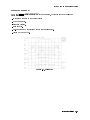
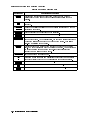
3. To set the desired dimensions of your output drawing, press one or more of the X-min ,
Y-min , X-max , Y-max keys and use the numeric keypad or HP-HIL keyboard and press
ENTER . (If you make an error, press 4 5 to return to the previous menu. Repeat your
selection with the corrected entry if necessary.)
4. Obtain the instrument display you want to plot by using the menu keys in the 4MENU5 or
4USER5 menus.
5. Once you have obtained the instrument display that you want to plot, press the 4PLOT5 key;
the plotting process will begin immediately.
Plotting can be halted by pressing any front panel key on the display during the plot
sequence. Once the plotting begins, the screen will be frozen until the data transfer to the
plotter is complete.
NNNNNNNNNNNNNNNNN
NNNNNNNNNNNNNNNNN
NNNNNNNNNNNNNNNNN
NNNNNNNNNNNNNNNNN
NNNNNNNNNNNNNNNNN
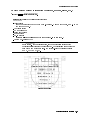
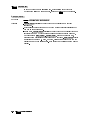
To set the plotter address of a non-MMS plotter
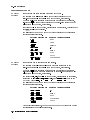
1. Press 4DISPLAY5 Hard Copy .
NNNNNNNNNNNNNNNNNNNNNNNNNNNNN
2. Press plotter address and specify the HP-IB address of the plotter. (Default is 1.)
NNNNNNNNNNNNNNNNNNNNNNNNNNNNNNNNNNNNNNNNNNNNNNN
You can select an HP-IB address through the numeric keypad or HP-HIL keyboard and press
ENTER . (If you make an error, press 4 5 to return to the previous menu. Repeat your
selection with the corrected entry if necessary.)
NNNNNNNNNNNNNNNNN
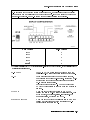
Plotters in this procedure use an HP-IB address.
This procedure is for plotters that are not congured as an MMS element and they do not
have an MSIB address; without an MSIB address, these plotters will not show up in the MSIB
address map.
4-28 Operating/Local MSIB Operation