1
Configuration Commands
9
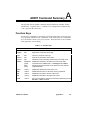
Introduction
AEDIT is designed to run with various terminals. In some cases, for example
VT100, AEDIT is able to identify the host environment. In other cases, you should
specify the characteristics of your particular terminal.
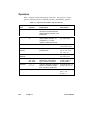
For the iRMX version of AEDIT, specify the terminal characteristics with
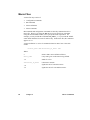
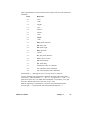
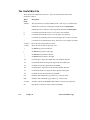
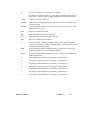
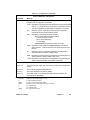
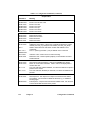
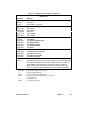
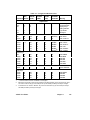
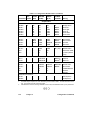
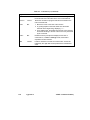
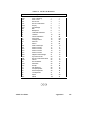
configuration commands in the :config:termcap file. The parameters and control
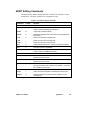
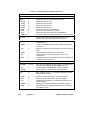
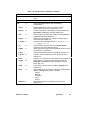
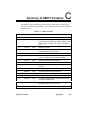
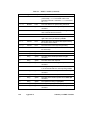
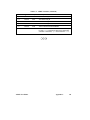
sequences are listed in Table 9-1.
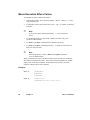
A configuration command must be terminated with a semicolon (;) or a carriage
return. For some terminals, such as the Series-III, Series-IV and ANSI/VT100
family of terminals, only the appropriate hardware identification configuration
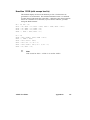
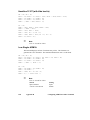
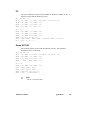
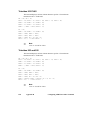
command, AH=string, is required. Appendix D lists configurations for several
non-Intel terminals. If your terminal is not included in the list of tested terminals,
refer to your terminal user manual for the terminal characteristics and add the
appropriate commands to your :config:termcap file.
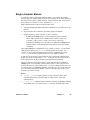
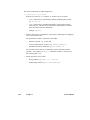
AEDIT requires that the terminal meet the following conditions:
•
ASCII codes 20H - 7EH display some symbol that requires one column space.
Carriage return (ODH) and linefeed (OAH) perform their usual functions.
•
The following cursor functions have cursor key input codes and CRT cursor
output codes: left, right, up, down, home and carriage return. Output codes
such as clear screen, clear rest of screen, clear line, clear rest of line, and
direct cursor addressing are desirable for faster screen plotting, but not
required. The codes, shown in Table 9-1, can be changed with the
configuration commands.
•
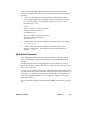
The CRT accepts a blankout code that blanks out the former contents of the
screen location to which it is output. The default, 20H, can be changed with
the configuration commands.
•
AEDIT automatically generates a linefeed each time a carriage return is
entered. Your terminal should not transmit a linefeed with a carriage return.
In some terminals, this feature can be switched on and off.
AEDIT Text Editor
Chapter 9
119