Download AEDIT Text Editor

Transcript
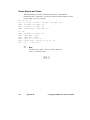
Screen Display During Macro Execution
To speed up macro execution, the amount of data written to the screen while a
macro is executing is reduced to a minimum. Only selected text or information is
sent to the screen. The information in this section is given for reference.
Text
If set display no (the default) is in effect, changes in the text and cursor
movements are displayed on the screen as long as the cursor does not leave the
current display screen, or until a view command (either explicit or implicit) is
issued. When the cursor leaves the screen or a view command is issued, screen
display is frozen until the macro execution terminates. Then, an implicit view
command is performed using the current logical cursor location.
If set display yes is in effect, all changes and cursor movements are displayed on
the screen, even if the cursor leaves the screen or a view command is given.
Regardless of the set display value, the text is updated if you give the ?replace
command or the find/replace command and set showfind yes is in effect.
Message
The message line is updated only in these cases:
•
Error message display. The error message display lasts for at least a second.
The find/replace command message not found is not considered an error.
•
Calc command messages. For an argument that is an expression rather than an
assignment statement (e.g., N3+1 versus N2=N3+1 or S9 versus S9="abc").
•
Hex output and macro list command messages.
•
Quit or other command filename messages.
When macro execution is terminated, the last message remains on the screen.
However, the status (e.g., other, viewonly) is updated if needed.
The found: (number) message is a special case; it is displayed only if it is the last
message of the macro execution at main command level.
90
Chapter 5
Macro Commands