1
18
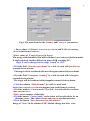
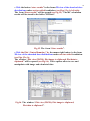
• Select for analysis the calculated curve in the frame under the window
“Number of the curve”. For that, click the selected curve with cursor.
There are the following variants of curves for the selection:
1. “Some user result file”- simulation results of the EB 2D dose
distributions which were previously stored in the files.
2. “After Monte Carlo calculation” –the results of current Monte Carlo
calculation of the EB dose distributions in the target.
3. “After analytic calculation” - the results of current Analytic
calculation of the EB dose distributions in the target.
4. “Converted dosimetric file” –results with dosimetric experimental
data which were prepared and saved after processing of dosimetric
films with the Dosimetry module.
5. “After dosimetric block” - results related with dosimetric experimental
data.
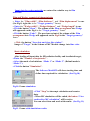
• Select the position of dose distribution in the Center or Boundary of
irradiated target for the chosen curve of 2D dose distribution.
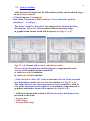
• Select by cursor the any of 5 columns of the table in the bottom part of
the form the "Comparison of calculated curves”. The selected column
number will be automatically entered to the window “Number of the
curve”.
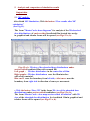
• Click the button “Load selected curve”.
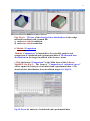
The characteristics of the 2D dose distribution curve will be appeared in
the chosen column. And the graph of the 2D dose distribution curve will be
appeared in the graph area.
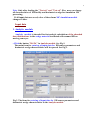
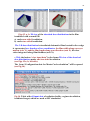
In a such way you can enter for analysis up to 5 curves of 2D dose
distributions in the graph area. (See Fig.20).
Fig.20. The form of "Comparison of calculated curves”.