1
21
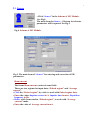
Select “Save configuration”, enter file name and save input data for MC
calculations. If you want to continue calculation that you made earlier and
saved data configuration, you need click File in the Software ModeDW master
menu and Select “Open configuration” from list.
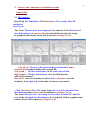
The Software ModeDW has some programs for visualization of calculated
results. There are two viewers:
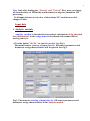
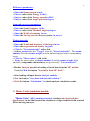
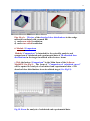
• The 2D viewer "Dose distributions after MC and Analytic calculations"
with 2D absorbed dose distributions in graphical and tabular forms for
irradiated target.
This viewer is intended for analysis of the plots with 2D absorbed dose
distributions for film center and near the boundary of film with wedge
materials or with air.
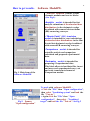
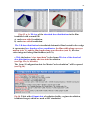
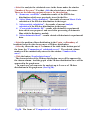
• The 3D viewer “Dose Map” is used for analysis of 3D view of dose
distribution in irradiated target.
“Dose Map” is viewer for showing:
3D view of the dose distributions (Dose Map, along length (axis Y) and
along width (axis X)) in graphical and tubular forms for irradiated target.
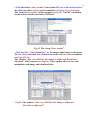
You can see diagram, data table, and some important characteristics. You
can turn figure of diagram and choose optimal angle, you can send figure to
clipboard. At the bottom of viewers screen form there are hints about
buttons actions.
To exit viewer you can use button Close.
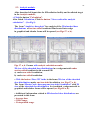
• Every page with figures has button To clipboard. To send plot to
clipboard you need to click on this plot and to press To clipboard.
• You can write calculated result on hard disk as file “*.mon” or “*.ana”
after MC or analytic calculations respectively.
•You can increase some area selected on the plot to have the better sight.
To do it you need to place cursor above this area. You press left mouse
button ( it is the left top corner of rectangle) and holding down this button,
draw down rectangle around plot area. The point where you release left
mouse button is right bottom corner of rectangle.
The increasing of selected area is a moving down cursor from left corner to
right corner. The decreasing of the area (coming back), is a moving upwards
cursor from right corner to left corner.