1
10. Android – UI – The WebKit Browser
WebKit Browser
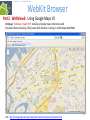
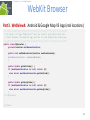
Part2. WebView3: Porting to Android the Google Map V3 App.
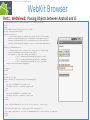
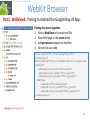
Putting the pieces together:
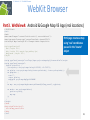
1. Place a WebView in the main.xml file
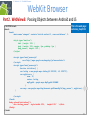
2. Place html page in the assets folder
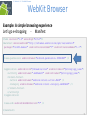
3. Add permission requests to manifest
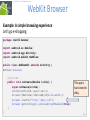
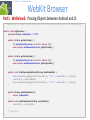
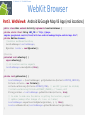
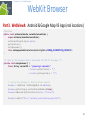
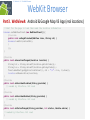
4. Connect to Java code
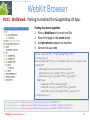
<?xml version="1.0" encoding="utf-8"?>
<LinearLayout
xmlns:android="http://schemas.android.com/apk/res
/android"
android:orientation="horizontal"
android:layout_width="fill_parent"
android:layout_height="fill_parent">
<WebView
android:id="@+id/webview"
android:layout_width="fill_parent"
android:layout_height="fill_parent"/>
</LinearLayout>
<uses-permission android:name="android.permission.INTERNET"/>
<uses-permission android:name="android.permission.ACCESS_COARSE_LOCATION" />
<uses-permission android:name="android.permission.ACCESS_FINE_LOCATION" />
Warning: tested on Android 2.2
27