1
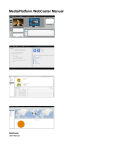
Figure 16 - Registrant Screen
2.6.1. Adding a Registrant (Audience Member)
To add a registrant, or audience member, to your webcast using the Registrant screen, you can enter their first
name, last name, and email in the “Add User” form at the right of the screen and then click
, as shown
below. You can also add a user by clicking on the icon at the top of the screen.
2.6.2. Delete a Registrant
To delete a registrant, highlight their name on the list of registrants and click on the
icon.
2.6.3. Search for a registrant
To find a registrant, type their first or last name, or a portion of a name, into the search box at the top of the
Registrant Screen, as shown below. Click
and WebCaster will return a search result that shows names that
match your search query.
To refresh the Registrant Screen, click on the
WebCaster User Manual 11.18.10
icon.
Copyright © 2010 by MediaPlatform, Inc.
21