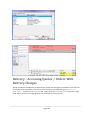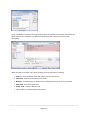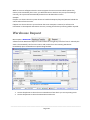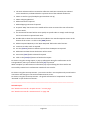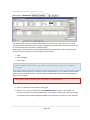
1
INVENTORY
MANUAL
Last Manual Update:
15/04/2014
PO Box 911 Warrnambool Vic 3280 • Ph: 03 5562 0700 • Fax: 03 5562 0400 • Email: [email protected]
TABLE OF CONTENTS INVENTORY
Inventory Manual
1
Table of Contents - Inventory
2
Inventory - Overview
8
Inventory - System Settings
10
Inventory - User Access
13
Stock - Managing Records
15
Stock - Masterfile Information Tabs
15
Stock - Create New Stock Items
15
SFM - Details Tab
16
SFM - Discount Tab
19
SFM - Supplier Tab
22
SFM - Movement Tab
25
SFM - SOH Tab
26
SFM - Stock Kit Tab
26
SFM - Other Tab
27
SFM - Price History Tab
28
SFM - Manufacture Tab
28
SFM - Warehouse Tab
29
SFM - Image Tab
29
Stock - Search for Stock Codes
29
Stock - Modify, Change details
29
Stock - “View Only” Search
30
Stock - Code Editing
31
________________________________________________________________________________________
Page 2
Stock - Merging two stock items
32
Stock - Deleting an Item
32
Stock - Price Updating
32
Examples of Price Updates
35
Update a Stock Group by Cost
35
Update a Stock Group by Sell Price
36
Update Stock Group by a Percentage ( %) - with Sell Price Increase
37
Update Stock Group by a Percentage ( %) - with NO Sell Price Increase
38
Stock - Scheduled Price Changes
39
Stock - Stock Item Modified Changes
41
Stock - Groups, Create and Maintain
42
Stock Groups - Add a new Group
42
Stock Groups - Delete / Modify
43
Stock - Grids for order entry
44
Stock Grid - System Settings
44
Stock Grid - Inventory Setup
44
Using the Grid in an Order
47
Stock Costs – Cost Changes
49
Stock Costs -Screen Descriptions
49
Stock Costs - Keep Sells pricing field
51
Stock Costs- Processing Changes
51
Stock Costs - Cost Write Down
52
Stock Costs - Report
52
Stock Load from XLS
54
Main Interface
54
XLS File
54
________________________________________________________________________________________
Page 3
Supplier Templates
54
Setup Button
55
Excel Column selection
55
Read Settings
55
Entity – Division/Company/Branch
56
Load
56
Template Interface
57
Name
57
Library
57
Fields
57
Controls
58
Inventory Stocktakes
59
Stocktake – Printing Count Sheets
60
Stocktake - Completion
60
Purchase Orders (Stock & Non-Stock)
64
Purchase Orders - Creating New Stock Orders
Expected Delivery Dates
68
68
Purchase Orders - Creating Non-Stock Orders
69
Purchase Orders - Receiving Stock
70
Purchase Orders – Receive Overseas Orders
71
Purchase Orders - View and Maintain
72
Ordering Stock without a Supplier
73
Purchase Orders – Back Orders
74
Purchase Orders - Imports
75
System Settings
75
Downloading Files from FTP Server
76
________________________________________________________________________________________
Page 4
Loading files from the Local Server
77
Awaiting Approval
78
Processing the Import Files
79
Correcting missing Elements
80
Back Orders on Purchases
81
Deleting a File
82
View Purchase Orders
83
Using the Multi-Currency Purchasing within Accrivia
84
Define the Currency Exchange Rates
84
Set up Creditor for Currency
85
Raising Purchase orders with Multi- Currency
85
Invoicing Goods in the trading currency
86
Entering Payments for Multi-Currency accounts
86
Delivery System Overview
89
Delivery - System Settings & User Access
89
Delivery - User Access Permissions
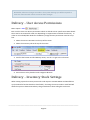
91
Delivery - Inventory Stock Settings
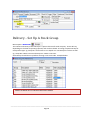
91
Delivery - Set Up A Stock Group
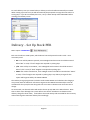
92
Delivery - Set Up Stock PER
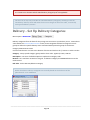
93
Delivery - Set Up Delivery Categories
94
Delivery - Create Zones
95
Delivery Zone Screen Descriptions
95
Linking Zones to Debtors
96
Adding a New Zone
96
Zone Names
97
Delivery - Assign Delivery Categories
98
________________________________________________________________________________________
Page 5
Delivery - Minimum Charges
99
Delivery - Quotes with Delivery Charges
99
Delivery - Accessing Quotes / Orders With Delivery Charges
100
Delivery - Printing or Emailing Quotes & Orders
102
Delivery - Reloading a Quote
102
Delivery - Invoicing Orders With Delivery Charges
103
Delivery - Charge (Batch Orders)
104
Manufacturing - Overview
106
Manufacturing - System Settings
106
Manufacturing - Set up a Stock Kit
107
Assembly Instructions
108
Manufacturing - Manufacture Products set up
109
Manufacturing - Viewing Orders
110
Manufacturing - Completing an Order
111
Manufacturing - Waste Codes
113
Manufacturing - Back Orders
113
Manufacturing - Stock Movement
114
Manufacturing - Debtor Orders
115
Manufacturing - Raising the Debtor Invoice
Manufacturing - Reports
116
116
Serial Stock - Set up
119
Setting up Serial Items in Stock File Maintenance
119
Setting up Suppliers
119
Serial Stock - Purchase Orders
120
Serial Stock - Receiving Stock
120
Serial Stock - Recording Serial Numbers
121
________________________________________________________________________________________
Page 6
Serial Stock - Posting Creditor Invoice
122
Viewing Serial Items Received on a Creditor Invoice
Serial Stock - Selling Serial Items
122
122
Warehouse Transfers
125
Warehouse Request
126
Warehouse Transfer - Dispatch Screen
128
Warehouse Transfer - Receive Screen
130
Warehouse - View Transfer Screen
131
Warehouse - Shipping Methods
133
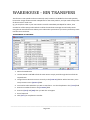
Warehouse - Bin Transfers
134
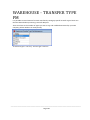
Warehouse - Transfer Type FM
136
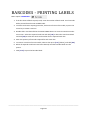
Barcodes - Printing Labels
137
FAQ's - HOW DO I ??
138
________________________________________________________________________________________
Page 7
INVENTORY - OVERVIEW
The INVENTORY | STOCK MAINTENANCE screen provides the ability to enter and track all information
relating to a stock item. Utilising all of the facilities will maximise the benefits within the Debtor &
Creditor modules, as well as providing the most informative management reports.
Both stock and non-stock items are used throughout the Accrivia system for tracking and charging
out items, services etc. Items in Inventory are used in conjunction with the Debtors module for
charging customers as well as the Creditors module for the ordering and receiving of stock.
Though functionality related to other modules (Jobs, Creditors, Payroll, and General Ledger etc) is
accessible within the debtors and inventory screens these processes are covered in their own
module manuals.
________________________________________________________________________________________
Page 8
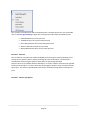
Features of the Inventory Stock module include:
l
Automated Stock Re-Ordering for low quantities
l
5 Levels of Volume Discount, 6 Levels of Debtor Discount per stock line
l
Including and Excluding tax stock price levels
l
Stock definitions for Each, Per Metre, Per Square Metre and per Cubic Metre
l
Automatic “On Special” and “Off Special” date and price definitions
l
Stock Kits (Allows a stock line to be defined based on quantities of other stock lines)
l
Storage for two Bar Codes
l
Individual GL Account Updating for stock lines
l
Stock Manufacture - can set up complete procedures
l
Warehouse Transfers for multi-site clients
l
Stocktake
l
Purchase Orders
________________________________________________________________________________________
Page 9
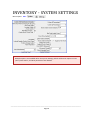
INVENTORY - SYSTEM SETTINGS
Menu option: FILE - -
Multiple options are available within the System Settings, which will have an impact on how
your system works, and what permissions are allowed.
________________________________________________________________________________________
Page 10
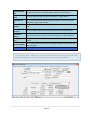
FIELD NAME
DESCRIPTION
Confirm File
Maintenance
Changes
Prompt for confirmation of all changes to the file maintenance screen
New Stock Item
Tick to set the default for new stock items (purchases) to use the Average
use Avg Cost not
Cost and not the Last Cost *** see below for extra details
Last
Bar Code Visible Makes barcodes visible & can then be searched on in stock screens
Location Visible Makes the stock location visible during stock searches
2 Cost System
Allows you to enter a Rebate cost as a second cost – use to work out
calculations
Multi Branch
Stock
If ticked, allows a debtor entry of stock items from other Branches than the
one selected
Enable Stock
Colour Field
Tick to enable specifying of a colour against a stock line
Use RRR
Client specific – not applicable for most sites
Inc Supplier
Code in Stock
Copy
Tick to inc a supplier code over to a new Creditor when copying a stock
code
Enforce Unique
Codes
Tick to enforce that each stock, barcode & supplier codes are unique
Rack Required
Tick to force users to enter Storage Rack Info – if using this function
Auto
Manufacture
Site specific for Manufacturing sites – use drop down to select option on
how to handle manufacturing orders from customer orders – Never, Raise
or Complete
Lead Ship Time
Site specific for Manufacturing sites – enter data if applicable
Column 5
percentage
If ticked discount levels 5 and 6 will be calculated by increasing the Cost
price by the nominated percentage specified instead of a direct discount
Column 6
percentage
If ticked discount levels 5 and 6 will be calculated by increasing the Cost
price by the nominated percentage specified instead of a direct discount
Stock search
screen columns
Enter the specific column numbers to be included in a stock search (eg 14
would give you Column 1 and Column 4)
Bar Code Label
count
Enter the number of labels that should print when accepting a Purchase
Order
Stock Price
Update
Select when a stock price is to be updated – defaults to Cost & Sell
Stock Order
Comment
Enter the default comment for Stock Orders (double click to view)
________________________________________________________________________________________
Page 11
Stock Order Del
Add
Tick if you wish to use the delivery address details on Stock Orders
Suppress Non
Stock
Tick if you want to suppress noon-stock items in a Stock Search
Debtor Ref on
PO
Tick to enter the debtor code & order/inv reference in the PO comment
field when raising a Debtor Order
Debtor PO Ask
Supplier
Tick to have the system ask the supplier when raising a PO from a debtor
order
Don’t Fill PO
Received
Tick if you DON’T want the received quantity to be automatically filled
Movement
Display
Select the amount of months’ worth of movement you want displayed
Show Extended
Desc
Tick if you want the Extended descriptions to show in the inventory search
screens
Supplier Rebates
Tick to calculate & record rebates for supplies & debtors when processing
debtor invoices
*** Last vs Avg Costs - failing to put a tick in the “New Stock Item use Avg Cost no Last” field
will automatically put a tick in the Cost/Sell Options in the Inventory Masterfile.
________________________________________________________________________________________
Page 12
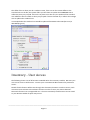
The effect of this is when you do a creditor invoice, if the cost on the invoice differs to the
standard cost on the file, the system offers you the choice to update the STANDARD cost to
reflect the price you just paid. If the tick is in place to use last cost, the update of the standard
cost will be the last cost which is what you just paid. If that tick is NOT set, it will use the average
cost to update the standard cost.
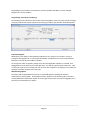
In example below the standard cost would be updated from 400 to either 250 (last cost) or
240.9364 (avg cost).
Inventory - User Access
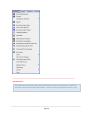
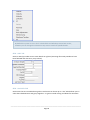
The following shows a list of all functions available within the Inventory module. Not every site
uses or has access to all functions. Contact your onsite Accrivia Administrator for permission
access.
Details of each function will be seen through this document; however in order to access, each
user must have tick next to the relevant function in order to see in your menu selections.
Note each function has a recognisable Icon - the most commonly used functions can be saved
to your Accrivia toolbar for quick easy access.
________________________________________________________________________________________
Page 13
______________________________________________________________________________
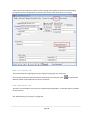
Related Topics:
For details on how to set up User's Access permissions contact your supervisor . Details can
be found in the Accrivia System Manual PDF - contact Your Accrivia Support Team for a copy
________________________________________________________________________________________
Page 14
STOCK - MANAGING RECORDS
Menu option: INVENTORY All details relating to each stock item is recorded in the Stock File Maintenance (SFM) screen
and this file is then used to draw information used in both the Debtor and Creditor modules.
Multiple screen tabs relate to different areas and details are listed below.
Stock - Masterfile Information Tabs
SCREEN TAB DESCRIPTION
Details
Main screen shows basic info, Inc. codes, groups, weights, costs & margins
Discount
A Discount structure can be entered and used in conjunction with Debtors to
determine pricing. Special section available to enter “Specials” or “Promotions”
Supplier
Ability to enter details of common suppliers for this item, with provision to add
multiple suppliers along with their codes and pricing.
Movement
Quick look at the most recent movement of the selected stock code
SOH
Stock On Hand – provides full details of stock item Inc. on hand, on order, min
stock etc
Stock Kit
Stock items that are assembled using other stock items can be set up as a “Kit”
which allows you to select the individual items and group together – to give
new costing’s and allows for automatic stock adjustments.
Image
Provides for up to 5 Images of a stock item to be added to file
Other
Allows for extra notes for stock item – includes Alt stock codes, Pack
descriptions, PO descriptions.
Warehouse
Site specific – for users with multiple warehouses, allows you to view other sites
and stock levels
Manufacture Sit specific Price History Quick look at the most recent changes in pricing of the selected stock code
For more detailed descriptions of each field - See "Stock - Create New Stock Items" below
Stock - Create New Stock Items
Menu option: INVENTORY -
________________________________________________________________________________________
Page 15
Click
to insert a new record. A blank record will appear, work through each tab to add relevant
information for each stock code. Full details of each tab follow.
It is advised to enter as much data as possible in all tabs, however as the Details tab forms the basis
of your stock code ensure all details added here are as accurate as possible.
Details of what each field represents are listed under a heading for each screen tab name.
TIP: Hold your mouse over each field to view a description in the ‘hints’ bar at the bottom
of the screen
SFM - Details Tab
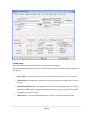
Fill in all the relevant information in each field. The minimum required fields are: Code, Stock
Group, Cost, Sell, Margin or Mark-up
HEADER FIELDS
l
Code – create a unique code for each product
l
Description – this appears on all documentation
l
St Group – add each product to a specific Stock Group (if using this facility)
l
Per – enter style this product is sold – eg: each, m2 etc. Data entered here is used to determine freight charges etc for clients using this facility.
l
Weight - Data entered here is used to determine freight charges etc for clients using this facility.
l
Non Stock Item – used for items to be charged that do not require tracking of stock on hand
– eg: Labour or Delivery charges. Purchase Orders cannot be raised for any item with this
tick, and the item will never appear in a Stocktake.
l
Discontinued – tick for any stock item that still has stock but is being discontinued. Any
item with this tick will be prevented from any further Purchases and cannot be sold into negative figures.
l
Redundant – tick only when stock level is 0 and all Purchase Orders, Debtor Orders etc have
been processed. Once ticked this code will no longer appear in searches unless the “show
redundant” button is ticked each time.
________________________________________________________________________________________
Page 16
l
Bar Code – for clients using this function, simply click in the empty field then scan the barcode on the relevant stock item. The barcode will now appear in this field. If left blank,
barcodes can still be produced by Accrivia, however it will be based on the digits and
letters of the Debtor Code therefore will not match an official barcode on a product.
l
2nd Bar Code – same as above, for those items that can carry two codes.
l
Edit Code – if required you can edit the stock code, all history for this code will transfer
to the new code.
l
BC Search – provides another search function primarily for Bar Codes
l
Copy – speeds up the entry of a new stock code, click on this to copy the basic information and use this to start a new code. Perfect for items that are identical except for
minor changes eg: panel of plasterboard with different widths. Change only the items
that are different.
________________________________________________________________________________________
Page 17
FOOTER FIELDS
The bottom half of the Details tab records Pricing and Cost information
The words Stock Kit will appear in Red for any code which has a kit set up (See "SFM - Stock Kit Tab"
on page 26 )
l
Kit Use Only – tick this box if this item is only ever sold as part of a kit – never on it’s own
l
Job Stock Only – tick this box if this item is only ever sold as part of a specific Job – never on
it’s own
l
Stock Related Section No – only applicable in the Jobs module, applying a section number
provides the ability when quoting to only select items within a given range, saves scrolling
through the entire stock range.
l
Labour Quan – enter the standard labour time (in hours ) required to install this item
________________________________________________________________________________________
Page 18
l
Cost - enter the raw cost of the item. Failure to enter a cost price at this point will have
an impact on future P&L reports.
l
Freight – if applicable, you would enter a freight charge here per item
l
Margin – enter the Mark up price in % per item
l
Mark Up – enter the Mark up required for this item
l
Tax Type – use drop down to select the relevant tax code
l
Marked Up Sell – enter the invoice price (in $) per item excluding GST, eg: Cost price +
Mark up
l
Sell GST - enter the invoice price (in $) per item including GST eg: Marked Sell Up + GST
l
Last, Not Avg Cost – tick to update costs with the last cost or leave blank to update with
the Average cost – is automatically ticked if no tick is placed in “New Stock Item use Avg
Cost no Last” in the FILE | SYSTEM SETTINGS \| INVENTORY (see notes in Inventory System
Settings)
l
Don’t Apply to Col 5/6 – tick only if you want to ignore the predefined discounts for Columns 5 & 6 (see notes in Inventory System Settings)
l
Keep Sell – tick to keep the original sell price when adjusting the cost
l
Keep Discount – tick to keep the discount prices the same when cost is altered
l
Adjust – adjust the cost, margins or discounts of multiple stock items
l
Show redundant - must be ticked in order to see any redundant stock codes in searches
– recommended you only tick when needed to keep stock searches to a manageable and
viable size
SFM - Discount Tab
The system allows for multiple levels of discount. This functions works in conjunction with the
Debtors module where relevant Discount Levels are allocated to clients – eg: from the example
below any Debtor with a Discount Level of 3 will get 25% discount on any items he purchases.
l
The top left grid is view only and provides a snap shot of information from the Details
screen.
________________________________________________________________________________________
Page 19
l
In the top row of the discount grid, enter the percentage for each discount level 1 - 6 (eg: 10
= 10%). Level 1 is traditionally left blank therefore represents the sell price with no discount
at all.
The total discount received will be the sum of the normal discount plus the additional
discount.
It is not critical to utilise all six discount levels. If no discount is defined for a particular stock
item, then the item will be sold at the retail price. If no discount is defined for a particular
discount level, the debtor will receive the stock at the price of the previous level.
Discount - Grid Formats
________________________________________________________________________________________
Page 20
The contents of the Discount Grid can be displayed in a number of formats, you can double
click on the blue grid heading or right click in the grid and select from the options listed:
l
IndividualShows the $ cost per item
l
TotalShows the $ cost of the total purchase
l
Gross MarginShows the % profit margin per item
l
Discount $Shows the $ discount per item
l
Money MadeShows the $ money made per item
Discount - Columns
The six columns in the Discount Grid are labelled Level 1 through to Level 6, allowing you to
specify up to 6 discount levels, with level 1 being the normal retail price. The discount is
calculated by discounting the Sell price (level 1) by the percentage specified.
Discount Level 1 is the default level for all debtors, so the first column of the Discount grid will
be the usual retail price. For this reason the percentage for Discount Level 1 should normally
equal zero. Any discount specified here will result in all debtors being offered a discounted
price.
Discount - Column 5/6 Option
________________________________________________________________________________________
Page 21
If you have selected the ‘Column 5/6’ option from the FILE |SYSTEM | SETTINGS -Inventory Tab,
discount levels 5 and 6 will be calculated by increasing the Cost price by the percentage specified.
Levels 1 to 4 remain as a discounted sell price.
Discount - Volume deals
Additional discounts offered for bulk purchasing are detailed down the left column. To determine
the discount for a specific volume purchase, locate the discount level of the debtor and move down
the rows to locate the appropriate volume of stock being purchased.
The price displayed in the grid is the sell price for total quantity of the stock items specified.
Special Pricing – Promotions
For Promotions – there is the ability to enter a Start & finish date along with a Promotion Number
and Special Sell price (inc gst) – details entered here will overide exisiting pricing structures.
SFM - Supplier Tab
Accrivia has the ability to record multiple suppliers for a product, each one recording all relevant
information including the Supplier Code, Price, last purchase dates etc. Extra notes can also be
added here for internal use. Pricing and purchase dates will be automatically updated when a
purchase is recorded.
________________________________________________________________________________________
Page 22
Depending on the company circumstances, Accrivia provides the ability to store multiple
Suppliers for the one product
Single Entity, Australian purchasing.
The following screen shows the screen with the basic Supplier screen currently used by all single
company entities that require only basic recording of products purchased in Australian dollars.
Preferred Supplier
While there is the ability to add multiple suppliers for any product, the system is set up to
recognise that Supplier No. 1 is the preferred supplier and will be the one that is selected first.
Selections can then be over-ridden if needed.
To change the order of suppliers simply enter all of the applicable suppliers as needed, then
highlight the line you wish to move and right click - you will now get an option "Move to". Click
on this then type the line number you wish to move this supplier to. By typing 1 in this field you
will then move this supplier to the Top spot.
Warehousing Option
For clients with multiple Warehouse sites an extra field appears showing the relevant
warehouse for each supplier. A Warehouse column appears in the bottom grid on each line –
note by default this will usually appear at the far right of the screen and can be dragged over to
wherever you would like it to appear.
________________________________________________________________________________________
Page 23
The Warehouse Options dropdown selection shows a list of all current warehouses in the system
and includes 2 extra options – “Show All” and “All Wh”.
l
Show All – allows you to see every warehouse defined
l
All WH – allows you to specify a supplier that is able to be used for all warehouses (makes
them a global supplier).
Any item with the ALL WH option selected will then show up first (in bold) on the Stock Order
forms, with any other suppliers local to that warehouse show up after that. All other standard
ordering procedures remain the same.
Multi-Currency Options
For clients with international purchases, extra fields can be made available to record all costs and
relevant currency as determined in the Creditor Masterfile.
l
Nat ship cost = price in native currency of supplier of item (where native currency = as per
supplier masterfile)
l
Trade ship cost = convert from native currency to trade currency
________________________________________________________________________________________
Page 24
l
Export %, Handling %, other % = all add ons towards “landed cost”
l
Local $ ship cost = conversion from trade currency to AUD including add on %.
Full details on Purchasing using the Multi-Currency option can be found - See "Using the
Multi-Currency Purchasing within Accrivia" on page 84
SFM - Movement Tab
Once this stock code is used within the system, an automatic track of all movements will
appear in this screen for quick easy reference. Item are listed in either Red or Blue depending
on the module they have come from.
RED - will show transactions from the Debtors module ie Invoices & Credit Notes. Right clicking
on the line will allow you to Preview a copy of this transaction.
BLUE - will show transactions from the Creditors module ie Purchase Orders. A Preview of this
transaction is not available.
A filtering option is available to make it easier to search or find specific movement types. Right
click on a line to get the options available. The Options are split into two areas – Dates at the
top and Transaction Types at the bottom.
l
If “ALL” is selected in either area then every transaction will present on the screen in
date order (this applies to Dates and Types)
l
Choosing a date range will narrow the options to the requested times
l
Choosing a specific Transaction Type will present only those types listed by whichever
date selection you have chosen.
________________________________________________________________________________________
Page 25
By default the system is set to “ALL” in both fields and will always revert back to this,
however you can change the selection at any time to search for specific details.
SFM - SOH Tab
Stock on Hand, provides current stock details at a glance (assuming all normal procedures have
been followed and data entry is up to date).
SFM - Stock Kit Tab
Stock items that are assembled using other stock items can be set up as a “Kit” which allows you to
select the individual items and group together – to give a revised costing and allows for automatic
________________________________________________________________________________________
Page 26
stock adjustments. By searching the individual components in the stock listing on screen then
clicking [ADD] it will then be added to list on the bottom of the screen with the new costings.
l
If appropriate enter a % loading for each stock line to allow for handling/wastage.
l
The stock kit will be updated with each entry, and the total cost price of the kit will be
displayed.
l
Return to the Details Tab to determine the Sell price of this Stock Kit.
l
The Cost field will be disabled, as this is now determined from the constituent stock
lines.
l
Enter Margins or Mark-up as required.
l
If applicable, define discount levels for this stock kit as per a normal stock line.
SFM - Other Tab
Has provision in the bottom of the screen to store extra information as required including
Alternative or Superceded codes - enter details if applicable to assist Users find Alternative or
Superceded stock items.
Pack size quantities - enter details if applicable for both Inner & Outer packs
Prompt Notes - add notes here to be seen whenever Users select this code
PO Desc - any description added here will be added to the normal description when selecting
this item on a Purchase Order
Note Used for Inv - ticking this box means that this item can be used when producing a Debtor
Order but are “Prohibited from Invoicing” . This means they can be included on an order, but
must be removed prior to invoicing. This allows general labour codes to be stated at order
stage (and swapped for actual labour billing code before invoicing), or the equivalent for stock
________________________________________________________________________________________
Page 27
codes used to raise purchase orders to other trading stores (within the same franchise trading
group) that must be swapped for the actual stock issued to the client (prior to invoicing)
SFM - Price History Tab
The system keeps an ongoing track of any changes of pricing for this stock item.
Once all relevant data has been entered on each tab for the new code, Click
Note extra data can be added at any time in the future.
to save the file.
SFM - Manufacture Tab
This tab is only available to sites who run the Manufacturing Module - a separate topic is provided
for this function
See "Manufacturing - Overview" on page 106
________________________________________________________________________________________
Page 28
SFM - Warehouse Tab
This tab is only available for clients who are running multiple warehouses from the same
database. Full details on this function are listed as it's own topic.
See "Warehouse Transfers" on page 125
SFM - Image Tab
Can load up to 5 different images of the product if required. Contact Your Accrivia Support
Team for assistance if required.
Stock - Search For Stock Codes
Stock items are listed in this screen in alphabetical order, based on the Stock Code. To find a
stock item:
If you know the stock code:
Type this into the Code field (typing the first few letters of the code, and then moving out of the
Code field, will take you to the closest code to the letters you typed).
To move through the records, one at a time:
Use the navigator buttons
screens.
to move to another stock item from any of the tab
To search for a specific stock code:
Double click in the Code field. This will display the Stock Line Selection screen.
1. In the ‘Search Type’ box, select Stock Code, Stock Group, Description, Supplier or Section No.
2. Enter the information that you wish to search on.
3. Press [F4] to update the search results
4. Once you have found the stock item you are looking for, click [OK]. You will be taken to
this item in the File Maintenance form.
Stock - Modify, Change Details
Stock information can be updated at any time within the Masterfile. To do this:
________________________________________________________________________________________
Page 29
1. Select the stock you want to update, modify the required details in any Tab.
1. When all details are correct then click
these changes.
to save the new details. Click
to cancel
Reminder – some data such as Price History and Movement is programme driven and data
cannot be altered manually.
Moving to a different record, or closing the screen will also save your changes. Depending
on how your system is configured, you may be notified that there are changes, and asked if
you want to save these changes when moving off the record.
Stock - “View Only” Search
Menu Name – Inventory The Inventory Search screen allows users to find stock items, and view their pricing, movement,
available stock levels etc. This screen is a View Only option perfect for warehouse or front of house,
where information on stock is required but figures or pricing changes cannot be performed from
this screen.
A variety of search selections provide an almost unlimited ability to find a product regardless of
how little information you know.
The Search screen gathers information from the Stock Masterfile and the results available include:
l
Stock Code & Description
l
Supplier Stock Group
l
Stock levels – including SOH, Available, Reserved, On Order & Despatched
l
Debtor Pricing – including all discount levels set up
l
Inner & Outer Pack details
l
Alternative & Superceded Stock Codes
l
Location
________________________________________________________________________________________
Page 30
You can customise your screen to group most commonly looked at fields together – click your
mouse on the name of the field and drag to the required position.
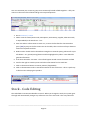
1. Go to INVENTORY | SEARCH
2. Select a search criteria (Stock Code, Description, Stock Group, Supplier, Alternate Code,
or Superseded) in the Search On... box
3. Enter the code or information to search on, or enter the first few first charactersthen
press [TAB] to jump to the first occurrence in the table, then use the scroll up or down to
locate the required stock line.
4. Debtor Code - double click in the Debtor Pricing box to view the pricing relevant for a specific debtor – any special pricing/discount will be highlighted in yellow. Leave blank for
general information.
5. If the item selected is a Kit Item – this info will appear in Red next to the Search on field
6. Scroll to the right to view the prices and other information for this stock line.
7. Click on the Picture button to view its pictures (if applicable)
8. Click on the Movement tab to view all movement for this stock item – this is a quick way
to find out who is buying this product.
Stock - Code Editing
The Code field is how Accrivia identifies a record. When you change the Code, the system goes
through and automatically changes any reference to it to the new code. This may take a few
________________________________________________________________________________________
Page 31
moments, depending on how much data is in your system. To change a code:
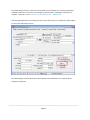
1. Select the stock item you want to update and click the [EDIT CODE] button.
2. Enter the new code, and click
to save it.
All transactions linked to the original stock item will now be linked to the new code.
Stock - Merging Two Stock Items
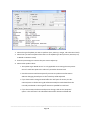
1. Select the stock item you want to merge and click the [MERGE] button. All transactions from
this stock item will be moved across to the next stock item you select. This stock record
(along with all of its basic details, supplier, pricing structure etc) will be deleted.
2. The Stock Item Selection screen will then be shown. Locate the item you want the file to be
merged with and click [OK]. This is the item that will remain after the merge is complete.
Stock - Deleting An Item
button.
1. Select the stock item you want to delete and click the
2. A confirmation to delete the selected item will be displayed.
3. Answer OK to confirm deletion or CANCEL to return to the stock item record.
A stock item cannot be deleted if it has had a transaction or movement posted against it.
Once confirmation of a deletion is accepted the data is lost and cannot be retrieved!
Stock - Price Updating
Menu option: INVENTORY -
________________________________________________________________________________________
Page 32
The Stock Margin Increase / Decrease screen allows you to update cost and pricing details of
multiple stock items at once, by a percentage or value amount, selected by code, group or
supplier. To do this, in the INVENTORY | STOCK MAINTENANCE - DETAILS tab
Click the [ADJUST] button at the bottom of the screen where the Cost / Sell Option fields appear
to access the adjustment screen
The Stock Margin Increase/Decrease screen appears next and allows you to dictate which
changes are required.
________________________________________________________________________________________
Page 33
1. Select the type of update you want to perform (cost, mark up, margin, sell or discount level).
2. Select how you want to update these items in the Update Type box (Increase, Decrease, Set,
or Based on Discount Level)
3. Enter the percentage or amount that you want to adjust by.
4. Select other update values:
l
The Update Type ‘Based on Disc’ is only applicable to re-setting the Cost parameter of a stock line equal to the value of a particular discount level
l
Check the Preserve Sell Price option if you want to update cost information
without changing the Sell price. ie the %mark up will be adjusted
l
If you have made a change that will affect the ‘Sell’ price of an item, the discounted prices in the discount grid will automatically be recalculated from the
new sell price based on the original % discount specified for each level.
l
If you do not want the discounted price to change, click on the ‘Keep Disc’
option. This will ‘freeze’ the calculated value of the discounts offered and
________________________________________________________________________________________
Page 34
adjust the % discount for each discount level to accommodate the change
in the sell price.
4. Identify the kind of update you want to perform by clicking on the Supplier, Group or
Item tab. Select the groups or items to which the above changes should be applied.
(Hold down the control key to select multiple groups/stock lines).
5. Click [DO IT] to update all selected stock groups/stock lines.
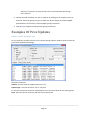
Examples Of Price Updates
Update a Stock Group by Cost
For this example, we will increase the Cost of Stock Group 105 from $4.00 to $4.25 and the sell
price will be adjusted accordingly.
Selections used were:
Update - we have used the Update option of “Cost”
Update Type - we have elected to "Set" a new price
$ - we have entered the new price of $4.25 (which is an increase of $0.25 on the existing price)
Type - We have chosen the Group Tab and chosen Group 105
________________________________________________________________________________________
Page 35
So the result is that the cost of the item has increased from $4.00 to $4.25 for all items in the 105
stock group. Because sell prices are based on a mark up on cost, all discount level sell prices will be
increased as well and as such any debtors with special prices set up as a discount level, discount of
a discount level, and cost + percentage options will be increased by a relevant percentage.
(Customers who have a $ value setup for special pricing will not be affected.)
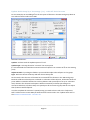
Update a Stock Group by Sell Price
For this example we will be increasing the Sell Price forf Stock Group 105 from $4.00 to $4.25.
Selections used were:
Update - we have used the Update option of “Sell”
Update Type - we have elected to "Set" a new price
$ - we have entered the new price of $4.25 (which is an increase of $0.25 on the existing price)
Type - We have chosen the Group Tab and chosen Group 105
So the result is that the Sell price of the item has increased from $4.00 to $4.25 for all items in the
105 stock group. Because sell discount levels prices are based on a discount off the sell price, all
discount level sell prices will be increased as well and as such any debtors with special prices set up
as a discount level, discount of a discount level options will be increased by a relevant percentage.
(Customers who have a $ value setup for special pricing will not be affected.)
________________________________________________________________________________________
Page 36
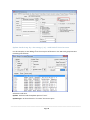
Update Stock Group by a Percentage ( %) - with Sell Price Increase
For this example, we are adding 5% to the cost price of all items in the 105 stock group which in
turn will increase the Sell Price as well.
Selections used were:
Update - we have used the Update option of “Cost"
Update Type - we have elected to "Increase" the current price
$ - we haveticked the % field then entered a value of 5 (which is an increase of 5% on the existing
price)
Adjust Set Sells - by ticking this field the system will then adjust the Sell price on this group
Type - We have chosen the Group Tab and chosen Group 105
So the result is that the cost of the item has increased 5% for all items in the 105 stock group.
Because sell discount levels prices are based on a discount of the sell price, all discount level sell
prices will be increased as well and as such any debtors with special prices set up as a discount
level, discount of a discount level options will be increased by a relevant percentage. For
customers who have a $ value setup as a special price for the items of group 105 we can adjust
their $ value as well if required.
In order to update the customer’s special pricing you need to have a tick in the “Adjust Set
Sells” tick box on this screen AND you ALSO need to have the tick in the “Update Stock Tab” in
the DEBTOR FILE MAINTENANCE - OPTIONS TAB.
________________________________________________________________________________________
Page 37
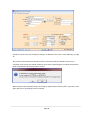
Update Stock Group by a Percentage ( %) - with NO Sell Price Increase
For this example, we are adding 5% to the cost price of all items in the 105 stock group but NOT
increasing the Sell Price.
Selections used were:
Update - we have used the Update option of “Cost"
Update Type - we have elected to "Increase" the current price
________________________________________________________________________________________
Page 38
$ - we have ticked the % field then entered a value of 5 (which is an increase of 5% on the
existing price)
Preserve Sell Price - ticking this box will result in no change to the Sell Price.
Type - We have chosen the Group Tab and chosen Group 105
The result of this means that because we have the tick in the “Preserve Sell Price” option the
sell price remains unchanged. Because sell discount levels prices are based on a discount of the
sell price, all discount level sell prices will be unchanged as well and as such any debtors with
special prices set up as a discount level, discount of a discount level options will be unchanged
Stock - Scheduled Price Changes
Menu option: INVENTORY As many databases can contain thousands of lines of stock items, entering new prices into the
system can be a tedious & time consuming job, that cannot always be completed in one sitting.
This option allows you to take as long as you like to enter new pricing, either for each code, or
by Stock Group, or by Supplier and update the changes into the Masterfile only when all data is
complete or at a specific date.
Example - you may have a price rise scheduled for July 1st - you could start entering your new
prices back in May to give yourself plenty of time. Then activate (apply) the new prices when
the time is right.
________________________________________________________________________________________
Page 39
Details on how to enter the actual price changes are detailed - See "Stock - Price Updating" on page
32
This screen can be opened and closed as often as necessary until your whole inventory list is
complete. Once entries are started, whenever the screen is opened again you will be prompted to
either continue with the existing data or restart.
When all entries are complete and you are ready to update all the inventory files - open this screen
again and click on the [APPLY] button to finalise.
________________________________________________________________________________________
Page 40
Stock - Stock Item Modified Changes
Menu option: INVENTORY By entering in a number of days into the bottom of this screen a report is generated listing any
stock item that has had modifications made to the Masterfile. You can also choose to sort by
the time it was done as well.
Tick the [CHECK] box to start the report.
The report will not advise the exact nature of the modification, you will need to inspect the item
itself to determine this - eg check the Price History tab to see if the change related to a price
increase/decrease.
________________________________________________________________________________________
Page 41
STOCK - GROUPS, CREATE AND
MAINTAIN
Menu Name – Inventory Stock groups are used to group stock items for reporting purposes, as well as identify expense
account information for items.
Stock Groups - Add A New Group
1. Press the [INSERT] key, or arrow down, to create a new line.
2. In the Group column, enter an identifying code of up to 10 characters.
3. Type a description of the group you are adding.
4. By double clicking in the column labelled other, you can expand your description or make
notes relating to this particular stock group.
5. Click in the Expense column and select the default Creditor Expense account from the droplist.
6. If running a multi-company/multi-store system and this stock group is used exclusively by
one company/store, click in the Company/Store column and select the relevant company/store from the drop-list. This column will only be present if running a multi-company
system.
7. Enter the GL acct links appropriate to the Stock Control System, you are running.
8. Press Tab after each entry to update the record.
When entering a creditor invoice for the purchase of stock items, the transaction will default
to the creditor expense account specified as the default for the relevant stock group.
The GL links for stock groups will always over-ride any links set up in the Creditor Expense
account.
________________________________________________________________________________________
Page 42
Stock Groups - Delete / Modify
1. Locate the group you want to delete/modify.
2. To modify an entry, overtype each field as required and press enter to accept the
changes.
3. To delete an entry, click on the group and press [CTRL][DELETE]. Click [OK] to confirm
the deletion.
Once a posting has been made referencing a stock group, the stock group cannot be
deleted.
________________________________________________________________________________________
Page 43
STOCK - GRIDS FOR ORDER
ENTRY
For specific clients (mainly in the Plaster industry) a Fast Entry stock grid can be set up for speedy
entry with the Debtor Order screen. Once set up, it allows for immediate selection of all commonly
used products on a job, without having to manually type in each stock code.
Ideal in the building industry for example where each house being built in an estate has the same
requirements in terms of stock items and the only thing to alter is the quantity.
Thought should be taken when setting up the grid for the first time as the order it is entered will
determine how it appears on the order screen and on the printed document when a picking slip is
generated.
Thinking in terms of which items the storeman would collect first to assemble an order will assist in
the order of how you set the grid up.
Stock Grid - System Settings
In order to add stock to the grid, go to FILE | SYSTEM | SETTINGS - Debtor tab and put a tick in Use Grid Order Form. Save then restart your Accrivia system.
Stock Grid - Inventory Setup
Menu name – Inventory
________________________________________________________________________________________
Page 44
The idea of a grid is to speed up not just the ordering process, but also the pick and pack
process for storemen. To use this function effectively you should enter the stock into the Grid
in the same order that it should be picked and packed onto a vehicle (eg: enter the large
plasterboard sheets first and leave the lightweight things till the end so they can be packed on
the top of the load).
It is recommended that you take time initially to determine exactly what stock codes, headings
and titles you need, and exactly what order they should appear, before setting up your grid.
New codes can be added to your grid at any time.
The screen starts with several tabs across the top with the generic names of 'Page 1-9' starting
with Grid. This is where the main stock information is loaded, starting with 2 different Headings
then the 8 different sizes most commonly used in the plasterboard industry. Click inside each
field to rename.
Double clicking on each tab allows you to rename them to suit your requirements – see above
we have changed tab 2 to be Fittings, and tab 3 to be Assembly etc.
Add stock to a Grid
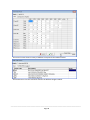
To add stock codes to the relevant fields, locate the stock code from the list on the right then
drag and drop it into the correct field. Follow the same procedure to add stock to each tab.
Click [APPLY] when complete. Additional entries can be made at any time.
To delete an item in the Stock Grid - open the grid, highlight the stock code and click on
the [DELETE] button on your keyboard, then the ↑ button to save the line change. Click
on Apply to update the Grid.
Example of Stock Grid Setup
This example shows a Grid with 3 tabs - Grid, Compounds & Angles. Only the most commonly
used items should be added to the grid.
The first screen shows the most commonly used plasterboard sizes and widths
________________________________________________________________________________________
Page 45
The second screen shows a variety of different compounds that will be needed
The third sheet in this case has been used for the different Angles needed.
________________________________________________________________________________________
Page 46
Remember that you can use up to 9 different TABS to cover the different categories that
may be needed.
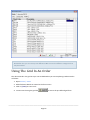
Using The Grid In An Order
The data entered in the grid set up is now available when you are completing a Debtor Order –
as follows:
1. Open DEBTOR | ORDER
2. Add all relevant details as normal to the front screen
3. Click on [ITEMS ] to enter stock
4. To enter stock using the grid click
to access the pre-defined grid form.
________________________________________________________________________________________
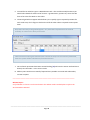
Page 47
5. You will first be asked to type in a New Selection title – this would normally be where you
would select details for each level of a house – eg Downstairs, Upstairs etc, enter this title
here to form the first Batch on this order.
6. The Stock grid will now appear which allows you to quickly type in required quantities for
each stock item, don’t forget to click on the all of the other tabs as required to enter quantities.
Only items currently in the grid will appear – any extra items required must be entered
manually as normal in the body of the order.
Take note that assuming the data has been entered correctly into the Inventory Masterfile,
then the system will also calculate m2/lm measurements.
7. Once all stock quantities have been entered clicking [OK] will save the entries and load them
directly into the Order – in the correct order.
8. Add any extra stock lines manually if required then precede as normal and select Order,
Invoice or Quote.
______________________________________________________________________________
Related Topics:
For full details on how to use the Stock Grid in the Debtor Orders module please refer to the
Accrivia Debtors Manual
________________________________________________________________________________________
Page 48
STOCK COSTS – COST CHANGES
Menu option: INVENTORY This function allows you to track any purchased stock items where the invoiced cost differs
from the “standard cost” on the system. You have the option to ‘Update’ the system to the
new cost or ‘Not to Update’, with the added facility to only select purchases where the cost
differed from the “standard cost” by a given % or greater.
The purpose behind this approach is to allow the creditor invoice posting to occur without the
operator needing to consider the impact on the stock pricing. This allows the most appropriate
person in the organization to determine the standard pricing of the inventory, and also allows
this procedure to be carried out in a regular and routine fashion, not “ad hoc” based on
purchasing.
To fully operate in this mode, the system setting “Stock Price Update” found on the Inventory
tab of the System Settings form should be set to “None (Don’t Prompt)”.
Customer “contract pricing” (as setup in the Pricing tab of the Debtor Masterfile) is NOT
adjusted with the use of this screen. This screen replaces the “Update pricing” option that
applies when posting creditor invoices for stock, and as that process has no impact on
customer contract pricing, neither does this form.
Stock Costs -Screen Descriptions
The screen is split into 4 distinct sections:
________________________________________________________________________________________
Page 49
l
Stock Grid (top) - reports on any stock items purchased where the purchase cost and standard costs vary. The Stock Code and Description are shown with a tick box at the end of each
line to either ‘Update’ or ‘No Update’.
l
Creditor Grid (middle) – this section reports on the specific Creditor invoice in the system
and shows the Purchase Price charged (ex GST). The information in these fields is drawn
directly from the data entered in the Creditor module, and it also includes other related cost
fields at the time of posting.
Double clicking on the line will automatically fill in the cost details in the New Cost fields
below. This will also automatically add a tick to the Update box in the top grid.
l
Current Cost (bottom left) – this information relates to the stock code above and is taken
directly from the Inventory Masterfile. The data in this area cannot be changed on this
screen.
l
New Cost (bottom right) – these fields will be updated with the new data if you choose to
Update the changed costs, and the values shown here will be used to update the Masterfile
if you choose to update that stock line.
l
Cost % diff – depending on your company policies you may wish to see all variances, or you
can use this field to filter out showing any purchases where the Cost % difference is less than
the value stated. The % value is the (NewCost – CostAtTimeOfInvoice) / CostAtTimeOfInvoice, and any stock line with no standard cost will show as the cost % difference is
seen as 100%.
l
Clipboard – clicking on this button will copy all the stock lines and paste them into an excel
format. This data can then be sorted as required.
*** Don’t forget you must format the first column in the excel file to be ‘text’ before you
paste the data so that the zero’s in the stock codes do not get stripped out
l
Apply – Clicking this button will apply the entered information to the Stock lines in the Inventory Masterfile.
l
Reset – Clicking this button will refresh the data from the inventory masterfile.
________________________________________________________________________________________
Page 50
Please Note: by Resetting you will lose any values that have been stated but not yet
applied. Suggest applying all known entries first, and then choose Reset to refresh if
needed
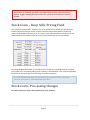
Stock Costs - Keep Sells Pricing Field
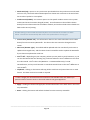
This tick box is optional and is ticked on an item by item basis. By default this field will be unticked so the current margin is kept, and the sell prices determined based on the existing
margin being applied to the New Cost. This price is then reflected below in the Discount Level
table (relevant prices change only if discounts have already been set in the masterfile).
By ticking the [KEEP SELLS ] field, you are electing to override the new Retail Sell price and allow
the system to use the existing selling prices currently in the Masterfile. This would be applicable
for sites that may be forced to retain pricing to remain competitive.
For more detailed explanations on how the Pricing structure functions, refer to the
Inventory User Manual – Stock Masterfile Information.
Stock Costs- Processing Changes
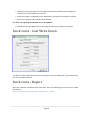
For items where you require the standard cost to be updated:
________________________________________________________________________________________
Page 51
l
Determine the purchasing line in the Creditor Grid that best indicates the change in the
standard cost, and double click on this line.
l
Check the margin / pricing fields in the “New Values” group box and change as required.
l
Ensure the “Update” box is ticked in the Code Grid.
For items not requiring the standard cost to be updated:
l
Double click the “No Update” box in the upper grid. No other changes are required.
Stock Costs - Cost Write Down
The ability to choose individual stock lines and register a new cost along with a specific date when
this new cost will be effective.
Stock Costs - Report
Once your selections and adjustments have been made, the following report can be run to reflect
the changes.
REPORTS
| INVENTORY | STOCK#3 | PRICE CHANGES LOG – BY DATE
________________________________________________________________________________________
Page 52
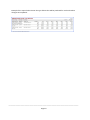
Example of the report below shows the type of data that will be produced for each code where
changes were updated.
________________________________________________________________________________________
Page 53
STOCK LOAD FROM XLS
Main Interface
Loading data from Inventory Stock databases can be a big job. Accrivia has the facility to import
the information direct from an Excel spreadsheet, as long as all headings and settings are adhered
to.
XLS File
This is the file that the user has chosen to load data from, select first the actual filepath name, then
enter the specific Worksheet within that file if applicable.
Supplier Templates
Templates of field mapping and naming, select from the combo box the desired template for use.
________________________________________________________________________________________
Page 54
Setup Button
Click on this to access the supplier template configuration settings, to create and manipulate
the current templates.
Excel Column selection
The excel columns that will be read into the table fields, identified by the letter corresponding
to the column the data is located in the excel document.
n.b. For Excel loads…
1. Cost and sell prices being loaded must be ex gst.
2. The “cost” column MUST be to the left of the “sell” columns
3. Save formulas as values so Accrivia can load the value, not the formula.
4. Delete all unwanted rows and columns so there is no unnecessary interference with the
load
Read Settings
Read Heading as Data
Indicate if the user would like the first line of the excel sheet (normally dedicated to the heading
line detail) read in as data.
Append New
Indicate if the user would like to append any new stock items or just update the existing stock
items.
Map To Supplier Stock Code
Indicate if the user would like to map the given stock code, to the Supplier Stock Code. (The
program will default the Stock Code of any appended stock item to be equivalent with the
Supplier Stock Code.
NOTE: If this Supplier Stock Code already exists as a Stock Code then the program will
append a number [beginning from 0] to the end of the Stock Code until it finds one
unique).
Keep Sell Price if Unstated
Indicate how to handle the situation of a sell price being unstated. Either keep the original or
overwrite with the sell price as nil.
Update Standard Cost
Tick to update the Standard Cost in this load
UD Sup Agreed Purch Price
Tick to Update the Set Price in the Stock File Maintenance - Supplier Tab
________________________________________________________________________________________
Page 55
Append Supplier Line
This field references the Stock File Maintenance - Supplier Tab. If left unticked, the system will cross
check and edit the Supplier line if the Supplier has already been added to the Supplier Tab.
If ticked - the system will look for any new Suppliers for an existing Stock code and automatically
add them into the Stock File Maintenance - Supplier Tab.
Warehouse
For clients with multi-companies, you will be asked to confirm which Warehouse to use for this
load.
Entity – Division/Company/Branch
If the current user is of a multi company entity, then the list of companies will be displayed for user
selection. The user selection is saved as a reference to what companies stock should be affected.
Load
When pressed, all of the data from the current selected excel document will be read into the
corresponding tables.
________________________________________________________________________________________
Page 56
Template Interface
Name
Give the Template a name
Library
The user can select from the list of templates and make alterations to them as required. It is
important to note that the ‘DEFAULT’ template cannot be deleted or changed.
Fields
These are the default fields, representing those from the DStock table that will be updated with
the data loaded when the user presses the ‘LOAD’ button.
Use Field
________________________________________________________________________________________
Page 57
This is for selecting from the group of fields, which will be required for this template. Enter a tick
into the each of fields you wish to use.
Named As
Enter the name that will be used on the main interface for the field selected.
Controls
These buttons allow the user to control the actions taken upon the current template.
Default Names Following the selection of at least one field the user presses this button to automatically fill in the
‘Named As’ fields with the corresponding default name for the field.
Once this button has been pressed the button becomes ‘Clear Names’ which will then remove any
names that have the field selected.
Clear All
Clears all controls without affecting any templates.
Use All
Clicking this will select all fields when pressed. Once this button has been pressed the button
becomes ‘Use None’ which will then deselect all fields if pressed.
Save
Saves the current template settings.
Delete
Remove the current template from the database. NOTE: This change is permanent.
OK
If there had been changes made to this template then the user is prompted if they would like to
save the changes before closing the Template screen and return the user to the Main interface.
________________________________________________________________________________________
Page 58
INVENTORY STOCKTAKES
Menu name – Inventory Stocktake - Important Information
The INVENTORY-STOCKTAKE option takes a real time ‘snap shot’ of the inventory system.
This “snap shot” is created when you press the [BEGIN] button in the Stock Take Adjustment
screen.
This ‘snap shot’ is used as the starting point to conduct a stock-take, and is specific to the
workstation it is recorded from. Results of a stock-take can be entered simultaneously on more
than one workstation. If this is to be the case, each workstation must open it own Stock Take
Adjustments Screen and press the Begin button to record a ‘snapshot’ of the stock-on-hand at
the beginning of the stock take.
Please note the following important points when planning and preparing for your Stocktake.
1. Ensure that a Stocktake is valid by commencing your stock count at the end of trading
for the day.
2. Backups: It is recommended that you create a backup of your Accrivia database prior to
commencing a Stocktake. This can be created by selecting the FILE | SYSTEM | BACKUP
option.
3. Entering Stock Counts on Multiple Workstations: Stocktake results can be entered
simultaneously on multiple workstations, however if two operators enter the stock
count for the same item on two different workstations, the variation will be applied
twice.
4. Continue Data Entry of your Stock Counts: You can stop and start data entry for a
Stocktake as many times as you require, by exiting the screen without hitting the Complete button. When reloading the Stocktake screen you will be asked:
l
Do you wish to continue work on a previous Stocktake created by USERNAME on
dd/mm/yyyy for the physical stock count of date dd/mm/yyyy?
l
Click YES to continue working on the current Stocktake
l
or click NO to delete the current Stocktake.
________________________________________________________________________________________
Page 59
6. Zeroing Quantities: If you wish to zero the stock count prior to entering the quantities
counted:
l
Open the Stocktake screen and enter the date of your stock count
l
Click the [ZERO QUANTITIES ] button and press Complete. This will post an adjustment which
will zero quantities for all stock codes. You can then launch the Stocktake screen and enter
your counted quantities.
Note: Only complete Step 5 on one workstation.
Stocktake – Printing Count Sheets
Stocktake sheets can be printed from the reports menu and used to record the quantities of items
counted. These can be found in the FILE | REPORTS screen and selecting the Inventory tab, then:
l
For non-warehousing sites, selecting the Stock – Stocktake Sheets report, or
l
For warehousing sites, selecting the Stock-WH – Stocktake Sheets (by WH) or Stocktake
Sheets (by WH Bin) report, depending on how you manage your inventory.
It is recommended that you preview these in preparation for your Stocktake, to ensure that
the format and ordering of stock items will suit the method that you use to complete your
Stocktake count. If you would like modifications made to this report, please contact Accrivia
Support.
Stocktake - Completion
1. Complete your stock count and enter details onto the Stock Count Sheets, observing the
points highlighted in the Important Information section.
2. When you are ready to begin entering your Stocktake figures, select INVENTORY | STOCKTAKE.
3. If you run the Warehousing module, you will be prompted to select the company and warehouse that the Stocktake is applicable.
4. Enter the date the Stocktake was completed on.
________________________________________________________________________________________
Page 60
When opening the Stocktake Adjustment screen, a complete Inventory System Check is
run, and will only allow data entry to commence once it has corrected any errors it
identifies. Accrivia corrects inventory errors by resetting the stored Stock On Hand value
to the movement recorded for the item. Please contact the Accrivia Help Desk prior to
commencing these procedures if you believe this presents any problems.
If you are shown a message box with the error “The stock items listed have invalid
margins (not between -99.9999 and 99.9999)”, you should open the Stock File
Maintenance screen for each of the stock codes listed, and adjust the Margin or Sell
price to ensure that the Margin is between -99.9999 and 99.9999. You will not be
allowed into the Stocktake screen until all incorrect margins have been corrected.
5. Enter the stock count values in one of two ways:
A. MANUAL TAB: If you want to enter stock values directly into the Stocktake screen,
select the Manual tab, then:
l
If you have utilised the Stocktake Sheets, select Group as the Ordering Type in the Manual Tab. This will sort the inventory into their respective stock groups, thus aligning
them with your Stocktake Sheets to simplify data entry.
l
l
For each stock line enter the actual amount in stock in the New Stock column. This New
Stock level will be compared with the existing In Stock amount and the variance calculated.
l
Repeat the above step for all stock lines until the data entry is complete.
l
Check for any stock lines that do not have a ‘new stock’ amount.
B. BATCH TAB: If you have recorded stock levels in a non-sequential order, either manually
or by using a hand-held scanner, it will be preferable to enter the results via the Batch
tab. To do this:
________________________________________________________________________________________
Page 61
l
If using a hand-held scanner, open the Batch Tab and down load the quantities into this
screen., or
l
If the quantities have been saved to a file, click [LOAD] and select the file to load, or
l
To manually enter the quantities for each stock line, type the Stock Code or Barcode followed by a comma (,) and the actual amount in stock. Press Enter.
l
Repeat step 3-5 for all stock lines in the Stocktake.
l
Click [APPLY] to enter these quantities in to the ‘New Stock’ column of the quantities table.
This New Stock level will be compared with the existing In Stock amount and the variance calculated.
l
Click the Reports button and then select the Batch Entry Stock Description report to report
on any entries that could not be matched to a stock line in the table. Check for any other
stock lines that do not have a ‘new stock’ amount. Enter any corrections required and rerun this report.
**** If you close the screen before clicking [APPLY] all entries in the Batch tab will be deleted.
6. Click the [REPORTS ] button at the bottom of the screen and select adjusted stock only to
print out a summary of all stock adjustments made from the current workstation. This will
show the $ value attributable to the increase/decrease recorded.
7. If you want the variance amount to be recorded as the ‘Last Adjustment’ amount for the
next Stocktake, check the ‘update last adjustment column’ option before updating.
8. Click the [COMPLETE] button to apply any variations arising from this Stocktake to the current
inventory system.
Note: A backup copy of all reports are saved when you click the complete button for a
Stocktake
________________________________________________________________________________________
Page 62
Clicking the [CANCEL] button will erase any data entries, and refresh the screen
calculated Stock On Hand values for the Stocktake date specified.
Where more than one workstation is being used to enter the Stocktake data, each
workstation should be assigned a share of the total stock groups. This will decrease the
opportunity for data entry overlap and be able to check more effectively if any stock
lines with-in a group have been missed. It also means the VALUE report will be specific
to the stock groups in your department/area.
________________________________________________________________________________________
Page 63
PURCHASE ORDERS (STOCK &
NON-STOCK)
Menu option: INVENTORY The Stock Order screen provides the opportunity to search for stock codes to add to an order. As
per details set up in the STOCK | FILE MAINTENANCE – Supplier tab, if supplier details have been set
up then these details will show in the bottom Supplier field at the bottom of the screen.
At the very bottom of the screen you should select the relevant Department, Warehouse &
Purchase Order Type for this batch.
Department and Warehouse - Selections for here will determine which Suppliers are presented
above based on the locality.
PO Type - there are 3 options available, Stock / Job / Detail.
l
Stock - allows for the selection of all stock codes with the assumption that the goods are for
your stock.
l
Job - by choosing this option any goods selected on this Purchase Order will be allocated to
a specific Job No. You will notice extra fields appear when you select Job where you can enter
the relevant Job No & Section No.
l
Direct - this selection is used when you wish to bypass your warehouse and have the goods
sent directly to another site. When choosing this option you should also ensure to choose
'Direct' in the Delivery Address field on the Purchase Order tab.
Any Supplier entered with “All WH” as the warehouse will be shown first in a bold font, then
depending on the choices made any other local suppliers will appear below that.
________________________________________________________________________________________
Page 64
This screen also has several buttons on the right side which provide the following functions.
STORE - after choosing a stock code and entering a quantity, clicking this button will add the
item to the Purchase Order tab.
By holding the [CRTL] button when you click on the [STORE] button you will be able to
select the same stock code multiple times and have them show on seperate lines on the
order. Without the [CTRL] button the system will simply add together the quantities
onto one line entry.
ORDER - clicking this button allows you to create a Purchase Order based on a Debtor Order.
Once clicked a pop-up screen will appear asking you to choose the specific Debtor or Site for
this order.
SEARCH - click here to search for a code by a barcode or description.
JOB - this button allows you to create a Purchase order for a specific job and is fully explained in
the Jobs Manual
For full details on Jobs Purchase Orders please refer to the Accrivia Jobs Manual
SEARCH BY - Choose to search for items using either the Code or Supplier.
AUTO ORDER - click to raise a Purchase Order for all stock items that have the Auto PO option
selected in the Stock File Maintenance - SOH tab. Stock items with this tick as a general rule
represent stock items for which you would not normally carry stock and would only be ordered
when a Debtor as requested it. When this is in place and a Debtor has ordered the item,
choosing this Auto Order allows the system to scan the Debtor Orders and locate any items
that need to be ordered.
________________________________________________________________________________________
Page 65
AUTO - choosing this option will generate a purchase order for an item that has a Minimum Order
Quantity entered into the Stock File Maintenance - SOH tab or Warehouse tab.
*** NOTE Minimum & Reorder levels must be set in the Inventory File Maintenance screen,
however the specific Tab changes depending on whether you are a single store or have
mulitple warehouses. Single entities will record details in the SOH tab, and multiple
warehouse sites will record their details in the Warehouse tab.
Example SOH tab for single entities
________________________________________________________________________________________
Page 66
Example of Reorder Levels for multiple Warehouses
When choosing the Auto button, you will be presented with a Stock Selection Screen allowing
you to produce Purchase Orders based on the Minimum & Reorder levels. Orders can be
generated simply click on the [LEVELS ] button which uses only items with the Levels st up in
Inventory - or you can be more selective by entering a specific date range. Choosing dates will
then activate the [SALES ] and [ORDERS ] buttons for further selections.
l
Sales - clicking this will produce orders based on your sales of stock items during the
date period you have selected.
l
Orders - clicking this will produce orders based on the Debtor Order that have been
entered during the date period you have selected.
Purchase orders created based on Reorder Levels are determined by calculated using the
following:
l
Current Stock on Hand - (specific to the warehouse you have selected)
l
Reorder Level - the minimum required on hand before a new order is required
l
Reorder Quantity - the minimum quantity required (eg box qty or pack). order quantities will take into account this figure and determine the total items needed based on
this increment. As an example - while you may only need 16 items, the system knows
that you need to increase the order to 20 to allow for the pack quantity. The system will
automatically take this into account when generating the Purchase Order.
l
On PO - the quantity already on order on previous Purchase Orders.
______________________________________________________________________________
Related Topics:
________________________________________________________________________________________
Page 67
See "Purchase Orders - Creating New Stock Orders" below
See "Purchase Orders - Creating Non-Stock Orders" on the facing page
Purchase Orders - Creating New Stock Orders
1. Enter the required stock code in the Search Text, or use the screens search facilities to locate
it in the table.
2. Enter the quantity you want to order for this stock line. If this is less than a ‘pack quantity’,
when you place this order the quantity will be automatically adjusted up to the quantity
required to make up a pack.
3. Click [STORE] to store the details of this stock order against its supplier on the Purchase
Order Tab.
4. Repeat steps 2 to 4 for any other stock lines you need to order.
5. Open the Purchase Order Tab and select a supplier from the creditor list to view details of
the proposed purchase orders (PO) for this supplier.
6. You can enter a cover note for this PO in the comment field if desired.
7. To delete a line from a PO, select the line in the stock table and press [CTRL][DELETE]. To add
another stock line, return to the Stock Tab.
8. When all required stock has been entered click [POST] to create individual purchase orders
for each of the suppliers listed in the Purchase Order Tab and update stock on order levels.
Expected Delivery Dates
There is a System Setting option available which will ensure that every order must have an ETA date
entered. If that is an option your company would like to use you will need to activate it l
Open File | System Settings
l
Go to Inventory tab
l
Put a tick in the field called [ETA MANDATORY]
________________________________________________________________________________________
Page 68
Purchase Orders - Creating Non-Stock
Orders
Menu option: CREDITORS As Non Stock items do not impact on the Inventory module, this process is done directly into
Creditors.
1. Type in the Creditor Code in the Creditor Code box or scroll down and select the creditor
manually.
2. Click the Items Tab.
3. Type in the date.
4. Type in the Reference Number.
5. If applicable, type in any comments that relate to the item that is being ordered.
________________________________________________________________________________________
Page 69
6. If you are using Multi-Company, select the company from the drop down box.
7. Type in the expense number or click on the drop down box and scroll down and select the
expense required.
8. Enter the Job No. & Section if applicable for clients using the JOBS module.
9. By double clicking in the Quans field you will open a pop-up screen which will allow you to
enter a Description of the items purchased, the Quantity and $ Rate per item. Click OK to
accept this information to the main screen.
10. If you do not wish to enter specific details then you can simply move to the Amount column
and enter in the full $$ amount of the item.
11. Arrow down to insert a new line and continue entering items until order is complete.
12. After your last entry arrow up to highlight the [POST] button and click to save the order. If
you need to print the order make sure the print check box at the bottom of the screen is
checked.
Purchase Orders - Receiving Stock
Menu option: INVENTORY -
1. Select the order that has been received and click [SELECT].
2. Enter a date in the [ARRIVED] field, important when approaching a stock take as the system
needs to know the exact date the goods arrived into the warehouse, which will not necessarily be the same as the Date of the Invoice.
3. Enter the [date] goods are entered
4. Enter a Comment if applicable
5. If the details on the order are correct click [RECEIVE].
6. If any changes are necessary select then choose the stock line and adjust as applicable
l
Cost changes
l
Goods Damaged
l
Goods Shipped but Not Received
l
Goods Not Supplied
7. Arrow up to accept the corrections and then click [RECEIVE].
________________________________________________________________________________________
Page 70
*** NOTE you must ensure that if you have entered quantities in the Damaged or Goods
not Received columns that you adjust the Received column total accordingly (it does
not auto adjust). The total of each of the columns must not exceed the original Qty
ordered.
______________________________________________________________________________
Related Topics:
For Further details on the Credit Request function please refer to the Creditors Manual
Purchase Orders – Receive Overseas Orders
Purchases from Overseas suppliers are processed in the same manner as normal, however
extra details need to be added to these when receipting into stock in terms of additional costs
associated with currency exchange rates and importing costs. This is handled through a
“Factor Costs” function which is used to apply the factor costs, and the avg cost / last cost of
the item will be updated when this is applied. The invoicing is then done (for actual cost of item
in trade currency) as before.
As part of the Creditor Masterfile Options tab, you have the ability to record the relevant
Currency for each overseas supplier
1. Receive Order as normal in INVENTORY | STOCK ORDER RECEIVE, where the received quantities are confirmed and the Stock on Hand is updated.
2. Go to INVENTORY | STOCK ORDER RECEIVE (FACTOR COSTS ) and select the relevant Creditor.
3. Find the appropriate invoice reference and click [SELECT].
4. You will notice in the details line that at this point there are no extra Factor Costs in the
relevant fields.
5. To add the relevant Factor Costs to the original order, you need to make the following
selections in the Landed Cost Calculators
________________________________________________________________________________________
Page 71
l
Use the drop down select to choose the correct Currency
l
Select the appropriate Conversion Method – either Currency or Factor
l
Depending on your conversion choice you will see the appropriate conversion factor appear
in the 'Factor Cost & Factor Amount' fields
6. Click [UPDATE] to apply these changes
7. You will then be presented with the Invoice Posting screen which has the updated costs
applied and can then be finalised as normal.
Purchase Orders - View And Maintain
Menu option: INVENTORY A View only functions showing historical purchase orders in the system. From this screen the
following options are available.
l
Search by Supplier Code or Reference
l
Switch between current or historical purchase orders
l
Find the status of a purchase order by viewing the Status column in the grid.
l
Delete or reprint a purchase order by selecting the Delete or Report buttons.
________________________________________________________________________________________
Page 72
l
Move a purchase order from history to current by selecting the order in history and clicking the [MOVE] button.
l
Reverse the receivable process of a current purchase (not already invoiced) by clicking
the [PO REC REV] button.
Ordering Stock without a Supplier
Not all stock items have supplier details entered in the Masterfile, when entering a new
purchase order and this happens, the system will advise this and provide you with an option.
As can be seen in the example below, Code 00001 has no supplier details in the grid at the
bottom of the screen , therefore the system advises this and gives you the option to choose
one. By clicking [YES ] you are taken to the Supplier listing for selection.
If you have already started an order and made a supplier selection for another code, then your
prompt for any selections without a supplier will offer to use the selected supplier for this extra
product as well.
________________________________________________________________________________________
Page 73
Purchase Orders – Back Orders
1. When receipting goods into stock, if the full order has not been received then a confirmation
pop-up will then ask if you wish to place the unfulfilled items on back order.
2. Click [YES ] to place on back order, an information pop-up will appear with a new Reference
number for the items on back order. Click [OK] to proceed.
________________________________________________________________________________________
Page 74
PURCHASE ORDERS - IMPORTS
A new user specific function is available to import the details of stock purchased by staff who
are regularly outside of the normal warehouse. For example Electrical companies with
technicians who are on the road constantly and who can't wait to get back to the warehouse to
collect parts for repairs.
This programme, run in conjunction with suppliers with suitable programming, allows your
technicians to purchase stock on your behalf and for the details of those purchases to be
electronically forwarded to your system for uploading, skipping the hassle of collecting copies
of purchase orders from a variety of people (if they haven't lost it or forgot to write one) .
This in turn allows you to keep your stock and purchases as up to date as possible and to
receipt the goods into stock, charge the customer for the appropriate goods and process
payments to the Creditor in due course.
System Settings
As the internal setup for this function requires specific file paths that work in conjunction with
your supplier, these details will need to be set up by Your Accrivia Support Team.
Settings in Inventory
To streamline the loading process and try to reduce the number of linking errors, it would be
helpful to go through each stock code that is supplied by your Creditor and add their details
into the INVENTORY FILE MAINTENANCE screen - Supplier tab. Ensure that the name of the
Supplier along with the Supplier Stock Code is added.
________________________________________________________________________________________
Page 75
Settings in Creditors
In order to be able to select a Creditor into the Supplier field in Inventory - you must first ensure
that you have confirmed this in the CREDITOR FILE MAINTENANCE - Options tab.
Downloading Files From FTP Server
Once all the System Settings are added you will see a new option in the Inventory selections
'Stock Purchase Order Import'.
Clicking on this option will automatically initiate a search of the server to see if there are any new
files that have been uploaded by the Supplier. If files are found then they will be downloaded direct
into the 'Local Destination' folder.
Progress messages will be displayed while this process is ongoing.
Once the files have been imported from the FTP site they are deleted and can no longer be
accessed or downloaded again.
There is no limitations as to how often you download files from the FTP site - it will happen
whenever you open the Stock Purchase Order Import screen. Any downloaded items will remain in
the Local Destination folder until you action them.
________________________________________________________________________________________
Page 76
Note the Import screen will remain blank until such time as you 'Load' the files from the
local server.
Loading Files From The Local Server
Now that the incoming files have been downloaded to the Local server, they can be worked on
either one at a time or you can grab the entire list in one go to load all the files into the system.
Click on the [LOAD FILES ] button at the top of the screen which will present you with the
Document folder where the downloaded files have been saved.
Select one or all of the files and click [LOAD FILES ].
Once you have elected to load into the Import screen, the files are removed from the
POimport folder and saved into the Archive folder to ensure files are not entered twice.
The Import screen will now be populated with the selected files and are now ready to be
actioned.
________________________________________________________________________________________
Page 77
You will note that should there be any mapping issues with the file - ie missing
Company/Branch/Division, or a stock code it can't match up, then the line entry will appear in
RED. You will not be able to complete the load for this entry until you have corrected the missing
details. Once they are correct you will notice the line returns to normal colouring.
When the system is happy that all the mapping is correct it will automatically insert a tick in the
[VALID] field - this is an internal function and cannot be done by the user. Only Valid files will be able
to be completed.
Files will not be processed as a Purchase Order until the [CREATE] button has been ticked.
Awaiting Approval
Once files have been loaded from the local server, there may be times when you cannot finish the
final processes. Or you may wish simply to ensure they are loaded into the system so you can work
________________________________________________________________________________________
Page 78
on them later. In this case once the items are loaded - without making any adjustments - click
on the [process all] button at the bottom of the screen. The system will then recognise that you
have actioned the files and will therefore move them into the 'Awaiting Approval' tab.
This tab will now contain any files awaiting action and from here can be treated the same as a
new load and completed when ready.
Note - there are no reminders in the system that you have not processed a file - so it is
recommended that you check this tab each time you are in the Import screen just in
case there are entries there that have been forgotten.
Processing The Import Files
As discussed - any missing elements on a file need to be corrected before the file can be fully
processed, until that time they will remain in RED. The most common errors would be a missing
Company/Branch/Division or Stock Code & Stock Group.
Other than adding missing elements, there is very little extra information that can be added in
this screen other than a Job No. if that is applicable in your industry and a Comment if required.
Job Numbers - while not every client uses the Jobs module, if you do use Job numbers and
your employees have quoted this at the time of ordering then it will automatically appear in the
import load. However if they have forgotten to quote one , you can select the relevant Job and
enter the details in this field. Note that if the job you select does not match the
Company/Branch/Division, then you will be see a pop-up screen advising this and give you the
option to keep the selection you have made or change it so that it matches the Jobs default
company.
The import details screen is split into 2 sections:
Purchase Orders - the top section shows the details of the file coming through, including the
Creditor details, reference number and the $ values of the order. It also contains the 3 most
important fields needed to complete the process - Create / Delete / Valid
________________________________________________________________________________________
Page 79
Correcting errors or missing elements for this file will change the colour from Red back to normal
and must be completed before you can Create a Purchase Order.
Purchase Order Details - the bottom half of the screen contains details of the actual stock items
that have been supplied in the Purchase Order. In order to proceed, it is essential that each item
supplied must be linked to a valid Inventory Stock Code within your Accrivia system. In the
example above you can see that while the Suppliers Stock Code is entered - there is nothing
showing in the Stock Code field which means the system does not know where to link this item so it
has shown the line in RED.
Correcting missing Elements
Company/Branch/Division - double clicking or using the drop down in this field will provide a list of
the available selections - choose the appropriate. If this is the only issue with the load then the field
will change back to normal colour and the file is ready to 'CREATE' a purchase order.
Stock Code - if there is no Stock Code entered into this field, it means either that you have never
purchased this item before and therefore the stock code does not yet exist, or possibly that you
have a code in your system for the product but you not linked it to this Supplier's stock code. Once
a stock code is established in Inventory - simply double click in this field to add the code to this
load.
________________________________________________________________________________________
Page 80
We have a feature within this function that in the future will enable you to Create a new
Stock Code directly from this screen - however at this time this is still in a programming
stage and cannot be used. For now if a new stock code is required, you will need to use
the normal practice of setting up a new Inventory stock code in Stock File Maintenance.
Once the code is created then it can be selected within the Import screen as discussed.
Once all data has been added and the screen no longer shows in RED then you see that the
system has inserted a tick in the [VALID] field and you now simply need to put a tick in the
[CREATE] field. Complete this process will all files loaded.
When complete click on the [PROCESS ALL] button at the bottom of the screen and the system
will now work through each of the files you have worked on. If you have failed to place a
'Create' tick on any of the lines it will move that line only into the Awaiting Approval tab. The
'Created Items' will then be turned into a Purchase Orders and an information pop-up will
appear advising of the internal reference number.
Note - this number is internal only and does not reflect the number that must be used
for searching or printing of the Purchase Order. The actual Purchase Order reference
number appeared in the original file download from the FTP server.
Back Orders On Purchases
There may be occasions where your staff have ordered stock that cannot all be supplied at the
time. These details will clearly show in the load screen by looking at the Quantity Ordered
column alongside the Quantity Supplied column.
As can be seen above - while 10 items were ordered - only 8 were supplied - the balance have
been placed on back order.
________________________________________________________________________________________
Page 81
Simply process this file exactly as normal, the only difference you will see is that once the Purchase
is created you will find that 2 Purchase Orders have been created for this Reference with the first
being for the items that were supplied and the second will have the items that have been placed on
backorder.
The system generates a second reference number which matches the original and adds an
extension on the end -1 to signify this is related to the original order.
By viewing the second Reference created by the system for the back order you can see the balance
quantities along with the original reference number.
Deleting A File
While it would not be common - there may be times where you no longer need the incoming file eg:
the Purchase Order may have already been created manually in the system, or you may know that
________________________________________________________________________________________
Page 82
the goods were returned immediately. In this instance you can simply import the file then click
in the [DELETE] field to permanently delete the file and all data it contained.
Note files that have been deleted cannot be retrieved, data would need to be entered
manually if the Purchase Order needs to be reinstated.
View Purchase Orders
Menu option: INVENTORY Once created, purchase orders can then be viewed and printed from this screen as normal.
Follow standard procedures from this point in terms of receipting these goods into stock,
passing to the accounts department for Creditor payment etc.
________________________________________________________________________________________
Page 83
USING THE MULTI-CURRENCY
PURCHASING WITHIN ACCRIVIA
With many products being purchased from overseas suppliers, it is critical for stock costings and
reporting to reflect the extra costs involved with this type of purchase.
Accrivia allows you to record Currency Type and Currency Exchange Rates against specific suppliers
in the Creditor Masterfile.
Define The Currency Exchange Rates
Menu option: FILE Note this Menu Option is only available to clients with the appropriate .exe to handle Currency.
To alter a currency exchange rate for a given date, double click on the date in the centre of the form
and change the values on the right.
To setup a new exchange rate:
1. Enter the date at the top (Conversion Date)
2. Click on Factor % and enter the appropriate Factors for importing (even if not importing,
these will need to be stated – set to 100)
3. Then click back on Currency, state the buy and sell exchange rates in the grid
4. Press [APPLY] to save.
________________________________________________________________________________________
Page 84
Set Up Creditor For Currency
Menu option: CREDITORS To enable trading in a currency different to your own default (usually AUD), find the supplier,
and on the options tab, set the trading and native currency (usually one and the same, but if
trading with a supplier that has their native currency, for pricing purposes, different to their
trading currency, both currencies can be stated here).
If the supplier is overseas and you’re importing, tick the Importer option on the upper right
panel.
Raising Purchase Orders With MultiCurrency
The process of raising purchase orders is the same as for local suppliers, but you will be stating
the trading currency rate for the stock being purchased, not the local price. The local AUD price
will be stated by the system as the last purchase price for the goods (ie last cost) as this is seen
as the most accurate “landed cost” for the item.
________________________________________________________________________________________
Page 85
Invoicing Goods In The Trading Currency
Invoicing goods is as per local currency invoicing, but you will specify the value of the goods in the
trade currency. The system will lookup the appropriate exchange rate for that date and calculate
the AUD value of the goods based on this. Spot rates aren’t entered on this screen – they’re
entered at payment time.
Entering Payments For Multi-Currency
Accounts
Enter a payment for goods in a trading currency without allocating the payment (ie a deposit
or pre-payment).
Menu option: CREDITORS This screen is used to enter payment of goods that aren’t yet received.
The important distinction compared to local payments is the additional information that appears
to the right of the tran type, being Curr Conversion and the ‘No Recn’ tick.
To enter a pre-payment, tick the No Recn (meaning no reconciliation to occur at this time), state
the AUD in the Amount field, and the trade amount in the ‘Trade Amt’ field. This will calculate back
________________________________________________________________________________________
Page 86
to an exact ‘spot rate’ which will show in the Curr Conv field. Alternatively, enter the
conversation rate, and either of the amount fields, to have the system determines the other
amount field.
Enter a payment for goods in a trading currency and allocating the payment
The payment screen may also be used to pay invoices with a trade currency.
Enter the date and reference, then key in the amount being paid in trade currency against each
of the invoices being paid (in the lower grid), then enter the AUD amount stated by the
institution handling the currency payment, and any bank fees stipulated by the institution. The
gain or loss will show in the “Curr Var” box. This represents the difference in the rate the
invoices were “booked in” at, compared to the rate being applied at the time of payment. The
amount is a “debit expense”, meaning a negative “Curr Var” is a gain, and a positive is a loss.
In the example above $80,000 in USD is being paid off the invoice, at an AUD amount of $118,
300, with $30 in bank fees, resulting in a gain of $15,033.32 between the booked in rate and the
payment rate.
Late Reconcilation / Allocating pre-payments against Invoices
Menu option: CREDITORS -
________________________________________________________________________________________
Page 87
Choose the creditor, select the payment line and the invoice line, then enter the amount being
reconciled in the trade currency (USD in example)
Enter the reference and date of the gain/loss adj that will be posted (into the creditors and the GL).
Then enter the AUD amount being ‘used’ in the reconciliation (which will give the effective rate the
banking institution is applying to the trade).
Alternatively, you can enter the AUD value of the invoice being paid (which will also give an effective
rate for this transaction).
Press the Reconcile button when all values are as required.
________________________________________________________________________________________
Page 88
DELIVERY SYSTEM OVERVIEW
The Delivery System allows for the automatic calculation of delivery charges based on the total
M2 to be delivered. When delivery is added to an order a delivery charge will be calculated by
multiplying the ‘M2’ quantity by the corresponding rate for the delivery category and zone
selected.
Delivery Categories allow you to specify that different groups of product attract a higher
delivery charge per M2. For example 16MM board weighs more and so you can fit less on your
load than the same ‘M2’ of 10MM board, due to the heavier nature of the larger board it is also
harder to handle and load, so 16MM board may attract a higher rate to cover the cost of
handling that product.
Each inventory stock group containing ‘M2’ items must be assigned a delivery category and all
‘M2’ stock items within that group will attract a delivery charge at the rate for that category. It
is possible to leave the delivery category blank, however this will mean the Minimum delivery
fee will be charged instead which may not cover the actual cost of delivering these goods.
Delivery Zones are also established to specify a minimum delivery charge for each delivery
area. If the calculated delivery amount (M2 x rate) falls short of the minimum delivery charge,
the minimum charge will apply. Once the calculated delivery amount exceeds the minimum
delivery charge, the calculated charge will apply.
Additional Charges: Often with in the one Delivery Zone there may be extra charges for crane
lift, or an additional person. These charges can be catered for by setting up additional entries
for each Zone, with an Additional Delivery amount specified. The additional amount is a flat
rate that is added to the calculated m2 delivery amount.
Delivery - System Settings & User Access
Menu option: FILE -
DEBTORS 2
________________________________________________________________________________________
Page 89
In order to automate the charging of delivery fees specific fields need to be activated on the
system.
Enable Delivery - Enter a tick to activate the automatic charging
Fields 1 & 2 - these relate only to clients who charge a delivery fee, but only as a set fee. It is not
used when charging by m².
Use M2 as delivery Quantity – you can choose how you want the delivery to appear on invoices.
There are 2 options:
Leave blank to show delivery fee as a Qty of 1 and then show the total charge = Delivery Qty 1 x
$200.00 = $200.00 total charge
Enter a tick in this field if you prefer the actual measurements and rates to appear = Delivery Qty
200m² x $1.00/m² = $200.00 total charge
Select Delivery First - Clients can choose to see the Delivery charges build progressively during the
entry of stock codes in a Debtor Order/Quote by ticking this option.
The recommended option is to tick this box, if you want to see the delivery calculated as the
stock lines are selected
Should you choose not to activate this setting, then the Delivery details will only appear at the end
once the Invoice or Quote button is chosen. You will be asked to select the relevant Delivery Zone
at that point.
*** Note for Multi Entity companies, you will need to ensure you tick these boxes for each
Entity to ensure the feature is activated when producing a Debtor Order/Invoice.
________________________________________________________________________________________
Page 90
Remember whenever changes are made in the System Settings you will be required to
close out of Accrivia and restart to activate these changes
Delivery - User Access Permissions
Menu option: FILE Each user has their own Access permissions which are linked to their specific User Name details.
These can be customised for each user depending on requirements and level of authority. In
order to use and add/edit details for the Delivery charge function permission must be set up
first.
1. Select the correct User Name at the top of the screen
2. Select the Inventory tab at the top of the screen
3. Scroll to the bottom and find Delivery Zones, use the > to get to the sub-menu
4. Ensure that a tick is placed in both Categories & Zones
Delivery - Inventory Stock Settings
When setting up Stock Inventory items each code requires a STOCK GROUP and PER field set
up (see below for further details on these fields). Choosing the correct codes in each field will
allow the system to determine Delivery charge calculations when selling this stock item.
________________________________________________________________________________________
Page 91
Delivery - Set Up A Stock Group
Menu option: INVENTORY The number and variety of Stock Groups is a personal choice for each company. These will vary
depending on the level of reporting required, and can be as broad as having a separate Group for
each product type eg: Group 09 = all Cornices or as in-depth as a new Group for each size as well
eg: Group 08 = 10mm Cornice and Group 09 = 13mm Cornice etc.
Stock Groups should be set up before entering a new stock code. Example below:
PRESS THE INSERT KEY TO CREATE A NEW STOCK GROUP
________________________________________________________________________________________
Page 92
For each delivery zone you create below, a delivery stock code will automatically be created.
When setting up a new zone you will automatically be prompted to assign the new code to a
stock group. If you do not already have one, set up a Stock Group called ‘DELIVERY’ before
creating your delivery zones.
Delivery - Set Up Stock PER
Menu option: INVENTORY Each stock code has a PER option, which advises how each particular code is sold – most
commonly used:
l
M2 - item sold by Metres squared, note a Weight & Scalar amount should be entered
when “M2” is used, if “load” weights are required on picking slips.
l
L/M - item sold by Linear Meter , note a Weight & Scalar amount should be entered
when “L/M” is used, if “load” weights are required on picking slips.
l
EACH -item sold as stand-alone, note a Weight amount should be entered when “EACH”
is used, if “load” weights are required on picking slips. Any delivery charges for this
option will be governed by the STOCK GROUP.
The Delivery charge programme is linked to each STOCK GROUP and calculates the charges in
conjunction with the PER code. All items using M2 as the PER will automatically use the M²
calculated for the quote/invoice along with the zone rates to determine an accurate cost to
charge.
As mentioned, not all Stock Codes will need to be set up with M2 as the PER selection. Note
that in these cases although the system will not use the M² calculations to determine the
delivery charge for these codes, it will still use the Stock Group code recorded for the inventory
code and charge the minimum delivery fee accordingly.
________________________________________________________________________________________
Page 93
It is critical to use the M2 code for PER if delivery charges by M² are applicable
The user can at any time, override the calculated delivery charges by choosing to tick the
‘No Delivery’ button, which will mean there are no charges at all for this order, or manually
overtype the delivery amount.
Delivery - Set Up Delivery Categories
Menu option: INVENTORY -
-
Delivery categories form the basis for the pricing structure across your delivery zones. Create these
zones within the CATEGORY MAINTENANCE screen; these categories will later be assigned to stock
groups to define the specific delivery rates associated with a particular group of stock items.
Category Maintenance Screen
Use the insert button or move to the bottom of the list and click on the ↓ button to add a new line
Category - set up specific category groups with a short code - eg North, South, CBD etc
Description - can enter a fuller description to explain the Category code
Remove - Ctrl + Del does not work in this grid. To delete a Category the REMOVE button must be
used instead.
Edit Title - click to Rename/Edit the Category
Within the Plaster Industry Categories are normally based on the thickness of the
plasterboard – mm= Millimetre
________________________________________________________________________________________
Page 94
PRESS THE INSERT KEY TO CREATE A NEW CATEGORY LINE
A category cannot be removed if it is currently used in the Delivery Zone setup.
Delivery - Create Zones
Menu option: INVENTORY -
-
Delivery zones are setup through the DELIVERY ZONE MAINTENANCE screen which will display a list
of list of all Zones set up in the system. From this screen you can:
l
Add a new Zone
l
Edit the title of an existing Zone
l
Remove a Zone
For clients using a delivery charged based on the M2 of each item will have already set up
individual 'Categories" in the Category Maintenance screen. Any Category previously set up will
automatically be displayed in the Zone Maintenance screen and values can be added as
required.
Delivery Zone Screen Descriptions
l
Zone - Enter the name of the Zone, see Zone Names hints below.
l
Minimum (ex GST) - Enter the minimum amount of Freight to be charged for this zone.
If a value is entered here then the greater of the calculated delivery cost (based on M2
totals) or the minimum will be applied.
l
Additional (ex GST) - Enter an amount here for an Additional charge - often used when
an extra person is needed to do the delivery.
________________________________________________________________________________________
Page 95
l
Cost as % of Sell - Enter a percentage value of the delivery amount to be calculated as a
cost. In order to not over inflate or show profit from the delivery.
l
Debtor Code - Enter a specific individual Debtor code to link a zone to an account - use
search function to select the code.
l
Categories - if using categories for individual stock sizes, each one will appear in it's own field
allowing you to enter a charge for each size.
l
Remove - highlight the Zone name you wish to remove and click this button
l
Add - click this button to insert a new line for a new Zone entry
l
Default Zone Values - by placing a tick in this box the system knows to use the same values
as the previous Zone as default prices. These prices can then be altered if required.
l
Commit - saves changes and additions
Linking Zones to Debtors
You can elect to link individual Zones to specific Debtors. It is recommended that the Zone name be
specific to that Debtor so that it is easy for other Users, then it is simply a matter of adding the
exact Debtor code in the appropriate field - using the drop down search function and selecting from
there will ensure the correct spelling.
Once a Zone has been set up for a Debtor you will see that it appears in the 'Delivery Charge' popup
screen when entering a Debtor Order. The Debtors zone will be highlighted by Default, however
you can change to another Zone if applicable for each order.
Adding a New Zone
1. Click [ADD] to create a new Zone
2. Enter the name of the Zone (a stock code will be automatically created with this code)
3. Enter the M2 rate for each category defined
4. Enter the minimum charge when delivering to this zone
________________________________________________________________________________________
Page 96
5. If applicable, specify any "Additional" flat rate charges that apply on top of the calculated delivery charge (ie for extra person, crane etc)
6. Enter the percentage (%) of the delivery amount to be allocated as a cost in order to not
over inflate or show profit from delivery.
7. Enter the exact Debtor Code into that field in the grid (double click to use the search function).
8. Click [COMMIT ] to save this entry and create a delivery stock code for this zone.
9. When prompted select the Delivery Stock Group and click [OK]. For first time set up you will be asked to select the Stock Group code for each Zone.
Zone Names
Care should be taken when deciding on the name and description of each Zone as they are not
simply an internal feature but will appear on the customers Invoice - so you should ensure you
have specified in the Description that it is a Delivery Fee.
________________________________________________________________________________________
Page 97
A zone cannot be removed if they have rates associated to them. Any change to the zone
title will be reflected through the delivery system.
Delivery - Assign Delivery Categories
Menu option: INVENTORY - Delivery Zone - Categories
All stock codes are set up with a Stock Group code, and for clients using the Delivery system it is
also possible to set up specific Delivery Zones and Categories as well. This allows you to set up
default charges for the different Stock Groups via the Delivery feature. If using Delivery function
you must ensure that each STOCK GROUP has a DEL CATEGORY assigned to ensure that the correct
calculations can be made for delivery charges.
Failure to link a Group to a Delivery Category will mean the system will ignore the weights for
this item even if it is set up as M2.
Set up as many categories as required by using the enter button to inset a new line, descriptions
can be Edited or removed if needed.
________________________________________________________________________________________
Page 98
Delivery - Minimum Charges
If you decide not to link a Stock Group to a specific Delivery Category then the system will
ignore the M² measurements of the stock itself and simply charge the Minimum Delivery Fee as
set up in the Delivery Zone Maintenance.
Note the example above shows the Del Category has been left blank for Group 08 – so
any order or quote for an item with this Group code would use the Minimum Delivery
fee option unless manually overridden.
Delivery - Quotes With Delivery Charges
Menu option: DEBTORS Entering A New Quote / Order With Delivery Charges
When creating an order or producing a quote when the ‘Select Delivery First’ option has been
chosen, the delivery charge screen is displayed as soon as the customer details and Job details
are completed. The user must select the applicable delivery zone and then the progressive
total of the delivery charges can be seen on the screen when producing the invoice/quote.
Prior to entering a stock code you will note the system has already entered a Delivery charge
which is based on the Minimum fee allocated to the specific Delivery Zone; this will change as
items are entered if the total charge exceeds the minimum level.
________________________________________________________________________________________
Page 99
Delivery - Accessing Quotes / Orders With
Delivery Charges
Details of all Orders and Quotes entered into the system are held against the Debtor until such time
as they are either cancelled or invoiced. In order to access this information go to DEBTOR | FILE
MAINTENANCE and choose the POSTINGS tab. Select either the ORDER or QUOTE tabs on the right
hand side of the screen to bring up all the current details for this customer.
________________________________________________________________________________________
Page 100
By selecting the correct reference you can then see all the items relating to that particular Order
or Quote in the bottom section of that screen.
________________________________________________________________________________________
Page 101
The Delivery charges are only available when choosing the QUOTE tab, as these relate specifically to
the original quote and can still be changed or altered if the quote details are changed.
Note – the Delivery charges shown within the Quote are subject to change if details of the
original order details are altered. If extra items are added or deleted then the system will
automatically adjust the delivery charge to accommodate the new details.
Users are given the option of a final Override of the delivery charges when the invoice is
produced.
Delivery - Printing Or Emailing Quotes &
Orders
While in the Quote or Order Posting tab, right clicking on the Reference number will provide you
with the option to Preview, Print or Email the quote/order.
Delivery - Reloading A Quote
Once a Quote is accepted by a customer, or they require an adjusted quote due to changes in their
requirements, returning to the order screen allows you to process the request.
1. Open DEBTOR | ORDER
2. Enter the standard details as required – eg Company, Initials etc
3. Click the [ITEMS] button
4. You will be prompted to select a Delivery charge again – additional changes to the new quote
may require a new Zone selection
5. Click the LOAD BUTTON – you will be prompted with a list of all current quotes in the system.
Select the correct Reference then click [LOAD] to proceed.
________________________________________________________________________________________
Page 102
6. Details of the previous quote are now loaded to the screen and adjustments or additions/deletions can be made.
7. Once complete – either choose [QUOTE] to save a new quote or [ORDER] to convert to
an official order.
8. Take note – When reloading the quote, delivery will automatically be removed and then
recalculated based on the stock items in the reloaded quote.
Delivery - Invoicing Orders With Delivery
Charges
When invoicing orders, go to DEBTORS |INVOICE the Delivery Charge screen is displayed for the
user to confirm the delivery charge and amount to be used.
________________________________________________________________________________________
Page 103
Delivery - Charge (Batch Orders)
When invoicing batch orders, as each order is added to the current batch, the delivery charge
interface is displayed, and the user is required to select a zone for calculating delivery, click No Del
button if you don’t to charge for delivery, or cancel to return to the previous screen.
Once the delivery charge has been selected the zone will be displayed in the delivery field.
________________________________________________________________________________________
Page 104
If there was no delivery charge selected, then the order is displayed with no delivery charge.
The user can double click on the ‘Delivery’ field to alter the amount or zone associated
to this order.
________________________________________________________________________________________
Page 105
MANUFACTURING - OVERVIEW
The Manufacturing function allows you to set up Automatic procedures to handle stock items that
require assembly – such as Stock Kits. While the full function is capable of producing items from
scratch (these functions will need further documentation)
Manufacturing - System Settings
Menu option: FILE -
- Inventory Tab
The selections made here will determine what level of completion the user has in terms of
producing a Manufacturing Order from a Debtor request. Eg: if you select Raise then you will only
ever see Never & Raise as options in the Debtor order screen and Complete set to unavailable.
Choosing Complete will allow all 3 options. See Debtor Requests for further details.
This selection also has implications on your selection options within the Stock Kit Manufacture
screen (see Assembly Instructions)
Menu option: FILE -
- Inventory Tab
Any terminal user with permission to perform Inventory functions will need the following settings
ticked to use the Manufacturing process.
________________________________________________________________________________________
Page 106
Manufacturing - Set Up A Stock Kit
Menu option: INVENTORY -
- Details Tab
For the purpose of these notes we will “assemble” code 2066KIT
As shown above, this stock item is a BOM item (Bill of Materials), which means the code has
been created as a finished item that is made up from a selection of other products.
Opening the STOCK KIT TAB allows you to see 2 grids – the top one is used to search for and
select the relevant ‘Kit” components that are required to assemble the finished item.
Use either the Search function or the scroll bar to find each item then either double click on the
line or click on the [ADD] button
The grid at the bottom shows the completed list of all components of the kit as seen below.
Fields for Length, Width, Depth & Loading are used in the full Manufacturing process.
Pricing - The footer of the screen shows Pricing details for Std, Avg & Last, which is drawn from
the Details tab.
Alloc Grp Filter –
________________________________________________________________________________________
Page 107
Assembly Instructions
There are 2 fields at the bottom of the screen which instructs the system how to proceed with an
order when this Stock code is chosen. By default No Auto and Non-Manufacture are selected and
can be changed as necessary. The selection made here determines how the system will react when
a customer places an order, which will then be entered into the Debtor Order screen.
l
No Auto – selecting this means that each step in the process is done manually without Automatic processing taking over
l
Auto Raise Ask –the system will ask you if you wish to raise an order whenever a Debtor
makes a request for the Item.
l
Auto Raise – Ticking this will instruct the system not to bother asking, just go ahead and generate an Order because a Debtor has requested the stock.
________________________________________________________________________________________
Page 108
l
Auto Complete Ask – selecting this means the system will ask you if you wish to complete the order – knowing that full quantities were used in the assembly and the resultant kit made
l
Auto Complete - this means the system will complete each order, knowing that full quantities where used and made. Used most commonly when a customer order is filled on
the spot, so you already know the correct quantities and this ensures that the stock
adjustments are made. Can also be helpful, if stock is usually kept on the shelf, as it
organizes an order to replenish the stock you have just sold.
l
Non Manuf - When using this function just to Assemble kits, this field should be
changed to Manufacture, which ensures that once complete we will end up with 2066KIT
as a finished stock item, and that all the component balances are reduced accordingly.
Manufacturing - Manufacture Products Set
Up
Menu option: INVENTORY Selecting this options opens the Request for Manufacture screen.
This screen will allow the entry of Multiple entries, which will produce an individual Order for
each stock code selected. The only restriction being that each Order selected must have the
same Department and Warehouse selection. Fill in each field as described.
Header fields
Search Text – allows you to use standard search functions to find the relevant code
Defaulting Date – Each Stock code has a screen column call ‘Required date’ which allows the
entry of a date that the item is actually required, which is dictated by the needs of Debtor
Orders, or other internal needs that require this item be completed before other processes can
proceed. By entering a Default date at the top of the screen – it is simply a time saving option
which will automatically enter this date into every code where you enter a Manufacturing
Quantity – very handy when entering multiple codes.
________________________________________________________________________________________
Page 109
Department – use drop down to change the default
WH - the Warehouse will default to the same as the Department as a rule, use drop down to
change the default
Screen Column descriptions
Stock code / Description – as set up in the Masterfile
In Stock – total of items currently in stock for the warehouse selected – note negative figures will
show in RED
On PO – shows quantity of any stock coming in, either from a manufacturing process or a Purchase
order from a supplier.
Reserved – quantity of items requested by customers
Cost – base cost of the item from the master screen
Supplier - list the name of the supplier used if this item can be purchases pre-assembled. There
may be times when time demands are such that assembly is not possible and a purchase order has
to be issued.
Contractor – in some cases you may employ a 3rd party to do the actual assembly, eg: you would
supply them all of the products and they would assemble the kit off-site for an agreed fee. This
would then generate a Non-Stock Purchase Order to the Contractor to send with the goods.
Company – shows the stock figures based on the Warehouse selection
Manufacture Quan – enter the number of kits that you want assembled
Required Date – see notes in Default Date. This can also be over-ridden.
Notes - double click in this field to expand and enter as many notes as required, these notes will
appear on the printed Order.
Footer fields
Print Order – will print a manufacturing order
Print Picking Slip – will print a picking slip to be given to store for pick and pack (previously called
Internal Order)
Print Non Stock PO – will be triggered if any item selected has a Contractor entered
Suppress POrd$ - when printing a non-stock PO, most companies would not want the Contractor
to see their actual costs – so the $ figures are suppressed on this selection. Only applicable if Non
Stock PO is ticked
[POST] – click this button when all selections and entries are complete. You will then see a screen
advising the numbers of all the orders produced.
Manufacturing - Viewing Orders
________________________________________________________________________________________
Page 110
Menu option: INVENTORY A list of all Manufacturing Orders will appear, use the Search function or simply scroll to find
specific orders. The screen is live and will reflect any ongoing changes and any updates the
Status of the orders as it progresses through the system till completion.
Status - column shows what stage the order is at. UnAssigned is the default for all new items
until they are formally Assigned to the manufacturing process. When UnAssigned, the line will
appear in Pink.
For sites using the full process, orders would normally be assigned to specific machines
or processing areas, who would then organize the work to suit current production
schedules. (Production Scheduling would need to be activated for this to work
Scheduled & Sequence No – apply only to Production Scheduling.
Customer Code & Customer Order No - data entered here when the item relates specifically to
a customer’s order. This field will be auto-filled if the order is generated directly from a Debtor
Order.
On Order – confirms how many we are going to make on this order
Manufacturing - Completing An Order
Menu option: INVENTORY -
________________________________________________________________________________________
Page 111
Specific Search & Filter options are available by selecting in the relevant field at the top of the
screen.
Once the item has been assembled, the picking slip should be returned to the operator so that the
details can be entered into the system, which will then update all stock items. Details in the grid are
View only and come direct from the original entry. The only active column in the top grid is
“Achieved”, in other words how many did we make. Ideally this would always match the Original
Qty requested, however the programme does allow for back orders and/or waste issues.
1. Search or scroll to find the required Order
2. Move to the Achieved column and enter the Quantity made. Your entry here will then be
reflected in the components listed in the bottom grid. Further information can then be
added in this grid.
a. Double click here and the system will assume you filled the entire requested quantity and
enter it both here and in the bottom grid which shows all the components used.
b. You can also just enter a figure manually, more commonly used if the actual and requested
quantities do not match. This figure will flow to the component grid.
3. Quantity Ordered - system uses the figure as entered in the Achieved column above
4. Size 1 & Size 2 (ordered & Used) – only applicable for items that are purchased and consumed by the linear or M2 metre
________________________________________________________________________________________
Page 112
5. Quantity Used - normally matches the ordered column, however this can change as
there may be times when for some reason you actually used more than was expected –
eg: need an extra washer in a bolt assembly to get a snug fit etc.
6. Waste & Waste Code - enter a figure here if any items were damaged or wasted during
assembly that could not be used in the final produce, this will reduce the inventory
accordingly. If using this facility, a specific GL code will need to be set up and entered in
the Waste Code field to record the transaction. (** this may only relate to items with
Serial numbers) See below for further instructions.
7. All other columns relating to sizing etc
8. Print Completed - will produce a printout confirming the job is complete
9. Delete – only users with a User Access of Supervisor will be allowed to delete this process
– button should appear ‘greyed out’ if not applicable
10. Print Altered - You can, if required alter an order if an item within the kit had to be substituted, however is more commonly used in the full manufacture process.
11. [POST] – click when complete
Manufacturing - Waste Codes
Menu option: INVENTORY This screen allows you to set up different codes for reasons to explain why an item would be
wasted, these would then be used for reporting purposes.
Manufacturing - Back Orders
________________________________________________________________________________________
Page 113
If allowed, when an Original Order quantity is not achieved then the system acknowledges that
there are still items left to be made.
Eg: you wanted 10 but only 8 got made, then once you post your Achieved quantities, you will
notice the order remains on the screen but now shows a remaining balance of 2 in the Quantity
column. A new picking slip will now be produced and should be given back to the warehouse to
produce the final items.
Follow procedures to complete when this is done.
A new picking slip will now be produced and should be given back to the warehouse to
produce the final items. Follow procedures to complete when this is done.
Checking in the INVENTORY | MANUFACTURING ORDER VIEW will show the remaining items in
the Current screen and the finished items in History.
Manufacturing - Stock Movement
Confirmation and tracking of this process can be seen in the STOCK FILE MAINTENANCE screen
and clicking on the MOVEMENT TAB.
The completed kit code 2066KIT will show the details of how many were made, when, costs and a
comment field which lists, the Order no. along with details of the specific Debtor who requested the
product and the invoice number it was charged out on (if applicable) . The Reference column will
show MANF -3, which means this was a finished manufactured product, the number at the end was
the Order no.
Components used in this kit will show similar results, however the Quantity fields will be a negative
figure as they have reduced the inventory in order to create the new item. The reference also
changes and will read MANFC-3, the C stands for Consumption - and means that this item was a
Component of a manufactured item and has been consumed in its manufacture. The Comment
field will show a slightly different message
________________________________________________________________________________________
Page 114
At this point the whole process of manufacturing an item is complete. The only additional
feature to be mentioned is the ability to link an order direct to a Debtor (customer’s) order. This
is an automated process which eliminates the extra step of a user having to generate the
Manufacturing order separately.
Manufacturing - Debtor Orders
This function can be used to link a Manufacturing Order direct to a Debtor. this process
assumes the Stock Kit assembly has already been set up and the instruction for the kit has
been set to Auto Raise Ask
1. Open DEBTOR | ORDER and select the relevant Debtor code
2. Fill in the usual details on the front header
3. Search to locate the correct stock code, then add a quantity
4. There is a field under the pricing called Manufacture, which has a drop down selection
with 3 options:
l
No - never raise a manufacturing order direct from this screen
l
Raise – system will raise the order as per these quantities
l
Complete – system will both raise and complete the whole order process
5. Complete the order as normal.
You can now refer to View Manufacturing Orders – to see where this new order has been
allocated a reference number and the Debtor account code and internal order number also
appears. This has effectively skipped over the need for a user to manually produce a
Manufactures order, and can eliminate this need altogether if the kit is only ever made to
order. A manual order can still be produced if you just want to put some stock on the shelf.
Assuming you chose Raise only as your option, the balance of the procedure will still need to be
done manually, which means printing the picking slip, assembling the product then entering
the data into the Achieve screen.
Find the relevant order number and enter the Quantity into the Achieved column then click
[POST] to finish. This has completed the Manufacture process and added the requested
quantity of goods into stock ready for invoicing.
________________________________________________________________________________________
Page 115
For clients who prefer to use ‘Strict Stock Control’, it is essential that all orders raised be
completed through to the Achieved screen in order for stock to be updated. The only time
this could be skipped is if there was already enough kits in stock, which would eliminate the
urgency of waiting for completion as there would already be a positive stock status.
Manufacturing - Raising the Debtor Invoice
Open DEBTOR | INVOICE
1. Choose the relevant Debtor code (you could also type in the reference number to search)
2. The system will now extract all Orders pending in the system and provide a list
3. Find the correct order and enter the total in the Invoice column
4. Click [POST] to finish transaction
Manufacturing - Reports
Open REPORTS | INVENTORY – STOCK MANUF TAB
Listed below are the report options available relating to the Manufacturing function.
l
Manufacturing Order - similar to a picking slip, shows Original Quantity ordered and also the
Required Quantity needed (in case this is a back order)
________________________________________________________________________________________
Page 116
l
Manufacturing Order Internal (will be renamed Picking Slip), can view or reprint all picking slips in the system
________________________________________________________________________________________
Page 117
l
Manufacturing Order Status – provides a list of all outstanding orders, including orders for
stock, and Debtor orders – can select a specific Order/Transfer no and/or a Warehouse
l
Manufacturing Order Complete - provides a list of all completed orders, including orders for
stock, and Debtor orders – can select a specific Order/Transfer no and/or a Warehouse
l
Serial Stock Movement – list all movement for Serial Stock
________________________________________________________________________________________
Page 118
SERIAL STOCK - SET UP
For specific users who handle the buying and selling of Serial stock items, the facility is available
to handle this, from purchasing, receiving and selling these items. As this not a standard
feature you will need to contact Your Accrivia Support Team for assistance in activating this
feature.
Setting Up Serial Items In Stock File
Maintenance
To mark a stock item as a serial item, tick the Serviceable Item tick box in the top right hand
corner of the Stock File Maintenance screen – Details tab.
For all serial items, you will be able to see a list of the current serial numbers in stock by clicking
the Serial No tab.
Setting Up Suppliers
A change has been made to the system that allows an unlimited number of suppliers to be
setup per item (previously this was limited to three suppliers).
To see the supplier’s setup for a stock item, in the Stock File Maintenance screen:
1. Click on the Supplier tab
2. Select a warehouse to see the supplier’s setup for that warehouse (your usual warehouse will be selected by default).
3. If you want to add another supplier, insert a new line into the grid and double click the
Supplier field to select a supplier from the list.
________________________________________________________________________________________
Page 119
Serial Stock - Purchase Orders
Creating a purchase order for serial items uses the same process as usual through the Inventory –
Stock Purchase Order screen.
______________________________________________________________________________
Related Topics:
See "Purchase Orders - Creating New Stock Orders" on page 68
Serial Stock - Receiving Stock
Once stock is received you need to accept it into stock as per standard procedures for Purchase
Orders Received, with the following differences:
If you are receiving in a stock item that is marked as a serial item, the system will automatically
prompt for some further details.
In the following example, 3 of stock code HAIBCRANE (a serial item) have been received:
________________________________________________________________________________________
Page 120
Serial Stock - Recording Serial Numbers
After clicking the Receive button, the following Serial Stock Numbering screen will be displayed,
and you will be required to record three serial numbers (do this by inserting a new line in the
grid for each item).
You will be directed to a second screen after receiving stock where a Serial number can be
added. This screen allows you to create Units for each of the serial items you are receiving. In
order to proceed from this screen you will be prompted to enter the Make/Model/Year of the
item – then click [OK]
This will then generate Job numbers for the items you have entered and the numbers will be
displayed to your screen.
________________________________________________________________________________________
Page 121
Serial Stock - Posting Creditor Invoice
Once a serial item has been received in, the Creditor Invoice is processed in the same way as per
usual.
Completing the creditor invoice will update the supplier code and purchase reference stored
against the serial item. It will also update the supplier information shown on the relevant unit.
NOTE: Serial items CAN NOT be invoiced through the Creditor Invoice screen UNTIL they
have been received through the Purchase Order Receive screen first. A message will be
shown when you attempt to load an un-received purchase order that includes serial stock
items.
Viewing Serial Items Received on a Creditor Invoice
The serial items received on a creditor invoice can be viewed by going to the CREDITOR |FILE
MAINTENANCE screen – Postings tab, selecting the relevant invoice, and clicking the Stock tab. The
grid on the right hand side shows the associated serial numbers.
Serial Stock - Selling Serial Items
When selecting a serial item in the Debtor Order screen, when you click the [ADD] button, you will
be prompted to select the serial item you are selling from a list.
________________________________________________________________________________________
Page 122
Once a serial item is selected, the system will look up the relevant unit number and record this
against that order / invoice line. It will also include the model, serial no and year in the
description.
When the item is invoiced, the system updates the unit information including:
l
Sold To – from the debtor code and debtor name of the invoice
l
Sale Price - from the total invoice price ex GST
l
Buildup – from the total cost of the order, excluding the cost price of the serial item.
l
Date Sold – from the invoice date
l
Client Code – from the debtor code
l
The unit will be marked as Externally Owned
________________________________________________________________________________________
Page 123
NOTE: You can only select one serial item per work order. If you attempt to add more than
one the system will prevent you from doing so.
________________________________________________________________________________________
Page 124
WAREHOUSE TRANSFERS
For multi site Users, the facility to transfer goods between warehouses is a simple process that
can be handled in one of two ways depending on your company procedures.
For the smaller sites, we have a one step process which allows you to
Request/Dispatch/Receive stock for movement between warehouses. This option would
commonly be used by those Users who have their own store staff/couriers who ensure that the
goods that are selected are in fact dispatched and delivered to the correct warehouse, leaving
no need to separate processes.
The second option is more commonly used in larger sites that prefer to see each step handled
and processes individually - usually by several people eg: 1 person requests the goods, another
is responsible for pick/pack/dispatch and another person is responsible at the other end to
Receive the goods into the new warehouse.
The choice of Option will determine which of the Menu selections are required in User Access.
l
Option 1 - One Step Process - Warehouse Transfers, Request & View Transfers are all
that is needed to run this option.
l
Option 2 - Three Step Process - The expanded Warehouse Transfer process means that
Request, Dispatch & Receive will all be needed along with View Transfers
NOTE: The highlighted menu options above require Access permission. Each User will
need to turn on user access for these functions.
Users will need to contact Your Accrivia Support Team once you determine which option you
wish to work with. System settings will then be adjusted accordingly.
________________________________________________________________________________________
Page 125
While to a User it will appear that the screens appear the same no matter which Option they
choose, and cosmetically this is true, you will find that once we have set your System Settings
correctly, the system will automatically know what to do behind the scenes
example:
if Option 1 is chosen then the system knows to handle the Request/Dispatch/Receive behind the
scenes without further entries.
If Option 2 is chosen then the system knows that once a Request is entered, it will store the
information in the Dispatch and Receive screens, knowing that further processing will be required.
Warehouse Request
Menu option: INVENTORY A feature of the Warehouse Request in V10.1 allows for a single step transfer of stock - whereby the
stock is 'automatically' sent from the source and received in at the receiving warehouse
immediately upon the warehouse request being finalised.
1. Use the drop down to select the source warehouse from which you are requesting stock.
2. Use the drop down to select the Destination warehouse.
________________________________________________________________________________________
Page 126
3. The stock selection will be narrowed to reflect the stock lines carried by the selected
source warehouse, and SOH details to represent that of the selected warehouse.
4. Select a Transfer Type (if multiple types have been set up)
5. Select a Shipping Method
6. Add a Comment if required
7. Add a Shipping Comment if required
8. A special "Help" hint shows in the middle of the screen to remind the User of how this
process works.
9. Use the Search function field to move quickly to specific codes or simply scroll through
the list to locate the required stock item.
10. Double click to select this stock item to be added to the Transfer Request section at the
bottom of the screen - or click on the [ADD] button
11. Add the required Quantity to the 'Quan Required' field at the end of the line.
12. Continue to select stock as required.
13. Use the [REMOVE] button to delete any lines from the Request as required
14. Add a Date and ETA date at the bottom of the screen.
15. Ensure the [PRINT] field is selected if required
16. Click on the [SEND/REC] button to finalise the request
For clients using the Cartage option, a pop-up will appear asking for confirmation on the
Cartage Vehicle, make your selection then click [OK] to proceed.
When complete you will receive an Information pop-up confirming that the Transfer was
successfully received and a confirmation number for the transfer.
For clients using the One Step Process - your stock transfer is not complete and you will see the
movement and changes in the Stock File Maintenance screen.
For clients using the Three Step Process - the goods will need to be "Dispatched" and then
"Received" as per further instructions.
______________________________________________________________________________
Related Topics:
See "Warehouse Transfer - Dispatch Screen " on next page
See "Warehouse Transfer - Receive Screen" on page 130
________________________________________________________________________________________
Page 127
Warehouse Transfer - Dispatch Screen
Menu option: INVENTORY -
You will be asked to enter the relevant Warehouse you wish to see, after selection, a list of all
Transfer Requests will appear in the top grid. Highlighting a specific Reference number allows you
to view the Stock items required in the bottom grid.
Requests from all branches are automatically displayed in the Dispatch screen to be processed.
The Status column will report on the progress of the request:
l
New
l
Acknowledged
l
Back Order
Requests appear most recent on top, and can be filtered using the options to the right of
the screen
A list of Filter options appear on the right of screen and depending on your selection choice further
criteria options will appear below. EG: choosing Date Requested will produce a Start & End date
field to narrow results.
Filter options will be restricted by the Users Access to view warehouses.
1. Click on a request to view details in lower grid.
2. Ensure ‘Print’ option is ticked and click [ACKNOWLEDGE] to send an automated confirmation email to the requesting warehouse, and to print a Picking Slip. This step changes
the Request Step to Acknowledged and allows the originator to see that you are actioning
________________________________________________________________________________________
Page 128
the request. At this point you could close this screen until the goods are ready to be dispatched.
l
Give Picking Slip to warehouse store for pick and pack. Store should advise relevant officer when items are sent along with relevant dispatch details.
l
Once relevant stock has been picked, re-open the Dispatch screen and open the
request. Fill out the number of stock items you are actually dispatching for this transfer.
l
Back Orders
l
If the dispatch quantity is less than the required quantity, the quantity will appear in RED
type, and a back order will be created automatically for the remaining quantities.
l
The order dispatched will be given a new transaction reference, and the outstanding
quantities remain on the original transaction number with the status of BACK ORDER.
3. Stock with Multiple Bin Locations
l
If a stock item has more than one location you will be prompted to select which bin
stock is being dispatched from.
4. Ensure ‘Print’ option is ticked and click [DISPATCH] to update the transfer.
5. Clicking Dispatch will:
l
Prompt you to select any stock lines that have more than one bin location and specify
which bin you have picked the stock from.
l
Prompt you to confirm shipping information and enter a shipping consignment number.
l
Auto-create an entry in the Receive screen for the relevant Branch for the dispatched
items
l
Remove supplied lines from Dispatch screen, retaining un-supplied lines on back order if
applicable (Status changed to ‘Back Order’)
l
Update Warehouse/In Transit stock levels – shows how many products are in Transit
and where they are going
l
Print a delivery dispatch docket to be shipped with the goods and email a copy of this
docket to the requesting warehouse.
________________________________________________________________________________________
Page 129
To view a summary of where a particular stock line has been dispatched to, Open INVENTORY
| FILE MAINTENANCE – WAREHOUSE TAB, right click on ‘In Stock’ field
Warehouse Transfer - Receive Screen
Menu option: INVENTORY -
1. Select the destination warehouse. The top grid will show details of Transfers dispatched to
your selected destination.
________________________________________________________________________________________
Page 130
2. In the bottom grid, confirm the quantities received, accounting for any damaged goods,
or items that were short supplied.
3. Enter the date of receipt.
4. Ensure the print option is ticked if you want to print a confirmation of this receipt.
5. To complete the transaction click [RECEIVE] to:
l
Allocate bin locations (only prompts if more than one bin available for a stock line)
l
Update your SOH levels
l
Notify the source warehouse of any short supplies via an automated email
l
Automatically enter an adjustment for any damaged stock
Warehouse - View Transfer Screen
Open INVENTORY | WAREHOUSE TRANSFERS | VIEW TRANSFERS
________________________________________________________________________________________
Page 131
The Status of all Transfers can be filtered and viewed in this screen (current and history)
1. Select a Transfer from the top grid, to view its details in the lower grid.
2. Use the filter options on the right of the screen to customise the transfers shown.
3. The status of each Transfer will show as:
l
Pending
l
Acknowledged
l
Back order
l
Received
Pending Transfers are able to be deleted in this screen
Transfers cannot be modified (you can however short supply and existing order and raise an
additional order for the alternate stock required)
________________________________________________________________________________________
Page 132
WAREHOUSE - SHIPPING
METHODS
Menu option: INVENTORY Commonly used Shipping methods can be recorded in the system, which can then be selected
in the Warehouse module. This feature allows you to record details of freight companies along
with specific comments relating to that company - example "must ring before 2.00pm to ensure
pick up"
l
l
l
New Freight companies can be added via INVENTORY | SHIPPING METHODS . This is a User
Preference and may require access permission to use.
Type number will be defaulted by the system
Double click in the Comments field to expand the size to allow for longer notes.
________________________________________________________________________________________
Page 133
WAREHOUSE - BIN TRANSFERS
This function is Site specific and not commonly used, however it available for those who possibly
have either a large warehouse with multiple bins for the same product, and you need to keep track
of what stock is in each area.
eg: you may have a bin in your store which is used for immediate pick &pack for orders, then
another bin of the same product which is held in the warehouse storage area as backup stock.
Using the Bin Transfer function allows you to advise the system when you move your backup stock
into the store stock area.
TRANSFERRING TO NEW BINS
1. Select the Warehouse
2. Use the Search Code field to find the stock item or simply scroll through the list to find the
required item.
3. The grid shows where the item is currently in the [FROM BIN] field as well as how many it currently contains in the [QUANTITY] field.
4. You need to select which bin you wish to transfer to - use the drop down in the [TO BIN] field
5. Enter the number of items in the [TRANSFER] field
6. Enter the [DATE] and [ETA] that you wish this to happen
7. Print if required
8. Click [APPLY] to complete the Transfer
________________________________________________________________________________________
Page 134
For further information on this function - please contact Your Accrivia Support Team
________________________________________________________________________________________
Page 135
WAREHOUSE - TRANSFER TYPE
FM
It is possible to record reasons for Stock transfers by setting up specific 'Transfer Types' which can
then be selected when processing a Transfer Request.
There is no limit to the number of Types you can set up, and it will be determined by your own
company policies. Below is an example only
To add new types - use the ↓ arrow to get a new line
________________________________________________________________________________________
Page 136
BARCODES - PRINTING LABELS
Menu option: INVENTORY - 1. If the first sheet of labels is partly used, enter the number of labels used. Your barcodes
will be printed from the next available label.
2. To select stock items requiring barcodes, click on the first line of the table, or press the
Insert key to create a new line.
3. Double click in the blank field in the STOCK CODE column to access the Stock line Selection screen. Select the required stock line and click [OK] or leave the search text blank
and click [OK] to select the serial stock number for the required stock line.
4. Enter the quantity of barcodes required for each stock line.
5. To remove a stock line from the table, select it then press [CTRL] [delete], and click [OK].
6. When all required stock lines have been selected, load the barcode labels into the
printer.
7. Click [PRINT] to print the barcode labels.
________________________________________________________________________________________
Page 137
FAQ'S - HOW DO I ??
See "Stock - Create New Stock Items" on page 15
See "Stock - Search for Stock Codes" on page 29
See "Stock - Deleting an Item" on page 32
See "Purchase Orders - Creating New Stock Orders" on page 68
See "Purchase Orders - Receiving Stock" on page 70
________________________________________________________________________________________
Page 138