1
2. Using Memory Card as U Disk
lf you want to send music, pictures or other frles to the phone's memory card
from the computer, you should set memory card as u disk frrct.
Set memory card as u disk
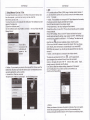
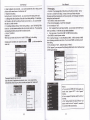
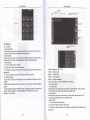
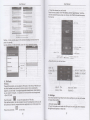
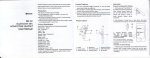
1)Connect the phone to the computer wiih USB cble. The notification icon wiil
appear in the status box.
2)Open the notification panel.
3)ln the noiifi€tion panel, touch USB is connected , then touch"Open the USB
Storage Device"-
3. Wifi
WLF| provides as far as 300feet (1001V) range of wireless network access lf
you use @ll phone to connect wifr, you should connectto ihe wfeless access
@inior lhotspobl .
. Notices: The availabilityand
coverage of WLF| signal depend on the numbei
infrastructure and other objecb penetated by the signal.
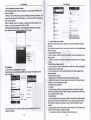
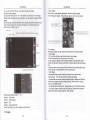
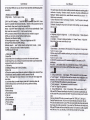
OFn WLf and to connectto the wireless netuork
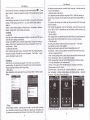
1)Press home>menu, then touch seting9wiii and intemet
2)Selectthewlf box, to open WLFi. Phone will automaUcally scan foravailable
WiFi sefrinqs. Then a lisi ofW[Fi netuo* will showihe founded
netuork name and security setings. (open neMork or WEP. WPA/vVPtr frth
password).lfyoljlable the nolification in WLFi setings, The status box will
3)Touch
*#ri*ilm
. Notices:
lf you connectyour phone to the computerthen choose open ihe
USB devic, the phone @n't read lhe memory @rd. You temporarily can nol
use some appli@tions, such as camera.
. Uninshll the U Diskfrom compuler
m
showthis icon (R) when open available wfeless netuork founded.
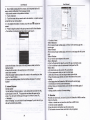
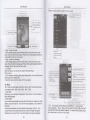
4)Touch one ofthe WLFi choices to connect the neMork. When you choose
open neMork, phone will connect to ii automaiically. lfyou choose WEP'
WPffiPtr wilh password, you should type the password fret, then touch to
.
Notices: when the phone is conneded to the wfeless netuork,
The sbtus box will show this WLF| lcon ( 6 ) , and the approximate
signal sfengthen (the number of lit bars).lftouch ihe @nnected
neMork, will display the name of Wi-Fi neMork, status, speed, signal,
stength, security, information and lP address.
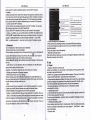
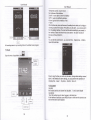
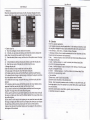
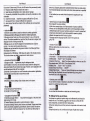
lfyou wanl to delete the wfeless setings, please touch noi reserye"
as in the right picture- lfyou want to connecl to this neMork, you
should re-enlerihese
nolto reserue the netuork, othewise, there is no need to
re-enterthe correspondinq password when next time connecting to the
previously encrypled wheless netuork. WLFi will search aulomatically that is,
Unless you choose
5