1
l.Jser Manual
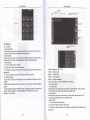
share Visible 6nh*,dl of the conb& @n be impodd inb the SD
erd,or sharing via Bluet@th ,Tefr messageor Gmail.
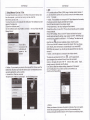
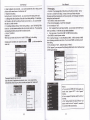
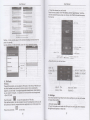
. Add @mmon @nbd to lhe mllodion interface-
d.
'1) Touch @nhdbb) Touch the @nbd that you want to add to the
on the SIM 6rd @n noi be added) .
2
3)
ln the dehiled infomation of
@llecton (conbcb resrued
conh&. touch this i@n &
besides the
@nbd.
4 ) Pr6s for
.
long the @nbct in the pop-up menu b add it to lhe @lled;on
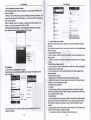
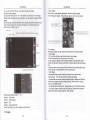
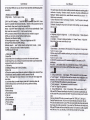
The interfa@ of conhcb>pEs Menu bufron>sled search
. Funffinsof
menu
liknu>BacMard
browsing thrcugh multiple pages, will retum to the previous page the
arent page.
afrtr
ffier
browsing through multiple pages, will move to a web page afrerlhe
curent
FSe.
Ye €n viewallopen windorelothe curent,
4)knu>Bookmarks
a
clidtre
"Bookmarks"to make the curenl URL as a b@kma* saved,
a Enter lhe frst lefrer of the names in the list(Chinese or lefrer) to fnd the
b.Cli*the bookmark underthe b@kmarks list,willopen the
matched @nbct.
b Enter the fiBt number in the searching
named undea numbe6.
s)MenPMore
a.Add bokma*s,savo the curent URLas bookma*.
b.Flnd on page,seaach whatyou need in curent page,
c-Sded text,in the tei, click and dag to sled a piecs oftexl
d- Page infodisplay page add€ss and ofter infomaton of the curent
bx
to lind
@nhd
c Enterthe exady mabhed numbrs with @nhds in lhe searching box' then
press se 'seard" bufton,
d lf Sere is no matding conbd, then the inbdace will appear "no
conEd
foundd"
9. lnternet Explorer
lntemet explorer
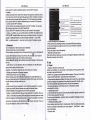
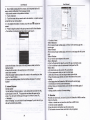
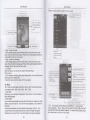
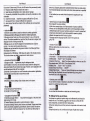
1 )ln the intertac-e of intemel exPlorer, louch addrcs fled and enter the URL.
2)Use keypad to enter URL. The appropriate web sites will appear on the
screen. You 6n touc_h it directly go to the page or @ntinue to enter URL
. Homepage
Seled'homepage",you @uld load in the sethomepage- lfyou donotset it, you
will use the vendo/s prc-set sites.
URL.
e.Share reo.seled the Bludhth or SMS b shaethe curent page.
i Downloads,show all lhe ontent downloadd.
g.History ShN your brosing history and viewthe mostvisited pages of
infomation.
h.Sefling.conbinb a variety of brcs€r seflings.
10. Recorder
R@rdercn re@rd voice,
roke itas dng lone.
. Noti@s:
and send it quicklyvia Bluet@th or MMS as
recorder can only save the audio f les as AMR
fomat.
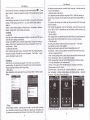
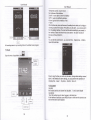
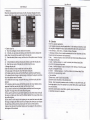
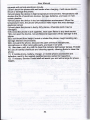
1) Click ihe recoder application.
2) Keep the phone's microphone f,earfrs voice sourcs.
3) Cli*.ecorderto @od voi@s ,and cli*to stop or playback.
wellas