1
User Manual
User Manual
pt"""
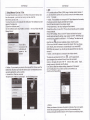
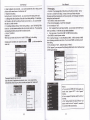
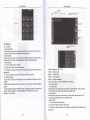
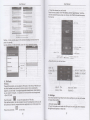
There is tonefor new malls. in ihe siatus boxwill show this buflon @,
Menu >fefresh , refresh and updaie the number of ihe unread mails in a proper
. Delete mails
When loading a mail accounL ifyou waniio delete iLyou need to restore faclory
setings . When loading a second one, you could press the menu buton 10
delete il.
Notices, many functions depend on GmailAccouni, for example, Electonic
Markei. Google Talk. Sync Conhct and Calendar
5"2 Email
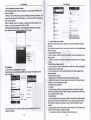
. Load Email
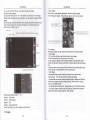
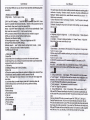
Enter the correct address and password >setings coned pofr and POP server,
check the seruer senings automatically.
Set the conect SMTP seNei check the mails sewer's sending and receiving
seflings, then enterthe specifred acmunt name and displayed name on ihe
oulinge-mail.>
Finish.
.
Create and send mails
When creating mails, seled mails > create mails- Enierthe address(recipient).
theme and contenls- Press MENU you could'append'. 'Add Cc/Bcc" select
send or discarded or save as draft.
6, Dialling
When the icon of internet server appears in the screen, you could dial or
receive callings. The signal bar on lhe top right cornershow the sirength of
neMork signal (the maximum with 4 signal bars)
. Stad dialing
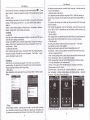
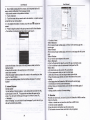
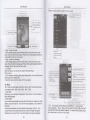
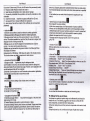
Open appli€iion's main menu>dial. You could choose SIMl or SlM2 to do the
dialino.
"w
rri::':,,
.
intedace or press menu keyto select delay2 seconds , and lhen enterthe
lumber of lhe extension.
. Telephone calls in the call log
:very teephone number called and received in SlMl. SlM2"will resetoed in
phones menu ofcall log. On the top leit of every call record will show"SlM or
$e
SIM2"
Al numbers in the call log can be dialed by clicking the
buton
"dial" on the right
When number lisi appearing , click it to caich dehils ! press ii for long you couid
dial via SlMl or Sl[.] 2", meanwhile you can edit, de ete, save the number or do
When calling comes (top lefrwill showifom which SIM card) press'Answe{and
s ide towards right until the middle buton, then you can receive callings.
According io ihe distance beMeen phone and human body, il will adjust
aulomatically the switch ofthe backljghi.
During the call, close the phone to the eai the backlight will turn otr
automatically, which could save bateries and prevent inadvedently touchlng.
. Refuse to answer the phone
a. When siandby, calling comes , press "refuse"buton and slide towards efl side
until the middle button, then you could refuse the calling.
b.When using,calllng comes,click on the "refuse'buton to refuse the calling.
. Two-way call/mullipady €ll(conferen@ cali)
. Noices: this function needs that SIM card open multiparty call features.
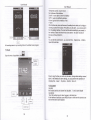
1)A ready exist a call in the phone
2)Click"Add calls", dial another €ll (or receive anothercall, phone default
open"callwaiting" (setings dialingsetingeotherdialingsefrings), afrerbolh
E sbtus ofcalling.
.
Diatlng
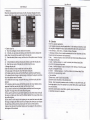
At the intedace of 'dialer', enterthe phone numbei and then clicklhe dialing
key, aflerthat,you should choose one SIM card or internet call. lfneeded to call
the extension,you could clickthe "dial pad" ln the boflom ofihe screen to open
8
mm
you can comffie two calls into one way