1
SECTION 2
INSTALLATION
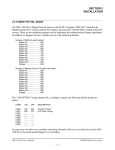
The “WI7TMG” timing channel file, as shipped, contains the
following default timing set-points:
CHAN
ON - OFF
DESCRIPTION
CH00:
CH01:
CH02:
CH03:
CH04:
CH05:
CH06:
CH07:
CH10:
CH11:
CH12:
CH13:
CH14:
CH15:
CH16:
CH17:
150
180
155
110
230
150
120
180
000
___
___
___
___
___
___
___
BDC (high) Timing
BDC (low) Timing
Short Can Check Timing
Sensor Check Timing
Cupfeed Timing
Air Strip (low) Timing
Air Strip (high) Timing
PLC Clock Timing
Motion (“on” for 30, “off” for 30 thru-out)
spare
spare
spare
spare
spare
spare
spare
-
170
200
175
130
300
200
190
000
030
___
___
___
___
___
___
___
________________________________________________________
2.8.2 SET BODYMAKER SET-UP PARAMETERS
The Bodymaker set-up parameters include: enabling or disabling the
brake wear compensation, setting the desired low and high speed
stopping points (if the brake wear compensation is enabled), setting
the maximum allowed stopping response, and setting the bodymaker
running low and high speeds.
Brake Wear Compensation: If the brake wear compensation is to
be used, enable it by setting the “Brake Wear Compensation Enable”
to “Y”. Set the “Desired BDC Stop Position (Low)” and “(High)” as
well if the compensation is enabled. The “Desired BDC Stop
positions” are the location you want the ram to be at when it comes to
rest after a BDC stop. Both the “Low” and “High” desired stopping
positions are generally set to 000 degrees. Enabling the brake wear
compensation allows the HSL-WI3 to automatically adjust the BDC
timing channels (CH00-High) and (CH01-Low) as necessary such
that the press will stop at the desired stopping position regardless of
the actual brake response.
HSL-WI3 User’s Manual
SYSTEMS Electronics Group
- 20 -