1
Printing, Exporting, and Backing Up Files
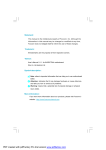
1. Click on Report (Figure 1) and
then on Graphics Report.
-or-
Report
Text Report
Graphics Report
Export SoundTrak
1. If one of the softkeys was
assigned the Graphics Report
function, either click on the
displayed softkey or press the
corresponding S-key on the
Remote Control.
-or-
Figure 1: Click on Report and then on Graphics Report.
Graphics Report Configuration
X
Comments
Footer Comment
1. Click on the Graphics
Report button.
Conclusion
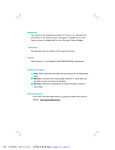
2. If you want to add a Footer
Comment to your report, click
on (checkmark) the Footer
Comment checkbox (Figure
2), click inside the Footer
Comment text entry box and
then type in your comments.
3. If you want to add a Conclusion to your report, click on
(checkmark) the Conclusion
checkbox (Figure 3), click
inside the Conclusion text
entry box and then type in
your conclusion.
4. Click on Print.
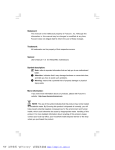
5. If the query shown in Figure 3
appears, click on Yes to
include the saved spectral
displays that were not assigned
a position on the page(s) at the
end of the report. Click on No
to exclude those saved spectral
displays.
Print
Save to File
Cancel
Figure 2: Checkmark the Footer Comment and/or Conclusion
checkboxes and type in the desired information. Click on Print when
done.
WinTCD
!
X
There are snapshots with undefined print positions.
Do you want to add them to the end of the protocol?
Yes
No
Figure 3: Click on Yes to include the unassigned saved spectral
displays to the end of the report or No to exclude them.
Note: The function button Save to
File can be used as an alternative
to the Print button. In this case the
report will be saved in PDF
format and an additional entry
will appear in the NicVue
software for the file. Refer to the
section Exporting Reports to PDF.
S12-7