Download Daz 3D: Carrara 8 Basic Users Guide
Transcript
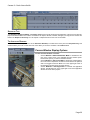
Carrara 8 – Basic Users Guide your cameras, adding additional cameras as needed, or you can view the results from the Director's camera. You can change the preview options for viewing objects as you assemble your scene, and you can do a quick test render of a small area of the scene to check your work. Refer to "Choosing a Preview Mode" to learn more. ASSEMBLE ROOM MENU COMMANDS AND TOOLS The Assemble room menu commands are arranged in eight categories: 1. 2. 3. 4. 5. 6. 7. 8. File menu commands allow you to open, close, import, and export various types of content. Many of these commands are described in "Import/Export." You’ll also find information on the Preferences com mands in "Setting Up Carrara." Edit menu commands are primarily used when making changes to various types of objects in your scene. Commands in this menu are described where appropriate throughout the manual. View menu commands primarily deal with zooming and panning in the working box, and showing or hid ing production frames, grids, and wireframes. Insert menu commands are associated with adding and creating objects. The majority of these com mands also have tools associated with them. You’ll find instructions for using these commands and tools in the following chapters: • See "Using Primitive Tools" for information on the Sphere, Cube, Cone, Cylinder, Icosahedron, Plane, Infinite Plane, and Splat tools. You’ll also find information about the Text and Particle Emitter tools in this chapter. • See "Spline Modeling Tools and Techniques" for information on working with Spline Objects. (Stand ard, Pro) • See "Vertex Modeling Basics" for information about the Vertex Object tools. (3D Express) • See "Vertex Modeling Basics" and "Vertex Modeling Techniques" for information about the Vertex Ob ject tools. (Standard, Pro) • See "Metaball Modeling" for information on how to work with Metaball Objects. (Standard, Pro) • See "Using Formulas in Carrara" for further information about Formulas. • See "Using Environmental Primitives" for instructions on Terrains, Plants, Clouds (Volumetric, Old Volumetric, and Clouds tools), Fire, Fountains, Fog, and Oceans. • See "Setting Lights" for instructions on the Spot, Bulb, Distant, Moon Light, Sun Light, Tube Light, Shape Light, and Anything Glows tools. • See "Setting Cameras" for information on creating and using cameras. • See "Physics" for further information about the force tools (Directional, Point, Damping, Torque, and Flow Force tools). (Standard, Pro) • Refer to "Character Animation" for further information about Target Helpers and Bones. Standard, Pro) • Refer to "Adding Sound to Your Scene" for information about sound. Animation menu commands are covered in "Animation Techniques." (3D Express), "Animation Tech niques" and "Character Animation." (Standard, Pro) Windows menu commands open and close the various windows that are available in Carrara. Web menu commands open your web browser and display several different support pages that are loc ated on the DAZ 3D web site. Help menu commands open the reference manual in PDF format and display tool tips when you hover over the Carrara tools. Page 41