1
User Manual - South Platte Mapping and Analysis Program
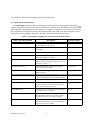
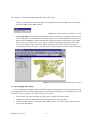
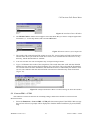
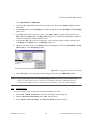
Figure 17: Prompt to Load PLSS 100k
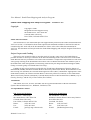
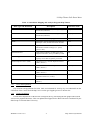
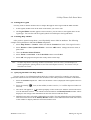
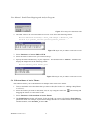
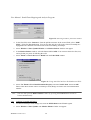
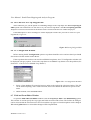
2. The TRS values to be converted must be saved as a text file in the following format:
Well-ID Meridian Township 0 Base_side Range 0 Meridian_side
Section F,C Quarter_Section Quarter-Quarter_Section...
Figure 18: Input File for TRS to UTM Conversion
3. Select Functions > Convert TRS to UTM.
4. Select the name of the text file you created in Step 1.
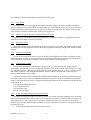
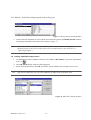
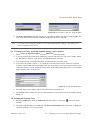
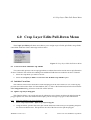
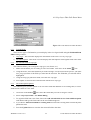
5. Specify the name and directory of your output file. The default name is “utm.txt.” SPMAP will
display the output files in the following format:
Well-ID meters_north meters_east
Figure 19: Output File for TRS to UTM Conversion
5.4 Edit Attributes of Active Theme
This function allows you to edit attributes of multiple items in the active theme.
1. Turn on and make active the theme that you want to edit (See Section 3.3 “Adding a Map Theme
to a View”).
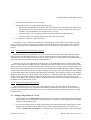
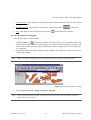
2. Select the feature you want to edit (field, well, etc.) by using the select tool
dragging the mouse over the items to edit.
and clicking and
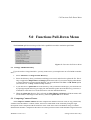
3. Select Functions > Edit Attribute of Active Theme.
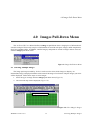
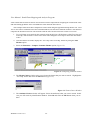
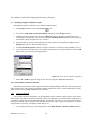
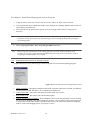
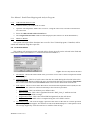
4. The Field Choices window will appear. Select the field you want to edit from the Field Choices
pull-down menu. For example, if you want to change the name of a weather station in the NCWCD
Weather Station, select Weather_st. Press OK.
SPMAP Version 1.4.9
22