1
Simple guide to editing in Audacity - Steeple
24/08/2009 14:29
It is also recommended that you download (or read) the Quick Reference Guides and / or User Manual,
these are available under the ‘Help’ tab.
Note: Audacity is not necessarily the best choice for musicians and video post production. There are other
software packages listed which are more suitable. An example of one of the drawbacks is that the ‘Effects’:
Echo, Compression, etc are printed onto the source file; in other words you change the source file rather
than routing the source file through an effects processor as happens with other systems. Another point to
note is that Audacity does not have a mixer meaning that it is not particularly good for playing two sources
at once. It also lacks a sequencer for syncing with MIDI instruments. What Audacity is good at is simple
sound recording - there is probably no need to buy a package to do this as it runs on Windows, Linux and
MacOS.
You can use the project menu, import audio command to import MP3 files and WAV files into Audacity.
If you are expecting to want to save sound files in MP3 format then you also need to download and save
the ‘LAME’ MP3 encoder. This library is also free but must be downloaded separately from the main
software (probably) due to licensing restrictions. Type ‘LAME MP3 encoder’ into the Google search box at
the top of the page, this will give you a page of explanation.
Read the instructions and then visit the LAME website: http://lame.buanzo.com.ar/ - versions exist for
Windows, MacOS and Linux. Download the appropriate ZIP file and expand and save ‘somewhere
sensible’. (This may mean ‘My Documents’ or possibly ‘Program Files’ or equivalent.)
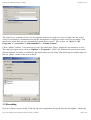
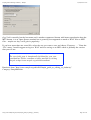
Once you have saved the LAME encoder, you need to tell Audacity where the library can be found. To do
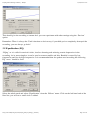
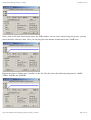
this use ‘Edit’ > ‘Preferences’ > ‘File Formats’. Then click on the ‘Find Library’ button and navigate to the
‘sensible’ place where you saved LAME.
http://www.steeple.org.uk/wiki/Simple_guide_to_editing_in_Audacity
Page 2 of 14