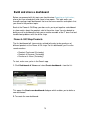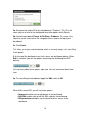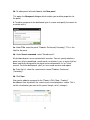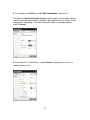
1
management, see "Supervise your search jobs" in this manual.
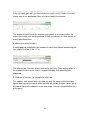
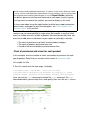
If you want to save a report job, click the green Save button at the top right of the
Format report page of the Report Builder and choose Save results.
Define report content
The Define report content page gives you the freedom to define your report
parameters in the manner that feels most comfortable to you. If you're familiar
with reporting commands and want to define your report contents using
sophisticated search language, you can do that.
But you should use the default form-based mode for report content definition if
you:
• are not that familiar with reporting commands.
• want to set up a report quickly and efficiently using drop-down lists and
don't necessarily know what fields you can report on.
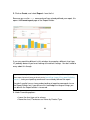
Both modes of the Define report content page display a search bar with your
search loaded into it, and a time range picker list that lets you change the report
time range.
Note: If you use the time range picker to change the time range for your report,
take care to choose a range of time that includes the fields on which you plan to
report.
Set up report contents using the form-based mode
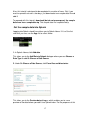
The default form-based design of the Define report content page helps you
quickly set up your reporting parameters through a set of list fields. In this mode,
you cannot manually update the language in the search bar, but as you use the
form to set up your reporting parameters you'll see that the search bar
automatically updates with equivalent reporting commands.
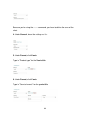
There are three basic report types to choose from:
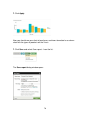
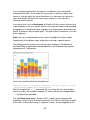
• Values over time for reports that display trends in field values over a
selected time range. These reports use the timechart reporting command.
They can display as a bar, column, line, or area chart.
• Top values for reports that display the most common field values to turn
up in a search. These reports use the top command, and can display as a
bar, column, or pie chart.
250