1
Manipulate and evaluate fields with multiple values
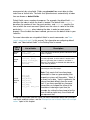
Splunk parses multivalue fields at search time, and allows you to process the
values in the search pipeline. Search commands that work with multivalue fields
include makemv, mvcombine, mvexpand, and nomv. The eval and where
commands support functions, such as mvcount(), mvfilter(), mvindex(), and
mvjoin() that you can use with multi-valued fields. For more information on these
functions see the Functions for eval and where in the Search Reference manual
and the examples on this page.
You can configure multi-value fields in fields.conf to tell Splunk how to recognize
more than one field value in a single extracted field value. Edit fields.conf in
$SPLUNK_HOME/etc/system/local/, or your own custom application directory in
$SPLUNK_HOME/etc/apps/. For more information on how to do this, see "Configure
multivalue fields" in the Knowledge Manager manual.
Manipulate multivalued fields
Use nomv to convert a multivalue field into a single value
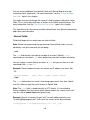
You can use the nomv command to convert values of the specified multivalued
field into one single value. The nomv command overrides multivalue field
configurations set in fields.conf.
In this example for sendmail events, you want to combine the values of the
senders field into a single value.
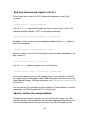
eventtype="sendmail" | nomv senders
Use makemv to separate a multivalue field
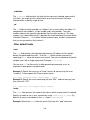
You can use the makemv command to separate multivalue fields into multiple
single value fields. In this example for sendmail search results, you want to
separate the values of the "senders" field into multiple field values.
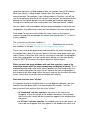
eventtype="sendmail" | makemv delim="," senders
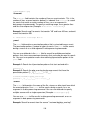
After you separate the field values, you can pipe it through other commands. For
example, you can display the top senders.
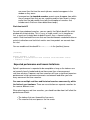
eventtype="sendmail" | makemv delim="," senders | top senders
139