1
370
Picture Perfect 4.0
User Manual
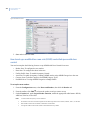
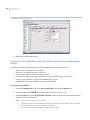
workstation. Be sure to enter the correct host name and to enable the Imaging Workstation
checkbox. Save the record. Log out completely and close all browser windows.
2j. On the Picture Perfect server edit the /etc/hosts file and add the IP address and host name
entry for the imaging workstation.
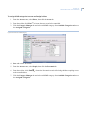
2k. Create the operator account or update an existing operator account and grant Badge Print and other
imaging permissions as appropriate.
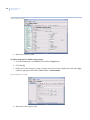
2l. On the imaging workstation, open the web browser and then navigate to the Picture Perfect web
page. Click on the client button to launch the client and log on. Verify that the permissions granted
to the operator are reflected in the client software. The operator should be able to perform badge
capture and print functions if they were granted to the operator.
• Problem
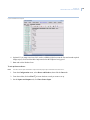
When using the Reselect profile button to select the image device to use in capturing an image, the first
attempt at setting the device fails. After clicking OK on the Select Image Source window, the change is not
accepted.
This is a known problem that can occur the first time the Select Image Source window is used after the
client application is started. Perform the following workaround:
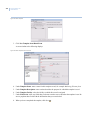
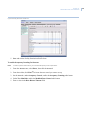
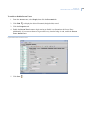
1. After selecting the device, click Reselect profile a second time to confirm that the desired capture
device is highlighted. If not, highlight the desired capture device.
2. Click OK.
• Problem
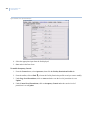
When clicking the Print and/or Preview buttons on the Badge or Personnel form, the application appears
to hang.
This problem can occur if there is a hidden window requiring input, that is obscured by another window. If
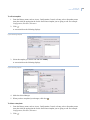
the Show print setup dialog button is enabled on the Print Options screen, the printer options window can
be hidden behind another window. Perform the following workaround to bring the hidden window to the
top of the screen:
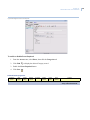
1. Hold down the keyboard Alt key.
2. Click the Tab key until the Java coffee mug icon is selected
3. Release the Alt key.
The hidden window should now appear on top and can be dispatched to allow the print or preview
operation to continue.
• Problem
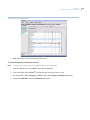
Application appears to hang.
The first time that an operator logs in on an imaging workstation, the client applet will perform a one-time
analysis of the badge designs to determine their use of fields in the person and badge tables. Please be
patient as this process may take a few minutes if you have a large number of badge designs.
• Problem