1
Page 2
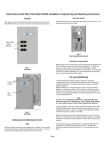
Once levels are
set correctly for the
chosen scene. Save
any changes by
pressing button 4.
Circuits will all flash
to confirm.
Step 4
If at any point it
is not clear which
is the current
circuit address
button 3 will
flash that circuit
without scrolling
on.
Tip
As each circuit flahes
in turn, use the raise
and lower buttons
to adjust lighting
to the desired levels
Step 3
Chose the scene to be
re-programmed.
Put controller into
programming mode
by pressing and holding
the selected scene
button and both
raise and lower buttons
together
Step 1
TIP
Press the
scene button first
Button
1
2
3
4
Off
Action
Scroll up and ident
Scroll down and ident
Ident only
Save changes
Exit programming
Step 2
Button 2 scrolls
down through
channels15-1
All circuits flash
to indicate channel 0
Button 1 scrolls up
through channels
1-15
15
0
1
5
10
6
9
8
7
Step 5
Continue
incrementing
channels with button 1
to reach 0 or return using button 2
13 12 11
Scrolling
flashes each existing
circuit in turn
4
Press Off button
to exit controller
from programming
mode.
To re-program another
scene repeat process
from Step 1
14
2
3
See details for scrolling
When in programming
mode buttons have the
following functions
LED starts to flash
after 5 seconds, panel
is now in programming
mode. Use buttons 1 & 2
to scroll through channels
one at a time.
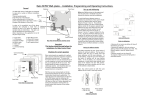
Programming a Scene