1
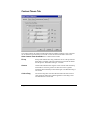
General Tab
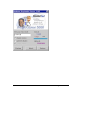
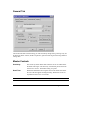
The General tab deals with the setting you will most likely change during a setting. They are
divided into master controls, modes of operation, options and saving and retrieving different
settings files.
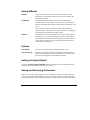
Master Controls
Sensitivity
The sensitivity slider defines how much the cursor can shake before
the dwell time begins. The sensitivity is defined in pixels and can be
set between 1 and 37. The default setting is 5 pixels.
Dwell Time
Dwell time determines how long the cursor must remain still before
the cursor fill bar appears and begins filling. Dwell time can be set
anywhere between .25 to 2.5 seconds.
Note
26
Remember, after the dwell time the fill time must complete before the action is taken.
Magic Cursor 2000