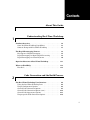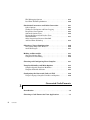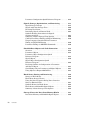
1
Real-Time Workshop ® For Use with Simulink ® Modeling Simulation Implementation User’s Guide Version 5 How to Contact The MathWorks: www.mathworks.com comp.soft-sys.matlab Web Newsgroup [email protected] Technical support Product enhancement suggestions Bug reports Documentation error reports Order status, license renewals, passcodes Sales, pricing, and general information 508-647-7000 Phone 508-647-7001 Fax The MathWorks, Inc. 3 Apple Hill Drive Natick, MA 01760-2098 Mail [email protected] [email protected] [email protected] [email protected] [email protected] For contact information about worldwide offices, see the MathWorks Web site. Real-Time Workshop User’s Guide COPYRIGHT 1994 - 2002 by The MathWorks, Inc. The software described in this document is furnished under a license agreement. The software may be used or copied only under the terms of the license agreement. No part of this manual may be photocopied or reproduced in any form without prior written consent from The MathWorks, Inc. FEDERAL ACQUISITION: This provision applies to all acquisitions of the Program and Documentation by or for the federal government of the United States. By accepting delivery of the Program, the government hereby agrees that this software qualifies as "commercial" computer software within the meaning of FAR Part 12.212, DFARS Part 227.7202-1, DFARS Part 227.7202-3, DFARS Part 252.227-7013, and DFARS Part 252.227-7014. The terms and conditions of The MathWorks, Inc. Software License Agreement shall pertain to the government’s use and disclosure of the Program and Documentation, and shall supersede any conflicting contractual terms or conditions. If this license fails to meet the government’s minimum needs or is inconsistent in any respect with federal procurement law, the government agrees to return the Program and Documentation, unused, to MathWorks. MATLAB, Simulink, Stateflow, Handle Graphics, and Real-Time Workshop are registered trademarks, and TargetBox is a trademark of The MathWorks, Inc. Other product or brand names are trademarks or registered trademarks of their respective holders. Printing History: May 1994 January 1998 January 1999 September 2000 June 2001 October 2001 July 2002 First printing Second printing Third printing Fourth printing Online only Online only Online only Version 1 Version 2.1 Version 3.11 (Release 11) Version 4 (Release 12) Updated for Version 4.1 (Release 12.1) Updated for Version 4.2 (Release 13) Updated for Version 5.0 (Release 13) Contents About This Guide Understanding Real-Time Workshop 1 Product Overview . . . . . . . . . . . . . . . . . . . . . . . . . . . . . . . . . . . . 1-2 Some Real-Time Workshop Capabilities . . . . . . . . . . . . . . . . . . 1-3 Software Design with Real-Time Workshop . . . . . . . . . . . . . . . 1-3 The Rapid Prototyping Process . . . . . . . . . . . . . . . . . . . . . . . . Key Aspects of Rapid Prototyping . . . . . . . . . . . . . . . . . . . . . . . Rapid Prototyping for Digital Signal Processing . . . . . . . . . . . . Rapid Prototyping for Control Systems . . . . . . . . . . . . . . . . . . . 1-5 1-5 1-8 1-9 Open Architecture of Real-Time Workshop . . . . . . . . . . . . . 1-11 Where to Find Help . . . . . . . . . . . . . . . . . . . . . . . . . . . . . . . . . . 1-14 How Do I... . . . . . . . . . . . . . . . . . . . . . . . . . . . . . . . . . . . . . . . . . 1-14 Code Generation and the Build Process 2 The Real-Time Workshop User Interface . . . . . . . . . . . . . . . . 2-2 Using the Real-Time Workshop Pane . . . . . . . . . . . . . . . . . . . . 2-2 Target Configuration Options . . . . . . . . . . . . . . . . . . . . . . . . . . . 2-5 General Code Generation Options . . . . . . . . . . . . . . . . . . . . . . . 2-7 General Code Generation Options (cont.) . . . . . . . . . . . . . . . . 2-12 General Code Appearance Options . . . . . . . . . . . . . . . . . . . . . . 2-13 Target-specific Code Generation Options . . . . . . . . . . . . . . . . 2-16 i TLC Debugging Options . . . . . . . . . . . . . . . . . . . . . . . . . . . . . . 2-18 Real-Time Workshop Submenu . . . . . . . . . . . . . . . . . . . . . . . . . 2-20 Simulation Parameters and Code Generation . . . . . . . . . . . Solver Options . . . . . . . . . . . . . . . . . . . . . . . . . . . . . . . . . . . . . . Workspace I/O Options and Data Logging . . . . . . . . . . . . . . . . Diagnostics Pane Options . . . . . . . . . . . . . . . . . . . . . . . . . . . . . Advanced Options Pane . . . . . . . . . . . . . . . . . . . . . . . . . . . . . . . Tracing Generated Code Back to Your Simulink Model . . . . . . . . . . . . . . . . . . . . . . . . . . . . . . . . . . . . . Other Interactions Between Simulink and Real-Time Workshop . . . . . . . . . . . . . . . . . . . . . . . . . . . . . 2-21 2-21 2-22 2-25 2-26 2-33 2-35 Selecting a Target Configuration . . . . . . . . . . . . . . . . . . . . . . 2-40 The System Target File Browser . . . . . . . . . . . . . . . . . . . . . . . . 2-40 Available Targets . . . . . . . . . . . . . . . . . . . . . . . . . . . . . . . . . . . . 2-41 Making an Executable . . . . . . . . . . . . . . . . . . . . . . . . . . . . . . . . 2-47 Generated Source Files . . . . . . . . . . . . . . . . . . . . . . . . . . . . . . . 2-47 Compilation and Linking . . . . . . . . . . . . . . . . . . . . . . . . . . . . . . 2-49 Choosing and Configuring Your Compiler . . . . . . . . . . . . . . 2-51 Template Makefiles and Make Options . . . . . . . . . . . . . . . . . 2-54 Compiler-Specific Template Makefiles . . . . . . . . . . . . . . . . . . . 2-54 Template Makefile Structure . . . . . . . . . . . . . . . . . . . . . . . . . . 2-58 Configuring the Generated Code via TLC . . . . . . . . . . . . . . 2-59 Target Language Compiler Variables and Options . . . . . . . . . 2-59 Generated Code Formats 3 Introduction . . . . . . . . . . . . . . . . . . . . . . . . . . . . . . . . . . . . . . . . . . 3-2 Choosing a Code Format for Your Application . . . . . . . . . . . 3-3 ii Contents Real-Time Code Format . . . . . . . . . . . . . . . . . . . . . . . . . . . . . . . Unsupported Blocks . . . . . . . . . . . . . . . . . . . . . . . . . . . . . . . . . . . System Target Files . . . . . . . . . . . . . . . . . . . . . . . . . . . . . . . . . . . Template Makefiles . . . . . . . . . . . . . . . . . . . . . . . . . . . . . . . . . . . 3-6 3-6 3-6 3-6 Real-Time malloc Code Format . . . . . . . . . . . . . . . . . . . . . . . . . Unsupported Blocks . . . . . . . . . . . . . . . . . . . . . . . . . . . . . . . . . . . System Target Files . . . . . . . . . . . . . . . . . . . . . . . . . . . . . . . . . . . Template Makefiles . . . . . . . . . . . . . . . . . . . . . . . . . . . . . . . . . . . 3-8 3-8 3-8 3-9 S-Function Code Format . . . . . . . . . . . . . . . . . . . . . . . . . . . . . . 3-10 Embedded C Code Format . . . . . . . . . . . . . . . . . . . . . . . . . . . . 3-11 Building Subsystems 4 Nonvirtual Subsystem Code Generation . . . . . . . . . . . . . . . . . 4-2 Nonvirtual Subsystem Code Generation Options . . . . . . . . . . . 4-2 Modularity of Subsystem Code . . . . . . . . . . . . . . . . . . . . . . . . . 4-13 Code Reuse Diagnostics . . . . . . . . . . . . . . . . . . . . . . . . . . . . . . . 4-13 Generating Code and Executables from Subsystems . . . . . 4-15 Working with Data Structures 5 Parameters: Storage, Interfacing, and Tuning . . . . . . . . . . . 5-2 Storage of Nontunable Parameters . . . . . . . . . . . . . . . . . . . . . . . 5-2 Tunable Parameter Storage . . . . . . . . . . . . . . . . . . . . . . . . . . . . 5-4 Storage Classes of Tunable Parameters . . . . . . . . . . . . . . . . . . . 5-5 Using the Model Parameter Configuration Dialog . . . . . . . . . . 5-8 Tunable Expressions . . . . . . . . . . . . . . . . . . . . . . . . . . . . . . . . . 5-12 Tunability of Linear Block Parameters . . . . . . . . . . . . . . . . . . 5-14 iii Parameter Configuration Quick Reference Diagram . . . . . . . . 5-16 Signals: Storage, Optimization, and Interfacing . . . . . . . . . Signal Storage Concepts . . . . . . . . . . . . . . . . . . . . . . . . . . . . . . Signals with Auto Storage Class . . . . . . . . . . . . . . . . . . . . . . . . Declaring Test Points . . . . . . . . . . . . . . . . . . . . . . . . . . . . . . . . . Interfacing Signals to External Code . . . . . . . . . . . . . . . . . . . . Symbolic Naming Conventions for Signals in Generated Code . . . . . . . . . . . . . . . . . . . . . . . . . . . . . . . . . . . Summary of Signal Storage Class Options . . . . . . . . . . . . . . . . C API for Parameter Tuning and Signal Monitoring . . . . . . . . Target Language Compiler API for Parameter Tuning and Signal Monitoring . . . . . . . . . . . . . . . . . . . . . . . . . Parameter Tuning via MATLAB Commands . . . . . . . . . . . . . . 5-17 5-17 5-20 5-24 5-25 Simulink Data Objects and Code Generation . . . . . . . . . . . Overview . . . . . . . . . . . . . . . . . . . . . . . . . . . . . . . . . . . . . . . . . . . Parameter Objects . . . . . . . . . . . . . . . . . . . . . . . . . . . . . . . . . . . Parameter Object Configuration Quick Reference Diagram . . . . . . . . . . . . . . . . . . . . . . . . . . . . . . . . . . . Signal Objects . . . . . . . . . . . . . . . . . . . . . . . . . . . . . . . . . . . . . . . Signal Object Configuration Quick Reference Diagram . . . . . . . . . . . . . . . . . . . . . . . . . . . . . . . . . . . Resolving Conflicts in Configuration of Parameter and Signal Objects . . . . . . . . . . . . . . . . . . . . . . . . . . . . . . . . . . . Customizing Code for Parameter and Signal Objects . . . . . . . Using Objects to Export ASAP2 Files . . . . . . . . . . . . . . . . . . . . 5-32 5-32 5-34 Block States: Storing and Interfacing . . . . . . . . . . . . . . . . . . Storage of Block States . . . . . . . . . . . . . . . . . . . . . . . . . . . . . . . Block State Storage Classes . . . . . . . . . . . . . . . . . . . . . . . . . . . Using the State Properties Dialog Box to Interface States to External Code . . . . . . . . . . . . . . . . . . . . . . . . . . . . . . . Symbolic Names for Block States . . . . . . . . . . . . . . . . . . . . . . . Block States and Simulink Signal Objects . . . . . . . . . . . . . . . . Summary of State Storage Class Options . . . . . . . . . . . . . . . . 5-49 5-49 5-50 5-27 5-29 5-30 5-30 5-30 5-38 5-39 5-42 5-43 5-47 5-47 5-51 5-52 5-54 5-56 Storage Classes for Data Store Memory Blocks . . . . . . . . . 5-57 Data Store Memory and Simulink Signal Objects . . . . . . . . . . 5-59 iv Contents External Mode 6 Introduction . . . . . . . . . . . . . . . . . . . . . . . . . . . . . . . . . . . . . . . . . . 6-2 Using the External Mode User Interface . . . . . . . . . . . . . . . . 6-3 External Mode Related Menu and Toolbar Items . . . . . . . . . . . 6-3 External Mode Control Panel . . . . . . . . . . . . . . . . . . . . . . . . . . . 6-8 Connection and Start/Stop Controls . . . . . . . . . . . . . . . . . . . . . . 6-9 Target Interface Dialog Box . . . . . . . . . . . . . . . . . . . . . . . . . . . 6-10 External Signal & Triggering Dialog Box . . . . . . . . . . . . . . . . . 6-11 Data Archiving Dialog Box . . . . . . . . . . . . . . . . . . . . . . . . . . . . 6-15 Parameter Download Options . . . . . . . . . . . . . . . . . . . . . . . . . . 6-18 External Mode Compatible Blocks and Subsystems . . . . . 6-19 Compatible Blocks . . . . . . . . . . . . . . . . . . . . . . . . . . . . . . . . . . . 6-19 Signal Viewing Subsystems . . . . . . . . . . . . . . . . . . . . . . . . . . . . 6-19 External Mode Communications Overview . . . . . . . . . . . . . 6-23 The Download Mechanism . . . . . . . . . . . . . . . . . . . . . . . . . . . . 6-23 Inlined and Tunable Parameters . . . . . . . . . . . . . . . . . . . . . . . 6-24 The TCP/IP Implementation . . . . . . . . . . . . . . . . . . . . . . . . . . Using the TCP/IP Implementation . . . . . . . . . . . . . . . . . . . . . . The External Interface MEX-File . . . . . . . . . . . . . . . . . . . . . . . External Mode Compatible Targets . . . . . . . . . . . . . . . . . . . . . Running the External Program . . . . . . . . . . . . . . . . . . . . . . . . . Error Conditions . . . . . . . . . . . . . . . . . . . . . . . . . . . . . . . . . . . . Implementing an External Mode Protocol Layer . . . . . . . . . . . 6-26 6-26 6-28 6-29 6-29 6-32 6-32 Limitations of External Mode . . . . . . . . . . . . . . . . . . . . . . . . . 6-33 Program Architecture 7 Introduction . . . . . . . . . . . . . . . . . . . . . . . . . . . . . . . . . . . . . . . . . . 7-2 v Model Execution . . . . . . . . . . . . . . . . . . . . . . . . . . . . . . . . . . . . . . 7-4 Program Timing . . . . . . . . . . . . . . . . . . . . . . . . . . . . . . . . . . . . . 7-12 Program Execution . . . . . . . . . . . . . . . . . . . . . . . . . . . . . . . . . . 7-13 External Mode Communication . . . . . . . . . . . . . . . . . . . . . . . . 7-13 Data Logging In Singletasking and Multitasking Model Execution . . . . . . . . . . . . . . . . . . . . . . 7-13 Rapid Prototyping and Embedded Model Execution Differences . . . . . . . . . . . . . . . . . . . . . . . . . . . 7-14 Rapid Prototyping Model Functions . . . . . . . . . . . . . . . . . . . . . 7-15 Embedded Model Functions . . . . . . . . . . . . . . . . . . . . . . . . . . . 7-21 Rapid Prototyping Program Framework . . . . . . . . . . . . . . . Rapid Prototyping Program Architecture . . . . . . . . . . . . . . . . . Rapid Prototyping System-Dependent Components . . . . . . . . Rapid Prototyping System-Independent Components . . . . . . . Rapid Prototyping Application Components . . . . . . . . . . . . . . 7-23 7-24 7-25 7-26 7-29 Embedded Program Framework . . . . . . . . . . . . . . . . . . . . . . . 7-34 Models with Multiple Sample Rates 8 Introduction . . . . . . . . . . . . . . . . . . . . . . . . . . . . . . . . . . . . . . . . . . 8-2 Singletasking vs. Multitasking Environments . . . . . . . . . . . . 8-3 Executing Multitasking Models . . . . . . . . . . . . . . . . . . . . . . . . . 8-5 Multitasking and Pseudomultitasking . . . . . . . . . . . . . . . . . . . . 8-5 Building the Program for Multitasking Execution . . . . . . . . . . 8-8 Singletasking . . . . . . . . . . . . . . . . . . . . . . . . . . . . . . . . . . . . . . . . 8-8 Building the Program for Singletasking Execution . . . . . . . . . . 8-9 Model Execution . . . . . . . . . . . . . . . . . . . . . . . . . . . . . . . . . . . . . . 8-9 Simulating Models with Simulink . . . . . . . . . . . . . . . . . . . . . . . 8-9 Executing Models in Real Time . . . . . . . . . . . . . . . . . . . . . . . . . 8-10 Singletasking vs. Multitasking Operation . . . . . . . . . . . . . . . . 8-11 Sample Rate Transitions . . . . . . . . . . . . . . . . . . . . . . . . . . . . . . 8-12 Data Transfer Problems . . . . . . . . . . . . . . . . . . . . . . . . . . . . . . 8-13 vi Contents Rate Transition Block Options . . . . . . . . . . . . . . . . . . . . . . . . . Faster to Slower Transitions in Simulink . . . . . . . . . . . . . . . . Faster to Slower Transitions in Real Time . . . . . . . . . . . . . . . . Slower to Faster Transitions in Simulink . . . . . . . . . . . . . . . . Slower to Faster Transitions in Real Time . . . . . . . . . . . . . . . . 8-14 8-16 8-16 8-18 8-19 Singletasking and Multitasking Execution of a Model: an Example . . . . . . . . . . . . . . . . . . . . . 8-22 Singletasking Execution . . . . . . . . . . . . . . . . . . . . . . . . . . . . . . 8-23 Multitasking Execution . . . . . . . . . . . . . . . . . . . . . . . . . . . . . . . 8-26 Optimizing the Model for Code Generation 9 General Modeling Techniques . . . . . . . . . . . . . . . . . . . . . . . . . . 9-2 Expression Folding . . . . . . . . . . . . . . . . . . . . . . . . . . . . . . . . . . . . 9-3 Expression Folding Example . . . . . . . . . . . . . . . . . . . . . . . . . . . . 9-3 Using and Configuring Expression Folding . . . . . . . . . . . . . . . . 9-5 Supporting Expression Folding in S-Functions . . . . . . . . . . . . 9-10 Categories of Output Expressions . . . . . . . . . . . . . . . . . . . . . . . 9-11 Acceptance or Denial of Requests for Input Expressions . . . . . . . . . . . . . . . . . . . . . . . . . . . . . . . . . . . 9-16 Utilizing Expression Folding in Your TLC Block Implementation . . . . . . . . . . . . . . . . . . . . . . . . . . . . . . . . . . . . . 9-19 Conditional Branch Execution . . . . . . . . . . . . . . . . . . . . . . . . 9-25 Block Diagram Performance Tuning . . . . . . . . . . . . . . . . . . . Look-Up Tables and Polynomials . . . . . . . . . . . . . . . . . . . . . . . Accumulators . . . . . . . . . . . . . . . . . . . . . . . . . . . . . . . . . . . . . . . Use of Data Types . . . . . . . . . . . . . . . . . . . . . . . . . . . . . . . . . . . 9-26 9-26 9-36 9-38 Stateflow Optimizations . . . . . . . . . . . . . . . . . . . . . . . . . . . . . . 9-43 Simulation Parameters . . . . . . . . . . . . . . . . . . . . . . . . . . . . . . . 9-44 vii Compiler Options . . . . . . . . . . . . . . . . . . . . . . . . . . . . . . . . . . . . 9-46 The S-Function Target 10 Introduction . . . . . . . . . . . . . . . . . . . . . . . . . . . . . . . . . . . . . . . . . 10-2 Intellectual Property Protection . . . . . . . . . . . . . . . . . . . . . . . . 10-2 Creating an S-Function Block from a Subsystem . . . . . . . . 10-3 Sample Time Propagation in Generated S-Functions . . . . . . . 10-8 Choice of Solver Type . . . . . . . . . . . . . . . . . . . . . . . . . . . . . . . . . 10-8 Tunable Parameters in Generated S-Functions . . . . . . . . . 10-9 Automated S-Function Generation . . . . . . . . . . . . . . . . . . . 10-11 Restrictions . . . . . . . . . . . . . . . . . . . . . . . . . . . . . . . . . . . . . . . . 10-15 Limitations on Use of Goto and From Blocks . . . . . . . . . . . . . 10-15 Other Restrictions . . . . . . . . . . . . . . . . . . . . . . . . . . . . . . . . . . 10-16 Unsupported Blocks . . . . . . . . . . . . . . . . . . . . . . . . . . . . . . . . . 10-17 System Target File and Template Makefiles . . . . . . . . . . . 10-18 System Target File . . . . . . . . . . . . . . . . . . . . . . . . . . . . . . . . . . 10-18 Template Makefiles . . . . . . . . . . . . . . . . . . . . . . . . . . . . . . . . . 10-18 Real-Time Workshop Rapid Simulation Target 11 Introduction . . . . . . . . . . . . . . . . . . . . . . . . . . . . . . . . . . . . . . . . . 11-2 Licensing Protocols for Simulink Solvers in Executables . . . . 11-3 Building for the Rapid Simulation Target . . . . . . . . . . . . . . 11-5 Running a Rapid Simulation . . . . . . . . . . . . . . . . . . . . . . . . . . . 11-6 viii Contents Simulation Performance . . . . . . . . . . . . . . . . . . . . . . . . . . . . . 11-15 Batch and Monte Carlo Simulations . . . . . . . . . . . . . . . . . . . . 11-15 Limitations . . . . . . . . . . . . . . . . . . . . . . . . . . . . . . . . . . . . . . . . 11-16 Targeting Tornado for Real-Time Applications 12 The Tornado Environment . . . . . . . . . . . . . . . . . . . . . . . . . . . . 12-2 Confirming Your Tornado Setup Is Operational . . . . . . . . . . . 12-2 VxWorks Library . . . . . . . . . . . . . . . . . . . . . . . . . . . . . . . . . . . . 12-3 Run-Time Architecture Overview . . . . . . . . . . . . . . . . . . . . . . 12-5 Parameter Tuning and Monitoring . . . . . . . . . . . . . . . . . . . . . . 12-5 Implementation Overview . . . . . . . . . . . . . . . . . . . . . . . . . . . Adding Device Driver Blocks . . . . . . . . . . . . . . . . . . . . . . . . . . Configuring the Template Makefile . . . . . . . . . . . . . . . . . . . . Tool Locations . . . . . . . . . . . . . . . . . . . . . . . . . . . . . . . . . . . . . Building the Program . . . . . . . . . . . . . . . . . . . . . . . . . . . . . . . Downloading and Running the Executable Interactively . . . . . . . . . . . . . . . . . . . . . . . . . . . . . . . . . . . . . . . 12-11 12-13 12-13 12-14 12-14 12-18 Asynchronous Support 13 Introduction . . . . . . . . . . . . . . . . . . . . . . . . . . . . . . . . . . . . . . . . . 13-2 Interrupt Handling . . . . . . . . . . . . . . . . . . . . . . . . . . . . . . . . . . . 13-5 Interrupt Control Block . . . . . . . . . . . . . . . . . . . . . . . . . . . . . . . 13-5 Task Synchronization Block . . . . . . . . . . . . . . . . . . . . . . . . . . 13-12 Asynchronous Rate Transition Block . . . . . . . . . . . . . . . . . . . 13-16 Unprotected Asynchronous Rate Transition Block . . . . . . . . 13-18 Creating a Customized Asynchronous Library . . . . . . . . . 13-21 ix Targeting Real-Time Systems 14 Introduction . . . . . . . . . . . . . . . . . . . . . . . . . . . . . . . . . . . . . . . . . 14-2 Components of a Custom Target Configuration . . . . . . . . . Code Components . . . . . . . . . . . . . . . . . . . . . . . . . . . . . . . . . . . . User-Written Run-Time Interface Code . . . . . . . . . . . . . . . . . . Run-Time Interface for Rapid Prototyping . . . . . . . . . . . . . . . . Run-Time Interface for Embedded Targets . . . . . . . . . . . . . . . Control Files . . . . . . . . . . . . . . . . . . . . . . . . . . . . . . . . . . . . . . . . 14-3 14-3 14-4 14-5 14-5 14-6 Tutorial: Creating a Custom Target Configuration . . . . . . 14-9 Customizing the Build Process . . . . . . . . . . . . . . . . . . . . . . . System Target File Structure . . . . . . . . . . . . . . . . . . . . . . . . . Adding a Custom Target to the System Target File Browser . . . . . . . . . . . . . . . . . . . . . . . . . . . . . . . . . . . . . . . Template Makefiles . . . . . . . . . . . . . . . . . . . . . . . . . . . . . . . . . 14-16 14-16 Creating Device Drivers . . . . . . . . . . . . . . . . . . . . . . . . . . . . . Inlined and Noninlined Drivers . . . . . . . . . . . . . . . . . . . . . . . Device Driver Requirements and Limitations . . . . . . . . . . . . Parameterizing Your Driver . . . . . . . . . . . . . . . . . . . . . . . . . . Writing a Noninlined S-Function Device Driver . . . . . . . . . . Writing an Inlined S-Function Device Driver . . . . . . . . . . . . Building the MEX-File and the Driver Block . . . . . . . . . . . . . Source Code for Inlined ADC Driver . . . . . . . . . . . . . . . . . . . . 14-39 14-40 14-42 14-43 14-44 14-53 14-59 14-60 Interfacing Parameters and Signals . . . . . . . . . . . . . . . . . . Signal Monitoring via Block Outputs . . . . . . . . . . . . . . . . . . . C API for Parameter Tuning . . . . . . . . . . . . . . . . . . . . . . . . . . Target Language Compiler API for Signals and Parameters . . . . . . . . . . . . . . . . . . . . . . . . . . . . . . 14-70 14-70 14-77 14-27 14-28 14-92 Creating an External Mode Communication Channel . . . 14-94 The Design of External Mode . . . . . . . . . . . . . . . . . . . . . . . . . 14-94 External Mode Communications Overview . . . . . . . . . . . . . . 14-95 External Mode Source Files . . . . . . . . . . . . . . . . . . . . . . . . . . . 14-97 Guidelines for Implementing the Transport Layer . . . . . . . 14-100 x Contents Combining Multiple Models . . . . . . . . . . . . . . . . . . . . . . . . . 14-103 DSP Processor Support . . . . . . . . . . . . . . . . . . . . . . . . . . . . . 14-107 For DSP Blockset Users . . . . . . . . . . . . . . . . . . . . . . . . . . . . . 14-107 Glossary A Blocks That Depend on Absolute Time B Targeting DOS for Real-Time Applications C DOS Target Basics . . . . . . . . . . . . . . . . . . . . . . . . . . . . . . . . . . . . C-2 DOS Device Drivers Library . . . . . . . . . . . . . . . . . . . . . . . . . . . . C-2 Implementation Overview . . . . . . . . . . . . . . . . . . . . . . . . . . . . . C-4 System Configuration . . . . . . . . . . . . . . . . . . . . . . . . . . . . . . . . . C-5 Sample Rate Limits . . . . . . . . . . . . . . . . . . . . . . . . . . . . . . . . . . . C-7 Device Driver Blocks . . . . . . . . . . . . . . . . . . . . . . . . . . . . . . . . . Device Driver Block Library . . . . . . . . . . . . . . . . . . . . . . . . . . . Configuring Device Driver Blocks . . . . . . . . . . . . . . . . . . . . . . . Adding Device Driver Blocks to the Model . . . . . . . . . . . . . . . . C-10 C-10 C-11 C-17 Building the Program . . . . . . . . . . . . . . . . . . . . . . . . . . . . . . . . C-18 Running the Program . . . . . . . . . . . . . . . . . . . . . . . . . . . . . . . . C-19 xi The Real-Time Workshop Development Process D Introduction . . . . . . . . . . . . . . . . . . . . . . . . . . . . . . . . . . . . . . . . . . D-2 A Next-Generation Development Tool . . . . . . . . . . . . . . . . . . . Key Features . . . . . . . . . . . . . . . . . . . . . . . . . . . . . . . . . . . . . . . . Benefits . . . . . . . . . . . . . . . . . . . . . . . . . . . . . . . . . . . . . . . . . . . . . Integration with Simulink . . . . . . . . . . . . . . . . . . . . . . . . . . . . . . D-3 D-4 D-7 D-9 How MathWorks Tools Streamline Development . . . . . . . . D-12 Code Formats . . . . . . . . . . . . . . . . . . . . . . . . . . . . . . . . . . . . . . . . D-18 Target Environments . . . . . . . . . . . . . . . . . . . . . . . . . . . . . . . . . D-21 Code Generation Optimizations . . . . . . . . . . . . . . . . . . . . . . . . D-28 An Open and Extensible Environment . . . . . . . . . . . . . . . . . D-33 xii Contents About This Guide About This Guide If you are just beginning to use Real-Time Workshop, please see the overviews, explanations and tutorials in either the online or printed version of the Getting Started Guide to orient yourself. The following material picks up from there, gradually introducing additional details about code generation, targeting, optimizations, and other useful topics: Understanding Real-Time Workshop describes concepts and terminology of the Real-Time Workshop. It describes the rapid prototyping process that the open architecture of the Real-Time Workshop facilitates, and points to discussions of basic real-time development tasks elsewhere in this document. Code Generation and the Build Process describes the automatic program building process in detail. It discusses all code generation options controlled by the Real-Time Workshop’s graphical user interface. Topics include data logging, inlining and tuning parameters, and template makefiles. The chapter also summarizes available target configurations. Generated Code Formats compares and contrasts targets and their associated code formats. This include the real-time, real-time malloc, embedded C, and S-function code formats. Building Subsystems describes how to control code generation for conditionally executed and atomic subsystems. Working with Data Structures teaches you how to generate storage declarations to import and export parameters and block states, configure storage for signals and data objects, and utilize custom storage classes. External Mode contains information about external mode, a simulation environment that supports on-the-fly parameter tuning, signal monitoring, and data logging. Program Architecture discusses the architecture of programs generated by the Real-Time Workshop, and the run-time interface. Models with Multiple Sample Rates describes how to handle multirate systems. Optimizing the Model for Code Generation discusses techniques for optimizing your generated programs. The S-Function Target explains how to generate S-Function blocks from models and subsystems. This enables you to encapsulate models and subsystems and protect your designs by distributing only binaries. xiv Real-Time Workshop Rapid Simulation Target discusses the rapid simulation target (RSIM), which executes your model in nonreal-time on your host computer. Use this feature to generate fast, stand-alone simulations that allow batch parameter tuning and the loading of new simulation data (signals) from MATLAB MAT-files without needing to recompile your model. Targeting Tornado for Real-Time Applications contains information that is specific to developing programs that target Tornado, and signal monitoring using StethoScope. Asynchronous Support describes the Interrupt Template library, which allow you to model synchronous/asynchronous event handling. Targeting Real-Time Systems discusses advanced techniques for developing programs for custom targets, including device driver blocks, customizing system target files and template makefiles, combining multiple models into a single executable, and APIs for external mode communication, signal monitoring, and parameter tuning. Appendix A is a glossary that contains definitions of terminology associated with the Real-Time Workshop and real-time software development. Appendix B lists blocks whose use is restricted due to dependency on absolute time. Appendix C details the DOS target (now obsolete) and provides useful guidance for working with device drivers. Appendix D provides an overview that describes how using the Real-Time Workshop development environment can dramatically accelerate the design, refinement and deployment of real-time systems on a variety of target systems. xv About This Guide xvi 1 Understanding Real-Time Workshop We begin by summarizing what Real-Time Workshop can do and how you can use it to accelerate development of high-quality real-time software. This is followed by an overview of the software components that Real-Time Workshop calls upon to generate source code from a Simulink model, and shows how they work together in an extensible way. Information resources are provided to help you understand where to look to answer some commonly asked questions. Product Overview (p. 1-2) Real-Time Workshop at a glance The Rapid Prototyping Process (p. 1-5) Key advantages of rapid prototyping, along with descriptions of its application in two domains Open Architecture of Real-Time Workshop (p. 1-11) Modules and files involved in code generation that you can customize for your own targets and applications Where to Find Help (p. 1-14) Pointers to both basic descriptions and advanced information on specific topics 1 Understanding Real-Time Workshop Product Overview Real-Time Workshop® generates optimized, portable, and customizable ANSI C code from Simulink models to create stand-alone implementations of models that operate in real-time and non-real-time in a variety of target environments. Generated code can run on PC hardware, DSPs, microcontrollers on bare-board environments, and with commercial or proprietary real-time operating systems (RTOS). Real-Time Workshop lets you speed up simulations, build in intellectual property protection, and operate across a wide variety of real-time rapid prototyping targets. Figure 1-1 illustrates the role of Real-Time Workshop (shaded elements) in the software design process. . MATLAB and Toolboxes Design and Analysis Real-Time Workshop components Simulink, Stateflow, and Blocksets Modeling and simulation Rapid simulations External Mode Monitoring and parameter tuning Simulink Code Generator Generates C Customer defined Monitoring and parameter tuning Make process Rapid Prototyping Target Real-time test environment Early rapid prototyping iterations Production Target Final production iteration Figure 1-1: Software Design and Deployment Using MATLAB and Simulink 1-2 Product Overview Some Real-Time Workshop Capabilities With Real-Time Workshop, you can quickly generate code for discrete-time, continuous-time (fixed-step), and hybrid systems, as well as for finite state machines modeled in Stateflow® using the optional Stateflow Coder. The optional Real-Time Workshop Embedded Coder works with Real-Time Workshop to generate efficient, embeddable source code. Using integrated makefile-based targeting support, Real-Time Workshop builds programs that can help speed up your simulations, provide intellectual property protection, and run on a wide variety of real-time rapid prototyping or production targets. Simulink's external mode run-time monitor works seamlessly with real-time targets, providing an elegant signal monitoring and parameter tuning interface. Real-Time Workshop supports continuous-time, discrete-time and hybrid systems, including conditionally executed and atomic systems. Real-Time Workshop accelerates your development cycle, producing higher quality results in less time. Real-Time Workshop is a key link in the set of system design tools provided by The MathWorks, providing a real-time development environment — a direct path from system design to hardware implementation. You can streamline application development and reduce costs with Real-Time Workshop by testing design iterations with real-time hardware. Real-Time Workshop supports the execution of dynamic system models on hardware by automatically converting models to code and providing model-based debugging support. It is well suited for accelerating simulations, rapid prototyping, turnkey solutions, and production embedded real-time applications. Software Design with Real-Time Workshop A typical product cycle using the MathWorks toolset starts with modeling in Simulink, followed by an analysis of the simulations in MATLAB. During the simulation process, you use the rapid simulation features of Real-Time Workshop to speed up your simulations. After you are satisfied with the simulation results, you use Real-Time Workshop in conjunction with a rapid prototyping target, such as xPC Target. The rapid prototyping target is connected to your physical system. You test and observe your system, using your Simulink model as the interface to your physical target. Once your simulation is functioning properly, you use Real-Time Workshop to transform your model to C code. An extensible make process and download procedure creates an executable for your model and 1-3 1 Understanding Real-Time Workshop places it on the target system. Finally, using external mode, you can monitor and tune parameters in real-time as your model executes on the target environment. There are two broad classes of targets: rapid prototyping targets and the embedded target. Code generated for the rapid prototyping targets supports increased monitoring and tuning capabilities. Code generated for embedded targets is highly optimized and suitable for deployment in production systems, and can include application-specific entry points to monitor signals and tune parameters. To support embedded targets, The MathWorks distributes Real-Time Workshop Embedded Coder as a separate product. Embedded Coder is an extension of Real-Time Workshop designed to generate C code for embedded discrete-time systems, where efficiency, configurability, readability, and traceability of the generated code are extremely important. Real-Time Workshop Embedded Coder enhances Real-Time Workshop code generation technology to generate embeddable ANSI C code that compares favorably with hand-optimized code in terms of performance, ROM code size, RAM requirements, and readability. The Real-Time Workshop Embedded Coder documentation contains information about optimization specifically for embedded code. For a more complete general overview of the key features, capabilities, and benefits of Real-Time Workshop, please see Appendix D, “The Real-Time Workshop Development Process.” 1-4 The Rapid Prototyping Process The Rapid Prototyping Process Real Time Workshop supports rapid prototyping, an application development process that allows you to • Conceptualize solutions graphically in a block diagram modeling environment • Evaluate system performance early on — before laying out hardware, coding production software, or committing to a fixed design • Refine your design by rapid iteration between algorithm design and prototyping • Tune parameters while your real-time model runs, using Simulink in external mode as a graphical front end Key Aspects of Rapid Prototyping The figure below contrasts the rapid prototyping development process with the traditional development process. Algorithm development Hardware and software design Implementation of production system Rapid Prototyping Process Rapid Iteration Manual Iteration Traditional Approach Algorithm design and prototyping Implementation of production system Figure 1-2: Traditional vs. Rapid Prototyping Development Processes 1-5 1 Understanding Real-Time Workshop The traditional approach to real-time design and implementation typically involves multiple teams of engineers, including an algorithm design team, software design team, hardware design team, and an implementation team. When the algorithm design team has completed its specifications, the software design team implements the algorithm in a simulation environment and then specifies the hardware requirements. The hardware design team then creates the production hardware. Finally, the implementation team integrates the hardware into the larger overall system. This traditional development process takes so much time because algorithm designers often do not have access to the hardware that is actually deployed. The rapid prototyping process combines the algorithm, software, and hardware design phases, eliminating potential bottlenecks by allowing engineers to see results and rapidly iterate solutions before building expensive hardware. Automating Programming Automatic program building allows you to make design changes directly to the block diagram, puttting algorithm development (including coding, compiling, linking, and downloading to target hardware) under control of a single process: • Design a Model in Simulink You begin the rapid prototyping process with the development of a model in Simulink. In control engineering, you model plant dynamics and other dynamic components that constitute a controller and/or an observer. • Simulate your Model in Simulink You use MATLAB, Simulink, and toolboxes to aid in the development of algorithms and analysis of the results. If the results are not satisfactory, you can iterate the modeling and analysis process until results are acceptable. • Generate Source Code with Real-Time Workshop Once simluation results are acceptable, you generate downloadable C code that implements the appropriate portions of the model. You can use Simulink in external mode to tune parameters and further refine your model, quickly iterating through solutions. • Implement a Production Prototype At this stage, the rapid prototyping process is complete. You can begin the final implementation for production with confidence that the underlying algorithms work properly in your real-time production system. 1-6 The Rapid Prototyping Process The next diagram illustrates the flow of this process. Algorithm Design and Prototyping Identify system and/ or algorithm requirements Build/edit model in Simulink Run simulations and analyze results using Simulink and MATLAB Are No results OK? Yes Invoke the Real-Time Workshop build procedure, download and run on your target hardware Analyze results and tune the model using external mode Are results OK? No Yes Implement production system Figure 1-3: The Rapid Prototyping Development Process 1-7 1 Understanding Real-Time Workshop Highly productive development cycles are possible due to the integration of Real-Time Workshop, MATLAB, and Simulink. Each component adds value to your application design process: • MATLAB: Provides design, analysis, and data visualization tools. • Simulink: Provides system modeling, simulation, and validation. • Real-Time Workshop: Generates C code from Simulink model; provides framework for running generated code in real-time, tuning parameters, and viewing real-time data. Rapid Prototyping for Digital Signal Processing The first step in the rapid prototyping process for digital signal processing is to consider the kind and quality of the data to be worked on, and to relate it to the system requirements. Typically this includes examining the signal-to-noise ratio, distortion, and other characteristics of the incoming signal, and relating them to algorithm and design choices. System Simulation and Algorithm Design In the rapid prototyping process, the block diagram plays two roles in algorithm development. The block diagram helps to identify processing bottlenecks, and to optimize the algorithm or system architecture. The block diagram also functions as a high-level system description. That is, the diagram provides a hierarchical framework for evaluating the behavior and accuracy of alternative algorithms under a range of operating conditions. Analyzing Results, Tuning Parameters, and Monitoring Signals After creating an algorithm (or a set of candidate algorithms), the next stage is to consider architectural and implementation issues. These include complexity, speed, and accuracy. In a conventional development environment, this would mean running the algorithm and recoding it in C or in a hardware design and simulation package. Simulink external mode allows you to change parameters interactively, while your signal processing algorithms execute in real time on the target hardware. After building the executable and downloading it to your hardware, you tune (modify) block parameters in Simulink. Simulink automatically downloads the new values to the hardware. You can monitor the effects of your parameter changes by simply connecting Scope blocks to signals that you want to observe. 1-8 The Rapid Prototyping Process Rapid Prototyping for Control Systems Rapid prototyping for control systems is similar to digital signal processing, with one major difference. In control systems design, you must model your plant prior to developing algorithms in order to simulate closed-loop performance. Once your plant model is sufficiently accurate, the rapid prototyping process for control system design continues in much the same manner as digital signal processing design. Rapid prototyping begins with developing block diagram plant models of sufficient fidelity for preliminary system design and simulation. Once simulations indicate acceptable system performance levels, the controller block diagram is separated from the plant model and I/O device driver blocks are attached to it. Automatic code generation immediately converts the entire system to real-time executable code, which can be automatically loaded onto target hardware. Modeling Systems in Simulink The first step in the design process is development of a plant model. The Simulink collection of linear and nonlinear components helps you to build models involving plant, sensor, and actuator dynamics. Because Simulink is customizable, you can further simplify modeling by creating custom blocks and block libraries from continuous- and discrete-time components. Using the System Identification Toolbox, you can analyze test data to develop an empirical plant model; or you can use the Symbolic Math Toolbox to translate the equations of the plant dynamics into state-variable form. Analyzing Simulation Results You can use MATLAB and Simulink to analyze the results produced from a model developed in the first step of the rapid prototyping process. At this stage, you can design and add a controller to your plant. Deriving and Analyzing Algorithms From the block diagrams developed during the modeling stage, you can extract state-space models through linearization techniques. These matrices can be used in control system design. You can use the following toolboxes to facilitate control system design, and work with the matrices that you derived: • Control System Toolbox 1-9 1 Understanding Real-Time Workshop • LMI Control Toolbox • Model Predictive Control Toolbox • Robust Control Toolbox • System Identification Toolbox • SimMechanics Once you have your controller designed, you can create a closed-loop system by connecting it to the Simulink plant model. Closed-loop simulations allow you to determine how well the initial design meets performance requirements. Once you have a satisfactory model, it is a simple matter to generate C code directly from the Simulink block diagram, compile it for the target processor, and link it with supplied or user-written application modules. Analyzing Results, Tuning Parameters, and Monitoring Signals You can load output data from your program into MATLAB for analysis, or display the data with third party monitoring tools. You can easily make design changes to the Simulink model and then regenerate the C code. 1-10 Open Architecture of Real-Time Workshop Open Architecture of Real-Time Workshop Real-Time Workshop is an open system designed for use with a wide variety of operating environments and hardware types. Figure 1-4 shows how you can extend key elements of Real-Time Workshop. You can configure the Real-Time Workshop program generation process to your own needs by modifying the following components: • Simulink and the model file (model.mdl) Simulink provides a very high-level language (VHLL) development environment. The language elements are blocks and subsystems that visually embody your algorithms. You can think of Real-Time Workshop as a compiler that processes a VHLL source program (model.mdl), and emits code suitable for a traditional high-level language (HLL) compiler. S-functions written in C let you extend the Simulink VHLL by adding new general purpose blocks, or incorporating legacy code into a block. • The intermediate model description (model.rtw) The initial stage of the code generation process is to analyze the source model. The resultant description file contains a hierarchical structure of records describing systems and blocks and their connections. The S-function API includes a special function, mdlRTW, that lets you customize the code generation process by inserting parameter data from your own blocks into the model.rtw file. • The Target Language Compiler (TLC) program The Target Language Compiler interprets a program that reads the intermediate model description and generates code that implements the model as a program. You can customize the elements of the TLC program in two ways. First, you can implement your own system target file, which controls overall code generation parameters. Second, you can implement block target files, which control how code is generated from individual blocks such as your own S-function blocks. 1-11 1 Understanding Real-Time Workshop C code S-functions Simulink MATLAB model.mdl Real-Time Workshop Real-Time Workshop build system.tmf model.rtw Target Language Compiler (TLC) program: • System target file Target Language Compiler • Block target files model.c model.h model_private.h • Function library Run-time interface support files model.mk make model.exe Download to target hardware Start execution using Simulink external mode Figure 1-4: Real-Time Workshop Architecture 1-12 Open Architecture of Real-Time Workshop • Source code generated from the model; for descriptions of these files, see “Summary of Files Created by the Build Procedure” in the Real-Time Workshop Getting Started Guide. There are several ways to customize generated code, or interface it to custom code: - Exported entry points let you interface your hand-written code to the generated code. This makes it possible to develop your own timing and execution engine, or to combine code generated from several models into a single executable. - You can automatically make signals, parameters, and other data structures within generated code visible to your own code, facilitating parameter tuning and signal monitoring. - Prepare or modify Target Language Compiler script files to customize the transformation of Simulink blocks into source code. See the Target Language Compiler Reference Guide for further details. • Run-time interface support files The run-time interface consists of code interfacing to the generated model code. You can create a custom set of run-time interface files, including: - A harness (main) program - Code to implement a custom external mode communication protocol - Code that interfaces to parameters and signals defined in the generated code - Timer and other interrupt service routines - Hardware I/O drivers • The template makefile and model.mk A makefile, model.mk, controls the compilation and linking of generated code. Real-Time Workshop generates model.mk from a template makefile during the code generation and build process. You can create a custom template makefile to control compiler options and other variables of the make process. All of these components contribute to the process of transforming a Simulink model into an executable program. The topics in the next section point you to documentation describing each of them. 1-13 1 Understanding Real-Time Workshop Where to Find Help Documentation for Real-Time Workshop and related products from The MathWorks covers many topics—some in considerable depth—and includes many examples of use. Some of the major topics covered are summarized below, enabling you to locate directly what you need to proceed. If you are a less experienced user, you will benefit from reading the Getting Started guide, which introduces the product and describes its capabilities, applications, benefits, and general usage. Inside that guide are tutorials that provide immediate hands-on experience to get you familiar with the look, feel, and capabilities of Real-Time Workshop. That guide also discusses • The role of Real-Time Workshop in your development cycle • Basic real-time system concepts and terms • General and platform-specific installation instructions • Related product descriptions • Simulink demos that illustrate code generation How Do I... If you need specific details about how to use Real-Time Workshop, scan the topics and descriptions below to locate documentation relevant to your development tasks and interests. You can also search the index to find information not included in this list. Operate the Real-Time Workshop User Interface You control most aspects of code generation through the Real-Time Workshop tab of the Simulation Parameters dialog, and the dialogs descending from it. See “The Real-Time Workshop User Interface” on page 2-2 for full descriptions of the options at your disposal. Select Targets and Customize Compilation Setting up targets for code generation is simple with the Target File Browser, described in “Selecting a Target Configuration” on page 2-40. Look there also for information on configuring compilers (“Choosing and Configuring Your Compiler” on page 2-51) and modifying makefiles (“Template Makefiles and Make Options” on page 2–54). For details on working with specific targets, see “The S-Function Target” on page 10-1, “Real-Time Workshop Rapid Simulation 1-14 Where to Find Help Target” on page 11-1, “Targeting Tornado for Real-Time Applications” on page 12-1, Appendix C, “Targeting DOS for Real-Time Applications,” and the Real-Time Workshop Embedded Coder documentation. Generate Single- and Multitasking Code Real-Time Workshop fully supports singletasking and multitasking code generation. See See “Program Architecture” on page 7-1 and See “Models with Multiple Sample Rates” on page 8-1 for a complete description. Customize Generated Code Real-Time Workshop supports customization of the generated code. The principle approach to customizing generated code is to modify Target Language Compiler (TLC) files. The Target Language Compiler is an interpreted language that translates Simulink models into C code. Using the Target Language Compiler, you can direct the code generation process. There are two TLC files, hookslib.tlc and cachelib.tlc, that contain functions you can use to customize Real-Time Workshop generated code. See the Target Language Compiler documentation for details on these TLC files. See also the source code, located in matlabroot/rtw/c/tlc/lib/cachelib.tlc and matlabroot/rtw/c/tlc/mw/hookslib.tlc. Optimize Generated Code The default code generation settings are generic for flexible rapid prototyping systems. The penalty for this flexibility is code that is less than optimal. There are several optimization techniques that you can use to minimize the source code size and memory usage once you have a model that meets your requirements. See “Code Generation and the Build Process” on page 2–1 and “Optimizing the Model for Code Generation” on page 9-1 for details on code optimization techniques available for all target configurations. The Real-Time Workshop Embedded Coder documentation contains information about optimization specifically for embedded code. Make Subsystem Code Reuseable If your models contain multiple references to the same atomic subsystem, you can ask Real-Time Workshop to generate a single reentrant function to 1-15 1 Understanding Real-Time Workshop represent the subsystem, rather than inlining it or generating multiple functions that all do the same thing. “Building Subsystems” on page 4-1 tells how to do this, and describes model characteristics that can limit or prevent subsystem reuse. Validate Generated Code Using Real-Time Workshop data logging features, you can create an executable that runs on your workstation and creates a data file. You can then compare the results of your program with the results of running an equivalent Simulink simulation. For more information on how to validate Real-Time Workshop generated code, see “Workspace I/O Options and Data Logging” on page 2-22. See also “Tutorial 2: Data Logging” on page 3-15 and “Tutorial 3: Code Validation” on page 3-19 of the Real-Time Workshop Getting Started Guide. Incorporate Generated Code into Larger Systems If your Real-Time Workshop generated code is intended to function within an existing code base (for example, if you want to use the generated code as a plug-in function), you should use Real-Time Workshop Embedded Coder. The Real-Time Workshop Embedded Coder documentation describes the entry points and header files you will need to interface your code to Real-Time Workshop Embedded Coder generated code. Incorporate Existing Code into Generated Code To interface your hand-written code with Real-Time Workshop generated code, you can use an S-function wrapper. See the Simulink Writing S-Functions documentation and the Target Language Compiler documentation for more information. Create and Communicate with Device Drivers S-functions provide a flexible method for communicating with device drivers. See “Targeting Real-Time Systems” on page 14–1 for a description of how to build device drivers. Also, for a complete discussion of S-functions, see the Simulink Writing S-Functions documentation. Trace Code back to Blocks Real-Time Workshop includes special tags throughout the generated code that make it easy to trace generated code back to your Simulink model. See “Tracing 1-16 Where to Find Help Generated Code Back to Your Simulink Model” on page 2-33 of the Getting Started Guide for more information about this feature. Automate Builds Using Real-Time Workshop, you can generate code with the push of a button. The automatic build procedure, initiated by a single mouse click, generates code, a makefile, and optionally compiles (or cross-compiles) and downloads a program. See “Automatic Program Building” on page 2-2 of the Getting Started guide for an overview, and “Code Generation and the Build Process” on page 2-1 for complete details. Tune Parameters During Execution Parameter tuning enables you to change block parameters while a generated program runs, thus avoiding recompiling the generated code. Real-Time Workshop supports parameter tuning in four different environments: • External mode: You can tune parameters from Simulink while running the generated code on a target processor. See “External Mode” on page 6–1 for information on this mode. • External C application program interface (API): You can write your own C API interface for parameter tuning using support files provided by The MathWorks. See “Targeting Real-Time Systems” on page 14-1 for more information. • Rapid simulation: You can use the Rapid Simulation Target (rsim) in batch mode to provide fast simulations for performing parametric studies. Although this is not an on-the-fly application of parameter tuning, it is nevertheless a useful way to evaluate a model. This mode is also useful for Monte Carlo simulation. See “Real-Time Workshop Rapid Simulation Target” on page 11-1 for further information. • Simulink: Prior to generating real-time code, you can tune parameters on-the-fly in your Simulink model. See also “Interface with Signals and Parameters” on page 1-18. Monitor Signals and Log Data There are several ways to monitor signals and data in Real-Time Workshop: 1-17 1 Understanding Real-Time Workshop • External mode: You can monitor and log signals from an externally executing program via Scope blocks and several other types of external mode compatible blocks. See “External Signal & Triggering Dialog Box” on page 6-11 for a discussion of this method. • External C application program interface (API): You can write your own C API for signal monitoring using support files provided by The MathWorks. See “Targeting Real-Time Systems” on page 14-1 for more information. • MAT-file logging: You can use a MAT-file to log data from the generated executable. See “Workspace I/O Options and Data Logging” on page 2-22 for more information. • Simulink: You can use any of the Simulink data logging capabilities. Interface with Signals and Parameters You can interface signals and parameters in your model to hand-written code by specifying the storage declarations of signals and parameters. For more information, see • “Parameters: Storage, Interfacing, and Tuning” on page 5-2 • “Signals: Storage, Optimization, and Interfacing” on page 5-17 • “Interfacing Signals to External Code” on page 5-25 Learn from Sample Implementations Real-Time Workshop provides sample implementations that illustrate the development of real-time programs under DOS and Tornado, as well as generic real-time programs under Windows and UNIX. These sample implementations are located in the following directories: • matlabroot/rtw/c/grt: Generic real-time examples • matlabroot/rtw/c/dos: DOS examples • matlabroot/rtw/c/tornado: Tornado examples 1-18 2 Code Generation and the Build Process This chapter continues the discussion of code generation and the build process, previously introduced in Chapter 1, “Understanding Real-Time Workshop.” First we present the details of the Real-Time Workshop user interface. The sections that follow concern the code generation phase of the build process. The Real-Time Workshop User Interface (p. 2-2) The features that you control via the Real-Time Workshop tab of the Simulation Parameters dialog Simulation Parameters and Code Generation (p. 2-21) Describes how options on the Simulink Solver, Workspace I/O, Diagnostics, and Advanced panes interact with code generation, and how to trace code back to the blocks that generated it Selecting a Target Configuration (p. 2-40) Describes how to use the System Target File Browser, with summaries of target configurations that you can access through the browser Making an Executable (p. 2-47) How to control generation of executables during the build process Choosing and Configuring Your Compiler (p. 2-51) Aspects of installing a compiler and choosing appropriate template makefiles Template Makefiles and Make Options Summarizes available template makefiles and make command options (p. 2-54) Configuring the Generated Code via TLC (p. 2-59) Using the Target Language Compiler to generate source code in specific ways or to possess specific characteristics 2 Code Generation and the Build Process The Real-Time Workshop User Interface Many parameters and options affect the way that Real-Time Workshop generates code from your model and builds an executable. To set these parameters and options, you interact with the panes of the Simulation Parameters dialog box. The Simulink Solver, Workspace I/O, Diagnostics, and Advanced panes affect both the behavior of the model in simulation, and the code generated from the model. “Simulation Parameters and Code Generation” on page 2-21 discusses how Simulink settings affect the code generation process. The Real-Time Workshop pane lets you set parameters that directly affect code generation and optimization. You also initiate and control the build process from the Real-Time Workshop pane. Using the Real-Time Workshop Pane There are two ways to open the Real-Time Workshop pane: • From the Simulation menu, choose Simulation Parameters. When the Simulation Parameters dialog box opens, click on the Real-Time Workshop tab. • Alternatively, select Options from the Real-Time Workshop submenu of the Tools menu in the Simulink window. The Real-Time Workshop pane is divided into two sections. The upper section contains the Category menu and the Build button. Category Menu The Category menu lets you select and work with various groups of options and controls. The currently-selected group of options is displayed in the lower section of the pane. Figure 2-1 shows the Category menu in the Real-Time Workshop pane. 2-2 The Real-Time Workshop User Interface Category menu selects groups of code generation options and controls. Build button initiates code generation and build process. Figure 2-1: Category Menu and Build Button in Real-Time Workshop Pane The categories of options available from the Category menu are: • Target configuration: High-level options related to control of the code generation and build process and selection of control files. • TLC debugging: Target Language Compiler debugging and execution profiling options. • General code generation options: Code generation settings that are common to all target configurations. • General code appearance options: Code and identifier formatting settings that are common to all target configurations. • Target-specific code generation options: One or more groups of options that are specific to the selected target configuration. Build Button Click on the Build button to initiate the code generation and build process. The following methods of initiating a build are exactly equivalent to clicking the Build button: • Select Build Model from the Real-Time Workshop submenu of the Tools menu in the Simulink window (or use the key sequence Ctrl+B). 2-3 2 Code Generation and the Build Process • Invoke the rtwbuild command from the MATLAB command line. The syntax of the rtwbuild command is rtwbuild modelname or rtwbuild('modelname') where modelname is the name of the source model. If the source model is not loaded into Simulink, rtwbuild loads the model. Note When Generate code only is selected on the Target Configuration portion of the Real-Time Workshop pane, the Build button’s name changes to Generate code. Getting Context-sensitive Help with ToolTips The Real-Time Workshop pane supports “ToolTip” online help. Place your cursor over any edit field name or check box to display a message box that briefly explains the option. The following sections summarize each category of options or parameters controlled by the Real-Time Workshop pane, with references to subsequent sections that give details on each option or parameter. 2-4 The Real-Time Workshop User Interface Target Configuration Options Figure 2-2 shows the Target configuration options of the Real-Time Workshop pane. Name of your model Target configuration category shows current configuration of system target file, template makefile, and make command for your desired target. Browse button opens System Target File Browser for selection of a target configuration. System target file name is displayed or entered here. Specify TLC options after filename. Make command name is displayed or entered here. Specify make options after make command name. Figure 2-2: The Real-Time Workshop Pane: Target Configuration Options Browse Button The Browse button opens the System Target File Browser (See Figure 2-8 on page 2-41). The browser lets you select a preset target configuration consisting of a system target file, template makefile, and make command. “Selecting a Target Configuration” on page 2-40 details the use of the browser and includes a complete list of available target configurations. System Target File Field The System target file field has these functions: 2-5 2 Code Generation and the Build Process • If you have selected a target configuration using the System Target File Browser, this field displays the name of the chosen system target file (target.tlc). • If you are using a target configuration that does not appear in the System Target File Browser, you must enter the name of the desired system target file in this field. • After the system target filename, you can enter code generation options and variables for the Target Language Compiler. See “Target Language Compiler Variables and Options” on page 2-59 for details. Template Makefile Field The Template makefile field has these functions: • If you have selected a target configuration using the System Target File Browser, this field displays the name of an M-file that selects an appropriate template makefile for your development environment. For example, in Figure 2-2, the Template makefile field displays grt_default_tmf, indicating that the build process will invoke grt_default_tmf.m. “Template Makefiles and Make Options” on page 2-54 gives a detailed description of the logic by which Real-Time Workshop selects a template makefile. • Alternatively, you can explicitly enter the name of a specific template makefile (including the extension) in this field. You must do this if you are using a target configuration that does not appear in the System Target File Browser. This is necessary if you have written your own template makefile for a custom target environment. If you specify your own template makefile, be careful to include the filename extension. If a filename extension is not included in the Template makefile field, Real-Time Workshop attempts to find and execute a file with the extension .m (i.e., an M-file). Make Command Field A high-level M-file command, invoked when a build is initiated, controls the Real-Time Workshop build process. Each target has an associated make command. The Make command field displays this command. 2-6 The Real-Time Workshop User Interface Almost all targets use the default command, make_rtw. “Targets Available from the System Target File Browser” on page 2-42 lists the make command associated with each target. Third-party targets may supply another make command. See the vendor’s documentation. In addition to the name of the make command, you can supply arguments in the Make command field. These arguments include compiler-specific options, include paths, and other parameters. When the build process invokes the make utility, these arguments are passed along in the make command line. “Template Makefiles and Make Options” on page 2-54 lists the Make command arguments you can use with each supported compiler. Generate Code Only Option When this option is selected, the build process generates code but does not invoke the make command. The code is not compiled and an executable is not built. When this option is selected, the caption of the Build button changes to Generate code. Stateflow Options Button If the model contains any Stateflow blocks, this button will launch the Stateflow Options dialog box. Refer to the Stateflow documentation for information. General Code Generation Options The general code generation options are common to all target configurations. These options are organized into two groups, selected from the Category menu, as shown in Figure 2-3 and Figure 2-4. 2-7 2 Code Generation and the Build Process Figure 2-3: General Code Generation Options Figure 2-4: General Code Generation Options (cont.) Show Eliminated Statements Option If this option is selected, statements that were eliminated as the result of optimizations (such as parameter inlining) appear as comments in the generated code. The default is not to include eliminated statements. 2-8 The Real-Time Workshop User Interface Loop Rolling Threshold Field The loop rolling threshold determines when a wide signal or parameter should be wrapped into a for-loop and when it should be generated as a separate statement for each element of the signal. The default threshold value is 5. For example, consider the model below: The gain parameter of the Gain block is the vector myGainVec. Assume that the loop rolling threshold value is set to the default, 5. If myGainVec is declared as myGainVec = [1:10]; an array of 10 elements, rtP.Gain_Gain[] is declared within the Parameters data structure, rtP. The size of the gain array exceeds the loop rolling threshold. Therefore the code generated for the Gain block iterates over the array in a for loop, as shown in the following code fragment: /* Gain: '<Root>/Gain' * * Regarding '<Root>/Gain': * Gain value: myGainVec */ { int_T i1; 2-9 2 Code Generation and the Build Process real_T *y0 = &rtB.Gain[0]; const real_T *p_Gain_Gain = &rtP.Gain_Gain[0]; for (i1=0; i1 < 10; i1++) { y0[i1] = rtb_foo * p_Gain_Gain[i1]; } } If myGainVec is declared as myGainVec = [1:3]; an array of three elements, rtP.Gain_Gain[] is declared within the Parameters data structure, rtP. The size of the gain array is below the loop rolling threshold. The generated code consists of inline references to each element of the array, as in the code fragment below. rtB.Gain[0] = rtb_foo * (rtP.Gain_Gain[0]); rtB.Gain[1] = rtb_foo * (rtP.Gain_Gain[1]); rtB.Gain[2] = rtb_foo * (rtP.Gain_Gain[2]); See the Target Language Compiler Reference Guide for more information on loop rolling. Verbose Builds Option If this option is selected, the MATLAB command window displays progress information during code generation; compiler output is also made visible. Generate HTML Report Option If this option is selected, Real-Time Workshop produces a code generation report in HTML format and automatically opens it for viewing in the MATLAB Help browser. The contents of the report vary from one target to another, but all reports contain the following code generation details: • The Summary section lists version and date information, TLC options used in code generation, and Simulink model settings. • The Generated Source Files section contains a table of source code files generated from your model. You can view the source code in the MATLAB Help browser. Hyperlinks within the displayed source code let you view the blocks or subsystems from which the code was generated. Click on the 2-10 The Real-Time Workshop User Interface hyperlinks to view the relevant blocks or subsystems in a Simulink model window. The Real-Time Workshop Embedded Coder code generation report produces additional information, such as suggestions for code generation options, to help you optimize what is output. For further information see the Real-Time Workshop Embedded Coder documentation. Inline Invariant Signals Option An invariant signal is a block output signal that does not change during Simulink simulation. For example, the signal S3 in this block diagram is an invariant signal. Note The Inline invariant signals option is unavailable unless the Inline parameters option (on the Advanced pane) is selected. Given the model above, if both Inline parameters and Inline invariant signals are selected, Real-Time Workshop inlines the invariant signal S3 in the generated code. Note that an invariant signal is not the same as an invariant constant. (See the Using Simulink manual for information on invariant constants.) In the above example, the two constants (1 and 2) and the gain value of 3 are invariant constants. To inline these invariant constants, select Inline parameters. 2-11 2 Code Generation and the Build Process Local Block Outputs Option When this option is selected, block signals will be declared locally in functions instead of being declared globally (when possible). Note This check box is disabled when the Signal storage reuse item on the Advanced pane is turned off. For further information on the use of the Local block outputs option, see “Signals: Storage, Optimization, and Interfacing” on page 5-17. Also go through “Tutorial 4: A First Look at Generated Code” on page 3-23 of the Getting Started guide if you have not done so already. Force Generation of Parameter Comments Option The Force generation of parameter comments option controls the generation of comments in the model parameter structure declaration in model_prm.h. Parameter comments indicate parameter variable names and the names of source blocks. When this option is off (the default), parameter comments are generated if less than 1000 parameters are declared. This reduces the size of the generated file for models with a large number of parameters. When this option is on, parameter comments are generated regardless of the number of parameters. General Code Generation Options (cont.) Buffer Reuse Option When the Buffer reuse option is on (the default) Real-Time Workshop reuses signal memory whenever possible. When Buffer reuse is off, signals are stored in unique locations. Note that the Buffer reuse option is enabled only when the Signal storage reuse option on the Advanced pane of the Simulation Parameters dialog box is selected. 2-12 The Real-Time Workshop User Interface See “Signals: Storage, Optimization, and Interfacing” on page 5-17 for further information (including generated code example) on Buffer reuse and other signal storage options. Expression Folding Options Expression folding is a code optimization technique that can dramatically improve the efficiency of generated code by minimizing the computation of intermediate results and the use of temporary buffers or variables. Expression folding is enabled by default. We strongly recommended that you use this option. See “Expression Folding” on page 9-3 for full details on this feature and related options that you can control from the General code generation options (cont.) pane. General Code Appearance Options The General code appearance options control formatting of source code and construction of identifiers. This interface is shown below. Maximium Identifier Length Option The Maximium identifier length field allows you to limit the number of characters in function, typedef, and variable names. The default is 31 characters, but Real-Time Workshop imposes no upper limit.You may choose 2-13 2 Code Generation and the Build Process to increase this length for models with deep hierarchical structure, as well as when exercising some of the mnemonic identifier options described below. Include Data Type Acronym in Identifier Option Selecting Include data type acronym in identifier enables you to prepend acronyms such as i32 (for long integers) to signal and work vector identifiers to make code more readable. The default is not to include datatype acronyms in identifiers. For example, with this option selected, Real-Time Workshop identifies a scalar double signal from a discrete pulse generator as follows: { /* local block i/o variables */ real_T rtb_r64_A_Pulse; . . . rtY.Out1 = (rtP.A_Gain_Gain * rtb_r64_A_Pulse); } Include System Hierarchy Number in Identifiers Option When this option is selected, Real-Time Workshop inserts identification tags in the generated code (in addition to tags included in comments). The tags are designed to help you identify the nesting level, within your source model, of the block that generated a given line of code. When this option is ON, the tag format is either • The string root_ for root-level blocks; or • The string sN_ where N is a unique system number assigned by Simulink, for blocks at the subsystem level. By default, Include system hierarchy number in identifiers is OFF, in order to generate more compact code. As an example, consider hier.mdl, the model in this picture. 2-14 The Real-Time Workshop User Interface The subsystem within hier.mdl is shown in the picture below. With Include system hierarchy number in identifiers on, the following code is generated for the Out1 block of hier.mdl. The code includes the tag s1_ in the symbols generated for the subsystem, and the tag root_ in the symbol generated for the root-level Out1 block. /* Outport: <Root>/Out1 incorporates: * Gain: <S1>/A_Gain * * Regarding <S1>/A_Gain: * Gain value: hier_P.s1_A_Gain_Gain */ hier_Y.root_Out1 = (hier_P.s1_A_Gain_Gain * rtb_s1_A_Pulse); This code, generated with Include system hierarchy number in identifiers off, does not contain a subsystem tag in the generated symbols. /* Outport: <Root>/Out1 incorporates: * Gain: <S1>/A_Gain * * Regarding <S1>/A_Gain: * Gain value: hier_P.A_Gain_Gain */ hier_Y.Out1 = (hier_P.A_Gain_Gain * rtb_A_Pulse); See “Tracing Generated Code Back to Your Simulink Model” on page 2-33 for further information on using system and block identification tags. Prefix Model Name to Global Identifiers Option When this option is selected, subsystem function names are prefixed with the name of the model (model_) for all code formats. In addition, when appropriate to the code format, the model name is also prefixed to the names of functions and data structures at the model level. This is useful when you need to compile and link code from two or more models into a single executable, as it avoids 2-15 2 Code Generation and the Build Process potential name clashes. Prefix model name to global identifiers is ON by default. Generate Scalar Inlined Parameters as Option When the Inline Parameters Option is selected and signals are scalars having constant sample time, this pull-down menu enables you to control how parameters are expressed in the code. There are two choices for this option: • Literals — parameters are expressed as numeric constants • Macros — parameters are expressed as variables (via #define macros) The default is Literals. This provides backward compatibility to prior versions of Real-Time Workshop, which lacked this option. It also may help in debugging TLC code, as it makes the values of parameters easy to search for. The Macros option, on the other hand, may make code more readable. Generate Comments Option By default, Generate comments is ON. If this option is OFF, generation of comments in the code is completely suppressed. The Show eliminated statements and Force generation of parameter comments options in the General code generation category enable the inclusion of those specific types of comments. Target-specific Code Generation Options Different target configurations support different code generation options that are not supported by all available targets. For example, the grt, grt_malloc, ert, rapid simulation, Tornado, xPC, TI DSP, and Real-Time Windows targets support external mode, but other targets do not. This section summarizes the options specific to the generic real-time (GRT) target. For information on options specific to other targets, see the documentation relevant to those targets. “Available Targets” on page 2-41 lists targets and related chapters and manuals. 2-16 The Real-Time Workshop User Interface Figure 2-5: GRT Code Generation Options MAT-File Variable Name Modifier Menu This menu selects a string to be added to the variable names used when logging data to MAT-files. You can select a prefix (rt_), suffix (_rt), or choose to have no modifier. Real-Time Workshop prepends or appends the string chosen to the variable names for system outputs, states, and simulation time specified in the Workspace I/O pane. See “Workspace I/O Options and Data Logging” on page 2-22 for information on MAT-file data logging. External Mode Option Selecting this option turns on generation of code to support external mode communication between host and target systems. This option is available for most targets. For information see “External Mode” on page 6-1. Ignore Custom Storage Classes Option Note This option is enabled only if your installation is licensed to use the Real-Time Workshop Embedded Coder. If you do not have a license for Embedded Coder, this option will be disabled (grayed out). 2-17 2 Code Generation and the Build Process When this option is on, data objects with custom storage classes are treated as if their storage class attribute is set to Auto. This option is useful if you have defined data objects with custom storage classes in your model (for use with the Real-Time Workshop Embedded Coder), but also want to generate code from your model using other targets (such as GRT or grt_malloc). In such a case, you can turn Ignore Custom Storage Classes on to generate code that does not include custom storage definitions, without reconfiguring the storage definitions of the model. For the GRT and grt_malloc targets, this option is on by default. For the Real-Time Workshop Embedded Coder, this option is off by default. You can also enter the option directly into the System target file field in the Target configuration category of the Real-Time Workshop pane. The following example turns the option on -aIgnoreCustomStorageClasses=1 See “Using Custom Storage Classes” in the Real-Time Workshop Embedded Coder documentation for further information. TLC Debugging Options The TLC Debugging options are of interest to those who are writing TLC code when customizing targets, integrating legacy code, or developing new blocks. 2-18 The Real-Time Workshop User Interface These options are summarized here; refer to the Target Language Compiler documentation for details. The TLC Debugging options are • Retain .rtw file Normally, the build process deletes the model.rtw file from the build directory at the end of the build. When Retain .rtw file is selected, model.rtw is not deleted. This option is useful if you are modifying the target files, in which case you will need to look at the model.rtw file. • Profile TLC When this option is selected, the TLC profiler analyzes the performance of TLC code executed during code generation, and generates a report. The report is in HTML format and can be read by your Web browser. • Start TLC debugger when generating code This option starts the TLC debugger during code generation. You can also invoke the TLC debugger by entering the -dc argument into the System Target File field on the Real-Time Workshop pane. To invoke the debugger and run a debugger script, enter -df filename into the System Target File field on the Real-Time Workshop pane. • Start TLC coverage when generating code When this option is selected, the Target Language Compiler generates a report containing statistics indicating how many times each line of TLC code is hit during code generation. This option is equivalent to entering the -dg argument into the System Target File field on the Real-Time Workshop pane. • Enable TLC Assertions When this box is selected, Real-Time Workshop will halt building if any user-supplied TLC file contain an %assert directive that evaluates to FALSE. The box is not selected by default, meaning that TLC assertion code will be ignored. You may also use these MATLAB commands to control TLC assertion handling: set_param(model, 'TLCAssertion', 'on|off') to set this flag on or off. Default is Off. get_param(model, 'TLCAssertion') to see the current setting. 2-19 2 Code Generation and the Build Process Real-Time Workshop Submenu The Tools menu of the Simulink window contains a Real-Time Workshop submenu. The submenu items are: • Options: Open the Real-Time Workshop pane of the Simulation Parameters dialog. • Build Model: Initiate code generation and build process; equivalent to clicking the Build button in the Real-Time Workshop pane. • Build Subsystem: Generate code and build an executable from a subsystem; enabled only when a subsystem is selected. See “Generating Code and Executables from Subsystems” on page 4-15. • Generate S-Function: Generate code and build an S-function from a subsystem; enabled only when a subsystem is selected. See “Automated S-Function Generation” on page 10-11. 2-20 Simulation Parameters and Code Generation Simulation Parameters and Code Generation This section discusses how the simulation parameters of your model interact with Real-Time Workshop code generation. Only simulation parameters that affect code generation are mentioned here. For a full description of simulation parameters, see the Simulink documentation. This discussion is organized around the following panes of the Simulation Parameters dialog box: • Solver pane • Workspace I/O pane • Diagnostics pane • Advanced pane To view these panes, choose Simulation parameters from the Simulation menu. When the dialog box opens, click the appropriate tab. Solver Options Solver Type. If you are using an S-function or Rapid Simulation (RSIM) target, you can specify either a fixed-step or a variable-step solver. All other targets require a fixed-step solver. Mode. Real-Time Workshop supports both single- and multitasking modes. See “Models with Multiple Sample Rates” on page 8-1 for full details. Start and Stop Times. The stop time must be greater than or equal to the start time. If the stop time is zero, or if the total simulation time (Stop - Start) is less than zero, the generated program runs for one step. If the stop time is set to inf, the generated program runs indefinitely. Note that when using the GRT or Tornado targets, you can override the stop time when running a generated program from the DOS or UNIX command line. To override the stop time that was set during code generation, use the -tf switch. model -tf n The program will run for n seconds. If n = inf, the program will run indefinitely. See “Part 3: Running the External Mode Target Program” on 2-21 2 Code Generation and the Build Process page 3-40 of the Real-Time Workshop Getting Started Guide for an example of the use of this option. Note Certain blocks have a dependency on absolute time. If you are designing a program that is intended to run indefinitely (Stop time = inf), you must not use these blocks. See Appendix B, “Blocks That Depend on Absolute Time” for documentation on which blocks behave this way. Workspace I/O Options and Data Logging This section discusses several different methods by which a Real-Time Workshop generated program can save data to a MAT-file for later analysis. These methods include • Using the Workspace I/O pane to define and log workspace return variables • Logging data from Scope and To Workspace blocks • Logging data using To File blocks “Tutorial 2: Data Logging” on page 3-15 of the Real-Time Workshop Getting Started Guide is an exercise designed to give you hands-on experience with data logging features of Real-Time Workshop. Note Data logging is available only for targets that have access to a file system. Logging States, Time, and Outputs via the Workspace I/O Pane The Workspace I/O pane enables a generated program to save system states, outputs, and simulation time at each model execution time step. The data is written to a MAT-file, named (by default) model.mat. Before using this data logging feature, you should learn how to configure a Simulink model to return output to the MATLAB workspace. This is discussed in the Simulink documentation. For each workspace return variable that you define and enable, Real-Time Workshop defines a MAT-file variable. For example, if your model saves 2-22 Simulation Parameters and Code Generation simulation time to the workspace variable tout, your generated program will log the same data to a variable named (by default) rt_tout. Real-Time Workshop logs the following data: • All root Outport blocks The default MAT-file variable name for system outputs is rt_yout. The sort order of the rt_yout array is based on the port number of the Outport block, starting with 1. • All continuous and discrete states in the model The default MAT-file variable name for system states is rt_xout. • Simulation time The default MAT-file variable name for simulation time is rt_tout. Real-Time Workshop data logging follows the Workspace I/O Save options: (Limit data points, Decimation, and Format). Overriding the Default MAT-File Name. The MAT-file name defaults to model.mat. To specify a different filename: 1 Choose Simulation parameters from the Simulation menu. The dialog box opens. Click the Real-Time Workshop tab. 2 Append the following option to the existing text in the Make command field. OPTS="-DSAVEFILE=filename" Overriding Default MAT-File Variable Names. By default, Real-Time Workshop prepends the string rt_ to the variable names for system outputs, states, and simulation time to form MAT-file variable names. To change this prefix: 1 Choose Simulation parameters from the Simulation menu. The dialog box opens. Click the Real-Time Workshop tab. 2 Select the target-specific code generation options item from the Category menu. 3 Select a prefix(rt_) or suffix (_rt) from the MAT-file variable name modifier field, or choose none for no prefix. 2-23 2 Code Generation and the Build Process Logging Data with Scope and To Workspace Blocks Real-Time Workshop also logs data from these sources: • All Scope blocks that have the save data to workspace option enabled You must specify the variable name and data format in each Scope block’s dialog box. • All To Workspace blocks in the model You must specify the variable name and data format in each To Workspace block’s dialog box. The variables are written to model.mat, along with any variables logged from the Workspace I/O pane. Logging Data with To File Blocks. You can also log data to a To File block. The generated program creates a separate MAT-file (distinct from model.mat) for each To File block in the model. The file contains the block’s time and input variable(s). You must specify the filename, variable name(s), decimation, and sample time in the To File block’s dialog box. Note that the To File block cannot be used in DOS real-time targets because of limitations of the DOS target. Data Logging Differences in Single- and Multitasking Models When logging data in singletasking and multitasking systems, you will notice differences in the logging of • Noncontinuous root Outport blocks • Discrete states In multitasking mode, the logging of states and outputs is done after the first task execution (and not at the end of the first time step). In singletasking mode, Real-Time Workshop logs states and outputs after the first time step. See “Data Logging In Singletasking and Multitasking Model Execution” on page 7–13 for more details on the differences between single- and multitasking data logging. 2-24 Simulation Parameters and Code Generation Note The rapid simulation target (rsim) provides enhanced logging options. See “Real-Time Workshop Rapid Simulation Target” on page 11-1 for more information. Diagnostics Pane Options The Diagnostics pane specifies what action should be taken when various model conditions such as unconnected ports are encountered. You can specify whether to ignore a given condition, issue a warning, or raise an error. If an error condition is encountered during a build, the build is terminated. The Diagnostics pane is fully described in the Simulink documentation. 2-25 2 Code Generation and the Build Process Advanced Options Pane The Advanced pane includes several options that affect the performance of generated code. The Advanced pane has two sections. Options in the Model parameter configuration section let you specify how block parameters are represented in generated code, and how they are interfaced to externally written code. Options in the Optimizations section help you to optimize both memory usage and code size and efficiency. Note that the Zero crossing detection option affects only simulations with variable-step solvers. Therefore, this option is only applicable to code generation when using the rapid simulation (rsim) target, which is the only target that allows variable-step solvers. See the Simulink documentation for further information on the Zero crossing detection option. Inline Parameters Option Selecting this option has two effects: 1 Real-Time Workshop uses the numerical values of model parameters, instead of their symbolic names, in generated code. If the value of a parameter is a workspace variable, or an expression including one or more workspace variables, the variable or expression is evaluated at code generation time. The hard-coded result value appears in the generated code. An inlined parameter, since it has in effect been 2-26 Simulation Parameters and Code Generation transformed into a constant, is no longer tunable. That is, it is not visible to externally written code, and its value cannot be changed at run-time. 2 The Configure button becomes enabled. Clicking the Configure button opens the Model Parameter Configuration dialog box. The Model Parameter Configuration dialog box lets you remove individual parameters from inlining and declare them to be tunable variables (or global constants). When you declare a parameter tunable, Real-Time Workshop generates a storage declaration that allows the parameter to be interfaced to externally written code. This enables your hand-written code to change the value of the parameter at run-time. The Model Parameter Configuration dialog box lets you improve overall efficiency by inlining most parameters, while at the same time retaining the flexibility of run-time tuning for selected parameters. See “Parameters: Storage, Interfacing, and Tuning” on page 5-2 for further information on interfacing parameters to externally written code. The Inline parameters option also instructs Simulink to propagate constant sample times. Simulink computes the output signals of blocks that have constant sample times once during model startup. This improves performance, since such blocks do not compute their outputs at every time step of the model. Selecting Inline parameters also interacts with other code generation parameters as follows: • When Inline parameters is selected, the Inline invariant signals code generation option becomes available. See “Inline Invariant Signals Option” on page 2-11. • The Parameter pooling option is used only when Inline parameters is selected. See “Parameter Pooling Option” on page 2-29. Block Reduction Option When this option is selected, Simulink collapses certain groups of blocks into a single, more efficient block, or removes them entirely. This results in faster model execution during simulation and in generated code. The appearance of the source model does not change. By default, the Block reduction option is on. 2-27 2 Code Generation and the Build Process The types of block reduction optimizations currently supported are Accumulator Folding. Simulink recognizes certain constructs as accumulators, and reduces them to a single block. For a detailed example, see “Accumulators” on page 9-36. Removal of Redundant Type Conversions. Unnecessary type conversion blocks are removed. For example, an int type conversion block whose input and output are of type int is redundant and will be removed. Dead Code Elimination. Any blocks or signals in an unused code path are eliminated from the generated code the Block reduction option is on. There are three conditions that all need to be met for a block to be considered part of an unused code path: 1 The block is in a signal path that ends with a Terminator block or a disabled Assertion block. 2 The block is not in any other signal path. 3 The block does not reference any tunable or global parameters or signal storage. Consider the model in the following block diagram. Code is always generated for the signal path between In1 and Out1, because this path does not meet condition 1 above. If Inline parameters is off, code is also generated for the signal path between the In2 and Terminator blocks, because condition 3 is not satisfied (Gain2 is tunable). If Inline parameters is on, however, the terminated signal path meets all three conditions, and is eliminated. The resultant MdlOutputs function is shown in the following code excerpt. 2-28 Simulation Parameters and Code Generation void MdlOutputs(int_T tid) { /* Outport: '/Out1' incorporates: * Gain: '/Gain1' * Inport: '/In1' * * Regarding '/Gain1': * Gain value: 2.0 */ rtY.Out1 = (2.0 * rtU.In1); } Boolean Logic Signals Option By default, Simulink does not signal an error when it detects that double signals are connected to blocks that prefer Boolean input. This ensures compatibility with models created by earlier versions of Simulink that support only double data types. You can enable strict Boolean type checking by selecting the Boolean logic signals option. Selecting this option is recommended. Generated code will require less memory, because a Boolean signal typically requires one byte of storage while a double signal requires eight bytes of storage. Parameter Pooling Option Parameter pooling occurs when multiple block parameters refer to storage locations that are separately defined but structurally identical. The optimization is similar to that of a C compiler that encounters declarations such as: int a[] = {1,2,3}; int b[] = {1,2,3}; In such a case, an optimizing compiler would collapse a and b into a single text location containing the values 1, 2, 3 and initialize a and b from the same code. 2-29 2 Code Generation and the Build Process To understand the effect of parameter pooling in Real-Time Workshop, consider the following scenario. Assume that the MATLAB workspace variables a and b are defined as follows: a = [1:1000]; b = [1:1000]; Suppose that a and b are used as vectors of input and output values in two Look-Up Table blocks in a model. Figure 2-6 shows the model. Figure 2-6: Model with Pooled Storage for Look-Up Table Blocks The figure below shows the use of a and b as a parameters of the Look-Up Table1 and Look-Up Table2 blocks. Figure 2-7: Pooled Storage in Look-Up Table Blocks If Parameter pooling is on, pooled storage is used for the input/output data of the Look-Up Table blocks. The following code fragment shows the definition of 2-30 Simulation Parameters and Code Generation the global parameter structure of the model (rtP). The input data references to a and b are pooled in the field rtP.p2. Likewise, while the output data references (expressions including a and b) are pooled in the field rtP.p3. typedef struct Parameters_tag { real_T p2[1000]; /* Variable: p2 * External Mode Tunable: no * Referenced by blocks: * <Root>/Look-Up Table1 * <Root>/Look-Up Table2 */ real_T p3[1000]; /* Expression: tanh(a) * External Mode Tunable: no * Referenced by blocks: * <Root>/Look-Up Table1 * <Root>/Look-Up Table2 */ } Parameters; If Parameter pooling is off, separate arrays are declared for the input/output data of the Look-Up Table blocks. Twice the amount of storage is used: typedef struct Parameters_tag { real_T root_Look_Up_Table1_XData[1000]; real_T root_Look_Up_Table1_YData[1000]; real_T root_Look_Up_Table2_XData[1000]; real_T root_Look_Up_Table2_YData[1000]; } Parameters; The Parameter pooling option has the following advantages: • Reduces ROM size • Reduces RAM size for all compilers (rtP is a global vector) • Speeds up code generation by reducing the size of model.rtw • Can speed up execution Note that the generated parameter names consist of the letter p followed by a number generated by Real-Time Workshop. Comments indicate what parameters are pooled. 2-31 2 Code Generation and the Build Process Note The Parameter pooling option affects code generation only when Inline parameters is on. Signal Storage Reuse Option This option instructs Real-Time Workshop to reuse signal memory. This reduces the memory requirements of your real-time program. We recommend selecting this option. Disabling Signal storage reuse makes all block outputs global and unique, which in many cases significantly increases RAM and ROM usage. For further details on the Signal storage reuse option, see “Signals: Storage, Optimization, and Interfacing” on page 5-17. Note Selecting Signal storage reuse also enables the Local block outputs option and the Buffer reuse option in the General code generation options category of the Real-Time Workshop pane. See “Local Block Outputs Option” on page 2-12 and “Buffer Reuse Option” on page 2-12. Control over Assertion Block Behavior The Advanced pane of the Simulation Parameters dialog shown above also provides you with a contol to specify whether model verification blocks such as Assert, Check Static Gap, and related range check blocks will be enabled, not enabled, or default to their local settings. This Model Verification block control popup menu has the same effect on code generated by Real-Time Workshop as it does on simulation behavior. For Assertion blocks that are not disabled, the generated code for a model will include one of the following statements utAssert(input_signal); utAssert(input_signal != 0.0); utAssert(input_signal != 0); at appropriate locations, depending on the block’s input signal type (Boolean, real, or integer, respectively). 2-32 Simulation Parameters and Code Generation By default utAssert is a noop in generated code. For assertions to abort execution you must enable them by including a parameter in the make_rtw command. Specify the Make command field on the Target configuration category pane as follows: make_rtw OPTS=’-DDOASSERTS’ If you want triggered assertions to not abort execution and instead to print out the assertion statement, use the following make_rtw variant: make_rtw OPTS=’-DDOASSERTS -DPRINT_ASSERTS’ utAssert is defined as #define utAssert(exp) assert(exp) You can provide your own definition of utAssert in a hand-coded header file if you wish to customize assertion behavior in generated code. See <matlabroot>/rtw/c/libsrc/rtlibsrc.h for implementation details. Finally, when running a model in accelerator mode, Simulink will call back to itself to execute assertion blocks instead of using generated code. Thus user-defined callback will still be called when assertions fail. Tracing Generated Code Back to Your Simulink Model Real-Time Workshop writes system/block identification tags in the generated code. The tags are designed to help you identify the block, in your source model, that generated a given line of code. Tags are located in comment lines above each line of generated code, and are provided with hyperlinks in HTML codee generation reports that you can optionally generate. The tag format is <system>/block_name, where: • system is either: - the string 'root', or - a unique system number assigned by Simulink • block_name is the name of the block. The following code fragment illustrates a tag comment adjacent to a line of code generated by a Gain block at the root level of the source model. 2-33 2 Code Generation and the Build Process /* Gain Block: <Root>/Gain */ rtb_temp3 *= (rtP.root_Gain_Gain); The following code fragment illustrates a tag comment adjacent to a line of code generated by a Gain block within a subsystem one level below the root level of the source model: /* Gain Block: <S1>/Gain */ rtB.temp0 *= (rtP.s1_Gain_Gain); In addition to the tags, Real-Time Workshop documents the tags for each model in comments in the generated header file model.h. The following illustrates such a comment, generated from a source model, foo, which has a subsystem Outer with a nested subsystem Inner: /* Here is the system hierarchy for this model. * * <Root> : foo * <S1> : foo/Outer * <S2> : foo/Outer/Inner */ There are two ways to trace code back to subsystems, blocks and parameters in your model: • Through HTML code generation reports via the Help Browser, and • By typing the appropriate hilite_system commands to MATLAB. The HTML report for your model.c file displays hyperlinks in “Regarding,” “Ouport,” and other comment lines such as are shown above. Clicking on such links in comments will cause the associated block or subsystem to be highlighted in the model diagram. For further information, see “HTML Code Generation Reports” on page 3-31 of the Real-Time Workshop Getting Started Guide. Using HTML reports is generally the fastest way to trace code back to the model, but when you know what you are looking for you may achieve the same result by at the command line. To manually trace a tag back to the generating block using the hilite_system command: 1 Open the source model. 2 Close any other model windows that are open. 2-34 Simulation Parameters and Code Generation 3 Use the MATLAB hilite_system command to view the desired system and block. As an example, consider the model foo mentioned above. If foo is open, hilite_system('<S1>') opens the subsystem Outer and hilite_system('<S2>/Gain1') opens the subsystem Outer and selects and highlights the Gain block Gain1 within that subsystem. Other Interactions Between Simulink and Real-Time Workshop The Simulink engine propagates data from one block to the next along signal lines. The data propagated are • Data type • Line widths • Sample times The first stage of code generation is compilation of the block diagram. This compile stage is analogous to that of a C program. The C compiler carries out type checking and preprocessing. Similarly, Simulink verifies that input/output data types of block ports are consistent, line widths between blocks are of the correct thickness, and the sample times of connecting blocks are consistent. 2-35 2 Code Generation and the Build Process The Simulink engine typically derives signal attributes from a source block. For example, the Inport block’s parameters dialog box specifies the signal attributes for the block. In this example, the Inport block has a port width of 3, a sample time of .01 seconds, the data type is double, and the signal is complex. This figure shows the propagation of the signal attributes associated with the Inport block through a simple block diagram. In this example, the Gain and Outport blocks inherit the attributes specified for the Inport block. Sample Time Propagation Inherited sample times in source blocks (e.g., a root inport) can sometimes lead to unexpected and unintended sample time assignments. Since a block may specify an inherited sample time, information available at the outset is often insufficient to compile a block diagram completely. In such cases, the Simulink engine propagates the known or assigned sample times to those blocks that have inherited sample times but which have not yet been assigned a sample 2-36 Simulation Parameters and Code Generation time. Thus, Simulink continues to fill in the blanks (the unknown sample times) until sample times have been assigned to as many blocks as possible. Blocks that still do not have a sample time are assigned a default sample time according to the following rules: 1 If the current system has at least one rate in it, the block is assigned the fastest rate. 2 If no rate exists and the model is configured for a variable-step solver, the block is assigned a continuous sample time (but fixed in minor time steps). Note that Real-Time Workshop (with the exception of the S-function target) does not currently support variable-step solvers. 3 If no rate exists and the model is configured for a fixed-step solver, the block is assigned a discrete sample time of (Tf - Ti)/50, where Ti is the simulation start time and Tf is the simulation stop time. If Tf is infinity, the default sample time is set to 0.2. To ensure a completely deterministic model (one where no sample times are set using the above rules), you should explicitly specify the sample time of all your source blocks. Source blocks include root inport blocks and any blocks without input ports. You do not have to set subsystem input port sample times. You may want to do so, however, when creating modular systems. An unconnected input implicitly sources ground. For ground blocks and ground connections, the default sample time is derived from destination blocks or the default rule. All blocks have an inherited sample time (Ts = -1). They will all be assigned a sample time of (Tf - Ti)/50. Block Execution Order Once Simulink compiles the block diagram, it creates a model.rtw file (analogous to an object file generated from a C file). The model.rtw file contains all the connection information of the model, as well as the necessary 2-37 2 Code Generation and the Build Process signal attributes. Thus, the timing engine in Real-Time Workshop can determine when blocks with different rates should be executed. You cannot override this execution order by directly calling a block (in hand-written code) in a model. For example, the disconnected_trigger model below will have its trigger port source to ground, which may lead to all blocks inheriting a constant sample time. Calling the trigger function, f(), directly from user code will not work correctly and should never be done. Instead, you should use a function-call generator to properly specify the rate at which f() should be executed, as shown in the connected_trigger model below. Instead of the function-call generator, you could use any other block that can drive the trigger port. Then, you should call the model’s main entry point to execute the trigger function. For multirate models, a common use of Real-Time Workshop is to build individual models separately and then hand-code the I/O between the models. This approach places the burden of data consistency between models on the developer of the models. Another approach is to let Simulink and Real-Time Workshop ensure data consistency between rates and generate multirate code for use in a multitasking environment. The Real-Time Workshop interrupt template and VxWorks support libraries provide blocks that support both synchronous and asynchronous I/O via a double-buffering scheme. For a description of the Real-Time Workshop libraries, see “Asynchronous Support” on page 13-1 For more information on multirate code generation, see “Models with Multiple Sample Rates” on page 8-1 Algebraic Loops Unsupported Real-Time Workshop does not support models containing algebraic loops. An algebraic loop exists whenever the output of a block having direct feedthrough 2-38 Simulation Parameters and Code Generation (such as Gain, Sum, Product, and Transfer fcn) is fed back as an input to the same block. Simulink is often able to solve models that contain algebraic loops, such as the diagram shown below. The code generator does not produce code that solves algebraic loops. This restriction includes models that use Algebraic Constraint blocks in feedback paths. 2-39 2 Code Generation and the Build Process Selecting a Target Configuration The process of generating target-specific code is controlled by three things: • A system target file • A template makefile • A make command The System Target File Browser lets you specify such a configuration in a single step, choosing from a wide variety of ready-to-run configurations. The System Target File Browser To select a target configuration using the System Target File Browser: 1 Click the Real-Time Workshop tab of the Simulation Parameters dialog box. The Real-Time Workshop pane appears. 2 Select Target configuration from the Category menu. 3 Click the Browse button next to the System target file field. This opens the System Target File Browser. The browser displays a list of all currently available target configurations. When you select a target configuration, Real-Time Workshop automatically chooses the appropriate system target file, template makefile, and make command. Figure 2-8 shows the System Target File Browser with the generic real-time target selected. 4 Double-click on the desired entry in the list of available configurations. Alternatively, you can select the desired entry in the list and click OK. 2-40 Selecting a Target Configuration Figure 2-8: The System Target File Browser 5 When you choose a target configuration, Real-Time Workshop automatically chooses the appropriate system target file, template makefile, and make command for the selected target, and displays them in the Real-Time Workshop pane. Available Targets Table 2-1 lists all the supported system target files and their associated code formats, and template makefiles. The table also gives references to relevant manuals or chapters in this book. All of these targets are built using the make_rtw make command. 2-41 2 Code Generation and the Build Process Table 2-1: Targets Available from the System Target File Browser 2-42 Target/Code Format System Target File Template Makefile Relevant Chapters Real-Time Workshop Embedded Coder (PC or UNIX) ert.tlc ert_default_tmf Real-Time Workshop Embedded Coder documentation Real-Time Workshop Embedded Coder for Watcom ert.tlc ert_watc.tmf Real-Time Workshop Embedded Coder documentation Real-Time Workshop Embedded Coder for Visual C/C++ ert.tlc ert_vc.tmf Real-Time Workshop Embedded Coder documentation Real-Time Workshop Embedded Coder for Visual C/C++ Project Makefile ert.tlc ert_msvc.tmf Real-Time Workshop Embedded Coder documentation Real-Time Workshop Embedded Coder for Borland ert.tlc ert_bc.tmf Real-Time Workshop Embedded Coder documentation Real-Time Workshop Embedded Coder for LCC ert.tlc ert_lcc.tmf Real-Time Workshop Embedded Coder documentation Real-Time Workshop Embedded Coder for UNIX ert.tlc ert_unix.tmf Real-Time Workshop Embedded Coder documentation Selecting a Target Configuration Table 2-1: Targets Available from the System Target File Browser (Continued) Target/Code Format System Target File Template Makefile Relevant Chapters Real-Time Workshop Embedded Coder for Tornado (VxWorks) ert.tlc ert_tornado.tmf Real-Time Workshop Embedded Coder documentation Generic Real-Time for PC/UNIX grt.tlc grt_default_tmf 3 Generic Real-Time for Watcom grt.tlc grt_watc.tmf 3 Generic Real-Time for Visual C/C++ grt.tlc grt_vc.tmf 3 Generic Real-Time for Visual C/C++ Project Makefile grt.tlc grt_msvc.tmf 3 Generic Real-Time for Borland grt.tlc grt_bc.tmf 3 Generic Real-Time for LCC grt.tlc grt_lcc.tmf 3 Generic Real-Time for UNIX grt.tlc grt_unix.tmf 3 Generic Real-Time (dynamic) for PC/UNIX grt_malloc.tlc grt_malloc_default_tmf 3 Generic Real-Time (dynamic) for Watcom grt_malloc.tlc grt_malloc_watc.tmf 3 Generic Real-Time (dynamic) for Visual C/C++ grt_malloc.tlc grt_malloc_vc.tmf 3 2-43 2 Code Generation and the Build Process Table 2-1: Targets Available from the System Target File Browser (Continued) 2-44 Target/Code Format System Target File Template Makefile Relevant Chapters Generic Real-Time (dynamic) for Visual C/C++ Project Makefile grt_malloc.tlc grt_malloc_msvc.tmf 3 Generic Real-Time (dynamic) for Borland grt_malloc.tlc grt_malloc_bc.tmf 3 Generic Real-Time (dynamic) for LCC grt_malloc.tlc grt_malloc_lcc.tmf 3 Generic Real-Time (dynamic) for UNIX grt_malloc.tlc grt_malloc_unix.tmf 3 Rapid Simulation Target (default for PC or UNIX) rsim.tlc rsim_default_tmf 11 Rapid Simulation Target for Watcom rsim.tlc rsim_watc.tmf 11 Rapid Simulation Target for Visual C/C++ rsim.tlc rsim_vc.tmf 11 Rapid Simulation Target for Borland rsim.tlc rsim_bc.tmf 11 Rapid Simulation Target for LCC rsim.tlc rsim_lcc.tmf 11 Rapid Simulation Target for UNIX rsim.tlc rsim_unix.tmf 11 S-Function Target for PC or UNIX rtwsfcn.tlc rtwsfcn_default_tmf 10 Selecting a Target Configuration Table 2-1: Targets Available from the System Target File Browser (Continued) Target/Code Format System Target File Template Makefile Relevant Chapters S-Function Target for Watcom rtwsfcn.tlc rtwsfcn_watc.tmf 10 S-Function Target for Visual C/C++ rtwsfcn.tlc rtwsfcn_vc.tmf 10 S-Function Target for Borland rtwsfcn.tlc rtwsfcn_bc.tmf 10 S-Function Target for LCC rtwsfcn.tlc rtwsfcn_lcc.tmf rtwsfcn_unix.tmf 10 Tornado (VxWorks) Real-Time Target tornado.tlc tornado.tmf 12 Windows Real-Time Target for Watcom rtwin.tlc win_watc.tmf Real-Time Windows Target documentation Windows Real-Time Target for Visual C/C++ rtwin.tlc win_vc.tmf Real-Time Windows Target documentation Embedded Target for TIC6000 DSP ti_c6000.tlc ti_c6000.tmf Developer's Kit for Texas Instruments DSP documentation xPC Target for Watcom C/C++ or Visual C/C++ xpctarget.tlc xpc_default_tmf xpc_vc.tmf xpc_watc.tmf xPC Target documentation DOS (4GW) drt.tlc drt_watc.tmf 11 and 3 LE/O (Lynx embedded OSEK) Real-Time Target osek_leo.tlc osek_leo.tmf Readme file in matlabroot/rtw/ c/osek_leo 2-45 2 Code Generation and the Build Process Table 2-1: Targets Available from the System Target File Browser (Continued) Target/Code Format System Target File Template Makefile Relevant Chapters ASAM-ASAP2 Data Definition Target asap2.tlc asap2_generic.tmf Real-Time Workshop Embedded Coder documentation ECRobot Target (ECRobot demo) ECRobot.tlc ECRobot.tmf See demo in Embedded Target for Motorola MPC555 Developers Kit mpc555exp.tlc matlabroot/tool box/rtw/targets /ECRobot mpc555pil.tlc mpc555rt.tlc mpc555exp.tmf mpc555exp_diab.tmf mpc555pil.tmf mpc555pil_diab.tmf mpc555rt.tmf Embedded Target for Motorola MPC555 documentation Note The LE/O, DOS, and ECRobot targets are included as examples only. 2-46 Making an Executable Making an Executable Real-Time Workshop generates code into a set of source files that vary little among different targets. Not all possible files will be generated for every model. Some files are only created when the model includes subsystems or particular types of data. The file packaging of the Real-Time Workshop Embedded Coder differs slightly (but significantly) from the file packaging described below. See the “Data Structures and Code Modules” section in the Real-Time Workshop Embedded Coder documentation for further information. Generated Source Files The following table summarizes the structure of source code generated by the Real-Time Workshop. All code modules described are written to the build directory within your current working directory. Figure 2-9 on page 2-49 summarizes the dependencies among these files. Table 2-2: Real-Time Workshop File Packaging File Description model.c Contains entry points for all code implementing the model algorithm (MdlStart, MdlOutputs, MdlUpdate, MdlInitializeSizes, MdlInitializeSampleTimes). Also contains model registration code. model_private.h Contains local defines and local data that are required by the model and subsystems. This file is included by the genberated source files in the model. You do not need to include model_private.h when interfacing hand-written code to a model. model.h Defines model data structures and a public interface to the model entry points and data structures. Also provides an interface to the real-time model data structure (model_rtM) via accessor macros. model.h is included by subsystem .c files in the model. If you are interfacing your hand-written code to generated code for one or more models, you should include model.h for each model to which you want to interface. 2-47 2 Code Generation and the Build Process Table 2-2: Real-Time Workshop File Packaging (Continued) File Description model_data.c model_data.c is conditionally generated. It contains the declarations for (conditional) the parameters data structure and the constant block I/O data structure. If these data structures are not used in the model, model_data.c is not generated. Note that these structures are declared extern in model.h. model_types.h Provides forward declarations for the real-time model data structure and the parameters data structure. These may be needed by function declarations of reusable functions. model_types.h is included by all the generated header files in the model. rtmodel.h Contains #include directives required by static main program modules such as grt_main.c and grt_malloc_main.c. Since these modules are not created at code generation time, they include rt_model.h to access model-specific data structures and entry points. If you create your own main program module, take care to include rtmodel.h. model_pt.c (optional) Provides data structures that enable a running program to access model parameters without use of external mode. To learn how to generate and use the model_pt.c file, see “C API for Parameter Tuning” on page 14-77. model_bio.c (optional) Provides data structures that enable your code to access block outputs. To learn how to generate and use the model_bio.c file, see “Signal Monitoring via Block Outputs” on page 14-70. If you have interfaced hand-written code to code generated by previous releases of the Real-Time Workshop, you may need to remove dependencies on header files that are no longer generated. Use #include model.h directives, and remove #include directives referencing any of the following: • model_common.h (replaced by model_types.h and model_private.h) • model_export.h (replaced by model.h) • model_prm.h (replaced by model_data.c) • model_reg.h (subsumed by model_.c) Real-Time Workshop generated source file dependencies are depicted in Figure 2-9 on page 2-49. Arrows emitting from a file indicate the files it 2-48 Making an Executable includes. As the illustration notes, other dependencies exist, for example on Simulink header files files tmw_types.h, simstruc_types.h, and optionally on rtlibsrc.h, plus C library files. The diagram only maps inclusion relations between files that are generated in the build directory. The diagram shows that parent system header files (model.h) include all child subsystem header files (subsystem.h). In more layered models, subsystems similarly include their children’s header files, on down the model hierarchy. As a consequence, subsystems are able to recursively “see” into all their descendents’ subsystems, as well as to see into the root system (because every subsystem.c includes model.h and model_private.h). model_private.h model.c subsystem.c model_data.c subsystem.h rtmodel.h is a dummy include file used only for grt and grt_malloc targets model_types.h model.h rtmodel.h NOTE Files model.h, model_private.h and subsystem.h also depend on Simulink header files tmw_types.h, simstruct_types.h, and conditionally on rtlibsrc.h Figure 2-9: Real-Time Workshop Generated File Dependencies Compilation and Linking After completing code generation, the build process determines whether or not to continue and compile and link an executable program. This decision is governed by the following parameters: 2-49 2 Code Generation and the Build Process • Generate code only option When this option is selected, the build process always omits the make phase. • Makefile-only target The Visual C/C++ Project Makefile versions of the grt, grt_malloc, and Real-Time Workshop Embedded Coder target configurations generate a Visual C/C++ project makefile (model.mak). To build an executable, you must open model.mak in the Visual C/C++ IDE and compile and link the model code. • HOST template makefile variable The template makefile variable HOST identifies the type of system upon which your executable is intended to run. The HOST variable can take on one of three possible values: PC, UNIX, or ANY. By default, HOST is set to UNIX in template makefiles designed for use with UNIX (such as grt_unix.tmf), and to PC in the template makefiles designed for use with development systems for the PC (such as grt_vc.tmf). If Simulink is running on the same type of system as that specified by the HOST variable, then the executable is built. Otherwise: - If HOST = ANY, an executable is still built. This option is useful when you want to cross-compile a program for a system other than the one Simulink is running on. - Otherwise, processing stops after generating the model code and the makefile; the following message is displayed on the MATLAB command line. ### Make will not be invoked - template makefile is for a different host 2-50 Choosing and Configuring Your Compiler Choosing and Configuring Your Compiler The Real-Time Workshop build process depends upon the correct installation of one or more supported compilers. Note that compiler, in this context, refers to a development environment containing a linker and make utility, in addition to a high-level language compiler. The build process also requires the selection of a template makefile. The template makefile determines which compiler will be run, during the make phase of the build, to compile the generated code. This section discusses how to install a compiler and choose an appropriate template makefile, on both Windows and UNIX systems. Choosing and Configuring Your Compiler on Windows On Windows, you must install one or more supported compilers, In addition, you must define an environment variable associated with each compiler.Make sure that your compiler is installed as described in “Third-Party Compiler Installation on Windows” on page 1-11. You can select a template makefile that is specific to your compiler. For example, grt_bc.tmf designates the Borland C/C++ compiler, and grt_vc.tmf designates the Visual C/C++ compiler. Alternatively, you can choose a default template makefile that will select the default compiler for your system. The default compiler is the compiler MATLAB uses to build MEX-files. You can set up the default compiler by using the MATLAB mex command as shown below. mex –setup See the “External Interfaces/API” in the MATLAB online documentation for information on the mex command. Default template makefiles are named target_default_tmf. For example, the default template makefile for the generic real-time (GRT) target is grt_default_tmf. The build process uses the following logic to locate a compiler for the generated code: 1 If a specific compiler is named in the template makefile, the build process uses that compiler. 2-51 2 Code Generation and the Build Process 2 If the template makefile designates a default compiler (as in grt_default_tmf), the build process uses the same compiler as those used for building C MEX-files. 3 If no default compiler is established, the build process examines environment variables which define the path to installed compilers, and selects the first compiler located. The variables are searched in the following order: - MSDevDir or DEVSTUDIO (defining the path to the Microsoft Visual C/C++) - WATCOM (defining the path to the Watcom C/C++ compiler) - BORLAND (defining the path to the Borland C/C++ compiler) 4 If none of the above environment variables is defined, the build process selects the lcc compiler, which is shipped and installed with MATLAB. Compile/Build Options for Visual C/C++. Real-Time Workshop offers two sets of template makefiles designed for use with Visual C/C++. To compile under Visual C/C++ and build an executable within the Real-Time Workshop build process, use one of the target_vc.tmf template makefiles: • ert_vc.tmf • grt_malloc_vc.tmf • grt_vc.tmf • rsim_vc.tmf Alternatively, you can choose to create a project makefile (model.mak) suitable for use with the Visual C/C++ IDE. In this case, you must compile and link your code within the Visual C/C++ environment. To create a Visual C/C++ project makefile, choose one of the Visual C/C++ Project Makefile versions of the grt, ert, or grt_malloc target configurations. These configurations use the target_msvc.tmf template makefiles: • ert_msvc.tmf • grt_malloc_msvc.tmf • grt_msvc.tmf Choosing and Configuring Your Compiler On UNIX On UNIX, the Real-Time Workshop build process uses the default compiler. cc is the default on all platforms except SunOS, where gcc is the default. 2-52 Choosing and Configuring Your Compiler You should choose the UNIX-specific template makefile that is appropriate to your target. For example, grt_unix.tmf is the correct template makefile to build a generic real-time program under UNIX. Available Compiler/Makefile/Target Configurations To determine which template makefiles are appropriate for your compiler and target, see Table 2-1, Targets Available from the System Target File Browser, on page 2-42. 2-53 2 Code Generation and the Build Process Template Makefiles and Make Options Real-Time Workshop includes a set of built-in template makefiles that are designed to build programs for specific targets. There are two types of template makefiles: • Compiler-specific template makefiles are designed for use with a particular compiler or development system. By convention, compiler-specific template makefiles are named according to the target and compiler (or development system). For example, grt_vc.tmf is the template makefile for building a generic real-time program under Visual C/C++; ert_lcc.tmf is the template makefile for building a Real-Time Workshop Embedded Coder program under the LCC compiler. • Default template makefiles make your model designs more portable, by choosing the correct compiler-specific makefile and compiler for your installation. “Choosing and Configuring Your Compiler” on page 2-51 describes the operation of default template makefiles in detail. Default template makefiles are named target_default_tmf. For example, grt_default_tmf is the default template makefile for building a generic real-time program; ert_default_tmf is the default template makefile building a Real-Time Workshop Embedded Coder program. You can supply options to makefiles via arguments to the Make command field of the Target configuration category of the Real-Time Workshop tab of the Simulation Parameters dialog. Append the arguments after make_rtw (or make_xpc or other make command), as in the following example. make_rtw OPTS="-DMYDEFINE=1" The syntax for make command options differs slightly for different compilers. Compiler-Specific Template Makefiles This section documents the available compiler-specific template makefiles and common options you can use with each. Template Makefiles for UNIX • ert_unix.tmf 2-54 Template Makefiles and Make Options • grt_malloc_unix.tmf • grt_unix.tmf • rsim_unix.tmf • rtwsfcn_unix.tmf The template makefiles for UNIX platforms are designed to be used with GNU Make. These makefile are set up to conform to the guidelines specified in the IEEE Std 1003.2-1992 (POSIX) standard. You can supply options via arguments to the make command. • OPTS — User-specific options, for example, make_rtw OPTS="-DMYDEFINE=1" • OPT_OPTS — Optimization options. The default optimization option is -O. To turn off optimization and add debugging symbols, specify the -g compiler switch in the make command, for example, make_rtw OPT_OPTS="-g" For additional options, see the comments at the head of each template makefile. Template Makefiles for Visual C/C++ Real-Time Workshop offers two sets of template makefiles designed for use with Visual C/C++. To build an executable within Real-Time Workshop build process, use one of the target_vc.tmf template makefiles: • ert_vc.tmf • grt_malloc_vc.tmf • grt_vc.tmf • rsim_vc.tmf • rtwsfcn_vc.tmf You can supply options via arguments to the make command. • OPTS — User-specific options, for example, make_rtw OPTS="-DMYDEFINE=1" 2-55 2 Code Generation and the Build Process • OPT_OPTS — Optimization options. The default optimization option is -Ot. To turn off optimization and add debugging symbols, specify the -Zd compiler switch in the make command. make_rtw OPT_OPTS="-Zd" For additional options, see the comments at the head of each template makefile. To create a Visual C/C++ project makefile (model.mak) without building an executable, use one of the target_msvc.tmf template makefiles: • ert_msvc.tmf • grt_malloc_msvc.tmf • grt_msvc.tmf These template makefiles are designed to be used with nmake, which is bundled with Visual C/C++. You can supply the following options via arguments to the nmake command: • OPTS — User-specific options, for example, make_rtw OPTS="/D MYDEFINE=1" For additional options, see the comments at the head of each template makefile. Template Makefiles for Watcom C/C++ Note As of this printing, the Watcom C compiler is no longer available from the manufacturer. Real-Time Workshop continues to ship with Watcom-related template makefiles at this time. However, this policy may be subject to change in the future. • drt_watc.tmf • ert_watc.tmf • grt_malloc_watc.tmf • grt_watc.tmf • rsim_watc.tmf • rtwsfcn_watc.tmf • win_watc.tmf 2-56 Template Makefiles and Make Options Real-Time Workshop provides template makefiles to create an executable for Windows using Watcom C/C++. These template makefiles are designed to be used with wmake, which is bundled with Watcom C/C++. You can supply options via arguments to the make command. Note that the location of the quotes is different from the other compilers and make utilities discussed in this chapter: • OPTS — User specific options, for example, make_rtw "OPTS=-DMYDEFINE=1" • OPT_OPTS — Optimization options. The default optimization option is -oxat. To turn off optimization and add debugging symbols, specify the -d2 compiler switch in the make command, for example, make_rtw "OPT_OPTS=-d2" For additional options, see the comments at the head of each template makefile. Template Makefiles for Borland C/C++ • ert_bc.tmf • grt_bc.tmf • grt_malloc_bc.tmf • rsim_bc.tmf • rtwsfcn_bc.tmf Real-Time Workshop provides template makefiles to create an executable for Windows using Borland C/C++. You can supply these options via arguments to the make command: • OPTS — User-specific options, for example, make_rtw OPTS="-DMYDEFINE=1" • OPT_OPTS — Optimization options. Default is none. To turn off optimization and add debugging symbols, specify the -v compiler switch in the make command. make_rtw OPT_OPTS="-v" For additional options, see the comments at the head of each template makefile. 2-57 2 Code Generation and the Build Process Template Makefiles for LCC • ert_lcc.tmf • grt_lcc.tmf • grt_malloc_lcc.tmf • rsim_lcc.tmf • rtwsfcn_lcc.tmf Real-Time Workshop provides template makefiles to create an executable for Windows using LCC compiler Version 2.4 and GNU Make (gmake). You can supply options via arguments to the make command: • OPTS — User-specific options, for example, make_rtw OPTS="-DMYDEFINE=1" • OPT_OPTS — Optimization options. Default is none. To enable debugging, specify -g4 in the make command: make_rtw OPT_OPTS="-g4" For additional options, see the comments at the head of each template makefile. Template Makefile Structure The detailed structure of template makefiles is documented in “Template Makefiles” on page 14-28. This information is provided for those who want to customize template makefiles. 2-58 Configuring the Generated Code via TLC Configuring the Generated Code via TLC This section covers features of the Real-Time Workshop Target Language Compiler that help you to fine-tune your generated code. To learn more about TLC, please see the Target Language Compiler Reference Guide. Target Language Compiler Variables and Options The Target Language Compiler supports extended code generation variables and options in addition to those included in the code generation options categories of the Real-Time Workshop pane. There are two ways to set TLC variables and options: • Assigning TLC variables in the system target file • Entering TLC options or variables into the System Target File field on the Real-Time Workshop tab of the Simulation Parameters dialog. Assigning Target Language Compiler Variables The %assign statement lets you assign a value to a TLC variable, as in %assign MaxStackSize = 4096 This is also known as creating a parameter name/parameter value pair. The %assign statement is described in the Target Language Compiler Reference Guide. It is recommended that you write your %assign statements in the Configure RTW code generation settings section of the system target file. 2-59 2 Code Generation and the Build Process The following table lists the code generation variables you can set with the %assign statement. Table 2-3: Target Language Compiler Optional Variables Variable MaxStackSize=N Description When Local block outputs is enabled, the total allocation size of local variables that are declared by all functions in the entire model may not exceed MaxStackSize (in bytes). N can be any positive integer. The default value for MaxStackSize is rtInf, i.e. unlimited stack size. MaxStackVariableSize=N When Local block outputs is enabled, this limits the size of any local variable declared in a function to N bytes, where N>0. A variable whose size exceeds MaxStackVariableSize will be allocated in global, rather than local, memory WarnNonSaturatedBlocks= Flag to control display of overflow warnings for blocks that have saturation capability, but have it turned off (unchecked) in their dialog. These are the options: value • 0 — no warning is displayed • 1 — displays one warning for the model during code generation • 2 — displays one warning that contains a list of all offending blocks 2-60 Configuring the Generated Code via TLC Table 2-3: Target Language Compiler Optional Variables (Continued) Variable Description BlockIOSignals=value Supports monitoring signals in a running model. See “Signal Monitoring via Block Outputs” on page 14-70. Setting the variable causes the model_bio.c file to be generated. These are the options: • 0 — deactivates this feature • 1 — creates model_bio.c ParameterTuning=value Setting the variable to 1 causes a parameter tuning file (model_pt.c) to be generated. model_pt.c contains data structures that enable a running program to access model parameters independent of external mode. See “C API for Parameter Tuning” on page 14-77. Setting Target Language Compiler Options You can enter TLC options directly into the System target file field in the Target configuration category of the Real-Time Workshop tab of the Simulation Parameters dialog, by appending the options and arguments to the system target filename. This is equivalent to invoking the Target Language Compiler with options on the MATLAB command line. The common options are shown in the table below. Table 2-4: Target Language Compiler Options Option Description −Ipath Adds path to the list of paths in which to search for target files (.tlc files). −m[N|a] Maximum number of errors to report when an error is encountered (default is 5). For example, −m3 specifies that at most three errors will be reported. To report all errors, specify −ma. 2-61 2 Code Generation and the Build Process Table 2-4: Target Language Compiler Options Option Description −d[g|n|o] Specifies debug mode (generate, normal, or off). Default is off. When −dg is specified, a .log file is create for each of your TLC files. When debug mode is enabled (i.e., generate or normal), the Target Language Compiler displays the number of times each line in a target file is encountered. −aVariable=val Equivalent to the TLC statement %assign Variable = val Note: It is recommended that you use %assign statements in the TLC files, rather than the -a option. 2-62 3 Generated Code Formats This chapter summarizes distinguishing characteristics of code formats that Real-Time Workshop generates: Introduction (p. 3-2) Explains the concept of code formats and relationship to targets. Choosing a Code Format for Your Application (p. 3-3) Discusses the applicability and limitations of code formats and targets with regard to types of applications Real-Time Code Format (p. 3-6) Describes code generation for building nonembedded applications Real-Time malloc Code Format (p. 3-8) Describes code generation for building nonembedded applications with dynamic allocation S-Function Code Format (p. 3-10) Describes code generation for building S-function targets Embedded C Code Format (p. 3-11) Describes code generation for building embedded applications 3 Generated Code Formats Introduction Real-Time Workshop provides four different code formats. Each code format specifies a framework for code generation suited for specific applications. The four code formats and corresponding application areas are: • Real-time: Rapid prototyping • Real-time malloc: Rapid prototyping • S-function: Creating proprietary S-function .dll or MEX-file objects, code reuse, and speeding up your simulation • Embedded C: Deeply embedded systems This chapter discusses the relationship of code formats to the available target configurations, and factors you should consider when choosing a code format and target. This chapter also summarizes the real-time, real-time malloc, S-function, and embedded C code formats. 3-2 Choosing a Code Format for Your Application Choosing a Code Format for Your Application Your choice of code format is the most important code generation option. The code format specifies the overall framework of the generated code and determines its style. When you choose a target, you implicitly choose a code format. Typically, the system target file will specify the code format by assigning the TLC variable CodeFormat. The following example is from ert.tlc. %assign CodeFormat = "Embedded-C" If the system target file does not assign CodeFormat, the default is RealTime (as in grt.tlc). If you are developing a custom target, you must consider which code format is best for your application and assign CodeFormat accordingly. Choose the real-time or real-time malloc code format for rapid prototyping. If your application does not have significant restrictions in code size, memory usage, or stack usage, you may want to continue using the generic real-time (GRT) target throughout development. The real-time format is the most comprehensive code format and supports almost all the built-in blocks. It is also capable of executing in “hard real time” (however, if the hard execution time constraints are not satisfied, a catastrophic system failure occurs). For further information on satisfying time constraints in both singletasking and multitasking environments, see “Models with Multiple Sample Rates” on page 8-1. If your application demands that you limit source code size, memory usage, or maintain a simple call structure, then you should choose the Real-Time Workshop Embedded Coder target, which uses the embedded C format. Finally, you should choose the S-function format if you are not concerned about RAM and ROM usage and want to: • Use a model as a component, for scalability • Create a proprietary S-function .dll or MEX-file object • Interface the generated code using the S-function C API • Speed up your simulation 3-3 3 Generated Code Formats Table 3-1 summarizes the various options available for each Real-Time Workshop code format/target, noting exceptions below. Table 3-1: Features Supported by Real-Time Workshop Targets and Code Formats Feature GRT Static mem. allocation X Dynamic mem. allocation RealRTW DOS time Embe malloc dded Coder X X SFunc RSIM X X X X X RT Win xPC TI DSP MPC 555 X X X X X X Continuous time X X X X X X X X C MEX S-functions (noninlined) X X X X X X X X Any S-function (inlined) X X X X X X X X Minimize RAM / ROM usage X X Supports external mode X X Intended for rapid prototyping X X Production code 3-4 X Tornado X X X X X X X X X X X X X X X3 Choosing a Code Format for Your Application Table 3-1: Features Supported by Real-Time Workshop Targets and Code Formats (Continued) Feature GRT RealRTW DOS time Embe malloc dded Coder Tornado SFunc Batch parameter tuning and Monte Carlo methods RT Win xPC TI DSP MPC 555 X X X X2 X Executes in hard real time X1 X1 X1 Non real-time executable included X X X Multiple instances of a model (no Stateflow blocks in model) RSIM X X Supports variable-step solvers X X X X X X X 1 The default GRT, GRT malloc, and ERT rt_main files emulate execution of hard real time, and when explicitly connected to a real-time clock execute in hard real-time. 2 Except MPC555 (processor-in-the-loop) and MPC555 (algorithm export) targets 3 Exccept MPC555 (algorithm export) targets 3-5 3 Generated Code Formats Real-Time Code Format The real-time code format (corresponding to the generic real-time target) is useful for rapid prototyping applications. If you want to generate real-time code while iterating model parameters rapidly, you should begin the design process with the generic real-time target. The real-time code format supports: • Continuous time • Continuous states • C MEX S-functions (inlined and noninlined) For more information on inlining S-functions, see the Target Language Compiler Reference Guide. The real-time code format declares memory statically, that is, at compile time. Unsupported Blocks The real-time format does not support the following built-in blocks: • Functions & Tables - MATLAB Fcn (note that Simulink Fcn blocks are supported) - S-Function — M-file S-functions, Fortran S-functions, or C MEX S-functions that call into MATLAB (Simulink Fcn calls are supported). System Target Files • drt.tlc — DOS real-time target • grt.tlc — Generic real-time target • osek_leo.tlc — Lynx-Embedded OSEK target (example only) • rsim.tlc — Rapid simulation target • tornado.tlc — Tornado (VxWorks) real-time target Template Makefiles • drt.tmf • grt - grt_bc.tmf — Borland C 3-6 Real-Time Code Format - grt_vc.tmf — Visual C - grt_watc.tmf — Watcom C - grt_lcc.tmf — LCC compiler - grt_unix.tmf — UNIX host • osek_leo.tmf • rsim - rsim_bc.tmf — Borland C - rsim_vc.tmf — Visual C - rsim_watc.tmf — Watcom C - rsim_lcc.tmf — LCC compiler - rsim_unix.tmf — UNIX host • tornado.tmf • win_watc.tmf 3-7 3 Generated Code Formats Real-Time malloc Code Format The real-time malloc code format (corresponding to the generic real-time malloc target) is very similar to the real-time code format. The differences are: • Real-time malloc declares memory dynamically. Note that for blocks provided by the MathWorks, malloc calls are limited to the model initialization code. Generated code is designed to be free from memory leaks, provided that the model termination function is called. • Real-time malloc allows you to multiply instance the same model with each instance maintaining its own unique data. • Real-time malloc allows you to combine multiple models together in one executable. For example, to integrate two models into one larger executable, real-time malloc maintains a unique instance of each of the two models. If you do not use the real-time malloc format, the Real-Time Workshop will not necessarily create uniquely named data structures for each model, potentially resulting in name clashes. grt_malloc_main.c, the main routine for the generic real-time malloc (grt_malloc) target, supports one model by default. See “Combining Multiple Models” on page 14–103 for information on modifying grt_malloc_main to support multiple models. grt_malloc_main.c is located in the directory matlabroot/rtw/c/grt_malloc. Unsupported Blocks The real-time malloc format does not support the following built-in blocks, as shown: • Functions & Tables - MATLAB Fcn (note that Simulink Fcn blocks are supported) - S-Function — M-file S-functions, Fortran S-functions, or C MEX S-functions that call into MATLAB (Simulink Fcn calls are supported). System Target Files • grt_malloc.tlc • tornado.tlc — Tornado (VxWorks) real-time target 3-8 Real-Time malloc Code Format Template Makefiles • grt_malloc - grt_malloc_bc.tmf — Borland C - grt_malloc_vc.tmf — Visual C - grt_malloc_watc.tmf — Watcom C - grt_malloc_lcc.tmf — LCC compiler - grt_malloc_unix.tmf — UNIX host • tornado.tmf 3-9 3 Generated Code Formats S-Function Code Format The S-function code format (corresponding to the S-Function Target) generates code that conforms to the Simulink C MEX S-function API. Using the S-Function Target, you can build an S-function component and use it as an S-Function block in another model. The S-function code format is also used by the Simulink Accelerator to create the Accelerator MEX-file. In general you should not use the S-function code format in a system target file. However, you may need to do special handling in your inlined TLC files to account for this format. You can check the TLC variable CodeFormat to see if the current target is a MEX-file. If CodeFormat = "S-Function” and the TLC variable Accelerator is set to 1, the target is a Simulink Accelerator MEX-file. See Chapter 10, “The S-Function Target” for further information. 3-10 Embedded C Code Format Embedded C Code Format The embedded C code format corresponds to the Real-Time Workshop Embedded Coder target. This code format includes a number of memory-saving and performance optimizations. See the Real-Time Workshop Embedded Coder documentation for full details. 3-11 3 Generated Code Formats 3-12 4 Building Subsystems This chapter describes how to generate code for atomic and conditionally executed subsystems. Topics covered in detail include the following: Nonvirtual Subsystem Code Generation (p. 4-2) Discusses ways to generate separate code modules from nonvirtual subsystems Generating Code and Executables from Describes how to generate and build a stand-alone Subsystems (p. 4-15) executable from a subsystem 4 Building Subsystems Nonvirtual Subsystem Code Generation Real-Time Workshop allows you to control how code is generated for any nonvirtual subsystem. The categories of nonvirtual subsystems are: • Conditionally executed subsystems: execution depends upon a control signal or control block. These include triggered subsystems, enabled subsystems, action and iterator subsystems, subsystems that are both triggered and enabled, and function call subsystems. See Using Simulink for information on conditionally executed subsystems. • Atomic subsystems: Any virtual subsystem can be declared atomic (and therefore nonvirtual) via the Treat as atomic unit option in the Block Parameters dialog. See Using Simulink, and run the sl_subsys_semantics demo for further information on nonvirtual subsystems and atomic subsystems. You can control the code generated from nonvirtual subsystems as follows: • You can instruct Real-Time Workshop to generate separate functions, within separate code files, for selected nonvirtual systems. You can control both the names of the functions and of the code files generated from nonvirtual subsystems. • You can cause multiple instances of a subsystem to generate reusable code, that is, as a single re-entrant function, instead of replicating the code for each instance of a subsystem or each time it is called. • You can generate inlined code from selected nonvirtual subsystems within your model. When you inline a nonvirtual subsystem, a separate function call is not generated for the subsystem. Nonvirtual Subsystem Code Generation Options For any nonvirtual subsystem, you can choose the following code generation options from the RTW system code pop-up menu in the subsystem Block parameters dialog: • Auto: This is the default option, and provides the greatest flexibility in most situations. See “Auto Option” below. • Inline: This option explicitly directs Real-Time Workshop to inline the subsystem unconditionally. 4-2 Nonvirtual Subsystem Code Generation • Function: This option explicitly directs Real-Time Workshop to generate a separate function with no arguments, and (optionally) place the subsystem in a separate file. You can name the generated function and file. As functions created with this option rely on global data, they are not re-entrant. • Reusable function: Generates a function with arguments, that allows the subsystem’s code to be shared by other instances of it in the model. To enable sharing, Real-Time Workshop must be able to determine (via checksums) that subsystems are identical. The generated function will have arguments for block inputs and outputs, continuous states, parameters, etc. The sections below further discuss the Auto, Inline, Function, and Reusable function options. Auto Option The Auto option is the default, and is generally appropriate. Auto causes Real-Time Workshop to inline the subsystem when there is only one instance of it in the model. When multiple instances of a subsystem exist, the Auto option will result in a single copy of the function whenever possible (as a reusable function). Otherwise, the result will be as though you selected Inline (except for function call subsystems with multiple callers, which will be handled as if you specified Function). Choose Inline to always inline subsystem code, or Function when you specifically want to generate a separate function without arguments for each instance, optionally in a separate file. Note When you want multiple instances of a subsystem to be represented as one reusable function, you may designate each one of them as Auto or as Reusable function. It is best to use one or the other, as using both will create two reusable functions, one for each designation. The outcomes of these choices will differ only when reuse is not possible. To use the Auto option: 1 Select the subsystem block. Then select Subsystem parameters from the Simulink Edit menu. The Block Parameters dialog opens, as shown in Figure 4-1. Alternatively, you can open the Block Parameters dialog by: 4-3 4 Building Subsystems - Shift-double-clicking on the Subsystem block - Right-clicking on the Subsystem block and selecting Block parameters from the pop-up menu. 2 If the subsystem is virtual, select Treat as atomic unit as shown in Figure 4-1. This makes the subsystem nonvirtual, and the RTW system code option becomes enabled. If the system is already nonvirtual, the RTW system code option is already enabled. 3 Select Auto from the RTW system code pop-up menu as shown in Figure 4-1. 4 Click Apply and close the dialog. Figure 4-1: Auto Code Generation Option for a Nonvirtual Subsystem Auto Optimization for Special Cases. Rather than reverting to Inline, the Auto option will optimize code in special situations in which identical subsystems contain other identical subsystems, by both reusing and inlining generated 4-4 Nonvirtual Subsystem Code Generation code. Suppose a model, such as schematized in Figure 4-2, contains identical subsystems A1 and A2. A1 contains subsystem B1, and A2 contains subsystem B2, which are themselves identical. In such cases, the Auto option will cause one function will be generated which will be called for both A1 and A2, and this function will contain one piece of inlined code to execute B1 and B2, insuring that the resulting code will run as efficiently as possible. Special Case Optimization: When B1=B2 and A1=A2, selecting the Auto option inlines code for B within code for function A B1 A1 B2 A2 Figure 4-2: Reuse of Identical Nested Subsystems with the Auto Option Inline Option As noted above, you can choose to inline subsystem code when the subsystem is nonvirtual (virtual subsystems are always inlined). Exceptions to Inlining. Note that there are certain cases in which Real-Time Workshop will not inline a nonvirtual subsystem, even though the Inline option is selected. These cases are: • If the subsystem is a function-call subsystem that is called by a noninlined S-function, the Inline option is ignored. Noninlined S-functions make such calls via function pointers; therefore the function-call subsystem must generate a function with all arguments present. • In a feedback loop involving function-call subsystems, Real-Time Workshop will force one of the subsystems to be generated as a function instead of 4-5 4 Building Subsystems inlining it. Real-Time Workshop selects the subsystem to be generated as a function based on the order in which the subsystems are sorted internally. • If a subsystem is called from an S-function block that sets the option SS_OPTION_FORCE_NONINLINED_FCNCALL to TRUE, it will not be inlined. This may be the case when user-defined Asynchronous Interrupt blocks or Task Synchronization blocks are required. Such blocks must be generated as functions. The VxWorks Asynchronous Interrupt and Task Synchronization blocks, shipped with Real-Time Workshop, use the SS_OPTION_FORCE_NONINLINED_FCNCALL option. To generate inlined subsystem code: 1 Select the subsystem block. Then select Subsystem parameters from the Simulink Edit menu. The Block Parameters dialog opens, as shown in Figure 4-3. Alternatively, you can open the Block Parameters dialog by: - Shift-double-clicking on the Subsystem block - Right-clicking on the Subsystem block and selecting Block parameters from the pop-up menu. 2 If the subsystem is virtual, select Treat as atomic unit as shown in Figure 4-3. This makes the subsystem atomic, and the RTW system code pop-up menu becomes enabled. If the system is already nonvirtual, the RTW system code menu is already enabled. 3 Select Inline from the RTW system code menu as shown in Figure 4-3. 4 Click Apply and close the dialog. 4-6 Nonvirtual Subsystem Code Generation Figure 4-3: Inlined Code Generation for a Nonvirtual Subsystem When you generate code from your model, Real-Time Workshop writes inline code within model.c (or in its parent system’s source file) to perform subsystem computations. You can identify this code by system/block identification tags, such as the following. /* Atomic SubSystem Block: <Root>/AtomicSubsys1 */ See“Tracing Generated Code Back to Your Simulink Model” in Chapter 2 for further information on system/block identification tags. Function Option Choosing the function option (or Reusable function) lets you direct Real-Time Workshop to generate a separate function and (optionally) a separate file for the subsystem. When you select the Function option, two additional options are enabled: • The RTW function name options menu lets you control the naming of the generated function. 4-7 4 Building Subsystems • The RTW file name options menu lets you control the naming of the generated file (if a separate file is generated). Figure 4-4 shows the Block Parameters dialog with the Function option selected. RTW Function Name Options Menu. This menu offers the following choices, but note that the resulting identifiers are also affected by which General code appearance options are in effect for the model: • Auto: By default, Real-Time Workshop assigns a unique function name using the default naming convention: model_subsystem(), where subsystem is the name of the subsystem (or that of an identical one when code is being reused). When the Include system hierarchy number in identifiers option of the General code appearance options is selected, a sequential identifier (s0, s1,...sn) assigned by Simulink and prefixed to the model name, e.g. sn_model_subsystem(). When the Prefix model name to global identifiers option of the General code appearance options is not selected, the above generic function identifier will take the form of sn_subsystem(). • Use subsystem name: Real-Time Workshop uses the subsystem name as the function name. The General code appearance options Prefix model name to global identifiers option setting also affects the resulting identifiers. Note When a subsystem is a library block, the Use subsystem name option will cause its function identifier (and filename, see below) to be that of the library block, regardless of the name(s) used for that subsystem in the model. • User specified: When this option is selected, the RTW function name text entry field is enabled. Enter any legal function name. Note that the function name must be unique, and the General code appearance options settings are ignored for the function. RTW File Name Options Menu. This menu offers the following choices: • Use subsystem name: Real-Time Workshop generates a separate file, using the subsystem (or library block) name as the filename. 4-8 Nonvirtual Subsystem Code Generation • Use function name: Real-Time Workshop generates a separate file, using the function name (as specified by the RTW function name options) as the filename. • User specified: When this option is selected, the RTW file name (no extension) text entry field is enabled. Real-Time Workshop generates a separate file, using the name you enter as the filename. Enter any filename desired, but do not include the .c (or any other) extension. This filename need not be unique. Note While a subsytem source filename need not be unique, you must avoid giving nonunique names that result in cyclic dependencies (e.g, sys_a.h includes sys_b.h, sys_b.h includes sys_c.h, and sys_c.h includes sys_a.h). • Auto: Real-Time Workshop does not generate a separate file for the subsystem. Code generated from the subsystem is generated within the code module generated from the subsystem’s parent system. If the subsystem’s parent is the model itself, code generated from the subsystem is generated within model.c. To generate both a separate subsystem function and a separate file: 1 Select the subsystem block. Then select Subsystem parameters from the Simulink Edit menu, to open the Block Parameters dialog. Alternatively, you can open the Block Parameters dialog by: - Shift-double-clicking on the Subsystem block - Right-clicking on the Subsystem block and selecting Block parameters from the pop-up menu. 2 If the subsystem is virtual, select Treat as atomic unit as shown in Figure 4-4. This makes the subsystem atomic, and the RTW system code menu becomes enabled. If the system is already nonvirtual, the RTW system code menu is already enabled. 3 Select Function from the RTW system code menu as shown in Figure 4-4. 4-9 4 Building Subsystems 4 Set the function name, using the RTW function name options described in “RTW Function Name Options Menu” on page 4-8. 5 Set the filename, using any RTW file name option other than Auto (options are described in “RTW File Name Options Menu” on page 4-8). Figure 4-4 shows the use of the UserSpecified filename option. 6 Click Apply and close the dialog. Figure 4-4: Subsystem Function Code Generation with Separate User-Defined File Name Reusable Function Option The difference between functions and reusable functions is that the latter have data passed to them as arguments (enabling them to be re-entrant), while the former communicate via global data. Choosing the Reusable function option directs Real-Time Workshop to generate a single function (optionally in a separate file) for the subsystem, and to call that code for each identical subsystem in the model, if possible. 4-10 Nonvirtual Subsystem Code Generation Note The Reusable function option will yield code that gets called from multiple sites (hence reused) only when the Auto option would also do so. The difference between these options’ behavior is that when reuse is not possible, selecting Auto yields inlined code (or if circumstances prohibit inlining, create a function without arguements), while choosing Reusable function yields a separate function (with arguments) that is called from only one site. Subsystems that are superfically identical still may not generate reusable code. Specifically, Real-Time Workshop is not able to reuse subsystems having any of the following characteristics: • Input signals with differing sample times • Input signals with differing dimensions • Input signals with differing datatype or complexity • Subsystem masks designating different run-time parameters • Subsystems containing identical blocks with different names • Subsystems containing identical blocks with different parameter settings Some of these situations can arise even when subsystems are copied and pasted within or between models or are manually constructed to be identical. If Real-Time workshop determines that code for a subsystem cannot be reused, it will output the subsystem as a function with arguments when Reusable function is selected, but the function will not be reused. If you prefer that subsystem code be inlined in such circumstances rather than deployed as functions, you should choose Auto for the RTW system code option. The presence of certain blocks in a subsystem can also prevent its code from being reused. These are: • Scope blocks (with data logging enabled) • S-function blocks that fail to meet certain criteria • To File blocks • To Workspace blocks Regarding S-function blocks, there are several requirements that need to be met in order for subsystems containing them to be reused. See “Creating Code-Reuse-Compatible S-Functions” in the Simulink documentation. 4-11 4 Building Subsystems When you select the Reusable function option, two additional options are enabled. See the explanation of “Function Option” on page 4-7 for descriptions of these options and fields. If you enter names in these fields, you must specify exactly the same function name and filename for each instance of identical subsystems for Real-Time Workshop to be able to reuse the subsytem code. Figure 4-5: Subsystem Reusable Function Code Generation Option To request that Real-Time Workshop generate reusable subsystem code: 1 Select the subsystem block. Then select Subsystem parameters from the Simulink Edit menu. The Block Parameters dialog opens, as shown in Figure 4-3. Alternatively, you can open the Block Parameters dialog by: - Shift-double-clicking on the Subsystem block - Right-clicking on the Subsystem block and selecting Block parameters from the pop-up menu. 4-12 Nonvirtual Subsystem Code Generation 2 If the subsystem is virtual, select Treat as atomic unit as shown in Figure 4-5. This makes the subsystem atomic, and the RTW system code pop-up menu becomes enabled. If the system is already nonvirtual, the RTW system code menu is already enabled. 3 Select Resusable function from the RTW system code menu as shown in Figure 4-5. 4 If you wish to give the function a specific name, set the function name, using the RTW function name options described in “RTW Function Name Options Menu” on page 4-8. If you do not choose the RTW function name Auto option, and want code to be reused, you must assign exactly the same function name to all other subsystem blocks that you want to share this code. 5 If you wish to direct the generated code to a specific file, set the filename using any RTW file name option other than Auto (options are described in “RTW File Name Options Menu” on page 4-8). In order for code to be reused, you must follow this step for all other subsystem blocks that you want to share this code, using the same filename. 6 Click Apply and close the dialog. Modularity of Subsystem Code Note that code generated from nonvirtual subsystems, when written to separate files, is not completely independent of the generating model. For example, subsystem code may reference global data structures of the model. Each subsystem code file contains appropriate include directives and comments explaining the dependencies. Real-Time Workshop checks for cyclic file dependencies and warns about them at build time. For descriptions of how generated code is packaged, see “Generated Source Files” on page 2-47. Code Reuse Diagnostics HTML code generation reports (see “Generate HTML Report Option” on page 2-10) contain a Subsystems link in their Contents section to a table that summarizes 4-13 4 Building Subsystems how nonvirtual subsystems were converted to generated code. The Subsystems section contains diagnostic information that helps to explain why the contents of some subsystems were not generated as reusable code. In addition to diagnosing exceptions, the HTML report’s Subsystems section also maps each noninlined subsystem in the model to functions or reused functions in the generated code. 4-14 Generating Code and Executables from Subsystems Generating Code and Executables from Subsystems Real-Time Workshop can generate code and build an executable from any subsystem within a model. The code generation and build process uses the code generation and build parameters of the root model. To generate code and build an executable from a subsystem: 1 Set up the desired code generation and build parameters in the Simulation Parameters dialog, just as you would for code generation from a model. 2 Select the desired subsystem block. 3 Right-click on the subsystem block and select Build Subsystem from the Real-Time Workshop submenu of the subsystem block’s context menu. Alternatively, you can select Build Subsystem from the Real-Time Workshop submenu of the Tools menu. This menu item is enabled when a subsystem is selected in the current model. Note If the model is operating in external mode when you select Build Subsystem, Real-Time Workshop automatically turns off external mode for the duration of the build, then restores external mode upon its completion. 4 The Build Subsystem window opens. This window displays a list of the subsystem parameters. The upper pane displays the name, class, and storage class of each variable (or data object) that is referenced as a block parameter in the subsystem.When you select a parameter in the upper pane, the lower pane shows all the blocks that reference the parameter, and the parent system of each such block. The StorageClass column contains a popup menu for each row. The menu lets you set the storage class of any parameter, or inline the parameter. To inline a parameter, select the Inline option from the menu. To declare a 4-15 4 Building Subsystems parameter to be tunable, set the storage class to any value other than Inline.) In the illustration above, the parameter K2 is inlined, while the other parameters are tunable and have various storage classes. See “Parameters: Storage, Interfacing, and Tuning” on page 5-2 and “Simulink Data Objects and Code Generation” on page 5-32 for further information on tunable and inlined parameters and storage classes. 5 After selecting tunable parameters, click the Proceed button. This initiates the code generation and build process. 6 The build process displays status messages in the MATLAB command window. When the build completes, the generated executable is in your working directory. The name of the generated executable is subsystem.exe (PC) or subsystem (UNIX), where subsystem is the name of the source subsystem block. The generated code is in a build subdirectory, named subsystem_target_rtw, where subsystem is the name of the source subsystem block and target is the name of the target configuration. 4-16 Generating Code and Executables from Subsystems Note You can generate subsystem code using any target configuration available in the System Target File Browser. However, if the S-function target is selected, Build Subsystem behaves identically to Generate S-function. (See “Automated S-Function Generation” on page 10-11.) 4-17 4 Building Subsystems 4-18 5 Working with Data Structures This chapter continues the discussion of code generation and the build process, introduced in Chapter 1, “Understanding Real-Time Workshop.” Topics covered in detail include the following : Parameters: Storage, Interfacing, and Tuning (p. 5-2) How to generate storage declarations for communicating model parameters to and from user-written code Signals: Storage, Optimization, and Interfacing (p. 5-17) How signal storage optimizations work, and how to generate storage declarations for communicating model signals to and from user-written code Simulink Data Objects and Code Generation (p. 5-32) How to represent and store signals and parameters in Simulink data objects, and how code is generated from these objects Block States: Storing and Interfacing (p. 5-49) How to generate storage declarations for communicating discrete block states to and from user-written code Storage Classes for Data Store Memory How to control data structures which define and initialize Blocks (p. 5-57) named shared memory regions, used by the Data Store Read and Data Store Write blocks 5 Working with Data Structures Parameters: Storage, Interfacing, and Tuning Simulink external mode (see Chapter 6, “External Mode”) offers a quick and easy way to monitor signals and modify parameter values while generated model code executes. However, external mode may not be appropriate for your application in some cases. The S-function and DOS targets do not support external mode, for example. For other targets, you may want your existing code to access parameters and signals of a model directly, rather than using the external mode communications mechanism. This section discusses how Real-Time Workshop generates parameter storage declarations, and how you can generate the storage declarations you need to interface block parameters to your code. For guidance on implementing a parameter tuning interface using a C-API, see “C API for Parameter Tuning” on page 14-77. Storage of Nontunable Parameters By default, block parameters are not tunable in the generated code. In the default case, Real-Time Workshop has control of parameter storage declarations and the symbolic naming of parameters in the generated code. Nontunable parameters are stored as fields within rtP, a model-specific global parameter data structure. Real-Time Workshop initializes each field of rtP to the value of the corresponding block parameter at code generation time. When the Inline parameters option is on, block parameters are evaluated at code generation time, and their values appear as constants in the generated code. (A vector parameter, however, may be represented as an array of constants within rtP.) Use the Generate scalar inline parameters as pull-down menu on the General code appearance category pane to choose whether to represent such parameters as literals (numeric constants) or as macros (#define constants) in the generated code. As an example of nontunable parameter storage, consider this model. 5-2 Parameters: Storage, Interfacing, and Tuning The workspace variable Kp sets the gain of the Gain1 block. Assume that Kp is nontunable, and has a value of 5.0. Table 5-1 shows the variable declarations and the code generated for Kp in the noninlined and inlined cases. Notice that the generated code does not preserve the symbolic name Kp. The noninlined code represents the gain of the Gain1 block as rtP.Gain1_Gain. 5-3 5 Working with Data Structures Table 5-1: Nontunable Parameter Storage Declarations and Code Inline Parameters Generated Variable Declaration and Code Off typedef struct Parameters_tag { real_T Sine_Wave_Amp; real_T Sine_Wave_Bias; real_T Sine_Wave_Freq; real_T Sine_Wave_Phase; real_T Gain1_Gain; } Parameters; . . Parameters rtP = { 1.0 , /*Sine_Wave_Amp :'<Root>/Sine Wave' */ 0.0 , /*Sine_Wave_Bias:'<Root>/Sine Wave' */ 1.0 , /*Sine_Wave_Freq:'<Root>/Sine Wave' */ 0.0 , /*Sine_Wave_Phase:'<Root>/Sine Wave'*/ 5.0 /*Gain1_Gain : '<Root>/Gain1' */ }; . . rtY.Out1 = (rtP.Gain1_Gain * rtb_u); On rtY.Out1 = (5.0 * rtb_u); Tunable Parameter Storage A tunable parameter is a block parameter whose value can be changed at run-time. A tunable parameter is inherently noninlined. A tunable expression is an expression that contains one or more tunable parameters. When you declare a parameter tunable, you control whether or not the parameter is stored within rtP. You also control the symbolic name of the parameter in the generated code. When you declare a parameter tunable, you specify: 5-4 Parameters: Storage, Interfacing, and Tuning • The storage class of the parameter. In Real-Time Workshop, the storage class property of a parameter specifies how Real-Time Workshop declares the parameter in generated code. Note that the term “storage class,” as used in Real-Time Workshop, is not synonymous with the term storage class specifier, as used in the C language. • A storage type qualifier, such as const or volatile. This is simply an string that is included in the variable declaration, without error checking. • (Implicitly) the symbolic name of the variable or field in which the parameter is stored. Real-Time Workshop derives variable and field names from the names of tunable parameters. Real-Time Workshop generates a variable or struct storage declaration for each tunable parameter. Your choice of storage class controls whether the parameter is declared as a member of rtP or as a separate global variable. You can use the generated storage declaration to make the variable visible to your code. You can also make variables declared in your code visible to the generated code. You are responsible for properly linking your code to generated code modules. You can use tunable parameters or expressions in your root model and in masked or unmasked subsystems, subject to certain restrictions (See “Tunable Expressions” on page 5-12.) To declare tunable parameters, you must first enable the Inline parameters option. You then use the Model Parameter Configuration dialog to remove individual parameters from inlining and declare them to be tunable. This allows you to improve overall efficiency by inlining most parameters, while at the same time retaining the flexibility of run-time tuning for selected parameters. The mechanics of declaring tunable parameters is discussed in “Using the Model Parameter Configuration Dialog” on page 5-8. Storage Classes of Tunable Parameters Real-Time Workshop defines four storage classes for tunable parameters. You must declare a tunable parameter to have one of the following storage classes: • SimulinkGlobal(Auto): SimulinkGlobal(Auto) is the default storage class. Real-Time Workshop stores the parameter as a member of rtP. Each 5-5 5 Working with Data Structures member of rtP is initialized to the value of the corresponding workspace variable at code generation time. • ExportedGlobal: The generated code instantiates and initializes the parameter and model_private.h exports it as a global variable. An exported global variable is independent of the rtP data structure. Each exported global variable is initialized to the value of the corresponding workspace variable at code generation time. • ImportedExtern: model_private.h declares the parameter as an extern variable. Your code must supply the proper variable definition and initializer, if any. • ImportedExternPointer: model_private.h declares the variable as an extern pointer. Your code must supply the proper pointer variable definition and initializer, if any. The generated code for model.h includes model_private.h in order to make the extern declarations available to subsystem files. As an example of how the storage class declaration affects the code generated for a parameter, consider the model shown below. The workspace variable Kp sets the gain of the Gain1 block. Assume that the value of Kp is 5.0. Table 5-2 shows the variable declarations and the code generated for the gain block when Kp is declared as a tunable parameter. An example is shown for each storage class. 5-6 Parameters: Storage, Interfacing, and Tuning Note Real-Time Workshop uses column-major ordering for two-dimensional signal and parameter data. When interfacing your hand-written code interfaces to such signals or parameters via ExportedGlobal, ImportedExtern, or ImportedExternPointer declarations, make sure that your code observes this ordering convention. Note that the symbolic name Kp is preserved in the variable and field names in the generated code. Table 5-2: Tunable Parameter Storage Declarations and Code Storage Class Generated Variable Declaration and Code SimulinkGlobal(Auto) typedef struct Parameters_tag { real_T Kp; } Parameters; . . Parameters rtP = { 5.0 }; . . rtY.Out1 = (rtP.Kp * rtb_u); ExportedGlobal extern real_T Kp; . . real_T Kp = 5.0; . . rtY.Out1 = (Kp * rtb_u); 5-7 5 Working with Data Structures Table 5-2: Tunable Parameter Storage Declarations and Code Storage Class Generated Variable Declaration and Code ImportedExtern extern real_T Kp; . . rtY.Out1 = (Kp * rtb_u); ImportedExternPointer extern real_T *Kp; . . rtY.Out1 = ((*Kp) * rtb_u); Using the Model Parameter Configuration Dialog The Model Parameter Configuration dialog is available only when the Inline parameters option on the Advanced page is selected. Selecting this option activates the Configure button. 5-8 Parameters: Storage, Interfacing, and Tuning Clicking on the Configure button opens the Model Parameter Configuration dialog. Figure 5-1: The Model Parameter Configuration Dialog The Model Parameter Configuration dialog lets you select workspace variables and declare them to be tunable parameters in the current model. The dialog is divided into two panels: • The Global (tunable) parameters panel displays and maintains a list of tunable parameters associated with the model. • The Source list panel displays a list of workspace variables and lets you add them to the tunable parameters list. To declare tunable parameters, you select one or more variables from the source list, add them to the Global (tunable) parameters list, and set their storage class and other attributes. 5-9 5 Working with Data Structures Source List Panel. The Source list panel displays a menu and a scrolling table of numerical workspace variables. The menu lets you choose the source of the variables to be displayed in the list. Currently there is only one choice: MATLAB workspace. The source list displays names of the variables defined in the MATLAB base workspace. Selecting one or more variables from the source list enables the Add to table button. Clicking Add to table adds selected variables to the tunable parameters list in the Global (tunable) parameters panel. This action is all that is necessary to declare tunable parameters. In the source list, the names of variables that have been added to the tunable parameters list are displayed in italics (See Figure 5-1). The Refresh list button updates the table of variables to reflect the current state of the workspace. If you define or remove variables in the workspace while the Model Parameter Configuration dialog is open, click the Refresh list button when you return to the dialog. The new variables are added to the source list. Global (Tunable) Parameters Panel. The Global (tunable) parameters panel displays a scrolling table of variables that have been declared tunable in the current model, and lets you specify their attributes. The Global (tunable) parameters panel also lets you remove entries from the list, or create new tunable parameters. You select individual variables and change their attributes directly in the table. The attributes are: • Storage class of the parameter in the generated code. Select one of - SimulinkGlobal(Auto) - ExportedGlobal - ImportedExtern - ImportedExternPointer See “Storage Classes of Tunable Parameters” on page 5-5 for definitions. • Storage type qualifier of the variable in the generated code. For variables with any storage class except SimulinkGlobal(Auto), you can add a qualifier (such as const or volatile) to the generated storage declaration. To do so, you can select a predefined qualifier from the list, or add additional qualifiers to the list. Note that the code generator does not check the storage type 5-10 Parameters: Storage, Interfacing, and Tuning qualifier for validity. The code generator includes the qualifier string in the generated code without syntax checking. • Name of the parameter. This field is used only when creating a new tunable variable. The Remove button deletes selected variables from the Global (tunable) parameters list. The New button lets you create new tunable variables in the Global (tunable) parameters list. At a later time, you can add references to these variables in the model. If the name you enter matches the name of an existing workspace variable in the Source list, that variable is declared tunable, and is displayed in italics in the Source list. To define a new tunable variable, click the New button. This creates an empty entry in the table. Then, enter the name and attributes of the variable and click Apply. Note If you edit the name of an existing variable in the list, you actually create a new tunable variable with the new name. The previous variable is removed from the list and loses its tunability (that is, it is inlined). Declaring Tunable Variables To declare an existing variable tunable: 1 Open the Model Parameter Configuration dialog. 2 In the Source list panel, click on the desired variable in the list to select it. 3 Click the Add to table button. The variable then appears in the table of tunable variables in the Global (tunable) parameters panel. 4 Click on the variable in the Global (tunable) parameters panel. 5 Select the desired storage class from the Storage class menu. 6 Optionally, select (or enter) a storage type qualifier. 5-11 5 Working with Data Structures 7 Click Apply, or click OK to apply changes and close the dialog. Tunable Expressions Real-Time Workshop supports the use of tunable variables in expressions. An expression that contains one or more tunable parameters is called a tunable expression. Currently, there are certain limitations on the use of tunable variables in expressions. When an expression described below as not supported is encountered during code generation, a warning is issued and a nontunable expression is generated in the code. The limitations on tunable expressions are: • Complex expressions are not supported, except where the expression is simply the name of a complex variable. • The use of certain operators or functions in expressions containing tunable operands is restricted. Restrictions are applied to four categories of operators or functions, classified in Table 5-3. Table 5-3: Tunability Classification of Operators and Functions Category Operators or Functions 1 + - .* ./ < > <= >= == ~= & | 2 * / 3 abs, acos, asin, atan, atan2, boolean, ceil, cos, cosh, exp, floor, int8, int16, int32, log, log10, rem, sign, sin, sinh, sqrt, tan, tanh, uint8, uint16, uint32 4 : .^ ^ [] {} . \ .\ ' .' ; , The rules applying to each category are as follows: • Category 1 is unrestricted. These operators can be used in tunable expressions with any combination of scalar or vector operands. • Category 2 operators can be used in tunable expressions where at least one operand is a scalar. That is, scalar/scalar and scalar/matrix operand combinations are supported, but not matrix/matrix. 5-12 Parameters: Storage, Interfacing, and Tuning • Category 3 lists all functions that support tunable arguments. Tunable arguments passed to these functions retain their tunability. Tunable arguments passed to any other functions lose their tunability. • Category 4 operators are not supported. Note The “dot” (structure membership) operator is not supported. This means that expressions that include a structure member are not tunable. Tunable Expressions in Masked Subsystems Tunable expressions are allowed in masked subsystems. You can use tunable parameter names or tunable expressions in a masked subsystem dialog. When referenced in lower-level subsystems, such parameters remain tunable. As an example, consider the masked subsystem depicted below. The masked dialog variable k sets the gain parameter of theGain. Suppose that the base workspace variable b is declared tunable with SimulinkGlobal(Auto) storage class. Figure 5-2 shows the tunable expression b*3 in the subsystem’s mask dialog. Figure 5-2: Tunable Expression in Subsystem Mask Dialog 5-13 5 Working with Data Structures Real-Time Workshop produces the following output computation for theGain. The variable b is represented as a member of the global parameters structure, rtP. (Note that for clarity in showing the individual Gain block computation, Expression folding was turned off in this example.) /* Gain Block: <S1>/theGain */ rtb_temp0 *= (rtP.b * 3.0); Limitations of Tunable Expressions in Masked Subsystems. Expressions that include variables that were declared or modified in mask initialization code are not tunable. As an example, consider the subsystem above, modified as follows: • The mask initialization code is t = 3 * k; • The parameter k of the myGain block is 4 + t. • Workspace variable b = 2. The expression b * 3 is plugged into the mask dialog as in Figure 5-2. Since the mask initialization code can only run once, k is evaluated at code generation time as 4 + (3 * (2 * 3) ) Real-Time Workshop inlines the result. Therefore, despite the fact that b was declared tunable, the code generator produces the following output computation for theGain. (Note that for clarity in showing the individual Gain block computation, Expression folding was turned off in this example.) /* Gain Block: <S1>/theGain */ rtb_temp0 *= (22.0); Tunability of Linear Block Parameters The following blocks have a Realization parameter that affects the tunability of their parameters: • Transfer Fcn • State-Space • Discrete Transfer Fcn 5-14 Parameters: Storage, Interfacing, and Tuning • Discrete State-Space • Discrete Filter The Realization parameter must be set via the MATLAB set_param command, as in the following example. set_param(gcb,'Realization','auto') The following values are defined for the Realization parameter: • general: The block's parameters are preserved in the generated code, permitting parameters to be tuned. • sparse: The block's parameters are represented in the code by transformed values that increase the computational efficiency. Because of the transformation, the block’s parameters are no longer tunable. • auto: This setting is the default. A general realization is used if one or more of the block's parameters are tunable. Otherwise sparse, is used. Note To tune the parameter values of a block of one of the above types without restriction during an external mode simulation, you must use set Realization to general. 5-15 5 Working with Data Structures Parameter Configuration Quick Reference Diagram Figure 5-3 diagrams the code generation and storage class options that control the representation of parameters in generated code. Kp = 5.0; u Kp y REAL-TIME WORKSHOP CONTROLS SYMBOL USED IN CODE 1 y = u* (rtP.<???>); [OFF] Include parameter fields in a global structure (names may be mangled) REAL-TIME WORKSHOP CONTROLS SYMBOL USED IN CODE [Auto] (implicit) Use numeric value of parameter(if possible) 2 y = u* (5.0); 3 2 const *p_<???> = &rtP.<???>[0]; for (i=0; i<N; i++){ Otherwise, include in a constant global structure y[i] = u * (p_<???>[i]); } Inline Parameters INCLUDED IN LIST OF GLOBAL (TUNABLE) PARAMETERS ON [SimulinkGlobal(Auto)] 4 ExportedGlobal 5 y = u* (rtP.Kp); Include in a global structure y = u* (Kp); ImportedExtern 6 y = u* (Kp); ImportedExternPointer 7 y = u* (*Kp); Unstructured storage KEY: [option] : default for code generation option <???> : RTW generated symbol for parameter storage field Figure 5-3: Parameter Configuration Quick Reference Diagram 5-16 Symbol preserved (must be unique) Signals: Storage, Optimization, and Interfacing Signals: Storage, Optimization, and Interfacing Real-Time Workshop offers a number of options that let you control how signals in your model are stored and represented in the generated code. This section discusses how you can use these options to: • Control whether signal storage is declared in global memory space, or locally in functions (i.e., in stack variables). • Control the allocation of stack space when using local storage. • Ensure that particular signals are stored in unique memory locations by declaring them as test points. • Reduce memory usage by instructing Real-Time Workshop to store signals in reusable buffers. • Control whether or not signals declared in generated code are interfaceable (visible) to externally written code. You can also specify that signals are to be stored in locations declared by externally written code. • Preserve the symbolic names of signals in generated code by using signal labels. The discussion in the following sections refers to code generated from Signals_examp, the model shown in the figure below. Figure 5-4: Signals_examp Model Signal Storage Concepts This section discusses structures and concepts you must understand in order to choose the best signal storage options for your application: • The global block I/O data structure rtB • The concept of signal storage classes as used in Real-Time Workshop 5-17 5 Working with Data Structures rtB: the Global Block I/O Structure By default, Real-Time Workshop attempts to optimize memory usage by sharing signal memory and using local variables. However, there are a number of circumstances in which it is desirable or necessary to place signals in global memory. For example: • You may want a signal to be stored in a structure that is visible to externally written code. • The number and/or size of signals in your model may exceed the stack space available for local variables. In such cases, it is possible to override the default behavior and store selected (or all) signals in a model-specific global block I/O data structure. The global block I/O structure is called rtB. The following code fragment illustrates how rtB is defined and declared in code generated (with signal storage optimizations off) from the Signals_examp model shown in Figure 5-4. typedef struct BlockIO_tag { real_T SinSig; real_T Gain1Sig; } BlockIO; . . . /* Block I/O Structure */ BlockIO rtB; /* <Root>/Sine Wave */ /* <Root>/Gain1 */ Field names for signals stored in rtB are generated according to the rules described in “Symbolic Naming Conventions for Signals in Generated Code” on page 5-27. Storage Classes for Signals In Real-Time Workshop, the storage class property of a signal specifies how Real-Time Workshop declares and stores the signal. In some cases this specification is qualified by further options. Note that in the context of Real-Time Workshop, the term “storage class” is not synonymous with the term storage class specifier, as used in the C language. 5-18 Signals: Storage, Optimization, and Interfacing Default Storage Class. Auto is the default storage class. Auto is the appropriate storage class for signals that you do not need to interface to external code. Signals with Auto storage class may be stored in local and/or shared variables, or in a global data structure. The form of storage depends on the Signal storage reuse, Buffer reuse, and Local block outputs options, and on available stack space. See “Signals with Auto Storage Class” on page 5-20 for a full description of code generation options for signals with Auto storage class. Explicitly Assigned Storage Classes. Signals with storage classes other than Auto are stored either as members of rtB, or in unstructured global variables, independent of rtB. These storage classes are appropriate for signals that you want to monitor and/or interface to external code. The Signal storage reuse and Local block outputs optimizations do not apply to signals with storage classes other than Auto. Use the Signal Properties dialog to assign these storage classes to signals: • SimulinkGlobal(Test Point): Test points are stored as fields of the rtB structure that are not shared or reused by any other signal. See “Declaring Test Points” on page 5-24 for further information. • ExportedGlobal: The signal is stored in a global variable, independent of the rtB data structure. model_private.h exports the variable. Signals with ExportedGlobal storage class must have unique signal names. See “Interfacing Signals to External Code” on page 5-25 for further information. • ImportedExtern: model_private.h declares the signal as an extern variable. Your code must supply the proper variable definition. Signals with ImportedExtern storage class must have unique signal names. See “Interfacing Signals to External Code” on page 5-25 for further information. • ImportedExternPointer: model_private.h declares the signal as an extern pointer. Your code must supply a proper pointer variable definition. Signals with ImportedExtern storage class must have unique signal names. See “Interfacing Signals to External Code” on page 5-25 for further information. 5-19 5 Working with Data Structures Signals with Auto Storage Class This section discusses options that are available for signals with Auto storage class. These options let you control signal memory reuse and choose local or global (rtB) storage for signals. The Signal storage reuse and Buffer reuse options control signal memory reuse. The Signal storage reuse option is on the Advanced page of the Simulation Parameters dialog box. When Signal storage reuse is on, the Buffer reuse option becomes enabled. The Buffer reuse option is located on the General Code Generation Options (cont.) category of the Real-Time Workshop pane. When the Buffer reuse option is selected, signal storage is reused whenever possible. 5-20 Signals: Storage, Optimization, and Interfacing The Local block outputs option determines whether signals are stored as members of rtB, or as local variables in functions. This option is in the General code generation options category of the Real-Time Workshop pane. By default, both Signal storage reuse and Local block outputs are on. Note that these options interact. When the Signal storage reuse option is on: • The Buffer reuse option is enabled. By default, Buffer reuse is on and signal memory is reused whenever possible. 5-21 5 Working with Data Structures • The Local block outputs option is enabled. This lets you choose whether reusable signal variables are declared as local variables in functions, or as members of rtB. The following code examples illustrate the effects of the Signal storage reuse, Buffer reuse, and Local block outputs options. The examples were generated from the Signals_examp model (see Figure 5-4). The first example illustrates maximal signal storage optimization, with Signal storage reuse, Buffer reuse, and Local block outputs on (the default). The output signals from the Sine Wave and Gain blocks reuse rtb_SinSig, a variable local to the MdlOutputs function. /* local block i/o variables */ real_T rtb_SinSig; /* Sin Block: <Root>/Sine Wave */ rtb_SinSig = rtP.Sine_Wave_Amp * sin(rtP.Sine_Wave_Freq * rtmGetT(rtM_Signals_examp) + ... rtP.Sine_Wave_Phase) + rtP.Sine_Wave_Bias; /* Expression for <Root>/Out1 incorporates: */ /* Gain Block: <Root>/Gain1 */ /* Outport Block: <Root>/Out1 */ rtY.Out1 = (rtP.Gain1_Gain * rtb_SinSig); If you are constrained by limited stack space, you can turn Local block outputs off and still benefit from memory reuse. The following example was generated with Local block outputs off and Signal storage reuse and Buffer reuse on. The output signals from the Sine Wave and Gain blocks reuse rtB.temp0, a member of rtB. rtB.temp0 = rtP.Sine_Wave_Amp * sin(rtP.Sine_Wave_Freq * rtmGetT(rtM_Signals_examp) + rtP.Sine_Wave_Phase) + rtP.Sine_Wave_Bias; /* Gain Block: <Root>/Gain1 */ rtB.temp0 *= rtP.Gain1_Gain; 5-22 Signals: Storage, Optimization, and Interfacing When the Signal storage reuse option is off, Buffer reuse and Local block outputs are disabled. This makes all block outputs global and unique, as in the following code fragment. /* Sin Block: <Root>/Sine Wave */ rtB.SinSig = rtP.Sine_Wave_Amp * sin(rtP.Sine_Wave_Freq * rtmGetT(rtM_Signals_examp) + rtP.Sine_Wave_Phase) + rtP.Sine_Wave_Bias; /* Gain Block: <Root>/Gain1 */ rtB.Gain1Sig = rtB.SinSig * rtP.Gain1_Gain; In large models, disabling Signal storage reuse can significantly increase RAM and ROM usage. Therefore, this approach is not recommended. Table 5-4 summarizes the possible combinations of the Signal storage reuse/ Buffer reuse and Local block outputs options. Table 5-4: Global, Local, and Reusable Signal Storage Options Signal storage reuse and Buffer reuse ON Signal storage reuse OFF (Buffer reuse disabled) Local Block Outputs ON Reuse signals in local memory (fully optimized) N/A Local Block Outputs OFF Reuse signals in rtB structure Individual signal storage in rtB structure Controlling Stack Space Allocation When the Local block outputs option is on, the use of stack space is constrained by the following TLC variables: • MaxStackSize: the total allocation size of local variables that are declared by all functions in the entire model may not exceed MaxStackSize (in bytes). MaxStackSize can be any positive integer. If the total size of local variables exceeds this maximum, the Target Language Compiler will allocate the remaining variables in global, rather than local, memory. The default value for MaxStackSize is rtInf, i.e. unlimited stack size. 5-23 5 Working with Data Structures • MaxStackVariableSize: limits the size of any local variable declared in a function to N bytes, where N>0. A variable whose size exceeds MaxStackVariableSize will be allocated in global, rather than local, memory. You can change the values of these variables in your system target file if necessary. See“Target Language Compiler Variables and Options” on page 2-59 for further information. Declaring Test Points A test point is a signal that is stored in a unique location that is not shared or reused by any other signal. Test-pointing is the process of declaring a signal to be a test point. Test points are stored as members of the rtB structure, even when the Signal storage reuse and Local block outputs option are selected. Test-pointing lets you override these options for individual signals. Therefore, you can test-point selected signals, without losing the benefits of optimized storage for the other signals in your model. 5-24 Signals: Storage, Optimization, and Interfacing To declare a test point, use the Simulink Signal Properties dialog box as follows: 1 In your Simulink block diagram, select the line that carries the signal. Then select Signal properties from the Edit menu of your model. This opens the Signal properties dialog box. Alternatively, you can right-click the line that carries the signal, and select Signal properties from the pop-up menu. 2 Check the SimulinkGlobal (Test Point) option. 3 Click Apply. For an example of storage declarations and code generated for a test point, see Table 5-5, Signal Properties Options and Generated Code, on page 5-29. Interfacing Signals to External Code The Simulink Signal Properties dialog lets you interface selected signals to externally written code. In this way, your hand-written code has access to such 5-25 5 Working with Data Structures signals for monitoring or other purposes. To interface a signal to external code, use the Signal Properties dialog box to assign one of the following storage classes to the signal: • ExportedGlobal • ImportedExtern • ImportedExternPointer Set the storage class as follows: 1 In your Simulink block diagram, select the line that carries the signal.Then select Signal Properties from the Edit menu of your model. This opens the Signal Properties dialog box. Alternatively, you can right-click the line that carries the signal, and select Signal properties from the pull-down menu. 2 Deselect the SimulinkGlobal (Test Point) option if necessary. This enables the RTW storage class field. 3 Select the desired storage class (ExportedGlobal, ImportedExtern, or ImportedExternPointer) from the RTW storage class menu. 5-26 Signals: Storage, Optimization, and Interfacing 4 Optional: For storage classes other than Auto and SimulinkGlobal, you can enter a storage type qualifier such as const or volatile in the RTW storage type qualifier field. Note that Real-Time Workshop does not check this string for errors; whatever you enter is included in the variable declaration. 5 Click Apply. Note You can also interface test points and other signals that are stored as members of rtB to your code. To do this, your code must know the address of the rtB structure where the data is stored, and other information. This information is not automatically exported. Real-Time Workshop provides C and Target Language Compiler APIs that give your code access to rtB and other data structures. See “Interfacing Parameters and Signals” on page 14-70 for further information. Limitation on Stateflow Outputs. Note that a nonscalar output signal exiting a Stateflow chart can not be assigned storage class ImportedExternPointer. Symbolic Naming Conventions for Signals in Generated Code When signals have a storage class other than Auto, Real-Time Workshop preserves symbolic information about the signals or their originating blocks in the generated code. For labelled signals, field names in rtB derive from the signal names. In the following example, the field names rtB.SinSig and rtB.Gain1Sig derive from the corresponding labeled signals in the Signals_examp model (shown in Figure 5-4). typedef struct BlockIO_tag { real_T SinSig; real_T Gain1Sig; } BlockIO; /* <Root>/Sine Wave */ /* <Root>/Gain1 */ For unlabeled signals, rtB field names derive from the name of the source block or subsystem. The naming format is rtB.system#_BlockName_outport# 5-27 5 Working with Data Structures where system# is a unique system number assigned by Simulink, BlockName is the name of the source block, and outport# is a port number. The port number (outport#) is used only when the source block or subsystem has multiple output ports. When a signal has Auto storage class, Real-Time Workshop controls generation of variable or field names without regard to signal labels. 5-28 Signals: Storage, Optimization, and Interfacing Summary of Signal Storage Class Options Table 5-5 shows, for each signal storage class option, the variable declaration and the code generated for Sine Wave output (SinSig) of the model shown in Figure 5-4. Table 5-5: Signal Properties Options and Generated Code Storage Class Auto Declaration Code real_T rtb_SinSig; rtb_SinSig = rtP.Sine_Wave_Amp * sin(rtP.Sine_Wave_Freq * rtmGetT(rtM_Signals_examp) + rtP.Sine_Wave_Phase) + rtP.Sine_Wave_Bias; Test point typedef struct BlockIO_tag { real_T SinSig; real_T Gain1Sig; } BlockIO; . . BlockIO rtB; rtB.SinSig = rtP.Sine_Wave_Amp * sin(rtP.Sine_Wave_Freq * rtmGetT(rtM_Signals_examp) + rtP.Sine_Wave_Phase) + rtP.Sine_Wave_Bias; Exported Global extern real_T SinSig; rtB.SinSig = rtP.Sine_Wave_Amp * sin(rtP.Sine_Wave_Freq * rtmGetT(rtM_Signals_examp) + rtP.Sine_Wave_Phase) + rtP.Sine_Wave_Bias; (with storage optimizations on) (declared in model_private.h Imported Extern extern real_T SinSig; (declared in model_private.h) Imported Extern Pointer extern real_T *SinSig; (declared in model_private.h) rtB.SinSig = rtP.Sine_Wave_Amp * sin(rtP.Sine_Wave_Freq * rtmGetT(rtM_Signals_examp) + rtP.Sine_Wave_Phase) + rtP.Sine_Wave_Bias; *SinSig) = rtP.Sine_Wave_Amp * sin(rtP.Sine_Wave_Freq * rtmGetT(rtM_Signals_examp) + rtP.Sine_Wave_Phase) + rtP.Sine_Wave_Bias; 5-29 5 Working with Data Structures C API for Parameter Tuning and Signal Monitoring Real-Time Workshop includes support for development of a C application program interface (API) for tuning parameters and monitoring signals independent of external mode. See “Interfacing Parameters and Signals” on page 14-70 for information. Target Language Compiler API for Parameter Tuning and Signal Monitoring Real-Time Workshop includes support for development of a Target Language Compiler API for tuning parameters and monitoring signals independent of external mode. See “Target Language Compiler API for Signals and Parameters” on page 14-92 for information. Parameter Tuning via MATLAB Commands The Model Parameter Configuration dialog is the recommended way to see or set the attributes of tunable parameters. However, you can also use MATLAB get_param and set_param commands. The following commands return the tunable parameters and/or their attributes: • get_param(gcs, 'TunableVars') • get_param(gcs, 'TunableVarsStorageClass') • get_param(gcs, 'TunableVarsTypeQualifier') The following commands declare tunable parameters or set their attributes: • set_param(gcs, 'TunableVars', str) The argument str (string) is a comma-separated list of variable names. • set_param(gcs, 'TunableVarsStorageClass', str) The argument str (string) is a comma-separated list of storage class settings. The valid storage class settings are: - Auto - ExportedGlobal - ImportedExtern - ImportedExternPointer 5-30 Signals: Storage, Optimization, and Interfacing • set_param(gcs, 'TunableVarsTypeQualifier', str) The argument str (string) is a comma-separated list of storage type qualifiers. The following example declares the variable k1 to be tunable, with storage class ExportedGlobal and type qualifier const. set_param(gcs, 'TunableVars', 'k1') set_param(gcs, 'ExportedGlobal') set_param(gcs, 'TunableVarsTypeQualifier','const') 5-31 5 Working with Data Structures Simulink Data Objects and Code Generation Before using Simulink data objects with Real-Time Workshop, please read the following: • The discussion of Simulink data objects in Using Simulink • “Parameters: Storage, Interfacing, and Tuning” on page 5-2 • “Signals: Storage, Optimization, and Interfacing” on page 5-17 Overview Within the class hierarchy of Simulink data objects, Simulink provides two classes that are designed as base classes for signal and parameter storage. These are: • Simulink.Parameter: Objects that are instances of the Simulink.Parameter class or any class derived from Simulink.Parameter are called parameter objects. • Simulink.Signal: Objects that are instances of the Simulink.Signal class or any class derived from Simulink.Signal are called signal objects. The RTWInfo properties of parameter and signal objects are used by Real-Time Workshop during code generation. These properties let you assign storage classes to the objects, thereby controlling how the generated code stores and represents signals and parameters. Real-Time Workshop also writes information about the properties of parameter and signal objects to the model.rtw file. This information, formatted as Object records, is accessible to Target Language Compiler programs. For general information on Object records, see “Object information in the model.rtw file” in the Target Language Compiler Reference Guide. The general procedure for using Simulink data objects in code generation is as follows: 1 Define a subclass of one of the built-in Simulink.Data classes. - For parameters, define a subclass of Simulink.Parameter. - For signals, define a subclass of Simulink.Signal. 5-32 Simulink Data Objects and Code Generation 2 Instantiate parameter or signal objects from your subclass and set their properties appropriately, using the Simulink Data Explorer. 3 Use the objects as parameters or signals within your model. 4 Generate code and build your target executable. The following sections describe the relationship between Simulink data objects and code generation in Real-Time Workshop. 5-33 5 Working with Data Structures Parameter Objects This section discusses how to use parameter objects in code generation. Configuring Parameter Objects for Code Generation In configuring parameter objects for code generation, you use the following code generation and parameter object properties: • The Inline parameters option (see “Parameters: Storage, Interfacing, and Tuning” on page 5-2). • Parameter object properties: - Value. This property is the numeric value of the object, used as an initial (or inlined) parameter value in generated code. - RTWInfo.StorageClass. This property controls the generated storage declaration and code for the parameter object. Other parameter object properties (such as user-defined properties of classes derived from Simulink.Parameter) do not affect code generation. Note If Inline parameters is off (the default), the RTWInfo.StorageClass parameter object property is ignored in code generation. Effect of Storage Classes on Code Generation for Parameter Objects Real-Time Workshop generates code and storage declarations based on the RTWInfo.StorageClass property of the parameter object. The logic is as follows: • If the storage class is 'Auto' (the default), the parameter object is inlined (if possible), using the Value property. • For storage classes other than 'Auto', the parameter object is handled as a tunable parameter. - A global storage declaration is generated. You can use the generated storage declaration to make the variable visible to your hand-written code. You can also make variables declared in your hand-written code visible to the generated code. 5-34 Simulink Data Objects and Code Generation - The symbolic name of the parameter object is preserved in the generated code. See Table 5-6 for examples of code generated for each possible setting of RTWInfo.StorageClass. Example of Parameter Object Code Generation In this section, we use the Gain block computations of the model shown in the figure below as an example of how Real-Time Workshop generates code for a parameter object. Figure 5-5: Model Using Parameter Object Kp As Block Parameter In this model, Kp sets the gain of the Gain1 block. To configure a parameter object such as Kp for code generation: 1 Define a subclass of Simulink.Parameter. In this example, the parameter object is an instance of the example class SimulinkDemos.Parameter, which is provided with Simulink. For the definition of SimulinkDemos.Parameter, see the directory matlabroot/toolbox/simulink/simdemos/@SimulinkDemos. 5-35 5 Working with Data Structures 2 Instantiate a parameter object from your subclass. The following example instantiates Kp as a parameter object of class SimulinkDemos.Parameter. Kp = SimulinkDemos.Parameter; Make sure that the name of the parameter object matches the desired block parameter in your model. This ensures that Simulink can associate the parameter name with the correct object. For example, in the model of Figure 5-5, the Gain block parameter Kp resolves to the parameter object Kp. 3 Set the object properties.You can do this via the Simulink Data Explorer. Alternatively, you can assign properties via MATLAB commands, as follows: - Set the Value property, for example: Kp.Value = 5.0; - Set the RTWInfo.StorageClass property, for example: Kp.RTWInfo.StorageClass = 'ExportedGlobal'; Table 5-6 shows the variable declarations for Kp and the code generated for the Gain block in the model shown in Figure 5-5, with Inline parameters on. (Due to expression folding optimizations, the gain computation is included in the output computation.) An example is shown for each possible setting of RTWInfo.StorageClass. 5-36 Simulink Data Objects and Code Generation Table 5-6: Code Generation from Parameter Objects (Inline Parameters ON) StorageClass Property Generated Variable Declaration and Code Auto rtY.Out1 = (5.0 * rtb_u) Simulink Global typedef struct Parameters_tag { real_T Kp; . . Parameters rtP = { 5.0 }; . . rtY.Out1 = (rtP.Kp * rtb_u); Exported Global extern real_T Kp; . . real_T Kp = 5.0; . . rtY.Out1 = (Kp * rtb_u); Imported Extern extern real_T Kp; . . rtY.Out1 = (Kp * rtb_u); Imported Extern Pointer extern real_T *Kp; . . rtY.Out1 = ((*Kp) * rtb_u); 5-37 5 Working with Data Structures Parameter Object Configuration Quick Reference Diagram The following figure diagrams the code generation and storage class options that control the representation of parameter objects in generated code. Kp = Simulink.Parameter; Kp.Value = 5.0; u Kp y REAL-TIME WORKSHOP CONTROLS SYMBOL USED IN CODE 1 y = u* (rtP.<???>); [OFF] Include parameter fields in a global structure (names may be mangled) REAL-TIME WORKSHOP CONTROLS SYMBOL USED IN CODE Use numeric value of parameter(if possible) 2 y = u* (5.0); 3 2 const *p_<???> = &rtP.<???>[0]; for (i=0; i<N; i++){ Otherwise, include in a constant global structure y[i] = u * (p_<???>[i]); } SimulinkGlobal 4 y = u* (rtP.Kp); ExportedGlobal 5 y = u* (Kp); [Auto] Inline Parameters ON ImportedExtern 6 ImportedExternPointer 7 y = u* (Kp); Include in a global structure Unstructured storage Symbol preserved (must be unique) y = u* (*Kp); KEY: [option] : default for code generation option <???> : RTW generated symbol for parameter storage field Figure 5-6: Parameter Object Configuration Quick Reference Diagram 5-38 Simulink Data Objects and Code Generation Signal Objects This section discusses how to use signal objects in code generation. Configuring Signal Objects for Code Generation In configuring signal objects for code generation, you use the following code generation options and signal object properties: • The Signal storage reuse code generation option (see “Signals: Storage, Optimization, and Interfacing” on page 5-17). • The Local block outputs code generation option (see “Signals: Storage, Optimization, and Interfacing” on page 5-17). • Signal object properties: - RTWInfo.StorageClass. The storage classes defined for signal objects, and their effect on code generation, are the same for model signals and signal objects (see “Storage Classes for Signals” on page 5–18). Other signal object properties (such as user-defined properties of classes derived from Simulink.Signal) do not affect code generation. Effect of Storage Classes on Code Generation for Signal Objects The way in which Real-Time Workshop uses storage classes to determine how signals are stored is the same with and without signal objects. However, if a signal’s label resolves to a signal object, the object’s RTWInfo.StorageClass property is used in place of the port configuration of the signal. The default storage class is Auto. If the storage type is Auto, Real-Time Workshop follows the Signal storage reuse, Buffer reuse, and Local block outputs code generation options to determine whether signal objects are stored in reusable and/or local variables. Make sure that these options are set correctly for your application. To generate a a test point or externally interfaceable signal storage declaration, use an explicit RTWInfo.StorageClass assignment. For example, setting the storage class to SimulinkGlobal, as in the following command, is equivalent to declaring a signal as a test point. SinSig.RTWInfo.StorageClass = 'SimulinkGlobal'; 5-39 5 Working with Data Structures Example of Signal Object Code Generation The discussion and code examples in this section refers to the model shown in Figure 5-7. Figure 5-7: Example Model With Signal Object To configure a signal object, you must first create it and associate it with a labelled signal in your model. To do this: 1 Define a subclass of Simulink.Signal. In this example, the signal object is an instance of the example class SimulinkDemos.Signal, which is provided with Simulink. For the definition of SimulinkDemos.Signal, see the directory matlabroot/toolbox/simulink/simdemos/@SimulinkDemos. 2 Instantiate a signal object from your subclass. The following example instantiates SinSig, a signal object of class SimulinkDemos.Signal. SinSig = SimulinkDemos.Signal; Make sure that the name of the signal object matches the label of the desired signal in your model. This ensures that Simulink can resolve the signal label to the correct object. For example, in the model shown in Figure 5-7, the signal label SinSig would resolve to the signal object SinSig. 3 Set the object properties as required. You can do this via the Simulink Data Explorer. Alternatively, you can assign properties via MATLAB commands. For example, assign the signal object’s storage class by setting the RTWInfo.StorageClass property as follows. SinSig.RTWInfo.StorageClass = 'ExportedGlobal'; Table 5-7 shows, for each setting of RTWInfo.StorageClass, the variable declaration and the code generated for Sine Wave output (SinSig) of the model shown in Figure 5-7. 5-40 Simulink Data Objects and Code Generation Table 5-7: Signal Properties Options and Generated Code Storage Class Auto Declaration Code real_T rtb_SinSig; rtb_SinSig = rtP.Sine_Wave_Amp * sin(rtP.Sine_Wave_Freq * rtmGetT(rtM_Signals_examp) + rtP.Sine_Wave_Phase) + rtP.Sine_Wave_Bias; Simulink Global typedef struct BlockIO_tag { real_T SinSig; real_T Gain1Sig; } BlockIO; . . BlockIO rtB; rtb_SinSig = rtP.Sine_Wave_Amp * sin(rtP.Sine_Wave_Freq * rtmGetT(rtM_Signals_examp) + rtP.Sine_Wave_Phase) + rtP.Sine_Wave_Bias; Exported Global extern real_T SinSig; rtb_SinSig = rtP.Sine_Wave_Amp * sin(rtP.Sine_Wave_Freq * rtmGetT(rtM_Signals_examp) + rtP.Sine_Wave_Phase) + rtP.Sine_Wave_Bias; Imported Extern extern real_T SinSig; rtb_SinSig = rtP.Sine_Wave_Amp * sin(rtP.Sine_Wave_Freq * rtmGetT(rtM_Signals_examp) + rtP.Sine_Wave_Phase) + rtP.Sine_Wave_Bias; Imported Extern Pointer extern real_T *SinSig; (*SinSig) = rtP.Sine_Wave_Amp * sin(rtP.Sine_Wave_Freq * rtmGetT(rtM_Signals_examp) + rtP.Sine_Wave_Phase) + rtP.Sine_Wave_Bias; (with storage optimizations on) 5-41 5 Working with Data Structures Signal Object Configuration Quick Reference Diagram Figure 5-8 diagrams the code generation and storage class options that control the representation of signal objects in generated code. SIG = Simulink.Signal; SIG REAL-TIME WORKSHOP CONTROLS SYMBOL USED IN CODE Can reuse signal [Signal storage reuse ON] [Auto] Cannot reuse signal Signal storage reuse OFF [Local block outputs ON] Declare locally 1 rtb_temp# = ... (store on stack) Local block outputs OFF Include in a 2 rtB.temp# = ... global structure Reuse signal memory (if possible) Include in a global structure (see SimulinkGlobal) 3 rtB.<???> = ... Storage Class 4 rtB.<???> = ... Signal labelled 5 rtB.SIG = ... Signal not labelled 6 rtB.<???> = ... ExportedGlobal 7 SIG = ... ImportedExtern 8 SIG = ... ImportedExternPointer 9 (*SIG) = ... SimulinkGlobal (Test Point) Include in a global structure Unstructured storage declaration; symbol preserved (symbol label must be unique) KEY: [option] : default for code generation option <???> : RTW generated symbol for signal storage field or variable # : suffix (number) to variable name, appended by RTW Figure 5-8: Signal Object Configuration Quick Reference Diagram 5-42 Simulink Data Objects and Code Generation Resolving Conflicts in Configuration of Parameter and Signal Objects This section describes how to avoid and resolve certain conflicts that can arise when using parameter and signal objects. Parameters Figure 5-9 and Figure 5-10 illustrate a case where both a tunable parameter Kp (declared in the Model Parameter Configuration dialog box) and an identically named parameter object Kp (defined in the Simulink Data Explorer) exist. If Kp is used as a block parameter, there is a potential for ambiguity when Simulink attempts to resolve the symbol Kp. Figure 5-9: Parameter Kp Defined with SimulinkGlobal Storage Class 5-43 5 Working with Data Structures Figure 5-10: Parameter Object Kp Defined with Auto Storage Class An obvious solution would be to assign different names to the parameter and the parameter object. If this is not desirable, however, you should make sure that the storage class properties of identically named parameters and parameter objects are compatible in accordance with Figure 5-11, Compatible Parameter/Parameter Object Storage Class Configurations. If they are not, an error message will be displayed when the model is run, and/or when code generation is initiated. 5-44 Simulink Data Objects and Code Generation In Figure 5-9 and Figure 5-10, the parameter Kp has SimulinkGlobal(auto) storage class and the parameter object Kp has Auto storage class. Accordingly, the symbol Kp would resolve to the parameter object Kp. Figure 5-11: Compatible Parameter/Parameter Object Storage Class Configurations Signals and Block States Figure 5-12 and Figure 5-13 illustrate a case where both a signal Sig (defined in the Signal Properties dialog box) and a signal object Sig (defined in the Simulink Data Explorer) exist. There is a potential for ambiguity when Simulink attempts to resolve the symbol Sig. 5-45 5 Working with Data Structures Figure 5-12: Signal Sig Defined as SimulinkGlobal (Test Point) Figure 5-13: Signal Object Sig Defined with Auto Storage Class An obvious solution would be to assign different names to the signal and the signal object. If this is not desirable, however, you should make sure that the storage class properties of identically named signals and signal objects are compatible in accordance with Figure 5-14, Compatible Signal/Signal Object 5-46 Simulink Data Objects and Code Generation Configurations. If they are not, an error message will be displayed when model is run, and/or when code generation is initiated. In Figure 5-12 and Figure 5-13, the signal and signal objects Sig both have SimulinkGlobal storage class. Therefore no conflict would arise, and Sig would resolve to the signal object Sig. Note The rules for compatibility between block states/signal objects are identical to those given for signals/signal objects. Figure 5-14: Compatible Signal/Signal Object Configurations Customizing Code for Parameter and Signal Objects You can further influence the treatment of parameter and signal objects in generated code by using TLC to access fields in object records in model.rtw files. For details on doing this, please see “Object information in the model.rtw file” in the Target Language Compiler Reference Guide. Using Objects to Export ASAP2 Files The ASAM-ASAP2 Data Definition Target provides special signal and parameter subclasses that support exporting of signal and parameter object information to ASAP2 data files. For information about the ASAP2 target and 5-47 5 Working with Data Structures its associated classes and TLC files, see “Generating ASAP2 Files” in the Real-Time Workshop Embedded Coder User’s Guide. 5-48 Block States: Storing and Interfacing Block States: Storing and Interfacing For certain block types, Real-Time Workshop lets you control how block states in your model are stored and represented in the generated code. Using the State Properties dialog, you can: • Control whether or not states declared in generated code are interfaceable (visible) to externally written code. You can also specify that states are to be stored in locations declared by externally written code. • Assign symbolic names to block states in generated code. Storage of Block States The discussion of block state storage in this section applies to the following block types: • Discrete Filter • Discrete State-Space • Discrete-Time Integrator • Discrete Transfer Function • Discrete Zero-Pole • Memory • Unit Delay These block types require persistent memory to store values representing the state of the block between consecutive time intervals. By default, such values are stored in a data type work vector. This vector is usually referred to as the DWork vector. It is represented in generated code as rtDWork, a global data structure. For further information on the DWork vector, see the Target Language Compiler Reference Guide. If you want to interface a block state to your hand-written code, you can specify that the state is to be stored in a location other than the DWork vector. You do this by assigning a storage class to the block state. You can also define a symbolic name, to be used in code generation, for a block state. 5-49 5 Working with Data Structures Block State Storage Classes The storage class property of a block state specifies how Real-Time Workshop declares and stores the state in a variable. Storage class options for block states are similar to those for signals. The available storage classes are: • Auto • ExportedGlobal • ImportedExtern • ImportedExternPointer Default Storage Class Auto is the default storage class. Auto is the appropriate storage class for states that you do not need to interface to external code. States with Auto storage class are stored as members of the Dwork vector. You can assign a symbolic name to states with Auto storage class. If you do not supply a name, Real-Time Workshop generates one, as described in “Symbolic Names for Block States” on page 5-52. Explicitly Assigned Storage Classes Block states with storage classes other than Auto are stored in unstructured global variables, independent of the Dwork vector. These storage classes are appropriate for states that you want to interface to external code. The following storage classes are available for states: • ExportedGlobal: The state is stored in a global variable. model_private.h exports the variable. States with ExportedGlobal storage class must have unique names. • ImportedExtern: model_private.h declares the state as an extern variable. Your code must supply the proper variable definition. States with ImportedExtern storage class must have unique names. • ImportedExternPointer: model_private.h declares the state as an extern pointer. Your code must supply the proper pointer variable definition. States with ImportedExternPointer storage class must have unique names. Table 5-8, State Properties Options and Generated Code, gives examples of variable declarations and the code generated for block states with each type of storage class. 5-50 Block States: Storing and Interfacing You can assign a symbolic name to states with any of the above storage classes. If you do not supply a name, Real-Time Workshop generates one, as described in “Symbolic Names for Block States” on page 5-52. The next section describes how to use the State Properties dialog box to assign storage classes to block states. Using the State Properties Dialog Box to Interface States to External Code The State Properties dialog box lets you interface a block’s state to external code by assigning a storage class other than Auto (i.e., ExportedGlobal, ImportedExtern, or ImportedExternPointer) to the state. Set the storage class as follows: 1 In your Simulink block diagram, select the desired block. Then select State properties from the Edit menu of your model. This opens the State Properties dialog box. Alternatively, you can right-click the block, and select State properties from the pull-down menu. This picture shows the default settings of the State Properties dialog box. 2 Select the desired storage class (ExportedGlobal, ImportedExtern, or ImportedExternPointer) from the RTW storage class menu. 3 Optional: For storage classes other than Auto, you can enter a storage type qualifier such as const or volatile in the RTW storage type qualifier 5-51 5 Working with Data Structures field. Note that Real-Time Workshop does not check this string for errors; whatever you enter is included in the variable declaration. 4 Click Apply and close the dialog box. Symbolic Names for Block States To determine the variable or field name generated for a block’s state, you can either: • Use a default name generated by Real-Time Workshop. or • Define a symbolic name via the State Name field of the State Properties dialog box. Default Block State Naming Convention If you do not define a symbolic name for a block state, Real-Time Workshop uses the following default naming convention: BlockType#_DSTATE where • BlockType is the name of the block type (e.g., Discrete_Filter). • # is a unique ID number (#) assigned by Real-Time Workshop if multiple instances of the same block type appear in the model. The ID number is appended to BlockType. • _DSTATE is a string that is always appended to the block type and ID number. For example, consider the model shown in Figure 5-15. 5-52 Block States: Storing and Interfacing Figure 5-15: Model with Two Discrete Filter Block States We will examine code generated for the states of the two Discrete Filter blocks. Assume that: • Neither block’s state has a user-defined name. • The upper Discrete Filter block has Auto storage class (and is therefore stored in the DWork vector). • The lower Discrete Filter block has ExportedGlobal storage class. The initialization code for the states of the two Discrete Filter blocks would be as shown in the following code fragment. /* DiscreteFilter Block: <Root>/Discrete Filter */ rtDWork.Discrete_Filter_DSTATE = 0.0; /* DiscreteFilter Block: <Root>/Discrete Filter1 */ Discrete_Filter1_DSTATE = 0.0; User-Defined Block State Names Using the State Properties dialog box, you can define your own symbolic name for a block state. To do this: 1 Select the desired block. Then select State properties from the Edit menu of your model. This opens the State Properties dialog box. Alternatively, you can right-click on the block, and select State properties from the pull-down menu. 2 Enter the symbolic name into the State name field of the State Properties dialog box. In this picture, the state name Top_filter is entered. 5-53 5 Working with Data Structures 3 Click Apply and close the dialog box. The following state initialization code was generated from the example model shown in Figure 5-7, under the following conditions: • The upper Discrete Filter block has the state name Top_filter, and Auto storage class (and is therefore stored in the DWork vector.) • The lower Discrete Filter block has the state name Lower_filter, and ExportedGlobal storage class. /* DiscreteFilter Block: <Root>/Discrete Filter */ rtDWork.Top_filter = 0.0; /* DiscreteFilter Block: <Root>/Discrete Filter1 */ Lower_filter = 0.0; Block States and Simulink Signal Objects If you are not familiar with Simulink data objects and signal objects, you should read “Simulink Data Objects and Code Generation” on page 5–32 before reading this section. You can associate a block state with a signal object, and control code generation for the block state through the signal object. To do this: 1 Instantiate the desired signal object, and set its RTWInfo.StorageClass property as you require. 5-54 Block States: Storing and Interfacing 2 Open the State Properties dialog box for the block whose state you want to associate with the signal object. Enter the name of the signal object into the State name field. 3 Make sure that the storage class and type qualifier settings of the block’s State Properties dialog box are compatible with those of the signal object. See “Resolving Conflicts in Configuration of Parameter and Signal Objects” on page 5-43. 4 Click Apply and close the dialog box. Note When associating a block state with a signal object, the mapping between the block state and the signal object must be one-to-one. If two or more identically named entities, such as a block state and a signal, map to the same signal object, the name conflict will be flagged as an error at code generation time. 5-55 5 Working with Data Structures Summary of State Storage Class Options Table 5-8 shows, for each state storage class option, the variable declaration and MdlInitialize code generated for a Discrete Filter block state. The block state has the user-defined state name filt_state. Table 5-8: State Properties Options and Generated Code Storage Class 5-56 Declaration Code Auto typedef struct D_Work_tag { real_T filt_state; struct { int_T ClockTicksCounter; } DiscPulse_IWORK; } D_Work; (declared in model.h) . . /* Data Type Work (DWork) Structure */ D_Work rtDWork; (declared in model.c) rtDWork.filt_state = 0.0; Exported Global extern real_T filt_state; (declared in model_private.h) filt_state = 0.0; Imported Extern extern real_T filt_state; (declared in model_private.h) filt_state = 0.0; Imported Extern Pointer extern real_T *filt_state; (declared in model_private.h) *(filt_state) = 0.0; Storage Classes for Data Store Memory Blocks Storage Classes for Data Store Memory Blocks You can control how Data Store Memory blocks in your model are stored and represented in the generated code by assigning storage classes and type qualifiers. You do this in almost exactly the same way you assign storage classes and type qualifiers for block states. Data Store Memory blocks, like block states, have Auto storage class by default, and their memory is stored within the DWork vector. The symbolic name of the storage location is based on the block name. Note that you can generate code from multiple Data Store Memory blocks that have the same name, subject to the following restriction: at most one of the identically-named blocks can have a storage class other than Auto. An error will be reported if this condition is not met. For blocks with Auto storage class, Real-Time Workshop generates a unique symbolic name for each block (if necessary) to avoid name clashes. For blocks with non- Auto storage classes, Real-Time Workshop simply uses the block name to generate the symbol. To control the storage declaration for a Data Store Memory block, use the RTW storage class and RTW storage type qualifier fields of the Data Store Memory block parameters dialog. In the following block diagram, a Data Store Write block writes to memory declared by the Data Store Memory block myData. Data Store Memory blocks are nonvirtual, as code is generated for their initialization, and declarations in model header files. The Data Store Memory block parameter dialog is shown next. Note that it documents which blocks write to and read from it. 5-57 5 Working with Data Structures Table 5-9 shows code generated for the Data Store Memory block in this model. The table gives the variable declarations and MdlOutputs code generated for the myData block. 5-58 Storage Classes for Data Store Memory Blocks Table 5-9: Storage Class Options for Data Store Memory Blocks and Generated Code Storage Class Declaration Code Auto typedef struct D_Work_tag { real_T myData; } D_Work; (declared in model.h) . . /* Data Type Work (DWork) Structure */ D_Work rtDWork; (declared in model.c) rtDWork.myData = rtb_Sine_Wave; Exported Global extern real_T myData; (declared in model_private.h) myData = rtb_Sine_Wave; Imported Extern extern real_T myData; (declared in model_private.h) myData = rtb_Sine_Wave; Imported Extern Pointer extern real_T *myData; (declared in model_private.h) *(myData) = rtb_Sine_Wave; Data Store Memory and Simulink Signal Objects If you are not familiar with Simulink data objects and signal objects, you should read “Simulink Data Objects and Code Generation” on page 5–32 before reading this section. You can associate a Data Store Memory block with a signal object, and control code generation for the block through the signal object. To do this: 1 Instantiate the desired signal object, and set its RTWInfo.StorageClass property as you require. 5-59 5 Working with Data Structures 2 Open the block parameters dialog box for the Data Store Memory block whose state you want to associate with the signal object. Enter the name of the signal object into the Data store name field. 3 Make sure that the storage class and type qualifier settings of the block parameters dialog box are compatible with those of the signal object. See “Resolving Conflicts in Configuration of Parameter and Signal Objects” on page 5-43. 4 Click Apply and close the dialog box. Note When associating a Data Store Memory block with a signal object, the mapping between the Data store name and the signal object name must be one-to-one. If two or more identically named entities map to the same signal object, the name conflict will be flagged as an error at code generation time. 5-60 6 External Mode In external mode, Real-Time Workshop establishes a communications link between a model running in Simulink and code executing on a target system. Further details on external mode are provided elsewhere in this documentation: Chapter 14, “Creating an External Mode Communication Channel” contains advanced information for those who want to implement their own external mode communications layer. You may want to read it to gain increased insight into the architecture and code structure of external mode communications. In addition, Chapter 12, “Targeting Tornado for Real-Time Applications” discusses the use of external mode in the VxWorks Tornado environment. The following discussion of external mode covers these major topics: Introduction (p. 6-2) Summary of external mode features and architecture Using the External Mode User Interface (p. 6-3) Describes all elements of the external mode user interface External Mode Compatible Blocks and Subsystems (p. 6-19) Types of blocks that receive and view signals in external mode External Mode Communications Overview (p. 6-23) Summary of the communications process between Simulink and the target program The TCP/IP Implementation (p. 6-26) Features, bundled targets, and techniques for using external mode protocol via TCP/IP Limitations of External Mode (p. 6-33) External mode restrictions imposed by the structure of a model 6 External Mode Introduction External mode allows two separate systems — a host and a target — to communicate. The host is the computer where MATLAB and Simulink are executing. The target is the computer where the executable created by Real-Time Workshop runs. The host (Simulink) transmits messages requesting the target to accept parameter changes or to upload signal data. The target responds by executing the request. External mode communication is based on a client/server architecture, in which Simulink is the client and the target is the server. External mode lets you: • Modify, or tune, block parameters in real time. In external mode, whenever you change parameters in the block diagram, Simulink automatically downloads them to the executing target program. This lets you tune your program’s parameters without recompiling. In external mode, the Simulink model becomes a graphical front end to the target program. • View and log block outputs in many types of blocks and subsystems. You can monitor and/or store signal data from the executing target program, without writing special interface code. You can define the conditions under which data is uploaded from target to host. For example, data uploading could be triggered by a selected signal crossing zero in a positive direction. Alternatively, you can manually trigger data uploading. External mode works by establishing a communication channel between Simulink and code generated by Real-Time Workshop. This channel is implemented by a low-level transport layer that handles physical transmission of messages. Both Simulink and the generated model code are independent of this layer. The transport layer and the code directly interfacing to the transport layer are isolated in separate modules that format, transmit, and receive messages and data packets. This design makes it possible for different targets to use different transport layers. For example, the GRT, GRT malloc, ERT, and Tornado targets support host/target communication via TCP/IP, whereas the xPC Target supports both RS232 (serial) and TCP/IP communication. The Real-Time Windows Target implements external mode communication via shared memory. 6-2 Using the External Mode User Interface Using the External Mode User Interface This section discusses the elements of the Simulink and Real-Time Workshop user interface that control the operation of external mode. These elements include: • External mode related menu items in Simulation and Tools menus and in the Simulink toolbar. • External Mode Control Panel • Target Interface Dialog Box • External Signal & Triggering Dialog Box • Data Archiving Dialog Box External Mode Related Menu and Toolbar Items To communicate with a target program, the model must be operating in external mode. The Simulation menu and the toolbar provide two ways to enable external mode: • Select External from the Simulation menu. • Select External from the simulation mode menu in the toolbar. The simulation mode menu is shown in this picture. Simulation mode menu Once external mode is enabled, you can use the Simulation menu or the toolbar to connect to and control the target program. 6-3 6 External Mode Note You can enable external mode, and simultaneously connect to the target system, by using the External Mode Control Panel. See “External Mode Control Panel” on page 6-8. Simulation Menu When Simulink is in external mode, the upper section of the Simulation menu contains external mode options. Initially, Simulink is disconnected from the target program, and the menu displays the options shown in this picture. Figure 6-1: Simulation Menu External Mode Options (Host Disconnected from Target) The Connect to target option establishes communication with the target program. When a connection is established, the target program may be executing model code, or it may be awaiting a command from the host to start executing model code. If the target program is executing model code, the Simulation menu contents change, as shown in this picture. Figure 6-2: Simulation Menu External Mode Options (Target Executing Model Code) 6-4 Using the External Mode User Interface The Disconnect from target option disconnects Simulink from the target program, which continues to run. The Stop real-time code option terminates execution of the target program and disconnects Simulink from the target system. If the target program is in a wait state, the Start real-time code option is enabled, as shown in this picture. The Start real-time code option instructs the target program to begin executing the model code. Figure 6-3: Simulation Menu External Mode Options (Target Awaiting Start Command) Toolbar Controls The Simulink toolbar controls, shown in Figure 6-4, let you control the same external mode functions as the Simulation menu. Simulink displays external mode icons to the left of the Simulation mode menu. Initially, the toolbar displays a Connect to target icon and a disabled Start real-time code button (shown in Figure 6-4). Click on the Connect to target icon to connect Simulink to the target program. 6-5 6 External Mode Simulation mode menu Connect to target icon Start real-time code button (disabled) Figure 6-4: External Mode Toolbar Controls (Host Disconnected from Target) When a connection is established, the target program may be executing model code, or it may be awaiting a command from the host to start executing model code. If the target program is executing model code, the toolbar displays a Stop real-time code button and a Disconnect from target icon (shown in Figure 6-5). Click on the Stop real-time code button to command the target program to stop executing model code and disconnect Simulink from the target system. Click on the Disconnect from target icon to disconnect Simulink from the target program while leaving the target program running. 6-6 Using the External Mode User Interface Disconnect from target icon Stop real-time code button Figure 6-5: External Mode Toolbar Controls (Target Executing Model Code) If the target program is in a wait state, the toolbar displays a Start real-time code button and a Disconnect from target icon (shown in Figure 6-6). Click on the Start real-time code button to instruct the target program to start executing model code. Click on the Disconnect from target icon to disconnect Simulink from the target program. 6-7 6 External Mode Disconnect from target icon Start real-time code button Figure 6-6: External Mode Toolbar Controls (Target in Wait State) External Mode Control Panel The External Mode Control Panel provides centralized control of all external mode features, including: • Host/target connection, disconnection, and target program start/stop functions, and enabling of external mode • Arming and disarming the data upload trigger • External mode communications configuration • Timing of parameter downloads • Selection of signals from the target program to be viewed and monitored on the host • Configuration of data archiving features 6-8 Using the External Mode User Interface Select External mode control panel from the Simulink Tools menu to open the External Mode Control Panel. These buttons control the connection between host and manual arming of the data uploading trigger. This check box and button control the timing of parameter downloads. These buttons open dialog boxes that configure external mode target interface, signal properties, and data archiving. The following sections describe the features supported by the External Mode Control Panel. Connection and Start/Stop Controls The External Mode Control Panel performs the same connect/disconnect and start/stop functions found in the Simulation menu and the Simulink toolbar (see “External Mode Related Menu and Toolbar Items” on page 6-3.) The Connect/Disconnect button connects to or disconnects from the target program. The button text changes in accordance with the state of the connection. Note that if external mode is not enabled at the time the Connect button is clicked, the External Mode Control Panel enables external mode automatically. The Start/Stop real-time code button commands the target to start or terminate model code execution. The button is disabled until a connection to the target is established. The button text changes in accordance with the state of the target program. 6-9 6 External Mode Target Interface Dialog Box Pressing the Target Interface button activates the External Target Interface dialog box. Specify name of external interface MEX-file here. Default is ext_comm. Enter optional arguments to the external interface MEX-file here. The External Target Interface dialog box lets you specify the name of a MEX-file that implements host/target communications. This is known as the external interface MEX-file. The fields of the External Target Interface dialog box are: • MEX-file for external interface: Name of the external interface MEX-file. The default is ext_comm, the TCP/IP-based external interface file provided for use with the GRT, GRT malloc, ERT, and Tornado targets Custom or third-party targets may use a different external interface MEX-file. • MEX-file arguments: Arguments for the external interface MEX-file. For example, ext_comm allows three optional arguments: the network name of your target, the verbosity level, and a TCP/IP server port number. See “The External Interface MEX-File” on page 6-28 for details on ext_comm and its arguments. 6-10 Using the External Mode User Interface External Signal & Triggering Dialog Box Clicking the Signal & triggering button activates the External Signal & Triggering dialog box. Figure 6-7: Default Settings of the External Signal & Triggering Dialog Box The External Signal & Triggering dialog box displays a list of all blocks and subsystems in your model that support external mode signal uploading. See “External Mode Compatible Blocks and Subsystems” on page 6-19 for information on which types of blocks are external mode compatible. The External Signal & Triggering dialog box lets you select which signals are collected from the target system and viewed in external mode. It also lets you select a signal that triggers uploading of data when certain signal conditions are met, and define the triggering conditions. 6-11 6 External Mode Default Operation Figure 6-7 shows the default settings of the External Signal and Triggering dialog box. The default operation of the External Signal and Triggering dialog box is designed to simplify monitoring the target program. If you use the default settings, you do not need to preconfigure signals and triggers. Simply start the target program and connect the Simulink model to it. All external mode compatible blocks will be selected and the trigger will be armed. Signal uploading will begin immediately upon connection to the target program. The default configuration is: • Arm when connect to target: on • Trigger Mode: normal • Trigger Source: manual • Select all: on Signal Selection All external mode compatible blocks in your model appear in the Signal selection list of the External Signal & Triggering dialog box. You use this list to select signals to be viewed. An X appears to the left of each selected block’s name. The Select all check box selects all signals. By default, Select all is on. If Select all is off, you can select or deselect individual signals using the on and off radio buttons. To select a signal, click on the desired list entry and click the on radio button. To deselect a signal, click on the desired list entry and click the off radio button. Alternatively, you can double-click a signal in the list to toggle between selection and deselection. The Clear all button deselects all signals. Trigger Options The Trigger panel located at the bottom left of the External Signal & Triggering dialog box contains options that control when and how signal data is collected (uploaded) from the target system. These options are: 6-12 Using the External Mode User Interface • Source: manual or signal. Selecting manual directs external mode to start logging data when the Arm trigger button on the External Mode Control Panel is clicked. Selecting signal tells external mode to start logging data when a selected trigger signal satisfies trigger conditions specified in the Trigger signal panel. When the trigger conditions are satisfied (that is, the signal crosses the trigger level in the specified direction) a trigger event occurs. If the trigger is armed, external mode monitors for the occurrence of a trigger event. When a trigger event occurs, data logging begins. • Arm when connect to target: If this option is selected, external mode arms the trigger automatically when Simulink has connected to the target. If the trigger source is manual, uploading begins immediately. If the trigger mode is signal, monitoring of the trigger signal begins immediately, and uploading begins upon the occurrence of a trigger event. If Arm when connect to target is not selected, you must manually arm the trigger by clicking the Arm trigger button in the External Mode Control Panel. • Duration: The number of base rate steps for which external mode logs data after a trigger event. For example, if the fastest rate in the model is 1 second and a signal sampled at 1 Hz is being logged for a duration of 10 seconds, then external mode will collect 10 samples. If a signal sampled at 2 Hz is logged, only 5 samples will be collected. • Mode: normal or one-shot. In normal mode, external mode automatically rearms the trigger after each trigger event. In one-shot mode, external mode collects only one buffer of data each time you arm the trigger. See “Data Archiving Dialog Box” on page 6-15 for further details on the effect of the Mode setting. • Delay: The delay represents the amount of time that elapses between a trigger occurrence and the start of data collection. The delay is expressed in base rate steps, and can be positive or negative. A negative delay corresponds to pretriggering. When the delay is negative, data from the time preceding the trigger is collected and uploaded. Trigger Signal Selection You can designate one signal as a trigger signal. To select a trigger signal, select signal from the Trigger Source menu. This activates the Trigger 6-13 6 External Mode signal panel (see Figure 6-8). Then, click on the desired entry in the Signal selection list, and click the Trigger signal button. When a signal is selected as a trigger, a T appears to the left of the block’s name in the Signal selection list. In Figure 6-8, the Pilot G force Scope signal is the trigger. Pilot G force Scope is also selected for viewing, as indicated by the X to the left of the block name. The Trigger Signal panel Figure 6-8: Signals & Triggering Window with Trigger Selected After selecting the trigger signal, you can define the trigger conditions in the Trigger signal panel, and set the Port and Element fields located on the right side of the Trigger panel. 6-14 Using the External Mode User Interface Setting Trigger Conditions Note The Trigger signal panel and the Port and Element fields of the External Signal & Trigger dialog box are enabled only when Trigger source is set to signal. By default, any element of the first input port of the specified trigger block can cause the trigger to fire (i.e., Port 1, any element). You can modify this behavior by adjusting the Port and Element fields located on the right side of the Trigger panel. The Port field accepts a number or the keyword last. The Element field accepts a number or the keywords any and last. The Trigger Signal panel defines the conditions under which a trigger event will occur. These are: • Level: Specifies a threshold value. The trigger signal must cross this value in a designated direction to fire the trigger. By default, the level is 0. • Direction: rising, falling, or either. This specifies the direction in which the signal must be travelling when it crosses the threshold value. The default is rising. • Hold-off: Applies only to normal mode. Expressed in base rate steps, Hold-off is the time between the termination of one trigger event and the rearming of the trigger. Data Archiving Dialog Box Pressing the Data Archiving button of the External Mode Control Panel opens the External Data Archiving dialog box. 6-15 6 External Mode This panel supports the following features: Directory Notes. Use this option to add annotations that pertain to a collection of related data files in a directory. Pressing the Edit directory note button opens the MATLAB editor. Place comments that you want saved to a file in the specified directory in this window. By default, the comments are saved to the directory last written to by data archiving. File Notes. Pressing Edit file note opens a file finder window that is, by default, set to the last file to which you have written. Selecting any MAT-file opens an edit window. Add or edit comments in this window that you want saved with your individual MAT-file. Data Archiving. Clicking the Enable Archiving check box activates the automated data archiving features of external mode. To understand how the archiving features work, it is necessary to consider the handling of data when archiving is not enabled. There are two cases, one-shot and normal mode. In one-shot mode, after a trigger event occurs, each selected block writes its data to the workspace just as it would at the end of a simulation. If another one-shot is triggered, the existing workspace data will be overwritten. In normal mode, external mode automatically rearms the trigger after each trigger event. Consequently, you can think of normal mode as a series of one-shots. Each one-shot in this series, except for the last, is referred to as an intermediate result. Since the trigger can fire at any time, writing intermediate results to the workspace generally results in unpredictable overwriting of the workspace variables. For this reason, the default behavior is to write only the results from the final one-shot to the workspace. The intermediate results are discarded. If you know that sufficient time exists between triggers for inspection of the intermediate results, then you can override the default behavior by checking the Write intermediate results to workspace check box. Note that this option does not protect the workspace data from being overwritten by subsequent triggers. The options in the External Data Archiving dialog box support automatic writing of logging results, including intermediate results, to disk. Data archiving provides the following settings: 6-16 Using the External Mode User Interface • Directory: Specifies the directory in which data is saved. External mode appends a suffix if you select Increment directory when trigger armed. • File: Specifies the filename in which data is saved. External mode appends a suffix if you select Increment file after one-shot. • Increment directory when trigger armed: External mode uses a different directory for writing log files each time that you press the Arm trigger button. The directories are named incrementally; for example: dirname1, dirname2, and so on. • Increment file after one-shot: New data buffers are saved in incremental files: filename1, filename2, etc. Note that this happens automatically in normal mode. • Append file suffix to variable names: Whenever external mode increments filenames, each file contains variables with identical names. Choosing Append file suffix to variable name results in each file containing unique variable names. For example, external mode will save a variable named xdata in incremental files (file_1, file_2, etc.) as xdata_1, xdata_2, and so on. This is useful if you want to load the MAT-files into the workspace and compare variables in MATLAB. Without the unique names, each instance of xdata would overwrite the previous one in the MATLAB workspace. This picture shows the External Data Archiving dialog box with archiving enabled. Unless you select Enable archiving, entries for the Directory and File fields are not accepted. 6-17 6 External Mode Parameter Download Options The batch download check box on the External Mode Control Panel enables or disables batch parameter changes. By default, batch download is not enabled. When batch download is not enabled, changes made directly to block parameters are sent immediately to the target. Changes to MATLAB workspace variables are sent when an Update diagram is performed. When batch download is enabled, the Download button is enabled. Changes made to block parameters are stored locally until you click the Download button. When you click the Download button, the changes are sent in a single transmission. When parameter changes have been made and are awaiting batch download, the External Mode Control Panel displays the message Parameter changes pending... to the right of the download button. (See Figure 6-9.) This message disappears after Simulink receives notification from the target that the new parameters have been installed into the parameter vector of the target system. Figure 6-9 shows the External Mode Control Panel with the batch download option activated. Parameter changes pendin g... message appears if unsent parameter value changes are awaiting download. Figure 6-9: External Mode Control Panel in Batch Download Mode 6-18 External Mode Compatible Blocks and Subsystems External Mode Compatible Blocks and Subsystems Compatible Blocks In external mode, you can use the following types of blocks to receive and view signals uploaded from the target program: • Scope blocks • Blocks in the Dials & Gauges Blockset • Display blocks • To Workspace blocks • User-written S-Function blocks An external mode method has been added to the S-function API. This method allows user-written blocks to support external mode. See matlabroot/simulink/simstruc.h. • XY Graph blocks In addition to these types of blocks, you can designate certain subsystems as Signal Viewing Subsystems and use them to receive and view signals uploaded from the target program. See “Signal Viewing Subsystems” on page 6-19 for further information. External mode compatible blocks and subsystems are selected, and the trigger is armed, via the External Signal and Triggering dialog box. For example, Figure 6-7 shows two Scope blocks, a Display block, and a Signal Viewing Subsystem (theSink). All of these are selected and the trigger is set to be armed when connected to the target program. Signal Viewing Subsystems A Signal Viewing Subsystem is an atomic subsystem that encapsulates processing and viewing of signals received from the target system. A Signal Viewing Subsystem runs only on the host, generating no code in the target system. Signal Viewing Subsystems run in all simulation modes — normal, accelerated, and external. Signal Viewing Subsystems are useful in situations where you want to process or condition signals before viewing or logging them, but you do not want to perform these tasks on the target system. By using a Signal Viewing 6-19 6 External Mode Subsystem, you can generate smaller and more efficient code on the target system. Like other external mode compatible blocks, Signal Viewing Subsystems are displayed in the External Signal and Triggering dialog box. To declare a subsystem to be a Signal Viewing Subsystem: 1 Select the Treat as atomic unit option in the Block Parameters dialog box. See “Nonvirtual Subsystem Code Generation” on page 4-2 for further information on atomic subsystems. 2 Use the following set_param command to turn the SimViewingDevice property on. set_param('blockname', 'SimViewingDevice','on') where 'blockname' is the name of the subsystem. 3 Make sure the subsystem meets the following requirements: - It must be a pure sink block. That is, it must contain no Outport blocks or Data Store blocks. It may contain Goto blocks only if the corresponding from blocks are contained within the subsystem boundaries. - It must have no continuous states. The model shown below, sink_examp, contains an atomic subsystem, theSink. The subsystem theSink, shown below, applies a gain and an offset to its input signal, and displays it on a Scope block. 6-20 External Mode Compatible Blocks and Subsystems If theSink is declared as a Signal Viewing Subsystem, the generated target program includes only the code for the Sine Wave block. If theSink is selected and armed in the External Signal and Triggering dialog box (as shown in Figure 6-10), the target program uploads the sine wave signal to theSink during simulation.You can then modify the parameters of the blocks within theSink and observe their effect upon the uploaded signal. Figure 6-10: Signal Viewing Subsystem Selected in External Signals & Triggering Dialog Box 6-21 6 External Mode Note that if theSink were not declared as a Signal Viewing Subsystem, its Gain, Constant, and Sum blocks would run as subsystem code on the target system. The Sine Wave signal would be uploaded to Simulink after being processed by these blocks, and viewed on sink_examp/theSink/Scope2. Processing demands on the target system would be increased by the additional signal processing, and by the downloading of block parameter changes from the host. 6-22 External Mode Communications Overview External Mode Communications Overview This section describes how Simulink and the target program communicate, and how and when they transmit parameter updates and signal data to each other. Depending on the setting of the Inline parameters option when the target program is generated, there are differences in the way parameter updates are handled. “The Download Mechanism” on page 6-23 describes the operation of external mode communications with Inline parameters off. “Inlined and Tunable Parameters” on page 6-24 describes the operation of external mode with Inline parameters on. The Download Mechanism In external mode, Simulink does not simulate the system represented by the block diagram. By default, when external mode is enabled, Simulink downloads current values of all parameters to the target system. After the initial download, Simulink remains in a waiting mode until you change parameters in the block diagram or until Simulink receives data from the target. When you change a parameter in the block diagram, Simulink calls the external interface MEX-file, passing new parameter values (along with other information) as arguments. The external interface MEX-file contains code that implements one side of the interprocess communication (IPC) channel. This channel connects the Simulink process (where the MEX-file executes) to the process that is executing the external program. The MEX-file transfers the new parameter values via this channel to the external program. The other side of the communication channel is implemented within the external program. This side writes the new parameter values into target’s parameter structure (rtP). The Simulink side initiates the parameter download operation by sending a message containing parameter information to the external program. In the terminology of client/server computing, the Simulink side is the client and the external program is the server. The two processes can be remote, or they can be local. Where the client and server are remote, a protocol such as TCP/IP is used to transfer data. Where the client and server are local, shared memory can be used to transfer data. 6-23 6 External Mode The following diagram illustrates this relationship Simulink calls the external interface MEX-file whenever you change parameters in the block diagram. The MEX-file then downloads the parameters to the external program via the communication channel. . Simulink Process External Program Process mexFunction External Program Client IPC Code External Interface MEX-file (ext_comm) Server IPC Code ext_svr Interprocess Communication Channel Figure 6-11: External Mode Architecture Inlined and Tunable Parameters By default, all parameters (except those listed in “Limitations of External Mode” on page 6-33) in an external mode program are tunable; that is, you can change them via the download mechanism described in this section. If you select the Inline parameters option (on the Advanced page of the Simulation Parameters dialog box), Real-Time Workshop embeds the numerical values of model parameters (constants), instead of symbolic 6-24 External Mode Communications Overview parameter names, in the generated code. Inlining parameters generates smaller and more efficient code. However, inlined parameters, since they are effectively transformed into constants, are not tunable. Real-Time Workshop lets you improve overall efficiency by inlining most parameters, while at the same time retaining the flexibility of run-time tuning for selected parameters that are important to your application. When you inline parameters, you can use the Model Parameter Configuration dialog to remove individual parameters from inlining and declare them to be tunable. In addition, the Model Parameter Configuration dialog offers you options for controlling how parameters are represented in the generated code. For further information on tunable parameters please see “Parameters: Storage, Interfacing, and Tuning” on page 5-2. Automatic Parameter Uploading on Host/Target Connection Each time Simulink connects to a target program that was generated with Inline parameters on, the target program uploads the current value of its tunable parameters (if any) to the host. These values are assigned to the corresponding MATLAB workspace variables. This procedure ensures that the host and target are synchronized with respect to parameter values. All workspace variables required by the model must be defined to an initial value at the time of host/target connection. Otherwise the uploading cannot proceed and an error will result. Once the connection is made, these variables are updated to reflect the current parameter values on the target system. Note that automatic parameter uploading takes place only if the target program was generated with Inline parameters on. “The Download Mechanism” on page 6-23 describes the operation of external mode communications with Inline parameters off. 6-25 6 External Mode The TCP/IP Implementation Real-Time Workshop provides code to implement both the client and server side based on TCP/IP. You can use the socket-based external mode implementation provided by Real-Time Workshop with the generated code, provided that your target system supports TCP/IP. A low-level transport layer handles physical transmission of messages. Both Simulink and the model code are independent of this layer. Both the transport layer and code directly interfacing to the transport layer are isolated in separate modules that format, transmit, and receive messages and data packets. This design makes it possible for different targets to use different transport layers. For example, the GRT, GRT malloc, ERT, and Tornado targets support host/target communication via TCP/IP, whereas the xPC target supports both RS232 (serial) and TCP/IP communication. Using the TCP/IP Implementation This section discusses how to use the TCP/IP-based client/server implementation of external mode with real-time programs on a UNIX or PC system. Chapter 12, “Targeting Tornado for Real-Time Applications” illustrates the use of external mode in the Tornado environment. In order to use Simulink external mode, you must: • Specify the name of the external interface MEX-file in the External Target Interface dialog box. By default, this is ext_comm. • Configure the template makefile so that it links the proper source files for the TCP/IP server code and defines the necessary compiler flags when building the generated code. • Build the external program. • Run the external program. • Set Simulink to external mode and connect to the target. 6-26 The TCP/IP Implementation This figure shows the structure of the TCP/IP-based implementation. UNIX or PC Host Target Simulink in External Mode Target Code Process block parameter ext_svr.c Update block ext_comm TCP/IP on Ethernet External Mode Message Format header data in target format Figure 6-12: TCP/IP-Based Client/Server Implementation for External Mode The following sections discuss the details of how to use the external mode of Simulink. 6-27 6 External Mode The External Interface MEX-File You must specify the name of the external interface MEX-file in the External Target Interface dialog box. Enter the name of the external interface MEX-file in the box (you do not need to enter the .mex extension). This file must be in the current directory or in a directory that is on your MATLAB path. The default external interface MEX-file is ext_comm. ext_comm implements TCP/IP-based communications. ext_comm has three optional arguments, discussed in the next section. MEX-File Optional Arguments In the External Target Interface dialog box, you can specify optional comma-delimited arguments that are passed to the MEX-file. These are: • Target network name: the network name of the computer running the external program. By default, this is the computer on which Simulink is running. The name can be: - a string delimited by single quotes, such as 'myPuter' - an IP address delimited by single quotes, such as '148.27.151.12' • Verbosity level: controls the level of detail of the information displayed during the data transfer. The value is either 0 or 1 and has the following meaning: 0 — no information 1 — detailed information • TCP/IP server port number: The default value is 17725. You can change the port number to a value between 256 and 65535 to avoid a port conflict if necessary. 6-28 The TCP/IP Implementation You must specify these options in order. For example, if you want to specify the verbosity level (the second argument), then you must also specify the target host name (the first argument). Note that you can specify command line options to the external program. See “Running the External Program” on page 6-29 for more information. External Mode Compatible Targets The ERT, GRT, GRT malloc, and Tornado targets support external mode. To enable external mode code generation, check External mode in the target-specific code generation options section of the Real-Time Workshop pane. The following illustration shows the GRT code generation options with external mode enabled. Running the External Program The external program must be running before you can use Simulink in external mode. To run the external program, you type a command of the form model -opt1 ... -optN where model is the name of the external program and -opt1 ... -optN are options. (See “Command Line Options for the External Program” on page 6– 6-29 6 External Mode 31). In the examples in this section, we assume the name of the external program to be ext_example. Running the External Program Under Windows In the Windows environment, you can run the external programs in either of the following ways: • Open a Command Prompt window. At the command prompt, type the name of the target executable, followed by any options, as in the following example. ext_example -tf inf -w • Alternatively, you can launch the target executable from the MATLAB command prompt. In this case the command must be preceded by an exclamation point (!) and followed by an ampersand (&) , as in the following example. !ext_example -tf inf -w & Note that the ampersand (&) causes the operating system to spawn another process to run the target executable. Running the External Program Under UNIX In the UNIX environment, you can run the external programs in either of the following ways: • Open an an Xterm window. At the command prompt, type the name of the target executable, followed by any options, as in the following example. ext_example -tf inf -w • Alternatively, you can launch the target executable from the MATLAB command prompt. In the UNIX environment, if you start the external program from MATLAB, you must run it in the background so that you can still access Simulink. The command must be preceded by an exclamation point (!) and followed by an ampersand (&) , as in the following example. !ext_example -tf inf -w & runs the executable from MATLAB by spawning another process to run it. 6-30 The TCP/IP Implementation Command Line Options for the External Program External mode target executables generated by Real-Time Workshop support the following command line options: • -tf n option The -tf option overrides the stop time set for the model in Simulink. The argument n specifies the number of seconds the program will run. The value inf directs the model to run indefinitely. In this case, the model code will run until the target program receives a stop message from Simulink. The following example sets the stop time to 10 seconds. ext_example -tf 10 Note You may use the -tf option with GRT, GRT malloc, ERT, and Tornado targets. If you are implementing a custom target and want to support the -tf option, you must implement the option yourself. See “Creating an External Mode Communication Channel” on page 14–94 for further information. • -w option The -w option instructs the target program to enter a wait state until it receives a message from the host. At this point, the target is running, but not executing the model code. The start message is sent when you select Start real-time code from the Simulation menu or click the Start real-time code button in the External Mode Control Panel. Use the -w option if you want to view data from time step 0 of the target program execution, or if you want to modify parameters before the target program begins execution of model code. • -port n option the -port option specifies the TCP/IP port number, n, for the target program. The port number of the target program must match that of the host. The default port number is 17725. The port number must be a value between 256 and 65535. 6-31 6 External Mode Note The -w and -port options are supported by the TCP/IP transport layer modules shipped with Real-Time Workshop. By default, these modules are linked into external mode target executables. If you are implementing a custom external mode transport layer and want to support these options, you must implement them in your code. See “Creating an External Mode Communication Channel” on page 14–94 for further information. See matlabroot/rtw/c/src/ext_transport.c for example code. Error Conditions If the Simulink block diagram does not match the external program, Simulink displays an error box informing you that the checksums do not match (i.e., the model has changed since you generated code). This means you must rebuild the program from the new block diagram (or reload the correct one) in order to use external mode. If the external program is not running, Simulink displays an error informing you that it cannot connect to the external program. Implementing an External Mode Protocol Layer If you want to implement your own transport layer for external mode communication, you must modify certain code modules provided by Real-Time Workshop, and rebuild ext_comm, the external interface MEX-file. This advanced topic is described in detail in “Creating an External Mode Communication Channel” on page 14–94. 6-32 Limitations of External Mode Limitations of External Mode In general, you cannot change a parameter if doing so results in a change in the structure of the model. For example, you cannot change: • The number of states, inputs, or outputs of any block • The sample time or the number of sample times • The integration algorithm for continuous systems • The name of the model or of any block • The parameters to the Fcn block If you cause any of these changes to the block diagram, then you must rebuild the program with newly generated code. However, parameters in transfer function and state space representation blocks can be changed in specific ways: • The parameters (numerator and denominator polynomials) for the Transfer Fcn (continuous and discrete) and Discrete Filter blocks can be changed (as long as the number of states does not change). • Zero entries in the State Space and Zero Pole (both continuous and discrete) blocks in the user-specified or computed parameters (i.e., the A, B, C, and D matrices obtained by a zero-pole to state-space transformation) cannot be changed once external simulation is started. • In the State Space blocks, if you specify the matrices in the controllable canonical realization, then all changes to the A, B, C, D matrices that preserve this realization and the dimensions of the matrices are allowed. 6-33 6 External Mode 6-34 7 Program Architecture Code is generated by Real-Time Workshop in two styles, depending whether a target is embedded or not. In addition, the structure of code is affected by whether a multitasking environment is available for execution, and on what system and applications modules must be incorporated. The following sections describe these architectural distinctions: Introduction (p. 7-2) Code styles and targets appropriate for development of rapid prototyping and embedded systems Model Execution (p. 7-4) How code generated from models executes, including singletasking and multitasking execution, timing, data structures, entry points, and differences between rapid prototyping and embedded code Rapid Prototyping Program Framework (p. 7-23) Overal architecture and individual components of programs generated by rapid prototyping targets Embedded Program Framework (p. 7-34) Overview of the architecture of programs generated by the Real-Time Workshop Embedded Coder. For a detailed discussion of the structure of embedded real-time code, see the Real-Time Workshop Embedded Coder documentation. 7 Program Architecture Introduction Real-Time Workshop generates two styles of code. One code style is suitable for rapid prototyping (and simulation via code generation). The other style is suitable for embedded applications. This chapter discusses the program architecture, that is, the structure of code generated by Real-Time Workshop, associated with these two styles of code. The table below classifies the targets shipped with Real-Time Workshop. For related details about code style and target characteristics, see “Choosing a Code Format for Your Application” on page 3-3. Table 7-1: Code Styles Listed By Target 7-2 Target Code Style (using C unless noted) Real-Time Workshop Embedded Coder target Embedded — useful as a starting point when using the generated C code in an embedded application. Generic real-time (GRT) target Rapid prototyping — nonreal-time simulation on your workstation. Useful as a starting point for creating a rapid prototyping real-time target that does not use real-time operating system tasking primitives. Also useful for validating the generated code on your workstation. Real-time malloc target Rapid prototyping — very similar to the generic real-time (GRT) target except that this target allocates all model working memory dynamically rather than statically declaring it in advance. Rapid simulation target Rapid prototyping — nonreal-time simulation of your model on your workstation. Useful as a high-speed or batch simulation tool. S-function target Rapid prototyping — creates a C-MEX S-function for simulation of your model within another Simulink model. Introduction Table 7-1: Code Styles Listed By Target (Continued) Target Code Style (using C unless noted) Tornado (VxWorks) real-time target Rapid prototyping — runs model in real time using the VxWorks real-time operating system tasking primitives. Also useful as a starting point for targeting a real-time operating system. Real-Time Windows target Rapid prototyping — runs model in real-time at interrupt level while your PC is running Microsoft Windows in the background. xPC target Rapid prototyping — runs model in real time on target PC running xPC kernel. DOS real-time target Rapid prototyping — runs model in real time at interrupt level under DOS. Third-party vendors supply additional targets for Real-Time Workshop. Generally, these can be classified as rapid prototyping targets. For more information about third-party products, see the MATLAB Connections Web page: http://www.mathworks.com/products/connections. This chapter is divided into three sections. The first section discusses model execution; the second section discusses the rapid prototyping style of code; and the third section discusses the embedded style of code. 7-3 7 Program Architecture Model Execution Before looking at the two styles of generated code, you need to have a high-level understanding of how the generated model code is executed. Real-Time Workshop generates algorithmic code as defined by your model. You may include your own code into your model via S-functions. S-functions can range from high-level signal manipulation algorithms to low-level device drivers. Real-Time Workshop also provides a run-time interface that executes the generated model code. The run-time interface and model code are compiled together to create the model executable. The diagram below shows a high-level object-oriented view of the executable. Execution driver for model code, operating system interface routines, I/O dependent routines, solver and data logging routines. Model code and S-functions Run-Time Interface Figure 7-1: The Object-Oriented View of a Real-Time Program In general, the conceptual design of the model execution driver does not change between the rapid prototyping and embedded style of generated code. The following sections describe model execution for singletasking and multitasking environments both for simulation (nonreal-time) and for real-time. For most models, the multitasking environment will provide the most efficient model execution (i.e., fastest sample rate). The following concepts are useful in describing how models execute: • Initialization — Initializing the run-time interface code and the model code. • ModelOutputs — Calling all blocks in your model that have a time hit at the current point in time and having them produce their output. ModelOutputs can be done in major or minor time steps. In major time steps, the output is 7-4 Model Execution a given simulation time step. In minor time steps, the run-time interface integrates the derivatives to update the continuous states. • ModelUpdate — Calling all blocks in your model that have a sample hit at the current point in time and having them update their discrete states or similar type objects. • ModelDerivatives — Calling all blocks in your model that have continuous states and having them update their derivatives. ModelDerivatives is only called in minor time steps. The pseudocode below shows the execution of a model for a singletasking simulation (nonreal-time). main() { Initialization While (time < final time) ModelOutputs -- Major time step. LogTXY -- Log time, states and root outports. ModelUpdate -- Major time step. Integrate: -- Integration in minor time step for -- models with continuous states. ModelDerivatives Do 0 or more: ModelOutputs ModelDerivatives EndDo (Number of iterations depends upon the solver.) Integrate derivatives to update continuous states. EndIntegrate EndWhile Shutdown } The initialization phase begins first. This consists of initializing model states and setting up the execution engine. The model then executes, one step at a time. First ModelOutputs executes at time t, then the workspace I/O data is logged, and then ModelUpdate updates the discrete states. Next, if your model has any continuous states, ModelDerivatives integrates the continuous states’ derivatives to generate the states for time t new = t + h , where h is the step size. Time then moves forward to t new and the process repeats. 7-5 7 Program Architecture During the ModelOutputs and ModelUpdate phases of model execution, only blocks that have hit the current point in time execute. They determine if they have hit by using a macro (ssIsSampleHit, or ssIsSpecialSampleHit) that checks for a sample hit. The pseudocode below shows the execution of a model for a multitasking simulation (nonreal-time). main() { Initialization While (time < final time) ModelOutputs(tid=0) -- Major time step. LogTXY -- Log time, states, and root -- outports. ModelUpdate(tid=1) -- Major time step. Integrate -- Integration in minor time step for -- models with continuous states. ModelDerivatives Do 0 or more: ModelOutputs(tid=0) ModelDerivatives EndDo (Number of iterations depends upon the solver.) Integrate derivatives to update continuous states. EndIntegrate For i=1:NumTids ModelOutputs(tid=i) -- Major time step. ModelUpdate(tid=i) -- Major time step. EndFor EndWhile Shutdown } The multitasking operation is more complex when compared with the singletasking execution because the output and update functions are subdivided by the task identifier (tid) that is passed into these functions. This allows for multiple invocations of these functions with different task identifiers using overlapped interrupts, or for multiple tasks when using a real-time operating system. In simulation, multiple tasks are emulated by executing the code in the order that would occur if there were no preemption in a real-time system. 7-6 Model Execution Note that the multitasking execution assumes that all tasks are multiples of the base rate. Simulink enforces this when you have created a fixed-step multitasking model. The multitasking execution loop is very similar to that of singletasking, except for the use of the task identifier (tid) argument to ModelOutputs and ModelUpdate. The ssIsSampleHit or ssIsSpecialSampleHit macros use the tid to determine when blocks have a hit. For example, ModelOutputs (tid=5) will execute only the blocks that have a sample time corresponding to task identifier 5. The pseudocode below shows the execution of a model in a real-time singletasking system where the model is run at interrupt level. rtOneStep() { Check for interrupt overflow Enable "rtOneStep" interrupt ModelOutputs -- Major time step. LogTXY -- Log time, states and root outports. ModelUpdate -- Major time step. Integrate -- Integration in minor time step for models -- with continuous states. ModelDerivatives Do 0 or more ModelOutputs ModelDerivatives EndDo (Number of iterations depends upon the solver.) Integrate derivatives to update continuous states. EndIntegrate } main() { Initialization (including installation of rtOneStep as an interrupt service routine, ISR, for a real-time clock). While(time < final time) Background task. EndWhile Mask interrupts (Disable rtOneStep from executing.) Complete any background tasks. 7-7 7 Program Architecture Shutdown } Real-time singletasking execution is very similar to the nonreal-time single tasking execution, except that the execution of the model code is done at interrupt level. At the interval specified by the program’s base sample rate, the interrupt service routine (ISR) preempts the background task to execute the model code. The base sample rate is the fastest rate in the model. If the model has continuous blocks, then the integration step size determines the base sample rate. For example, if the model code is a controller operating at 100 Hz, then every 0.01 seconds the background task is interrupted. During this interrupt, the controller reads its inputs from the analog-to-digital converter (ADC), calculates its outputs, writes these outputs to the digital-to-analog converter (DAC), and updates its states. Program control then returns to the background task. All of these steps must occur before the next interrupt. The following pseudocode shows how a model executes in a real-time multitasking system (where the model is run at interrupt level). rtOneStep() { Check for interrupt overflow Enable "rtOneStep" interrupt ModelOutputs(tid=0) -- Major time step. LogTXY -- Log time, states and root outports. ModelUpdate(tid=0) -- Major time step. Integrate -- Integration in minor time step for -- models with continuous states. ModelDerivatives Do 0 or more: ModelOutputs(tid=0) ModelDerivatives EndDo (Number of iterations depends upon the solver.) Integrate derivatives and update continuous states. EndIntegrate For i=1:NumTasks If (hit in task i) ModelOutputs(tid=i) 7-8 Model Execution ModelUpdate(tid=i) EndIf EndFor } main() { Initialization (including installation of rtOneStep as an interrupt service routine, ISR, for a real-time clock). While(time < final time) Background task. EndWhile Mask interrupts (Disable rtOneStep from executing.) Complete any background tasks. Shutdown } Running models at interrupt level in real-time multitasking environment is very similar to the previous singletasking environment, except that overlapped interrupts are employed for concurrent execution of the tasks. The execution of a model in a singletasking or multitasking environment when using real-time operating system tasking primitives is very similar to the interrupt-level examples discussed above. The pseudocode below is for a singletasking model using real-time tasking primitives. tSingleRate() { MainLoop: If clockSem already "given", then error out due to overflow. Wait on clockSem ModelOutputs -- Major time step. LogTXY -- Log time, states and root --outports ModelUpdate -- Major time step Integrate -- Integration in minor time step -- for models with continuous -- states. ModelDeriviatives Do 0 or more: ModelOutputs 7-9 7 Program Architecture ModelDerivatives EndDo (Number of iterations depends upon the solver.) Integrate derivatives to update continuous states. EndIntegrate EndMainLoop } main() { Initialization Start/spawn task "tSingleRate". Start clock that does a "semGive" on a clockSem semaphore. Wait on "model-running" semaphore. Shutdown } In this singletasking environment, the model is executed using real-time operating system tasking primitives. In this environment, we create a single task (tSingleRate) to run the model code. This task is invoked when a clock tick occurs. The clock tick gives a clockSem (clock semaphore) to the model task (tSingleRate). The model task will wait for the semaphore before executing. The clock ticks are configured to occur at the fundamental step size (base rate) for your model. The pseudocode below is for a multitasking model using real-time tasking primitives. tSubRate(subTaskSem,i) { Loop: Wait on semaphore subTaskSem. ModelOutputs(tid=i) ModelUpdate(tid=i) EndLoop } tBaseRate() { MainLoop: If clockSem already "given", then error out due to overflow. Wait on clockSem 7-10 Model Execution For i=1:NumTasks If (hit in task i) If task i is currently executing, then error out due to overflow. Do a "semGive" on subTaskSem for task i. EndIf EndFor ModelOutputs(tid=0) -- major time step. LogTXY -- Log time, states and root outports. ModelUpdate(tid=0) -- major time step. Loop: -- Integration in minor time step for -- models with continuous states. ModelDeriviatives Do 0 or more: ModelOutputs(tid=0) ModelDerivatives EndDo (number of iterations depends upon the solver). Integrate derivatives to update continuous states. EndLoop EndMainLoop } main() { Initialization Start/spawn task "tSubRate". Start/spawn task "tBaseRate". Start clock that does a "semGive" on a clockSem semaphore. Wait on "model-running" semaphore. Shutdown } In this multitasking environment, the model is executed using real-time operating system tasking primitives. In this environment, it is necessary to create several model tasks (tBaseRate and several tSubRate tasks) to run the model code. The base rate task (tBaseRate) has a higher priority than the subrate tasks. The subrate task for tid=1 has a higher priority than the subrate task for tid=2, and so on. The base rate task is invoked when a clock tick occurs. The clock tick gives a clockSem to tBaseRate. The first thing 7-11 7 Program Architecture tBaseRate does is give semaphores to the subtasks that have a hit at the current point in time. Since the base rate task has a higher priority, it continues to execute. Next it executes the fastest task (tid=0) consisting of blocks in your model that have the fastest sample time. After this execution, it resumes waiting for the clock semaphore. The clock ticks are configured to occur at executing at the fundamental step size for your model. Program Timing Real-time programs require careful timing of the task invocations (either via an interrupt or a real-time operating system tasking primitive) to ensure that the model code executes to completion before another task invocation occurs. This includes time to read and write data to and from external hardware. The following diagram illustrates interrupt timing. Sample interval is appropriate for this model code execution. time Time to execute the model code Time available to process background tasks Sample interval is too short for this model code execution. time Time to execute the model code Figure 7-2: Task Timing The sample interval must be long enough to allow model code execution between task invocations. 7-12 Model Execution In the figure above, the time between two adjacent vertical arrows is the sample interval. The empty boxes in the upper diagram show an example of a program that can complete one step within the interval and still allow time for the background task. The gray box in the lower diagram indicates what happens if the sample interval is too short. Another task invocation occurs before the task is complete. Such timing results in an execution error. Note also that, if Real-Time program is designed to run forever (i.e., the final time is 0 or infinite so the while loop never exits), then the shutdown code never executes. Program Execution As the previous section indicates, a real-time program may not require 100% of the CPU’s time. This provides an opportunity to run background tasks during the free time. Background tasks include operations like writing data to a buffer or file, allowing access to program data by third-party data monitoring tools, or using Simulink external mode to update program parameters. It is important, however, that the program be able to preempt the background task at the appropriate time to ensure real-time execution of the model code. The way the program manages tasks depends on capabilities of the environment in which it operates. External Mode Communication External mode allows communication between the Simulink block diagram and the stand-alone program that is built from the generated code. In this mode, the real-time program functions as an interprocess communication server, responding to requests from Simulink. Data Logging In Singletasking and Multitasking Model Execution The Real-Time Workshop data-logging features, described in “Workspace I/O Options and Data Logging” on page 2-22, enable you to save system states, outputs, and time to a MAT-file at the completion of the model execution. The LogTXY function, which performs data logging, operates differently in singletasking and multitasking environments. 7-13 7 Program Architecture If you examine how LogTXY is called in the singletasking and multitasking environments, you will notice that for singletasking LogTXY is called after ModelOutputs. During this ModelOutputs call, all blocks that have a hit at time t are executed, whereas in multitasking, LogTXY is called after ModelOutputs(tid=0) that executes only the blocks that have a hit at time t and that have a task identifier of 0. This results in differences in the logged values between singletasking and multitasking logging. Specifically, consider a model with two sample times, the faster sample time having a period of 1.0 second and the slower sample time having a period of 10.0 seconds. At time t = k*10, k=0,1,2... both the fast (tid=0) and slow (tid=1) blocks have a hit. When executing in multitasking mode, when LogTXY is called, the slow blocks will have a hit, but the previous value will be logged, whereas in singletasking the current value will be logged. Another difference occurs when logging data in an enabled subsystem. Consider an enabled subsystem that has a slow signal driving the enable port and fast blocks within the enabled subsystem. In this case, the evaluation of the enable signal occurs in a slow task and the fast blocks will see a delay of one sample period, thus the logged values will show these differences. To summarize differences in logged data between singletasking and multitasking, differences will be seen when: • Any root outport block has a sample time that is slower than the fastest sample time • Any block with states has a sample time that is slower than the fastest sample time • Any block in an enabled subsystem where the signal driving the enable port is slower than the rate of the blocks in the enabled subsystem For the first two cases, even though the logged values are different between singletasking and multitasking, the model results are not different. The only real difference is where (at what point in time) the logging is done. The third (enabled subsystem) case results in a delay that can be seen in a real-time environment. Rapid Prototyping and Embedded Model Execution Differences The rapid prototyping program framework provides a common application programming interface (API) that does not change between model definitions. 7-14 Model Execution The Real-Time Workshop Embedded Coder provides a different framework that we will refer to as the embedded program framework. The embedded program framework provides a optimized API that is tailored to your model. It is intended that when you use the embedded style of generated code, you are modeling how you would like your code to execute in your embedded system. Therefore, the definitions defined in your model should be specific to your embedded targets. Items such as the model name, parameter, and signal storage class are included as part of the API for the embedded style of code. One major difference between the rapid prototyping and embedded style of generated code is that the latter contains fewer entry-point functions. The embedded style of code can be configured to have only one run-time function model_step. You can define a single run-time function because the embedded target: • Can only be used with models that do not have continuous sample time (and therefore no continuous states) • Requires that all S-functions must be inlined with the Target Language Compiler, which means that they do not access the SimStruct data structure Thus, when looking at the model execution pseudocode presented earlier in this chapter, you can eliminate the Loop...EndLoop statements, and group the ModelOutputs, LogTXY, and ModelUpdate into a single statement, model_step. For a detailed discussion of how generated embedded code executes, see the Real-Time Workshop Embedded Coder documentation. Rapid Prototyping Model Functions The rapid prototyping code defines the following functions that interface with the run-time interface: • Model() — The model registration function. This function for initializes the work areas (e.g., allocating and setting pointers to various data structures) needed by the model. The model registration function calls the MdlInitializeSizes and MdlInitializeSampleTimes functions. These two functions are very similar to the S-function mdlInitializeSizes and mdlInitializeSampleTimes methods. • MdlStart(void) — After the model registration functions, MdlInitializeSizes and MdlInitializeSampleTimes execute, the run-time 7-15 7 Program Architecture interface starts execution by calling MdlStart. This routine is called once at startup. The function MdlStart has four basic sections: - Code to initialize the states for each block in the root model that has states. A subroutine call is made to the “initialize states” routine of conditionally executed subsystems. - Code generated by the one-time initialization (start) function for each block in the model. - Code to enable the blocks in the root model that have enable methods, and the blocks inside triggered or function-call subsystems residing in the root model. Simulink blocks can have enable and disable methods. An enable method is called just before a block starts executing, and the disable method is called just after the block stops executing. - Code for each block in the model that has a constant sample time. • MdlOutputs(int_T tid) — MdlOutputs updates the output of blocks at appropriate times. The tid (task identifier) parameter identifies the task that in turn maps when to execute blocks based upon their sample time. This routine is invoked by the run-time interface during major and minor time steps. The major time steps are when the run-time interface is taking an actual time step (i.e., it is time to execute a specific task). If your model contains continuous states, the minor time steps will be taken. The minor time steps are when the solver is generating integration stages, which are points between major outputs. These integration stages are used to compute the derivatives used in advancing the continuous states. • MdlUpdate(int_T tid) — MdlUpdate updates the discrete states and work vector state information (i.e., states that are neither continuous nor discrete) saved in work vectors. The tid (task identifier) parameter identifies the task that in turn indicates which sample times are active allowing you to conditionally update states of only active blocks. This routine is invoked by the run-time interface after the major MdlOutputs has been executed. • MdlDerivatives(void) — MdlDerivatives returns the block derivatives. This routine is called in minor steps by the solver during its integration stages. All blocks that have continuous states have an identical number of derivatives. These blocks are required to compute the derivatives so that the solvers can integrate the states. 7-16 Model Execution • MdlTerminate(void) — MdlTerminate contains any block shutdown code. MdlTerminate is called by the run-time interface, as part of the termination of the real-time program. The contents of the above functions are directly related to the blocks in your model. A Simulink block can be generalized to the following set of equations. y = f 0 ( t, x c, x d, u ) Output, y, is a function of continuous state, xc, discrete state, xd, and input, u. Each block writes its specific equation in the appropriate section of MdlOutput. x d + 1 = f u ( t, x d, u ) The discrete states, xd, are a function of the current state and input. Each block that has a discrete state updates its state in MdlUpdate. x· = f d ( t, x c, u ) The derivatives, x, are a function of the current input. Each block that has continuous states provides its derivatives to the solver (e.g., ode5) in MdlDerivatives. The derivatives are used by the solver to integrate the continuous state to produce the next value. The output, y, is generally written to the block I/O structure. Root-level Outport blocks write to the external outputs structure. The continuous and discrete states are stored in the states structure. The input, u, can originate from another block’s output, which is located in the block I/O structure, an external input (located in the external inputs structure), or a state. These structures are defined in the model.h file that Real-Time Workshop generates. 7-17 7 Program Architecture Figure 7-3 shows the general content of the rapid prototyping style of C code. /* * Version, Model options, TLC options, * and code generation information are placed here. */ <includes> void MdlStart(void) { /* * State initialization code. * Model start-up code - one time initialization code. * Execute any block enable methods. * Initialize output of any blocks with constant sample times. */ } void MdlOutputs(int_T tid) { /* Compute: y = f0(t,xc,xd,u) for each block as needed. */ } void MdlUpdate(int_T tid) { /* Compute: xd+1 = fu(t,xd,u) for each block as needed. */ } void MdlDerivatives(void) { /* Compute: dxc = fd(t,xc,u) for each block as needed. */ } void MdlTerminate(void) { /* Perform shutdown code for any blocks that have a termination action */ } Figure 7-3: Content of model.c for the Rapid Prototyping Code Style 7-18 Model Execution Figure 7-4 shows a flow chart describing the execution of the rapid prototyping generated code. Start Execution MdlStart MdlOutput MdlDerivatives MdlOutput MdlDerivatives Integration Execution Loop MdlUpdate MdlTerminate End Figure 7-4: Rapid Prototyping Execution Flow Chart Each block places code into specific Mdl routines according to the algorithm that it is implementing. Blocks have input, output, parameters, and states, as well as other general items. For example, in general, block inputs and outputs are written to a block I/O structure (rtB). Block inputs can also come from the external input structure (rtU) or the state structure when connected to a state port of an integrator (rtX), or ground (rtGround) if unconnected or grounded. 7-19 7 Program Architecture Block outputs can also go to the external output structure (rtY). The following figure shows the general mapping between these items. External Inputs Struct, rtU rtGround External Outputs Struct, Block I/O Struct, rtB rtY Block Work Structs, States Struct, Parameter Struct, rtX rtP rtRWork, rtIWork, rtPWork, .... Figure 7-5: Data View of the Generated Code Structure definitions: • Block I/O Structure (rtB) — This structure consists of all block output signals. The number of block output signals is the sum of the widths of the data output ports of all nonvirtual blocks in your model. If you activate block I/O optimizations, Simulink and Real-Time Workshop reduce the size of the rtB structure by: - Reusing the entries in the rtB structure - Making other entries local variables See “Signals: Storage, Optimization, and Interfacing” on page 5-17 for further information on these optimizations. Structure field names are determined by either the block’s output signal name (when present) or by the block name and port number when the output signal is left unlabeled. • Block States Structures — The continuous states structure (rtX) contains the continuous state information for any blocks in your model that have 7-20 Model Execution continuous states. Discrete states are stored in a data structure called the DWork vector (rtDWork). • Block Parameters Structure (rtP) — The parameters structure contains all block parameters that can be changed during execution (e.g., the parameter of a Gain block). • External Inputs Structure (rtU) —The external inputs structure consists of all root-level Inport block signals. Field names are determined by either the block’s output signal name, when present, or by the Inport block’s name when the output signal is left unlabeled. • External Outputs Structure (rtY) —The external outputs structure consists of all root-level Outport blocks. Field names are determined by the root-level Outport block names in your model. • Real Work, Integer Work, and Pointer Work Structures (rtRWork, rtIWork, rtPWork) — Blocks may have a need for real, integer, or pointer work areas. For example, the Memory block uses a real work element for each signal. These areas are used to save internal states or similar information. Embedded Model Functions The Real-Time Workshop Embedded Coder Coder target generates the following functions: • model_intialize — Performs all model initialization and should be called once before you start executing your model. • If the Single output/update function code generation option is selected, then you will see: - model_step(int_T tid) — Contains the output and update code for all blocks in your model. Otherwise you will see: - model_output(int_T tid) — Contains the output code for all blocks in your model. - model_update(int_T tid) — This contains the update code for all blocks in your model. • If the Terminate function required code generation option is selected, then you will see: 7-21 7 Program Architecture - model_terminate — This contains all model shutdown code and should be called as part of system shutdown. See the Real-Time Workshop Embedded Coder documentation for complete descriptions of these functions in the context of the Real-Time Workshop Embedded Coder. 7-22 Rapid Prototyping Program Framework Rapid Prototyping Program Framework The code modules generated from a a Simulink model — model.c, model.h, and other files — implement the model’s system equations, contain block parameters, and perform initialization. The Real-Time Workshop program framework provides the additional source code necessary to build the model code into a complete, stand-alone program. The program framework consists of application modules (files containing source code to implement required functions) designed for a number of different programming environments. The automatic program builder ensures the program is created with the proper modules once you have configured your template makefile. The application modules and the code generated for a Simulink model are implemented using a common API. This API defines a data structure (called a real-time model, sometimes abbreviated as rtM) that encapsulates all data for your model. This API is similar to that of S-functions, with one major exception: the API assumes that there is only one instance of the model, whereas S-functions can have multiple instances. The function prototypes also differ from S-functions. 7-23 7 Program Architecture Rapid Prototyping Program Architecture The structure of a real-time program consists of three components. Each component has a dependency on a different part of the environment in which the program executes. The following diagram illustrates this structure. Rapid Prototyping Real-Time Program Architecture SystemDependent Components SystemIndependent Components Main Program Timing Interrupt handling I/O drivers Data logging External mode communication Integration solvers: ode1.c — ode5.c Model execution scheduler: rt_sim.c Run-Time Interface Application Components Generated (Model) Code MdlOutputs, etc. Real-time Model data str. Inlined S-functions Model parameters Noninlined S-functions mysfun.c Figure 7-6: The Rapid Prototyping Program Architecture 7-24 Rapid Prototyping Program Framework The Real-Time Workshop architecture consists of three parts. The first two components, system dependent and independent, together form the run-time interface. This architecture readily adapts to a wide variety of environments by isolating the dependencies of each program component. The following sections discuss each component in more detail and include descriptions of the application modules that implement the functions carried out by the system dependent, system independent, and application components. Rapid Prototyping System-Dependent Components These components contain the program’s main function, which controls program timing, creates tasks, installs interrupt handlers, enables data logging, and performs error checking. The way in which application modules implement these operations depends on the type of computer. This means that, for example, the components used for a DOS-based program perform the same operations, but differ in method of implementation from components designed to run under Tornado on a VME target. The main Function The main function in a C program is the point where execution begins. In Real-Time Workshop application programs, the main function must perform certain operations. These operations can be grouped into three categories: initialization, model execution, and program termination. Initialization • Initialize special numeric parameters: rtInf, rtMinusInf, and rtNaN. These are variables that the model code can use. • Call the model registration function to get a pointer to the real-time model. The model registration function has the same name as your model. It is responsible for initializing real-time model fields and any S-functions in your model. • Initialize the model size information in the real-time model. This is done by calling MdlInitializeSizes. • Initialize a vector of sample times and offsets (for systems with multiple sample rates). This is done by calling MdlInitializeSampleTimes. 7-25 7 Program Architecture • Get the model ready for execution by calling MdlStart, which initializes states and similar items. • Set up the timer to control execution of the model. • Define background tasks and enable data logging, if selected. Model Execution • Execute a background task, for example, communicate with the host during external mode simulation or introduce a wait state until the next sample interval. • Execute model (initiated by interrupt). • Log data to buffer (if data logging is used). • Return from interrupt. Program Termination • Call a function to terminate the program if it is designed to run for a finite time — destroy the real-time model data structure, deallocate memory, and write data to a file. Rapid Prototyping Application Modules for System Dependent Components The application modules contained in the system dependent components generally include a main module such as rt_main.c containing the main entry point for C. There may also be additional application modules for such things as I/O support and timer handling. Rapid Prototyping System-Independent Components These components are collectively called system independent because all environments use the same application modules to implement these operations. This section steps through the model code (and if the model has continuous states, calls one of the numerical integration routines). This section also includes the code that defines, creates, and destroys the real-time model data structure (rtM). The model code and all S-functions included in the program define their own SimStruct. 7-26 Rapid Prototyping Program Framework The model code execution driver calls the functions in the model code to compute the model outputs, update the discrete states, integrate the continuous states (if applicable), and update time. These functions then write their calculated data to the real-time model. Model Execution At each sample interval, the main program passes control to the model execution function, which executes one step though the model. This step reads inputs from the external hardware, calculates the model outputs, writes outputs to the external hardware, and then updates the states. The following diagram illustrates these steps. Read system inputs from A/D Calculate system outputs Write system outputs to D/A Execute Model Calculate and update discrete states Calculate and update continuous states Integration Algorithm Increment time Figure 7-7: Executing the Model 7-27 7 Program Architecture Note that this scheme writes the system outputs to the hardware before the states are updated. Separating the state update from the output calculation minimizes the time between the input and output operations. Integration of Continuous States The real-time program calculates the next values for the continuous states based on the derivative vector, dx/dt, for the current values of the inputs and the state vector. These derivatives are then used to calculate the next value of the states using a state-update equation. This is the state-update equation for the first order Euler method (ode1) dx x = x + ------- h dt where h is the step size of the simulation, x represents the state vector, and dx/dt is the vector of derivatives. Other algorithms may make several calls to the output and derivative routines to produce more accurate estimates. Note, however, that real-time programs use a fixed-step size since it is necessary to guarantee the completion of all tasks within a given amount of time. This means that, while you should use higher order integration methods for models with widely varying dynamics, the higher order methods require additional computation time. In turn, the additional computation time may force you to use a larger step size, which can diminish the accuracy increase initially sought from the higher order integration method. Generally, the stiffer the equations, (i.e., the more dynamics in the system with widely varying time constants), the higher the order of the method that you must use. In practice, the simulation of very stiff equations is impractical for real-time purposes except at very low sample rates. You should test fixed-step size integration in Simulink to check stability and accuracy before implementing the model for use in real-time programs. For linear systems, it is more practical to convert the model that you are simulating to a discrete time version, for instance, using the c2d function in the Control System Toolbox. 7-28 Rapid Prototyping Program Framework Application Modules for System-Independent Components The system independent components include these modules: • ode1.c, ode2.c, ode3.c, ode4.c, ode5.c — These modules implement the integration algorithms supported for real-time applications. See the Simulink documentation for more information about these fixed-step solvers. • rt_sim.c — Performs the activities necessary for one time step of the model. It calls the model function to calculate system outputs and then updates the discrete and continuous states. • simstruc_types.h — Contains definitions of various events, including subsystem enable/disable and zero crossings. It also defines data logging variables. The system independent components also include code that defines, creates, and destroys the real-time model data structure. All S-functions included in the program define their own SimStruct. The SimStruct data structure encapsulates all the data relating to anS-function, including block parameters and outputs. See Writing S-Functions for more information about the SimStruct. Rapid Prototyping Application Components The application components contain the generated code for the Simulink model, including the code for any S-functions in the model. This code is referred to as the model code because these functions implement the Simulink model. However, the generated code contains more than just functions to execute the model (as described in the previous section). There are also functions to perform initialization, facilitate data access, and complete tasks before program termination. To perform these operations, the generated code must define functions that: • Create the real-time model. • Initialize model size information in the real-time model. • Initialize a vector of sample times and sample time offsets and store this vector in the real-time model. • Store the values of the block initial conditions and program parameters in the real-time model. 7-29 7 Program Architecture • Compute the block and system outputs. • Update the discrete state vector. • Compute derivatives for continuous models. • Perform an orderly termination at the end of the program (when the current time equals the final time, if a final time is specified). • Collect block and scope data for data logging (either with Real-Time Workshop or third-party tools). The Real-Time Model Data Structure The real-time model data structure encapsulates model data and associated information necessary to fully describe the model. Its contents include: • Model parameters, inputs, and outputs • Storage areas, such as dWork • Timing information • Solver identification • Data logging information • Simstructs for all child S-functions • External mode information The real-time model data structure is used for all targets. In previous releases, the ERT target used the rtObject data structure, and other targets used the simstruct data structure for encapsulating model data. Now all targets are treated the same, except for the fact that the real-time model data structure is pruned for ERT targets to save space in executables. Even when not pruned, the real-time model data structure is more space-efficient than the root simstruct used by earlier releases for non-ERT targets, as it only contains fields for child (S-function) simstructs that are actually used in a model. Rapid Prototyping Model Code Functions The functions defined by the model code are called at various stages of program execution (i.e., initialization, model execution, or program termination). 7-30 Rapid Prototyping Program Framework The following diagram illustrates the functions defined in the generated code and shows what part of the program executes each function. Model Code Main Program Initialization Model registration function — model Initialize sizes in the rtM — MdlInitializeSizes Initialize sample times and offsets — MdlInitializeSampleTimes Start model (initialize conditions, etc.) — MdlStart Model Execution Compute block and system outputs — MdlOutputs Update discrete state vector — MdlUpdate Compute derivatives for continuous models — MdlDerivatives Main Program Termination Orderly termination at end of the program — MdlTerminate Figure 7-8: Execution of the Model Code The Model Registration Function The model registration function has the same name as the Simulink model from which it is generated. It is called directly by the main program during initialization. Its purpose is to initialize and return a pointer to the real-time model data structure. Models Containing S-Functions A noninlined S-function is any C MEX S-function that is not implemented using a customized TLC file. If you create a C MEX S-function as part of a Simulink model, it is by default noninlined unless you write your own TLC file 7-31 7 Program Architecture that inlines it within the body of the model.c code. Real-Time Workshop automatically incorporates your non-inlined C code S-functions into the program if they adhere to the S-function API described in the Simulink documentation. This format defines functions and a SimStruct that are local to the S-function. This allows you to have multiple instances of the S-function in the model. The model’s real-time model data structure contains a pointer to each S-function’s SimStruct. Code Generation and S-Functions If a model contains S-functions, the source code for the S-function must be on the search path the make utility uses to find other source files. The directories that are searched are specified in the template makefile that is used to build the program. S-functions are implemented in a way that is directly analogous to the model code. They contain their own public registration function (which is called by the top-level model code) that initializes static function pointers in its SimStruct. When the top-level model needs to execute the S-function, it does so via the function pointers in the S-function’s SimStruct. There can be more than one S-function with the same name in your model. This is accomplished by having function pointers to static functions. Inlining S-Functions You can incorporate C MEX S-functions, along with the generated code, into the program executable. You can also write a target file for your C MEX S-function to inline the S-function, thus improving performance by eliminating function calls to the S-function itself. For more information on inlining S-functions, see the Target Language Compiler Reference Guide. 7-32 Rapid Prototyping Program Framework Application Modules for Application Components When Real-Time Workshop generates code, it produces the following files: •model.c — The C code generated from the Simulink block diagram. This code implements the block diagram’s system equations as well as performing initialization and updating outputs. • model_data.c — An optional file containing data for parameters and constant block i/o, which are also declared as extern in model.h. Only generated when rtP and rtC structures are populated. • model.h — Header file containing the block diagram’s simulation parameters, I/O structures, work structures, and other declarations. It includes model_private.h. • model_private.h — Header file containing declarations of exported signals and parameters. These files are named for the Simulink model from which they are generated. In addition, a dummy include file always named rtmodel.h is generated, which includes the above model-specific data structures and entry points. This enables the (static) target-specific main programs to reference files generated by Real-Time Workshop without needing to know the names of the models involved. If you have created custom blocks using C MEX S-functions, you need the source code for these S-functions available during the build process. 7-33 7 Program Architecture Embedded Program Framework The Real-Time Workshop Embedded Coder provides a framework for embedded programs. Its architecture is outlined by the following figure. Embedded Program Architecture System Dependent Components Main Program Timing Interrupt handling I/O drivers Data logging System Independent Components Integration solvers: ode1.c — ode5.c Model execution scheduler: rt_sim.c Run-time Interface Application Components Generated (Model) Code MdlOutputs, etc. Inlined S-functions Model parameters Figure 7-9: Embedded Program Architecture 7-34 Embedded Program Framework Note the similarity between this architecture and the rapid prototyping architecture in Figure 7-6. The main difference is the lack of the SimStruct data structure and the removal of the noninlined S-functions. Using this figure, you can compare the embedded style of generated code, used in the Real-Time Workshop Embedded Coder, with the rapid prototyping style of generated code of the previous section. Most of the rapid prototyping explanations in the previous section hold for the Real-Time Workshop Embedded Coder target. The Real-Time Workshop Embedded Coder target simplifies the process of using the generated code in your custom-embedded applications by providing a model- specific API and eliminating the SimStruct. This target contains the same conceptual layering as the rapid prototyping target, but each layer has been simplified. For a discussion of the structure of embedded real-time code, see the Real-Time Workshop Embedded Coder documentation. 7-35 7 Program Architecture 7-36 8 Models with Multiple Sample Rates This section discusses how and why real-time execution of code generated from models having multiple sample rates differs from the simulation behavior of the models. Solutions to problems arising from multirate model execution are also described. The topics covered are: Introduction (p. 8-2) Describes types of sample times and issues to consider regarding execution of multirate models Singletasking vs. Multitasking Environments (p. 8-3) Discusses how Real-Time Workshop handles execution of multirate systems, in both multitasking and pseudo-multitasking environments Sample Rate Transitions (p. 8-12) Shows how to handle transitions between blocks with unequal sample rates using Rate Transition blocks Singletasking and Multitasking Execution of a Model: an Example (p. 8-22) Discusses how an example model executes in both singletasking and multitasking solver modes, with timing diagrams 8 Models with Multiple Sample Rates Introduction A Simulink block can be classified, according to its sample time, as constant, continuous-time, discrete-time, inherited, or variable. Examples of each type include: • Constant — Constant block, Width • Continuous-time — Integrator, Derivative, Transfer Function • Discrete-time — Unit Delay, Digital Filter • Inherited — Gain, Sum, Lookup Table • Variable — These are blocks that set their time of next hit based upon current information. These blocks work only with variable step solvers. Examples of variable sample time blocks include the Pulse Generator and some S-Function blocks. Blocks in the inherited category assume the sample time of the blocks that are driving them. Continuous blocks have a nominal sample time of zero. Every Simulink block therefore has a sample time, whether it is explicit, as in the case of continuous or discrete blocks, or implicit, as in the case of inherited blocks. Simulink allows you to create models without any restrictions on connections between blocks with different sample times. It is therefore possible to have blocks with differing sample times in a model (a mixed-rate system). A possible advantage of employing multiple sample times is improved efficiency when executing in a multitasking real-time environment. Simulink provides considerable flexibility in building these mixed-rate systems. However, the same flexibility also allows you to construct models for which the code generator cannot generate correct real-time code for execution in a multitasking environment. To make these models operate correctly in real time (i.e., to give the right answers), you must modify your model. In general, the modifications involve placing Rate Transition blocks between blocks that have unequal sample rates. The sections that follow discuss the issues you must address to use a mixed-rate model successfully in a multitasking environment. 8-2 Singletasking vs. Multitasking Environments Singletasking vs. Multitasking Environments There are two execution modes for a fixed-step Simulink model: singletasking and multitasking. You use the Mode pull-down menu on the Solver page of the Simulation Parameters dialog box to specify how to execute your model. Auto mode (the default) selects multitasking execution for a mixed-rate model, and otherwise selects singletasking execution. You can also select SingleTasking or MultiTasking execution explicitly. Execution of models in a real-time system can be done with the aid of a real-time operating system, or it can be done on a bare-board target, where the model runs in the context of an interrupt service routine (ISR). Note that the fact that a system (such as UNIX or Microsoft Windows) is multitasking does not guarantee that the program can execute in real time. This is because it is not guaranteed that the program can preempt other processes when required. In DOS, where only one process can exist at any given time, an interrupt service routine (ISR) must perform the steps of saving the processor context, executing the model code, collecting data, and restoring the processor context. Tornado, on the other hand, provides automatic context switching and task scheduling. This simplifies the operations performed by the ISR. In this case, the ISR simply enables the model execution task, which is normally blocked. 8-3 8 Models with Multiple Sample Rates Figure 8-1 illustrates this difference. Real-Time Clock Hardware Interrupt Service Routine Interrupt Save Context Execute Model Program execution using an interrupt service routine (bareboard, with no real-time operating system). See the grt target for an example. Collect Data Restore Context Real-Time Clock Hardware Interrupt Service Routine Context Switch Model Execution Task Interrupt semGive semTake Execute Model Program execution using a real-time operating system primitive. See the Tornado target for an example. Figure 8-1: Real-Time Program Execution 8-4 Collect Data Singletasking vs. Multitasking Environments This chapter focuses on when and how the run-time interface executes your model. See “Program Execution” on page 7-13 for a description of what happens during model execution. Executing Multitasking Models In cases where the continuous part of a model executes at a rate that is different from the discrete part, or a model has blocks with different sample rates, the code assigns each block a task identifier (tid) to associate the block with the task that executes at the block’s sample rate. Certain restrictions apply to the sample rates that you can use: • The sample rate of any block must be an integer multiple of the base (i.e., the fastest) sample period. The base sample period is determined by the Fixed step size specified on the Solver page of the Simulation parameters dialog box (if a model has continuous blocks) or by the fastest sample time specified in the model (if the model is purely discrete). Continuous blocks always execute via an integration algorithm that runs at the base sample rate. • The continuous and discrete parts of the model can execute at different rates only if the discrete part is executed at the same or a slower rate than the continuous part (and is an integer multiple of the base sample rate). Multitasking and Pseudomultitasking In a multitasking environment, the blocks with the fastest sample rates are executed by the task with the highest priority, the next slowest blocks are executed by a task with the next lower priority, and so on. Time available in between the processing of high priority tasks is used for processing lower priority tasks. This results in efficient program execution. See “Multitasking System Execution” on page 8-7 for a graphical representation of task timing. In multitasking environments (i.e., a real-time operating system), you can define separate tasks and assign them priorities. In a bare-board target (i.e., no real-time operating system present), you cannot create separate tasks. However, Real-Time Workshop application modules implement what is effectively a multitasking execution scheme using overlapped interrupts, accompanied by manual context switching. 8-5 8 Models with Multiple Sample Rates This means an interrupt can occur while another interrupt is currently in progress. When this happens, the current interrupt is preempted, the floating-point unit (FPU) context is saved, and the higher priority interrupt executes its higher priority (i.e., faster sample rate) code. Once complete, control is returned to the preempted ISR. The following diagrams illustrate how mixed-rate systems are handled by Real-Time Workshop in these two environments. 8-6 Singletasking vs. Multitasking Environments t0 t1 t2 t3 t4 rate 1 Highest Priority rate 2 rate 3 Lowest Priority Vertical arrows indicate sample times. Dotted lines with downward pointing arrows indicate the release of control to a lower priority task. Dark gray areas indicate task execution. Hashed areas indicate task preemption by a higher priority task. Dotted lines with upward pointing arrows indicate preemption by a higher priority task. Light gray areas indicate task execution is pending. Figure 8-2: Multitasking System Execution Figure 8-3 illustrates how overlapped interrupts are used to implement pseudomultitasking. Note that in this case, Interrupt 0 does not return until after Interrupts 1, 2, and 3. 8-7 8 Models with Multiple Sample Rates . Interrupt 0 Begins t0 Interrupt 1 t1 Interrupt 2 Begins t2 Interrupt 3 t3 t4 Highest Priority Interrupt 2 Ends Interrupt 0 Ends Lowest Priority Figure 8-3: Pseudomultitasking Using Overlapped Interrupts Building the Program for Multitasking Execution To use multitasking execution, select Auto (the default) or MultiTasking as the mode on the Solver page of the Simulation Parameters dialog box. The Mode menu is only active if you have selected Fixed-step as the Solver options type. Auto solver mode will result in a multitasking environment if your model has two or more different sample times. In particular, a model with a continuous and a discrete sample time will run in singletasking mode if the fixed-step size is equal to the discrete sample time. Singletasking It is possible to execute the model code in a strictly singletasking manner. While this method is less efficient with regard to execution speed, in certain situations it may allow you to simplify your model. 8-8 Singletasking vs. Multitasking Environments In a singletasking environment, the base sample rate must define a time interval that is long enough to allow the execution of all blocks within that interval. The following diagram illustrates the inefficiency inherent in singletasking execution. t0 t1 t2 t3 t4 Figure 8-4: Singletasking System Execution Singletasking system execution requires a sample interval that is long enough to execute one step through the entire model. Building the Program for Singletasking Execution To use singletasking execution, select the singletasking mode on the Solver page of the Simulation Parameters dialog box. If the solver mode is Auto, singletasking is used in the following cases: • If your model contains one sample time • If your model contains a continuous and a discrete sample time and the fixed step size is equal to the discrete sample time Model Execution To generate code that executes correctly in real time, you may need to modify sample rate transitions within the model before generating code. To understand this process, first consider how Simulink simulations differ from real-time programs. Simulating Models with Simulink Before Simulink simulates a model, it orders all of the blocks based upon their topological dependencies. This includes expanding subsystems into the individual blocks they contain and flattening the entire model into a single list. Once this step is complete, each block is executed in order. 8-9 8 Models with Multiple Sample Rates The key to this process is the proper ordering of blocks. Any block whose output is directly dependent on its input (i.e., any block with direct feedthrough) cannot execute until the block driving its input has executed. Some blocks set their outputs based on values acquired in a previous time step or from initial conditions specified as a block parameter. The output of such a block is determined by a value stored in memory, which can be updated independently of its input. During simulation, all necessary computations are performed prior to advancing the variable corresponding to time. In essence, this results in all computations occurring instantaneously (i.e., no computational delay). Executing Models in Real Time A real-time program differs from a Simulink simulation in that the program must execute the model code synchronously with real time. Every calculation results in some computational delay. This means the sample intervals cannot be shortened or lengthened (as they can be in Simulink), which leads to less efficient execution. t0 t1 t2 Time Figure 8-5: Unused Time in Sample Interval Sample interval t1 cannot be compressed to increase execution speed because by definition, sample times are clocked in real time. Real-Time Workshop application programs are designed to circumvent this potential inefficiency by using a multitasking scheme. This technique defines tasks with different priorities to execute parts of the model code that have different sample rates. See “Multitasking and Pseudomultitasking” on page 8–5 for a description of how this works. It is important to understand that section before proceeding here. 8-10 Singletasking vs. Multitasking Environments Singletasking vs. Multitasking Operation Singletasking programs require longer sample intervals, because all computations must be executed within each clock period. This can result in inefficient use of available CPU time, as shown in Figure 8-5. The use of multitasking can improve the efficiency of your program if the model is large and has many blocks executing at each rate. However, if your model is dominated by a single rate, and only a few blocks execute at a slower rate, multitasking can actually degrade performance. In such a model, the overhead incurred in task switching can be greater than the time required to execute the slower blocks. In this case, it is more efficient to execute all blocks at the dominant rate. If you have a model that can benefit from multitasking execution, you may need to modify your Simulink model by adding Rate Transition blocks to generate correct results. The next section, “Sample Rate Transitions” on page 8-12, discusses issues related to rate transition blocks. 8-11 8 Models with Multiple Sample Rates Sample Rate Transitions There are two possible sample rate transitions that can exist within a model: • A faster block driving a slower block • A slower block driving a faster block In singletasking systems, there are no issues involving multiple sample rates. In multitasking and pseudomultitasking systems, however, differing sample rates can cause problems. To prevent possible errors in calculated data, you must control model execution at these transitions. In transitioning from faster to slower blocks, you must add Rate Transition blocks between the faster and slower blocks. This diagram T = 1 sec Faster Block T = 2 sec Slower Block becomes T = 1 sec Faster Block T = 2 sec Rate Transition T = 2 sec Slower Block Figure 8-6: Transitioning from Faster to Slower Blocks (T = sample period) 8-12 Sample Rate Transitions In transitioning from slower to faster blocks, you must add Rate Transition blocks between the slower and faster blocks. This diagram T = 2 sec Slower Block T = 1 sec Faster Block becomes T = 2 sec Slower Block T = 2 sec Rate Transition T = 1 sec Faster Block Figure 8-7: Transitioning from Slower to Faster Blocks (T = Sample Period) Data Transfer Problems Rate Transition blocks are designed to deal with the following problems that occur in data transfer between blocks running at different rates: • Data integrity: A problem of data integrity exists when the input to a block changes during the execution of that block. Data integrity problems can be caused by preemption. Consider the following scenario: a faster block supplies the input to a slower block. The slower block reads an input value V1 from the faster block and begins computations using that value. These computations are preempted by another execution of the faster block, which computes a new output value V2. 8-13 8 Models with Multiple Sample Rates A data integrity problem now arises: when the slower block resumes execution, it continues its computations, now using the “new” input value V2. We will refer to such a data transfer as unprotected. Figure 8-8 illustrates an unprotected data transfer. In a protected data transfer, the output V1 of the faster block would be held until the slower block finished executing. • Deterministic vs. non-deterministic data transfer: In a deterministic data transfer, the timing of the data transfer is completely predictable, as determined by the sample rates of the blocks. The timing of a non-deterministic data transfer depends on the availability of data, the sample rates of the blocks, and the time at which the receiving block begins to execute relative to the driving block. You can use the Rate Transition block to ensure that data transfers in your application are both protected and deterministic. These characteristics are considered desirable in most applications. However, the Rate Transition block supports flexible options that allow you to compromise data integrity and determinism in favor of lower latency. The next section summarizes these options. Rate Transition Block Options Several parameters of the Rate Transition block are relevant to its use in code generation for real-time execution. These are discussed below. For full documentation of the Rate Transition block and its block parameters, see the “Simulink Blocks” section of Using Simulink. The Rate Transition block handles both types of transitions (fast to slow, and slow to fast). When inserted between two blocks of differing sample rates, the Rate Transition block detects the two rates and automatically configures its input and output sample rates for the appropriate type of transition. The most critical decision you must make in configuring a Rate Transition block is the choice of data transfer mechanism to be used between the two rates. Your choice will be dictated by considerations of safety, memory usage, and performance. The data transfer mechanism is controlled by two options: • Ensure data integrity during data transfer: When this option is on, the integrity of data transferred between rates is guaranteed (the data transfer is protected). When this option is off, data integrity is not guaranteed (the 8-14 Sample Rate Transitions data transfer is unprotected). By default, Ensure data integrity during data transfer is on. • Ensure deterministic data transfer (maximum delay): This option is enabled only for protected data transfer (when Ensure data integrity during data transfer is on). When this option is on, the Rate Transition block behaves like a Zero-Order Hold block (for fast to slow transitions) or a Unit Delay block (for slow to fast transitions). The Rate Transition block controls the timing of data transfer in a completely predictable way. When this option is off, the data transfer is non-deterministic. By default, Ensure deterministic data transfer (maximum delay) is on. Thus the Rate Transition block offers three modes of operation with respect to data transfer. In order safety, from safest to least safe, these are: • Protected/Deterministic (default): This is the safest mode. The drawback of this mode is that it introduces latency into the system: - Fast to slow transition: maximum latency is 1 sample period of the slower task. - Slow to fast transition: maximum latency is 2 sample periods of the slower task. • Protected/Non-Deterministic: In this mode, data integrity is protected by double-buffering data transferred between rates. The blocks downstream from the Rate Transition block always use the latest available data from the block that drives the Rate Transition block. Maximum latency is less than or equal to 1 sample period of the faster task. The drawbacks of this mode are its non-deterministic timing and its use of extra memory buffers. The advantage of this mode is its low latency. • Unprotected/Non-Deterministic: This mode is the least safe, and is not recommended for mission-critical applications. The latency of this mode is the same as for Protected/Non-Deterministic mode, but memory requirements are reduced since there is no double-buffering. Note In unprotected mode (Ensure data integrity during data transfer option off), the Rate Transition block does nothing other than allow the rate transition to exist in the model. 8-15 8 Models with Multiple Sample Rates The next four sections describe cases in which Rate Transition blocks are necessary for sample rate transitions. The discussion and timing diagrams in these sections are based on the assumption that the Rate Transition block is used in its default (Protected/Deterministic) mode, with the Ensure data integrity during data transfer and Ensure deterministic data transfer (maximum delay) options on. Faster to Slower Transitions in Simulink In a model where a faster block drives a slower block having direct feedthrough, the outputs of the faster block are always computed first. In simulation intervals where the slower block does not execute, the simulation progresses more rapidly because there are fewer blocks to execute. The following diagram illustrates this situation. t1 t0 T = 1 sec T = 2 sec Faster Block Slower Block T=1s T=2s t2 T=1s t3 T=1s T=2s T=1s Time Simulink does not execute in real time, which means that it is not bound by real-time constraints. Simulink waits for, or moves ahead to, whatever tasks are necessary to complete simulation flow. The actual time interval between sample time steps can vary. Faster to Slower Transitions in Real Time In models where a faster block drives a slower block, you must compensate for the fact that execution of the slower block may span more than one execution period of the faster block. This means that the outputs of the faster block may change before the slower block has finished computing its outputs. The following diagram illustrates a situation where this problem arises. The 8-16 Sample Rate Transitions hashed area indicates times when tasks are preempted by higher priority before completion. T = 1 sec T = 2 sec Faster Block Slower Block 2 Sec Task 1 Sec Task 1 T=1s T=2s 2 T=2s 1 T=1s 3 T=1s 1 Time The faster task (T=1s) completes. 2 Higher priority preemption occurs. 3 The slower task (T=2s) resumes and its inputs have changed. This leads to unpredictable results. 2 T=1s 3 Figure 8-8: Time Overlaps in Faster to Slower Transitions (T = Sample Time) In Figure 8-8, the faster block executes a second time before the slower block has completed execution. This can cause unpredictable results because the input data to the slow task is changing. Data integrity is not guaranteed in this situation. To avoid this situation, you must hold the outputs of the 1 second (faster) block until the 2 second (slower) block finishes executing. The way to accomplish this is by inserting a Rate Transition block between the 1 second and 2 second blocks. This guarantees that the input to the slower block does not change during its execution, ensuring data integrity.. T = 1 sec Faster Block T = 2 sec Rate Transition T = 2 sec Slower Block We assume that the Rate Transition block is used in its default (Protected/Deterministic) mode. 8-17 8 Models with Multiple Sample Rates The Rate Transition block executes at the sample rate of the slower block, but with the priority of the faster block. t0 t2 2 Sec Task T=0.5 T=2s t1 t0 1 Sec Task T=0.5 T=2s T=1s RT t2 T=1s t3 ZOH RT T=1s T=1s Time This ensures that the Rate Transition block executes before the 1 second block (its priority is higher) and that its output value is held constant while the 2 second block executes (it executes at the slower sample rate). Slower to Faster Transitions in Simulink In a model where a slower block drives a faster block, Simulink again computes the output of the driving block first. During sample intervals where only the faster block executes, the simulation progresses more rapidly. The following diagram illustrates the execution sequence. t0 T = 2 sec T = 1 sec Slower Block Faster Block t1 T=2s t2 T=1s T=1s t3 T=2s T=1s T=1s Time As you can see from the preceding diagrams, Simulink can simulate models with multiple sample rates in an efficient manner. However, Simulink does not operate in real time. 8-18 Sample Rate Transitions Slower to Faster Transitions in Real Time In models where a slower block drives a faster block, the generated code assigns the faster block a higher priority than the slower block. This means the faster block is executed before the slower block, which requires special care to avoid incorrect results. t0 t2 2 Sec Task T = 2 sec T = 1 sec Block Faster Block T=2s 1 t0 1 Sec Task T=1s T=2s 2 t1 T=1s 1 t2 t3 T=1s 2 T=1s t4 T=1s Time 1 The faster block executes a second time prior to the completion of the slower block. 2 The faster block executes before the slower block. Figure 8-9: Time Overlaps in Slower to Faster Transitions This timing diagram illustrates two problems: • Execution of the slower block is split over more than one faster block interval. In this case the faster task executes a second time before the slower task has completed execution. This means the inputs to the slower task can change. • The faster block executes before the slower block (which is backwards from the way Simulink operates). In this case, the 1 second block executes first; but the inputs to the faster task have not been computed. This can cause unpredictable results. 8-19 8 Models with Multiple Sample Rates To eliminate these problems, you must insert a Rate Transition block between the slower and faster blocks.. T = 2 sec T = 2 sec T = 1 sec Rate Transition Slower Block Faster Block We assume that the Rate Transition block is used in its default (Protected/Deterministic) mode. The picture below shows the timing sequence that results with the added Rate Transition block. 2 2 Sec Task RT update T=2s t1 t0 1 Sec Task RT T=1s output t2 1 1 T=1s t3 1 3 RT update T=2s RT T=1s output 1 T=1s Time Three key points about this diagram: • The Rate Transition block output runs in the 1 second task, but only at its rate (2 seconds). The output of the Rate Transition block feeds the 1 second task blocks. • The Rate Transition update uses the output of the 2 second task in its update of its internal state. 8-20 Sample Rate Transitions • The Rate Transition update uses the state of the Rate Transition in the 1 second task. The output portion of a Rate Transition block is executed at the sample rate of the slower block, but with the priority of the faster block. Since the Rate Transition block drives the faster block and has effectively the same priority, it is executed before the faster block. This solves the first problem. The second problem is alleviated because the Rate Transition block executes at a slower rate and its output does not change during the computation of the faster block it is driving. Note This use of the Rate Transition block changes the model. The output of the slower block is now delayed by one time step compared to the output without a Rate Transition block. 8-21 8 Models with Multiple Sample Rates Singletasking and Multitasking Execution of a Model: an Example In this section we will examine how a simple multirate model executes in both real time and simulation, using a fixed-step solver. We will consider the operation of both SingleTasking and MultiTasking solver modes. The example model is shown in Figure 8-10. We will refer to the six blocks of the model as A through F, as labelled in the block diagram. Note that the execution order of the blocks (indicated in the upper right of each block) has been forced into the order shown by assigning higher priorities to blocks F, E, and D. The ordering shown is one possible valid execution ordering for this model. (See “Determining Block Update Order” in Using Simulink.) The execution order is determined by data dependencies between blocks. In a real-time system, the execution order determines the order in which blocks execute, within a given time interval or task. In this discussion we will treat the model’s execution order as a given, since we are concerned with the allocation of block computations to tasks, and to the scheduling of task execution. Figure 8-10: Example Model with Multiple Rates and Transition Blocks 8-22 Singletasking and Multitasking Execution of a Model: an Example Note The discussion and timing diagrams in this section is based on the assumption that the Rate Transition blocks are used in the default (Protected/Deterministic) mode, with the Ensure data integrity during data transfer and Ensure deterministic data transfer (maximum delay) options on. Singletasking Execution In this section, we will consider the execution of the model when the solver mode is SingleTasking. Note that in a singletasking system, if the Block reduction option is on, fast-to-slow Rate Transition blocks are optimized out of the model. We show the default case (Block reduction on); therefore block B does not appear in the timing diagrams in this section. Table 8-1 shows, for each block in the model, the execution order, sample time, and whether the block has an output or update computation. Block A does not have discrete states, and accordingly does not have an update computation. 8-23 8 Models with Multiple Sample Rates Table 8-1: Execution Order and Sample Times (Singletasking) Blocks (in Execution Order) Sample Time (in seconds) Output Update F 0.1 Y Y E 0.1 Y Y D 1 Y Y A 0.1 Y N C 1 Y Y Real-Time Singletasking Execution Figure 8-11 shows the scheduling of computations when the generated code is deployed in a real-time system. The generated program is shown running in real time, under control of interrupts from a 10 Hz timer. Output: F E D A C Update: Time: 0.0 FEA (wait) FEDC 0.1 FEDAC FEA (wait) FE FE 0.2 ... F E D C... ... ... 1.0 Figure 8-11: Singletasking Execution of Model in a Real-Time System 8-24 Singletasking and Multitasking Execution of a Model: an Example At time 0.0, 1.0, and every second thereafter, both the slow and fast blocks execute their output computations; this is followed by update computations for blocks that have states. Within a given time interval, output and update computations are sequenced in block execution order. The fast blocks execute on every tick, at intervals of 0.1 sec. Output computations are followed by update computations. Note that the system spends some portion of each time interval (labelled “wait”) idling. During the intervals when only the fast blocks execute, a larger portion of the interval is spent idling. This illustrates an inherent inefficiency of SingleTasking mode. Simulated Singletasking Execution Figure 8-12 shows the execution of the model in Simulink via the simulation loop. Output: F E D A C Update: Time: 0.0 FEA FEDC 0.1 FEA FE 0.2 FEDAC FE ... F E D C ... ... ... 1.0 Figure 8-12: Singletasking Execution of Model in Simulink Since time is simulated, the placement of ticks represents the iterations of the simulation loop. Blocks execute in exactly the same order as in Figure 8-11, but without the constraint of a real-time clock. Therefore there is no idle time between simulated sample periods. 8-25 8 Models with Multiple Sample Rates Multitasking Execution In this section, we will consider the execution of the model when the solver mode is MultiTasking. Block computations are executed under two tasks, prioritized by rate: • The slower task, which gets lower priority, is scheduled to run every second. We will refer to this as the 1 second task. • The faster task, which gets higher priority, is scheduled to run 10 times per second. We will refer to this as the 0.1 second task. The 0.1 second task can preempt the 1 second task. Table 8-2 shows, for each block in the model, the execution order, the task under which the block runs, and whether the block has an output or update computation.Blocks A and B do not have discrete states, and accordingly do not have an update computation. Table 8-2: Task Allocation of Blocks in Multitasking Execution 8-26 Blocks (in Execution Order) Task Output Update F 0.1 second task Y Y E 0.1 second task Y Y D Output promoted to run under 0.1 second task (see “Block Priority Promotions”) Update runs under 1 second task Y Y A 0.1 second task Y N B Promoted to run under 0.1 second task (see “Block Priority Promotions”) Y N C 1 second task Y Y Singletasking and Multitasking Execution of a Model: an Example Real-Time Multitasking Execution Figure 8-13 shows the scheduling of computations in MultiTasking solver mode when the generated code is deployed in a real-time system.The generated program is shown running in real time, as two tasks under control of interrupts from a 10 Hz timer. 1 SECOND TASK Output: C C preemption preemption Update: C ... DC ... Time: 0.0 1.0 0.1 SECOND TASK Output: F E D A B FEA FEA FEDAB FEA (wait) Update: FE FE FE ... FE ... Time: 0.0 0.1 0.2 1.0 1.1 Figure 8-13: Multitasking Execution of Model in a Real-Time System 8-27 8 Models with Multiple Sample Rates Block Priority Promotions. Notice following block “promotions”: • The rate-transition block B has been promoted to run at higher task priority, under the 0.1 second task. However, B still executes only at 1-second intervals, (that is, at every 10th tick of the 1-second task). In other words, B runs at the higher priority but at the slower rate. This promotion is required because C requires input from B. Running B at higher task priority ensures that the output computation of B is always completed before C needs it. • The output computation for rate-transition block D has also been promoted to run at higher task priority, under the 0.1 second task. Like B, D’s output still executes only at 1-second intervals. • The update computation for block D runs under the lower-priority 1 second task, at the same priority as C. This is because the state of D is dependent upon the output of C. On each tick, all the outputs and updates for the faster blocks must run before the lower-priority block (C) gets any run time. Only block C runs entirely in the 1 second task. In Figure 8-13, C does not complete its output computation within the first 0.1 second tick, so it is preempted by the higher-priority task at time 0.1. C then resumes and completes, at which point the update function for D is executed. There is then some idle time before the next tick. If the computations for block C were to take longer than 1 second, an interrupt overflow error condition would exist. Notice that in multitasking mode, the program makes more efficient use of time than in singletasking mode, as it spends less time in an idle state. 8-28 Singletasking and Multitasking Execution of a Model: an Example Simulated Multitasking Execution Figure 8-14 shows the execution of the same model in Simulink, in MultiTasking solver mode. In this case, Simulink runs all blocks in one thread of execution, simulating multitasking. No preemption occurs. 1 SECOND BLOCKS Output: C C Update: ... DC DC ... Time: 0.0 1.0 0.1 SECOND BLOCKS Output: F E D A B Update: FEA FE FE FEA FEDAB FEA FE ... FE ... Time: 0.0 0.1 0.2 1.0 1.1 Figure 8-14: Multitasking Execution of Model in Simulink 8-29 8 Models with Multiple Sample Rates 8-30 9 Optimizing the Model for Code Generation You can optimize memory usage and performance of code generated from your model by Real-Time Workshop a number of ways. Here we discuss optimization techniques that are common to all target configurations and code formats. For optimizations specific to a particular target configuration, see the chapter relevant to that target. Topics covered here include the following: General Modeling Techniques (p. 9-2) Optimizations that you can use with any target configuration Expression Folding (p. 9-3) A default optimization that significantly reduces the need to compute and store temporary results Conditional Branch Execution (p. 9-25) A default optimization for executing inputs to switch blocks only as often as required Block Diagram Performance Tuning (p. 9-26) How to efficiently use look-up tables, accumulator constructs, and data types Stateflow Optimizations (p. 9-43) Ways to optimize models containing Stateflow blocks Simulation Parameters (p. 9-44) Options on the Simulation Parameters dialog box that affect code optimization Compiler Options (p. 9-46) Hints for helping your compiler build more efficient executables 9 Optimizing the Model for Code Generation General Modeling Techniques The following are techniques that you can use with any code format: • The slupdate command automatically converts older models to use current features. Run slupdate on old models. • Directly inline C code S-functions into the generated code by writing a TLC file for the S-function. See the Target Language Compiler documentation for more information on inlining S-functions. Also see “Creating Device Drivers” on page 14-39 for information on inlining device driver S-functions. • Use a Simulink data type other than double when possible. The available data types are Boolean, signed and unsigned 8-, 16-, and 32-bit integers, and 32- and 64-bit floats. A double is a 64-bit float. See Using Simulink for more information on data types. • Remove repeated values in lookup table data. • Use the Merge block to merge the output of function-call subsystems. This block is particularly helpful when controlling the execution of function-call subsystems with Stateflow. This diagram is an example of how to use the Merge block. 9-2 Expression Folding Expression Folding Expression folding is a code optimization technique that minimizes the computation of intermediate results at block outputs and the storage of such results in temporary buffers or variables. When expression folding is on, Real-Time Workshop collapses, or “folds,” block computations into single expressions, instead of generating separate code statements and storage declarations for each block in the model. Expression folding can dramatically improve the efficiency of generated code, frequently achieving results that compare favorably to hand-optimized code. In many cases, entire groups of model computations fold into a single highly optimized line of code. By default, expression folding is on. The Real-Time Workshop code generation options are configured to use expression folding wherever possible. Most Simulink blocks support expression folding. You can also take advantage of expression folding in your own inlined S-function blocks. See “Supporting Expression Folding in S-Functions” on page 9-10 for information on how to do this. In the code generation examples that follow, note that signal storage optimizations (Signal storage reuse, Buffer reuse and Local block outputs) are turned on. Expression Folding Example As a simple example of how expression folding affects the code generated from a model, consider the model shown in Figure 9-1. Figure 9-1: Expression Folding Example Model 9-3 9 Optimizing the Model for Code Generation With expression folding on, this model generates a single-line output computation, as shown in this MdlOutputs function. void MdlOutputs(int_T tid) { /* tid is required for a uniform function interface. This system * is single rate, and in this case, tid is not accessed. */ UNUSED_PARAMETER(tid); /* Outport: '<Root>/Out1' incorporates: * Product: '<Root>/Product' * Gain: '<Root>/k1' * Inport: '<Root>/In1' * Gain: '<Root>/k2' * Inport: '<Root>/In2' * * Regarding '<Root>/k1': * Gain value: rtP.k1_Gain * * Regarding '<Root>/k2': * Gain value: rtP.k2_Gain */ rtY.Out1 = ((rtP.k1_Gain * rtU.i1) * (rtP.k2_Gain * rtU.i2)); } The generated comments indicate the block computations that were combined into a single expression. The comments also document the block parameters that appear in the expression. With expression folding off, the same model computes temporary results for both Gain blocks and the Product block before the final output, as shown in this MdlOutputs function. void MdlOutputs(int_T tid) { /* local block i/o variables */ real_T rtb_s2; real_T rtb_temp1; /* tid is required for a uniform function interface. This system * is single rate, and in this case, tid is not accessed. */ UNUSED_PARAMETER(tid); 9-4 Expression Folding /* Gain Block: '<Root>/k1' * Gain value: rtP.k1_Gain */ rtb_temp1 = rtU.i1 * rtP.k1_Gain; /* Gain Block: '<Root>/k2' * Gain value: rtP.k2_Gain */ rtb_s2 = rtU.i2 * rtP.k2_Gain; /* Product Block: '<Root>/Product' */ rtb_temp1 = rtb_temp1 * rtb_s2; /* Outport Block: '<Root>/Out1' */ rtY.Out1 = rtb_temp1; } For a example of expression folding in the context of a more complex model, link to the exprfolding demo, or type the following command at the MATLAB prompt. exprfolding Using and Configuring Expression Folding The options described in this section let you control the operation of expression folding. Enabling Expression Folding Expression folding operates only on expressions involving local variables. Expression folding is therefore available only when both the Signal storage reuse and Local block outputs code generation options are on. For a new model, default code generation options are set to use expression folding. If you are configuring an existing model, you can ensure that expression folding is turned on as follows: 9-5 9 Optimizing the Model for Code Generation 1 Select the Signal storage reuse option on the Advanced page of the Simulation Parameters dialog box. 2 Select the Local block outputs option in the General code generation options category of the Real-Time Workshop pane of the Simulation Parameters dialog box. 3 Access the expression folding related options by selecting General code generation options (cont.) from the Category menu of the Real-Time Workshop pane. The expression folding options are shown in Figure 9-2. By default, all expression folding related options are selected, as shown. These options are detailed in “Expression Folding Options” on page 9-6. 4 If necessary, select the Expression folding option and click Apply. Figure 9-2: Expression Folding Options Expression Folding Options This section discusses the available code generation options related to expression folding. 9-6 Expression Folding Expression Folding. This option turns the expression folding feature on or off. When Expression folding is selected, the Fold unrolled vectors and Enforce integer downcast options are available. Alternatively, you can turn expression folding on or off from the MATLAB command line via the command set_param(gcs, 'RTWExpressionDepthLimit', val) If val = 1, expression folding is turned on. If val = 0, expression folding is turned off. Fold Unrolled Vectors. We recommend that you leave this option on, as it will decrease the generated code (ROM) size. Turning Fold unrolled vectors off will speed up code generation for vector signals whose widths are less than the Loop rolling threshold (See“Loop Rolling Threshold Field” on page 2-9). You may want to consider turning Fold unrolled vectors off if: • You are concerned with code generation speed. • You mostly work with scalar signals. • You mostly work with signals above the loop rolling threshold. To understand the effect of Fold unrolled vectors, consider the model shown in this diagram. The input signals i1 and i2 are vectors of width 3. The input signal elements are represented in the generated code as members of the rtU structure (rtU.i1[n] and rtU.i2[n]). Assuming the model’s loop rolling threshold is greater than 3, (the default threshold is 5) computations on i1 are not rolled into a for loop. If Fold 9-7 9 Optimizing the Model for Code Generation unrolled vectors is on, the gain computations for elements of i1 and i2 are folded into the Outport block computations, as shown in this MdlOutputs function. void MdlOutputs(int_T tid) /* tid is required for a uniform function interface. This system * is single rate, and in this case, tid is not accessed. */ UNUSED_PARAMETER(tid); { /* Outport: <Root>/Out1 incorporates: * Product: <Root>/Product * Gain: <Root>/k1 * Inport: <Root>/In1 * Gain: <Root>/k2 * Inport: <Root>/In2 * * Regarding <Root>/k1: * Gain value: rtP.k1_Gain * * Regarding <Root>/k2: * Gain value: rtP.k2_Gain */ rtY.Out1[0] = ((rtP.k1_Gain * rtU.i1[0]) * (rtP.k2_Gain * rtU.i2[0])); rtY.Out1[1] = ((rtP.k1_Gain * rtU.i1[1]) * (rtP.k2_Gain * rtU.i2[1])); rtY.Out1[2] = ((rtP.k1_Gain * rtU.i1[2]) * (rtP.k2_Gain * rtU.i2[2])); } If Fold unrolled Vectors is off, computations for elements of i1 and i2 are implemented as separate code statements, with intermediate results stored in temporary variables, as shown in this MdlOutputs function. void MdlOutputs(int_T tid) { /* local block i/o variables */ real_T rtb_s2[3]; real_T rtb_temp1[3]; /* tid is required for a uniform function interface. This system * is single rate, and in this case, tid is not accessed. */ UNUSED_PARAMETER(tid); /* Gain: '<Root>/k1' incorporates: * Inport: '<Root>/In1' * * Regarding '<Root>/k1': * Gain value: rtP.k1_Gain */ rtb_temp1[0] = rtU.i1[0] * rtP.k1_Gain; rtb_temp1[1] = rtU.i1[1] * rtP.k1_Gain; rtb_temp1[2] = rtU.i1[2] * rtP.k1_Gain; 9-8 Expression Folding /* Gain: '<Root>/k2' incorporates: * Inport: '<Root>/In2' * * Regarding '<Root>/k2': * Gain value: rtP.k2_Gain */ rtb_s2[0] = rtU.i2[0] * rtP.k2_Gain; rtb_s2[1] = rtU.i2[1] * rtP.k2_Gain; rtb_s2[2] = rtU.i2[2] * rtP.k2_Gain; /* Product: '<Root>/Product' */ rtb_temp1[0] = rtb_temp1[0] * rtb_s2[0]; rtb_temp1[1] = rtb_temp1[1] * rtb_s2[1]; rtb_temp1[2] = rtb_temp1[2] * rtb_s2[2]; /* Outport: rtY.Out1[0] rtY.Out1[1] rtY.Out1[2] '<Root>/Out1' */ = rtb_temp1[0]; = rtb_temp1[1]; = rtb_temp1[2]; } Enforce Integer Downcast . This option refers to 8-bit operations on 16-bit microprocessors and 8 and 16-bit operations on 32-bit microprocessors. To ensure consistency between simulation and code generation, the results of 8 and 16-bit integer expressions must be explicitly downcast. Deselecting this option improves code efficiency. However, the primary effect of deselecting this option is that expressions involving 8 and 16-bit arithmetic are less likely to overflow in code than they are in simulation. We recommend that you turn on Enforce integer downcast for safety. Turn the option off only if you are concerned with generating the smallest possible code, and you know that 8 and 16-bit signals will not overflow. As an example, consider this model. The following code fragment shows the output computation (within the MdlOutputs function) when Enforce integer downcast is on. The Gain blocks are folded into a single expression. In addition to the typecasts generated by the Type Conversion blocks, each Gain block output is cast to int8_T. 9-9 9 Optimizing the Model for Code Generation int8_T rtb_Data_Type_Conversion; . . . rtY.Out1 = (int16_T)(int8_T)(rtP.Gain2_Gain * (int8_T)(rtP.Gain1_Gain * (int8_T)(rtP.Gain_Gain * rtb_Data_Type_Conversion))); If Enforce integer downcast is off, the code contains only the typecasts generated by the Type Conversion blocks, as shown in the following code fragment. int8_T rtb_Data_Type_Conversion; . . . rtY.Out1 = (int16_T)(rtP.Gain2_Gain * (rtP.Gain1_Gain * (rtP.Gain_Gain * rtb_Data_Type_Conversion))); Supporting Expression Folding in S-Functions This section describes how you can take advantage of expression folding to increase the efficiency of code generated by your own inlined S-function blocks by calling macros provided in the S-Function API. This section assumes that you are familiar with: • Writing inlined S-functions (see “Writing S-Functions” in the Simulink documentation). • The Target Language Compiler (see the Target Language Compiler documentation). The S-Function API lets you specify whether a given S-Function block should nominally accept expressions at a given input port. A block should not always accept expressions. For example, if the address of the signal at the input is used, expressions should not be accepted at that input, because it is not possible to take the address of an expression. The S-Function API also lets you specify whether an expression can represent the computations associated with a given output port. When you request an expression at a block’s input or output port, Simulink determines whether or not it can honor that request, given the block’s context. For example, Simulink may deny a block’s request to output an expression if the destination block does not accept expressions at its input; if the destination block has an update function; or if there are multiple output destinations. 9-10 Expression Folding The decision to honor or deny a request to output an expression can also depend on the category of output expression the block uses (see “Categories of Output Expressions” on page 9–11). In the sections that follow, we explain: • When and how you can request that a block accept expressions at an input port. • When and how you can request that a block generate expressions at an outport. • The conditions under which Simulink will honor or deny such requests. To take advantage of expression folding in your S-functions, you need to understand when it is appropriate to request acceptance and generation of expressions for specific blocks. It is not necessary for you to understand the algorithm by which Simulink chooses to accept or deny these requests. However, if you want to trace between the model and the generated code, it will be helpful to understand some of the more common situations which lead to denial of a request. Categories of Output Expressions When you implement a C-MEX S-function, you can specify whether the code corresponding to a block’s output is to be generated as an expression. If the block generates an expression, you must specify that the expression is constant, trivial, or generic. A constant output expression is a direct access to one of the block’s parameters. For example, the output of a Constant block is defined as a constant expression, because the output expression is simply a direct access to the block’s Value parameter. A trivial output expression is an expression that may be repeated, without any performance penalty, when the output port has multiple output destinations. For example, the output of a Unit Delay block is defined as a trivial expression, because the output expression is simply a direct access to the block’s state. Since the output expression involves no computations, it may be repeated more than once without degrading the performance of the generated code. A generic output expression is an expression that should be assumed to have a performance penalty if repeated. As such, a generic output expression is not suitable for repeating when the output port has multiple output destinations. 9-11 9 Optimizing the Model for Code Generation For instance, the output of a Sum block is a generic rather than a trivial expression because, it is costly to recompute a Sum block output expression as an input to multiple blocks. Examples of Trivial and Generic Output Expressions Consider the block diagram of Figure 9-3. The Delay block has multiple destinations, yet its output is designated as a trivial output expression, so that it can be used more than once without degrading the efficiency of the code. Figure 9-3: Diagram With Delay Block Routed to Multiple Destinations The following code excerpt shows code generated from the Unit Delay block in this block diagram. Note that the three root outputs are directly assigned from the state of the Unit Delay block, which is stored in a field of the global data structure rtDWork. Since the assignment is direct, involving no expressions, there is no performance penalty associated with using the trivial expression for multiple destinations. void MdlOutputs(int_T tid) { ... /* Outport: <Root>/Out1 incorporates: * UnitDelay: <Root>/Unit Delay */ rtY.Out1 = rtDWork.Unit_Delay_DSTATE; /* Outport: <Root>/Out2 incorporates: * UnitDelay: <Root>/Unit Delay */ rtY.Out2 = rtDWork.Unit_Delay_DSTATE; 9-12 Expression Folding /* Outport: <Root>/Out3 incorporates: * UnitDelay: <Root>/Unit Delay */ rtY.Out3 = rtDWork.Unit_Delay_DSTATE; ... } On the other hand, consider the Sum blocks in Figure 9-4. Figure 9-4: Diagram With Sum Block Routed to Multiple Destinations The upper Sum block in Figure 9-4 generates the signal labelled non_triv. Computation of this output signal involves two multiplications and an addition. If the Sum block’s output were permitted to generate an expression even when the block had multiple destinations, the block’s operations would be duplicated in the generated code. In the case illustrated, the generated expressions would proliferate to four multiplications and two additions. This would degrade the efficiency of the program. Accordingly the output of the Sum block is not allowed to be an expression since it has multiple destinations The code generated for the block diagram of Figure 9-4 illustrates how code is generated for Sum blocks with single and multiple destinations. The Simulink engine does not permit the output of the upper Sum block to be an expression, since the signal non_triv is routed to two output destinations. Instead, the result of the multiplication and addition operations is stored in a temporary variable (rtb_non_triv) that is referenced twice in the statements that follow, as seen in the code excerpt below. In contrast, the lower Sum block, which has only a single output destination (Out2), does generate an expression. 9-13 9 Optimizing the Model for Code Generation void MdlOutputs(int_T tid) { /* local block i/o variables */ real_T rtb_non_triv; real_T rtb_Sine_Wave; /* Sum: <Root>/Sum incorporates: * Gain: <Root>/Gain * Inport: <Root>/u1 * Gain: <Root>/Gain1 * Inport: <Root>/u2 * * Regarding <Root>/Gain: * Gain value: rtP.Gain_Gain * * Regarding <Root>/Gain1: * Gain value: rtP.Gain1_Gain */ rtb_non_triv = (rtP.Gain_Gain * rtU.u1) + (rtP.Gain1_Gain * rtU.u2); /* Outport: <Root>/Out1 */ rtY.Out1 = rtb_non_triv; /* Sin Block: <Root>/Sine Wave */ rtb_Sine_Wave = rtP.Sine_Wave_Amp * sin(rtP.Sine_Wave_Freq * rtmGetT(rtM_model) + rtP.Sine_Wave_Phase) + rtP.Sine_Wave_Bias; /* Outport: <Root>/Out2 incorporates: * Sum: <Root>/Sum1 */ rtY.Out2 = (rtb_non_triv + rtb_Sine_Wave); } Specifying the Category of an Output Expression The S-Function API provides macros that let you declare whether an output of a block should be an expression, and if so, to specify the category of the 9-14 Expression Folding expression. Table 9-1 specifies when to declare a block output to be a constant, trivial, or generic output expression. Table 9-1: Types of Output Expressions Category of Expression When to Use Constant Use only if block output is a direct memory access to a block parameter Trivial Use only if block output is an expression that may appear multiple times in the code without reducing efficiency (for example, a direct memory access to a field of the DWork vector, or a literal) Generic Use if output is an expression, but not constant or trivial You must declare outputs as expressions in the mdlSetWorkWidths function, using macros defined in the S-Function API. The macros have the following arguments: • SimStruct *S: pointer to the block’s SimStruct. • int idx: zero-based index of the output port. • bool value: pass in TRUE if the port generates output expressions. The following macros are available for setting an output to be a constant, trivial, or generic expression: • void • void • void ssSetOutputPortConstantOutputExprInRTW(SimStruct *S, int idx, bool value) ssSetOutputPortTrivialOutputExprInRTW(SimStruct *S, int idx, bool value) ssSetOutputPortOutputExprInRTW(SimStruct *S, int idx, bool value) The following macros are available for querying the status set by any prior calls to the macros above: • bool • bool • bool ssGetOutputPortConstantOutputExprInRTW(SimStruct *S, int idx) ssGetOutputPortTrivialOutputExprInRTW(SimStruct *S, int idx) ssGetOutputPortOutputExprInRTW(SimStruct *S, int idx) 9-15 9 Optimizing the Model for Code Generation Note that the set of generic expressions is a superset of the set of trivial expressions, and the set of trivial expressions is a superset of the set of constant expressions. Therefore, when you query an output that has been set to be a constant expression with ssGetOutputPortTrivialOutputExprInRTW, it will return True. A constant expression is considered a trivial expression, because it is a direct memory access that may be repeated without degrading the efficiency of the generated code. Similarly, an output that has been configured to be a constant or trivial expression will return true when queried for its status as a generic expression. Acceptance or Denial of Requests for Input Expressions A block can request that its output be represented in code as an expression. Such a request may be denied if the destination block cannot accept expressions at its input port. Furthermore, conditions independent of the requesting block and its destination block(s) can prevent acceptance of expressions. In this section, we will discuss block-specific conditions under which requests for input expressions are denied. For information on other conditions that prevent acceptance of expressions, see “Generic Conditions for Denial of Requests to Output Expressions” on page 9-19. A block should not be configured to accept expressions at its input port under the following conditions: • The block must take the address of its input data. It is not possible to take the address of most types of input expressions. • The code generated for the block will reference the input more than once (e.g. the Abs or Max blocks). This would lead to duplication of a potentially complex expression and a subsequent degradation of code efficiency. If a block refuses to accept expressions at an input port, then no block that is connected to that input port is permitted to output a generic or trivial expression. 9-16 Expression Folding A request to output a constant expression is never denied, because there is no performance penalty for a constant expression, and it is always possible to take the parameter’s address. Example: Acceptance and Denial of Expressions at Block Inputs This example illustrates how various built-in blocks handle requests to accept different categories of expressions at their inputs. The sample model of Figure 9-5 contains: • Two Gain blocks. Gain blocks request their destination blocks to accept generic expressions. • An Abs block. This block always denies expressions at its input port. The Abs block code uses the macro rt_ABS(u), which evaluates the input u twice. (see the TLC implementation of the Abs block in matlabroot/rtw/c/tlc/blocks/absval.tlc.) • A Trigonometric Function block. This block accepts expressions at its input port. Figure 9-5: Two Gain Blocks Requesting to Output an Expression The Gain1 block’s request to output an expression is denied by the Abs block. The Gain2 block's request to output an expression is accepted by the Trigonometric Function block. The generated code is shown in the code excerpt below. Note that the output of the Gain1 block is stored in the temporary variable rtb_Gain1, rather than generating an input expression to the Abs block. void MdlOutputs(int_T tid) { /* local block i/o variables */ real_T rtb_Gain1; 9-17 9 Optimizing the Model for Code Generation /* Gain: '<Root>/Gain1' incorporates: * Inport: '<Root>/In1' * * Regarding '<Root>/Gain': * Gain value: 2.0 */ rtb_Gain1 = rtU.In1 * 2.0; /* Outport: '<Root>/Out1' incorporates: * Abs: '<Root>/Abs' */ rtY.Out1 = rt_ABS(rtb_Gain1); /* Outport: '<Root>/Out2' incorporates: * Trigonometry: '<Root>/Trigonometric Function' * Gain: '<Root>/Gain2' * Inport: '<Root>/In2' * * Regarding '<Root>/Gain2': * Gain value: 2.0 */ rtY.Out2 = sin((2.0 * rtU.In2)); } Using the S-Function API to Specify Input Expression Acceptance The S-Function API provides macros that let you: • Specify whether a block input should accept non-constant expressions (i.e. trivial or generic expressions). • Query whether a block input accepts non-constant expressions. By default, block inputs do not accept non-constant expressions. You should call the macros in your mdlSetWorkWidths function. The macros have the following arguments: • SimStruct *S: pointer to the block’s SimStruct. • int idx: zero-based index of the input port. • bool value: pass in TRUE if the port accepts input expressions; otherwise pass in FALSE. 9-18 Expression Folding The macro available for specifying whether or not a block input should accept a non-constant expression is as follows: void ssSetInputPortAcceptExprInRTW(SimStruct *S, int portIdx, bool value) The corresponding macro available for querying the status set by any prior calls to ssSetInputPortAcceptExprInRTW is as follows: bool ssGetInputPortAcceptExprInRTW(SimStruct *S, int portIdx) Generic Conditions for Denial of Requests to Output Expressions Even after a specific block requests that it be allowed to generate an output expression, that request may be denied, for generic reasons. These reasons include, but are not limited to: • The output expression is non-trivial, and the output has multiple destinations • The output expression is non-constant, and the output is connected to at least one destination that does not accept expressions at its input port • The output is a test point • The output has been assigned an external storage class • The output must be stored using global data (e.g. is an input to a merge block, or a block with states) • The output signal is complex You do not need to consider these generic factors when deciding whether or not to utilize expression folding for a particular block. However, these rules may be helpful when examining generated code, and analyzing cases where the expression folding optimization is suppressed. Utilizing Expression Folding in Your TLC Block Implementation To take advantage of expression folding, an inlined S-Function must be modified in two ways: • It must tell Simulink whether it generates or accepts expressions at its input ports, as described in “Using the S-Function API to Specify Input Expression Acceptance” on page 9-18. 9-19 9 Optimizing the Model for Code Generation • It must tell Simulink whether it generates or accepts expressions at its output ports, as described in “Categories of Output Expressions” on page 9-11. • The TLC implementation of the block must be modified. In this section, we discuss required modifications to the TLC implementation. Expression Folding Compliance In the BlockInstanceSetup function of your S-function, you must ensure that your block registers that it is compliant with expression folding. If you fail to do this, any expression folding requested or allowed at the block’s outputs or inputs will be disabled, and temporary variables will be utilized. To register expression folding compliance, call the TLC library function %LibBlockSetIsExpressionCompliant (block) Note that you can conditionally disable expression folding at the inputs and outputs of a block by making the call to this function conditionally. If you have overridden one of the TLC block implementations provided by Real-Time Workshop with your own implementation, you should not make the above call until you have updated your implementation, as described by the guidelines for expression folding in the following sections. Outputting Expressions The BlockOutputSignal function is used to generate code for a scalar output expression, or one element of a non-scalar output expression. If your block outputs an expression, you should add a BlockOutputSignal function. The prototype of the BlockOutputSignal is %function BlockOutputSignal(block,system,portIdx,ucv,lcv,idx,retType) void The arguments to BlockOutputSignal are as follows: • block: the record for the block for which an output expression is being generated. • system: the record for the system containing the block. • portIdx: zero-based index of the output port for which an expression is being generated. • ucv: user control variable defining the output element for which code is being generated. 9-20 Expression Folding • lcv: loop control variable defining the output element for which code is being generated • idx: signal index defining the output element for which code is being generated • retType: string defining the type of signal access desired: "Signal" specifies the contents or address of the output signal. "SignalAddr" specifies the address of the output signal.) The BlockOutputSignal function returns an appropriate text string for the output signal or address. The string should enforce the precedence of the expression by utilizing opening and terminating parentheses, unless the expression consists of a function call. The address of an expression may only be returned for a constant expression; it is the address of the parameter whose memory is being accessed. The code implementing the BlockOutputSignal function for the Constant block is shown below. %% Function: BlockOutputSignal ================================================= %% Abstract: %% Return the appropriate reference to the parameter. This function *may* %% be used by Simulink when optimizing the Block IO data structure. %% %function BlockOutputSignal(block,system,portIdx,ucv,lcv,idx,retType) void %switch retType %case "Signal" %return LibBlockParameter(Value,ucv,lcv,idx) %case "SignalAddr" %return LibBlockParameterAddr(Value,ucv,lcv,idx) %default %assign errTxt = "Unsupported return type: %<retType>" %<LibBlockReportError(block,errTxt)> %endswitch %endfunction The code implementing the BlockOutputSignal function for the Relational Operator block is shown below. 9-21 9 Optimizing the Model for Code Generation %% Function: BlockOutputSignal ================================================= %% Abstract: %% Return an output expression. This function *may* %% be used by Simulink when optimizing the Block IO data structure. %% %function BlockOutputSignal(block,system,portIdx,ucv,lcv,idx,retType) void %switch retType %case "Signal" %assign logicOperator = ParamSettings.Operator %if ISEQUAL(logicOperator, "~=") %assign op = "!=" %elseif ISEQUAL(logicOperator, "==") %assign op = "==" %else %assign op = logicOperator %endif %assign u0 = LibBlockInputSignal(0, ucv, lcv, idx) %assign u1 = LibBlockInputSignal(1, ucv, lcv, idx) %return "(%<u0> %<op> %<u1>)" %default %assign errTxt = "Unsupported return type: %<retType>" %<LibBlockReportError(block,errTxt)> %endswitch %endfunction Expression Folding for Blocks with Multiple Outputs When a block has a single output, the Outputs function in the block’s TLC file is called only if the output is not an expression. Otherwise, the BlockOutputSignal function is called. If a block has multiple outputs, the Outputs function will be called if any output port is not an expression. The Outputs function should guard against generating code for output ports that are expressions. This is achieved by guarding sections of code corresponding to individual output ports with calls to LibBlockOutputSignalIsExpr(). For example, consider an S-Function with two inputs and two outputs, where: • The first output, y0, is equal to two times the first input • The second output, y1, is equal to four times the second input. 9-22 Expression Folding The Outputs and BlockOutputSignal functions for the S-function are shown in the following code excerpt. %% Function: BlockOutputSignal ================================================= %% Abstract: %% Return an output expression. This function *may* %% be used by Simulink when optimizing the Block IO data structure. %% %function BlockOutputSignal(block,system,portIdx,ucv,lcv,idx,retType) void %switch retType %assign u = LibBlockInputSignal(portIdx, ucv, lcv, idx) %case "Signal" %if portIdx == 0 %return "(2 * %<u>)" %elseif portIdx == 1 %return "(4 * %<u>)" %endif %default %assign errTxt = "Unsupported return type: %<retType>" %<LibBlockReportError(block,errTxt)> %endswitch %endfunction %% Function: Outputs ================================================= %% Abstract: %% Compute output signals of block %% %function Outputs(block,system) Output %roll sigIdx = RollRegions, lcv = RollThreshold, block, "Roller", rollVars %assign u0 = LibBlockInputSignal(0, ucv, lcv, idx) %assign u1 = LibBlockInputSignal(1, ucv, lcv, idx) %assign y0 = LibBlockOutputSignal(0, ucv, lcv, idx) %assign y1 = LibBlockOutputSignal(1, ucv, lcv, idx) if !LibBlockOutputSignalIsExpr(0) %<y0> = 2 * %<u0>; %endif %if !LibBlockOutputSignalIsExpr(1) %<y1> = 4 * %<u1>; %endif %endroll %endfunction Comments for Blocks That Are Expression Folding Compliant In the past, all blocks preceded their outputs code with comments of the form /* %<Type> Block: %<Name> */ When a block is expression folding compliant, the initial line shown above is generated automatically. You should not include the comment as part of the 9-23 9 Optimizing the Model for Code Generation block’s TLC implementation. Additional information should be registered using the LibCacheBlockComment function. The LibCacheBlockComment function takes a string as an input, defining the body of the comment, except for the opening header, the final newline of a single or multi-line comment, and the closing trailer. The following TLC code illustrates registering a block comment. Note the use of the function LibBlockParameterForComment, which returns a string, suitable for a block comment, specifying the value of the block parameter. %openfile commentBuf $c(*) Gain value: %<LibBlockParameterForComment(Gain)> %closefile commentBuf %<LibCacheBlockComment(block, commentBuf)> 9-24 Conditional Branch Execution Conditional Branch Execution Conditional input branch execution is a Simulation and code generation optimization technique that improves model execution when the model contains Switch and Multiport Switch blocks. By default, the Real-Time Workshop code generation options are configured to use the conditional input branch optimization. When Conditional input branch optimization is on, instead of executing all blocks driving the Switch block input ports at each time step, only the blocks required to compute the control input and the data input selected by the control input are executed. You can turn conditional input branch optimization on or off by selecting the Conditional input branch option on the Advanced pane of the Simulation Parameters dialog box. For a example of conditional input branch optimization demo, use this link to the condinputexec demo, or type the following command at the MATLAB prompt. condinputexec 9-25 9 Optimizing the Model for Code Generation Block Diagram Performance Tuning Certain block constructs in Simulink will run faster, or require less code or data memory, than other seemingly equivalent constructs. Knowing the trade-offs between similar blocks and block parameter options will enable you to create Simulink models that have intuitive diagrams, and to produce the tight code that you want from Real-Time Workshop. Many of the options and constructs discussed in this section will improve the simulation speed of the model itself, even without code generation. Look-Up Tables and Polynomials Simulink provides several blocks that allow approximation of functions. These include blocks that perform direct, interpolated and cubic spline lookup table operations, and a polynomial evaluation block. There are currently six different blocks in Simulink that perform lookup table operations: • Look-Up Table • Look-Up Table (2-D) • Look-Up Table (n-D) • Direct Look-Up Table (n-D) • PreLook-Up Index Search • Interpolation (n-D) Using PreLook-Up Index Search In addition, the Repeating Sequence block uses a lookup table operation, the output of which is a function of the real-time (or simulation-time) clock. To get the most out of the following discussion, you should familiarize yourself with the features of these blocks, as documented in Using Simulink. Each type of lookup table block has its own set of options and associated trade-offs. The examples in this section show how to use lookup tables effectively. The techniques demonstrated here will help you achieve maximal performance with minimal code and data sizes. Multi-Channel Nonlinear Signal Conditioning Figure 9-6 shows a Simulink model that reads input from two 8-channel, high-speed 8-bit analog/digital converters (ADCs). The ADCs are connected to 9-26 Block Diagram Performance Tuning Type K thermocouples through a gain circuit with an amplification of 250. Since the popular Type K thermocouples are highly nonlinear, there is an international standard for converting their voltages to temperature. In the range of 0 to 500 degrees Celsius, this conversion is a tenth-order polynomial. One way to perform the conversion from ADC readings (0-255) into temperature (in degrees Celsius) is to evaluate this polynomial. In the best case, the polynomial evaluation requires 9 multiplications and 10 additions per channel. A polynomial evaluation is not the fastest way to convert these 8-bit ADC readings into measured temperature. Instead, the model uses a Direct Look-Up (n-D) Table block (named TypeK_TC) to map 8-bit values to temperature values. This block performs one array reference per channel. Figure 9-6: Direct Look-Up Table (n-D) Block Conditions ADC Input The block’s table parameter is populated with 256 values that correspond to the temperature at an ADC reading of 0, 1, 2, … up to 255. The table data, calculated in MATLAB, is stored in the workspace variable TypeK_0_500. The block’s Table data parameter field references this variable, as shown in Figure 9-7. 9-27 9 Optimizing the Model for Code Generation Figure 9-7: Parameters of Direct Look-Up Table (n-D) Block The model uses a Mux block to collect all similar signals (e.g., Type K thermocouple readings) and feed them into a single Direct Look-Up Table block. This is more efficient than using one Direct Look-Up Table block per device. If multiple blocks share a common parameter (such as the table in this example), Real-Time Workshop creates only one copy of that parameter in the generated code. This is the recommended approach for signal conditioning when the size of the table can fit within your memory constraints. In this example, the table stores 256 double (8-byte) values, utilizing 2 KB of memory. Note that the TypeK_TC block processes 16 channels of data sequentially. Real-Time Workshop generates the following code for the TypeK_TC block shown in Figure 9-6. /* (LookupNDDirect) Block: <Root>/TypeK_TC */ /* 1-dimensional Direct Look-Up Table returning 16 Scalars */ { int_T i1; const uint8_T *u0 = &rtb_s1_Data_Type_Conversion[0]; real_T *y0 = &rtb_root_TypeK_TC[0]; for (i1=0; i1 < 8; i1++) { 9-28 Block Diagram Performance Tuning y0[i1] = (rtP.root_TypeK_TC_table[(uint8_T)u0[i1]]); } u0 = &rtb_s2_Data_Type_Conversion[0]; y0 = &rtb_root_TypeK_TC[8]; for (i1=0; i1 < 8; i1++) { y0[i1] = (rtP.root_TypeK_TC_table[(uint8_T)u0[i1]]); } } Notice that the core of each loop is one line of code that directly retrieves a table element from the table and places it in the block output variable. There are two loops in the generated code because the two simulated ADCs are not merged into a contiguous memory array in the Mux block. Instead, to avoid a copy operation, the Direct Look-Up Table block performs the lookup on two sets of data using a single table array (rtP.root_TypeK_TC_table[]). If the input accuracy for your application (not to be confused with the number of I/O bits) is 24 bits or less, you can use a single precision table for signal conditioning. Then, cast the lookup table output to double precision for use in the rest of the block diagram. This technique, shown in Figure 9-8, causes no loss of precision. Figure 9-8: Single Precision Lookup Table Output Is Cast to Double Precision Note that a direct lookup table covering 24 bits of accuracy would require 64 megabytes of memory, which is typically not practical. To create a single precision table, use the MATLAB single() cast function in your table calculations. Alternatively, you can perform the type cast directly in the Table data parameter, as shown in Figure 9-9. 9-29 9 Optimizing the Model for Code Generation Figure 9-9: Type Casting Table Data in a Direct Look-Up Block When table size becomes impractical, you must use other nonlinear techniques, such as interpolation or polynomial techniques. The Look-Up Table (n-D) block supports linear interpolation and cubic spline interpolation.The Polynomial block supports evaluation of noncomplex polynomials. Compute-Intensive Equations The blocks described in this section are useful for simplifying fixed, complex relationships that are normally too time consuming to compute in real time. The only practical way to implement some compute-intensive functions or arbitrary nonlinear relationships in real time is to use some form of lookup table. On processors that do not have floating-point instructions, even functions like sqrt() can become too expensive to evaluate in real time. An approximation to the nonlinear relationship in a known range will work in most cases. For example, your application might require a square root calculation that your target processor’s instruction set does not support. The illustration below shows how you can use a Look-Up Table block to calculate an approximation of the square root function that covers a given range of the function. 9-30 Block Diagram Performance Tuning The interpolated values are plotted on the block icon. For more accuracy on widely spaced points, use a cubic spline interpolation in the Look-Up Table (n-D) block, as shown below. 9-31 9 Optimizing the Model for Code Generation Techniques available in Simulink include n-dimensional support for direct lookup, linear interpolations in a table, cubic spline interpolations in a table, and 1-D real polynomial evaluation. The Look-Up Table (n-D) block supports flat interval lookup, linear interpolation and cubic spline interpolation. Extrapolation for the Look-Up Table (n-D) block can either be disabled (clipping) or enabled for linear or spline extrapolations. The icons for the Direct Look-Up Table (n-D) and Look-Up Table (n-D) blocks change depending on the type of interpolation selected and the number of dimensions in the table, as illustrated below. Tables with Repeated Points The Look-Up Table and Look-Up Table (2-D) blocks, shown below, support linear interpolation with linear extrapolation. In these blocks, the row and column parameters can have repeated points, allowing pure step behavior to be mixed in with the linear interpolations. Note that this capability is not supported by the Look-Up Table (n-D) block. 9-32 Block Diagram Performance Tuning Slowly vs. Rapidly Changing Look-Up Table Block Inputs You can optimize lookup table operations using the Look-Up Table (n-D) block for efficiency if you know the input signal’s normal rate of change. Figure 9-10 shows the parameters for the Look-Up Table (n-D) block. Figure 9-10: Parameter Dialog for the Look-Up Table (n-D) Block If you do not know the input signal’s normal rate of change in advance, it would be better to choose the Binary Search option for the index search in the Look-Up Table (n-D) block and the PreLook-Up Index Search block. Regardless of signal behavior, if the table’s breakpoints are evenly spaced, it is best to select the Evenly Spaced Points option from the Look-Up Table (n-D) block’s parameter dialog. 9-33 9 Optimizing the Model for Code Generation If the breakpoints are not evenly spaced, first decide which of the following best describes the input signal behavior. • Behavior 1: The signal stays in a given breakpoint interval from one time step to the next. When the signal moves to a new interval, it tends to move to an adjacent interval. • Behavior 2: The signal has many discontinuities. It jumps around in the table from one time step to the next, often moving three or more intervals per time step. Given behavior 1, the best optimization for a given lookup table is to use the Linear search option and Begin index searches using previous index results options, as shown below. Given behavior 2, the Begin index searches using previous index results option does not necessarily improve performance. Choose the Binary Search option, as shown below. The choice of an index search method can be more complicated for lookup table operations of two or more dimensions with linear interpolation. In this case, several signals are input to the table. Some inputs may have evenly spaced points, while others may exhibit behavior 1 or behavior 2. Here it may be best to use PreLook-Up Index Search blocks with different search methods (evenly spaced, linear search or binary search) chosen according to the input signal characteristics. The outputs of these search blocks 9-34 Block Diagram Performance Tuning are then connected to an Interpolation (n-D) Using PreLook-Up Index Search block, as shown in the block diagram below. You can configure each PreLook-Up Index Search block independently to use the best search algorithm for the breakpoints and input time variation cases. Multiple Tables with Common Inputs The index search can be the most time consuming part of flat or linear interpolation calculations. In large block diagrams, lookup table blocks often have the same input values as other lookup table blocks. If this is the case in your block diagram, you can obtain a large savings in computation time by making the breakpoints common to all tables. This savings is obtained by using one set of PreLook-Up Index Search blocks to perform the searches once for all tables, so that only the interpolation remains to be calculated. Figure 9-11 is an example of a block diagram that can be optimized by this method. Figure 9-11: Before Optimization 9-35 9 Optimizing the Model for Code Generation Assume that Table A’s breakpoints are the same as Table B’s first input breakpoints, and that Table C’s breakpoints are the same as Table B’s second input breakpoints. A 50% reduction in index search time is obtained by pulling these common breakpoints out into a pair of PreLook-Up Index Search blocks, and using Interpolation (n-D) Using PreLook-Up Index Search blocks to perform the interpolation. Figure 9-12 shows the optimized block diagram. Figure 9-12: After Optimization In Figure 9-12, the Look-Up Table (n-D) blocks have been replaced with Interpolation (n-D) Using PreLook-Up blocks.The PreLook-Up Index Search blocks have been added to perform the index searches separately from the interpolations, in order to realize the savings in computation time. In large controllers and simulations, it is not uncommon for hundreds of multidimensional tables to rely on a dozen or so breakpoint sets. Using the optimization technique shown in this example, you can greatly increase the efficiency of your application. Accumulators Simulink recognizes the block diagram shown in Figure 9-13 as an accumulator. An accumulator construct — comprising a Constant block, a Sum block, and feedback through a Unit Delay block — is recognized anywhere across a block diagram, or within subsystems at lower levels. 9-36 Block Diagram Performance Tuning Figure 9-13: An Accumulator Algorithm By using the Block reduction option, you can significantly optimize code generated from an accumulator. Turn this option on in the Advanced page of the Simulink Simulation parameters dialog, as shown in Figure 9-14. Figure 9-14: Block Reduction Option With the Block reduction option on, Simulink creates a synthesized block, Sum_synth_accum. This synthesized block replaces the block diagram of Figure 9-13, resulting in a simple increment calculation. void MdlOutputs(int_T tid) { /* UnadornAccum Block: <Root>/Sum_synth_accum */ rtB.Sum_synth_accum++; 9-37 9 Optimizing the Model for Code Generation /* Outport Block: <Root>/Out1 */ rtY.Out1 = rtB.Sum_synth_accum; } With Block reduction turned off, the generated code reflects the block diagram more literally, but less efficiently. void MdlOutputs(int_T tid) { /* Expression for <Root>/Sum incorporates: */ /* Constant Block: <Root>/Constant */ /* UnitDelay Block: <Root>/Unit Delay */ /* Sum Block: <Root>/Sum */ rtB.Sum = 1.0 + rtDWork.Unit_Delay_DSTATE; /* Outport Block: <Root>/Out1 */ rtY.Out1 = rtB.Sum; } Use of Data Types In most processors, the use of integer data types can result in a significant reduction in data storage requirements, as well as a large increase in the speed of operation. You can achieve large performance gains on most processors by identifying those portions of your block diagram that are really integer calculations (such as accumulators), and implementing them with integer data types. Floating-point DSP targets are an obvious exception to this rule. The accumulator from the previous example used 64-bit floating-point calculations by default. The block diagram in Figure 9-14 implements the accumulator with 16-bit integer operations. 9-38 Block Diagram Performance Tuning Figure 9-15: Accumulator Implemented with 16-bit Integers If the Saturate on integer overflow option of the Sum block is turned off, the code generated from the integer implementation looks the same as code generated from the floating-point block diagram. However, since Sum_synth_accum is performing integer arithmetic internally, the accumulator executes more efficiently. Note that, by default, the Saturate on integer overflow option is on. This option generates extra error-checking code from the integer implementation, as in the following example. void MdlOutputs(int_T tid) { /* UnadornAccum Block: <Root>/Sum_synth_accum */ { int16_T tmpVar = rtB.Sum_synth_accum; rtB.Sum_synth_accum = tmpVar + (1); if ((tmpVar >= 0) && ((1) >= 0) && (rtB.Sum_synth_accum < 0)) { rtB.Sum_synth_accum = MAX_int16_T; } else if ((tmpVar < 0) && ((1) < 0) && (rtB.Sum_synth_accum >= 0)) { rtB.Sum_synth_accum = MIN_int16_T; } } /* Outport Block: <Root>/Out1 */ rtY.Out1 = rtB.Sum_synth_accum; } The floating-point implementation would not have generated the saturation error checks, which apply only to integers. When using integer data types, consider whether or not you need to generate saturation checking code. Figure 9-16 shows an efficient way to add reset capability to the accumulator. When resetSig is greater than or equal to the threshold of the Switch block, the Switch block passes the reset value (0) back into the accumulator. 9-39 9 Optimizing the Model for Code Generation Figure 9-16: Integer Accumulator with Reset via External Input The size of the resultant code is minimal. The code uses no floating-point operations. void MdlOutputs(int_T tid) { /* local block i/o variables */ int16_T rtb_temp3; /* UnitDelay Block: <Root>/accumState */ rtb_temp3 = rtDWork.accumState_DSTATE; /* Expression for <Root>/Sum incorporates: */ /* Constant Block: <Root>/Increment */ /* Sum Block: <Root>/Sum */ { int16_T tmpVar1 = 0; int16_T tmpVar2; /* port 0 */ tmpVar1 = (1); /* port 1 */ tmpVar2 = tmpVar1 + rtb_temp3; if ((tmpVar1 >= 0) && (rtb_temp3 >= 0) && (tmpVar2 < 0)) { tmpVar2 = MAX_int16_T; } else if ((tmpVar1 < 0) && (rtb_temp3 < 0) && (tmpVar2 >= 0)) { tmpVar2 = MIN_int16_T; } rtb_temp3 = tmpVar2; } /* Outport Block: <Root>/accumVal */ rtY.accumVal = rtb_temp3; 9-40 Block Diagram Performance Tuning /* Expression for <Root>/Switch incorporates: */ /* Inport Block: <Root>/resetSig */ /* Constant Block: <Root>/ResetValue */ /* Switch Block: <Root>/Switch */ if (rtU.resetSig) { rtB.Switch = (0); } else { rtB.Switch = rtb_temp3; } } In this example, it would be easy to use an input to the system as the reset value, rather than a constant. Generating Pure Integer Code The Real-Time Workshop Embedded Coder target provides the Integer code only option to ensure that generated code contains no floating-point data or operations. When this option is selected, an error is raised if any noninteger data or expressions are encountered during compilation of the model. The error message reports the offending blocks and parameters. If pure integer code generation is important to your design, you should consider using the Real-Time Workshop Embedded Coder target (or a target of your own, based on the Real-Time Workshop Embedded Coder target). To generate pure integer code, select ERT code generation options (1) from the Category menu in the Real-Time Workshop pane. Then select the Integer code only option, as shown below. 9-41 9 Optimizing the Model for Code Generation The Real-Time Workshop Embedded Coder target offers many other optimizations. See the Real-Time Workshop Embedded Coder documentation for further information. Data Type Optimizations with Fixed-Point Blockset and Stateflow The Fixed-Point Blockset (a separate product) is designed to deliver the highest levels of performance for noninteger algorithms on processors lacking floating-point hardware. The Fixed-Point Blockset’s code generation in Real-Time Workshop implements calculations using a processor’s integer operations. The code generation strategy maps the integer value set to a range of expected real world values to achieve the high efficiency. Finite-state machine or flowchart constructs can often represent decision logic (or mode logic) efficiently. Stateflow (a separate product) provides these capabilities. Stateflow, which is fully integrated into Simulink, supports integer data-typed code generation. 9-42 Stateflow Optimizations Stateflow Optimizations If your model contains Stateflow blocks, select the Use Strong Data Typing with Simulink I/O check box (on the Chart Properties dialog box) on a chart-by-chart basis. See the Stateflow User’s Guide for more information about the Chart Properties dialog box. 9-43 9 Optimizing the Model for Code Generation Simulation Parameters Options on each page of the Simulation Parameters dialog box affect the generated code. Advanced Page • Turn on the Signal storage reuse option. The directs Real-Time Workshop to store signals in reusable memory locations. It also enables the Local block outputs option (see “General Code Generation Options” on page 9-45). Disabling Signal storage reuse makes all block outputs global and unique, which in many cases significantly increases RAM and ROM usage. • Enable strict Boolean type checking by selecting the Boolean logic signals option. Selecting this check box is recommended. Generated code will require less memory, because a Boolean signal typically requires one byte of storage while a double signal requires eight bytes of storage. • Select the Inline parameters check box. Inlining parameters reduces global RAM usage, since parameters are not declared in the global parameters structure. Note that you can override the inlining of individual parameters by using the Model Parameter Configuration dialog box. 9-44 Simulation Parameters • Consider using the Parameter pooling option if you have multiple block parameters referring to workspace locations that are separately defined but structurally identical. See “Parameter Pooling Option” on page 2-29 for further information. General Code Generation Options To access these options, select General code generation options or General code generation options (cont.) from the Category menu on the Real-Time Workshop pane. • Set an appropriate Loop rolling threshold. The loop rolling threshold determines when a wide signal should be wrapped into a for loop and when it should be generated as a separate statement for each element of the signal See “Loop Rolling Threshold Field” on page 2-9 for details on loop rolling. • Select the Inline invariant signals option. Real-Time Workshop will not generate code for blocks with a constant (invariant) sample time. • Select the Local block outputs option. Block signals will be declared locally in functions instead of being declared globally (when possible). You must turn on the Signal storage reuse option in the Advanced page to enable the Local block outputs check box. • Select the Expression folding option, discussed in “Expression Folding” on page 9-3. • Select the Buffer reuse option. This option can reduce stack size. See “Buffer Reuse Option” on page 2-12. 9-45 9 Optimizing the Model for Code Generation Compiler Options • If you do not require double precision for your application, define real_T as float in your template make file, or you can simply specify -DREAL_T=float after make_rtw in the Make command field. • Turn on the optimizations for the compiler (e.g., -O2 for gcc, -Ot for Microsoft Visual C). 9-46 10 The S-Function Target S-functions are an important class of target for which Real-Time Workshop can generate code. The ability to encapsulate a subsystem into an S-function allows you to increase its execution efficiency and shield its internal logic from inspection and modification. Here we describe the properties of S-function targets and demonstrate how to generate them. For further details on the structure of S-functions, see Writing S-Functions in the Simulink documentation. Introduction (p. 10-2) Overview of the S-function target and its applications Creating an S-Function Block from a Subsystem (p. 10-3) How to extract a subsystem from a model and use it to generate a reusable S-function component; a step-by-step demonstration Tunable Parameters in Generated S-Functions (p. 10-9) How to declare tunable parameters in generated S-functions and how they differ from those in other targets Automated S-Function Generation (p. 10-11) Step-by-step instructions for automatically generating an S-function from a subsystem Restrictions (p. 10-15) Limitations constraining the use of the S-function target Unsupported Blocks (p. 10-17) Blocks not supported by the S-function target System Target File and Template Makefiles (p. 10-18) Control files used by the S-function target 10 The S-Function Target Introduction Using the S-function target, you can build an S-function component and use it as an S-Function block in another model. The S-function code format used by the S-function target generates code that conforms to the Simulink C MEX S-function application programming interface (API). Applications of this format include: • Conversion of a model to a component. You can generate an S-Function block for a model, m1. Then, you can place the generated S-Function block in another model, m2. Regenerating code for m2 does not require regenerating code for m1. • Conversion of a subsystem to a component. By extracting a subsystem to a separate model, and generating an S-Function block from that model, you can create a reusable component from the subsystem. See “Creating an S-Function Block from a Subsystem” on page 10-3 for an example of this procedure. • Speeding up simulation. In many cases, an S-function generated from a model performs more efficiently than the original model. • Code reuse. You can incorporate multiple instances of one model inside another without replicating the code for each instance. Each instance will continue to maintain its own unique data. The S-function target generates noninlined S-functions. You can generate an executable from a model that contains generated S-functions by using the generic real-time or real-time malloc targets. You cannot use the Real-Time Workshop Embedded Coder target for this purpose, since it requires inlined S-functions. You can place a generated S-Function block into another model from which you can generate another S-function format. This allows any level of nested S-functions. Intellectual Property Protection In addition to the technical applications of the S-function target listed above, you can use the S-function target to protect your designs and algorithms. By generating an S-function from a proprietary model or algorithm, you can share the model’s functionality without providing the source code. You need only provide the binary .dll or MEX-file object to users. 10-2 Creating an S-Function Block from a Subsystem Creating an S-Function Block from a Subsystem This section demonstrates how to extract a subsystem from a model and generate a reusable S-function component from it. Figure 10-1 illustrates SourceModel, a simple model that inputs signals to a subsystem. Figure 10-2 illustrates the subsystem, SourceSubsys. The signals, which have different widths and sample times, are: • A Step block with sample time 1 • A Sine Wave block with sample time 0.5 • A Constant block whose value is the vector [-2 3] Figure 10-1: SourceModel Figure 10-2: SourceSubsys 10-3 10 The S-Function Target Our objective is to extract SourceSubsys from the model and build an S-Function block from it, using the S-function target. We want the S-Function block to perform identically to the subsystem from which it was generated. Note that in this model, SourceSubsys inherits sample times and signal widths from its input signals. However, S-function blocks created from a model using the S-function target will have all signal attributes (such as signal widths or sample times) hardwired. (The sole exception to this rule concerns samples times, as described in “Sample Time Propagation in Generated S-Functions” on page 10-8.) In this example, we want the S-Function block to retain the properties of SourceSubsys as it exists in SourceModel. Therefore, before building the subsystem as a separate S-function component, the inport sample times and widths must be set explicitly. In addition, the solver parameters of the S-function component must be the same as those of the original model. This ensures that the generated S-function component will operate identically to the original subsystem (see “Choice of Solver Type” on page 10-8 for an exception to this rule). To build SourceSubsys as an S-function component: 1 Create a new model and copy/paste SourceSubsys into the empty window. 2 Set the signal widths and sample times of inports inside SourceSubsys such that they match those of the signals in the original model. Inport 1, Filter, has a width of 1 and a sample time of 1. Inport 2, Xferfcn, has a width of 1 and a sample time of 0.5. Inport 3, offsets, has a width of 2 and a sample time of 0.5. 3 The generated S-Function block should have three inports and one outport. Connect inports and an outport to SourceSubsys, as shown below. 10-4 Creating an S-Function Block from a Subsystem Note that the correct signal widths and sample times propagate to these ports. 4 Set the solver type, mode, and other solver parameters such that they are identical to those of the source model. 5 Save the new model. 6 Open the Simulation Parameters dialog and click the Real-Time Workshop tab. On the Real-Time-Workshop pane, select Target configuration from the Category menu. 7 Click the Browse button to open the System Target Browser. Select the S-function target in the System Target Browser, and click OK. The Real-Time-Workshop pane parameters should appear as below. 10-5 10 The S-Function Target 8 Select RTW S-function code generation options from the Category menu. Make sure that Create New Model is selected. When this option is selected, the build process creates a new model after it builds the S-function component. The new model contains an S-Function block, linked to the S-function component. 9 Click Apply if necessary. 10 Click Build. 11 Real-Time Workshop builds the S-function component in the working directory. After the build, a new model window displays. 10-6 Creating an S-Function Block from a Subsystem 12 You can now copy the Real-Time Workshop S-Function block from the new model and use it in other models or in a library. Figure 10-3 shows the S-Function block plugged in to the original model. Given identical input signals, the S-Function block will perform identically to the original subsystem. Figure 10-3: Generated S-Function Plugged into SourceModel Note that the speed at which the S-Function block executes is typically faster than the original model. This difference in speed is more pronounced for larger 10-7 10 The S-Function Target and more complicated models. By using generated S-functions, you can increase the efficiency of your modeling process. Sample Time Propagation in Generated S-Functions Note that sample time propagation for the S-function code format is slightly different from the other code formats. A generated S-Function block will inherit its sample time from the model in which it is placed if (and only if) no blocks in the original model specify their sample times. Choice of Solver Type If the model containing the subsystem from which you generate an S-function uses a variable step solver, the generated S-function will contain zero crossing functions. Therefore, the generated S-function will work properly in models with either variable step or fixed step solvers. On the other hand, if the model containing the subsystem from which you generate an S-function uses a fixed step solver, the generated S-function contains no zero crossing functions. In this case, you can use the generated S-function only within models that use fixed-step solvers. 10-8 Tunable Parameters in Generated S-Functions Tunable Parameters in Generated S-Functions You can utilize tunable parameters in generated S-functions in two ways: • Use the Generate S-function feature (see “Automated S-Function Generation” on page 10-11). or • Use the Model Parameter Configuration dialog (see “Parameters: Storage, Interfacing, and Tuning” on page 5-2) to declare desired block parameters tunable. Block parameters that are declared tunable with the auto storage class in the source model become tunable parameters of the generated S-function. Note that these parameters do not become part of a generated rtP parameter data structure, as they would in code generated from other targets. Instead, the generated code accesses these parameters via MEX API calls such as mxGetPr or mxGetData. Your code should access these parameters in the same way. For further information on MEX API calls, see Writing S-Functions and “External Interfaces/API” in the MATLAB online documentation. S-Function blocks created via the S-function target are automatically masked. The mask displays each tunable parameter in an edit field. By default, the edit field displays the parameter by variable name, as in the following example. You can choose to display the value of the parameter rather than its variable name. To do this, select Use Value for Tunable Parameters in the Options section. 10-9 10 The S-Function Target When this option is chosen, the value of the variable (at code generation time) is displayed in the edit field, as in the following example. 10-10 Automated S-Function Generation Automated S-Function Generation The Generate S-function feature automates the process of generating an S-function from a subsystem. In addition, the Generate S-function feature presents a display of parameters used within the subsystem, and lets you declare selected parameters tunable. As an example, consider SourceSubsys, the subsystem illustrated in Figure 10-2. Our objective is to automatically extract SourceSubsys from the model and build an S-Function block from it, as in the previous example. In addition, we want to set the gain factor of the Gain block within SourceSubsys to the workspace variable K (as illustrated below) and declare K as a tunable parameter. To auto-generate an S-function from SourceSubsys with tunable parameter K: 1 Click on the subsystem to select it. 2 Select Generate S-function from the Real-Time Workshop submenu of the Tools menu. This menu item is enabled when a subsystem is selected in the current model. Alternatively, you can choose Generate S-function from the Real-Time Workshop submenu of the subsystem block's context menu. 3 The Generate S-function window is diplayed (see Figure 10-4). This window shows all variables (or data objects) that are referenced as block parameters in the subsystem, and lets you declare them as tunable. The upper pane of the window displays three columns: 10-11 10 The S-Function Target - Variable name: name of the parameter. - Class: If the parameter is a workspace variable, its data type is shown. I the parameter is a data object, its and class is shown - Tunable: Lets you select tunable parameters. To declare a parameter tunable, select the check box. In Figure 10-4, the parameter K is declared tunable. When you select a parameter in the upper pane, the lower pane shows all the blocks that reference the parameter, and the parent system of each such block. Figure 10-4: The Generate S-Function Window 4 If you have licensed and installed the Real-Time Workshop Embedded Coder, the Use Embedded Coder check box is available, as in Figure 10-4. Otherwise, it is grayed out. When Use Embedded Coder is selected, the build process generates a wrapper S-Function via the Real-Time Workshop Embedded Coder. See the Real-Time Workshop Embedded Coder documentation for further information. 10-12 Automated S-Function Generation 5 After selecting tunable parameters, click the Build button. This initiates code generation and compilation of the S-function, using the S-function target. The Create New Model option is automatically enabled. 6 The build process displays status messages in the MATLAB command window. When the build completes, the tunable parameters window closes, and a new untitled model window opens. 7 The model window contains an S-Function block, subsys_blk, where subsys is the name of the subsystem from which the block was generated. The generated S-function component, subsys, is stored in the working directory. The generated source code for the S-function is written to a build directory, subsys_sfcn_rtw. Additionally a stub file, subsys_sf.c, is written to the working directory. This file simply contains an include directive that you can use to interface other C code to the generated code. Note that if the Use Embedded Coder option was selected, the build directory is named subsys_ert_rtw. 8 Note that the untitled generated model does not persist, unless you save it via the File menu. 10-13 10 The S-Function Target 9 Note that the generated S-Function block has inports and outports whose widths and sample times correspond to those of the original model. The following code fragment, from the mdlOutputs routine of the generated S-function code (in SourceSubsys_sf.c), illustrates how the tunable variable K is referenced via calls to the MEX API. static void mdlOutputs(SimStruct *S, int_T tid) ... /* Expression for <Root>/Out1 incorporates: */ /* Gain Block: <S1>/Gain */ /* Sum Block: <S1>/Sum */ /* Inport Block: <Root>/offsets */ /* Outport Block: <Root>/Out1 */ ((real_T *)ssGetOutputPortSignal(S,0))[0] = ((*(real_T *)(mxGetData(K(S)))) * (rtb_Product + *(((real_T**)ssGetInputPortSignalPtrs(S, 2))[0]))); ((real_T *)ssGetOutputPortSignal(S,0))[1] = ((*(real_T *)(mxGetData(K(S)))) * (rtb_Product + *(((real_T**)ssGetInputPortSignalPtrs(S, 2))[1]))); Note In automatic S-function generation, the Use Value for Tunable Parameters option is always set to its default value (off). 10-14 Restrictions Restrictions Limitations on Use of Goto and From Blocks When using the S-function target, Real-Time Workshop restricts I/O to correspond to the root model's Inport and Outport blocks (or the Inport and Outport blocks of the Subsystem block from which the S-function target was generated). No code is generated for Goto or From blocks. To work around this restriction, you should create your model and subsystem with the required Inport and Outport blocks, instead of using Goto and From blocks to pass data between the root model and subsystem. In the model that incorporates the generated S-function, you would then add needed Goto and From blocks. As an example of this restriction, consider the model shown in Figure 10-5 and its subsystem, Subsystem1, shown in Figure 10-6. The Goto block in Subsystem1, which has global visibility, passes its input to the From block in the root model. Figure 10-5: Root Model With From Block Figure 10-6: Subsystem1 With Goto Block If SubSystem1 is built as an S-Function using the S-Function target, and plugged into the original model (as shown in Figure 10-7), a warning is issued when the model is run, because the generated S-function does not implement the Goto block. 10-15 10 The S-Function Target Figure 10-7: Generated S-Function Replaces Subsystem1 A workaround is shown in Figure 10-8. A conventional Outport is used in Subsystem1.When the generated S-function is plugged into the root model, its output is connected to the To Workspace block. Figure 10-8: Use of Outport in Generated S-Function Other Restrictions • Hand-written S-functions without corresponding TLC files must contain exception-free code. For more information on exception-free code, refer to “Exception-Free Code” in Writing S-Functions. • If you modify the source model that generated an S-Function block, Real-Time Workshop does not automatically rebuild models containing the generated S-Function block. 10-16 Unsupported Blocks Unsupported Blocks The S-function format does not support the following built-in blocks: • MATLAB Fcn Block • S-Function blocks containing any of the following: - M-file S-functions - Fortran S-functions - C MEX S-functions that call into MATLAB • Scope block • To Workspace block 10-17 10 The S-Function Target System Target File and Template Makefiles The following system target file and template makefiles are provided for use with the S-function target. System Target File • rtwsfcn.tlc Template Makefiles • rtwsfcn_bc.tmf — Borland C • rtwsfcn_lcc.tmf — LCC compiler • rtwsfc_unix.tmf — UNIX host • rtwsfcn_vc.tmf — Visual C • rtwsfcn_watc.tmf — Watcom C 10-18 11 Real-Time Workshop Rapid Simulation Target The rapid simulation (rsim) target provides a fast and flexible platform on your own host computer for testing code generated for models, tuning parameters, and varying inputs to compile statistics describing the behavior of your model across a range of initial conditions. In this chapter we discuss the following topics: Introduction (p. 11-2) Overview of the Rapid Simulation (rsim) target, its applications, and dependencies on Simulink Building for the Rapid Simulation Target (p. 11-5) Generating and building an rsim executable 11 Real-Time Workshop Rapid Simulation Target Introduction The Real-Time Workshop rapid simulation target (rsim) consists of a set of target files for nonreal-time execution on your host computer. You can use rsim to generate fast, stand-alone simulations that allow batch parameter tuning and loading of new simulation data (signals) from a standard MATLAB MAT-file without needing to recompile your model. The C code generated from Real-Time Workshop is highly optimized to provide fast execution of Simulink models of hybrid, dynamic systems. This includes models using variable step solvers and zero crossing detection. The speed of the generated code makes the rsim target ideal for batch or Monte Carlo simulation. The generated executable (model.exe) created using the rsim target has the necessary run-time interface to read and write data to standard MATLAB MAT-files. Using this interface model.exe can reads new signals and parameters from input MAT-files at the start of the simulation and write the simulation results to output MAT-files. Having built an rsim executable with Real-Time Workshop and an appropriate C compiler for your host computer, you can perform any combination of the following by using command line options. Without recompiling, the rapid simulation target allows you to: • Specify a new file(s) that provides input signals for From File blocks • Specify a new file that provides input signals with any Simulink data type (double, float, int32, uint32, int16, uint16, int8, uint8, and complex data types) by using the From Workspace block • Replace the entire block diagram parameter vector and run a simulation • Specify a new stop time for ending the stand-alone simulation • Specify a new name of the MAT-file used to save model output data • Specify name(s) of the MAT-files used to save data connected to To File blocks You can run these options: • Directly from your operating system command line (for example, DOS box or UNIX shell) or • By using the bang (!) command with a command string at the MATLAB prompt 11-2 Introduction Therefore, you can easily write simple scripts that will run a set of simulations in sequence while using new data sets. These scripts can be written to provide unique filenames for both input parameters and input signals, as well as output filenames for the entire model or for To File blocks. The rsim target can be configured to either access all solvers available with Simulink (which is the default configuration) or use only the fixed step solvers packaged with Real-Time Workshop. In the default configuration, the standalone executable (model.exe) created by the rsim target links with the Simulink solver module (a shared library) if the model uses a variable-step solver. When model.exe uses the Simulink solver module, running model.exe will check out a Simulink license (see details below). In such cases, model.exe requires read access to installed location of MATLAB and Simulink in order to locate the license.dat file and the shared libraries. Licensing Protocols for Simulink Solvers in Executables The Rapid Simulation target supports variable step solvers by linking the generated code with the Simulink solver module (a shared library). When this rsim executable is run, it accesses proprietary Simulink variable step solver technology. In order to do so, the executable needs to check out a Simulink license for the duration of its execution. Rapid Simulation executables that do not use Simulink solver module (for example, rsim executable built for a fixed-step model using the Real-Time Workshop fixed-step solvers) do not require any license when they run. Note The default setting of auto for the Solver selection option in the rsim code generation options page configures rsim to use the Simulink solver module only when needed (i.e., when the model uses a variable step solver). The rsim executable will look in the default locations for the license file • Unix: matlabroot/etc/license.dat • PC: matlabroot/bin/win32/license.dat, 11-3 11 Real-Time Workshop Rapid Simulation Target where matlabroot is the one use when building the rsim executable. If the rsim executable is unable to locate the license file (this may happen, for example, if you run this executable on another machine, where matlabroot is no longer valid), it will print the following error message and exit: Error checking out SIMULINK license. Cannot find license file The license files (or server network addresses) attempted are listed below. Use LM_LICENSE_FILE to use a different license file, or contact your software provider for a license file. Feature: SIMULINK Filename: /apps/matlab/etc/license.dat License path: /abbs/matlab/etc/license.dat FLEXlm error: -1,359. System Error: 2 "No such file or directory" For further information, refer to the FLEXlm End User Manual, available at "www.globetrotter.com". Error: Unable to checkout Simulink license Error terminating RSIM Engine: License check failed Note You can point the rsim executable to a different license file by setting the environment variable LM_LICENSE_FILE. The location pointed to by that variable will override the default location compiled into the rsim executable. If the rsim executable is unable to check out a Simulink license (this would happen, for example, if all Simulink licenses are currently checked out), or has other errors when checking out a Simulink license it will display a detailed error message (similar to the one above) returned by the FLEXlm API and exit. 11-4 Building for the Rapid Simulation Target Building for the Rapid Simulation Target To generate and build an rsim executable, press the Browse button on the Real-Time Workshop pane of the Simulation Parameters dialog box, and select the rapid simulation target from the System Target File Browser. This picture shows the dialog box settings for the rapid simulation target. Press the Browse button and select the rapid simulation target from the System Target File Browser. This automatically selects the correct settings for the system target file, the template makefile, and the make command. Figure 11-1: Specifying Target and Make Files for rsim After specifying system target and make files as noted above, select any desired Workspace I/O settings, and press Build. Real-Time Workshop will automatically generate C code and build the executable for your host machine using your host machine C compiler. See “Choosing and Configuring Your Compiler” on page 2-51 and “Template Makefiles and Make Options” on page 2-54 for additional information on compilers that are compatible with Simulink and Real-Time Workshop. The picture below shows rsim-specific code generation options that allow you to avoid using the Simulink solver module 11-5 11 Real-Time Workshop Rapid Simulation Target (i.e., use only the fixed step solvers packaged with Real-Time Workshop) and enable the rsim executable to communicate with Simulink via external mode. Choose whether to generate code for a fixed-step or a variable-step solverwith this popup menu. The auto option invokes the Simulimk solver module only when the model requires it. Select this checkbox to create an rsim executable that communicates with Simulink via external mode Note Rapid Simulation executables created without using the Simulink solver module can be transferred and run on computers that do not have MATLAB installed. When running an rsim executable on such a machine, it is necessary to have the following dlls in your working directory: libmx.dll, libut.dll, and libmat.dll. These dlls are required for the rsim executable to write and read data from a .mat file. This deployment option is not available for rsim executables that rely upon the Simulink solver module. Running a Rapid Simulation The rapid simulation target lets you run a simulation similar to the generic real-time (GRT) target provided by Real-Time Workshop. This simulation does not use timer interrupts, and therefore is a nonreal-time simulation environment. The difference between GRT and rsim simulations is that • rsim supports variable step solvers, and • rsim allows you to change parameter values or input signals at the start of a simulation without the need to generate code or recompile. 11-6 Building for the Rapid Simulation Target The GRT target, on the other hand, is a starting point for targeting a new processor. A single build of your model can be used to study effects from varying parameters or input signals. Command line arguments provide the necessary mechanism to specify new data for your simulation. This table lists all available command line options. Table 11-1: rsim Command Line Options Command Line Option Description model -f old.mat=new.mat Read From File block input signal data from a replacement MAT-file. model -o newlogfile.mat Write MAT-file logging data to a file named newlogfile.mat. model -p filename.mat Read a new (replacement) parameter vector from a file named filename.mat. model -tf <stoptime> Run the simulation until the time value <stoptime> is reached. model -t old.mat=new.mat The original model specified saving signals to the output file old.mat. For this run use the file new.mat for saving signal data. model -v Run in verbose mode. model -h Display a help message listing options. Note On Solaris platforms, to run the rsim executable created for a model that uses variable step solvers in a seperate shell, the LD_LIBRARY_PATH environment variable is needed to indicate the path to the MATLAB installation directory, as follows: % setenv LD_LIBRARY_PATH /apps/matlab/bin/sol2:$LD_LIBRARY_PATH 11-7 11 Real-Time Workshop Rapid Simulation Target Obtaining the Parameter Structure from Your Model To obtain a parameter structure for the current model settings you may use the rsimgetrtp function, with the following syntax: rtP = rsimgetrtp(‘model’, options) The rtP structure is designed to be used with the Rapid Simulation target. Getting it via rsimgetrtp forces an update diagram action. In addition to the current model tunable block parameter settings, the rtP structure contains a structural checksum. This checksum is used to ensure that the model structure hasn’t changed since the rsim executable was generated. Options to rsimgetrtp are passed as parameter-value pairs. Currently there is one option, AddTunableParamInfo, which has two states, on and off: rtP = rsimgetrtp(‘model’,‘AddTunableParamInfo’,’on’) rtP = rsimgetrtp(‘model’,‘AddTunableParamInfo’,’on’) The AddTunableParamInfo option causes Real-Time Workshop to generate code that extract tunable parameter information from your model and places it in the return argument (rtP). This information gives you a mapping between the parameter structure and the tunable parameters. To use the AddTunableParamInfo option, you must have selected the Inline Parameters checkbox in the Advanced pane of the Simulation Parameters dialog box. Exercising this option also creates, then deletes a model.rtw file in your current working directory. Tunable Fixed-Point parameters are reported according to their stored value. For example, an sfix(16) parameter value of 1.4 with a scaling of 2^-8 will have a value of 358 as an int16. Example 1. Create an rsim executable and pass a different parameter structure: 1 Set the Real-Time Workshop target configuration to Rapid Simulation Target using the Target File Browser 2 Create an rsim executable for the model by clicking the Build button or by typing rtwbuild('model'). 3 Modify parameters in your model and save the rtP structure: rtP = rsimgetrtp('model') save myrtp.mat rtP 11-8 Building for the Rapid Simulation Target 4 Run the generate executable with the new parameter set: !model -p myrtp.mat 5 Load the results in to Matlab load model.mat Example 2. Create an rtP with the tunable parameter mapping information: 1 Create rtP with the tunable parameter information: rtP = rsimgetrtp('model','AddTunableParamInfo','on') 2 The rtP structure contains: modelChecksum: 1x4 vector that encodes the structure of the model parameters: A structure of the tunable parameters in the model 3 The parameters structure contains the following member fields: dataTypeName: The data type name, e.g., 'double' dataTypeId: Internal data type identifier for use by Real-Time Workshop complex: 0 if real, 1 if complex Specifying a New Signal Data File for a From File Block To understand how to specify new signal data for a From File block, create a working directory and connect to that directory. Open the model rsimtfdemo by typing rsimtfdemo at the MATLAB prompt. Type w = 100; zeta = 0.5; to set parameters. rsimtfdemo requires a data file, rsim_tfdata.mat. Make a local copy of matlabroot/toolbox/rtw/rtwdemos/rsim_tfdata.mat in your working directory. Be sure to specify rsim.tlc as the system target file and rsim_default_tmf as the template makefile. Then press the Build button on the Real-Time Workshop pane to create the rsim executable. 11-9 11 Real-Time Workshop Rapid Simulation Target !rsimtfdemo load rsimtfdemo plot(rt_yout) The resulting plot shows simulation results using the default input data. Replacing Input Signal Data. New data for a From File block can be placed in a standard MATLAB MAT-file. As in Simulink, the From File block data must be stored in a matrix with the first row containing the time vector while subsequent rows contain u vectors as input signals. After generating and compiling your code, you can type the model name rsimtfdemo at a DOS prompt to run the simulation. In this case, the file rsim_tfdata.mat provides the input data for your simulation. For the next simulation, create a new data file called newfrom.mat and use this to replace the original file (rsim_tfdat.mat) and run an rsim simulation with this new data. This is done by typing t=[0:.001:1]; u=sin(100*t.*t); tu=[t;u]; 11-10 Building for the Rapid Simulation Target save newfrom.mat tu; !rsimtfdemo -f rsim_tfdata.mat=newfrom.mat at the MATLAB prompt. Now you can load the data and plot the new results by typing load rsimtfdemo plot(rt_yout) This picture shows the resulting plot. As a result the new data file is read and the simulation progresses to the stop time specified in the Solver page of the Simulation Parameters dialog box. It is possible to have multiple instances of From File blocks in your Simulink model. Since rsim does not place signal data into generated code, it reduces code size and compile time for systems with large numbers of data points that originate in From File blocks. The From File block requires the time vector and signals to be data of type double. If you need to import signal data of a data type other 11-11 11 Real-Time Workshop Rapid Simulation Target than double, use a From Workspace block with the data specified as a structure. The workspace data must be in the format variable.time variable.signals.values If you have more than one signal, the format must be variable.time variable.signals(1).values variable.signals(2).values Specifying a New Output Filename for the Simulation If you have specified Save to Workspace options (that is, checked Time, States, Outputs, or Final States check boxes on the Workspace I/O page of the Simulation Parameters dialog box), the default is to save simulation logging results to the file model.mat. You can now specify a replacement filename for subsequent simulations. In the case of the model rsimtfdemo, by typing !rsimtfdemo at the MATLAB prompt, a simulation runs and data is normally saved to rsimtfdemo.mat. !rsimtfdemo created rsimtfdemo.mat You can specify a new output filename for data logging by typing !rsimtfdemo -o sim1.mat In this case, the set of parameters provided at the time of code generation, including any From File block data, is run. You can combine a variety of rsim flags to provide new data, parameters, and output files to your simulation. Note that the MAT-file containing data for the From File blocks is required. This differs from the grt operation, which inserts MAT-file data directly into the generated C code that is then compiled and linked as an executable. In contrast, rsim allows you to provide new or replacement data sets for each successive simulation. A MAT-file containing From File or From Workspace data must be present, if any From File or From Workspace blocks exist in your model. 11-12 Building for the Rapid Simulation Target Changing Block Parameters for an rsim Simulation Once you have altered one or more parameter in the Simulink block diagram, you can extract the parameter vector, rtP, for the entire model. The rtP vector, along with a model checksum, can then be saved to a MATLAB MAT-file. This MAT-file can be read in directly by the stand-alone rsim executable, allowing you to replace the entire parameter vector quickly, for running studies of variations of parameter values where you are adjusting model parameters or coefficients or importing new data for use as input signals. The model checksum provides a safety check to ensure that any parameter changes are only applied to rsim models that have the same model structure. If any block is deleted, or a new block added, then when generating a new rtP vector, the new checksum will no longer match the original checksum. The rsim executable will detect this incompatibility in parameter vectors and exit to avoid returning incorrect simulation results. In this case, where model structure has changed, you must regenerate the code for the model. The rsim target allows you to alter any model parameter, including parameters that include side-effects functions. An example of a side-effects function is a simple Gain block that includes the following parameter entry in a dialog box. gain value: 2 * a In general, Real-Time Workshop evaluates side-effects functions prior to generating code. The generated code for this example retains only one memory location entry, and the dependence on parameter a is no longer visible in the generated code. The rsim target overcomes the problem of handling side-effects functions by replacing the entire parameter structure, rtP. You must create this new structure by using rsimgetrtp.m. and then save it in a MAT-file. For the rsimtfdemo example, type zeta = .2; myrtp = rsimgetrtp('modelname'); save myparamfile myrtp; at the MATLAB prompt. In turn, rsim can read the MAT-file and replace the entire rtP structure whenever you need to change one or more parameters — without recompiling the entire model. For example, assume that you have changed one or more parameters in your model, generated the new rtP vector, and saved rtP to a new MAT-file called 11-13 11 Real-Time Workshop Rapid Simulation Target myparamfile.mat. In order to run the same rsimtfdemo model and use these new parameter values, execute the model by typing !rsimtfdemo -p myparamfile.mat load rsimtfdemo plot(rt_yout) Note that the p is lower-case and represents “Parameter file.” Specifying a New Stop Time for an rsim Simulation If a new stop time is not provided, the simulation will run until reaching the value specified in the Solver page at the time of code generation. You can specify a new stop time value as follows. !rsimtfdemo -tf 6.0 In this case, the simulation will run until it reaches 6.0 seconds. At this point it will stop and log the data according to the MAT-file data logging rules as described above. If your model includes From File blocks that also include a time vector in the first row of the time and signal matrix, the end of the simulation is still regulated by the original setting in the Solver page of the Simulation Parameters dialog box or from the -s option as described above. However, if the simulation time exceeds the end points of the time and signal matrix (that is, if the final time is greater than the final time value of the data matrix), then the signal data will be extrapolated out to the final time value as specified above. Specifying New Output Filenames for To File Blocks In much the same way as you can specify a new system output filename, you can also provide new output filenames for data saved from one or more To File blocks. This is done by specifying the original filename at the time of code generation with a new name as follows. !mymodel -t original.mat=replacement.mat In this case, assume that the original model wrote data to the output file called original.mat. Specifying a new filename forces rsim to write to the file replacement.mat. This technique allows you to avoid over-writing an existing simulation run. 11-14 Building for the Rapid Simulation Target Simulation Performance It is not possible to predict accurately the simulation speedup of an rsim simulation compared to a standard Simulink simulation. Performance will vary. Larger simulations have achieved speed improvements of up to 10 times faster than standard Simulink simulations. Some models may not show any noticeable improvement in simulation speed. The only way to determine speedup is to time your standard Simulink simulation and then compare its speed with the associated rsim simulation. Batch and Monte Carlo Simulations The rsim target is intended to be used for batch simulations in which parameters and/or input signals are varied for each new simulation. New output filenames allow you run new simulations without over-writing prior simulation results. A simple example of such a set of batch simulations can be run by creating a .bat file for use under Microsoft Windows. This simple file for Windows is created with any text editor and executed by typing the filename, for example, mybatch, where the name of the text file is mybatch.bat. rsimtfdemo rsimtfdemo rsimtfdemo rsimtfdemo -f -f -f -f rsimtfdemo.mat=run1.mat rsimtfdemo.mat=run2.mat rsimtfdemo.mat=run3.mat rsimtfdemo.mat=run4.mat -o -o -o -o results1.mat results2.mat results3.mat results4.mat -s -s -s -s 10.0 10.0 10.0 10.0 In this case, batch simulations are run using the four sets of input data in files run1.mat, run2.mat, and so on. The rsim executable saves the data to the corresponding files specified after the -o option. The variable names containing simulation results in each of these files are identical. Therefore, loading consecutive sets of data without renaming the data once it is in the MATLAB workspace will result in over-writing the prior workspace variable with new data. If you want to avoid over-writing, you can copy the result to a new MATLAB variable prior to loading the next set of data. You can also write M-file scripts to create new signals, and new parameter structures, as well as to save data and perform batch runs using the bang command (!). For additional insight into the rapid simulation target, explore rsimdemo1 and rsimdemo2, located in matlabroot/toolbox/rtw/rtwdemos/rsimdemos. These 11-15 11 Real-Time Workshop Rapid Simulation Target examples demonstrate how rsim can be called repeatedly within an M-file for Monte Carlo simulations. Limitations The rapid simulation target is subject to the following limitations: • The rsim target does not support algebraic loops • The rsim target does not support MATLAB function blocks. • The rsim target does not support non-inlined M-file, FORTRAN and Ada S-functions. • In certain cases, changing block parameters may result in structural changes to your model that change the model checksum. An example of such a change would be changing the number of delays in a DSP simulation. In such cases, you must regenerate the code for the model. • Variable-step solver support for rsim is not available on HP700, on IBM_RS platforms, or on PCWIN platforms using the following compiler versions: - Watcom C/C++ compiler version 10.6 - Borland C/C++ compiler version 5.3. 11-16 12 Targeting Tornado for Real-Time Applications Tornado, a target supported by Real-Time Workshop, describes an integrated set of tools for creating real-time applications to run under theVxWorks operating system, which has many Unix-like features and runs on a variety of host systems and target processors. This chapter contains the following topics: The Tornado Environment (p. 12-2) Overview of the Tornado (VxWorks) Real-Time Target and the VxWorks Support library Run-Time Architecture Overview (p. 12-5) Singletasking and multitasking architecture and host/target communications Implementation Overview (p. 12-11) Design, implementation, and execution of a VxWorksbased real-time program using Real-Time Workshop 12 Targeting Tornado for Real-Time Applications The Tornado Environment This chapter describes how to create real-time programs for execution under VxWorks, which is part of the Tornado environment. The VxWorks real-time operating system is available from Wind River Systems, Inc. It provides many UNIX-like features and comes bundled with a complete set of development tools. Note Tornado is an integrated environment consisting of VxWorks (a high-performance real-time operating system), application building tools (compiler, linker, make, and archiver utilities), and interactive development tools (editor, debugger, configuration tool, command shell, and browser). This chapter discusses the run-time architecture of VxWorks-based real-time programs generated by Real-Time Workshop and provides specific information on program implementation. Topics covered include: • Configuring device driver blocks and makefile templates • Building the program • Downloading the object file to the VxWorks target • Executing the program on the VxWorks target • Using the StethoScope data acquisition and graphical monitoring tool, which is available as an option with VxWorks. It allows you to access the output of any block in the model (in the real-time program) and display the data on the host. • Using Simulink external mode to change model parameters and download them to the executing program on the VxWorks target. Note that you cannot use both external mode and StethoScope at the same time. Confirming Your Tornado Setup Is Operational Before beginning, you must install and configure Tornado on your host and target hardware, as discussed in the Tornado documentation. You should then run one of the VxWorks demonstration programs to ensure you can boot your VxWorks target and download object files to it. See the Tornado User’s Guide 12-2 The Tornado Environment for additional information about installation and operation of VxWorks and Tornado products. VxWorks Library Selecting VxWorks Support under the Real-Time Workshop library in the Simulink Library Browser opens the VxWorks Support library. The blocks discussed in this chapter are located in the Asynchronous Support library, a sublibrary of the VxWorks Support library: • Interrupt Control • Rate Transition 12-3 12 Targeting Tornado for Real-Time Applications • Read Side • Task Synchronization • Write Side A second sublibrary, the I/O Devices library, contains support for these drivers: • Matrix MS-AD12 • Matrix MS-DA12 • VME Microsystems VMIVME-3115-110 • Xycom XVME-500/590 • Xycom XVME-505/595 Each of these blocks has online help available through the Help button on the block’s dialog box. Refer to the Tornado User’s Guide for detailed information on these blocks. 12-4 Run-Time Architecture Overview Run-Time Architecture Overview In a typical VxWorks-based real-time system, the hardware consists of a UNIX or PC host running Simulink and Real-Time Workshop, connected to a VxWorks target CPU via Ethernet. In addition, the target chassis may contain I/O boards with A/D and D/A converters to communicate with external hardware. The following diagram shows the arrangement. Host VxWorks Target Simulink Real-Time Workshop Target CPU Tornado Compiler ADC/DAC Boards Ethernet Port model.lo Ethernet Figure 12-1: Typical Hardware Setup for a VxWorks Application The real-time code is compiled on the UNIX or PC host using the cross compiler supplied with the VxWorks package. The object file (model.lo) output from the Real-Time Workshop program builder is downloaded, using WindSh (the command shell) in Tornado, to the VxWorks target CPU via an Ethernet connection. The real-time program executes on the VxWorks target and interfaces with external hardware via the I/O devices installed on the target. Parameter Tuning and Monitoring You can change program parameters from the host and monitor data with Scope blocks while the program executes using Simulink external mode. You can also monitor program outputs using the StethoScope data analysis tool. Using Simulink external mode or StethoScope allows you to change model parameters in your program, and to analyze the results of these changes, in real time. 12-5 12 Targeting Tornado for Real-Time Applications External Mode Simulink external mode provides a mechanism to download new parameter values to the executing program and to monitor signals in your model. In this mode, the external link MEX-file sends a vector of new parameter values to the real-time program via the network connection. These new parameter values are sent to the program whenever you make a parameter change without requiring a new code generation or build iteration. You can use the BlockIOSignals code generation option to monitor signals in VxWorks. See “Interfacing Parameters and Signals” on page 14-70 for further information and example code. The real-time program (executing on the VxWorks target) runs a low priority task that communicates with the external link MEX-file and accepts the new parameters as they are passed into the program. Communication between Simulink and the real-time program is accomplished using the sockets network API. This implementation requires an Ethernet network that supports TCP/IP. See Chapter 6, “External Mode” for more information on external mode. Changes to the block diagram structure (for example, adding or removing blocks) require generation of model and execution of the build process. Configuring VxWorks to Use Sockets If you want to use Simulink external mode with your VxWorks program, you must configure your VxWorks kernel to support sockets by including the INCLUDE_NET_INIT, INCLUDE_NET_SHOW, and INCLUDE_NETWORK options in your VxWorks image. For more information on configuring your kernel, see the VxWorks Programmer’s Guide. Before using external mode, you must ensure that VxWorks can properly respond to your host over the network. You can test this by using the host command ping <target_name> 12-6 Run-Time Architecture Overview Note You may need to enter a routing table entry into VxWorks if your host is not on the same local network (subnet) as the VxWorks system. See routeAdd in the VxWorks Reference Guide for more information. Configuring Simulink to Use Sockets Simulink external mode uses a MEX-file to communicate with the VxWorks system. The MEX-file is matlabroot/toolbox/rtw/rtw/ext_comm.* where * is a host-dependent MEX-file extension. See Chapter 6, “External Mode” for more information. To use external mode with VxWorks, specify ext_comm as the MEX-file for external interface in the External Target Interface dialog box (accessed from the External Mode Control Panel). In the MEX-file arguments field you must specify the name of the VxWorks target system and, optionally, the verbosity and TCP port number. Verbosity can be 0 (the default) or 1 if extra information is desired. The TCP port number ranges from 256 to 65535 (the default is 17725). If there is a conflict with other software using TCP port 17725, you can change the port that you use by editing the third argument of the MEX-file for external interface on the External Target Interface dialog box. The format for the MEX-file arguments field is 'target_network_name' [verbosity] [TCP port number] For example, this picture shows the External Target Interface dialog box configured for a target system called halebopp with default verbosity and the port assigned to 18000. 12-7 12 Targeting Tornado for Real-Time Applications StethoScope With StethoScope, you can access the output of any block in the model (in the real-time program) and display this data on a host. Signals are installed in StethoScope by the real-time program using the BlockIOSignals data structure (See “Interfacing Parameters and Signals” on page 14-70 for information on BlockIOSignals), or interactively from the WindSh while the real-time program is running. To use StethoScope interactively, see the StethoScope User’s Manual. To use StethoScope you must specify certain options with the build command. See “Code Generation Options” on page 12-16 for information on these options. Run-Time Structure The real-time program executes on the VxWorks target while Simulink and StethoScope execute on the same or different host workstations. Simulink and StethoScope require tasks on the VxWorks target to handle communication. This diagram illustrates the structure of a VxWorks application using Simulink external mode and StethoScope. UNIX or PC Host Simulink in external mode VxWorks Target StethoScope tRaten tRate2 tRate1 Process GUI Events tExtern ext_comm Ethernet Figure 12-2: The Run-Time Structure 12-8 tBaseRate tScope Run-Time Architecture Overview The program creates VxWorks tasks to run on the real-time system: one communicates with Simulink, the others execute the model. StethoScope creates its own tasks to collect data. Host Processes There are two processes running on the host side that communicate with the real-time program: • Simulink running in external mode. Whenever you change a parameter in the block diagram, Simulink calls the external link MEX-file to download any new parameter values to the VxWorks target. • The StethoScope user interface module. This program communicates with the StethoScope real-time module running on the VxWorks target to retrieve model data and plot time histories. VxWorks Tasks You can run the real-time program in either singletasking or multitasking mode. The code for both modes is located in matlabroot/rtw/c/tornado/rt_main.c Real-Time Workshop compiles and links rt_main.c with the model code during the build process. Singletasking. By default, the model is run as one task, tSingleRate. This may actually provide the best performance (highest base sample rate) depending on the model. The tSingleRate task runs at the base rate of the model and executes all necessary code for the slower sample rates. Execution of the tSingleRate task is normally blocked by a call to the VxWorks semTake routine. When a clock interrupt occurs, the interrupt service routine calls the semGive routine, which causes the semTake call to return. Once enabled, the tSingleRate task executes the model code for one time step. The loop then waits at the top by again calling semTake. For more information about the semTake and semGive routines, refer to the VxWorks Reference Manual. By default, it runs at a relatively high priority (30), which allows it to execute without interruption from background system activity. 12-9 12 Targeting Tornado for Real-Time Applications Multitasking. Optionally, the model can run as multiple tasks, one for each sample rate in the model: • tBaseRate — This task executes the components of the model code run at the base (highest) sample rate. By default, it runs at a relatively high priority (30), which allows it to execute without interruption from background system activity. • tRaten — The program also spawns a separate task for each additional sample rate in the system. These additional tasks are named tRate1, tRate2, …, tRaten, where n is slowest sample rate in the system. The priority of each additional task is one lower than its predecessor (tRate1 has a lower priority than tBaseRate). Supporting Tasks. If you select external mode and/or StethoScope during the build process, these tasks will also be created: • tExtern — This task implements the server side of a socket stream connection that accepts data transferred from Simulink to the real-time program. In this implementation, tExtern waits for a message to arrive from Simulink. When a message arrives, tExtern retrieves it and modifies the specified parameters accordingly. tExtern runs at a lower priority than tRaten, the lowest priority model task. The source code for tExtern is located in matlabroot/rtw/c/src/ext_svr.c. • tScopeDaemon and tScopeLink — StethoScope provides its own VxWorks tasks to enable real-time data collection and display. In singletasking mode, tSingleRate collects signals; in multitasking mode, tBaseRate collects them. Both perform the collection on every base time step. The StethoScope tasks then send the data to the host for display when there is idle time, that is, when the model is waiting for the next time step to occur. rt_main.c starts these tasks if they are not already running. 12-10 Implementation Overview Implementation Overview To implement and run a VxWorks-based real-time program using Real-Time Workshop, you must: • Design a Simulink model for your particular application. • Add the appropriate device driver blocks to the Simulink model, if desired. • Configure the tornado.tmf template makefile for your particular setup. • Establish a connection between the host running Simulink and the VxWorks target via Ethernet. • Use the automatic program builder to generate the code and the custom makefile, invoke the make command to compile and link the generated code, and load and activate the tasks required. The figure below shows the Real-Time Workshop Tornado run-time interface modules and the generated code for the f14 example model. 12-11 12 Targeting Tornado for Real-Time Applications Main Program rt_main.c Generated Code f14.c f14_data.c f14.h f14_private.h f14_types.h rtmodel.h Model Execution rt_sim.c Template Makefile tornado.tmf Integration Module ode5.c Simulink Data Structure Makefile f14.mk Executable File f14.lo simstruc_types.h External mode ext_svr.c ext_svr.h ext_msg.h ext_share.h Figure 12-3: Source Modules Used to Build the VxWorks Real-Time Program This diagram illustrates the code modules used to build a VxWorks real-time program. Dashed boxes indicate optional modules. 12-12 Implementation Overview Adding Device Driver Blocks The real-time program communicates with the I/O devices installed in the VxWorks target chassis via a set of device drivers. These device drivers contain the necessary code that runs on the target processor for interfacing to specific I/O devices. To make device drivers easy to use, they are implemented as Simulink S-functions using C code MEX-files. This means you can connect them to your model like any other block and the code generator automatically includes a call to the block’s C code in the generated code. You can also inline S-functions via the Target Language Compiler. Inlining allows you to restrict function calls to only those that are necessary for the S-function. This can greatly increase the efficiency of the S-function. For more information about inlining S-functions, see Writing S-Functions and the Target Language Compiler Reference Guide. You can have multiple instances of device driver blocks in your model. See Targeting Real-Time Systems for more information about creating device drivers. Configuring the Template Makefile To configure the VxWorks template, tornado.tmf, you must specify information about the environment in which you are using VxWorks. This section lists the lines in the file that you must edit. VxWorks Configuration To provide information used by VxWorks, you must specify the type of target and the specific CPU on the target. The target type is then used to locate the correct cross compiler and linker for your system. The CPU type is used to define the CPU macro which is in turn used by many of the VxWorks header files. Refer to the VxWorks Programmer’s Guide for information on the appropriate values to use. This information is in the section labeled #-------------- VxWorks Configuration -------------- Edit the following lines to reflect your setup. VX_TARGET_TYPE = 68k 12-13 12 Targeting Tornado for Real-Time Applications CPU_TYPE = MC68040 Downloading Configuration In order to perform automatic downloading during the build process, the target name and host name that the Tornado target server will run on must be specified. Modify these macros to reflect your setup. #-------------- Macros for Downloading to Target-------------TARGET = targetname TGTSVR_HOST = hostname Tool Locations In order to locate the Tornado tools used in the build process, the following three macros must either be defined in the environment or specified in the template makefile. Modify these macros to reflect your setup. #-------------- Tool Locations -------------WIND_BASE = c:/Tornado WIND_REGISTRY = $(COMPUTERNAME) WIND_HOST_TYPE = x86–win32 Building the Program Once you have created the Simulink block diagram, added the device drivers, and configured the makefile template, you are ready to set the build options and initiate the build process. Specifying the Real-Time Build Options Set the real-time build options using the Solver and Real-Time Workshop pages of the Simulation Parameters dialog box. To access this dialog box, select Simulation Parameters from the Simulink Simulation menu. In the Solver pane, for models with continuous blocks, set the Type to Fixed-step, the Step Size to the desired integration step size, and select the integration algorithm. For models that are purely discrete, set the integration algorithm to discrete. Next, use the System Target File Browser to select the correct Real-Time Workshop pane settings for Tornado. To access the browser, open the Real-Time Workshop pane of the Simulation Parameters dialog box and 12-14 Implementation Overview select Target configuration from the Category menu. Then click the Browse button. The System Target Browser opens. Select Tornado (VxWorks) Real-Time Target and click OK. This sets the Target configuration options correctly: • System target file — tornado.tlc 12-15 12 Targeting Tornado for Real-Time Applications • Template makefile — tornado.tmf template, which you must configure according to the instructions in “Configuring the Template Makefile” on page 12-13. (You can rename this file; simply change the dialog box accordingly.) • Make command — make_rtw You can optionally inline parameters for the blocks in the C code, which can improve performance. Inlining parameters is allowed when using external mode. Code Generation Options. To specify code generation options specific to Tornado, open the Real-Time Workshop pane and select Tornado code generation options from the Category menu. Real-Time Workshop provides flags that set the appropriate macros in the template makefile, causing any necessary additional steps to be performed during the build process. The flags and switches are as follows: • MAT-file logging: Select this option to enable data logging during program execution. The program will create a file named model.mat at the end of 12-16 Implementation Overview program execution; this file will contain the variables that you specified in the Workspace I/O pane of the Simulation Parameters dialog box. Real-Time Workshop adds a prefix or suffix to the names of the Workspace I/O pane variables that you select for logging. The MAT-file variable name modifier menu lets you select the prefix or suffix. By default, the MAT-file is created in the root directory of the current default device in VxWorks. This is typically the host file system that VxWorks was booted from. Other remote file systems can be used as a destination for the MAT-file using rsh or ftp network devices or NFS. See the VxWorks Programmer’s Guide for more information. If a device or filename other than the default is desired, add "-DSAVEFILE=filename" to the OPTS flag to the make command. For example, make_rtw OPTS="-DSAVEFILE=filename" • External mode: Select this option to enable the use of external mode in the generated executable. You can optionally enable a verbose mode of external mode by appending -DVERBOSE to the OPTS flag in the make command. For example, make_rtw OPTS="-DVERBOSE" causes parameter download information to be printed to the console of the VxWorks system. If you enable External mode, you cannot enable the StethoScope option. • Code format: Selects RealTime or RealTimeMalloc code generation format. • StethoScope: Select this option to enable the use of StethoScope with the generated executable. When starting rt_main, there are two command line arguments that control the block names used by StethoScope; you can use them when starting the program on VxWorks. See the section, “Running the Program” on page 12-19 for more information on these arguments. If you enable StethoScope, you cannot enable the External mode option. • Download to VxWorks target: Enables automatic downloading of the generated program. Additional options are available on the Real-Time Workshop pane. See “Using the Real-Time Workshop Pane” on page 2-2 for information. 12-17 12 Targeting Tornado for Real-Time Applications Initiating the Build To build the program, click on the Build button in the Real-Time Workshop pane of the Simulation parameters dialog. The resulting object file is named with the .lo extension (which stands for loadable object). This file has been compiled for the target processor using the cross compiler specified in the makefile. If automatic downloading (Download to VxWorks target) is enabled in the Tornado code generation options, the target server is started and the object file is downloaded and started on the target. If StethoScope was checked on the Tornado code generation options, you can now start StethoScope on the host. The StethoScope object files, libxdr.so, libutilstssip.so, and libscope.so, will be loaded on the VxWorks target by the automatic download. See the StethoScope User’s Manual for more information. Downloading and Running the Executable Interactively If automatic downloading is disabled, you must use the Tornado tools to complete the process. This involves three steps: 1 Establishing a communication link to transfer files between the host and the VxWorks target 2 Transferring the object file from the host to the VxWorks target 3 Running the program Connecting to the VxWorks Target After completing the build process, you are ready to connect the host workstation to the VxWorks target. The first step is starting the target server that is used for communication between the Tornado tools on the host and the target agent on the target. This is done either from the DOS command line or from within the Tornado development environment. From the DOS command line use tgtsvr target_network_name Downloading the Real-Time Program To download the real-time program, use the VxWorks ld routine from within WindSh. WindSh (wind shell) can also be run from the command line or from within the Tornado development environment. (For example, if you want to 12-18 Implementation Overview download the file vx_equal.lo, which is in the /home/my_working_dir directory, use the following commands at the WindSh prompt. cd "/home/my_working_dir" ld <vx_equal.lo You will also need to load the StethoScope libraries if the StethoScope option was selected during the build. The Tornado User’s Guide describes the ld library routine. Running the Program The real-time program defines a function, rt_main(), that spawns the tasks to execute the model code and communicate with Simulink (if you selected external mode during the build procedure.) It also initializes StethoScope if you selected this option during the build procedure. The rt_main function is defined in the rt_main.c application module. This module is located in the matlabroot/rtw/c/tornado directory. The rt_main function takes six arguments, and is defined by the following ANSI C function prototype. RT_MODEL * (*model_name)(void), char_T *optStr, char_T *scopeInstallString, int_T scopeFullNames, int_T priority, int_T port Table 12-1 lists the arguments to this function. 12-19 12 Targeting Tornado for Real-Time Applications Table 12-1: Arguments to the rt_main RT_MODEL Argument Description model_name A pointer to the entry point function in the generated code. This function has the same name as the Simulink model. It registers the local functions that implement the model code by adding function pointers to the model’s rtM. See Chapter 7, “Program Architecture” for more information. optStr The options string used to specify a stop time (-tf) and whether to wait (-w) in external mode for a message from Simulink before starting the simulation. An example options string is "-tf 20 -w" The -tf option overrides the stop time that was set during code generation. If the value of the -tf option is inf, the program runs indefinitely. scopeInstallString A character string that determines which signals are installed to StethoScope. Possible values are: • NULL — Install no signals. This is the default value. • "*" — Install all signals. • "[A-Z]*" — Install signals from blocks whose names start with an uppercase letter. Specifying any other string installs signals from blocks whose names start with that string. scopeFullNames This argument determines whether StethoScope uses full hierarchical block names for the signals it accesses or just the individual block name. Possible values are: • 1 Use full block names. • 0 Use individual block names. This is the default value. It is important to use full block names if your program has multiple instances of a model or S-function. 12-20 Implementation Overview Table 12-1: Arguments to the rt_main RT_MODEL (Continued) Argument Description priority The priority of the program’s highest priority task (tBaseRate). Not specifying any value (or specifying a value of zero) assigns tBaseRate to the default priority, 30. port The port number that the external mode sockets connection should use. The valid range is 256 to 65535. When nothing is specified, the port number defaults to 17725. Passing optStr Via the Template Makefile. You can also pass the -w and -tf options (see optStr in Table 12-1) to rt_main by using the PROGRAM_OPTS macro in tornado.tmf. PROGRAM_OPTS passes a string of the form -opt1 val1 -opt2 val2 In the following examples, the PROGRAM_OPTS directive sets an infinite stop time and instructs the program to wait for a message from Simulink before starting the simulation. Note that the argument string must be delimited by single quotes nested within double quotes: PROGRAM_OPTS = "'-tf inf -w'" Including the extra single quotes ensures that the argument string will be passed to the target program correctly, under both Windows and UNIX. Calling rt_main. To begin program execution, call rt_main from WindSh. For example, sp(rt_main, vx_equal, "-tf 20 -w", "∗", 0, 30, 17725) • Begins execution of the vx_equal model • Specifies a stop time of 20 seconds • Provides access to all signals (block outputs) in the model by StethoScope • Uses only individual block names for signal access (instead of the hierarchical name) • Uses the default priority (30) for the tBaseRate task • Uses TCP port 17725, the default 12-21 12 Targeting Tornado for Real-Time Applications 12-22 13 Asynchronous Support The Interrupt Templates are blocks that you can use as templates for building your own asynchronous interrupts. This chapter include the following topics: Introduction (p. 13-2) Accessing asynchronous templates from Real-Time Workshop libraries Interrupt Handling (p. 13-5) Blocks that let you model synchronous/asynchronous event handling, including interrupt service routines Creating a Customized Asynchronous Library (p. 13-21) Guidelines for creating your own asynchronous blocks, using templates provided 13 Asynchronous Support Introduction The Interrupt Templates library is part of the Real-Time Workshop library, which you access via the Simulink Library Browser, as shown in Figure 13-1. Do this by typing the MATLAB command simulink then by clicking the plus sign to the left of the Real-Time Workshop entry, and clicking on Interrupt Templates. 13-2 Introduction Figure 13-1: Interrupt Templates in Simulink Library Browser Note that, depending on which MathWorks products you have installed, your browser may show a different collection of libraries. 13-3 13 Asynchronous Support Other sublibraries in the Real-Time Workshop library are: • DOS Device Drivers: Blocks for use with DOS. See Appendix C, “Targeting DOS for Real-Time Applications” for information. • S-Function Target: The S-Function Target sublibrary contains only one block type, the RTW S-Function block. This block is intended for use with generated S-functions. See Chapter 10, “The S-Function Target” for more information. • VxWorks Support: A collection of blocks that support VxWorks (Tornado). See Chapter 12, “Targeting Tornado for Real-Time Applications” for information on VxWorks. 13-4 Interrupt Handling Interrupt Handling The blocks in the Interrupt Templates library allow you to model synchronous/asynchronous event handling, including interrupt service routines (ISRs). These blocks include: • Asynchronous Rate Transition (reader) • Asynchronous Buffer block (write) • Interrupt Control block • Unprotected Asynchronous Rate Transition block • Task Synchronization block Using these blocks, you can create models that handle asynchronous events, such as hardware generated interrupts and asynchronous read and write operations. The following sections discuss each of these blocks in the context of VxWorks Tornado operating system. Interrupt Control Block Interrupt service routines (ISR) are realized by connecting the outputs of the VxWorks Interrupt Control block to the control input of a function-call subsystem, the input of a VxWorks Task Synchronization block, or the input to a Stateflow chart configured for a function-call input event. The Interrupt Control block installs the downstream (destination) function-call subsystem as an ISR and enables the specified interrupt level. The current implementation of the VxWorks Interrupt Control block supports VME interrupts 1-7 and uses the VxWorks system calls sysIntEnable, sysIntDisable, intConnect, intLock and intUnlock. Ensure that your target architecture (BSP) for VxWorks supports these functions. When a function-call subsystem is connected to an Interrupt Control block output, the generated code for that subsystem becomes the ISR. For large subsystems, this can have a large impact on interrupt response time for interrupts of equal and lower priority in the system. As a general rule, it is best to keep ISRs as short as possible. To do this, you should only connect function-call subsystems that contain few blocks. A better solution for large systems is to use the Task Synchronization block to synchronize the execution of the function-call subsystem to an event. The Task Synchronization block is placed between the Interrupt Control block and the 13-5 13 Asynchronous Support function-call subsystem (or Stateflow chart). The Interrupt Control block then installs the Task Synchronization block as the ISR, which releases a synchronization semaphore (performs a semGive) to the function-call subsystem and then returns. See the VxWorks Task Synchronization block for more information. Using the Interrupt Control Block The Interrupt Control block has two modes that help support rapid prototyping: • RTW mode. In RTW mode, the Interrupt Control block configures the downstream system as an ISR and enables interrupts during model startup. You can select this mode using the Interrupt Control block dialog box when generating code. • Simulation mode. In Simulation mode, simulated Interrupt Request (IRQ) signals are routed through the Interrupt Control block’s trigger port. Upon receiving a simulated interrupt, the block calls the associated system. You should select this mode when simulating, in Simulink, the effects of an interrupt signal. Note that there can only be one VxWorks Interrupt Control block in a model and all desired interrupts should be configured by it. In both RTW and Simulation mode, in the event that two IRQ signals occur simultaneously, the Interrupt Control block executes the downstream systems according to their priority interrupt level. The Interrupt Control block provides these two modes to make the development and implementation of real-time systems that include ISRs easier and quicker. You can develop two models, one that includes a plant and a controller for simulation, and one that only includes the controller for code generation. Using the Library feature of Simulink, you can implement changes to both models simultaneously. Figure 13-2 illustrates how changes made to the plant or controller, both of which are in a library, propagate to the models. 13-6 Interrupt Handling Plant Controller Library: Changes made here affect both models. Plant Interrupt Block (Simulation mode) Interrupt Block Real-Time Workshop library Interrupt Block (RTW mode) Model (for simulation) Controller Model (for code generation) Controller Figure 13-2: Using the Interrupt Control Block with Simulink Library Feature in Rapid Prototyping Process Real-Time Workshop models normally run from a periodic interrupt. All blocks in a model run at their desired rate by executing them in multiples of the timer interrupt rate. Asynchronous blocks, on the other hand, execute based on other interrupt(s) that may or may not be periodic. The hardware that generates the interrupt is not configured by the Interrupt Control block. Typically, the interrupt source is a VME I/O board, which generates interrupts for specific events (e.g., end of A/D conversion). The VME interrupt level and vector are set up in registers or by using jumpers on the board. You can use the mdlStart routine of a user-written device driver (S-function) to set up the registers and enable interrupt generation on the board. You must match the interrupt level and vector specified in the Interrupt Control block dialog to the level and vector setup on the I/O board. 13-7 13 Asynchronous Support Interrupt Control Block Parameters The picture below shows the VxWorks Interrupt Control block dialog box. Parameters associated with the Interrupt Control block are: • Mode: In Simulation mode, the ISRs are executed nonpreemptively. If they occur simultaneously, signals are executed in the order specified by their number (1 being the highest priority). Interrupt mapping during simulation is left to right, top to bottom. That is, the first control input signal maps to the topmost ISR. The last control input signal maps to the bottom most ISR. In RTW mode, Real-Time Workshop uses vxinterrupt.tlc to realize asynchronous interrupts in the generated code. The ISR is passed one argument, the root SimStruct, and the Simulink definition of the function-call subsystem is remapped to conform with the information in the SimStruct. • VME Interrupt Number(s): Specify the VME interrupt numbers for the interrupts to be installed. The valid range is 1-7; for example: [4 2 5]). • VME Interrupt Vector Offset Number(s): Real-Time Workshop uses this number in the call to intConnect(INUM_TO_IVEC(#),...). You should specify a unique vector offset number for each interrupt number. • Preemption Flag(s): By default, higher priority interrupts can preempt lower priority interrupts in VxWorks. If desired, you can lock out interrupts during the execution of a ISR by setting the preemption flag to 0. This causes 13-8 Interrupt Handling intLock() and intUnlock() calls to be inserted at the beginning and end of the ISR respectively. This should be used carefully since it increases the system’s interrupt response time for all interrupts at the intLockLevelSet() level and below. • IRQ Direction: In simulation mode, a scalar IRQ direction is applied to all control inputs, and is specified as 1 (rising), -1 (falling), or 0 (either). Configuring inputs separately in simulation is done prior to the control input. For example, a Gain block set to -1 prior to a specific IRQ input will change the behavior of one control input relative to another. In RTW mode the IRQ direction parameter is ignored. Interrupt Control Block Example - Simulation Mode This example shows how the Interrupt Control block works in simulation mode. Simulated Interrupt Signals 13-9 13 Asynchronous Support The Interrupt Control block works as a “handler” that routes signals and sets priority. If two interrupts occur simultaneously, the rule for handling which signal is sent to which port is left to right and top to bottom. This means that IRQ2 receives the signal from Plant 1 and IRQ1 receives the signal from Plant 2 simultaneously. IRQ1 still has priority over IRQ2 in this situation. Note that the Interrupt Control block executes during simulation by processing incoming signals and executing downstream functions. Also, interrupt preemption cannot be simulated. Interrupt Control Block Example - RTW Mode This example shows the Interrupt Control block in RTW mode. (Note that Plant is removed.) Stand-alone functions are installed as ISR’s. Interrupt Vector Table Offset 192 &f() In this example, the simulated plant signals that were included in the previous example have been removed. In RTW mode, the Interrupt Control block receives interrupts directly from the hardware. During the Target Language Compiler phase of code generation, the Interrupt Control block installs the code in the Stateflow chart and the Subsystem block as interrupt service routines. Configuring a function-call subsystem as an ISR requires two function calls, int_connect and int_enable. For example, the function f(u) in the Function block requires that the Interrupt Control block inserts a call to int_connect and sysIntEnable in the mdlStart function, as shown below. 13-10 Interrupt Handling /* model start function */ MdlStart() { . . . int_connect(f,192,1); . . . sysIntEnable(1); . . . } Locking and Unlocking ISRs. It is possible to lock ISRs so that they are not preempted by a higher priority interrupt. Configuring the interrupt as nonpreemptive has this effect. The following code fragment shows where Real-Time Workshop places the int_lock and int_unlock functions to configure the interrupt as nonpreemptive. f() { lock = int_lock(); . . . . . . . . . int_unlock(lock); Real-Time Workshop code } Finally, the model’s terminate function disables the interrupt: /* model terminate function */ MdlTerminate() { ... int_disable(1); ... } 13-11 13 Asynchronous Support Task Synchronization Block The VxWorks Task Synchronization block is a function-call subsystem that spawns, as an independent VxWorks task, the function-call subsystem connected to its output. Typically it would be placed between the VxWorks Interrupt Control block and a function-call subsystem block or a Stateflow chart. Another example would be to place the Task Synchronization block at the output of a Stateflow diagram that has an Event, “Output to Simulink,” configured as a function-call. The VxWorks Task Synchronization block performs the following functions: • The downstream function-call subsystem is spawned as an independent task using the VxWorks system call taskSpawn(). The task is deleted using taskDelete() during model termination. • A semaphore is created to synchronize the downstream system to the execution of the Task Synchronization block. • Code is added to this spawned function-call subsystem to wrap it in an infinite while loop. • Code is added to the top of the infinite while loop of the spawned task to wait on the semaphore, using semTake(). When semTake() is first called, NO_WAIT is specified. This allows the task to determine if a second semGive() has occurred prior to the completion of the function-call subsystem. This would indicate the interrupt rate is too fast or the task priority is too low. • Synchronization code, i.e., semgive(), is generated for the Task Synchronization block (a masked function-call subsystem). This allows the output function-call subsystem to run. As an example, if you connect the Task Synchronization block to the output of a VxWorks Interrupt Control block, only a semGive() would occur inside an ISR. 13-12 Interrupt Handling Task Synchronization Parameters The picture below shows the VxWorks Task Synchronization block dialog box. Parameters associated with the Task Synchronization block are: • Task Name — An optional name, which if provided, is used as the first argument to the taskSpawn() system call. This name is used by VxWorks routines to identify the task they are called from to aid in debugging. • Task Priority — The task priority is the VxWorks priority that the function-call subsystem task is given when it is spawned. The priority can be a very important consideration in relation to other tasks priorities in the VxWorks system. In particular, the default priority of the model code is 30 and, when multitasking is enabled, the priority of the each subrate task increases by one from the default model base rate. Other task priorities in the system should also be considered when choosing a task priority. VxWorks priorities range from 0 to 255 where a lower number is a higher priority. • Stack Size — The function-call subsystem is spawned with the stack size specified. This is maximum size to which the task’s stack can grow. The value should be chosen based on the number of local variables in the task. By default, Real-Time Workshop limits the number of bytes for local variables in all of the generated code to 8192 bytes (see assignment of MaxStackSize in matlabroot/rtw/c/tornado/tornado.tlc). As a rule, providing twice 8192 bytes (16384) for the one function that is being spawned as a task should be sufficient. 13-13 13 Asynchronous Support Task Synchronization Block Example This example shows a Task Synchronization block as a simple ISR. The Task Synchronization block inserts this code during the Target Language Compiler phase of code generation: • In MdlStart, the Task Synchronization block is registered by the Interrupt Control block as an ISR. The Task Synchronization block creates and initializes the synchronization semaphore. It also spawns the function-call subsystem as an independent task. /* Create and spawn task: <Root>/Faster Rate(.015) */ if ((*(SEM_ID *)rtPWork.s6_S_Function.SemID = semBCreate(SEM_Q_PRIORITY, SEM_EMPTY)) == NULL) ssSetErrorStatus(rtS,"semBCreate call failed " "for block <Root>/Faster Rate(.015).\n "); } if ((rtIWork.s6_S_Function.TaskID = taskSpawn("root_Faster_", 20, VX_FP_TASK, 1024, (FUNCPTR)Sys_root_Faster__OutputUpdate, (int_T)rtS, 0, 0, 0, 0, 0, 0, 0, 0, 0)) == ERROR) { ssSetErrorStatus(rtS,"taskSpawn call failed for block <Root>/ Faster Rate " "(.015).\n"); } • The Task Synchronization block modifies the downstream function-call subsystem by wrapping it inside an infinite loop and adding semaphore synchronization code. /* Output and update for function-call system: <Root>/Faster Rate(.015) */ void Sys_root_Faster__OutputUpdate(void *reserved, int_T controlPortIdx, int_T tid) 13-14 Interrupt Handling { /* Wait for semaphore to be released by system: <Root>/Task Synchronization */ for(;;) { if (semTake(*(SEM_ID *)rtPWork.s6_S_Function.SemID,NO_WAIT) != ERROR) { logMsg("Rate for function-call subsystem" "Sys_root_Faster__OutputUpdate() fast.\n",0,0,0,0,0,0); #if STOPONOVERRUN logMsg("Aborting real-time simulation.\n",0,0,0,0,0,0); semGive(stopSem); return(ERROR); #endif } else { semTake(*(SEM_ID *)rtPWork.s6_S_Function.SemID, WAIT_FOREVER); } /* UniformRandomNumber Block: <S3>/Uniform Random Number */ rtB.s3_Uniform_Random_Number = rtRWork.s3_Uniform_Random_Number.NextOutput; . . . } 13-15 13 Asynchronous Support Asynchronous Rate Transition Block The VxWorks Asynchronous Rate Transition blocks are meant to be used to interface signals to asynchronous function-call subsystems in a model. This is needed whenever a function-call subsystem has input or output signals and its control input ultimately connects (sources) to the VxWorks Interrupt Control block or Task Synchronization block. Because an asynchronous function-call subsystem can preempt or be preempted by other model code, an inconsistency arises when more than one signal element is connected to it. The issue is that signals passed to and/or from the function-call subsystem can be in the process of being written or read when the preemption occurs. Thus, partial old and partial new data will be used. This situation can also occur with scalar signals in some cases. For example, if a signal is a double (8 bytes), the read or write operation may require two assembly instructions. The Asynchronous Rate Transition blocks can be used to guarantee the data passed to and/or from the function-call subsystem is all from the same iteration. The Asynchronous Rate Transition blocks are used in pairs, with a write side driving the read side. To ensure the data integrity, no other connections are allowed between the two Asynchronous Rate Transition blocks. The pair works by using two buffers (“double buffering”) to pass the signal and, by using mutually exclusive control, allow only exclusive access to each buffer. For example, if the write side is currently writing into one buffer, the read side can only read from the other buffer. The initial buffer is filled with zeros so that if the read side executes before the write side has had time to fill the other buffer, the read side will collect zeros from the initial buffer. 13-16 Interrupt Handling Asynchronous Rate Transition Block Parameters There are two kinds of Asynchronous Rate Transition blocks, a reader and a writer. The picture below shows the Asynchronous Rate Transition block’s dialog boxes. Both blocks require the Sample Time parameter. The sample time should be set to -1 inside a function call and to the desired time otherwise. 13-17 13 Asynchronous Support Asynchronous Rate Transition Block Example This example shows how you might use the Asynchronous Rate Transition block to control the execution of an interrupt service routine. The ISR0 subsystem block, which is configured as a function-call subsystem, contains another set of Asynchronous Rate Transition blocks. Unprotected Asynchronous Rate Transition Block The VxWorks Unprotected Asynchronous Rate Transition block provides a sample time for blocks connected to an asynchronous function-call subsystem when double buffering is not required. There are two options for connecting I/O to an asynchronous function-call subsystem: • Use the Unprotected Asynchronous Rate Transition block, or some other block that requires a sample time to be set, at the input or output of the 13-18 Interrupt Handling asynchronous function-call subsystem. This will cause blocks up- or downstream from it, which would otherwise inherit from the function-call subsystem, to use the sample time specified. Note that if the signal width is greater than 1, data consistency is not guaranteed, which may or may not an issue. See next option. The Unprotected Asynchronous Rate Transition block does not introduce any system delay. It only specifies the sample time of the downstream blocks. It also informs Simlink to allow a non-buffered asynchronous connection. This block is typically used for scalar signals that do not require double buffering. • Use the Asynchronous Rate Transition block pair. This not only will set the sample time of the blocks up or downstream that would otherwise inherit from the function-call subsystem, and also guarantees consistency of the data on the signal. See the Asynchronous Rate Transition block for more information on data consistency. Unprotected Asynchronous Rate Transition Block Parameters This picture shows the VxWorks Unprotected Asynchronous Rate Transition block’s dialog box. The Sample time parameter sets the sample time to the desired rate. 13-19 13 Asynchronous Support Unprotected Asynchronous Rate Transition Block Example This picture shows a sample application of the Rate Transition block in an ISR. In this example, the Rate Transition block on the input to the function-call subsystem causes both the In and Gain1 blocks to run at the 0.1 second rate. The Rate Transition block on the output of the function-call subsystem causes both the Gain2 and Out blocks to run at the 0.2 second rate. Using this scheme informs Simlink to allow non-buffered connections to an asynchronous function-call subsystem. 13-20 Creating a Customized Asynchronous Library Creating a Customized Asynchronous Library You can use the Real-Time Workshop VxWorks asynchronous blocks as templates that provide a starting point for creating your own asynchronous blocks. Templates are provided for these blocks: • Asynchronous Rate Transition block • Interrupt Control block • Unprotected Asynchronous Rate Transition block • Task Synchronization block You can customize each of these blocks by implementing a set of modifications to files associated with each template. These files are: • The block’s underlying S-function C MEX-file Note that SS_OPTION_ASYNCHRONOUS_INTERRUPT should be used when a function-call subsystem is attached to an interrupt. For further information, see documentation for SS_OPTION and SS_OPTION_ASYNCHRONOUS in matlabroot/simulink/include/simstuc.h • The block’s mask and the associated mask M-file Note that the strings 'read' and 'write' must appear in the mask types for rate transition blocks. • The TLC files that control code generation of the block At a minimum, you must rename the system calls generated by the TLC files to the correct names for the new real-time operating system (RTOS) and supply the correct arguments for each file. There is a collection of files that you must copy (and rename) from matlabroot/rtw/c/tornado/devices into a new directory, for example, matlabroot/rtw/c/my_os/devices. These files are: • Asynchronous Rate Transition block — vxdbuffer.tlc, vxdbuffer.c • Interrupt Control block — vxinterrupt.tlc, vxinterrupt.c, vxintbuild.m • O/S include file — vxlib.tlc • Task Synchronization block — vxtask.tlc, vxtask.c 13-21 13 Asynchronous Support 13-22 14 Targeting Real-Time Systems This chapter provides information necessary to implement a custom target configuration, and covers the followng topics: Introduction (p. 14-2) Motivation for implementing a custom target configuration Components of a Custom Target Configuration (p. 14-3) Overview of the code and control files that make up a custom target configuration Tutorial: Creating a Custom Target Configuration (p. 14-9) A hands-on exercise in building a custom rapid prototyping target Customizing the Build Process (p. 14-16) Information on System Target File Structure and Template Makefiles, and how to modify them Creating Device Drivers (p. 14-39) Implementation of device drivers as S-Function blocks, including both inlined and noninlined drivers Interfacing Parameters and Signals (p. 14-70) Guidelines for use of the Real-Time Workshop signal monitoring and parameter tuning APIs Creating an External Mode Communication Channel (p. 14-94) How to support external mode on your custom target, using your own low-level communications layer Combining Multiple Models (p. 14-103) Strategies for combining several models (or several instances of the same model) into a single executable DSP Processor Support (p. 14-107) How to emulate register sizes smaller than 32 bits 14 Targeting Real-Time Systems Introduction The target configurations bundled with Real-Time Workshop are suitable for many different applications and development environments. Third-party targets provide additional versatility. However, a number of users find that they require a custom target configuration.You may want to implement a custom target configuration for any of the following reasons: • To support custom hardware and incorporate custom device driver blocks into your models. • To customize a bundled target configuration — such as the generic real-time (GRT) or Real-Time Workshop Embedded Coder targets — to your needs. • To configure the build process for a special compiler (such as a compiler for an embedded microcontroller or DSP board). As part of your custom target implementation, you may also need to: • Interface generated model code with existing supervisory or supporting code that calls the generated code. • Interface signals and parameters within generated code to your own code. • Combine code generated from multiple models into a single system. • Implement external mode communication via your own low-level protocol layer. 14-2 Components of a Custom Target Configuration Components of a Custom Target Configuration The components of a custom target configuration are: • Code to supervise and support execution of generated model code • Control files: - A system target file to control the code generation process - A template makefile to build the real-time executable This section summarizes key concepts and terminology you will need to know to begin developing each component. References to more detailed information sources are provided, in case any of these topics are unfamiliar to you. Code Components A Real-Time Workshop program containing code generated from a Simulink model consists of a number of code modules and data structures. These fall into two categories. Application Components Application components are those which are specific to a particular model; they implement the functions represented by the blocks in the model. Application components are not specific to the target. Application components include: • Modules generated from the model • User-written blocks (S-functions) • Parameters of the model that are visible, and can be interfaced to, external code Run-Time Interface Components A number of code modules and data structures, referred to collectively as the run-time interface, are responsible for managing and supporting the execution of the generated program. The run-time interface modules are not automatically generated. To develop a custom target, you must implement 14-3 14 Targeting Real-Time Systems certain parts of the run-time interface. Table 14-1 summarizes the run-time interface components. Table 14-1: Run-Time Interface Components User Provides: Real-Time Workshop Provides: Customized main program Generic main program Timer interrupt handler to run model Execution engine and integration solver (called by timer interrupt handler) Other interrupt handlers Example interrupt handlers (Asynchronous Interrupt Blocks) Device drivers Example device drivers Data logging and signal monitoring user interface Data logging, parameter tuning, signal monitoring, and external mode support The components of the run-time interface vary, depending upon whether the target is an embedded system or a rapid prototyping environment. User-Written Run-Time Interface Code Most of the run-time interface is provided by Real-Time Workshop. You must implement the following elements: • A timer interrupt service routine (ISR). The timer runs at the program’s base sample rate. The timer ISR is responsible for operations that must be completed within a single clock period, such as computing the current output sample. The timer ISR usually calls the Real-Time Workshop-supplied function, rt_OneStep. • The main program. Your main program initializes the blocks in the model, installs the ISR, and executes a background task or loop. The timer periodically interrupts the main loop. If the main program is designed to run for a finite amount of time, it is also responsible for cleanup operations - such as memory deallocation and masking the timer interrupt - before terminating the program. 14-4 Components of a Custom Target Configuration • Device drivers to communicate with your target hardware. Run-Time Interface for Rapid Prototyping The run-time interface for a rapid prototyping target includes: • Supervisory logic - The main program - Execution engine and integration solver • Supporting logic - I/O drivers - Code to handle timing, and interrupts • Monitoring, tuning, and debugging support - Data logging code - Signal monitoring - Real-time parameter tuning - External mode communications The structure of the rapid prototyping run-time interface, and the execution of rapid prototyping code, are detailed in Chapter 7, “Program Architecture” and Chapter 8, “Models with Multiple Sample Rates.” Development of a custom rapid prototyping target generally begins with customization of one of the generic main programs, grt_main.c or grt_malloc_main.c. As described in “User-Written Run-Time Interface Code” above, you must modify the main program for real-time interrupt-driven execution. You must also supply device drivers (optionally inlined). Run-Time Interface for Embedded Targets The run-time interface for an embedded (production) target includes: • Supervisory logic - The main program - Execution engine and integration solver • Supporting logic - I/O drivers - Code to handle timing, and interrupts 14-5 14 Targeting Real-Time Systems • Monitoring and debugging support - Data logging code - Access to tunable parameters and external signals Development of a custom embedded target generally begins with customization of the Real-Time Workshop Embedded Coder main program, ert_main.c. The Real-Time Workshop Embedded Coder documentation details the structure of the Real-Time Workshop Embedded Coder run-time interface and the execution of Real-Time Workshop Embedded Coder code, and provides guidelines for customizing ert_main.c. Control Files System Target Files The Target Language Compiler (TLC) generates target-specific C code from an intermediate description of your Simulink block diagram (model.rtw). The Target Language Compiler reads model.rtw and executes a program consisting of several target files (.tlc files.) The output of this process is a number of source files, which are fed to your development system’s make utility. The system target file controls the code generation process. You will need to create a customized system target file to set code generation parameters for your target. We recommend that you copy, rename, and modify one of the standard system target files: • The generic real-time (GRT) target file, matlabroot/rtw/c/grt/grt.tlc, for rapid prototyping targets • The Real-Time Workshop Embedded Coder target file, matlabroot/rtw/c/ert/ert.tlc, for embedded (production) targets Chapter 2, “Building an Application” of the Getting Started Guide and Chapter 2, “Code Generation and the Build Process” describe the role of the system target file in the code generation and build process. Guidelines for creating a custom system target file are given in “Customizing the Build Process” on page 14-16. 14-6 Components of a Custom Target Configuration Template Makefiles A template makefile (.tmf file) provides information about your model and your development system. Real-Time Workshop uses this information to create an appropriate makefile (.mk file) to build an executable program. Real-Time Workshop provides a large number of template makefiles suitable for different types of targets and development systems. The standard template makefiles are described in “Template Makefiles and Make Options” on page 2-54. If one of the standard template makefiles meets your requirements, you can simply copy and rename it in accordance with the conventions of your project. If you need to make more extensive modifications, see “Template Makefiles” on page 14-28 for a full description of the structure of template makefiles. Hook Files for Communicating Target-specific Word Characteristics In order to communicate details about target hardware characteristics, such as word lengths and overflow behavior, you need to supply an M-file named <target>_rtw_info_hook.m. Each system target file needs to implement a hook file. Those provided for built-in targets are placed in the respective target directories under toolbox/rtw/targets/. Hook files provide an API to describe two essential aspects of hardware characteristics: • Word lengths (number of bits), specified via - CharNumBits Size of C char type - ShortNumBits Size of C short type - IntNumBits Size of C int type - LongNumBits Size of C long type • Implementation-specific properties, specified as logical values - ShiftRightIntArith Set true if shift right on a signed integer is implemented as arithmetic shift, and false otherwise. - Float2IntSaturates Conversion from float to integer automatically saturates, thus do not generate software saturation code. - IntPlusIntSaturates Integer addition automatically saturates, thus do not generate software saturation code. 14-7 14 Targeting Real-Time Systems - IntTimesIntSaturates Integer multiply automatically saturates, thus do not generate software saturation code. To supply a hookfile for the GRT target (grt.tlc), for example, you must name the file grt_rtw_info_hook.m, and place it somewhere on the MATLAB path. If the hook file is present, the target-specific information is extracted via the API found in this file. If the hookfile is not provided, default values based on the host’s characteristics will be used, which may not be appropriate. For an example, see toolbox/rtw/rtwdemos/example_rtw_info_hook.m. Note The TLC directive %assign DSP = 1 no longer has any effect. You need to provide a hook file instead. 14-8 Tutorial: Creating a Custom Target Configuration Tutorial: Creating a Custom Target Configuration This tutorial walks through the task of creating a skeletal rapid prototyping target. This exercise illustrates several tasks that are usually required when creating a custom target: • Incorporating a noninlined S-function into a model for use in simulation. • Inlining the S-function in the generated code, using a corresponding TLC file. In a real-world application, you would incorporate inlined and noninlined device driver S-functions into the model and the generated code. In this tutorial, we inline a simple S-function that multiplies its input by two. • Making minor modifications to a standard system target file and template makefile. • Generating code from the model by invoking your customized system target file and template makefile. You can use this process as a starting point for your own projects. This example uses the LCC compiler under Windows. LCC is distributed with Real-Time Workshop. If you use a different compiler, you can set up LCC temporarily as your default compiler by typing the MATLAB command mex -setup A command prompt window will open; follow the prompts and select LCC. Note On UNIX systems, make sure that you have a C compiler installed. You can then do this exercise substituting appropriate UNIX directory syntax. In this example, the code is generated from targetModel.mdl, a very simple fixed-step model (see Figure 14-1). The resultant program behaves exactly as if it had been built for the generic real-time target. 14-9 14 Targeting Real-Time Systems Figure 14-1: targetModel.mdl The S-Function block will use the source code from the timestwo example. See the Writing S-Functions manual for a complete discussion of this S-function. The Target Language Compiler documentation discusses timestwo.tlc, the inlined version of timestwo. To create the skeletal target system: 1 Create a directory to store your C source files and .tlc and .tmf files. We refer to this directory as d:/work/mytarget. 2 Add d:/work/mytarget to your MATLAB path. addpath d:/work/mytarget 3 Make d:/work/mytarget your working directory. Real-Time Workshop writes the output files of the code generation process into a build directory within the working directory. 4 Copy the timestwo S-function C source code from matlabroot/toolbox/rtw/rtwdemos/tlctutorial/timestwo/timestwo.c to d:/work/mytarget. 5 Build the timestwo MEX-file in d:/work/mytarget. mex timestwo.c 6 Create the model as illustrated in Figure 14-1. Use an S-Function block from the Simulink Functions & Tables library in the Library Browser. Set the solver options to fixed-step and ode4. 7 Double-click the S-Function block to open the Block Parameters dialog. Enter the S-function name timestwo. The block is now bound to the timestwo MEX-file. Click OK. 14-10 Tutorial: Creating a Custom Target Configuration 8 Open the Scope and run the simulation. Verify that the timestwo S-function multiplies its input by 2.0. 9 In order to generate inlined code from the timestwo S-Function block, you must have a corresponding TLC file in the working directory. If the Target Language Compiler detects a C-code S-function and a TLC file with the same name in the working directory, it generates inline code from the TLC file. Otherwise, it generates a function call to the external S-function. To ensure that the build process generates inlined code from the timestwo block, copy the timestwo TLC source code from matlabroot/toolbox/rtw/rtwdemos/tlctutorial/timestwo/timestwo.tl c to d:/work/mytarget. 10 Make local copies of the main program and system target files. matlabroot/rtw/c/grt contains the main program (grt_main.c) and the system target file (grt.tlc) for the generic real-time target. Copy grt_main.c and grt.tlc to d:/work/mytarget. Rename them to mytarget_main.c and mytarget.tlc. 11 Remove the initial comment lines from mytarget.tlc. The lines to remove are shown below. %% SYSTLC: Generic Real-Time Target \ %% TMF: grt_default_tmf MAKE: make_rtw EXTMODE: ext_comm %% SYSTLC: Visual C/C++ Project Makefile only for the "grt" target \ %% TMF: grt_msvc.tmf MAKE: make_rtw EXTMODE: ext_comm The initial comment lines have significance only if you want to add my_target to the System Target File Browser. For now you should remove them. 14-11 14 Targeting Real-Time Systems 12 Real-Time Workshop creates a build directory in your working directory to store files created during the code generation process. The build directory is given the name of the model, followed by a suffix. This suffix is specified in the rtwgensettings structure in the system target file. To set the suffix to a more appropriate string, change the line rtwgensettings.BuildDirSuffix = '_grt_rtw' to rtwgensettings.BuildDirSuffix = '_mytarget_rtw' Your build directory will be named targetModel__mytarget_rtw. 13 Make a local copy of the template makefile. matlabroot/rtw/c/grt contains several compiler-specific template makefiles for the generic real-time target. The appropriate template makefile for the LCC compiler is grt_lcc.tmf. Copy grt_lcc.tmf to d:/work/mytarget, and rename it to mytarget.tmf. Note Some of the template makefile modifications described in the next step are specific to the LCC template makefile. If you are using a different compiler and template makefile, the rules for the source (REQ_SRCS) and object file (%.obj :) lists may differ slightly. 14-12 Tutorial: Creating a Custom Target Configuration 14 Modify mytarget.tmf. The SYS_TARGET FILE parameter must be changed so that the correct file reference is generated in the make file. Change the line SYS_TARGET FILE = grt.tlc to SYS_TARGET FILE = mytarget.tlc Also, change the source file list to include mytarget_main.c instead of grt_main.c. REQ_SRCS = $(MODEL).c $(MODULES) mytarget_main.c... Finally, change the line %.obj : $(MATLAB_ROOT)/rtw/c/grt/%.c to %.obj : d:/work/mytarget/%.c 15 This exercise requires no changes to mytarget_main.c. In an actual application, you would modify mytarget_main.c to execute your model code under the control of a timer interrupt, and make other changes. 14-13 14 Targeting Real-Time Systems 16 Open the Real-Time Workshop pane in the Simulation Parameters dialog. Select Target configuration from the Category menu. Enter the system target file, template makefile, and Make command parameters as below. Be sure to explicitly specify the full name and extension of the template makefile (mytarget.tmf) in the Make command field, as shown. 17 Click the Apply button. 18 Click the Build button. If the build is successful, MATLAB will display the message below. ### Created executable: targetModel.exe ### Successful completion of Real-Time Workshop build procedure for model: targetModel Your working directory will contain the targetModel.exe file and the build directory, targetModel_mytarget_rtw. 14-14 Tutorial: Creating a Custom Target Configuration 19 Edit the generated file d:/work/mytarget/targetModel_mytarget_rtw/targetModel.c and locate the MdlOutputs function. Observe the inlined code. /* S-Function Block: <Root>/S-Function (timestwo) */ rtB.S_Function = 2.0 * rtB.Sine_Wave; Because the working directory contained a TLC file (timestwo.tlc) with the same name as the timestwo S-Function block, the Target Language Compiler generated inline code instead of a function call to the external Ccode S-function. 20 As an optional final step to this exercise, you may want to add your custom target configuration to the System Target File Browser. See “Adding a Custom Target to the System Target File Browser” on page 14-27 to learn how to do this. 14-15 14 Targeting Real-Time Systems Customizing the Build Process The Real-Time Workshop build process proceeds in two stages. The first stage is code generation. The system target file exerts overall control of the code generation stage. In the second stage, the template makefile generates a .mk file, which compiles and links code modules into an executable. In developing your custom target, you may need to create a customized system target file and/or template makefile. This section provides information on the structure of these files, and guidelines for modifying them. System Target File Structure This section is a guide to the structure and contents of a system target file. You may want to refer to the system target files provided with Real-Time Workshop while reading this section. Most of these files are stored in the target-specific directories under matlabroot/rtw/c. Additional system target files are stored in matlabroot/toolbox/rtw/targets/rtwin/rtwin and matlabroot/toolbox/rtw/targets/xpc/xpc. Before creating or modifying a system target file, you should acquire a working knowledge of the Target Language Compiler. The Target Language Compiler documentation documents the features and syntax of the language. Figure 14-2 shows the general structure of a system target file. 14-16 Customizing the Build Process %% SYSTLC: Example Real-Time Target %% TMF: example.tmf MAKE: make_rtw EXTMODE: ext_comm %% Inital comments contain directives for System Target File Browser. %% Documentation, date, copyright, and other info may follow. %% %% TLC Configuration Variables Section -----------------------------%% Assign code format, language, target type. %% %assign CodeFormat = "Embedded-C" %assign TargetType = "RT" %assign Language = "C" %% %% TLC Program Entry Point -----------------------------------------%% Call entry point function. %include "codegenentry.tlc" %% %% RTW Options Section ---------------------------------------------/% BEGIN_RTW_OPTIONS %% Define rtwoptions structure array. This array defines target-specific %% code generation variables, and controls how they are displayed. rtwoptions(1).prompt = 'example code generation options'; . . rtwoptions(6).prompt = 'Show eliminated statements'; rtwoptions(6).type = 'Checkbox'; . . %% Define additional TLC variables here. . . %% Define suffix string for naming build directory here. %% rtwgensettings.BuildDirSuffix = '_mytarget_rtw' END_RTW_OPTIONS %/ Browser Comments TLC Configuration Variables TLC Program Entry Point rtwoptions Array and Other TLC Variables Build Directory Name Figure 14-2: Structure of a System Target File Browser Comments This section is optional. You can place comment lines at the head of the file to identify your system target file to the System Target File Browser. These lines have significance to the browser only. During code generation, the Target Language Compiler treats them as comments. 14-17 14 Targeting Real-Time Systems Note that you must place the browser comments at the head of the file, before any other comments or TLC statements. The comments contain the following directives: • SYSTLC: This string is a descriptor that appears in the browser. • TMF: Name of the template makefile to use during build process. When the target is selected, this filename is displayed in the Template makefile field of the Target configuration section of the Real-Time Workshop pane. • MAKE: make command to use during build process. When the target is selected, this command is displayed in the Make command field of the Target configuration section of the Real-Time Workshop pane. • EXTMODE: Name of external mode interface file (if any) associated with your target. If your target does not support external mode, use no_ext_comm. The following browser information comments are from matlabroot/rtw/c/grt/grt.tlc. %% SYSTLC: Generic Real-Time Target %% TMF: grt_default_tmf MAKE: make_rtw EXTMODE: ext_comm See “Adding a Custom Target to the System Target File Browser” on page 14-27 for further information. Target Language Compiler Configuration Variables This section assigns global TLC variables that affect the overall code generation process. The following variables must be assigned: • CodeFormat: The CodeFormat variable selects one of the available code formats: - RealTime: Designed for rapid prototyping, with static memory allocation. - RealTimeMalloc: Similar to RealTime, but with dynamic memory allocation. - Embedded-C: Designed for production code, minimal memory usage, simplified interface to generated code. - S-Function: For use by S-function and Accelerator targets only. The default CodeFormat value is RealTime. Chapter 3, “Generated Code Formats” summarizes available code formats and provides pointers to further details. 14-18 Customizing the Build Process • Language: Selects code generation (currently C only). It is possible to generate code in a language other than C. To do this would require considerable development effort, including reimplementation of all block target files to generate the desired target language code. See the Target Language Compiler documentation for a discussion of the issues. • TargetType: Real-Time Workshop defines the preprocessor symbols RT and NRT to distinguish simulation code from real-time code. These symbols are used in conditional compilation. The TargetType variable determines whether RT or NRT is defined. Most targets are intended to generate real-time code. They assign TargetType as follows. %assign TargetType = "RT" Some targets, such as the Simulink Accelerator, generate code for use in non real-time only. Such targets assign TargetType as follows. %assign TargetType = "NRT" See “Conditional Compilation for Simulink and Real-Time” on page 14–45 for further information on the use of these symbols. Target Language Compiler Program Entry Point The code generation process normally begins with codegenentry.tlc. The system target file invokes codegenentry.tlc as follows. %include "codegenentry.tlc" 14-19 14 Targeting Real-Time Systems codegenentry.tlc in turn invokes other TLC files: • genmap.tlc maps the block names to corresponding language-specific block target files. • commonsetup.tlc sets up global variables. • commonentry.tlc starts the process of generating code in the format specified by CodeFormat. To customize the code generation process, you can call the lower-level TLC files explicitly and include your own TLC functions at each stage of the process. See the Target Language Compiler documentation for guidelines. Note codegenentry.tlc and the lower-level TLC files assume that CodeFormat, TargetType, and Language have been correctly assigned. Set these variables before including codegenentry.tlc. RTW_OPTIONS Section The RTW_OPTIONS section (see Figure 14-2) is bounded by the directives: %/ BEGIN_RTW_OPTIONS . . END_RTW_OPTIONS /% The first part of the RTW_OPTIONS section defines an array of rtwoptions structures. The rtwoptions structure is discussed in this section. The second part of the RTW_OPTIONS section defines rtwgensettings, a structure defining the build directory name and other settings for the code generation process. See “Build Directory Name” on page 14-26 for information about rtwgensettings. The rtwoptions Structure. The fields of the rtwoptions structure define variables and associated user interface elements to be displayed in the Real-Time Workshop pane. Using the rtwoptions structure array, you can customize the 14-20 Customizing the Build Process Category menu in the Real-Time Workshop pane, define the options displayed in each category, and specify how these options are processed. When the Real-Time Workshop pane opens, the rtwoptions structure array is scanned and the listed options are displayed. Each option is represented by an assigned user interface element (check box, edit field, pop-up menu, or pushbutton), which displays the current option value. The user interface elements can be in an enabled or disabled (grayed-out) state. If the option is enabled, the user can change the option value. You can also use the rtwoptions structure array to define special NonUI elements that cause callback functions to be executed, but that are not displayed in the Real-Time Workshop pane. See “NonUI Elements” on page 14– 24 for details. The elements of the rtwoptions structure array are organized into groups that correspond to items in the Category menu in the Real-Time Workshop pane. Each group of items begins with a header element of type Category. The default field of a Category header must contain a count of the remaining elements in the category. The header is followed by options to be displayed on the Real-Time Workshop pane. The header in each category is followed by a maximum of seven elements. Table 14-2 summarizes the fields of the rtwoptions structure. The following example is excerpted from matlabroot/rtw/c/rtwsfcn/rtwsfcn.tlc, the system target file for the S-Function target. The code defines an rtwoptions structure array of three elements. The default field of the first (header) element is set to 2, indicating the number of elements that follow the header. rtwoptions(1).prompt = 'RTW S-function code generation options'; rtwoptions(1).type = 'Category'; rtwoptions(1).enable = 'on'; rtwoptions(1).default = 2; % Number of items under this category % excluding this one. rtwoptions(1).popupstrings = ''; rtwoptions(1).tlcvariable = ''; rtwoptions(1).tooltip = ''; rtwoptions(1).callback = ''; rtwoptions(1).opencallback = ''; rtwoptions(1).closecallback = ''; rtwoptions(1).makevariable = ''; rtwoptions(2).prompt = 'Create New Model'; 14-21 14 Targeting Real-Time Systems rtwoptions(2).type = 'Checkbox'; rtwoptions(2).default = 'on'; rtwoptions(2).tlcvariable = 'CreateModel'; rtwoptions(2).makevariable = 'CREATEMODEL'; rtwoptions(2).tooltip = ... ['Create a new model containing the generated RTW S-Function block inside it']; rtwoptions(3).prompt = 'Use Value for Tunable Parameters'; rtwoptions(3).type = 'Checkbox'; rtwoptions(3).default = 'off'; rtwoptions(3).tlcvariable = 'UseParamValues'; rtwoptions(3).makevariable = 'USEPARAMVALUES'; rtwoptions(3).tooltip = ... ['Use value instead of variable name in generated block mask edit fields']; The first element adds the RTW S-function code generation options item to the Category menu of the Real-Time Workshop pane. The options defined in rtwoptions(2) and rtwoptions(3) display as shown in Figure 14-3. Figure 14-3: Code Generation Options for S-Function Target If you want to define more than seven options, you can define multiple Category menu items within a single system target file. For an example, see the Tornado system target file, matlabroot/rtw/c/tornado/tornado.tlc. Note that to verify the syntax of your rtwoptions definitions, you can execute the commands in MATLAB by copying and pasting them to the MATLAB command window. 14-22 Customizing the Build Process For further examples of target-specific rtwoptions definitions, see “Using rtwoptions: the Real-Time Workshop Options Example Target” on page 14-25. The following table lists the fields of the rtwoptions structure. Table 14-2: rtwoptions Structure Fields Summary Field Name Description callback Name of M-code function to call when value of option changes. To access objects such as your Simulation Parameters dialog custom option fields, pass in a handle to the Simulation Parameters dialog. To do this, use the reserved keyword DialogFig. Note that DialogFig is a reserved keyword that should be used with extreme caution. For an example of callback usage, see “Using rtwoptions: the Real-Time Workshop Options Example Target” on page 14-25. closecallback Name of M-code function to call when be executed when dialog closes. To access objects such as your Simulation Parameters dialog custom option fields, pass in a handle to the Simulation Parameters dialog. To do this, use the reserved keyword DialogFig. Note that DialogFig is a reserved keyword that should be used with extreme caution. For an example of closecallback usage, see “Using rtwoptions: the Real-Time Workshop Options Example Target” on page 14-25. default Default value of the option (empty if the type is Pushbutton). enable Must be on or off. If on, the option is displayed as an enabled item; otherwise, as a disabled item. 14-23 14 Targeting Real-Time Systems Table 14-2: rtwoptions Structure Fields Summary Field Name Description makevariable Template makefile token (if any) associated with option. The makevariable will be expanded during processing of the template makefile. See “Template Makefile Tokens” on page 14-29. opencallback M-code to be executed when dialog opens. The purpose of the code is to synchronize the displayed value of the option with its previous setting. For an example of opencallback usage, see “Using rtwoptions: the Real-Time Workshop Options Example Target” on page 14-25. popupstrings If type is Popup, popupstrings defines the items in the pop-up menu. Items are delimited by the “|” (vertical bar) character. The following example defines the items of the MAT-file variable name modifier menu used by the GRT target: 'rt_|_rt|none' prompt Label for the option. tlcvariable Name of TLC variable associated with the option. tooltip Help string displayed when mouse is over the item. type Type of element: Checkbox, Edit, NonUI, Popup, Pushbutton, or Category. NonUI Elements Elements of the rtwoptions array that have type NonUI exist solely to invoke callbacks. A NonUI element is not displayed in the Simulation Parameters dialog. You can use a NonUI element if you wish to execute a callback that is not associated with any user interface element, when the dialog opens or closes. Only the opencallback and closecallback fields of a NonUI element have significance. See the next section,“Using rtwoptions: the Real-Time Workshop Options Example Target” for an example. 14-24 Customizing the Build Process Using rtwoptions: the Real-Time Workshop Options Example Target A working system target file, with M-file callback functions, has been provided as an example of how to use the rtwoptions structure to display and process custom options on the Real-Time Workshop pane. The example files are in the directory matlabroot/toolbox/rtw/rtwdemos/rtwoptions_demo. The example target files are: • usertarget.tlc: the example system target file. This file defines several popups, checkboxes, an edit field, and a nonUI item. The file demonstrates the use of callbacks, open callbacks, and close callbacks. • usertargetcallback.m: an M-file callback invoked by a popup. • usertargetclosecallback.m: an M-file callback invoked by an edit field. Please refer to the example files while reading this section. The example system target file, usertarget.tlc: demonstrates the use of callbacks associated with the following UI elements: • The Execution Mode popup executes an open callback that is coded inline within the system target file. This callback displays a message and sets a model property via a set_param(). • The Real-Time Interrupt Source popup executes a callback defined in an external M-file, usertargetcallback.m. A handle to the popup object is passed in to the callback, which displays the popup’s current value. • The edit field Signal Logging Buffer Size in Doubles executes a close callback defined in an external M-file, usertargetclosecallback.m. The callback obtains a handle to the edit field object and displays the current value of the edit field. • The External Mode checkbox executes an open callback that is coded inline within the system target file. The callback obtains a handle to the checkbox object and sets its value to 1. • The NonUi item defined in rtwoptions(8) executes open and close callbacks that are coded inline within the system target file. Each callback simply prints a status message. We suggest that you study the example code while interacting with the example target options in the Simulation Parameters dialog. To interact with the example target file: 14-25 14 Targeting Real-Time Systems 1 Make matlabroot/toolbox/rtw/rtwdemos/rtwoptions_demo your working directory. 2 Open any model of your choice. 3 Open the Real-Time Workshop pane in the Simulation Parameters dialog. Select Target Configuration from the Category menu. 4 Click the Browse button. The System Target File Browser opens. Select Real-Time Workshop Options Example Target. Then click OK. 5 Observe that the Category menu of the Real-Time Workshop pane contains two custom items: userPreferred target options (I) and userPreferred target options (II). 6 As you interact with the options in these two categories and open and close the Simulation Parameters dialog, observe the messages displayed in the MATLAB window. These messages are printed from code in the system target file, or from callbacks invoked from the system target file. Additional Code Generation Options “Target Language Compiler Variables and Options” on page 2-59 describes additional code generation variables. For readability, it is recommended that you assign these variables in the Configure RTW code generation settings section of the system target file. Alternatively, you can append statements of the form -aVariable=val to the System target filename field on the Real-Time Workshop pane. Build Directory Name The final part of the system target file defines the BuildDirSuffix field of the rtwgensettings structure. The build process appends the BuildDirSuffix string to the model name to form the name of the build directory. For example, if you define BuildDirSuffix as follows rtwgensettings.BuildDirSuffix = '_mytarget_rtw' the build directories are named model_mytarget_rtw. 14-26 Customizing the Build Process See the Target Language Compiler documentation for further information on the rtwgensettings structure. Adding a Custom Target to the System Target File Browser As a convenience to end users of your custom target configuration, you can add a custom target configuration to the System Target File Browser. To do this: 1 Modify (or add) browser comments at the head of your custom system target file. For example, %% SYSTLC: John’s Real-Time Target \ %% TMF: mytarget.tmf MAKE: make_rtw EXTMODE: no_ext_comm 2 Create a directory <targetname> (e.g., /mytarget). Move your custom system target file, custom template makefile, and run-time interface files (such as your main program and S-functions) into the <targetname> subdirectory. Note Your <targetname> subdirectory should not be located anywhere in the MATLAB directory tree (that is, in or under the matlabroot directory). The reason for this restriction is that if you install a new version of MATLAB, (or reinstall your current version) the MATLAB directories will be recreated. This process deletes any custom target directories existing within the MATLAB tree. 3 Add your target directory to the MATLAB path. addpath <targetname> If you want <targetname> included in the MATLAB path each time MATLAB starts up, include this addpath command in your startup.m file. 4 When the System Target File Browser opens, Real-Time Workshop detects system target files that are on the MATLAB path, and displays the target filenames and target description comments. Figure 14-4 shows how the target file mytarget.tlc, which contains the browser comments above, appears in the System Target File Browser. 14-27 14 Targeting Real-Time Systems Figure 14-4: Custom System Target File Displayed in Browser Template Makefiles To configure or customize template makefiles, you should be familiar with how the make command works and how the make command processes makefiles. You should also understand makefile build rules. For information of these topics, please refer to the documentation provided with the make utility you use. There are also several good books on the make utility. Template makefiles are made up of statements containing tokens. The Real-Time Workshop build process expands tokens and creates a makefile, model.mk. Template makefiles are designed to generate makefiles for specific compilers on specific platforms. The generated model.mk file is specifically tailored to compile and link code generated from your model, using commands specific to your development system. 14-28 Customizing the Build Process Template Makefile system.tmf Makefile: model.mk Figure 14-5: Creation of model.mk Template Makefile Tokens The make_rtw M-file command (or a different command provided with some targets) directs the process of generating model.mk. The make_rtw command processes the template makefile specified on the Target configuration section of the Real-Time Workshop pane of the Simulation Parameters dialog. make_rtw copies the template makefile, line by line, expanding each token encountered. Table 14-3 lists the tokens and their expansions. Table 14-3: Template Makefile Tokens Expanded by make_rtw Token Expansion |>COMPUTER<| Computer type. See the MATLAB computer command. |>MAKEFILE_NAME<| model.mk — The name of the makefile that was created from the template makefile. |>MATLAB_ROOT<| Path to where MATLAB is installed. |>MATLAB_BIN<| Location of the MATLAB executable. |>MEM_ALLOC<| Either RT_MALLOC or RT_STATIC. Indicates how memory is to be allocated. |>MEXEXT<| MEX-file extension. See the MATLAB mexext command. |>MODEL_NAME<| Name of the Simulink block diagram currently being built. 14-29 14 Targeting Real-Time Systems Table 14-3: Template Makefile Tokens Expanded by make_rtw (Continued) 14-30 Token Expansion |>MODEL_MODULES<| Any additional generated source (.c) modules. For example, you can split a large model into two files, model.c and model1.c. In this case, this token expands to model1.c. |>MODEL_MODULES_OBJ<| Object filenames (.obj) corresponding to any additional generated source (.c) modules. |>MULTITASKING<| True (1) if solver mode is multitasking, otherwise False (0). |>NUMST<| Number of sample times in the model. |>RELEASE_VERSION<| The release version of MATLAB. |>S_FUNCTIONS<| List of noninlined S-function (.c) sources. |>S_FUNCTIONS_LIB<| List of S-function libraries available for linking. |>S_FUNCTIONS_OBJ<| Object (.obj) file list corresponding to noninlined S-function sources. |>SOLVER<| Solver source filename, e.g., ode3.c. |>SOLVER_OBJ<| Solver object (.obj) filename, e.g., ode3.obj. |>TID01EQ<| True (1) if sampling rates of the continuous task and the first discrete task are equal, otherwise False (0). |>NCSTATES<| Number of continuous states. Customizing the Build Process Table 14-3: Template Makefile Tokens Expanded by make_rtw (Continued) Token Expansion |>BUILDARGS<| Options passed to make_rtw. This token is provided so that the contents of your model.mk file will change when you change the build arguments, thus forcing an update of all modules when your build options change. |>EXT_MODE<| True (1) to enable generation of external mode support code, otherwise False (0). These tokens are expanded by substitution of parameter values known to the build process. For example, if the source model contains blocks with two different sample times, the template makefile statement NUMST = |>NUMST<| expands to the following in model.mk. NUMST = 2 In addition to the above, make_rtw expands tokens from other sources: • Target-specific tokens defined via the Target configuration section of the Real-Time Workshop pane of the Simulation Parameters dialog box. • Structures in the RTW Options section of the system target file. Any structures in the rtwoptions structure array that contain the field makevariable are expanded. The following example is extracted from matlabroot/rtw/c/grt/grt.tlc. The section starting with BEGIN_RTW_OPTIONS contains M-file code that sets up rtwoptions. The directive rtwoptions(2).makevariable = 'EXT_MODE' causes the |>EXT_MODE<| token to be expanded into 1 (on) or 0 (off), depending on how you set the External mode option in the Code generation options section of the Real-Time Workshop pane. 14-31 14 Targeting Real-Time Systems The Make Command After creating model.mk from your template makefile, Real-Time Workshop invokes a make command. To invoke make, Real-Time Workshop issues this command. makecommand -f model.mk makecommand is defined by the MAKE macro in your system’s template makefile (see Figure 14-6 on page 14-35). You can specify additional options to make in the Make command field of the Real-Time Workshop pane. (see “Make Command Field” on page 2-6 and “Template Makefiles and Make Options” on page 2-54.) For example, specifying OPT_OPTS=-O2 in the Make command field causes make_rtw to generate the following make command. makecommand -f model.mk OPT_OPTS=-O2 A comment at the top of the template makefile specifies the available make command options. If these options do not provide you with enough flexibility, you can configure your own template makefile. Make Utilities The make utility lets you control nearly every aspect of building your real-time program. There are several different versions of make available. Real-Time Workshop provides the Free Software Foundation’s GNU Make for both UNIX and PC platforms in the platform-specific subdirectories below matlabroot/rtw/bin. It is possible to use other versions of make with Real-Time Workshop, although GNU Make is recommended. To ensure compatibility with Real-Time Workshop, make sure that your version of make supports the following command format. makecommand −f model.mk Structure of the Template Makefile A template makefile has four sections: • The first section contains initial comments that describe what this makefile targets. 14-32 Customizing the Build Process • The second section defines macros that tell make_rtw how to process the template makefile. The macros are: - MAKE — This is the command used to invoke the make utility. For example, if MAKE = mymake, then the make command invoked is mymake −f model.mk - HOST — What platform this template makefile is targeted for. This can be HOST=PC, UNIX, computer_name (see the MATLAB computer command), or ANY. - BUILD — This tells make_rtw whether or not (BUILD=yes or no) it should invoke make from the Real-Time Workshop build procedure. - SYS_TARGET_FILE — Name of the system target file. This is used for consistency checking by make_rtw to verify that the correct system target file was specified in the Target configuration section of the Real-Time Workshop pane of the Simulation Parameters dialog box. - BUILD_SUCCESS — An optional macro that specifies the build success string to be displayed on successful make completion on the PC. For example, BUILD_SUCCESS = ### Successful creation of The BUILD_SUCCESS macro, if used, replaces the standard build success string found in the template makefiles distributed with the bundled Real-Time Workshop targets (such as GRT): @echo ### Created executable $(MODEL).exe Your template makefile must include either the standard build success string, or use the BUILD_SUCCESS macro. For an example of the use of BUILD_SUCCESS, see matlabroot/toolbox/rtw/c/grt/grt_bc.tmf - BUILD_ERROR — An optional macro that specifies the build error message to be displayed when an error is encountered during the make procedure. For example, BUILD_ERROR = ['Error while building ', modelName] The following DOWNLOAD options apply only to the Tornado target: - DOWNLOAD — An optional macro that you can specify as yes or no. If specified as yes (and BUILD=yes), then make is invoked a second time with the download target. make -f model.mk download 14-33 14 Targeting Real-Time Systems - DOWNLOAD_SUCCESS — An optional macro that you can use to specify the download success string to be used when looking for a successful download. For example, DOWNLOAD_SUCCESS = ### Downloaded - DOWNLOAD_ERROR — An optional macro that you can use to specify the download error message to be displayed when an error is encountered during the download. For example, DOWNLOAD_ERROR = ['Error while downloading ', modelName] • The third section defines the tokens make_rtw expands (see Table 14-3). • The fourth section contains the make rules used in building an executable from the generated source code. The build rules are typically specific to your version of make. 14-34 Customizing the Build Process Figure 14-6 shows the general structure of a template makefile. #-- Section 1: Comments ------------------------------------------------------# # Description of target type and version of make for which # this template makefile is intended. # Also documents any optional build arguments. #-- Section 2: Macros read by make_rtw ---------------------------------------# # The following macros are read by the Real-Time Workshop build procedure: # # MAKE - This is the command used to invoke the make utility. # HOST - Platform this template makefile is designed # (i.e., PC or UNIX) # BUILD - Invoke make from the Real-Time Workshop build procedure # (yes/no)? # SYS_TARGET_FILE - Name of system target file. MAKE = make HOST = UNIX BUILD = yes SYS_TARGET_FILE = system.tlc #-- Section 3: Tokens expanded by make_rtw -----------------------------------# MODEL MODULES MAKEFILE MATLAB_ROOT ... COMPUTER BUILDARGS = = = = Comments make_rtw macros make_rtw tokens |>MODEL_NAME<| |>MODEL_MODULES<| |>MAKEFILE_NAME<| |>MATLAB_ROOT<| = |>COMPUTER<| = |>BUILDARGS<| Build rules #-- Section 4: Build rules ---------------------------------------------------# # The build rules are specific to your target and version of make. Figure 14-6: Structure of aTemplate Makefile Customizing and Creating Template Makefiles To customize or create a new template makefile, we recommend that you copy an existing template makefile to your local working directory and modify it. This section shows, through an example, how to use macros and file-pattern-matching expressions in a template makefile to generate commands in the model.mk file. 14-35 14 Targeting Real-Time Systems The make utility processes the model.mk makefile and generates a set of commands based upon dependency rules defined in model.mk. After make generates the set of commands needed to build or rebuild test, make executes them. For example, to build a program called test, make must link the object files. However, if the object files don’t exist or are out of date, make must compile the C code. Thus there is a dependency between source and object files. Each version of make differs slightly in its features and how rules are defined. For example, consider a program called test that gets created from two sources, file1.c and file2.c. Using most versions of make, the dependency rules would be test: file1.o file2.o cc −o test file1.o file2.o file1.o: file1.c cc −c file1.c file2.o: file2.c cc −c file2.c In this example, we assumed a UNIX environment. In a PC environment the file extensions and compile and link commands will be different. In processing the first rule test: file1.o file2.o make sees that to build test, it needs to build file1.o and file2.o. To build file1.o, make processes the rule file1.o: file1.c If file1.o doesn’t exist, or if file1.o is older than file1.c, make compiles file1.c. The format of Real-Time Workshop template makefiles follows the above example. Our template makefiles use additional features of make such as macros and file-pattern-matching expressions. In most versions of make, a macro is defined via MACRO_NAME = value 14-36 Customizing the Build Process References to macros are made via $(MACRO_NAME). When make sees this form of expression, it substitutes value for $(MACRO_NAME). You can use pattern matching expressions to make the dependency rules more general. For example, using GNU Make you could replace the two "file1.o: file1.c" and "file2.o: file2.c" rules with the single rule %.o : %.c cc −c $< Note that $< above is a special macro that equates to the dependency file (i.e., file1.c or file2.c). Thus, using macros and the “%” pattern matching character, the above example can be reduced to SRCS = file1.c file2.c OBJS = $(SRCS:.c=.o) test: $(OBJS) cc −o $@ $(OBJS) %.o : %.c cc −c $< Note that the $@ macro above is another special macro that equates to the name of the current dependency target, in this case test. This example generates the list of objects (OBJS) from the list of sources (SRCS) by using the string substitution feature for macro expansion. It replaces the source file extension (.c) with the object file extension (.o). This example also generalized the build rule for the program, test, to use the special “$@” macro. Customizing the Makefile Include Path Real-Time Workshop template makefiles provide rules and macros that let you add source directories, include directories, and libraries to generated makefiles without having to modify the template makefiles themselves. This feature is useful if you need to include your code when building S-functions. To include a directory needed for a S-Function, you must create an M-function, rtwmakecfg, in a file rtwmakecfg.m. This file must reside in the same directory as your S-function component (.dll on Windows, .mex on UNIX). The rtwmakecfg function is called during the build process. The rtwmakecfg function must return a structured array with following elements: 14-37 14 Targeting Real-Time Systems • makeInfo.includePath: a cell array containing additional include directory names, which must be organized as row vector. These directory names will be expanded into include instructions in the generated makefile. • makeInfo.sourcePath: a cell array containing additional source directory names, which must be organized as a row vector. These directory names will be expanded into make rules in the generated makefile. • makeInfo.library: a structure containing additional runtime library names and module objects, which must be organized as a row vector. This information will be expanded into make rules in the generated makefile. - makeInfo.library(n).Name: String. Specifies the name of the library (without extension). - makeInfo.library(n).Location: String. Directory in which the library is located. - makeInfo.library(n).Modules: Cell array. Specifies the C files in the library. 14-38 Creating Device Drivers Creating Device Drivers Device drivers that communicate with target hardware are essential to many real-time development projects. This section describes how to integrate device drivers into your target system. This includes incorporating drivers into your Simulink model and into the code generated from that model. Device drivers are implemented as Simulink device driver blocks. A device driver block is an S-Function block that is bound to user-written driver code. To implement device drivers, you should be familiar with the Simulink C MEX S-function format and API. The following documents contain more information about C MEX S-functions: • Writing S-Functions describes S-functions, including how to write both inlined and noninlined S-functions and how to access parameters from a masked S-function. Writing S-Functions also describes how to use the special mdlRTW function to parameterize an inlined S-function. • “External Interfaces/API” in the MATLAB online documentation explains how to write C and other programs that interact with MATLAB via the MEX API. The Simulink S-function API is built on top of this API. To pass parameters to your device driver block from MATLAB/Simulink you must use the MEX API. “External Interfaces/API Reference” in the MATLAB online documentation contains reference descriptions for the required MATLAB mx* routines. • The Target Language Compiler documentation describes the Target Language Compiler. Knowledge of the Target Language Compiler is required in order to inline S-functions. The Target Language Compiler Reference Guide also describes the structure of the model.rtw file. • “Using Masks to Customize Blocks” in Using Simulink describes how to create a mask for an S-function. Note Device driver blocks must be implemented as C MEX S-functions, not as M-file S-functions. C MEX S-functions are limited to a subset of the features available in M-file S-functions. See “Limitations of Device Driver Blocks” on page 14-42 for information. 14-39 14 Targeting Real-Time Systems This section covers the following topics: • Inlined and noninlined device drivers • General requirements and limitations for device drivers • Obtaining S-function parameter values from a dialog box • Writing noninlined device drivers • Writing inlined device drivers • Building the device driver MEX-file Inlined and Noninlined Drivers In your target system, a device driver has a dual function. First, it functions as a code module that you compile and link with other code generated from your model by Real-Time Workshop. In addition, the driver must interact with Simulink during simulation. To meet both these requirements, you must incorporate your driver code into a Simulink device driver block. You can build your driver S-function in several ways: • As a MEX-file component, bound to an S-Function block, for use in a Simulink model. In this case, the Simulink engine calls driver routines in the MEX-file during execution of the model. • As a module within a stand-alone real-time program that is generated from a model by Real-Time Workshop. The driver routines are called from within the application in essentially the same way that Simulink calls them. In many cases, the code generated from driver blocks for real-time execution must run differently from the code used by the blocks in simulation. For example, an output driver may write to hard device addresses in real time; but these write operations could cause errors in simulation. Real-Time Workshop provides standard compilation conditionals and include files to let you build the drivers for both cases. (See “Conditional Compilation for Simulink and Real-Time” on page 14-45.) • As inlined code. The Target Language Compiler enables you to generate the explicit code from your routines (instead of calls to these routines) in the body of the application. Inlined code eliminates calling overhead, and reduces memory usage. 14-40 Creating Device Drivers Inlining an S-function can improve its performance significantly. However, there is a tradeoff in increased development and maintenance effort. To inline a device driver block, you must implement the block twice: first, as a C MEX-file, and second, as a TLC program. The C MEX-file version is for use in simulation. Since a simulation normally does not have access to I/O boards or other target hardware, the C MEX-file version often acts as a “dummy” block within a model. For example, a digital-to-analog converter (DAC) device driver block is often implemented as a stub for simulation. Alternatively, the C MEX-file version can simulate the behavior of the hardware. For example, an analog-to-digital converter (ADC) device driver block might read sample values from a data file or from the MATLAB workspace. The TLC version generates actual working code that accesses the target hardware in a production system. Inlined device drivers are an appropriate design choice when: • You are using the Real-Time Workshop Embedded Coder target. Inlined S-functions are required when building code from the Real-Time Workshop Embedded Coder target. S-functions for other targets can be either inlined or noninlined. • You need production code generated from the S-function to behave differently than code used during simulation. For example, an output device block may write to an actual hardware address in generated code, but perform no output during simulation. • You want to avoid overhead associated with calling the S-function API. • You want to reduce memory usage. Note that each noninlined S-function creates its own Simstruct. Each Simstruct uses over 1K of memory. Inlined S-functions do not allocate any Simstruct. For optimal memory usage, consider using inlined S-functions with the Real-Time Workshop Embedded Coder target. • You want to avoid making calls to routines that are required by Simulink, but which are empty, in your generated code. 14-41 14 Targeting Real-Time Systems Device Driver Requirements and Limitations In order to create a device driver block, the following components are required: • Hardware-specific driver code, which handles communication between a real-time program and an I/O device. See your I/O device documentation for information on hardware requirements. • S-function code, which implements the model initialization, output, and other functions required by the S-function API. The S-function code calls your driver code. Your S-function code and the hardware-specific driver code are compiled and linked into a component that is bound to an S-Function block in your Simulink model. The MATLAB mex utility builds this component (a DLL under Windows, or a shared library under UNIX). We recommend that you use the S-function template provided by Real-Time Workshop as a starting point for developing your driver S-functions. The template file is matlabroot/simulink/src/sfuntmpl_basic.c An extensively commented version of the S-function template is also available. See matlabroot/simulink/src/sfuntmpl_doc.c. The following components are optional: • A TLC file that generates inline code for the S-function. • A mask for the device driver block to create a customized user interface. Limitations of Device Driver Blocks The following limitations apply to noninlined driver blocks: • Only a subset of MATLAB API functions are supported. See the “Noninlined S-functions” section of Writing S-Functions for a complete list of supported calls. • Parameters must be doubles or characters contained in scalars, vectors, or 2-D matrices. The following applies to inlined driver blocks: 14-42 Creating Device Drivers • If the driver does not have a mdlRTW function, parameter restrictions are the same as for noninlined drivers. • If the driver has a mdlRTW function, any parameter type is supported. Preemption Consider preemption issues in the design of your drivers. In a typical real-time program, a timer interrupt invokes rtOneStep, which in turn calls MdlOutputs, which in turn calls your input (ADC) and /or output (DAC) drivers. In this situation, your drivers are interruptible. Parameterizing Your Driver You can add a custom icon, dialog box, and initialization commands to an S-Function block by masking it. This provides an easy-to-use graphical user interface for your device driver in the Simulink environment. You can parameterize your driver by letting the user enter hardware-related variables. Figure 14-7 shows the dialog box of a masked device driver block for an input (ADC) device. The Simulink user can enter the device address, the number of channels, and other operational parameters. Figure 14-7: Dialog Box for a Masked ADC Driver Block 14-43 14 Targeting Real-Time Systems A masked S-Function block obtains parameter data from its dialog box using macros and functions provided for the purpose. To obtain a parameter value from the dialog: 1 Access the parameter from the dialog box using the ssGetSFcnParam macro. The arguments to ssGetSFcnParam are a pointer to the block’s Simstruct, and the index (0-based) to the desired parameter. For example, use the following call to access the Number of Channels parameter from the dialog above. ssGetSFcnParam(S,3); /* S points to block’s Simstruct */ 2 Parameters are stored in arrays of type mxArray, even if there is only a single value. Get a particular value from the input mxArray using the mxGetPr function. The following code fragment extracts the first (and only) element in the Number of Channels parameter. #define NUM_CHANNELS_PARAM (ssGetSFcnParam(S,3)) #define NUM_CHANNELS ((uint_T) mxGetPr(NUM_CHANNELS_PARAM)[0]) uint_T num_channels; num_channels = NUM_CHANNELS; It is typical for a device driver block to read and validate input parameters in its mdlInitializeSizes function. See the listing “adc.c” on page 14-60 for an example. By default, S-function parameters are tunable. To make a parameter nontunable, use the ssSetSFcParamNotTunable macro in the mdlInitializeSizes routine. Nontunable S-function parameters become constants in the generated code, improving performance. For further information on creation and use of masked blocks, see the Using Simulink and Writing S-Functions manuals. Writing a Noninlined S-Function Device Driver Device driver S-functions are relatively simple to implement because they perform only a few operations. These operations include: • Initializing the SimStruct. • Initializing the I/O device. 14-44 Creating Device Drivers • Calculating the block outputs. How this is done depends upon the type of driver being implemented: - An input driver for a device such as an ADC reads values from an I/O device and assigns these values to the block’s output vector y. - An output driver for a device such as a DAC writes values from the block’s input vector u to an I/O device. • Terminating the program. This may require setting hardware to a “neutral” state; for example, zeroing DAC outputs. Your driver performs these operations by implementing certain specific functions required by the S-function API. Since these functions are private to the source file, you can incorporate multiple instances of the same S-function into a model. Note that each such noninlined S-function also instantiates a SimStruct. Conditional Compilation for Simulink and Real-Time Noninlined S-functions must function in both Simulink and in real-time environments. Real-Time Workshop defines the preprocessor symbols MATLAB_MEX_FILE, RT, and NRT to distinguish simulation code from real-time code. Use these symbols as follows: • MATLAB_MEX_FILE Conditionally include code that is intended only for use in simulation under this symbol. When you build your S-function as a MEX-file via the mex command, MATLAB_MEX_FILE is automatically defined. • RT Conditionally include code that is intended to run only in a real-time program under this symbol. When you generate code via the Real-Time Workshop build command, RT is automatically defined. • NRT Conditionally include code that is intended only for use with a variable-step solver, in a non-real-time standalone simulation or in a MEX-file for use with Simulink, under this symbol. Real-Time Workshop provides these conditionals to help ensure that your driver S-functions access hardware only when it is appropriate to do so. Since your target I/O hardware is not present during simulation, writing to 14-45 14 Targeting Real-Time Systems addresses in the target environment can result in illegal memory references, overwriting system memory, and other severe errors. Similarly, read operations from nonexistent hardware registers can cause model execution errors. In the following code fragment, a hardware initialization call is compiled in generated real-time code. During simulation, a message is printed to the MATLAB command window. #if defined(RT) /* generated code calls function to initialize an A/D device */ INIT_AD(); #elif defined(MATLAB_MEX_FILE) /* during simulation, just print a message */ if (ssGetSimMode(S) == SS_SIMMODE_NORMAL) { mexPrintf("\n adc.c: Simulating initialization\n”); } #endif The MATLAB_MEX_FILE and RT conditionals also control the use of certain required include files. See “Required Defines and Include Files” below. You may prefer to control execution of real-time and simulation code by some other means. For an example, see the use of the variable ACCESS_HW in matlabroot/rtw/c/dos/devices/das16ad.c Required Defines and Include Files Your driver S-function must begin with the following three statements, in the following order: 1 #define S_FUNCTION_NAME name This defines the name of the entry point for the S-function code. name must be the name of the S-function source file, without the .c extension. For example, if the S-function source file is das16ad.c: #define S_FUNCTION_NAME das16ad 14-46 Creating Device Drivers 2 #define S_FUNCTION_LEVEL 2 This statement defines the file as a level 2 S-function. This allows you to take advantage of the full feature set included with S-functions. Level-1 S-functions are currently used only to maintain backwards compatibility. 3 #include “simstruc.h” The file simstruc.h defines the SimStruct (the Simulink data structure) and associated accessor macros. It also defines access methods for the mx* functions from the MATLAB MEX API. Depending upon whether you intend to build your S-function as a MEX file or as real-time code, you must include one of the following files at the end of your S-function: • simulink.c provides required functions interfacing to Simulink. • cg_sfun.h provides the required S-function entry point for generated code. A noninlined S-function should conditionally include both these files, as in the following code from sfuntmpl_basic.c: #ifdef MATLAB_MEX_FILE /* File being compiled as a MEX-file? */ #include "simulink.c" /* MEX-file interface mechanism */ #else #include "cg_sfun.h" /* Code generation registration function */ #endif Required Functions The S-function API requires you to implement several functions in your driver: • mdlInitializeSizes specifies the sizes of various parameters in the SimStruct, such as the number of output ports for the block. • mdlInitializeSampleTimes specifies the sample time(s) of the block. If your device driver block is masked, your initialization functions can obtain the sample time and other parameters entered by the user in the block’s dialog box. • mdlOutputs: for an input device, reads values from the hardware and sets these values in the output vector y. For an output device, reads the input u from the upstream block and outputs the value(s) to the hardware. 14-47 14 Targeting Real-Time Systems • mdlTerminate resets hardware devices to a desired state, if any. This function may be implemented as a stub. In addition to the above, you may want to implement the mdlStart function. mdlStart, which is called once at the start of model execution, is useful for operations such as setting I/O hardware to some desired initial state. This following sections provide guidelines for implementing these functions. mdlInitializeSizes In this function you specify the sizes of various parameters in the SimStruct. This information may depend upon the parameters passed to the S-function. “Parameterizing Your Driver” on page 14-43 describes how to access parameter values specified in S-function dialog boxes. Initializing Sizes - Input Devices. The mdlInitializeSizes function sets size information in the SimStruct. The following implementation of mdlInitializeSizes initializes a typical ADC driver block. static void mdlInitializeSizes(SimStruct *S) { uint_T num_channels; ssSetNumSFcnParams(S, 3); /* Number of expected parameters */ if (ssGetNumSFcnParams(S) != ssGetSFcnParamsCount(S)){ /*Return if number of expected != number of actual params */ return; } num_channels = mxGetPr(NUM_CHANNELS_PARAM)[0]; ssSetNumInputPorts(S, 0); ssSetNumOutputPorts(S, num_channels); ssSetNumSampleTimes(S,1); } This routine first validates that the number of input parameters is equal to the number of parameters in the block’s dialog box. Next, it obtains the Number of Channels parameter from the dialog. ssSetNumInputPorts sets the number of input ports to 0 because an ADC is a source block, having only outputs. 14-48 Creating Device Drivers ssSetNumOutputPorts sets the number of output ports equal to the number of I/O channels obtained from the dialog box. ssSetNumSampleTimes sets the number of sample times to 1. This would be the case where all ADC channels run at the same rate. Note that the actual sample period is set in mdlInitializeSampleTimes. Note that by default, the ADC block has no direct feedthrough. The ADC output is calculated based on values read from hardware, not from data obtained from another block. Initializing Sizes - Output Devices. Initializing size information for an output device, such as a DAC, differs in several important ways from initializing sizes for an ADC: • Since the DAC obtains its inputs from other blocks, the number of channels is equal to the number of inputs. • The DAC is a sink block. That is, it has input ports but no output ports. Its output is written to a hardware device. • The DAC block has direct feedthrough. The DAC block cannot execute until the block feeding it updates its outputs. The following example is an implementation of mdlInitializeSizes for a DAC driver block. static void mdlInitializeSizes(SimStruct *S) { uint_T num_channels; ssSetNumSFcnParams(S, 3); /* Number of expected parameters */ if (ssGetNumSFcnParams(S) != ssGetSFcnParamsCount(S)){ /* Return if number of expected != number of actual params */ return; } num_channels = mxGetPr(NUM_CHANNELS_PARAM)[0]; ssSetNumInputPorts(S, num_channels); /* Number of inputs is now the number of channels. */ ssSetNumOutputPorts(S, 0); /* Set direct feedthrough for all ports */ { uint_T i; 14-49 14 Targeting Real-Time Systems for(i=0, i < num_channels, i++) { ssSetInputPortDirectFeedThrough(S,i,1); } } ssSetNumSampleTimes(S, 1); } mdlInitializeSampleTimes Device driver blocks are discrete blocks, requiring you to set a sample time. The procedure for setting sample times is the same for both input and output device drivers. Assuming that all channels of the device run at the same rate, the S-function has only one sample time. The following implementation of mdlInitializeSampleTimes reads the sample time from a block’s dialog box. In this case, sample time is the fifth parameter in the dialog box. The sample time offset is set to 0. static void mdlInitializeSampleTimes(SimStruct *S) { ssSetSampleTime(S, 0, mxGetPr(ssGetSFcnParams(S,4))[0]); ssSetOffsetTime(S, 0, 0.0); } mdlStart mdlStart is an optional function. It is called once at the start of model execution, and is often used to initialize hardware. Since it accesses hardware, you should compile it conditionally for use in real-time code or simulation, as in this example: static void mdlStart(SimStruct *S) { #if defined(RT) /* Generated code calls function to initialize an A/D device */ INIT_AD(); /* This call accesses hardware */ #elif defined(MATLAB_MEX_FILE) /* During simulation, just print a message */ if (ssGetSimMode(S) == SS_SIMMODE_NORMAL) { mexPrintf("\n adc.c: Simulating initialization\n"); } #endif } 14-50 Creating Device Drivers mdlOutputs The basic purpose of a device driver block is to allow your program to communicate with I/O hardware. Typically, you accomplish this by using low level hardware calls that are part of your compiler’s C library, or by using C-callable functions provided with your I/O hardware. All S-functions implement a mdlOutputs function to calculate block outputs. For a device driver block, mdlOutputs contains the code that reads from or writes to the hardware. mdlOutputs - Input Devices. In a driver for an input device (such as an ADC), mdlOutputs must: • Initiate a conversion for each channel. • Read the board’s ADC output for each channel (and perhaps apply scaling to the values read). • Set these values in the output vector y for use by the model. The following code is the mdlOutputs function from the ADC driver matlabroot/rtw/c/dos/devices/das16ad.c. The function uses macros defined in matlabroot/rtw/c/dos/devices/das16ad.h to perform low-level hardware access. Note that the Boolean variable ACCESS_HW (rather than conditional compilation) controls execution of simulation and real-time code. The real-time code reads values from the hardware and stores them to the output vector. The simulation code simply outputs 0 on all channels. static void mdlOutputs(SimStruct *S, int_T tid) { real_T *y = ssGetOutputPortRealSignal(S,0); uint_T i; if (ACCESS_HW) { /* Real-time code reads hardware*/ ADCInfo *adcInfo = ssGetUserData(S); uint_T baseAddr = adcInfo->baseAddr; real_T offset = adcInfo->offset; real_T resolution = adcInfo->resolution; /* For each ADC channel initiate conversion,*/ /* then read channel value, scale and offset it and store */ /* it to output y */ for (i = 0; i < NUM_CHANNELS; i++) { uint_T adcValue; 14-51 14 Targeting Real-Time Systems adcStartConversion(baseAddr); for ( ; ; ){ if (!adcIsBusy(baseAddr)) break; } adcValue = adcGetValue(baseAddr); y[i] = offset + resolution*adcValue; } } else { /* simulation code just zeroes the output for all channels*/ for (i = 0; i < NUM_CHANNELS; i++){ y[i] = 0.0; } } } mdlOutputs - Output Devices. In a driver for an output device (such as a DAC), mdlOutputs must: • Read the input u from the upstream block. • Set the board’s DAC output for each channel (and apply scaling to the input values if necessary). • Initiate a conversion for each channel. The following code is the mdlOutputs function from the DAC driver matlabroot/rtw/c/dos/devices/das16da.c. The function uses macros defined in matlabroot/rtw/c/dos/devices/das16ad.h to perform low-level hardware access. This function iterates over all channels, obtaining and scaling a block input value. It then range-checks and (if necessary) trims each value. Finally it writes the value to the hardware. In simulation, this function is a stub. static void mdlOutputs(SimStruct *S, int_T tid) { if (ACCESS_HW) { int_T i; DACInfo *dacInfo = ssGetUserData(S); uint_T baseAddr = dacInfo->baseAddr; real_T resolution = dacInfo->resolution; InputRealPtrsType uPtrs = ssGetInputPortRealSignalPtrs(S,0); 14-52 Creating Device Drivers for (i = 0; i < NUM_CHANNELS; i++) { uint_T codeValue; /* Get and scale input for channel i. */ real_T value = (*uPtrs[i] - MIN_OUTPUT)*resolution; /* Range check value */ value = (value < DAC_MIN_OUTPUT) ? DAC_MIN_OUTPUT : value; value = (value > DAC_MAX_OUTPUT) ? DAC_MAX_OUTPUT : value; codeValue = (uint_T) value; /* Output to hardware */ switch (i) { case 0: dac0SetValue(baseAddr, codeValue); break; case 1: dac1SetValue(baseAddr, codeValue); break; } } } } mdlTerminate This final required function is typically needed only in DAC drivers. The following routine sets the output of each DAC channel to zero: static void mdlTerminate(SimStruct *S) { uint_T num_channels; uint_T i; num_channels = (uint_t)mxGetPr(ssGetSFcnParams(S,0)[0]); for (i = 0; i < num_channels; i++){ ds1102_da(i + 1, 0.0); /* Hardware-specific DAC output */ } } ADC drivers usually implement mdlTerminate as an empty stub. Writing an Inlined S-Function Device Driver To inline a device driver, you must provide: 14-53 14 Targeting Real-Time Systems • driver.c: C MEX S-function source code, implementing the functions required by the S-function API. These are the same functions required for noninlined drivers, as described in “Required Functions” on page 14-47. For these functions, only the code for simulation in Simulink simulation is required. It is important to ensure that driver.c does not attempt to read or write memory locations that are intended to be used in the target hardware environment. The real-time driver implementation, generated via a driver.tlc file, should access the target hardware. • Any hardware support files such as header files, macro definitions, or code libraries that are provided with your I/O devices. • Optionally, a mdlRTW function within driver.c. The sole purpose of this function is to evaluate and format parameter data during code generation. The parameter data is output to the model.rtw file. If your driver block does not need to pass information to the code generation process, you do not need to write a mdlRTW function. See “mdlRTW and Code Generation” on page 14-57 . • driver.dll (PC) or driver (UNIX): MEX-file built from your C MEX S-function source code. This component is used: - In simulation: Simulink calls the simulation versions of the required functions - During code generation: if a mdlRTW function exists in the MEX-file, the code generator executes it to write parameter data to the model.rtw file. • driver.tlc: TLC functions that generate real-time implementations of the functions required by the S-function API. Example: An Inlined ADC Driver As an aid to understanding the process of inlining a device driver, this section describes an example driver block for an ADC device. “Source Code for Inlined ADC Driver” on page 14-60 lists code for: • adc.c, the C MEX S-function • adc.tlc, the corresponding TLC file • device.h, a hardware-specific header file included in both the simulation and real-time generated code 14-54 Creating Device Drivers The driver S-Function block is masked and has an icon. Figure 14-8 shows a model using the driver S-Function block. Figure 14-9 shows the block’s dialog box. Figure 14-8: ADC S-function Driver Block in a Model The dialog box lets the user enter: • The ADC base address • An array defining its signal range • Its gain factor • The block’s sample time 14-55 14 Targeting Real-Time Systems Figure 14-9: ADC Driver Dialog Box Simulation Code. adc.c consists almost entirely of functions to be executed during simulation. (The sole exception is mdlRTW, which executes during code generation.) Most of these functions are similar to the examples of non-real-time code given in “Writing a Noninlined S-Function Device Driver” on page 14-44. The S-function implements the following functions: • mdlInitializeSizes validates input parameters (via mdlCheckParameters) and declares all parameters nontunable. This function also initializes ports and sets the number of sample times. • mdlInitializeSampleTimes sets the sample time using the user-entered value. • mdlStart prints a message to the MATLAB command window. • mdlOutputs outputs zero on all channels. • mdlTerminate is a stub routine. Since adc.c contains only simulation code, it uses a single test of MATLAB_MEX_FILE to ensure that it is compiled as a C MEX-file. #ifndef MATLAB_MEX_FILE #error "Fatal Error: adc.c can only be used to create C-MEX S-Function" #endif 14-56 Creating Device Drivers For the same reason, adc.c unconditionally includes simulink.c. mdlRTW and Code Generation. mdlRTW is a mechanism by which an S-function can generate and write data structures to the model.rtw file. The Target Language Compiler, in turn, uses these data structures when generating code. Unlike the other functions in the driver, mdlRTW executes at code generation time. In this example, mdlRTW calls the ssWriteRTWParamSettings function to generate a structure that contains both user-entered parameter values (base address, hardware gain) and values computed from user-entered values (resolution, offset). static void mdlRTW(SimStruct *S) { boolean_T polarity = adcIsUnipolar(MIN_SIGNAL_VALUE, MAX_SIGNAL_VALUE); real_T offset = polarity ? 0.0 : MIN_SIGNAL_VALUE/HARDWARE_GAIN; real_T resolution = (((MAX_SIGNAL_VALUE-MIN_SIGNAL_VALUE)/HARDWARE_GAIN)/ ADC_NUM_LEVELS); char_T baseAddrStr[128]; if ( mxGetString(BASE_ADDRESS_PARAM, baseAddrStr, 128) ) { ssSetErrorStatus(S, "Error reading Base Address parameter, " "need to increase string buffer size."); return; } if ( !ssWriteRTWParamSettings(S, 4, SSWRITE_VALUE_QSTR, SSWRITE_VALUE_NUM, SSWRITE_VALUE_NUM, SSWRITE_VALUE_NUM, "BaseAddress", "HardwareGain", "Resolution", "Offset", baseAddrStr, HARDWARE_GAIN, resolution, offset) ) { return; /* An error occured, which will be reported by Simulink. */ } } /* end: mdlRTW */ 14-57 14 Targeting Real-Time Systems The structure defined in model.rtw is SFcnParamSettings { BaseAddress "0x300" HardwareGain 1.0 Resolution 0.0048828125 Offset -10.0 } (The actual values of SFcnParamSettings derive from data entered by the user.) Values stored in the SFcnParamSettings structure are referenced in driver.tlc, as in the following assignment statement. %assign baseAddr = SFcnParamSettings.BaseAddress The Target Language Compiler uses variables such as baseAddr to generate parameters in real-time code files such as model.c and model.h. This is discussed in the next section. Note During code generation, RTW writes all runtime parameters automatically to the model.rtw file, eliminating the need for the device driver S-function to perform this task via a mdlRTW method. See the discussion of runtime parameters in Writing S-Functions for further information. The TLC File adc.tlc contains three TLC functions. The BlockTypeSetup function generates the statement #include "device.h" in the model.h file. The other two functions, Start and Outputs, generate code within the MdlStart and MdlOutputs functions of model.c. Statements in adc.tlc, and in the generated code, employ macros and symbols defined in device.h, and parameter values in the SFcnParamSettings structure. The following code uses the values from the SFcnParamSettings structure above to generate code containing constant values: %assign baseAddr = SFcnParamSettings.BaseAddress 14-58 Creating Device Drivers %assign hwGain = SFcnParamSettings.HardwareGain ... adcSetHardwareGain(%<baseAddr>, adcGetGainMask(%<hwGain>)); The TLC code above generates this statement in the MdlOutputs function of model.c. adcSetHardwareGain(0x300, adcGetGainMask(1.0)); adcSetHardwareGain and adcGetGainMask are macros that expand to low-level hardware calls. S-Function Wrappers Another technique for integrating driver code into your target system is to use S-function wrappers. In this approach, you write: • An S-function (the wrapper) that calls your driver code as an external module • A TLC file that generates a call to the same driver code that was called in the wrapper See Writing S-Functions for a full description of how to use wrapper S-functions. Building the MEX-File and the Driver Block This section outlines how to build a MEX-file from your driver source code for use in Simulink. For full details on how to use mex to compile the device driver S-function into an executable MEX-file, see “External Interfaces/API” in the MATLAB online documentation. For details on masking the device driver block, see “Using Masks to Customize Blocks” in Using Simulink. 1 Your C S-function source code should be in your working directory. To build a MEX-file from mydriver.c type mex mydriver.c mex builds mydriver.dll (PC) or mydriver (UNIX). 2 Add an S-Function block (from the Simulink Functions & Tables library in the Library Browser) to your model. 14-59 14 Targeting Real-Time Systems 3 Double-click the S-Function block to open the Block Parameters dialog. Enter the S-function name mydriver. The block is now bound to the mydriver MEX-file. 4 Create a mask for the block if you want to use a custom icon or dialog. Source Code for Inlined ADC Driver These files are described in “Example: An Inlined ADC Driver” on page 14-54. adc.c /* * File : adc.c * Abstract: * Example S-function device driver (analog to digital convertor) for use * with Simulink and Real-Time Workshop. * This S-function contains simulation code only (except mdlRTW, used * only during code generation.) An error will be generated if * this code is compiled without MATLAB_MEX_FILE defined. That * is,it must be compiled via the MATLAB mex utility. * * DEPENDENCIES: * (1) This S-function is intended for use in conjunction with adc.tlc, * a Target Language Compiler program that generates inlined, real-time code that * implements the real-time I/O functions required by mdlOutputs, etc. * * (2) device.h defines hardware-specific macros, etc. that implement * actual I/O to the board * * (3) This file contains a mdlRTW function that writes parameters to * the model.rtw file during code generation. * * Copyright (c) 1994-2000 by The MathWorks, Inc. All Rights Reserved. * */ /********************* * Required defines * *********************/ #define S_FUNCTION_NAME adc #define S_FUNCTION_LEVEL 2 /********************* * Required includes * *********************/ #include "simstruc.h" 14-60 /* The Simstruct API, definitions and macros */ Creating Device Drivers /* * Generate a fatal error if this file is (by mistake) used by Real-Time * Workshop. There is a target file corresponding to this S-function: adc.tlc, * which should be used to generate inlined code for this S-funciton. */ #ifndef MATLAB_MEX_FILE # error "Fatal Error: adc.c can only be used to create C-MEX S-Function" #endif /* * Define the number of S-function parameters and set up convenient macros to * access the parameter values. */ #define NUM_S_FUNCTION_PARAMS (4) #define N_CHANNELS (2) /* For this example, num. of channels is fixed */ /* 1. Base Address */ #define BASE_ADDRESS_PARAM (ssGetSFcnParam(S,0)) /* 2. Analog Signal Range */ #define SIGNAL_RANGE_PARAM #define MIN_SIGNAL_VALUE #define MAX_SIGNAL_VALUE (ssGetSFcnParam(S,1)) ((real_T) (mxGetPr(SIGNAL_RANGE_PARAM)[0])) ((real_T) (mxGetPr(SIGNAL_RANGE_PARAM)[1])) /* 3. Hardware Gain */ #define HARDWARE_GAIN_PARAM #define HARDWARE_GAIN (ssGetSFcnParam(S,2)) ((real_T) (mxGetPr(HARDWARE_GAIN_PARAM)[0])) /* 4. Sample Time */ #define SAMPLE_TIME_PARAM #define SAMPLE_TIME (ssGetSFcnParam(S,3)) ((real_T) (mxGetPr(SAMPLE_TIME_PARAM)[0])) /* * Hardware specific information pertaining to the A/D board. This information * should be provided with the documentation that comes with the board. */ #include "device.h" /*====================* * S-function methods * *====================*/ /* Function: mdlCheckParameters ================================================ * Abstract: * Check that the parameters passed to this S-function are valid. */ #define MDL_CHECK_PARAMETERS static void mdlCheckParameters(SimStruct *S) { static char_T errMsg[256]; boolean_T allParamsOK = 1; 14-61 14 Targeting Real-Time Systems /* * Base I/O Address */ if (!mxIsChar(BASE_ADDRESS_PARAM)) { sprintf(errMsg, "Base address parameter must be a string.\n"); allParamsOK = 0; goto EXIT_POINT; } /* * Signal Range */ if (mxGetNumberOfElements(SIGNAL_RANGE_PARAM) != 2) { sprintf(errMsg, "Signal Range must be a two element vector [minInp maxInp]\n"); allParamsOK = 0; goto EXIT_POINT; } if ( !adcIsSignalRangeParamOK(MIN_SIGNAL_VALUE, MAX_SIGNAL_VALUE) ) { sprintf(errMsg, "The specified Signal Range is not supported by I/O board.\n"); allParamsOK = 0; goto EXIT_POINT; } /* * Hardware Gain */ if (mxGetNumberOfElements(HARDWARE_GAIN_PARAM) != 1) { sprintf(errMsg, "Hardware Gain must be a scalar valued real number\n"); allParamsOK = 0; goto EXIT_POINT; } if (!adcIsHardwareGainParamOK(HARDWARE_GAIN)) { sprintf(errMsg, "The specified hardware gain is not supported.\n"); allParamsOK = 0; goto EXIT_POINT; } /* * Sample Time */ if (mxGetNumberOfElements(SAMPLE_TIME_PARAM) != 1) { sprintf(errMsg, "Sample Time must be a positive scalar.\n"); allParamsOK = 0; goto EXIT_POINT; } EXIT_POINT: if ( !allParamsOK ) { ssSetErrorStatus(S, errMsg); } } /* end: mdlCheckParameters */ 14-62 Creating Device Drivers /* Function: mdlInitializeSizes ================================================ * Abstract: * Validate parameters,set number and width of ports. */ static void mdlInitializeSizes(SimStruct *S) { /* Set the number of parameters expected. */ ssSetNumSFcnParams(S, NUM_S_FUNCTION_PARAMS); if ( ssGetNumSFcnParams(S) == ssGetSFcnParamsCount(S) ) { /* * If the number of parameter passed in is equal to the number of * parameters expected, then check that the specified parameters * are valid. */ mdlCheckParameters(S); if ( ssGetErrorStatus(S) != NULL ) { return; /* Error was reported in mdlCheckParameters. */ } } else { return; /* Parameter mismatch. Error will be reported by Simulink. */ } /* * This S-functions's parameters cannot be changed in the middle of a * simulation, hence set them to be nontunable. */ { int_T i; for (i=0; i < NUM_S_FUNCTION_PARAMS; i++) { ssSetSFcnParamNotTunable(S, i); } } /* Has no input ports */ if ( !ssSetNumInputPorts(S, 0) ) return; /* Number of output ports = number of channels specified */ if ( !ssSetNumOutputPorts(S, N_CHANNELS) ) return; /* Set the width of each output ports to be one. */ { int_T oPort; for (oPort = 0; oPort < ssGetNumOutputPorts(S); oPort++) { ssSetOutputPortWidth(S, oPort, 1); } } ssSetNumSampleTimes( S, 1); } /* end: mdlInitializeSizes */ 14-63 14 Targeting Real-Time Systems /* Function: mdlInitializeSampleTimes ========================================== * Abstract: * Set the sample time of this block as specified via the sample time * parameter. */ static void mdlInitializeSampleTimes(SimStruct *S) { ssSetSampleTime(S, 0, SAMPLE_TIME); ssSetOffsetTime(S, 0, 0.0); } /* end: mdlInitializeSampleTimes */ /* Function: mdlStart ========================================================== * Abstract: * At the start of simulation in Simulink, print a message to the MATLAB * command window indicating that output of this block will be zero during * simulation. */ #define MDL_START static void mdlStart(SimStruct *S) { if (ssGetSimMode(S) == SS_SIMMODE_NORMAL) { mexPrintf("\n adc.c: The output of the A/D block '%s' will be set " "to zero during simulation in Simulink.\n", ssGetPath(S)); } } /* end: mdlStart */ /* Function: mdlOutputs ======================================================== * Abstract: * Set the output to zero. */ static void mdlOutputs(SimStruct *S, int_T tid) { int oPort; for (oPort = 0; oPort < ssGetNumOutputPorts(S); oPort++) { real_T *y = ssGetOutputPortRealSignal(S, oPort); y[0] = 0.0; } } /* end: mdlOutputs */ /* Function: mdlTerminate ====================================================== * Abstract: * Required S-function method that gets called at the end of simulation * and code generation. Nothing to do in simulation. */ static void mdlTerminate(SimStruct *S) 14-64 Creating Device Drivers { } /* end: mdlTerminate */ /* Function: mdlRTW ============================================================ * Abstract: * Evaluate parameter data and write it to the model.rtw file. */ #define MDL_RTW static void mdlRTW(SimStruct *S) { boolean_T polarity = adcIsUnipolar(MIN_SIGNAL_VALUE, MAX_SIGNAL_VALUE); real_T offset = polarity ? 0.0 : MIN_SIGNAL_VALUE/HARDWARE_GAIN; real_T resolution = (((MAX_SIGNAL_VALUE-MIN_SIGNAL_VALUE)/HARDWARE_GAIN)/ ADC_NUM_LEVELS); char_T baseAddrStr[128]; if ( mxGetString(BASE_ADDRESS_PARAM, baseAddrStr, 128) ) { ssSetErrorStatus(S, "Error reading Base Address parameter, " "need to increase string buffer size."); return; } if ( !ssWriteRTWParamSettings(S, 4, SSWRITE_VALUE_QSTR, SSWRITE_VALUE_NUM, SSWRITE_VALUE_NUM, SSWRITE_VALUE_NUM, "BaseAddress", "HardwareGain", "Resolution", "Offset", baseAddrStr, HARDWARE_GAIN, resolution, offset) ) { return; /* An error occured, which will be reported by Simulink. */ } } /* end: mdlRTW */ /* * Required include for Simulink-MEX interface mechanism */ #include "simulink.c" /* EOF: adc.c */ adc.tlc %% File : adc.tlc %% Abstract: %% Target file for the C-Mex S-function adc.c %% %% Copyright (c) 1994-2000 by The MathWorks, Inc. All Rights Reserved. %% %implements "adc" "C" 14-65 14 Targeting Real-Time Systems %% Function: BlockTypeSetup =========================================== %% Abstract: %% This function is called once for all instance of the S-function %% "dac" in the model. Since this block requires hardware specific %% information about the I/O board, we generate code to include %% "device.h" in the generated model.h file. %% %function BlockTypeSetup(block, system) void %% %% Use the Target Language Ccompiler global variable INCLUDE_DEVICE_H to make sure that %% the line "#include device.h" gets generated into the model.h %%file only once. %% %if !EXISTS("INCLUDE_DEVICE_H") %assign ::INCLUDE_DEVICE_H = 1 %openfile buffer /* Include information about the I/O board */ #include "device.h" %closefile buffer %<LibCacheIncludes(buffer)> %endif %endfunction %% BlockTypeSetup %% Function: Start ==================================================== %% Abstract: %% Generate code to set the number of channels and the hardware gain %% mask in the start function. %% %function Start(block, system) Output /* %<Type> Block: %<Name> (%<ParamSettings.FunctionName>) */ %% %assign numChannels = block.NumDataOutputPorts %assign baseAddr = SFcnParamSettings.BaseAddress %assign hwGain = SFcnParamSettings.HardwareGain %% %% Initialize the Mux Scan Register to scan from 0 to NumChannels-1. %% Also set the Gain Select Register to the appropriate value. %% adcSetLastChannel(%<baseAddr>, %<numChannels-1>); adcSetHardwareGain(%<baseAddr>, adcGetGainMask(%<hwGain>)); %endfunction %% Start %% Function: Outputs ================================================= %% Abstract: %% Generate inlined code to perform one A/D conversion on the enabled %% channels. %% %function Outputs(block, system) Output 14-66 Creating Device Drivers %% %assign offset = SFcnParamSettings.Offset %assign resolution = SFcnParamSettings.Resolution %assign baseAddr = SFcnParamSettings.BaseAddress %% /* %<Type> Block: %<Name> (%<ParamSettings.FunctionName>) */ { int_T chIdx; uint_T adcValues[%<NumDataOutputPorts>]; for (chIdx = 0; chIdx < %<NumDataOutputPorts>; chIdx++) { adcStartConversion(%<baseAddr>); while (adcIsBusy(%<baseAddr>)) { /* wait for conversion */ } adcValues[chIdx] = adcGetValue(%<baseAddr>); } %foreach oPort = NumDataOutputPorts %assign y = LibBlockOutputSignal(oPort, "", "", 0) %<y> = %<offset> + %<resolution>*adcValues[%<oPort>]; %endforeach } %endfunction %% Outputs %% EOF: adc.tlc device.h /* * File : device.h * * Copyright (c) 1994-2000 by The MathWorks, Inc. All Rights * Reserved. * */ /* * Operating system utilities to read and write to hardware * registers. */ #define ReadByte(addr) inp(addr) #define WriteByte(addr,val) outp(addr,val) /*=============================================================* * Specification of the Analog Input Section of the I/O board * (used in the ADC device driver S-function, adc.c and *adc.tlc) *=======================================================*/ /* * Define macros for the attributes of the A/D board, such as the 14-67 14 Targeting Real-Time Systems * number */ #define #define #define of A/D channels and bits per channel. ADC_MAX_CHANNELS (16) ADC_BITS_PER_CHANNEL (12) ADC_NUM_LEVELS ((uint_T) (1 << ADC_BITS_PER_CHANNEL)) /* * Macros to check if the specified parameters are valid. * These macros are used by the C-Mex S-function, adc.c */ #define adcIsUnipolar(lo,hi) (lo == 0.0 && 0.0 < hi) #define adcIsBipolar(lo,hi) (lo + hi == 0.0 && 0.0 < hi) #define adcIsSignalRangeParamOK(l,h) (adcIsUnipolar(l,h) || adcIsBipolar(l,h)) #define #define #define adcGetGainMask(g) ( (g==1.0) ? 0x0 : \ ( (g==10.0) ? 0x1 : \ ( (g==100.0) ? 0x2 : \ ( (g==500.0) ? 0x3 : 0x4 ) ) ) ) adcIsHardwareGainParamOK(g) (adcGetGainMask(g) != 0x4) adcIsNumChannelsParamOK(n) (1 <= n && n <= ADC_MAX_CHANNELS) /* Hardware registers used by the A/D section of the I/O board */ #define #define #define #define #define #define /* * Macros */ #define #define #define #define #define #define #define ADC_START_CONV_REG(bA) ADC_LO_BYTE_REG(bA) ADC_HI_BYTE_REG(bA) ADC_MUX_SCAN_REG(bA) ADC_STATUS_REG(bA) ADC_GAIN_SELECT_REG(bA) (bA) (bA) (bA + (bA + (bA + (bA + 0x1) 0x2) 0x8) 0xB) for the A/D section of the I/O board adcSetLastChannel(bA,n) WriteByte(ADC_MUX_SCAN_REG(bA), n<<4) adcSetHardwareGain(bA,gM) WriteByte(ADC_GAIN_SELECT_REG(bA), gM) adcStartConversion(bA) WriteByte(ADC_START_CONV_REG(bA), 0x00) adcIsBusy(bA) (ReadByte(ADC_STATUS_REG(bA)) & 0x80) adcGetLoByte(bA) ReadByte(ADC_LO_BYTE_REG(bA)) adcGetHiByte(bA) ReadByte(ADC_HI_BYTE_REG(bA)) adcGetValue(bA) ((adcGetLoByte(bA)>>4) | (adcGetHiByte(bA)<<4)) /*============================================================* * Specification of the Analog Output Section of the I/O board * (used in the DAC device driver S-function, adc.c and adc.tlc) *============================================================*/ #define #define #define #define #define #define 14-68 DAC_BITS_PER_CHANNEL DAC_UNIPOLAR_ZERO DAC_BIPOLAR_ZERO DAC_MIN_OUTPUT DAC_MAX_OUTPUT DAC_NUM_LEVELS (12) ( 0) (1 << (DAC_BITS_PER_CHANNEL-1)) (0.0) ((real_T) ((1 << DAC_BITS_PER_CHANNEL)-1)) ((uint_T) (1 << DAC_BITS_PER_CHANNEL)) Creating Device Drivers /* * Macros to check if the specified parameters are valid. * These macros are used by the C-Mex S-function,dac.c. */ #define dacIsUnipolar(lo,hi) (lo == 0.0 && 0.0 < hi) #define dacIsBipolar(lo,hi) (lo+hi == 0.0 && 0.0 < hi) #define dacIsSignalRangeParamOK(l,h) (dacIsUnipolar(l,h) || dacIsBipolar(l,h)) /* Hardware registers */ #define DAC_LO_BYTE_REG(bA) #define DAC_HI_BYTE_REG(bA) (bA + 0x4) (bA + 0x5) #define dacSetLoByte(bA,c) WriteByte(DAC_LO_BYTE_REG(bA),(c & 0x00f)<<4) #define dacSetHiByte(bA,c) WriteByte(DAC_HI_BYTE_REG(bA),(c & 0xff0)>>4) #define dacSetValue(bA,c) dacSetLoByte(bA,c); dacSetHiByte(bA,c) /* EOF: device.h */ 14-69 14 Targeting Real-Time Systems Interfacing Parameters and Signals Simulink external mode (see Chapter 6, “External Mode”) offers a quick and easy way to monitor signals and modify parameter values while generated model code executes. However, external mode may not be appropriate for your target or optimal for your application. S-function targets do not support external mode, nor do DOS targets. In other cases, you may prefer to use existing code to access parameters and signals of a model directly, rather than using the external mode mechanism. Real-Time Workshop supports several approaches to the task of interfacing block parameters and signals to your hand-written code. The Model Parameter Configuration dialog enables you to declare how the generated code allocates memory for variables used in your model. This allows your supervisory software to read or write block parameter variables as your model executes. Similarly, the Signal Properties dialog gives your code access to selected signals within your model. Operation of these dialogs is described in “Parameters: Storage, Interfacing, and Tuning” on page 5-2 and “Signals: Storage, Optimization, and Interfacing” on page 5-17. In addition, the MathWorks provides C and Target Language Compiler APIs that give your code additional access to block outputs, and parameters that are stored in global data structures and global variables created by Real-Time Workshop. This section is an overview of these APIs. This section also includes pointers to additional detailed API documents shipped with Real-Time Workshop. Signal Monitoring via Block Outputs All block output data is written to the block outputs structure or specified global variables with each time step in the model code. To access the output of a given block in the generated code, your supervisory software must have the following information, per port: • The address of the field of the rtB structure, or the global variable where the data is stored • The number of output ports of the block • The width of the signal • The data type of the signal 14-70 Interfacing Parameters and Signals This information is contained in the BlockIOSignals data structure. The TLC code generation variable, BlockIOSignals, determines whether BlockIOSignals data is generated. If BlockIOSignals is set to 1, a file containing an array of BlockIOSignals structures is written during code generation. This file is named model_bio.c, and by default is not generated. BlockIOSignals is disabled by default. To enable generation of model_bio.c, use the following statement in the Configure RTW code generation settings section of your system target file: %assign BlockIOSignals = 1 Alternatively, you can append the following command to the System target file field on the Target configuration section of the Real-Time Workshop pane. -aBlockIOSignals=1 Note that depending on the size of your model, the BlockIOSignals array can consume a considerable amount of memory. BlockIOSignals and the Local Block Outputs Option When the Local block outputs code generation option is selected, block outputs are declared locally in functions instead of being declared globally in the rtB structure when possible. The BlockIOSignals array in model_bio.c will not contain information about such locally declared signals. (Note that even when all outputs in the system are declared locally, enabling BlockIOSignals will generate model_bio.c. In such a case the BlockIOSignals array will contain only a null entry.) Signals that are designated as test points via the Signal Properties dialog are declared globally in the rtB structure, even when the Local block outputs option is selected. Information about test-pointed signals is therefore written to the BlockIOSignals array in model_bio.c. Similarly, signals whose storage class is set are declared as global variables and represented in the BlockIOSignals array. Therefore, you can interface your code to selected signals by test-pointing them or using storage classes, without losing the benefits of the Local block outputs optimization for the other signals in your model. 14-71 14 Targeting Real-Time Systems model_bio.c and the BlockIO Data Structure The BlockIOSignals data structure is declared as follows. typedef struct BlockIOSignals_tag { char_T *blockName; /* Block's full pathname (mangled by the Real-Time Workshop) */ char_T *signalName; /* Signal label (unmangled) */ uint_T portNumber; /* Block output port number (start at 0) */ uint_T signalWidth; /* Signal's width */ void *signalAddr; /* Signal's address in the rtB vector */ char_T *dtName; /* The C language data type name */ uint_T dtSize; /* The size (# of bytes) for the data type*/ } BlockIOSignals; The structure definition is in matlabroot/rtw/c/src/bio_sig.h. The model_bio.c file includes bio_sig.h. Any source file that references the array should also include bio_sig.h. model_bio.c defines an array of BlockIOSignals structures. Each array element, except the last, describes one output port for a block. The final element is a sentinel, with all fields set to null values. The code fragment below is an example of an array of BlockIOSignals structures from a model_bio.c file. #include "bio_sig.h" /* Block output signal information */ static const BlockIOSignals rtBIOSignals[] = { /* blockName, signalName, portNumber, signalWidth, signalAddr, dtName, dtSize */ { "simple/Constant", NULL, 0, 1, &rtB.Constant, "double", sizeof(real_T) }, { "simple/Constant1", NULL, 0, 1, &rtB.Constant1, "double", sizeof(real_T) }, 14-72 Interfacing Parameters and Signals { "simple/Gain", "accel", 0, 2, &rtB.accel[0], "double", sizeof(real_T) }, { NULL, NULL, 0, 0, 0, NULL, 0 } }; Thus, a given block will have as many entries as it has output ports. In the example above, the entry corresponding to the signal at output port 0 (indexing is 0-based) of the block with path simple/Gain is named accel and has width 2. Using BlockIOSignals to Obtain Block Outputs The model_bio.c array is accessed via the name rtBIOSignals. To avoid overstepping array bounds, you can do either of the following: • Use the rtModel access macro rtmGetNumBlockIO to determine the number of elements in the array. • Use the rtModel access macro rtmGetModelMappingInfo to return the mapping info corresponding to the model, and then access the array through the mapping info. • Test for a null blockName to identify the last element in the array. You must then write code that iterates over the rtBIOSignals array and chooses the signals to be monitored based on the blockName and signalName or portNumber. How the signals are monitored is up to you. For example, you could collect the signals at every time step. Alternatively, you could sample signals asynchronously in a separate, lower priority task. The following code example is drawn from the main program (rt_main.c) of the Tornado target. The code illustrates how the StethoScope Graphical Monitoring/Data Analysis Tool uses BlockIOSignals to collect signal information in Tornado targets. The following function, rtInstallRemoveSignals, selectively installs signals from the BlockIOSignals array into the StethoScope Tool by calling ScopeInstallSignal. The main simulation task then collects signals by calling ScopeCollectSignals. 14-73 14 Targeting Real-Time Systems static int_T rtInstallRemoveSignals(RT_MODEL *rtM, char_T *installStr, int_T fullNames, int_T install) { uint_T i, w; char_T *blockName; char_T name[1024]; ModelMappingInfo mapInfo = rtmGetModelMappingInfo(rtM); BlockIOSignals *rtBIOSignals = mapInfo.Signals.blockIOSignals; int_T ret = -1; if (installStr == NULL) { return -1; } i = 0; while(rtBIOSignals[i].blockName != NULL) { BlockIOSignals *blockInfo = &rtBIOSignals[i++]; if (fullNames) { blockName = blockInfo->blockName; } else { blockName = strrchr(blockInfo->blockName, '/'); if (blockName == NULL) { blockName = blockInfo->blockName; } else { blockName++; } } if ((*installStr) == '*') { } else if (strcmp("[A-Z]*", installStr) == 0) { if (!isupper(*blockName)) { continue; } } else { if (strncmp(blockName, installStr, strlen(installStr)) != 0) { continue; } 14-74 Interfacing Parameters and Signals } /*install/remove the signals*/ for (w = 0; w < blockInfo->signalWidth; w++) { sprintf(name, "%s_%d_%s_%d", blockName, blockInfo->portNumber, !strcmp(blockInfo->signalName,"NULL")?"":blockInfo->signalName, w); if (install) { /*install*/ if (!ScopeInstallSignal(name, "units", (void *)((int)blockInfo->signalAddr + w*blockInfo->dtSize), blockInfo->dtName, 0)) { fprintf(stderr,"rtInstallRemoveSignals: ScopeInstallSignal " "possible error: over 256 signals.\n"); return -1; } else { ret =0; } } else { /*remove*/ if (!ScopeRemoveSignal(name, 0)) { fprintf(stderr,"rtInstallRemoveSignals: ScopeRemoveSignal\n" "%s not found.\n",name); } else { ret =0; } } } } return ret; } Below is an excerpt from an example routine that collects signals taken from the main simulation loop. /******************************************* * Step the model for the base sample time * *******************************************/ OUTPUTS(rtM,FIRST_TID); 14-75 14 Targeting Real-Time Systems rtExtModeUploadCheckTrigger(); rtExtModeUpload(FIRST_TID,rtmGetTaskTime(rtM, FIRST_TID)); #ifdef MAT_FILE if (rt_UpdateTXYLogVars(rtmGetRTWLogInfo(rtM), rtmGetTPtr(rtM)) != NULL) { fprintf(stderr,"rt_UpdateTXYLogVars() failed\n"); return(1); } #endif #ifdef STETHOSCOPE ScopeCollectSignals(0); #endif UPDATED(rtM,FIRST_TID); if (rtmGetSampleTime(rtM,0) == CONTINUOUS_SAMPLE_TIME) { rt_ODEUpdateContinuousStates(rtmGetRTWSolverInfo(rtM)); } else { rt_SimUpdateDiscreteTaskTime(rtmGetTPtr(rtM), rtmGetTimingData(rtM),0); } #if FIRST_TID == 1 rt_SimUpdateDiscreteTaskTime(rtmGetTPtr(rtM), rtmGetTimingData(rtM),1); #endif rtExtModeCheckEndTrigger(); } /* end while(1) */ return(1); } /* end tBaseRate */ <code continues ...> See Chapter 12, “Targeting Tornado for Real-Time Applications” for more information on using StethoScope. 14-76 Interfacing Parameters and Signals C API for Parameter Tuning Before reading this section, you should be familiar with the parameter storage and tuning concepts described in “Parameters: Storage, Interfacing, and Tuning” on page 5-2. Overview Real-Time Workshop provides data structures and a C API that enable a running program to access model parameters without use of external mode. Using the C API, you can • Modify all occurrences of a MATLAB variable within a Simulink model • Modify Stateflow machine data • Modify a specified block parameter • Modify a specific element within a block parameter To access model parameters via the C API, you generate a model-specific parameter mapping file, model_pt.c. This file contains parameter mapping arrays containing information required for parameter tuning: • The rtBlockTuning array contains information on all the modifiable block parameters in the model by block name and parameter name. Each element of the array is a BlockTuning struct. Note that if the Inline parameters option is selected, an empty rtBlockTuning array is generated. • The rtVariableTuning array contains information about all workspace variables that were referenced as block parameters by one or more blocks or Stateflow charts in the model. Each element of the array is a VariableTuning struct. Note that if the Inline parameters option is not selected, the elements of this array correspond to Stateflow sata of machine scope. • The rtParametersMap array, or map vector, contains the absolute base address of all block or model parameters. The entries of the map are initialized by the function model_InitializeParametersMap, which is called during model initialization. • The rtDimensionsMap array, or dimensions map, is a structure that contains the dimensions sizes for parameters having dimensions greater than 2. Your code should not access the data structures of model_pt.c directly. Pointers to these arrays are loaded into a ModelMappingInfo structure that is 14-77 14 Targeting Real-Time Systems cached in the rtModel data structure. Your code must obtain a pointer to the ModelMappingInfo structure, using an accessor macro provided for the purpose. Your code can then use the rtBlockTuning and rtVariableTuning structures to access model parameters. Real-Time Workshop provides sample code demonstrating how to use the parameter mapping information. You can use this sample code as a starting point in developing your own parameter tuning code. The following sections discuss: • How to generate the model_pt.c file • Details of the parameter mapping structures • Mapping of inlined and non-inlined parameters. • Using the sample code • Restrictions on the use of the parameter tuning API • Summary of relevant source files Generating the model.pt File To generate the model_pt.c file, you must set the global TLC variable ParameterTuning to 1 (by default, ParameterTuning is disabled.) You can use the following statement in your system target file for this purpose. %assign ParameterTuning = 1 Alternatively, you can append the following command to the System target file field on the Target configuration section of the Real-Time Workshop pane. -aParameterTuning=1 The the model_pt.c file is written to the build directory. Parameter Map Data Types and Data Structures The file matlabroot/rtw/c/src/pt_info.h defines enumerated data types and data structures used in the parameter map. Please refer to pt_info.h while reading this discussion. Enumerated Types. Two enumerations, ParamClass and ParamSource, are defined in pt_info.h. 14-78 Interfacing Parameters and Signals The ParamClass enumeration specifies how a parameter is to be updated. The values rt_SCALAR and rt_VECTOR represent scalars and column vectors, respectively. The C declarations for these types are real_T scalarParam; real_T vectorParam[width]; /* correpsponds to rt_SCALAR */ /* correpsponds to rt_VECTOR */ The value rt_MATRIX_ROW_MAJOR indicates that the parameter is a matrix that is stored in memory in row major ordering. Conceptually, the C declaration for a parameter of this type is real_T param[nRows][nCols]; The value rt_MATRIX_COL_MAJOR specifies that the parameter is a matrix that is stored in memory in column major ordering. Conceptually, the C declaration for a parameter of this type is real_T param[nCols][nRows]; The value rt_MATRIX_COL_MAJOR_ND specifies that the parameter is an N-dimensional matrix. Conceptually, the C declaration for a parameter of this type is real_T param[dim2Size][dim1Size][dim3Size][dim4Size][...] Note that Real-Time Workshop actually declares matrices as vectors in column major order in each case. For example, a 2x3 matrix is represented as follows. • In MATLAB: matrix = [1,2,3; 4,5,6] • In Real-Time Workshop: real_T matrix[6] = {1.0, 4.0, 2.0, 5.0, 3.0, 6.0} The ParamSource enumeration specifies the source of the parameter, which may be one of the following: • rt_SL_PARAM indicates a parameter used by a Simulink block. • rt_SF_PARAM indicates Stateflow machine data. • rt_SHARED_PARAM indicates data shared by Simulink and Stateflow. 14-79 14 Targeting Real-Time Systems Map Vector. The map vector (rtParametersMap) is an array containing the absolute base addresses of all block parameters that are members of rtP, the global parameter data structure. The code fragment below shows an example map vector. This example was generated from the model shown in Figure 14-1. static void * const rtParametersMap[] = { &rtP.amp, /* 0: amp */ &rtP.freq, /* 1: freq */ }; ParameterTuning, BlockTuning, and VariableTuning Structures. The ParameterTuning structure contains the core of information stored in the BlockTuning and VariableTuning structures. ParameterTuning is defined as follows: typedef struct ParameterTuning_tag { ParamClass paramClass; /* Class of parameter */ int_T nRows; /* Number of rows */ int_T nCols; /* Number of columns */ int_T nDims; /* Number of dimensions */ int_T dimsOffset; /* Offset into dimensions vector */ ParamSource source; /* Source of parameter */ uint_T dataType; /* data type enumeration */ uint_T numInstances; /* Num of parameter instances */ int_T mapOffset; /* Offset into map vector */ } ParameterTuning; The paramClass and source fields take on one of the enumerated values mentioned in “Enumerated Types” on page 14-78. The dataType field is the Simulink data type of the parameter, indicated by an enumerated value such as SS_DOUBLE. The mapOffset field is the offset to the parameter’s entry in the map vector. Using mapOffset, your code can obtain the actual address of the parameter. The numInstances field is described in “Mapping Parameter Instances in Simulink and Stateflow” on page 14-85. The fields nDims, nRows and nCols indicate the number of dimensions, rows and columns in the parameter, respectively. If the number of dimensions of the parameter is greater than 2, the value dimsOffset is used to index into the dimensions map. This array contains the 14-80 Interfacing Parameters and Signals dimensions sizes for parameters having dimensions greater than 2. If there are no parameters having more than 2 dimensions, the dimensions map is empty. The following table summarizes the relationship of the number of dimensions to the dimensions information in the ParameterTuning structure. Table 14-4: Parameter Tuning Dimensions Information Number of Dimensions Dimensions Information Fields <= 2 nRows and nCols valid, nDims = 2, dimsOffset = -1 > 2 nRows=-1, nCols=-1, nDims and dimsOffset valid The BlockTuning structure, in addition to the ParameterTuning information, contains the names of the originating block and parameter. The VariableTuning structure, in addition to the ParameterTuning information, contains the name of the workspace variable. Inlining Parameters The Inline parameters option affects the information generated in the rtBlockTuning and rtVariableTuning arrays. If Inline parameters is deselected: • The rtBlockTuning array contains an entry for every modifiable parameter of every block in the model. • The rtVariableTuning array contains only Stateflow data of machine scope (it contains only a null entry in the absence of such data). If Inline parameters is selected: • The rtBlockTuning array is empty (it contains only a null entry). • The rtVariableTuning array contains an entry for all workspace variables that are referenced as tunable Simulink block parameters or Stateflow data of machine scope. Example Parameter Maps. In this section, we will examine parameter mapping information generated from a simple model. In the example model, the 14-81 14 Targeting Real-Time Systems amplitude and frequency of the Sine Wave block are controlled by the workspace variables amp and freq, as shown below. Figure 14-10: Example Model Referencing Workspace Variables as Parameters The following code fragment shows the rtBlockTuning and rtVariableTuning arrays generated from this model (in model_pt.c), as well as the parameter map and the function initializing the map, with Inline parameters off. /* Tunable block parameters */ static const BlockTuning rtBlockTuning[] = { /* blockName, parameterName, * class, nRows, nCols, nDims, dimsOffset, source, dataType, numInstances, * mapOffset 14-82 Interfacing Parameters and Signals */ /* Sin */ {"simple/Sine Wave", "Amplitude", {rt_SCALAR, 1, 1, 2, -1, rt_SL_PARAM, SS_DOUBLE, 1, 0} }, /* Sin */ {"simple/Sine Wave", "Bias", {rt_SCALAR, 1, 1, 2, -1, rt_SL_PARAM, SS_DOUBLE, 1, 1} }, /* Sin */ {"simple/Sine Wave", "Frequency", {rt_SCALAR, 1, 1, 2, -1, rt_SL_PARAM, SS_DOUBLE, 1, 2} }, /* Sin */ {"simple/Sine Wave", "Phase", {rt_SCALAR, 1, 1, 2, -1, rt_SL_PARAM, SS_DOUBLE, 1, 3} }, /* Gain */ {"simple/Gain", "Gain", {rt_SCALAR, 1, 1, 2, -1, rt_SL_PARAM, SS_DOUBLE, 1, 4} }, {NULL, NULL, {(ParamClass)0, 0, 0, 0, 0, (ParamSource)0, 0, 0, 0} } }; /* Tunable variable parameters */ static const VariableTuning rtVariableTuning[] = { /* variableName, * class, nRows, nCols, nDims, dimsOffset, source, dataType, numInstances, * mapOffset */ {NULL, {(ParamClass)0, 0, 0, 0, 0, (ParamSource)0, 0, 0, 0} } }; static void * rtParametersMap[5]; void simple_InitializeParametersMap(void) { rtParametersMap[0] = &rtP.Sine_Wave_Amp; /* 0 */ rtParametersMap[1] = &rtP.Sine_Wave_Bias; /* 1 */ rtParametersMap[2] = &rtP.Sine_Wave_Freq; /* 2 */ rtParametersMap[3] = &rtP.Sine_Wave_Phase; /* 3 */ rtParametersMap[4] = &rtP.Gain_Gain; /* 4 */ } 14-83 14 Targeting Real-Time Systems The following code fragment shows the rtBlockTuning and rtVariableTuning arrays generated (in model_pt.c), as well as the parameter map and the function initializing the map, with Inline parameters on. The workspace variables amp and freq have been declared tunable with storage class SimulinkGlobal(Auto). /* Individual block tuning is not valid when inline parameters is selected. * * An empty map is produced to provide a consistent interface independent * * of inlining parameters. */ static const BlockTuning rtBlockTuning[] = { /* blockName, parameterName, * class, nRows, nCols, nDims, dimsOffset, source, dataType, numInstances, * mapOffset */ {NULL, NULL, {(ParamClass)0, 0, 0, 0, 0, (ParamSource)0, 0, 0, 0} } }; /* Tunable variable parameters */ static const VariableTuning rtVariableTuning[] = { /* variableName, * class, nRows, nCols, nDims, dimsOffset, source, dataType, numInstances, * mapOffset */ {"amp", {rt_SCALAR, 1, 1, 2, -1, rt_SL_PARAM, SS_DOUBLE, 1, 0} }, {"freq", {rt_SCALAR, 1, 1, 2, -1, rt_SL_PARAM, SS_DOUBLE, 1, 1} }, {NULL, {(ParamClass)0, 0, 0, 0, 0, (ParamSource)0, 0, 0, 0} } }; static void * rtParametersMap[2]; void simple_inline_InitializeParametersMap(void) { rtParametersMap[0] = &rtP.amp; /* 0: amp */ rtParametersMap[1] = &rtP.freq; /* 1: freq */ } 14-84 Interfacing Parameters and Signals Mapping Parameter Instances in Simulink and Stateflow Simulink and Stateflow can have a shared or nonshared mapping of a parameter, depending on the parameter's Simulink storage class and Stateflow scope. A shared mapping is one in which the address of the parameter is the same in the code generated for Simulink blocks and Stateflow charts. This table shows how Simulink storage class and Stateflow scope affect the sharing of parameters in Simulink and Stateflow. Simulink SimulinkGlobal storage class Simulink ExportedGlobal Simulink ImportedExtern storage class storage class Stateflow imported scope storage class Nonshared Shared (see note b) Shared (see note b) Error Nonshared Error Shared (recommended: see note a) Error scope Stateflow exported Simulink ImportedExternPointer Note a: Recommended; does not require any user defined data definition. Note b: Requires user defined data definition. Therefore, to best share data between Simulink and Stateflow, define parameters as exported in Stateflow and as ImportedExtern in Simulink. When the mapping is nonshared, separate instances of that parameter appear in the code generated for Simulink and Stateflow. As an example, consider the model shown in this picture.In this model, the MATLAB variable Kp is specified in two Gain blocks and as data of machine scope in a Stateflow chart. 14-85 14 Targeting Real-Time Systems When Inline parameters is selected, both Gain blocks share a single instance of Kp, and the Stateflow chart references a second instance. In such cases, the numInstances and mapOffset fields of the ParameterTuning structure are used in conjunction. The numInstances field specifies the number of parameter instances, while mapOffset is the offset into the map vector (rtParametersMap). The map vector determines the actual address of each instance from its source. The following code shows the rtVariableTuning and rtParametersMap arrays for this case. /* Tunable variable parameters */ static const VariableTuning rtVariableTuning[] = { /* variableName, * class, nRows, nCols, nDims, dimsOffset, source, dataType, numInstances, * mapOffset */ {"Kp", {rt_SCALAR, 1, 1, 2, -1, rt_SL_PARAM, SS_DOUBLE, 2, 0} }, {NULL, {(ParamClass)0, 0, 0, 0, 0, (ParamSource)0, 0, 0, 0} } }; static void * rtParametersMap[2]; void complex_inline_InitializeParametersMap(void) { rtParametersMap[0] = &rtP.Kp; /* 0: Kp */ rtParametersMap[1] = &Kp; /* 1: Kp */ } static uint_T const rtDimensionsMap[] = { 0 /* Dummy */ 14-86 Interfacing Parameters and Signals }; When Inline parameters is not selected, Real-Time Workshop creates two instances of Kp in the global parameters structure rtP for the two Simulink Gain blocks referencing Kp, and a third instance as a global variable for the Stateflow chart. All three instances must be updated to reflect any change in Kp. In the code example below, the entries for the Gain blocks in rtBlockTuning correspond to the two instances of Kp for those blocks. In addition, the entry for Kp in rtVariableTuning corresponds to the third instance for the Stateflow chart. /* Tunable block parameters */ static const BlockTuning rtBlockTuning[] = { /* blockName, parameterName, * class, nRows, nCols, nDims, dimsOffset, source, dataType, numInstances, * mapOffset */ /* Sin */ {"complex_noninline/Sine Wave", "Amplitude", {rt_SCALAR, 1, 1, 2, -1, rt_SL_PARAM, SS_DOUBLE, 1, 0} }, /* Sin */ {"complex_noninline/Sine Wave", "Bias", {rt_SCALAR, 1, 1, 2, -1, rt_SL_PARAM, SS_DOUBLE, 1, 1} }, /* Sin */ {"complex_noninline/Sine Wave", "Frequency", {rt_SCALAR, 1, 1, 2, -1, rt_SL_PARAM, SS_DOUBLE, 1, 2} }, /* Sin */ {"complex_noninline/Sine Wave", "Phase", {rt_SCALAR, 1, 1, 2, -1, rt_SL_PARAM, SS_DOUBLE, 1, 3} }, /* Gain */ {"complex_noninline/Gain", "Gain", {rt_SCALAR, 1, 1, 2, -1, rt_SL_PARAM, SS_DOUBLE, 1, 4} }, /* Sin */ 14-87 14 Targeting Real-Time Systems {"complex_noninline/Sine Wave1", "Amplitude", {rt_SCALAR, 1, 1, 2, -1, rt_SL_PARAM, SS_DOUBLE, 1, 5} }, /* Sin */ {"complex_noninline/Sine Wave1", "Bias", {rt_SCALAR, 1, 1, 2, -1, rt_SL_PARAM, SS_DOUBLE, 1, 6} }, /* Sin */ {"complex_noninline/Sine Wave1", "Frequency", {rt_SCALAR, 1, 1, 2, -1, rt_SL_PARAM, SS_DOUBLE, 1, 7} }, /* Sin */ {"complex_noninline/Sine Wave1", "Phase", {rt_SCALAR, 1, 1, 2, -1, rt_SL_PARAM, SS_DOUBLE, 1, 8} }, /* Gain */ {"complex_noninline/Gain1", "Gain", {rt_SCALAR, 1, 1, 2, -1, rt_SL_PARAM, SS_DOUBLE, 1, 9} }, {NULL, NULL, {(ParamClass)0, 0, 0, 0, 0, (ParamSource)0, 0, 0, 0} } }; /* Tunable variable parameters */ static const VariableTuning rtVariableTuning[] = { /* variableName, * class, nRows, nCols, nDims, dimsOffset, source, dataType, numInstances, * mapOffset */ {"Kp", {rt_SCALAR, 1, 1, 2, -1, rt_SF_PARAM, SS_DOUBLE, 1, 10} }, {NULL, {(ParamClass)0, 0, 0, 0, 0, (ParamSource)0, 0, 0, 0} } }; static void * rtParametersMap[11]; void complex_noninline_InitializeParametersMap(void) { rtParametersMap[0] = &rtP.Sine_Wave_Amp; /* 0 */ 14-88 Interfacing Parameters and Signals rtParametersMap[1] = &rtP.Sine_Wave_Bias; /* 1 */ rtParametersMap[2] = &rtP.Sine_Wave_Freq; /* 2 */ rtParametersMap[3] = &rtP.Sine_Wave_Phase; /* 3 */ rtParametersMap[4] = &rtP.Gain_Gain; /* 4 */ rtParametersMap[5] = &rtP.Sine_Wave1_Amp; /* 5 */ rtParametersMap[6] = &rtP.Sine_Wave1_Bias; /* 6 */ rtParametersMap[7] = &rtP.Sine_Wave1_Freq; /* 7 */ rtParametersMap[8] = &rtP.Sine_Wave1_Phase; /* 8 */ rtParametersMap[9] = &rtP.Gain1_Gain; /* 9 */ rtParametersMap[10] = &Kp; /* 10: Kp */ } static uint_T const rtDimensionsMap[] = { 0 /* Dummy */ }; Accessing the Parameter Mapping Structures. The parameter mapping arrays in model_pt.c are declared static. Pointers to the parameter mapping arrays are stored in a ModelMappingInfo structure, defined as follows in matlabroot/rtw/c/src/mdl_info.h. typedef struct ModelMappingInfo_tag { /* block signal monitoring */ struct { BlockIOSignals const *blockIOSignals; uint_T numBlockIOSignals; } Signals; /* parameter tuning */ struct { BlockTuning const VariableTuning const void * const uint_T const uint_T uint_T } Parameters; } ModelMappingInfo; *blockTuning; *variableTuning; *parametersMap; *dimensionsMap; numBlockTuning; numVariableTuning; /* Block signals map /* Num signals in map */ */ /* /* /* /* /* /* */ */ */ */ */ */ Block parameters map Variable parameters map Parameter index map Dimensions index map Num block parameters in map Num variable parameter in map The ModelMappingInfo structure is cached in the rtModel data structure. Use the rtmGetModelMappingInfo macro to obtain a pointer to the ModelMappingInfo structure, as in the following example. #include "mdl_info.h" /* note: rTM is a pointer to the real-time Model Object */ . . . 14-89 14 Targeting Real-Time Systems ModelMappingInfo *MMI = rtmGetModelMappingInfo(rtM); In mdl_info.h, Real-Time Workshop provides additional macros that let you access members of the ModelMappingInfo structurevia a ModelMappingInfo pointer. Using the Example Code Real-Time Workshop provides example code that uses the parameter tuning API in matlabroot/rtw/c/src/pt_print.c. This file contains three functions: • rt_PrintParamInfo displays all the tunable block parameters and MATLAB variables to the standard output. • rt_PrintPTRec prints and then tests a parameter tuning record. • rt_ModifyParameter updates all parameters associated with a specified parameter tuning record. This code is intended as a starting point for your parameter tuning code. For more information see the function abstracts preceding each function. To become familiar with the example code, we suggest building a model that displays all the tunable block parameters and MATLAB variables to the screen. You can use ptdemo, the parameter tuning demo model, for this purpose. First, run the demo with Inline parameters on: 1 Open the ptdemo model. ptdemo 2 From the Simulation menu, choose Simulation Parameters. 3 Select the Advanced tab. Make sure that the Inline parameters option is selected. Click Apply if necessary. 4 Click on the Real-Time Workshop tab of the Simulation Parameters dialog box. The Real-Time Workshop pane activates. Select Target configuration from the Category menu. Note the System target file edit field contains: grt.tlc -aParameterTuning=1 -aParameterTuningTestFile="ptinfotestfile.tlc" -p0 The second argument: 14-90 Interfacing Parameters and Signals -aParameterTuningTestFile="ptinfotestfile.tlc" includes the TLC file matlabroot/rtw/c/tlc/mw/ptinfotestfile.tlc. This file generates code required to display the parameter tuning information. 5 Click the Build button. 6 When the build completes, run the executable program: !ptdemo Parameter information will be displayed in the MATLAB command window. You can inspect the parameter map in the build directory (./ptdemo_grt_rtw/ptdemo_pt.c). Next, run the demo with Inline parameters off: 1 Select the Advanced tab of the Simulation Parameters dialog. Make sure that the Inline parameters option is deselected. Click Apply if necessary. 2 Repeat steps 4-6 above. Note the difference, in the displayed parameter information and the ptdemo_pt.c file, with Inline parameters on versus off. Restrictions The parameter tuning C API does not support: • Complex parameters (e.g., k=1+i) • Parameters local to Stateflow (e.g., chart parented data) • Parameters transformed by Simulink (e.g., parameters of zero-pole TF) • Parameters transformed by mask initialization code Note, however, that transformations that do not change the value of a masked parameter (such as a=k) are supported. • The S-function code format • The Simulink Accelerator • Fixed-point parameters. Fixed-point Blockset parameters are not supported unless they have a nominal scaling. Note that Simulink built-in data types are supported. This includes signed and unsigned 8, 16, and 32-bit integer, double, single and boolean. 14-91 14 Targeting Real-Time Systems The coefficients of the Transfer Fcn, State-Space, Discrete Filter, Discrete Transfer Function and Discrete State-Space blocks are tunable, subject to requirements described in “Tunability of Linear Block Parameters” on page 5-14. Summary of Parameter Tuning Source Files • matlabroot/rtw/c/src/mdl_info.h: model mapping structure definition • matlabroot/rtw/c/src/pt_info.h: parameter tuning structure definitions • matlabroot/rtw/c/tlc/ptinfo.tlc: TLC file to produce model_pt.c • matlabroot/rtw/c/tlc/mw/ptinfotestfile.tlc: TLC file to hook in example print code • matlabroot/rtw/c/src/pt_print.c: example code to print/modify parameters Target Language Compiler API for Signals and Parameters Real-Time Workshop provides a TLC function library that lets you create a global data map record. The global data map record, when generated, is added to the CompiledModel structure in the model.rtw file. The global data map record is a database containing all information required for accessing memory in the generated code, including: • Signals (Block I/O) • Parameters • Data type work vectors (DWork) • External inputs • External outputs Use of the global data map requires knowledge of the Target Language Compiler and of the structure of the model.rtw file. See the Target Language Compiler documentation for information on these topics. The TLC functions that are required to generate and access the global data map record are contained in matlabroot/rtw/c/tlc/mw/globalmaplib.tlc. The comments in the source code fully document the global data map structures and the library functions. 14-92 Interfacing Parameters and Signals Note The global data map structures and functions maybe modified and/or enhanced in future releases. 14-93 14 Targeting Real-Time Systems Creating an External Mode Communication Channel This section provides information you will need in order to support external mode on your custom target, using your own low-level communications layer. This information includes: • An overview of the design and operation of external mode • A description of external mode source files • Guidelines for modifying the external mode source files and rebuilding the ext_comm MEX-file This section assumes that you are familiar with the execution of Real-Time Workshop programs, and with the basic operation of external mode. These topics are described in Chapter 7, “Program Architecture” and Chapter 6, “External Mode.” The Design of External Mode External mode communication between Simulink and a target system is based on a client/server architecture. The client (Simulink) transmits messages requesting the server (target) to accept parameter changes or to upload signal data. The server responds by executing the request. A low-level transport layer handles physical transmission of messages. Both Simulink and the model code are independent of this layer. Both the transport layer and code directly interfacing to the transport layer are isolated in separate modules that format, transmit and receive messages and data packets. This design makes it possible for different targets to use different transport layers. For example, the GRT, GRT malloc, ERT, and Tornado targets support host/target communication via TCP/IP, whereas the xPC Target supports both RS232 (serial) and TCP/IP communication. Real-Time Workshop provides full source code for both the client and server-side external mode modules, as used by the GRT, GRT malloc, ERT, rapid simulation, real-time Windows, xPC, and Tornado targets. The main client-side module is ext_comm.c. The main server-side module is ext_svr.c. These two modules call the TCP/IP transport layer. ext_transport.c implements the client-side transport functions. ext_svr_transport.c 14-94 Creating an External Mode Communication Channel contains the corresponding server-side functions. You can modify these files to support external mode via your own low-level communications layer. You need only modify those parts of the code that implement low-level communications. You need not be concerned with issues such as data conversions between host and target, or with the formatting of messages. Code provided by Real-Time Workshop handles these functions. On the client (Simulink) side, communications are handled by ext_comm, a C MEX-file. This component is implemented as a DLL on Windows, or as a shared library on UNIX. On the server (target) side, external mode modules are linked into the target executable. This takes place automatically if the External mode code generation option is selected at code generation time. These modules, called from the main program and the model execution engine, are independent of the generated model code. To implement your own low-level protocol: • On the client side, you must replace low-level TCP/IP calls in ext_transport.c with your own communication calls, and rebuild ext_comm using the mex command. You should then designate your custom ext_comm component as the MEX-file for external interface in the Simulink External Target Interface dialog. • On the server side, you must replace low-level TCP/IP calls in ext_svr_transport.c with your own communication calls. If you are writing your own system target file and/or template makefile, make sure that the EXT_MODE code generation option is defined. The generated makefile will then link ext_svr_transport.c and other server code into your executable. • Define symbols and functions common to both the client and server sides in ext_transport_share.h. External Mode Communications Overview This section gives a high-level overview of how a Real-Time Workshop generated program communicates with Simulink in external mode. This description is based on the TCP/IP version of external mode that ships with Real-Time Workshop. 14-95 14 Targeting Real-Time Systems For communication to take place: • The server (target) program must have been built with the conditional EXT_MODE defined. EXT_MODE is defined in the model.mk file if the External mode code generation option was selected at code generation time. • Both the server program and Simulink must be executing. Note that this does not mean that the model code in the server system must be executing. The server may be waiting for Simulink to issue a command to start model execution. The client and server communicate via two sockets. Each socket supports a distinct channel. The message channel is bidirectional; it carries commands, responses, and parameter downloads. The unidirectional upload channel is for uploading signal data to the client. The message channel is given higher priority. If the target program was invoked with the -w command line option, the program enters a wait state until it receives a message from the host. Otherwise, the program begins execution of the model. While the target program is in a wait state, Simulink can download parameters to the target and configure data uploading. When the user chooses the Connect to target option from the Simulation menu, the host initiates a handshake by sending an EXT_CONNECT message. The server responds with information about itself. This information includes: • Checksums. The host uses model checksums to determine that the target code is an exact representation of the current Simulink model. • Data format information. The host uses this information when formatting data to be downloaded, or interpreting data that has been uploaded. At this point, host and server are connected. The server is either executing the model or in the wait state. (In the latter case, the user can begin model execution by selecting Start real-time code from the Simulation menu.) During model execution, the message server runs as a background task. This task receives and processes messages such as parameter downloads. Data uploading comprises both foreground execution and background servicing of the upload channel. As the target computes model outputs, it also copies signal values into data upload buffers. This occurs as part of the task associated with each task identifier (tid). Therefore, data collection occurs in 14-96 Creating an External Mode Communication Channel the foreground. Transmission of the collected data, however, occurs as a background task. The background task sends the data in the collection buffers to Simulink via the upload channel. The host initiates most exchanges on the message channel. The target usually sends a response confirming that it has received and processed the message. Examples of messages and commands are: • Connection message / connection response • Start target simulation / start response • Parameter download / parameter download response • Arm trigger for data uploading • Terminate target simulation / target shutdown response Model execution terminates when the model reaches its final time, when the host sends a terminate command, or when a Stop Simulation block terminates execution. On termination, the server informs the host that model execution has stopped, and shuts down both sockets. The host also shuts down its sockets, and exits external mode. External Mode Source Files Host (ext_comm) Source Files The source files for the ext_comm component are located in the directory matlabroot/rtw/ext_mode: • ext_comm.c This file is the core of external mode communication. It acts as a relay station between the target and Simulink. ext_comm.c communicates to Simulink via a shared data structure, ExternalSim. It communicates to the target via calls to the transport layer. Tasks carried out by ext_comm include establishment of a connection with the target, downloading of parameters, and termination of the connection with the target. • ext_transport.c This file implements required transport layer functions. (Note that ext_transport.c includes ext_transport_share.h, which contains functions common to client and server sides.) The version of 14-97 14 Targeting Real-Time Systems ext_transport.c shipped with Real-Time Workshop uses TCP/IP functions including recv(), send(), and socket(). • ext_main.c This file is a MEX-file wrapper for external mode. ext_main interfaces to Simulink via the standard mexFunction call. (See “External Interfaces/API” in the MATLAB online documentation for information on mexFunction.) ext_main contains a function dispatcher, esGetAction, that sends requests from Simulink to ext_comm. • ext_convert.c This file contains functions used for converting data from host to target formats (and vice versa). Functions include byte-swapping (big to littleendian), conversion from non-IEEE floats to IEEE doubles, and other conversions. These functions are called both by ext_comm.c and directly by Simulink (via function pointers). Note You do not need to customize ext_convert in order to implement a custom transport layer. However, it may be necessary to customize ext_convert for the intended target. For example, if the target represents the float data type in Texas Instruments (TI) format, ext_convert must be modified to perform a TI to IEEE conversion. • extsim.h This file defines the ExternalSim data structure and access macros. This structure is used for communication between Simulink and ext_comm.c. • extutil.h This file contains only conditionals for compilation of the assert macro. Target (Server) Source Files These files are part of the run-time interface and are linked into the model.exe executable. They are located in the directory matlabroot/rtw/c/src. • ext_svr.c ext_svr.c is analogous to ext_comm.c on the host, but generally is responsible for more tasks. It acts as a relay station between the host and the generated code. Like ext_comm.c, ext_svr.c carries out tasks such as establishing and terminating connection with the host. ext_svr.c also 14-98 Creating an External Mode Communication Channel contains the background task functions that either write downloaded parameters to the target model, or extract data from the target data buffers and send it back to the host. The version of ext_svr.c shipped with Real-Time Workshop uses TCP/IP functions including recv(), send(), and socket(). • ext_svr_transport.c This file implements required transport layer functions. (Note that ext_svr_transport.c includes ext_transport_share.h, which contains functions common to client and server sides.) The version of ext_svr_transport.c shipped with Real-Time Workshop uses TCP/IP functions including recv(), send(), and socket(). • updown.c updown.c handles the details of interacting with the target model. During parameter downloads, updown.c does the work of installing the new parameters into the model’s parameter vector. For data uploading, updown.c contains the functions that extract data from the model’s blockio vector and write the data to the upload buffers. updown.c provides services both to ext_svr.c and to the model code (e.g., grt_main.c). It contains code that is called via the background tasks of ext_svr.c as well as code that is called as part of the higher priority model execution. • dt_info.h and model.dt These files contain data type transition information that allows access to multi-data type structures across different computer architectures. This information is used in data conversions between host and target formats. • updown_util.h This file contains only conditionals for compilation of the assert macro. Other Files • ext_share.h Contains message code definitions and other definitions required by both the host and target modules. • ext_transport_share.h Contains functions and data structures required by both the host and target modules of the transport layer. The version of ext_transport_share.h shipped with Real-Time Workshop is specific to TCP/IP communications. 14-99 14 Targeting Real-Time Systems Guidelines for Implementing the Transport Layer Requirements • ext_svr.c and updown.c use malloc to allocate buffers in target memory for messages, data collection, and other purposes. If your target uses some other memory allocation scheme, you must modify these modules appropriately. • The target is assumed to support both int32_T and uint32_T data types. Modifying ext_transport The function prototypes in ext_transport.h define the calling interface for the host (client) side transport layer functions. The implementation is in ext_transport.c. To implement the host side of your transport layer: • Replace the functions in the “Visible Functions” section of ext_transport.c with functions that call your low-level communications primitives. The visible functions are called from other external mode modules such as ext_comm.c. You must implement all the functions defined in ext_transport.h. Your implementations must conform to the prototypes defined in ext_transport.h. • Supply a definition for the UserData structure in ext_transport.c. This structure is required. If UserData is not necessary for your external mode implementation, define a UserData structure with one dummy field. • Replace the functions in ext_transport_share.h with functions that call your low-level communications primitives, or remove these functions. Functions defined in ext_transport_share.h are common to the host and target, and are not part of the public interface to the transport layer. • Rebuild the ext_comm MEX-file, using the MATLAB mex command. This requires a compiler supported by the MATLAB API. See “External Interfaces/API” in the MATLAB online documentation for more information 14-100 Creating an External Mode Communication Channel on the mex command. The following table lists the form of the commands to build the standard ext_comm module on PC and UNIX platforms. Table 14-5: Commands to Rebuild ext_comm MEX-Files Platform Commands PC cd matlabroot\toolbox\rtw mex matlabroot\rtw\ext_mode\ext_comm.c matlabroot\rtw\ext_mode\ext_convert.c matlabroot\rtw\ext_mode\ext_transport.c –Imatlab\rtw\c\src –DWIN32 compiler_library_path\wsock32.lib UNIX cd matlabroot/toolbox/rtw mex matlabroot/rtw/ext_mode/ext_comm.c matlabroot/rtw/ext_mode/ext_convert.c matlabroot/rtw/ext_mode/ext_transport.c –Imatlab/rtw/c/src The ext_transport and ext_transport_share source code modules are fully commented. See these files for further details. Guidelines for Modifying ext_svr_transport The function prototypes in ext_svr_transport.h define the calling interface for the target (server) side transport layer functions. The implementation is in ext_svr_transport.c. To implement the target side of your transport layer: • Replace the functions in ext_svr_transport.c with functions that call your low-level communications primitives. These are the functions called from other target modules such as the main program. You must implement all the functions defined in ext_svr_transport.h. Your implementations must conform to the prototypes defined in ext_svr_transport.h. • Supply a definition for the ExtUserData structure in ext_svr_transport.c. This structure is required. If ExtUserData is not necessary for your external mode implementation, define an ExtUserData structure with one dummy field. • Define the EXT_BLOCKING conditional in ext_svr_transport.c as needed: 14-101 14 Targeting Real-Time Systems - Define EXT_BLOCKING as 0 to poll for a connection to the host (appropriate for single-threaded applications). - Define EXT_BLOCKING as 1 in multi-threaded applications where tasks are able to block for a connection to the host without blocking the entire program. See also the comments on EXT_BLOCKING in ext_svr_transport.c. The ext_svr_transport source code modules are fully commented. See these files for further details. 14-102 Combining Multiple Models Combining Multiple Models If you want to combine several models (or several instances of the same model) into a single executable, Real-Time Workshop offers several options. One solution is to use the S-function target to combine the models into a single model, and then generate an executable using either the GRT or GRT malloc targets. Simulink and Real-Time workshop implicitly handle connections between models, sequencing of calls to the models, and multiple sample rates. This is the simplest solution in many cases. See Chapter 10, “The S-Function Target” for further information. A second option, for embedded systems development, is to generate code from your models using the Real-Time Workshop Embedded Coder target. You can interface the model code to a common harness program by directly calling the entry points to each model. The Real-Time Workshop Embedded Coder target has certain restrictions that may not be appropriate for your application. For more information, see the Real-Time Workshop Embedded Coder documentation. The GRT malloc target is a third solution. It is appropriate in situations where you want do any or all of the following: • Selectively control calls to more than one model. • Use dynamic memory allocation. • Include models that employ continuous states. • Log data to multiple files. • Run one of the models in external mode. This section discusses how to use the GRT malloc target to combine models into a single program. Before reading this section, you should become familiar with model execution in Real-Time Workshop programs. (See Chapter 7, “Program Architecture” and Chapter 8, “Models with Multiple Sample Rates.”) It will be helpful to refer to grt_malloc_main.c while reading these chapters. The procedure for building a multiple-model executable is fairly straightforward. The first step is to generate and compile code from each of the models that are to be combined. Next, the makefiles for each of the models are combined into one makefile for creating the final multimodel executable. The next step is create a combined simulation engine by modifying grt_malloc_main.c to initialize and call the models correctly. Finally, the 14-103 14 Targeting Real-Time Systems combination makefile links the object files from the models and the main program into an executable. “Example Mutliple-Model Program Using the GRT_malloc Target” on page 14-105 discusses an example implementation. Sharing Data Across Models We recommend using unidirectional signal connections between models. This affects the order in which models are called. For example, if an output signal from modelA is used as input to modelB, modelA’s output computation should be called first. Timing Issues You must generate all the models you are combining with the same solver mode (either all singletasking or all multitasking.) In addition, if the models employ continuous states, the same solver should be used for all models. Since each model has its own model-specific definition of the rtModel data structure, an alternative mechanism must be used to control model execution. The file rtw/c/src/rtmcmacros.h provides an rtModel API clue that can be used to call the rt_OneStep procedure. The rtmcmacros.h header file defines the rtModelCommon data structure which has the minimum common elements in the rtModel structure required to step a model forward one time step. The #define rtmcsetCommon populates an object of type rtModelCommon by copying the respective similar elements in the model's rtModel object. Your main routine must create one rtModelCommon structure for each model being called by the main routine. The main routine will subsequently invoke rt_OneStep with a pointer to the rtModelCommon structure instead of a pointer to the rtModel structure. If the base rates for the models are not the same, the main program (such as grt_malloc_main) must set up the timer interrupt to occur at the greatest common divisor rate of the models. The main program is responsible for calling each of the models at the appropriate time interval. Data Logging and External Mode Support A multiple-model program can log data to separate MAT-files for each model (as in the example program discussed below.) Only one of the models in a multiple-model program can use external mode. 14-104 Combining Multiple Models Example Mutliple-Model Program Using the GRT_malloc Target An demonstration of combining multiple-models, distributed with Real-Time Workshop, is located at matlabroot/toolbox/rtw/rtwdemos. This example combines two models, multimallockP (a plant model) and multimallocK (a controller model). Both models have the same base rate and the same number of sample times. Each model logs outputs and simulation time to a separate model.mat file. The plant model also logs states. You can run the demo by typing multimallocdemo at the MATLAB prompt. The interface for multimallocdemo is shown below. Double-click the models to see each system’s blocks and how they work together. Double-click on the blue labels in order from top to bottom to generate 14-105 14 Targeting Real-Time Systems code, and see how main programs and makefiles were modified to combine the two models. When reviewing the differences between grt_malloc_main.c and combine_malloc_main.c, search for comments containing “customize”. The string “customize” denotes regions in the main routine which you must change in order to customize this file to work with your models. 14-106 DSP Processor Support DSP Processor Support Real-Time Workshop now supports target processors that have only one register size (e.g., 32-bit). This makes data type emulation of 8 and 16 bits on the TCI_C30/C40 DSP and similar processors possible. To support these processors: • Add the command -DDSP32=1 to your template makefile. • Add the statement %assign DSP32=1 to your system target file. For DSP Blockset Users Note that previous releases of the DSP Blockset did not fully support Simulink Accelerator, Generic real-time malloc (GRT malloc), and S-function targets. The current DSP Blockset supports code generation for all packaged targets. 14-107 14 Targeting Real-Time Systems 14-108 A Glossary A Glossary Application modules — With respect to Real-Time Workshop program architecture, these are collections of programs that implement functions carried out by the system dependent, system independent, and application components. Atomic subsystem — A subsystem whose blocks are executed as a unit before moving on. Conditionally executed subsystems are atomic, and atomic subsystems are nonvirtual. Unconditionally executed subsystems are virtual by default, but can be designated as atomic. Real-Time Workshop can generate reusable code only for nonvirtual subsystems. Block target file — A file that describes how a specific Simulink block is to be transformed to a language such as C, based on the block’s description in the Real-Time Workshop file (model.rtw). Typically, there is one block target file for each Simulink block. Code reuse — An optimization whereby code generated for identical nonvirtual subsystems is collapsed into one function that is called for each subsystem instance with appropriate parameters. Code reuse, along with expression folding, can dramatically reduce the amount of generated code. Embedded Real-Time (ERT) target − A target configuration that generates model code for execution on an independent embedded real-time system. Requires Real-Time Workshop Embedded Coder. Expression folding — A code optimization technique that minimizes the computation of intermediate results at block outputs and the storage of such results in temporary buffers or variables. It can dramatically improve the efficiency of generated code, achieving results that compare favorably to hand-optimized code. File extensions — The table below lists the file extensions associated with Simulink, the Target Language Compiler, and Real-Time Workshop. A-2 Extension Created by Description .c Target Language Compiler The generated C code .h Target Language Compiler A C include header file used by the .c program Extension Created by Description .mdl Simulink Contains structures associated with Simulink block diagrams .mk Real-Time Workshop A makefile specific to your model that is derived from the template makefile .rtw Real-Time Workshop An intermediate compilation (“model.rtw”) of a .mdl file used in generating C code .tlc The MathWorks and Real-Time Workshop users Target Language Compiler script files that Real-Time Workshop uses to generate code for targets and blocks .tmf Supplied with Real-Time Workshop Template makefiles .tmw Real-Time Workshop A project marker file inside a build directory that identifies the date and product version of generated code Generic Real-Time (GRT) target — A target configuration that generates model code for a real-time system, with the resulting code executed on your workstation. (Note that execution is not tied to a real-time clock.) You can use GRT as a starting point for targeting custom hardware. Host system — The computer system on which you create and may compile your real-time application. Inline — Generally, this means to place something directly in the generated source code. You can inline parameters and S-functions using Real-Time Workshop. Inlined parameters (Target Language Compiler Boolean global variable: InlineParameters) — The numerical values of the block parameters are hard coded into the generated code. Advantages include faster execution and less memory use, but you lose the ability to change the block parameter values at run-time. A-3 A Glossary Inlined S-function — An S-function can be inlined into the generated code by implementing it as a .tlc file. The code for this S-function is placed in the generated model code itself. In contrast, noninlined S-functions require a function call to S-function residing in an external MEX-file. Interrupt Service Routine (ISR) — A piece of code that your processor executes when an external event, such as a timer, occurs. Loop rolling (Target Language Compiler global variable: RollThreshold) — Depending on the block's operation and the width of the input/output ports, the generated code uses a for statement (rolled code) instead of repeating identical lines of code (flat code) over the signal width. Make — A utility to maintain, update, and regenerate related programs and files. The commands to be executed are placed in a makefile. Makefiles — Files that contain a collection of commands that allow groups of programs, object files, libraries, etc., to interact. Makefiles are executed by your development system’s make utility. Multitasking — A process by which your microprocessor schedules the handling of multiple tasks. The number of tasks is equal to the number of sample times in your model. Noninlined S-function — In the context of Real-Time Workshop, this is any C MEX S-function that is not implemented using a customized .tlc file. If you create an C MEX S-function as part of a Simulink model, it is by default noninlined unless you write your own .tlc file that inlines it. Nonreal-time — A simulation environment of a block diagram provided for high-speed simulation of your model. Execution is not tied to a real-time clock. Nonvirtual block — Any block that performs some algorithm, such as a Gain block. Real-Time Workshop generates code for all nonvirtual blocks, either inline or as separate functions and files, as directed by users. Pseudomultitasking — n processors that do not offer multitasking support, you can perform pseudomultitasking by scheduling events on a fixed time-sharing basis. Real-time model data structure — Real-Time Workshop encapsulates information about the root model in the real-time model data structure, often abbreviated as rtM. rtM contains global information related to timing, solvers, and logging, and model data such as inputs, outputs, states, and parameters. A-4 Real-time system — A computer that processes real-world events as they happen, under the constraint of a real-time clock, and which may implement algorithms in dedicated hardware. Examples include mobile telephones, test and measurement devices, and avionic and automotive control systems. Run-time interface — A wrapper around the generated code that can be built into a stand-alone executable. The run-time interface consists of routines to move the time forward, save logged variables at the appropriate time steps, etc. The run-time interface is responsible for managing the execution of the real-time program created from your Simulink block diagram. S-function — A customized Simulink block written in C, Fortran, or M-code. Real-Time Workshop can target C-code S-functions “as is” or users can inline C-code S-functions through preparing TLC scripts for them. Simstruct — A Simulink data structure and associated application programming interface (API) that enables S-functions to communicate with other entities in models. Simstructs are included in code generated by Real-Time Workshop for noninlined S-functions. Singletasking — A mode in which a model runs in one task. System target file — The entry point to the Target Language Compiler program, used to transform the Real-Time Workshop file into target specific code. Target file — A file that is compiled and executed by the Target Language Compiler. The block and system target TLC files used specify how to transform the Real-Time Workshop file (model.rtw) into target-specific code. Targeting — The process of creating software modules appropriate for execution on your target system. Target Language Compiler (TLC) — A program that compiles and executes system and target files by translating a model.rtw file into a target language by means of TLC scripts and template makefiles. Target Language Compiler program — One or more TLC script files that describe how to convert a model.rtw file into generated code. There is one TLC file for the target, plus one for each built-in block. Users can provide their own TLC files in order to inline S-functions or to “wrap” existing user code. Target system — The specific or generic computer system on which your real-time application executes. A-5 A Glossary Template makefile — A line-for-line makefile used by a make utility. The template makefile is converted to a makefile by copying the contents of the template makefile (usually system.tmf) to a makefile (usually system.mk) replacing tokens describing your model’s configuration. Task identifier (tid) — In generated code, each sample rate in a multirate model is assigned a task identifier (tid). The tid is passed to the model output and update routines to control which portion of your model should execute at a given time step. Single-rate systems ignore the tid. Virtual block — A connection or graphical block, for example a Mux block, that has no algorithmic functionality. Virtual blocks incur no real-time overhead as no code is generated for them. A-6 B Blocks That Depend on Absolute Time Some Simulink blocks use the value of absolute time (i.e., the time from the beginning of the program to the present time) to calculate their outputs. If you are designing a program that is intended to run indefinitely, then you cannot use blocks that have a dependency on absolute time. The problem arises when the value of time reaches the largest value that can be represented by a double precision number. At that point, time is no longer incremented and the output of the block is no longer correct. Note In addition to the blocks listed below, logging Time (in the Workspace I/O page of the Simulation Parameters dialog box) also requires absolute time. The following Simulink blocks depend on absolute time: • Continuous Blocks - Derivative - Transport Delay - Variable Transport Delay • Discrete Blocks - Discrete-Time Integrator (when used in triggered subsystems) • Nonlinear Blocks - Rate Limiter • Sinks - Scope - To File - To Workspace (only if logging to StructureWithTime format) • Sources B Blocks That Depend on Absolute Time The following Simulink blocks depend on absolute time: • Chirp Signal • Clock • Digital Clock • From File • From Workspace • Pulse Generator • Ramp • Repeating Sequence • Signal Generator • SineWave • Step Note The Sine Wave block is dependent on absolute time only when the Sine type parameter is set to Time-based. Set this parameter to Sample-based to avoid absolute time computations. In addition to the Simulink block above: • Blocks in other Blocksets may reference absolute time. Please refer to the documentation for the Blocksets that you use. • Stateflow charts that use time are dependent on absolute time. B-2 C Targeting DOS for Real-Time Applications The following sections describe the DOS target, which developments in Microsoft Windows and other technologies have rendered oboslete. The DOS target is currently unsupported, and the information provided here is for demonstration purposes only, particularly as a guide for developing device drivers for other Real-Time Workshop targets. We cover the following DOS target topics: DOS Target Basics (p. C-2) Gaining an overview of the DOS target Implementation Overview (p. C-4) Understanding code architecture and hardware/software requirements Device Driver Blocks (p. C-10) Using the DOS Device Drivers library Building the Program (p. C-18) Building the executable and running it under DOS C Targeting DOS for Real-Time Applications DOS Target Basics The discussion that follows describes using Real-Time Workshop in a DOS environment. Advances in computing technology have resulted in DOS-based systems being replaced by a variety of alternative platforms. Particularly, the xPC Target and the Real-Time Windows Target provide significantly greater capabilities than does the DOS target. We recommend use of these targets for real-time development on PC platforms. For detailed information, see the Real-Time Windows Documentation and the xPC documentation. Note The DOS target is provided only as an unsupported example. Also, note that the DOS target requires the Watcom C compiler. See “A Note on the Watcom Compiler” on page C-6. This chapter includes a discussion of: • DOS-based Real-Time Workshop applications • Supported compilers and development tools • Device driver blocks — adding them to your model and configuring them for use with your hardware • Building the program The DOS target creates an executable for DOS, using Watcom for DOS. The executable runs on a computer running the DOS operating system. It will not run under the Microsoft Windows DOS command prompt. This executable installs interrupt service routines and effectively takes over the computer, which allows the generated code to run in real time. If you want to run the generated code in real time under Microsoft Windows, you should use the Real-Time Windows Target. See the Real-Time Windows Target User’s Guide for more information about this product. DOS Device Drivers Library Real-Time Workshop provides DOS-compatible analog and digital I/O device driver blocks in the DOS Device Drivers library. Select DOS Device Drivers under the Real-Time Workshop library in the Simulink Library Browser to open the DOS Device Drivers library. C-2 DOS Target Basics C-3 C Targeting DOS for Real-Time Applications Implementation Overview Real-Time Workshop includes DOS run-time interface modules designed to implement programs that execute in real time under DOS. These modules, when linked with the code generated from a Simulink model, build a complete program that is capable of executing the model in real time. The DOS run-time interface files can be found in the matlabroot/rtw/c/dos/rti directory. Real-Time Workshop DOS run-time interface modules and the generated code for the f14 demonstration model are shown in Figure C-1. Generated Code f14.c f14.h Template Makefile Timer drt_time.c Keyboard drt_key.c Interrupt Support drt_cpu.c drt_cpu.h drt_fpu.asm Main Program drt_watc.tmf drt_main.c Model Execution rt_sim.c Makefile f14.mk Executable File f14[.exe] Integration Module ode5.c Data Logger rtwlog.c Simulink Data Structure simstruc.h Figure C-1: Source Modules Used to Build the DOS Real-Time Program C-4 Implementation Overview This diagram illustrates the code modules that are used to build a DOS real-time program. To execute the code in real time, the program runs under the control of an interrupt driven timing mechanism. The program installs its own interrupt service routine (ISR) to execute the model code periodically at predefined sample intervals. The PC-AT’s 8254 Programmable Interval Timer is used to time these intervals. In addition to the modules shown in Figure C-1, the DOS run-time interface also consists of device driver modules to read from and write to I/O devices installed on the DOS target. Figure C-2 shows the recommended hardware setup for designing control systems using Simulink, and then building them into DOS real-time applications using Real-Time Workshop. The figure shows a robotic arm being controlled by a program (i.e., the controller) executing on the target PC. The controller senses the arm position and applies inputs to the motors accordingly, via the I/O devices on the target PC. The controller code executes on the PC and communicates with the apparatus it controls via I/O hardware. Host Workstation PC Target PC Running Windows with MATLAB, Simulink and Real-Time Workshop DOS Executing Real-time Program I/O Devices A/D D/A Motor Drive Control Position Sensor Output Figure C-2: Typical Hardware Setup System Configuration You can use Real-Time Workshop with a variety of system configurations, as long as these systems meet the following hardware and software requirements. C-5 C Targeting DOS for Real-Time Applications Hardware Requirements The hardware needed to develop and run a real-time program includes: • A workstation running Windows and capable of running MATLAB/Simulink. This workstation is the host where the real-time program is built. • A PC-AT (386 or later) running DOS. This system is the target, where the real-time program executes. • I/O boards, which include analog to digital converter and digital to analog converters (collectively referred to as I/O devices), on the target. • Electrical connections from the I/O devices to the apparatus you want to control (or to use as inputs and outputs to the program in the case of hardware-in-the-loop simulations). Once built, you can run the executable on the target hardware as a stand-alone program that is independent of Simulink. Software Requirements The development host must have the following software: • MATLAB and Simulink to develop the model, and Real-Time Workshop to create the code for the model. You also need the run-time interface modules included with Real-Time Workshop. These modules contain the code that handles timing, interrupts, data logging, and background tasks. • Watcom C/C++ compiler, Version 10.6 or 11.0. (see “A Note on the Watcom Compiler” below.) The target PC must have the following software: • DOS4GW extender dos4gw.exe, included with your Watcom compiler package) must be on the search path on the DOS-targeted PC. You can compile the generated code (i.e., the files model.c, model.h, etc.) along with user-written code using other compilers. However, the use of 16-bit compilers is not recommended for any application. A Note on the Watcom Compiler As of this writing, the Watcom C compiler is no longer available from the manufacturer. Real-Time Workshop continues to ship Watcom-related target C-6 Implementation Overview configurations at this time. However, this policy may be subject to change in the future. Device Drivers If your application needs to access its I/O devices on the target, then the real-time program must contain device driver code to handle communication with the I/O boards. The Real-Time Workshop DOS run-time interface includes source code of the device drivers for the Keithley Metrabyte DAS-1600/1400 Series I/O boards. See “Device Driver Blocks” on page C-10 for information on how to use these blocks. Simulink Host The development host must have Windows to run Simulink. However, the real-time target requires only DOS, since the executable built from the generated code is not a Windows application. The real-time target will not run in a “DOS box” (i.e., a DOS window on Windows 95/98/NT). Although it is possible to reboot the host PC under DOS for real-time execution, the computer would need to be rebooted under Windows for any subsequent changes to the block diagram in Simulink. Since this process of repeated rebooting the computer is inconvenient, we recommend a second PC running only DOS as the real-time target. Sample Rate Limits Program timing is controlled by installing an interrupt service routine that executes the model code. The target PC’s CPU is then interrupted at the specified rate (this rate is determined from the step size). The rate at which interrupts occur is controlled by application code supplied with Real-Time Workshop. This code uses the PC-AT’s 8254 Counter/Timer to determine when to generate interrupts. The code that sets up the 8254 Timer is in drt_time.c, which is in the matlabroot\rtw\c\dos\rti directory. It is automatically linked in when you build the program using the DOS real-time template makefile. The 8254 Timer is a 16-bit counter that operates at a frequency of 1.193 MHz. However, the timing module drt_time.c in the DOS run-time interface can extend the range by an additional 16 bits in software, effectively yielding a C-7 C Targeting DOS for Real-Time Applications 32-bit counter. This means that the slowest base sample rate your model can have is 6 1 3600 1.193 ×10 ÷ ( 2 32 – 1 ) ≈ ------------- Hz This corresponds to a maximum base step size of approximately one hour. The fastest sample rate you can define is determined by the minimum value from which the counter can count down. This value is 3, hence the fastest sample rate that the 8254 is capable of achieving is 1.193 × 10 6 ÷ 3 ≈ 4 × 10 5 Hz This corresponds to a minimum base step size of 1 ÷ 4 × 10 5 ≈ 2.5 × 10 – 6 sec onds However, note that the above number corresponds to the fastest rate at which the timer can generate interrupts. It does not account for execution time for the model code, which would substantially reduce the fastest sample rate possible for the model to execute in real time. Execution speed is machine dependent and varies with the type of processor and the clock rate of the processor on the target PC. The slowest and fastest rates computed above refer to the base sample times in the model. In a model with more than one sample time, you can define blocks that execute at slower rates as long as the sample times are an integer multiple of the base sample time. Modifying Program Timing If you have access to an alternate timer (e.g., some I/O boards include their own clock devices), you can replace the file drt_time.c with an equivalent file that makes use of the separate clock source. See the comments in drt_time.c to understand how the code works. You can use your version of the timer module by redefining the TIMER_OBJS macros with the build command. For example, in the Real-Time Workshop pane of the Simulation parameters dialog box, changing the build command to make_rtw TIMER_OBJS=my_timer.obj C-8 Implementation Overview replaces the file drt_time.c with my_timer.c in the list of source files used to build the program. C-9 C Targeting DOS for Real-Time Applications Device Driver Blocks The real-time program communicates with external hardware via a set of device drivers. These device drivers contain the necessary code for interfacing to specific I/O devices. Real-Time Workshop includes device drivers for commercially available Keithley Metrabyte DAS-1600/1400 Series I/O boards. These device drivers are implemented as C MEX S-functions to interface with Simulink. This means you can add them to your model like any other block. In addition, each of these S-function device drivers has a corresponding target file to inline the device driver in the model code. See “Creating Device Drivers” on page 14-39 for information on implementing your own device drivers. Since the device drivers are provided as source code, you can use these device drivers as a template to serve a a starting point for creating custom device drivers for other I/O boards. Device Driver Block Library The device driver blocks for the Keithley Metrabyte DAS-1600/1400 Series I/O boards designed for use with DOS applications are contained in a block library called doslib (matlabroot\toolbox\rtw\doslib.mdl). To display this library, type doslib at the MATLAB prompt. This window will appear. C-10 Device Driver Blocks To access the device driver blocks, double-click on the sublibrary icon. The blocks in the library contain device drivers that can be used for the DAS-1600/1400 Series I/O boards. The DAS-1601/1602 boards have 16 analog input (ADC) channels, two 12-bit analog output (DAC) channels and 4-bits of digital I/O. The DAS-1401/1402 boards do not have DAC channels. The DAS-1601/1401 boards have high programmable gains (1, 10, 100 and 500), while the DAS-1602/1402 boards offer low programmable gains (1, 2, 4 and 8). For more information, contact the manufacturer via the Web site: http://www.keithley.com. The documentation for the DAS-1600/1400 Series I/O boards is the DAS-1600/1400 Series User’s Guide, Revision B (Part Number: 80940). Configuring Device Driver Blocks Each device driver block has a dialog box that you use to set configuration parameters. As with all Simulink blocks, double-clicking on the block displays the dialog box. Some of the device driver block parameters (such as Base I/O Address) are hardware specific and are set either at the factory or configured via DIP switches at the time of installation. C-11 C Targeting DOS for Real-Time Applications Analog Input (ADC) Block Parameters • Base I/O Address: The beginning of the I/O address space assigned to the board. The value specified here must match the board’s configuration. Note that this parameter is a hexadecimal number and must be entered in the dialog as a MATLAB string (e.g., '0x300'). • Analog Input Range: This two-element vector specifies the range of values supported by the ADC. The specified range must match the I/O board’s settings. Specifically, the DAS-1600/1400 Series boards switches can be configured to either [0 10] for unipolar or [-10 10] for bipolar input signals. • Hardware Gain: This parameter specifies the programmable gain that is applied to the input signal before presenting it to the ADC. Specifically, the DAS-1601/1401 boards have programmable gains of 1, 10, 100, and 500. The DAS-1602/1402 boards have programmable gains of 1, 2, 4, and 8. Configure the Analog Input Range and the Hardware Gain parameters depending on the type and range of the input signal being measured. For example, a DAS-1601 board in bipolar configuration with a programmable gain of 100 is C-12 Device Driver Blocks best suited to measure input signals in the range between [±10v] ÷ 100 = ±0.1v. Voltage levels beyond this range will saturate the block output form the ADC block. Please adhere to manufacturers’ electrical specifications to avoid damage to the board. • Number of Channels: The number of analog input channels enabled on the I/O board. The DAS-1600/1400 Series boards offer up to 16 ADC channels when configured in unipolar mode (8 ADC channels if you select differential mode). The output port width of the ADC block is equal to the number of channels enabled. • Sample Time (sec): Device drivers are discrete blocks that require you to specify a sample time. In the generated code, these blocks are executed at the specified rate. Specifically, when the ADC block is executed, it causes the ADC to perform a single conversion on the enabled channels, and the converted values are written to the block output vector. C-13 C Targeting DOS for Real-Time Applications Analog Output (DAC) Block Parameters • Base I/O Address: The beginning of the I/O address space assigned to the board. The value specified here must match the board’s configuration. Note that this parameter is a hexadecimal number and must be entered in the dialog as a MATLAB string (e.g., '0x300'). • Analog Output Range: This parameter specifies the output range settings of the DAC section of the I/O board. Typically, unipolar ranges are between [0 10] volts and bipolar ranges are between [-10 10] volts. Refer to the DAS-1600 documentation for other supported output ranges. • Initial Output(s): This parameter can be specified either as a scalar or as an N element vector, where N is the number of channels. If a single scalar value is entered, the same scalar is applied to output. The specified initial output(s) is written to the DAC channels in the mdlInitializeConditions function. • Final Output(s): This parameter is specified in a manner similar to the Initial Output(s) parameter except that the specified final output values are written out to the DAC channels in the mdlTerminate function. Once the C-14 Device Driver Blocks generated code completes execution, the code sets the final output values prior to terminating execution. • Number of Channels: Number of DAC channels enabled. The DAS-1600 Series I/O boards have two 12-bit DAC channels. The DAS-1400 Series I/O boards do not have any DAC channels. The input port width of this block is equal to the number of channels enabled. • Sample Time (sec): DAC device drivers are discrete blocks that require you to specify a sample time. In the generated code, these blocks are executed at the specified rate. Specifically, when the DAC block is executed, it causes the DAC to convert a single value on each of the enabled DAC channels, which produces a corresponding voltage on the DAC output pin(s). Digital Input Block Parameters • Base I/O Address: The beginning of the I/O address space assigned to the board. The value specified here must match the board’s configuration. Note that this parameter is a hexadecimal number and must be entered in the dialog as a MATLAB string (e.g., '0x300'). • Number of Channels: This parameter specifies the number of 1-bit digital input channels being enabled. This parameter also determines the output port width of the block in Simulink. Specifically, the DAS-1600/1400 Series boards provide four bits (i.e., channels) for digital I/O. C-15 C Targeting DOS for Real-Time Applications • Sample Time (sec): Digital input device drivers are discrete blocks that require you to specify a sample time. In the generated code, these blocks are executed at the specified rate. Specifically, when the digital input block is executed, it reads a boolean value from the enabled digital input channels. The corresponding input values are written to the block output vector. Digital Output Block Parameters • Base I/O Address: The beginning of the I/O address space assigned to the board. The value specified here must match the board’s configuration. Note that this parameter is a hexadecimal number and must be entered in the dialog as a MATLAB string (e.g., '0x300'). • Low/High Threshold Values: This parameter specifies the threshold levels, [lo hi], for converting the block inputs into 0/1 digital values. The signal in the block diagram connected to the block input should rise above the high threshold level for a 0 to 1 transition in the corresponding digital output channel on the I/O board. Similarly, the input should fall below the low threshold level for a 1 to 0 transition. C-16 Device Driver Blocks • Initial Output(s): Same as the Analog Output block, except the specified values are converted to 0 or 1 based on the lower threshold value before they are written to the corresponding digital output channel. • Final Output(s): Same as the Analog Output block, except the specified values are converted to 0 or 1 based on the lower threshold value before they are written to the corresponding digital output channel on the I/O board. • Number of Channels: This parameter specifies the number of 1-bit digital I/O channels being enabled. This parameter also determines the output port width of the block. Specifically, the DAS-1600/1400 Series boards provide four bits (i.e., channels) for digital I/O. • Sample Time (sec): Digital output device drivers are discrete blocks that require you to specify a sample time. In the generated code, these blocks are executed at the specified rate. Specifically, when the digital output block is executed, it causes corresponding boolean values to be output from the board’s digital I/O channels. Adding Device Driver Blocks to the Model Add device driver blocks to the Simulink block diagram as you would any other block — simply drag the block from the block library and insert it into the model. Connect the ADC or Digital Input block to the model’s inputs and connect the DAC or Digital Output block to the model’s outputs. Including Device Driver Code Device driver blocks are implemented as S-functions written in C. The C code for a device driver block is compiled as a MEX-file so that it can be called by Simulink. See “External Interfaces/API” in the MATLAB online documentation for information on MEX-files. The same C code can also be compiled and linked to the generated code just like any other C-coded, S-function. However, by using the target (.tlc) file that corresponds to each of the C file S-functions, the device driver code is inlined in the generated code. The matlabroot\rtw\c\dos\devices directory contains the MEX-files, C files, and target files (.tlc) for the device driver blocks included in doslib. This directory is automatically added to your MATLAB path when you include any of the blocks from doslib in your model. C-17 C Targeting DOS for Real-Time Applications Building the Program Once you have created your Simulink model and added the appropriate device driver blocks, you are ready to build a DOS target application. To do this, select the Real-Time Workshop pane of the Simulink parameters dialog box, and select Target configuration from the Category menu. Click Browse to open the System Target File Browser. Select drt.tlc; this automatically fills in the correct files as shown above: • drt.tlc as the System target file • drt_watc.tmf as the Template makefile. This is used with the Watcom compiler, assembler, linker, and WMAKE utility. • make_rtw as the Make command You can specify Target Language Compiler options in the System target file field following drt.tlc. You can also specify and make options in the Make command field. See Chapter 2, “Code Generation and the Build Process” for descriptions of the available Target Language Compiler and make options. The DOS system target file, drt.tlc, and the template makefile, drt_watc.tmf, are located in the matlab\rtw\c\dos directory. The template makefile assumes that the Watcom C/386 compiler, assembler, and linker have been correctly installed on the host workstation. You can verify C-18 Building the Program this by checking the environment variable, WATCOM, which correctly points to the directory where the Watcom files are installed. The program builder invokes the Watcom wmake utility on the generated makefile, so the directory where wmake is installed must be on your path. Running the Program The result of the build process is a DOS 32-bit protected-mode executable. The default name of the executable is model.exe, where model is the name of your Simulink model. You must run this executable in DOS; you cannot run the executable in Windows. C-19 C Targeting DOS for Real-Time Applications C-20 D The Real-Time Workshop Development Process The following sections summarize the capabilities of Real-Time Workshop from a software development perspective, discussing, among other topics, its code generation architecture, key features and benefits, target environments supported, and code optimization features. Introduction (p. D-2) What Real-Time Workshop provides A Next-Generation Development Tool (p. D-3) How Real-Time Workshop streamlines software design and development How MathWorks Tools Streamline Development (p. D-12) Maximizing the efficiency of software design, development and deployment Code Formats (p. D-18) How Real-Time Workshop saves time and effort by packaging code in target-specific ways An Open and Extensible Environment (p. D-33) Real-Time Workshop features you can customize and elaborate D The Real-Time Workshop Development Process Introduction The primary features of Real-Time Workshop are • Simulink Code Generator: Automatically generates C code from your Simulink model. • Make Process: Real-Time Workshop’s user-extensible make process lets you create your own production or rapid prototyping target. • Simulink External Mode: External mode enables communication between Simulink and a model executing on a real-time test environment, or in another process on the same machine. External mode lets you perform real-time parameter tuning and data viewing using Simulink as a front end. • Targeting Support: Using the Real-Time Workshop bundled targets, you can build systems for a number of environments, including Tornado and DOS. The generic real-time and embedded real-time targets provide a framework for developing customized rapid prototyping or production target environments. In addition to the bundled targets, the Real-Time Windows Target and/or the xPC Target let you turn a PC of any form factor into a rapid prototyping target, or a small to medium volume production target. • Rapid Simulations: Using Simulink Accelerator (part of the Simulink Performance Tools product), S-Function Target, or Rapid Simulation Target, you can accelerate your simulations by 5 to 20 times on average. Executables built with these targets bypass Simulink normal interpretive simulation modes, which must handle all configurations of each basic modeling primitive. The code generated by Simulink Accelerator, S-Function Target, or Rapid Simulation Target is optimized to execute only the algorithms used in your specific model. In addition, these targets apply many optimizations, such as eliminating ones and zeros in computations for filter blocks. D-2 A Next-Generation Development Tool A Next-Generation Development Tool The MathWorks tools, including Simulink and Real-Time Workshop, are revolutionizing the way embedded systems are designed. Simulink is a very high-level language (VHLL) — a next-generation programing language. A brief look at the history of dynamic and embedded system design methodologies reveals a steady progression toward higher-level design tools and processes: • Design -> analog components: Before the introduction of microcontrollers, design was done on paper and realized using analog components. • Design -> hand written assembly -> early microcontrollers: In the early microprocessor era, design was done on paper and realized by writing assembly code and placing it on microcontrollers. Today, very low-end applications still use assembly language, but advancements in Real-Time Workshop and C compiler technology are obsolescing such techniques. • Design -> high-level language (HLL) -> object code -> microcontroller: The advent of efficient HLL compilers led to the realization of paper designs in languages such as C. HLL code, transformed to assembly language by a compiler, was then placed on a microcontroller. In the early days of high-level languages, programmers often inspected the machine-generated assembly code produced by compilers for correctness. Today, it is taken for granted that the assembly code is correct. • Design -> modeling tool -> manual HLL coding -> object code -> microcontroller: When design tools such as Simulink appeared, designers were able to express system designs graphically and simulate them for correctness. While this process saved considerable time and improved performance, designs were still translated to C code manually before being placed on a microcontroller. This translation process was both time consuming and error prone. • Design -> Simulink -> Real-Time Workshop (automatic code generation) -> object code -> microcontroller: With the addition of Real-Time Workshop, Simulink itself becomes a VHLL. Modeling constructs in Simulink are the basic elements of the language. Real-Time Workshop then compiles models to produce C code. This machine-generated code is produced quickly and correctly. The manual process of transforming designs to code D-3 D The Real-Time Workshop Development Process has now been eliminated, yielding significant improvements in system design. The Simulink code generator included within Real-Time Workshop is a next-generation graphical block diagram compiler. Real-Time Workshop has capabilities beyond those of a typical HLL compiler. Generated code is highly readable and customizable. It is normally unnecessary to read the object code produced by the HLL compiler.. You can use Real-Time Workshop in a wide variety of applications, improving your design process. Key Features The general goal of the MathWorks tools, including Real-Time Workshop, is to enable you to accelerate your design process while reducing cost, decreasing time to market, and improving quality. labor Traditional development: Area under curve indicates the development cost. design, implementation, test start In traditional development practices products often ship before they are completely tested, resulting in a product with defects. labor Development via the MathWorks tools: time product release time product release Traditional development practices tend to be very labor intensive. Poor tools often lead to a proliferation of ad hoc software projects that fail to deliver reusable code. With the MathWorks tools, you can focus energy on design and achieve better results in less time with fewer people. D-4 A Next-Generation Development Tool Real-Time Workshop, along with other components of the MathWorks tools, provides • A rapid and direct path from system design to implementation • Seamless integration with MATLAB and Simulink • A simple graphical user interface • An open and extensible architecture The following features of Real-Time Workshop enable you to reach the above goal: • Code generator for Simulink models - Generates optimized, customizable code. There are several styles of generated code, which can be classified as either embedded (production phase) or rapid prototyping. - Supports all Simulink features, including 8, 16, and 32 bit integers and floating-point data types. - Fixed-Point Blockset and Real-Time Workshop allow for scaling of integer words ranging from 2 to 128 bits. Code generation is limited by the implementation of char, short, int, and long in embedded C compiler environments (usually 8, 16, and 32 bits). - Generated code is processor independent. The generated code represents your model exactly. A separate run-time interface is used to execute this code. We provide several example run-time interfaces as well as production run-time interfaces. - Supports any single or multitasking operating system. Also supports “bare-board” (no operating system) environments. - The Target Language Compiler allows extensive customization of the generated code via TLC scripting. - Enables custom code generation for S-functions (user-created blocks) using TLC files, enabling you to embed very efficient custom code into the model’s generated code. • Extensive model-based debugging support - External mode enables you to examine what the generated code is doing by uploading data from your target to the graphical display elements in your model. There is no need to use a conventional C debugger to look at your generated code. D-5 D The Real-Time Workshop Development Process - External mode also enables you to tune the generated code via your Simulink model. When you change a parametric value of a block in your model, the new value is passed down to the generated code, running on your target, and the corresponding target memory location is updated. Again, there is no need to use an embedded compiler debugger to perform this type of operation. Your model is your debugger user interface. • Integration with Simulink - Code validation. You can generate code for your model and create a standalone executable that exercises the generated code and produces a MAT-file containing the execution results. - Generated code contains system/block identification tags to help you identify the block, in your source model, that generated a given line of code. The MATLAB command hilite_system recognizes these tags and highlights the corresponding blocks in your model. - Support for Simulink data objects lets you define how your signals and block parameters interface to the external world. • Rapid simulations - Real-Time Workshop supports several ways to speed up your simulations by creating optimized, model-specific executables. • Target support - Turnkey solutions for rapid prototyping substantially reduce design cycles, allowing for fast turnaround of design iterations. - Bundled rapid prototyping example targets are provided. - Add-on targets (Real-Time Windows Target and xPC Target) for PC-based hardware are available from The MathWorks. These targets enable you to turn a PC with fast, high-quality, low cost hardware into a rapid prototyping system. - Supports a variety of third-party hardware and tools, with extensible device driver support. • Extensible make process - Allows for easy integration with any embedded compiler and linker. - Provides for easy linkage with your hand-written supervisory or supporting code. D-6 A Next-Generation Development Tool • Real-Time Workshop Embedded Coder - Customizable, portable, and readable C code that is designed to be placed in a production embedded environment. - More efficient code is created, because inlined S-functions are required and continuous time states are not allowed. - Software-in-the-loop. With Real-Time Workshop Embedded Coder, you can generate code for your embedded application and bring it back into Simulink for verification via simulation. - Web-viewable code generation report describes code modules, analyzes the generated code, and helps to identify code generation optimizations relevant to your program. - Annotation of the generated code using the Description block property. - Hooks for external parameter tuning and signal monitoring are provided enabling easy interfacing of the generated code in your real-time system. Benefits You can benefit by using Real-Time Workshop in the following applications. This is not an exhaustive list, but a general survey: • Production Embedded Real-Time Applications Real-Time Workshop lets you generate, cross-compile, link, and download production C code for real-time systems (such as controllers or DSP applications) onto your target processor directly from Simulink. You can customize the generated code by inserting S-functions into your model and specifying, via the Target Language Compiler, what the generated code should look like. Using the optimized, automatically generated code, you can focus your coding efforts on specific features of your product, such as device drivers and general device interfacing. • Rapid Prototyping As a rapid prototyping tool, Real-Time Workshop enables you to implement your embedded systems designs quickly, without lengthy hand-coding and debugging. Rapid prototyping is typically used in the software/hardware integration and testing phases of the design cycle enabling you to - Conceptualize solutions graphically in a block diagram modeling environment. D-7 D The Real-Time Workshop Development Process - Evaluate system performance early on - prior to laying out hardware, coding production software, or committing to a fixed design. - Refine your design by rapid iteration between algorithm design and prototyping. - Tune parameters while your real-time model runs, using Simulink operating in external mode as a graphical front end. You can use Real-Time Workshop to generate downloadable, targeted C code that runs on top of a real-time operating system (RTOS). Alternatively, you can generate code to run on the bare hardware at interrupt level, using a simple rate monotonic scheduling executive that you create from examples provided with Real-Time Workshop. There are many rapid prototyping targets provided; or you can create your own. During rapid prototyping, the generated code is fully instrumented enabling direct access via Simulink external mode for easy monitoring and debugging. The generated code contains a data structure that encapsulates the details of your model. This data structure is used in the bidirectional connection to Simulink running in external mode. Using Simulink external mode, you can monitor signal and tune parameters to further refine your model in rapid iterations enabling you to achieve desired results quickly. • Real-Time Simulation You can create and execute code for an entire system or specified subsystems for hardware-in-the-loop simulations. Typical applications include training simulators, real-time model validation, and prototype testing. • Turnkey Solutions Bundled Real-Time Workshop targets and third-party turnkey solutions support a variety of control and DSP applications. The target environments include embedded PC, PCI, ISA, VME, and custom hardware, running off-the-shelf real-time operating systems, DOS, or Microsoft Windows. Target system processor architectures include Motorola MC680x0 and PowerPC processors, Intel-80x86 and compatibles, Alpha, and Texas Instruments DSPs. Third-party vendors are regularly adding other architectures. For a current list of third-party turnkey solutions, see the MATLAB Connections Web page: http://www.mathworks.com/products/connections. The open environment of Real-Time Workshop also lets you create your own turnkey solution. D-8 A Next-Generation Development Tool • Intellectual Property Protection The S-Function Target, in addition to speeding up your simulation, allows you to protect your intellectual property: the designs and algorithms embodied in your models. Using the S-Function Target, you can generate and distribute binaries from your models or subsystems. End users have access to the interface, but not to the body, of your algorithms. • Rapid Simulations The MathWorks tools can be used in the design of most dynamic systems. Generally Simulink is either used to model a high-fidelity dynamic system (e.g., an engine) or a real-time system (such as an engine controller or a signal processing system). When modeling high-fidelity systems, you can use Real-Time Workshop to accelerate the design process by speeding up your simulations. This is achieved by using one of the following Real-Time Workshop components: - Simulink Accelerator: Creates a dynamically linked library (MEX-file) from code optimized and generated for your specific model configuration. This executable is used in place of the normal interpretive mode of simulation. Typical speed improvements range from 2 to 8 times faster than normal simulation time. Simulink Accelerator supports both fixed and variable step solvers. Simulink Accelerator is part of the Simulink Performance Tools product. - Rapid Simulation Target: Creates a stand-alone executable from code optimized and generated for your specific model configuration. This stand-alone executable does not need to interact with a graphics subsystem. Typical speed improvements range from 5 to 20 times faster than normal simulation times. The Rapid Simulation Target is ideal for repetitive (batch) simulations where you are adjusting model parameters or coefficients. Rapid Simulation Target supports only fixed-step solvers. - S-Function Target: This target, like Simulink Accelerator, creates a dynamically linked library (MEX-file) from a model. You can incorporate this component into another model using the Simulink S-function block. Integration with Simulink If the Real-Time Workshop target you are using supports Simulink external mode, you can use Simulink as the monitoring/debugging interface for the generated code. With external mode, you can D-9 D The Real-Time Workshop Development Process • Change parameters via the block dialogs, gauges, and the set_param MATLAB command. The set_param command lets you interact programmatically with your target. • View target signals in Scope blocks, Display blocks, general S-Function blocks, and via gauges. These concepts are illustrated by Figure D-1 and Figure D-2. You can view the state of target data values using display devices. You can change block parameter values on the target while your model is executing. You can view target data values using display blocks. You can view target signals using scope blocks. TCP/IP, serial, shared memory or other communication link Target system Figure D-1: Signal Viewing and Parameter Tuning in External Mode D-10 A Next-Generation Development Tool Simulink model TCP/IP, serial, shared memory or other communication link Target system Figure D-2: Dials and Gauges Provide Front End to Target System D-11 D The Real-Time Workshop Development Process How MathWorks Tools Streamline Development Figure D-3 is a high-level view of a traditional development process without the MathWorks tools. Problem/task formulation Requirements specification Unrealizable or incorrect requirements System level design System specification, component interface specification, and validation plan Unfeasible system specification Detailed design Components specifications and component validation Unrealizable or incorrect design Software and hardware implementation Prototype system and test plans Design error found during testing Design validation via testing Production system ready for deployment Field failure or manufacturing problem Production and manufacturing testing Figure D-3: Traditional Development Process Without MathWorks Tools In Figure D-3, each block represents a work phase. Documents are used to coordinate the different work phases. In this environment, it is easy to go back one work phase, but hard to go back multiple work phases. In this environment, design engineers (such as control system engineers or signal processing engineers) are not usually involved in the prototyping phase until D-12 How MathWorks Tools Streamline Development many months after they have specified the design. This can result in poor time to market and inferior quality. In this environment, different tools are used in each phase. Designs are communicated via paper. This enforces a serial, rather than an iterative, development process. Developers must reenter the result of the previous phase before they can begin work on a new phase. This leads to miscommunication and errors, resulting in lost work hours. Errors found in later phases are very expensive and time consuming to correct. Correction often involves going back several phases. This is difficult because of the poor communication between the phases. The MathWorks does not suggest or impose a development process. The MathWorks tools can be used to complement any development process. In the above process, use of our tools in each phase can help eliminate paper work. Our tools also lends itself well to the spiral design process shown in Figure D-4. D-13 D The Real-Time Workshop Development Process tai l ed de sig n System level design De ob Pr l em f sk /t a or la mu ti o n Done Start Design validation via testing nd re a a w Soft dware tation har lemen imp Pro manductio test ufact n and ing urin g Figure D-4: Spiral Design Process Using the MathWorks tools, your model represents your understanding of your system. This understanding is passed from phase to phase in the model, reducing the need to go back to a previous phase. In the event that rework is necessary in a previous phase, it is easier to transition back one or more phases, because the same model and tools are used in all phases. A spiral design process iterates quickly between phases, enabling engineers to work on innovative features. The only way to do this cost effectively is to use tools that make it easy to move from one phase to another. For example, in a matter of minutes a control system engineer or a signal processing engineer can validate an algorithm on a real-world rapid prototyping system. The spiral process lends itself naturally to parallelism in the overall development process. You can provide early working models to validation and production groups, D-14 How MathWorks Tools Streamline Development involving them in your system development process from the start. This helps compress the overall development cycle while increasing quality. Another advantage of the MathWorks tools is that it enables people to work on tasks that they are good at and enjoy doing. For example, control system engineers specialize in design control rules, while embedded system engineers enjoy assembling systems consisting of hardware and low-level software. It is possible to have very talented people perform different roles, but it is not efficient. Embedded system engineers, for example, are rewarded by specifying and building the hardware and creating low-level software such as device drivers, or real-time operating systems. They do not find data entry operations, such as the manual conversion of a set of equations to efficient code, to be rewarding. This is where the MathWorks tools shines. The equations are represented as models and Real-Time Workshop converts them to highly efficient code ready for deployment. D-15 D The Real-Time Workshop Development Process Role of the MathWorks Tools in Your Development Process The following figure outlines where the MathWorks tools, including Real-Time Workshop, helps you in your development process. Interactive design Interactive modeling and simulation MATLAB and Toolboxes High speed simulation Accelerator, Simulink, Stateflow, and Blocksets S-Function Targets Batc Design Cycle Sy Deployed system Embedded Code in Custom Target System testing and tuning Embedded Code in Custom Target Software integration valid R ap ation id S imu Targ lation et m de Ra vel p op i Ta d me rg Pr nt ets ot t (re otyp estin al- in g tim g e) g in st te e it od un C e ar ed les ftw edd du So b o m M E Customer defined monitoring and parameter tuning ste h de sign Embedded Code in Custom Target Figure D-5: Roles of MathWorks Tools in Software Design Early in the design phase, you will start with MATLAB and Simulink to help you formulate your problems and create your initial design. Real-Time Workshop helps with this process by enabling high-speed simulations via Simulink Accelerator (also part of Simulink Performance Tools), and the S-function Target for componentization and model speed-up. D-16 How MathWorks Tools Streamline Development After you have a functional model, you may need to tune your model’s coefficients. This can be done quickly using Real-Time Workshop Rapid Simulation Target for Monte-Carlo type simulations (varying coefficients over many simulations). After you’ve tuned your model, you can move into system development testing by exercising your model on a rapid prototyping system such as the Real-Time Windows Target or the xPC Target. With a rapid prototyping target, you connect your model to your physical system. This lets you locate design flaws or modeling errors quickly. After your prototype system is created, you can use the Real-Time Workshop Embedded Coder to create embeddable code for deployment on your custom target. The signal monitoring and parameter tuning capabilities enable you to easily integrate the embedded code into a production environment equipped with debugging and upgrade capabilities. D-17 D The Real-Time Workshop Development Process Code Formats The Real-Time Workshop code generator transforms your model to HLL code. Real-Time Workshop supports a variety of code formats designed for different execution environments, or targets. In the traditional embedded system development process, an engineer develops an algorithm (or equations) to be implemented in an embedded system. These algorithms are manually converted to a computer language such as C. This translation process, usually done by an embedded system engineer, is much like data entry. Using Simulink to specify the algorithm (or equations), and Real-Time Workshop to generate corresponding code, engineers can bypass this redundant translation step. This enables embedded system engineers to focus on the key issues involved in creating an embedded system: the hardware configuration, device drivers, supervisory logic, and supporting logic for the model equations. Simulink itself is the programming language that expresses the algorithmic portion of the system. D-18 Code Formats The Simulink code generator provided with Real-Time Workshop is an open “graphical compiler” supporting a variety of code formats. The relationship between code formats and targets is shown below. Simulink, Stateflow, and Blocksets Modeling and simulation Simulink Code Generator S-function/Accelerator code format Real-time code format (single-instance) Stateflow Coder Real-Time Malloc code format (multi-instance) Embedded code format MEX-file Interface Generic Run-Time Interface Turnkey Run-Time Interface Rapid Simulation Run-Time Interface Embedded Run-Time Interface .DLL or .so for use with Simulink Any computer or processor VME, PCI, ISA and other environments Workstation executable Embedded microcontroller / processor Integrated Generic workstation Turnkey accelerated target for model prototyping simulations verification and for targets and intellectual use as a starting point property when creating a new protection rapid prototyping target Rapid Simulation Target for fast simulation and batch processing Embedded targets Figure D-6: Relationship Between Code Formats and Targets D-19 D The Real-Time Workshop Development Process S-Function/Accelerator Code Format This code format, used by the S-function Target and Simulink Accelerator, generates code that conforms to Simulink C MEX S-function API. Real-Time Code Format The real-time code format is ideally suited for rapid prototyping. This code format (C only) supports increased monitoring and tuning capabilities, enabling easy connection with external mode. Real-time code format supports continuous-time models, discrete-time singlerate or multirate models, and hybrid continuous-time and discrete-time models. Real-time code format supports both inlined and noninlined S-functions. Memory allocation is declared statically at compile time. Real-Time Malloc Code Format The real-time malloc code format is similar to the real-time code format. The primary difference is that the real-time malloc code format declares memory dynamically. This supports multiple instances of the same model, with each instance including a unique data set. Multiple models can be combined into one executable without name clashing. Multiple instances of a given model can also be created in one executable. Embedded Code Format The embedded code format is designed for embedded targets. The generated code is optimized for speed, memory usage, and simplicity. Generally, this format is used in deeply embedded or deployed applications. There are no dynamic memory allocation calls; all persistent memory is statically allocated. Real-Time Workshop can generate either C code in the embedded code format. Generating embedded code format requires the Real-Time Workshop Embedded Coder, a separate add-on product for use with Real-Time Workshop. The embedded code format provides a simplified calling interface and reduced memory usage. This format manages model and timing data in a compact real-time model data structure. This contrasts with the other code formats, which use a significantly larger data structure to manage the generated code. The embedded code format improves readability of the generated code, reduces code size, and speeds up execution. The embedded code format supports all discrete-time singlerate or multirate models. D-20 Code Formats Because of its optimized and specialized data structures, the embedded code format supports only inlined S-functions. Target Environments Real-Time Workshop supports many target environments. These include ready-to-run configurations and third-party targets. You can also develop your own custom target. This section begins with a list of available target configurations. Following the list, we summarize the characteristics of each target. Available Target Configurations Target Configurations Bundled with Real-Time Workshop. The MathWorks supplies the following target configurations with Real-Time Workshop: • DOS (4GW) Target (example only) • Generic Real-Time (GRT) Target • LE/O (Lynx Embedded OSEK) Real-Time Target (example only) • Rapid Simulation Target • Tornado (VxWorks) Real-Time Target Target Configurations Bundled with Real-Time Workshop Embedded Coder. The MathWorks supplies the following target configuration with Real-Time Workshop Embedded Coder (a separate product from Real-Time Workshop): • Real-Time Workshop Embedded Coder Target Turnkey Rapid Prototyping Target Products. These self-contained solutions ( separate products from Real-Time Workshop) include: • Real-Time Windows Target • xPC Target DSP Target Products. See Developer's Kit for Texas Instruments DSP User’s Guide for information on this target: • Texas Instruments TMS320C6701 Evaluation Module Target D-21 D The Real-Time Workshop Development Process Third-Party Targets. Numerous software vendors have developed customized targets for Real-Time Workshop. For an up-to-date listing of third-party targets, visit the MATLAB Connections Web page at http://www.mathworks.com/products/connections View Third-Party Solutions by Product Type, and then select Real-Time Workshop Target from the drop-down list. Custom Targets. Typically, to target custom hardware, you must write a harness (main) program for your target system to execute the generated code, and I/O device drivers to communicate with your hardware. You must also create a system target file and a template makefile. Real-Time Workshop supplies generic harness programs as starting points for custom targeting. See Chapter 14, “Targeting Real-Time Systems” in the Real-Time Workshop documentation for the information you will need to develop a custom target. Rapid Simulation Target Rapid Simulation Target (RSIM) consists of a set of target files for non-real-time execution on your host computer. RSIM enables you to use Real-Time Workshop to generate fast, stand-alone simulations. RSIM allows batch parameter tuning and downloading of new simulation data (signals) from a standard MATLAB MAT-file without the need to recompile the model. The speed of the generated code also makes RSIM ideal for Monte Carlo simulations. The RSIM target enables the generated code to read and write data from or to standard MATLAB MAT-files. RSIM reads new signals and parameters from MAT-files at the start of simulation. RSIM enables you to run stand-alone, fixed-step simulations on your host computer or on additional computers. If you need to run 100 large simulations, you can generate the RSIM model code, compile it, and run the executables on 10 identical computers. The RSIM target allows you to change the model parameters and the signal data, achieving significant speed improvements by using a compiled simulation. S-Function and Accelerator Targets S-Function Target provides the ability to transform a model into a Simulink S-function component. Such a component can then be used in a larger model. This allows you to speed up simulations and/or reuse code. You can include D-22 Code Formats multiple instances of the same S-function in the same model, with each instance maintaining independent data structures. You can also share S-function components without exposing the details of the a proprietary source model. The Accelerator Target is similar to the S-Function Target in that an S-function is created for a model. The Accelerator Target differs from the S-Function Target in that the generated S-function operates in the background. It provides for faster simulations while preserving all existing simulation capabilities (parameter change, signal visualization, full S-function support, etc.). Turnkey Rapid Prototyping Targets The Real-Time Windows Target and the xPC Target are add-on products to Real-Time Workshop. Both of these targets turn an Intel 80x86/Pentium or compatible PC into a real-time system. Both support a large selection of off-the-shelf I/O cards (both ISA and PCI). With turnkey target systems, all you need to do is install the MathWorks software and a compiler, and insert the I/O cards. You can then use a PC as a real-time system connected to external devices via the I/O cards. Real-Time Windows Target. The Real-Time Windows Target brings rapid prototyping and hardware-in-the-loop simulation to your desktop. It is the most portable solution available today for rapid prototyping and hardware-in-the-loop simulation when used on a laptop outfitted with a PCMCIA I/O card. The Real-Time Windows Target is ideal since a second PC or other real-time hardware is often unnecessary, impractical or cumbersome. D-23 D The Real-Time Workshop Development Process This picture shows the basic components of the Real-Time Windows Target. MATLAB/Simulink Real-Time Workshop Real-time debugging of your model using Simulink external mode: - Run-time parameter tuning - Data uploading to scopes - Data uploading to display blocks - Data uploading to custom blocks (S-functions) - Full Dials and Gauges support - Support for general simulation viewing devices Modeling and simulation Code generation Visual C/C++ or Watcom C/C++ Compiler Automated build and download process Real-Time Task Running Underneath Windows Single-box solution 10 kHz + sample rates I/O Boards in PC Support for over 100 I/O boards (more added on request) Figure D-7: Real-Time Windows (rtwin) Target As a prototyping environment, the Real-Time Windows Target is exceptionally easy to use, due to tight integration with Simulink and external mode. It is much like using Simulink itself, with the added benefit of gaining real-time performance and connectivity to the real world through a wide selection of supported I/O boards. You can control your real-time execution with buttons located on the Simulink toolbar. Parameter tuning is done interactively, by simply editing Simulink blocks and changing parameter values. For viewing signals, the Real-Time Windows Target uses standard Simulink Scope blocks, without any need to alter your Simulink block diagram. Signal data can also be logged to a file or set of files for later analysis in MATLAB. The Real-Time Windows Target is often called the “one-box rapid prototyping system,” since both Simulink and the generated code run on the same PC. A D-24 Code Formats run-time interface enables you to run generated code on the same processor that runs Windows The generated code executes in real time, allowing Windows to execute when there are free CPU cycles. The Real-Time Windows Target supports over 100 I/O boards, including ISA, PCI, CompactPCI, and PCMCIA. Sample rates in excess of 10 to 20 kHz can be achieved on Pentium PCs. In universities, the Real-Time Windows Target provides a cost effective solution since only a single computer is required. In commercial applications, the Real-Time Windows Target is often used at an engineer’s desk prior to taking a project to an expensive dedicated real-time testing environment. Its portability is unrivaled, allowing you to use your laptop as a real-time test bed for applications in the field. Figure D-8 illustrates the use of the Real-Time Windows Target in a model using magnetic levitation to suspend a metal ball in midair. The system is controlled by the model shown in Figure D-9. Electromagnet Simulink & Real-Time Workshop Metallic ball PMCIA I/O Proximity sensor Sensor and actuator connector cable Figure D-8: Magnetic Levitation System D-25 D The Real-Time Workshop Development Process Metallic ball height offset oscillation frequency and amplitude Strip chart shows height of metallic ball Figure D-9: Model for Controlling Magnetic Levitation System Rapid Prototyping Targets There are two classes of rapid prototyping targets: those using the real-time code format and those using the real-time malloc code format. These differ in the way they allocate memory (statically versus dynamically). Most rapid prototyping targets use the real-time code format. We define two forms of rapid prototyping environments: • Heterogeneous rapid prototyping environments use rapid prototyping hardware (such as an Intel-80x86/Pentium or similar processor) that differs D-26 Code Formats from the final production hardware. For example, an Intel-80x86/Pentium or similar processor might be used during rapid prototyping of a system that is eventually deployed onto a fixed-point Motorola microcontroller. • Homogeneous rapid prototyping environments are characterized by the use of similar hardware for the rapid prototyping system and the final production system. The main difference is that the rapid prototyping system has extra memory and/or interfacing hardware to support increased debugging capabilities, such as communication with external mode. Homogeneous rapid prototyping environments eliminate uncertainty because the rapid prototyping environment is closer to the final production system. However, a turnkey system for your specific hardware may not exist. In this case, you must weigh the advantages and disadvantages of using one of the existing turnkey systems for heterogeneous rapid prototyping, versus creating a homogeneous rapid prototyping environment. Several rapid prototyping targets are bundled with Real-Time Workshop. Generic Real-Time (GRT) Target. This target uses the real-time code format and supports external mode communication. It is designed to be used as a starting point when creating a custom rapid prototyping target, or for validating the generated code on your workstation. Generic Real-Time Malloc (GRTM) Target. This target is similar to the GRT target but it uses the real-time malloc code format. This format uses the C malloc and free routines to manage all data. With this code format, you can have multiple instances of your model and/or multiple models in one executable. Tornado Target. The Tornado target uses the real-time or real-time malloc code format. A set of run-time interface files are provided to execute your models on the Wind River System’s real-time operating system, VxWorks. The Tornado target supports singletasking, multitasking, and hybrid continuous and discrete-time models. The Tornado run-time interface and device driver files can also be used as a starting point when targeting other real-time operating system environments. The run-time interface provides full support for external mode, enabling you to take full advantage of the debugging capabilities for parameter tuning and data monitoring via graphical devices. D-27 D The Real-Time Workshop Development Process DOS Target. The DOS target (provided as an example only) uses the real-time code format to turn a PC running the DOS operating system into a real-time system. This target includes a set of run-time interface files for executing the generated code. This run-time interface installs interrupt service routines to execute the generated code and handle other interrupts. While the DOS target is running, the user does not have access to the DOS operating system. Sample device drivers are provided. The MathWorks recommends that you use the Real-Time Windows Target or the xPC Target as alternatives to the DOS Target. The DOS target is provided only as an example and its support will be discontinued in the future. OSEK Targets. The OSEK target (provided as an example only) lets you use the automotive standard open real-time operating system. The run-time interface and OSEK configuration files that are included with this target make it easy to port applications to a wide range of OSEK environments. Embedded Targets The embedded real-time target is the main component of the Real-Time Workshop Embedded Coder. It consists of a set of run-time interface files that drive code, generated in the embedded code format, on your workstation. This target is ideal for memory-constrained embedded applications. Real-Time Workshop supports generation of embedded code in C. In its default configuration, the embedded real-time target is designed for use as a starting point for targeting custom embedded applications, and as a means by which you can validate the generated code. To create a custom embedded target, you start with the embedded real-time target run-time interface files and edit them as needed for your application. In the terminology of Real-Time Workshop, an embedded target is a deeply embedded system. Note that it is possible to use a rapid prototyping target in an embedded (production) environment. This may make more sense in your application. Code Generation Optimizations The Simulink code generator included with Real-Time Workshop is packed with optimizations to help create fast and minimal size code. The optimizations are classified either as cross-block optimizations, or block specific optimizations. Cross-block optimizations apply to groups of blocks or the D-28 Code Formats general structure of a model. Block specific optimizations are handled locally by the object generating code for a given block. Listing each block specific optimization here is not practical; suffice it to say that the Target Language Compiler technology generates very tight and fast code for each block in your model. The following sections discuss some of the cross-block optimizations. Multirate Support One of the more powerful features of Simulink is its implicit support for multirate systems. The ability to run different parts of a model at different rates guarantees optimal use of the target processor. In addition, Simulink enforces correctness by requiring that you create your model in a manner that guarantees deterministic execution. Inlining S-Function Blocks for Optimal Code The ability to add blocks to Simulink via S-functions is enhanced by the Target Language Compiler. You can create blocks that embed the minimal amount of instructions into the generated code. For example, if you create a device driver using an S-function, you can have the generated code produce one line for the device read, as in the following code fragment: mdlOutputs(void) { . . rtB.deviceout = READHW(); /* Macro to read hw device using . assembly code */ . } Note that the generic S-function API is suitable for any basic block-type operation. Loop Rolling Threshold The code generated for blocks can contain for loops, or the loop iterations can be “flattened out” into inline statements. For example, the general gain block equation is D-29 D The Real-Time Workshop Development Process for (i = 0; i < N; i++) { y[i] = k[i] * u[i]; } If N is less than a specified roll threshold, Real-Time Workshop expands out the for loop, otherwise Real-Time Workshop retains the for loop. Tightly Coupled Optimal Stateflow Interface The generated code for models that combine Simulink blocks and Stateflow charts is tightly integrated and very efficient. Stateflow Optimizations The Stateflow Coder contains a large number of optimizations that produce highly readable and very efficient generated code. Inlining of Systems In Simulink, a system starting at a nonvirtual subsystem boundary (e.g. an enabled, triggered, enabled and triggered, function-call, or atomic subsystem) can be inlined by selecting the RTW inline subsystem option from the subsystem block properties dialog. The default action is to inline the subsystem, unless it is a function-call subsystem with multiple callers. Block I/O Reuse Consider a model with a D/A converter feeding a gain block (for scaling), then feeding a transfer function block, then feeding a A/D block. If all signals refer to the same memory location, then less memory will be used. This is referred to as block I/O reuse. It is a powerful optimization technique for re-using memory locations. It reduces the number of global variables improving the executing speed (faster execution) and reducing the size of the generated code. Declaration of Block I/O Variables in Local Scope If input/output signal variables are not used across function scope, then they can be placed in local scope. This optimization technique reduces code size and improves the execution speed (faster execution). Inlining of Parameters If you select the Inline parameters option, the numeric values of block parameters that represent coefficients are embedded in the generated code. If D-30 Code Formats Inline parameters is off, block parameters that represent coefficients can be changed while the model is executing. Note that it is possible to specify which parameters to tune using the Workspace parameter attributes dialog box. Inlining of Invariant Signals An invariant signal is a block output signal that does not change during Simulink simulation. For example, the output of a sum block that is fed by two constants cannot change. When Inline invariant signals is selected on the General code generation options portion of the Real-Time Workshop pane, a single numeric value is placed in the generated code to represent the output value of the sum block. The Inline invariant signals option is available when the Inline parameters option is on. Parameter Pooling The Parameter pooling option is available when Inline parameters is selected. If Real-Time Workshop detects identical usage of parameters (e.g. two lookup tables with same tables), it will pool these parameters together, thereby reducing code size. Block Reduction Optimizations Real-Time Workshop can detect block patterns (e.g. an accumulator represented by a constant, sum and a delay block) and reduce these patterns to a single operation, resulting in very efficient generated code. Creation of Contiguous Signals to Speed Block Computations Some block algorithms (for example a matrix multiply) can be implemented more efficiently if the signals entering the blocks are contiguous. Noncontiguous signals occur because of the handling of virtual blocks. For example, the output of a Mux block is noncontiguous. When this class of block requires a contiguous signal, Simulink will insert (if needed) a copy block operator to make the signal contiguous. This results in better code efficiency. Support for Noncontiguous Signals by Blocks Noncontiguous signals occur because of the block virtualization capabilities of Simulink. For example, the output of a Mux block is generally a noncontiguous signal (i.e., the output signal consists of signals from multiple sources). General D-31 D The Real-Time Workshop Development Process blocks in Simulink support this behavior by generating very efficient code to handle each different signal source in a noncontiguous signal. Data Type Support Simulink models support a wide range of data types. You can use double precision values to represent real-world values and then when needed use integers or Booleans for discrete valued signals. You can also use fixed-point (integer scaling) capabilities to target models for fixed-point embedded processors. The wide selection of data types in Simulink models enables you to realize your models efficiently. Frame Support In signal processing, a frame of data represents time sampled sequences of an input. Many devices have support in hardware for collecting frames of data. With Simulink and the DSP Blockset, you can use frames and perform frame based operations on the data. Frames are a very efficient way of handling high frequency signal processing applications. Matrix Support Most blocks in Simulink support the use of matrices. This enables you to create models that represent high levels of abstractions and produce very efficient generated code. Virtualization of Blocks Nearly half of the blocks in a typical model are connection type blocks (e.g. Virtual Subsystem, Inport, Outport, Goto, From, Selector, Bus Selector, Mux, Demux, Ground, and Terminator). These blocks are provided to enable you to create complex models with your desired levels of abstraction. Simulink treats these blocks as virtual, meaning that they impose no overhead during simulation or in the generated code. D-32 An Open and Extensible Environment An Open and Extensible Environment The Simulink and Real-Time Workshop model-based software development environment is extensible in several ways. Custom Code Support S-functions are dynamically linked objects (.dll or .so) that bind with Simulink to extend the modeling environment. By developing S-functions, you can add custom block algorithms to Simulink. Such S-functions provide supporting logic for the model. S-functions are flexible, allowing you to implement complex algorithmic equations or basic low-level device drivers. Real-Time Workshop support for S-functions includes the ability to inline S-function code directly into the generated code. Inlining, supported by the Target Language Compiler, can significantly reduce memory usage and calling overhead. Support for Supervisory Code The generated code implements an algorithm that corresponds exactly to the algorithm defined in your model. With the embedded code format, you can call the generated model code as a procedure. This enables you to incorporate the generated code into larger systems that decide when to execute the generated code. Conceptually, you can think of the generated code as set of equations, wrapped in a function called by your supervisory code. This facilitates integration of model code into large existing systems, or into environments that consist of more than signal-flow processing (Simulink) and state machines (Stateflow). Monitoring and Parameter Tuning APIs External mode provides a communication channel for interfacing the generated code running on your target with Simulink. External mode lets you use Simulink as a debugging front end for an executing model. Typically, the external mode configuration works in conjunction with either the real-time code format or the real-time malloc code format. Real-Time Workshop provides other mechanisms for making model signals and block parameters visible to your own monitoring and tuning interfaces. These mechanisms, suitable for use on all code formats, include: D-33 D The Real-Time Workshop Development Process • The Model Parameter Configuration dialog box, where you declare how to allocate memory for variables that are used in your model. For example, if a Gain block contains the variable k, you can declare k as an external variable, a pointer to an external variable, a global variable, or let Real-Time Workshop decide where and how to declare the variable. The Model Parameter Configuration feature enables you to specify block parameters as tunable or global. This gives your supervisory code complete access to any block parameter variables that you may need to alter while your model is executing. You can also use this feature to interface parameters to specific constant read-only memory locations. • You can mark signals in your model as test points. Declaring a test point indicates that you may want to see the signal’s value while the model is executing. After marking a signal as a test point, you specify how the memory for the signal is to be allocated. This gives your supervisory code complete read-only access to signals in your model, so that you can monitor the internal workings of your model. • C and Target Language Compiler APIs provide another form of access to the signals and parameters in your model. The Target Language Compiler API is a means to access the internal signals and parameters during code generation. With this information, you can generate monitoring/tuning code that is optimized specifically for your model or target. Interrupt Support Interrupt blocks enable you to create models that handle synchronous and asynchronous events, including interrupt service routines (ISRs), hardware-generated interrupts, and asynchronous read and write operations. The blocks provided work with the Tornado target. You can use these blocks as templates when creating new interrupt blocks for your target environment. Interrupt blocks include • Asynchronous Interrupt block • Task Synchronization block • Asynchronous Buffer block (read) • Asynchronous Buffer block (write) • Asynchronous Rate Transition block D-34 Index A application modules application-specific components 7-33 definition of 7-23 system-independent components 7-29 atomic subsystem 4-2 automatic S-function generation 10-11 See also S-function target B block reduction optimization 2-27 block states Simulink data objects and 5-54 State Properties dialog and 5-51 storage and interfacing 5-49 storage classes for 5-50 symbolic names for 5-52 blocks Asynchronous Buffer 13-16 Asynchronous Interrupt 13-5 depending on absolute time B-1 device driver 14-39 Rate Transition 8-12, 13-18 scope 2-24 S-Function 14-39 Task Synchronization 13-12 to file 2-24 to workspace 2-24 buffer reuse option 2-12 Build button 2-3 build command 2-3 C code format choosing 3-3 embedded C 3-11 real-time 3-6 real-time malloc 3-8 S-function 3-10 code generation 2-1 and simulation parameters 2-21 from nonvirtual subsystems 4-2 TLC variables for 14-18 code generation options advanced 2-26 block reduction 2-27 Boolean logic signals 2-29 buffer reuse 2-12 see also signal storage reuse Expression folding 9-3 external mode 2-17 force generation of parameter comments 2-12 general 2-7 generate HTML report 2-10 Ignore custom storage classes 2-17 inline invariant signals 2-11 inline parameters 2-26 local block outputs 2-12 see also signal storage reuse loop rolling threshold 2-9 MAT-file variable name modifier 2-17 retain .rtw file 2-19 show eliminated statements 2-8 signal storage reuse 2-32 see also Llocal block outputs Solver pane 2-21 target specific 2-16 TLC debugging 2-18 verbose builds 2-10 Workspace I/O pane 2-22 code reuse I-1 Index diagnostics for 4-13 enabling 4-10 presence of blocks preventing 4-11 subsystem characteristics preventing 4-11 code tracing via <CF>hilite_system command 2-33 via HTML reports 2-33 combining models in RTW Embedded Coder target 14-103 via grt_malloc target 14-103 via S-function target 14-103 communication external mode 6-2 external mode API for 14-94 context-sensitive help 2-4 continuous states, integration of 7-28 custom target configuration components of 14-3 tutorial 14-9 D data logging 2-22 in single- and multitasking models 2-24 to MAT-files 2-22 via scope blocks 2-24 via to file blocks 2-24 via to workspace blocks 2-24 Data Store Memory blocks Simulink data objects and 5-59 data structures in generated code block I/O 7-20 block parameters 7-20 block states 7-20 external inputs 7-20 external outputs 7-20 device driver blocks I-2 building 14-59 creating custom 14-39 DOS C-10 inlined 14-53 example 14-54 mdlRTW function in 14-57 when to inline 14-41 limitations of 14-42 noninlined 14-44 conditional compilation of 14-45 required defines and includes 14-46 required functions 14-47 parameterizing 14-43 requirements for 14-42 S-function wrappers for 14-59 VxWorks 12-13 device drivers inlining with S-functions 14-53 directories used in build process 2-51 DOS Analog Input (ADC) block parameters C-12 Analog Output (DAC) block parameters C-14 building programs C-18 device driver blocks C-10 Digital Input block parameters C-15 Digital Output block parameters C-16 hardware requirements C-6 implementation overview C-4 interrupt service routine 8-3 Keithley Metrabyte board I/O driver C-10 modifying program timing C-8 program timing C-7 sample rate limits C-7 software requirements C-6 system configuration C-5 DOS Device Drivers library C-2 Index doslib block library C-10 DSP processor support 14-107 E Euler integration algorithm 7-28 Expression folding 9-3 configuring options for 9-6 in S-Functions 9-10 ext_comm MEX-file 6-28 external mode 6-2 API host source files 14-97 implementing transport layer 14-100 target source files 14-98 architecture 6-24 blocks compatible with 6-19 code generation option 14-31 command line options for target program 6-31 communication channel creation 14-94 communications overview 14-95 configuring to use sockets 12-7 design of 14-94 download mechanism 6-23 error conditions 6-32 ext_comm MEX-file 6-28 optional arguments to 6-28 rebuilding 14-101 host and target systems in 6-2 limitations of 6-33 Signal Viewing Subsystems in 6-19 TCP implementation 6-26 using with VxWorks 12-6 Generate comments option 2-16 Generate scalar inlined parameters option 2-16 Include data type acronym in identifier 2-14 Include system hierarchy number in identifiers 2-14 Maximium identifier length 2-13 Prefix model name to global identifiers 2-15 generated code operations performed by 7-29 generated files contents of 2-47 dependencies among 2-48 model_pt.c 14-77 generated s-functions tunable parameters in 10-9 H harware-specific characteristics communication of 14-7 hook files 14-7 host in external mode 6-2 I interrupt service routine locking and unlocking 13-11 under DOS C-5 under VxWorks 8-3 Interrupt Templates library 13-5 L G general code appearance options libraries DOS Device Drivers C-2 I-3 Index Interrupt Templates 13-5 VxWorks support 12-3 local block outputs option 2-12 M make command 14-32 make_rtw 2-6 MAT-files file naming convention 2-23 logging data to 2-22 variable names in 2-23 MATLAB D-5 mdlRTW function 14-57 model code execution of 7-31 model execution in real time 8-10 in Simulink 8-9 Simulink vs. real-time 8-9 Model Parameter Configuration dialog tunable parameters and 5-2 using 5-8 model registration function 7-31 multiple models combining 14-103 multitasking building program for 8-8 enabling 8-8 example model 8-22 task identifiers in 8-5 task priorities 8-5 versus singletasking 8-3 N nonvirtual subsystem code generation I-4 Auto option 4-3 Function option 4-7 Inline option 4-5 Reusable function option 4-10 nonvirtual subsystems atomic 4-2 categories of 4-2 conditionally executed 4-2 modularity of code generated from 4-13 O operating system tasking primitives 7-9 VxWorks 12-2 P parameters interfacing 5-2 storage declarations 5-2 tunable 5-2 tuning 5-2 C API for 14-77 priority of sample rates 8-5 of VxWorks tasks 12-10 program architecture embedded 7-34 initialization functions 7-25 main function 7-25 model execution 7-27 program execution 7-13 program termination 7-26 program timing 7-12 rapid prototyping 7-24 real-time 7-24 Index termination functions 7-31 pseudomultitasking 8-5 R rapid prototyping 1-5 for control systems 1-9 for digital signal processing 1-8 rapid simulation target batch simulations (Monte Carlo) 11-15 command line options 11-7 limitations 11-16 output filename specification 11-12 parameter strructure access 11-8 signal data file specification 11-9 Simulink license checkout 11-3 Rate Transition block 8-12 real time executing models in 8-10 integrating continuous states in 7-28 real-time malloc target 3-8 combining models with 14-103 Real-time model description 7-30 Real-Time Workshop open architecture of 1-11 user interface 2-2, 4-2, 5-2 Real-Time Workshop pane Category menu 2-2 General code appearance options 2-13 opening 2-2 overview 2-2, 4-2 Target configuration options 2-5 Browse button 2-5 generate code only option 2-7 make command field 2-6 system target file field 2-5 template makefile field 2-6 target configuration options Build button 2-3 rsim. See rapid simulation target rtw_local_blk_outs 5-21 S sample rate transitions 8-12 faster to slower in real-time 8-16 in Simulink 8-16 slower to faster in real-time 8-19 in Simulink 8-18 sample time overlaps 8-19 S-function target 3-10 applications of 10-2 automatic S-function generation 10-11 generating reusable components with 10-3 intellectual property protection in 10-2 restrictions 10-15 tunable parameters in 10-9 unsupported blocks 10-17 S-functions API 7-32 generating automatically models containing 7-31 noninlined 7-31 signal properties 5-30 setting via Signal Properties dialog 5-30 signal storage reuse option 2-32 Signal Viewing Subsystems 6-19 SimStruct data structure and global registration function 7-31 definition of 7-29 Simulation Parameters dialog I-5 Index Real-Time Workshop pane 4-2, 5-2 Simulation parameters dialog Advanced pane 2-26 Diagnostics pane 2-25 Solver options pane 2-21 Workspace I/O pane 2-22 simulation parameters dialog Real-Time Workshop pane 2-2 Simulink D-5 interactions with Real-Time Workshop 2-35 block execution order 2-37 sample time propagation 2-36 simulation parameters and code generation 2-21 Simulink data objects 5-32 parameter objects 5-34 signal objects 5-39 singletasking 8-8 building program for 8-8 enabling 8-9 example model 8-22 step size of real-time continuous system 7-28 StethoScope See VxWorks subsystem nonvirtual 4-2 System target file browser 2-40 T target available configurations bundled D-21 custom D-22 third-party D-22 custom configuration 14-2 I-6 rapid simulation See rapid simulation target real-time malloc See real-time malloc target Target Language Compiler code generation variables 14-18 debugging options 2-18 targets API for setting hardware characteristics 14-7 available configurations 2-42 task identifier (tid) 8-5 template makefile compiler-specific 2-54 default 2-51 structure of 14-28 tokens 14-29 template makefile options Borland 2-57 LCC 2-58 UNIX 2-55 Visual C/C++ 2-55 Watcom 2-57 tokens 14-29 tooltips 2-4 tunable expressions 5-2 in masked subsystems 5-13 limitations on 5-12 tutorials creating custom target configuration 14-9 V VxWorks and external mode 12-6 application overview 12-5 configuring for external mode (sockets) 12-6 makefile template 12-13 connecting target to Ethernet 12-5 Index downloading and running the executable interactively 12-18 external mode options 12-7 GNU tools for 12-14 implementation overview 12-11 program build options 12-14 program execution 12-19 program monitoring 12-5 real-time operating system 12-2 runtime structure 12-8 StethoScope code generation option 12-17 support library 12-3 target connecting to 12-18 downloading to 12-18 target CPU 12-5 tasks created by 12-9 template makefiles 12-13 I-7 Index I-8