1
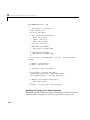
Building for the Rapid Simulation Target
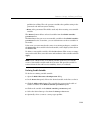
Changing Block Parameters for an rsim Simulation
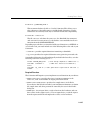
Once you have altered one or more parameter in the Simulink block diagram,
you can extract the parameter vector, rtP, for the entire model. The rtP vector,
along with a model checksum, can then be saved to a MATLAB MAT-file. This
MAT-file can be read in directly by the stand-alone rsim executable, allowing
you to replace the entire parameter vector quickly, for running studies of
variations of parameter values where you are adjusting model parameters or
coefficients or importing new data for use as input signals.
The model checksum provides a safety check to ensure that any parameter
changes are only applied to rsim models that have the same model structure.
If any block is deleted, or a new block added, then when generating a new rtP
vector, the new checksum will no longer match the original checksum. The rsim
executable will detect this incompatibility in parameter vectors and exit to
avoid returning incorrect simulation results. In this case, where model
structure has changed, you must regenerate the code for the model.
The rsim target allows you to alter any model parameter, including parameters
that include side-effects functions. An example of a side-effects function is a
simple Gain block that includes the following parameter entry in a dialog box.
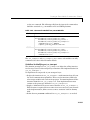
gain value:
2 * a
In general, Real-Time Workshop evaluates side-effects functions prior to
generating code. The generated code for this example retains only one memory
location entry, and the dependence on parameter a is no longer visible in the
generated code. The rsim target overcomes the problem of handling side-effects
functions by replacing the entire parameter structure, rtP. You must create
this new structure by using rsimgetrtp.m. and then save it in a MAT-file. For
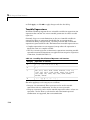
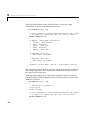
the rsimtfdemo example, type
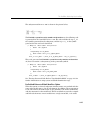
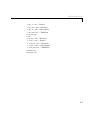
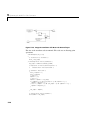
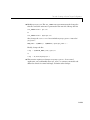
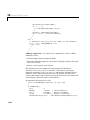
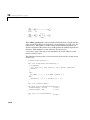
zeta = .2;
myrtp = rsimgetrtp('modelname');
save myparamfile myrtp;
at the MATLAB prompt.
In turn, rsim can read the MAT-file and replace the entire rtP structure
whenever you need to change one or more parameters — without recompiling
the entire model.
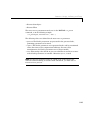
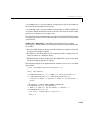
For example, assume that you have changed one or more parameters in your
model, generated the new rtP vector, and saved rtP to a new MAT-file called
11-13