1
6
External Mode
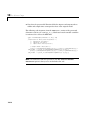
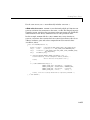
Note The -w and -port options are supported by the TCP/IP transport layer
modules shipped with Real-Time Workshop. By default, these modules are
linked into external mode target executables. If you are implementing a
custom external mode transport layer and want to support these options, you
must implement them in your code. See “Creating an External Mode
Communication Channel” on page 14–94 for further information. See
matlabroot/rtw/c/src/ext_transport.c for example code.
Error Conditions
If the Simulink block diagram does not match the external program, Simulink
displays an error box informing you that the checksums do not match (i.e., the
model has changed since you generated code). This means you must rebuild the
program from the new block diagram (or reload the correct one) in order to use
external mode.
If the external program is not running, Simulink displays an error informing
you that it cannot connect to the external program.
Implementing an External Mode Protocol Layer
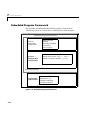
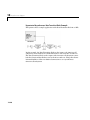
If you want to implement your own transport layer for external mode
communication, you must modify certain code modules provided by Real-Time
Workshop, and rebuild ext_comm, the external interface MEX-file. This
advanced topic is described in detail in “Creating an External Mode
Communication Channel” on page 14–94.
6-32